Few things ruin a ranked queue faster than a login screen that refuses to load. If you keep seeing Marvel Rivals Server Connection Failed the moment you try to jump into a match, you are not alone.
This error has been reported across PC and console lobbies, and it usually comes from one of a handful of well known causes. Some are on NetEase’s side, others live inside your own network setup.
The direct answer is this: marvel rivals server connection failed almost always points to either a temporary server overload, an outdated client, or a local network block like a firewall rule or unstable DNS path. Once you know which category you are dealing with, the fix is usually quick. Below, we break down every cause, every fix, and the advanced networking tricks that competitive players use to avoid the problem entirely.
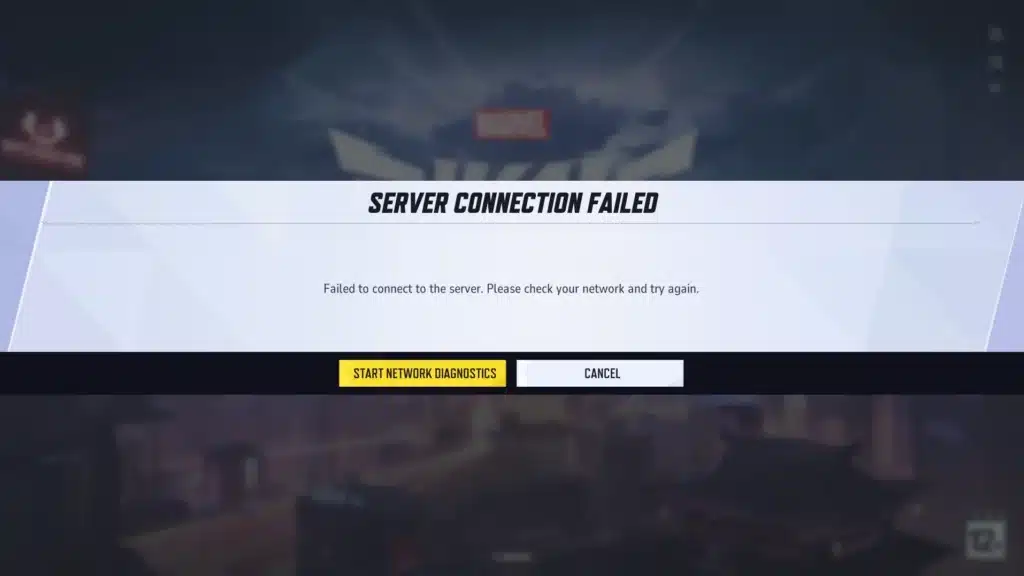
Why Marvel Rivals Server Connection Failed Happens
Understanding the root cause saves time. Instead of trying random fixes, you can match the symptom to the likely trigger and skip straight to the solution.
Server Side Triggers
NetEase regularly pushes updates and seasonal patches, and traffic spikes right after a release are a known trigger for connection failures. Consequently, thousands of players logging in at once can overwhelm login queues.
- Scheduled maintenance windows (Season 9 maintenance ran for roughly two hours in July)
- Post patch traffic surges when a new update drops
- Regional server instability during peak hours
- Backend authentication delays after a content update
Client Side Triggers
On the other hand, many connection failures are caused by something local to your PC or console. These are usually easier to fix since you control the environment directly.
- Outdated game client that no longer matches the server version
- Corrupted local configuration or cache files
- Firewall or antivirus software blocking the game’s network traffic
- Restrictive router NAT settings limiting matchmaking communication
Marvel Rivals Failed To Connect To Server: What The Codes Mean
If you have also seen marvel rivals failed to connect to server alongside a numeric code, that number actually narrows down the cause considerably. NetEase has not published full official documentation for every code, but community testing has mapped the most common ones.
Error Code 10 Explained
Error Code 10 typically appears during login or matchmaking and signals that your client cannot properly communicate with the server. In many cases this stems from an ISP routing issue rather than an actual server outage.
Therefore, checking your own connection before assuming the servers are down saves a lot of frustration. A quick router restart resolves this for a large share of affected players.
Error Code 270 Explained
Error Code 270 is a handshake failure that shows up most often right after an update, when the client tries to verify its version against NetEase’s servers. Heavy login traffic is the usual culprit.
Interestingly, some console players have reported that repeatedly pressing the login button for around 30 seconds pushes the client through the queue faster. It is not elegant, but it has worked for many.
How Do You Fix Marvel Rivals Server Connection Failed?
Start with the basics before moving into deeper network settings. Work through this list in order, since each step rules out a different cause.
- Check the in-game or official social channels for maintenance announcements before doing anything else.
- Fully close Marvel Rivals, wait five to ten minutes, then relaunch instead of spamming reconnect attempts.
- Update the game client through Steam or Epic, since a version mismatch will always trigger a failure.
- Open the Marvel Rivals Launcher and select “Clear Local Configuration Files” to remove corrupted cache data.
- Restart your router to force a fresh IP lease and clear any stuck connection state.
- Verify Windows Firewall has an active inbound rule enabling Marvel Rivals traffic.
- Switch your DNS to a public option like 1.1.1.1 or 8.8.8.8 if your ISP’s default DNS is slow to resolve.
Notably, most players find their issue solved within the first four steps. The remaining steps target more stubborn, network-level problems.
Is It A Server Problem Or A Network Problem?
This is the question every affected player asks first, and the answer changes your entire troubleshooting path. Checking server status takes thirty seconds and saves you from chasing a fix that was never going to work.
If the official status page shows all systems operational and friends on the same server region are playing fine, the problem is local to your setup. However, if social channels are flooded with similar reports, it is almost certainly a backend issue on NetEase’s end.
Quick Status Checklist
- Visit the official Marvel Rivals status page or in-game announcement banner
- Search X (formerly Twitter) and Discord for recent player reports
- Ask a friend on the same platform if they can log in normally
- Check whether the issue started right after a patch or maintenance window
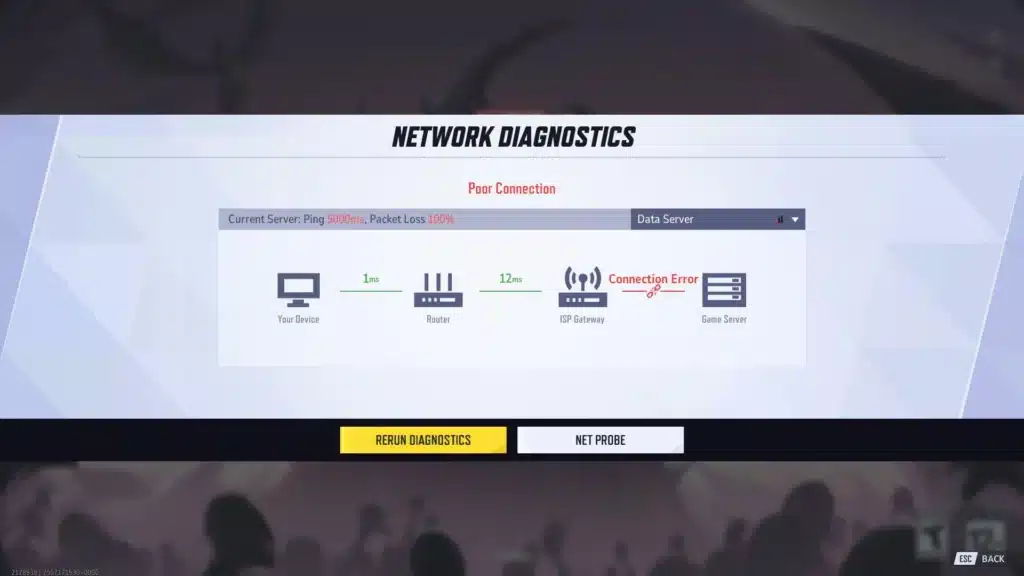
Why Does Marvel Rivals Say Failed To Connect To Server During Peak Hours?
Peak hour failures usually trace back to congestion rather than an actual outage. When millions of concurrent players hit login servers during evenings and weekends, queue times and handshake failures both increase.
Additionally, poor routing between your ISP and the game’s data center can compound the problem. A route with multiple unnecessary hops introduces more points where packets can drop or arrive late, which the client may interpret as a failed connection attempt.
This is where advanced players start looking beyond basic router restarts. Packet loss and inconsistent routing are invisible in a normal ping test but show up clearly during high traffic windows.
Causes, Fixes, And Time Estimates
| Cause | Recommended Fix | Estimated Time |
|---|---|---|
| Scheduled maintenance | Wait for the official all-clear announcement | 30 minutes to 2 hours |
| Outdated client after patch | Update through Steam or Epic launcher | 5 to 15 minutes |
| Corrupted cache files | Clear Local Configuration Files in launcher | 2 to 5 minutes |
| Firewall blocking traffic | Add inbound rule for Marvel Rivals | 3 to 5 minutes |
| Unstable ISP routing | Optimize route with a connection tool | 5 to 10 minutes |
| Restrictive NAT type | Adjust router NAT or use port forwarding cautiously | 10 to 20 minutes |
Pro Tips: Marvel Rivals Server Connection Failed
- Restart before you troubleshoot: A full router power cycle refreshes your IP lease and clears stuck connection states, which fixes a surprising number of login failures instantly.
- Update first, ask questions later: Any time you see marvel rivals failed to connect to server right after a patch, assume a version mismatch first since it is the single most common trigger.
- Allowlist, don’t disable: Adding a permanent firewall exception for Marvel Rivals is safer long term than turning off your firewall entirely, and it solves the same blocking issue.
- Test wired versus wireless: Ethernet is generally more stable, but if your router’s Wi-Fi profile has fewer restrictive rules, temporarily testing Wi-Fi can isolate whether the issue is port related.
- Watch the clock: If failures cluster around evenings or right after a big patch, the cause is very likely congestion rather than something wrong with your setup.
Common Mistakes Marvel Rivals Players Make
- Spamming reconnect instead of waiting: Rapidly retrying during a server overload adds more load and rarely helps. Fix: close the client, wait five to ten minutes, then try again.
- Disabling the firewall completely: This removes protection without guaranteeing a fix, since the real block might be a specific rule rather than the firewall as a whole. Fix: create a targeted inbound rule for Marvel Rivals instead.
- Ignoring server status pages: Many players immediately reinstall the game when the real issue is a maintenance window. Fix: always check official status channels before making local changes.
- Never updating DNS or router firmware: Old router firmware and default ISP DNS servers can quietly cause routing inefficiencies. Fix: update firmware periodically and consider a faster DNS provider.
Advanced Networking Insight For Persistent Failures
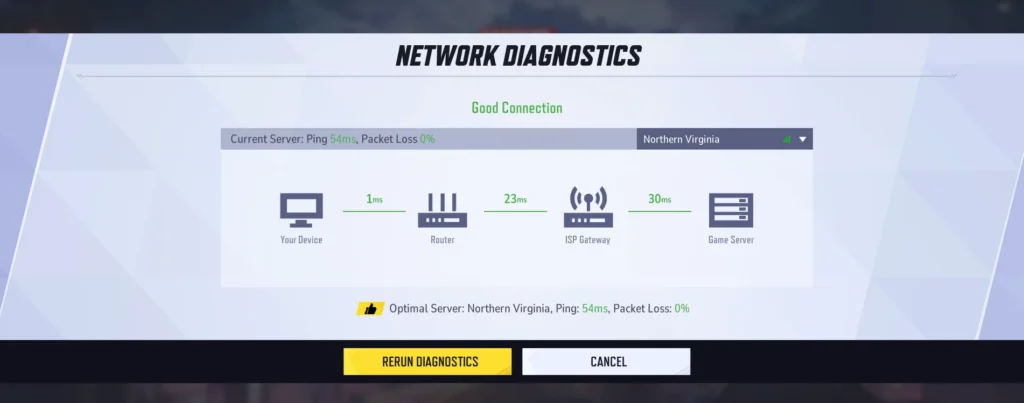
If basic fixes do not resolve your marvel rivals server connection failed message, the issue may be deeper in how your traffic routes to the game’s servers. Packet loss along a poor route often looks identical to a local connection problem, even though your internet itself is fine.
- ISPs sometimes route international or long distance connections through congested exchange points, adding latency and drop risk.
- A restrictive NAT type (Strict or Type 3) can block the peer to peer handshakes some multiplayer systems rely on.
- Background downloads, cloud backups, or other devices on your network can quietly starve the game’s connection of bandwidth during critical moments.
Understanding this distinction matters because no amount of firewall tweaking fixes a bad route between your ISP and the data center. That is a routing problem, not a permissions problem.
Fixing Marvel Rivals Failed To Connect To Server With Better Routing
This is exactly where a dedicated connection optimizer becomes useful instead of just another troubleshooting guess. ExitLag is not a VPN, so it does not hide your IP or encrypt your traffic like one would.
Instead, ExitLag continuously analyzes multiple network paths in real time and automatically selects the fastest, most stable route between your PC and the Marvel Rivals servers. For connection drops specifically, its Multipath Technology sends data through several routes simultaneously, so if one path fails or gets congested, the others keep your session alive.
Multi-Internet support goes even further by allowing up to four simultaneous internet connections. If your primary line drops or degrades mid match, another connection takes over instantly, which directly reduces the kind of timeouts that trigger a marvel rivals server connection failed message in the first place.
Beyond routing, features like Real-time Optimization reduce delay and packet loss for more consistent inputs, while Traffic Shaper prioritizes game traffic over background downloads that might otherwise be starving your connection. PC Boost also cleans up background processes for smoother overall performance, and the AI-powered routing picks the best path automatically if you prefer a one click setup.
ExitLag supports more than 4,000 titles across PC and Mobile, with over 1,500 servers spread across 190-plus countries, and it is trusted by more than 30 million users running upwards of 18 million optimizations every week. It does not modify game files, inject code, or interact with anti-cheat systems, so it stays safe to run alongside Marvel Rivals.
One important note: avoid running ExitLag alongside a VPN at the same time, since the two can interfere with each other’s routing. If you are ready to stop guessing at connection fixes, grab the ExitLag Download and let it handle the routing side while you focus on the match.
Final Word On Marvel Rivals Server Connection Failed
Most connection failures resolve within minutes once you identify whether the root cause sits on the server side or inside your own setup. Working through the checklist above in order, starting with status checks and ending with router or DNS adjustments, covers the vast majority of cases.
For the tougher cases involving packet loss or unstable routing during peak hours, a dedicated optimizer adds a layer of resilience that basic troubleshooting cannot. Ultimately, whether you are dealing with marvel rivals server connection failed during a patch window or a stubborn firewall block, patience combined with the right fix gets you back into your next match quickly.
All game images used in this blog post belong to NetEase Games. They are used for informational and educational purposes only and do not imply endorsement or affiliation with the rights holders.
Got questions or want to connect with other players? Join the conversation at the ExitLag Forum!