Watching live streams can earn you free in game rewards for Marvel Rivals. Twitch Drops reward players who tune in to eligible Marvel Rivals broadcasts. These rewards include sprays, emotes, nameplates, and exclusive costumes. But you must know exactly how the system works to claim everything you can.
In this guide, you’ll learn what Twitch Drops are, where to watch, how to link your accounts, how to unlock rewards, and how to claim your drops. Whether you’re new to Twitch or a seasoned viewer, this step-by-step walkthrough makes earning Marvel Rivals Twitch Drops easy and clear.
What Are Marvel Rivals Twitch Drops?
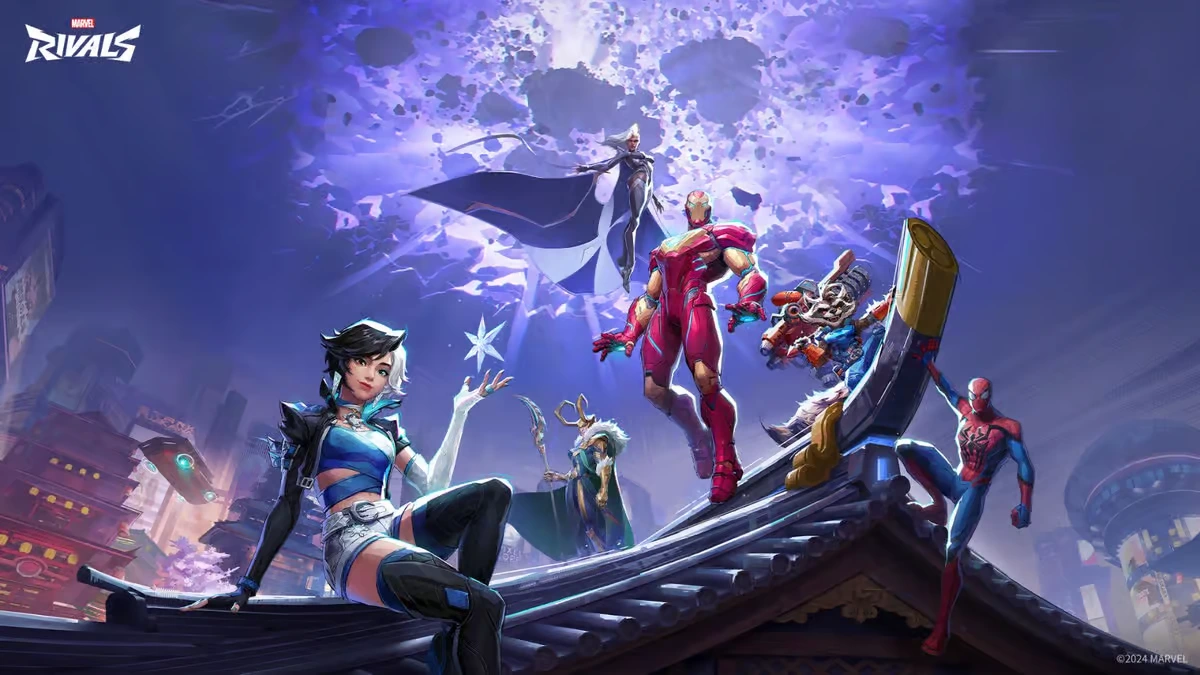
Twitch Drops are free in game rewards you earn by watching streams of Marvel Rivals on Twitch. When a stream has “Drops Enabled,” your viewing time counts toward reward milestones. These items often include cosmetics like:
- Sprays
- Nameplates
- Emotes
- Exclusive costumes
To earn them, you must watch for specific amounts of time during an active Twitch Drops event.
How to Set Up Twitch Drops for Marvel Rivals
Before you can earn drops, you must connect your game and Twitch accounts. Follow these steps exactly:
1. Create or Log In to Your Accounts
Make sure you have:
- A Marvel Rivals game account (Steam, Epic, PS5, or Xbox Series X|S)
- A Twitch account
Log into both accounts first.
2. Link Twitch to Your Marvel Rivals Account
Go to the Marvel Rivals links page on the official website. In your account settings, find “Connections” and click Connect under the Twitch logo. Log into Twitch when prompted.
This linking is crucial otherwise Twitch won’t count your watch time.
3. Watch Twitch Streams with Drops Enabled
To earn rewards:
- Open Twitch.
- Search for streams in the “Marvel Rivals” category.
- Join any stream with “Drops Enabled.” You’ll see a pop-up or badge showing that drops are active.
4. Earn Watch Time
Your watching time accumulates toward rewards automatically. For example, typical milestones include:
- 30 minutes spray
- 1 hour nameplate
- 2 hours emote
- 4 hours costume
Just watching counts you can even mute the stream while doing other things.
How to Claim Your Twitch Drops
Once you earn a drop, you must claim it:
- On Twitch
Go to Twitch Drop Inventory and click Claim for each reward you’ve unlocked.
- In Marvel Rivals
After claiming on Twitch, open Marvel Rivals and check your in-game email or inbox. Your rewards arrive there and must be claimed before they expire (usually within 30 days). This two-step claim process is essential if you only watch but don’t claim on Twitch, the item won’t transfer to the game.
Which Streams Count for Twitch Drops?
Not all streams count. Only live broadcasts with:
- The game category set to Marvel Rivals
- The “Drops Enabled” tag
Tips to Earn More Drops
Here are extra tips to maximize your rewards:
- Switch Streams Smartly: Your watch time usually counts only for one stream at a time.
- Use Desktop Browsers: Some mobile app issues have been reported, especially on iOS try desktop Twitch or Safari with desktop mode.
- Track Progress: You can see your watch time and next milestone in the Twitch Drops inventory UI.
- Check Reward Expiry: Claim on Twitch first, then in-game before the email expires (often 30 days).
Common Twitch Drops Reward Examples
Different events highlight different items. Past examples include:
- Sprays at 30 minutes
- Nameplates at 1 hour
- Emotes at 2 hours
- Costumes at 4 hours
These vary by season and specific event, but the process remains the same. Always check the event countdown before watching.
Troubleshooting Drops Not Appearing
If your drops don’t show up:
- Make sure your Marvel Rivals and Twitch accounts are correctly linked.
- Claim the drop in Twitch Drop Inventory first.
- Check your in-game inbox rewards won’t auto-appear until claimed.
- Try watching via a browser instead of the mobile app.
Thoughts
Earning Marvel Rivals Twitch Drops is one of the easiest ways to get free cosmetics in the game. With a linked Twitch account and a bit of watch time, you can unlock sprays, nameplates, emotes, and even rare costumes. Just remember the key steps:
- Link Twitch and Marvel Rivals accounts.
- Watch Streams with Drops Enabled.
- Claim on Twitch.
- Retrieve in-game rewards.
Follow these steps, and you’ll never miss another Marvel Rivals Twitch Drop reward again.
Marvel Rivals rewards: what you can actually unlock
Marvel Rivals Twitch Drops usually rotate with each major event, beta phase, or seasonal promotion. While the process stays the same, the rewards change frequently. Most Marvel Rivals rewards fall into cosmetic categories. They do not affect gameplay balance, but they strongly impact player identity and progression visuals.
Typical reward categories include:
- Hero sprays themed around Marvel characters
- Animated or static nameplates
- Emotes linked to heroes or factions
- Limited-time costumes or recolors
- Event-exclusive profile icons
These items are often time-limited. Once a Twitch Drops campaign ends, the rewards usually do not return. This makes Twitch Drops one of the few ways to obtain truly exclusive cosmetics.
Twitch Drops Marvel Rivals reward
The table below shows a typical Twitch Drops structure used in Marvel Rivals events. Timings and items may vary per campaign, but the format remains consistent.
| Watch Time Required | Reward Type | Example Reward | Claim Location |
| 30 minutes | Spray | Hero-themed spray | Twitch → In-game inbox |
| 1 hour | Nameplate | Event nameplate | Twitch → In-game inbox |
| 2 hours | Emote | Character emote | Twitch → In-game inbox |
| 4 hours | Costume | Limited cosmetic skin | Twitch → In-game inbox |
This structure encourages longer viewing sessions and rewards consistent engagement. Always check the official Marvel Rivals Drops page before an event starts to confirm the exact milestones.
How Twitch Drops Marvel events usually work
Most Twitch Drops Marvel campaigns follow a predictable pattern.
First, the developers announce the event on official channels. This includes:
- Start and end date
- Eligible regions
- List of rewards
- Required watch time
Then, selected streamers activate Drops Enabled on their channels. Once the event is live, players can begin earning progress immediately. However, progress does not carry over between different Twitch Drop campaigns. Each event starts from zero. This is one of the most common mistakes players make.
Common mistakes when claiming Twitch Drops
Many players watch streams but never receive rewards. In most cases, the issue is not a bug.
Here are the most common reasons Twitch Drops fail:
- Twitch account not linked to Marvel Rivals
- Reward not manually claimed on Twitch
- Watching streams without “Drops Enabled”
- Watching multiple streams at the same time
- In-game inbox not checked before expiration
To avoid problems, always follow this order:
- Watch a Drops Enabled stream
- Track progress in Twitch Drops inventory
- Manually claim the reward on Twitch
- Log into Marvel Rivals
- Claim the item from the in-game inbox
Skipping any step can result in lost rewards.
Where to track your Twitch Drops progress
Twitch provides a built-in progress tracker.
You can find it by:
- Clicking your profile icon on Twitch
- Selecting “Drops & Rewards”
- Opening the “Inventory” tab
There, you can see:
- Active Marvel Rivals Twitch Drops
- Watch time progress
- Rewards ready to claim
- Claimed rewards
If a reward shows as “Claimed” on Twitch but not in-game, wait a few minutes and restart Marvel Rivals. Synchronization is usually fast, but delays can happen during high-traffic events.
Do Twitch Drops Marvel Rivals rewards expire?
Yes.
Both steps have expiration limits:
- Twitch rewards must be claimed during the event or shortly after
- In-game mail usually expires within 30 days
If you do not open the in-game message in time, the reward is permanently lost. This is why it’s important to log into Marvel Rivals after every Twitch Drops session.
Are Twitch Drops worth it in Marvel Rivals?
For most players, yes.
Twitch Drops offer:
- Free cosmetics
- Event-exclusive items
- Early access visuals during betas
- A reason to follow competitive and creator content
They also help players feel connected to the evolving Marvel Rivals ecosystem. For collectors and long-term players, missing a Twitch Drop often means missing content forever.
How ExitLag improves your Marvel Rivals experience
While Twitch Drops focus on rewards, performance still matters once you’re in-game. Marvel Rivals is a fast-paced, team-based shooter. Lag, packet loss, or unstable routing can ruin matches, especially in ranked or competitive modes.
ExitLag improves your Marvel Rivals experience by:
- Reducing ping through optimized routing
- Stabilizing connections during peak hours
- Minimizing packet loss and sudden spikes
- Improving responsiveness in intense fights
Even with exclusive Twitch Drops equipped, performance issues can undermine your gameplay. ExitLag ensures your connection stays stable so you can actually enjoy the rewards you unlock.
For players watching streams, unlocking cosmetics, and jumping straight into matches, ExitLag helps keep everything smooth from start to finish.
Tips to never miss Marvel Rivals Twitch Drops
Before every event:
- Link your Twitch and Marvel Rivals accounts again to double-check
- Follow at least one official Marvel Rivals streamer
- Set reminders for event start and end times
During the event:
- Watch only Drops Enabled streams
- Check progress frequently
- Claim rewards immediately
After watching:
- Open Twitch inventory
- Launch Marvel Rivals
- Claim rewards from in-game mail
This simple routine guarantees you never lose a Marvel Rivals Twitch Drops reward again.