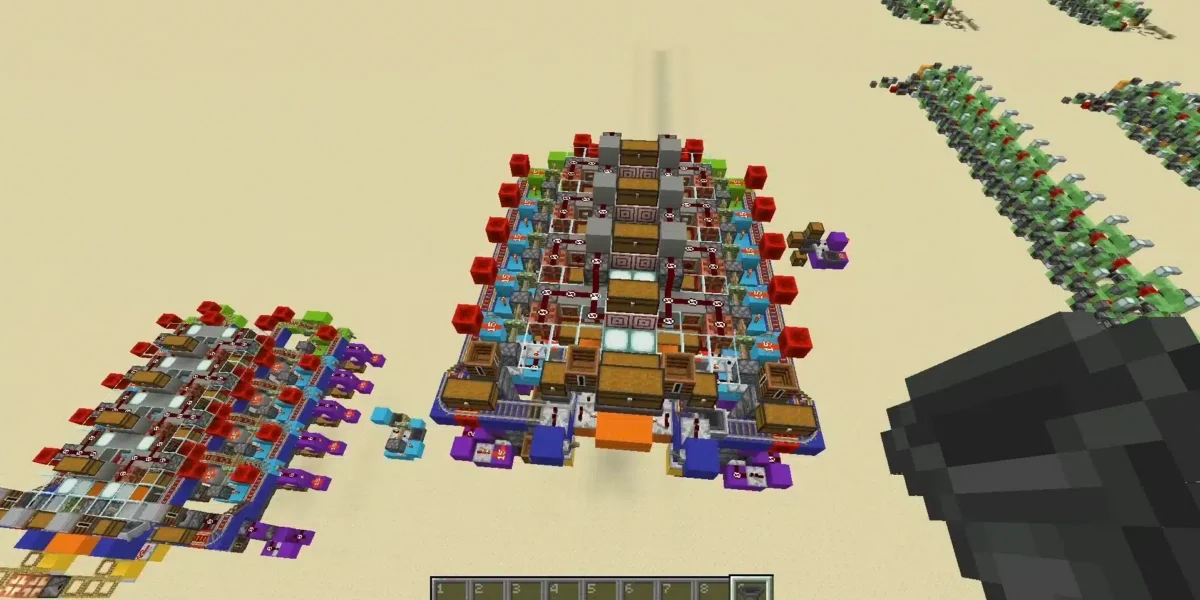
Minecraft building ideas can turn any empty world into a custom adventure, whether you are surviving your first night, planning a massive base, or designing a city with friends. Because Minecraft gives players freedom to place, remove, and shape blocks, every project can become part of your own story.
Minecraft building ideas work especially well when you mix creativity with purpose. A build can look beautiful, but it can also protect your items, organize farms, improve travel, or create a shared multiplayer space. In Creative mode, Minecraft gives players limitless resources, immunity to damage, and the ability to fly, which makes it ideal for testing large structures before building them in survival.
Minecraft building ideas are also easier to finish when you start with a clear theme. Instead of placing random blocks, choose a style, biome, function, or story. That approach gives you stronger Minecraft build inspiration, better Minecraft architectural designs, and more useful Minecraft base ideas.
In this guide, you will find easy builds, survival bases, biome projects, castles, villages, modern homes, fantasy structures, and advanced design tips. You can use these ideas in survival mode, Creative mode, Realms, private servers, or solo worlds.
What are the best Minecraft building ideas for beginners?
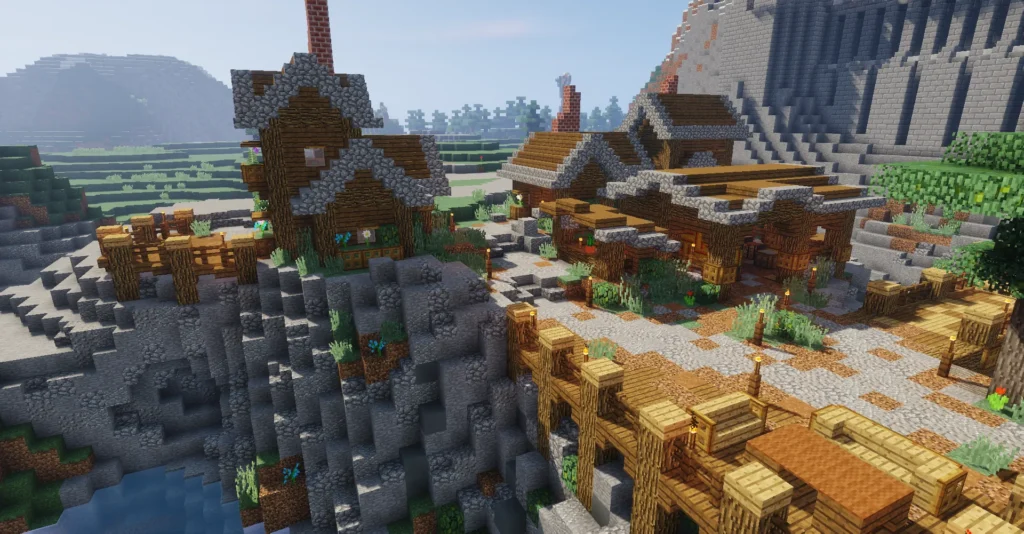
The best beginner-friendly Minecraft building ideas are small, useful, and easy to complete. You do not need rare blocks, complex redstone, or perfect architecture to start building well. In fact, simple projects teach the most important skills: shape, scale, lighting, texture, and layout.
Start with structures that solve immediate problems. A starter house, mine entrance, crop farm, watchtower, or storage room gives you a reason to build while improving your world. These smaller Minecraft construction projects also help you understand how blocks work together.
As you improve, you can upgrade each build instead of replacing it. A dirt hut can become a cottage. A basic farm can become a windmill village. A simple tower can become a castle wall.
Easy starter builds for survival
Here are simple projects that work well in a new survival world:
| Build idea | Best materials | Why build it |
| Starter cabin | Oak, spruce, cobblestone | Safe first-night shelter |
| Fishing dock | Wood, barrels, fences | Food, style, and water access |
| Mine entrance | Stone, lanterns, stairs | Organized mining access |
| Tiny farm | Dirt, water, fences | Reliable food source |
| Watchtower | Logs, ladders, slabs | Better visibility and defense |
| Tool shed | Wood, barrels, item frames | Organized crafting area |
| Animal pen | Fences, gates, hay bales | Food, leather, wool, eggs |
| Bridge | Wood, stone, lanterns | Connects terrain naturally |
| Campfire rest stop | Logs, campfires, benches | Decorative travel point |
| Small greenhouse | Glass, wood, flowers | Aesthetic crop display |
These are strong Minecraft base ideas because they are practical. They help you survive while teaching design habits.
To make beginner builds look better, avoid flat boxes. Add stairs to roofs, slabs to edges, trapdoors to windows, barrels near doors, and lanterns around paths.
Small decorative builds that improve a world
Not every build needs to be a huge base. Small details make a world feel alive.
Try these decorative creative Minecraft structures:
- A mailbox outside your house.
- A bench beside a path.
- A well in the village center.
- A tiny shrine near a forest.
- A flower cart beside a road.
- A scarecrow in a wheat field.
- A campfire near a lake.
- A small statue at spawn.
- A signpost between biomes.
- A fountain in a courtyard.
These details matter because they create atmosphere. A base with paths, lamps, gardens, and small structures feels more intentional than a house floating in empty terrain.
For more Minecraft build inspiration, choose one color palette before building. For example, oak and cobblestone create a classic survival look. Spruce and stone bricks create a medieval style. Quartz and glass create modern designs.
What should you build in Minecraft survival mode?
Survival mode builds should be useful first and beautiful second. You need storage, food, safety, crafting stations, farms, and travel routes. Once those systems work, you can decorate them.
The best survival Minecraft building ideas combine function and design. Instead of hiding farms underground, turn them into barns, windmills, greenhouses, or industrial buildings. Instead of placing chests randomly, create a storage hall with labels and pathways.
This makes your world easier to use and better to look at.
Essential Minecraft base ideas
A strong base should support daily gameplay. Start with these essentials:
| Base feature | Function |
| Bedroom | Spawn point and personal space |
| Storage hall | Organized resources |
| Crafting room | Workbench, stonecutter, loom, anvil |
| Smelting room | Furnaces, blast furnaces, smokers |
| Enchanting room | Bookshelves and enchantment table |
| Brewing room | Potions and Nether wart |
| Farm area | Food and trading supplies |
| Animal barn | Food, wool, leather, feathers |
| Mine access | Safe underground route |
| Nether portal room | Controlled portal travel |
These Minecraft base ideas can be built above ground, underground, inside a mountain, inside a tree, underwater, or in the sky.
A good survival base should also have:
- Clear paths.
- Good lighting.
- Secure walls or elevation.
- Easy storage access.
- Room to expand.
- A safe Nether portal.
- Emergency food.
- A backup bed.
- Defenses against mobs.
Functional survival projects
Once your starter base is stable, move into larger Minecraft construction projects that make your world more efficient.
Try building:
- Villager trading hall.
- Iron farm building.
- Automatic sugar cane farm.
- Bee farm greenhouse.
- Cow crusher barn.
- XP farm tower.
- Nether hub.
- Map room.
- Potion laboratory.
- Raid defense bunker.
- Horse stable.
- Elytra launch tower.
- Boat canal.
- Ice road tunnel.
- Mob-proof village wall.
Each project can have a theme. For example, an iron farm can look like a foundry. A sugar cane farm can become a riverside mill. A Nether portal can become a ruined temple.
That is the difference between basic utility and strong Minecraft architectural designs.
What are cool Minecraft building ideas by biome?
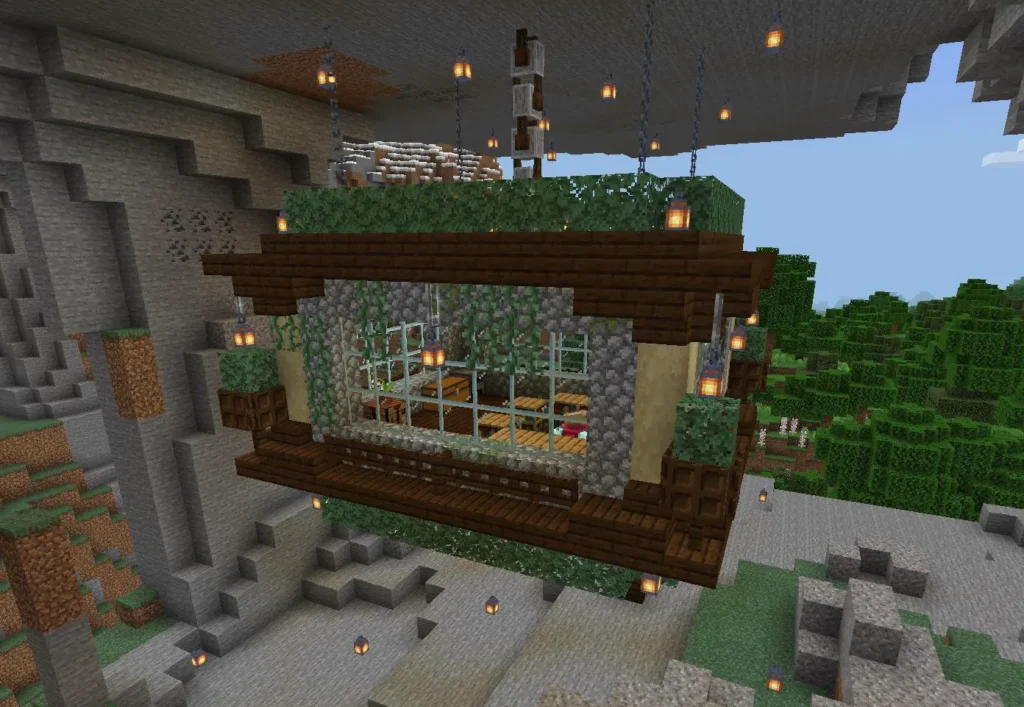
Biome-based building is one of the best ways to make your world feel natural. Instead of forcing the same house into every location, use local materials, colors, terrain, and weather as design inspiration.
This approach creates stronger Minecraft build inspiration because the environment gives you rules. A desert base should not feel like a snowy lodge. A jungle base should not feel like a plains farmhouse unless you are intentionally mixing styles.
Desert, jungle, and snowy builds
For deserts, use warm colors and simple silhouettes.
Desert Minecraft building ideas:
- Sandstone palace.
- Desert trading post.
- Oasis village.
- Pyramid base.
- Cactus farm tower.
- Desert temple restoration.
- Camel stable.
- Dune watchtower.
- Sunken library.
- Market bazaar.
Use sandstone, smooth sandstone, terracotta, stripped birch, copper, and warm lighting. Add palm-style trees, carpets, banners, and water features to break up the sand.
For jungles, build vertically.
Jungle ideas:
- Treehouse village.
- Rope bridge network.
- Hidden temple.
- Bamboo farm base.
- Jungle dock.
- Vines-covered ruins.
- Canopy observatory.
- Parrot sanctuary.
- Aztec-inspired pyramid.
- Waterfall cave house.
Use jungle wood, mossy cobblestone, vines, bamboo, leaves, and hidden entrances. Jungle builds look better when they feel partially swallowed by nature.
For snowy biomes, focus on warmth and contrast.
Snowy build ideas:
- Cozy log lodge.
- Ice castle.
- Frozen fishing hut.
- Mountain ski village.
- Snowy watchtower.
- Igloo storage base.
- Spruce cabin town.
- Hot spring bathhouse.
- Polar research station.
- Frozen bridge.
Use spruce, dark oak, stone bricks, lanterns, campfires, snow layers, and ice.
Mountain, ocean, and swamp builds
Mountain biomes are perfect for dramatic Minecraft architectural designs.
Mountain ideas:
- Cliffside mansion.
- Dwarven hall.
- Hanging bridge.
- Mountain monastery.
- Eagle watchtower.
- Ski lift.
- Hidden cave base.
- Peak observatory.
- Waterfall entrance.
- Minecart elevator.
Use stone, deepslate, spruce, chains, lanterns, and glass balconies. Let the terrain shape the build instead of flattening everything.
Ocean builds are ideal for players who like technical challenges.
Ocean ideas:
- Underwater glass dome.
- Lighthouse base.
- Floating raft village.
- Coral aquarium.
- Pirate cove.
- Sea temple conversion.
- Dock city.
- Submarine base.
- Ocean research lab.
- Bridge between islands.
Swamp builds should feel rustic, mysterious, or magical.
Swamp ideas:
- Witch hut upgrade.
- Raised wooden cabin.
- Potion shack.
- Frog sanctuary.
- Mangrove village.
- Mud brick tower.
- Boardwalk path.
- Haunted cemetery.
- Fishing camp.
- Hidden alchemy lab.
When adapting creative Minecraft structures to biomes, choose blocks that match the environment first. Decoration comes after the palette works.
What are the best Minecraft building ideas for creative mode?
Creative mode is perfect for testing ambitious Minecraft building ideas because you can focus entirely on design. Minecraft’s official site describes Creative mode as a mode with unlimited resources, immortality, flight, and instant block destruction, which makes it ideal for players who want to build without survival pressure.
That freedom lets you plan massive builds before trying them in survival. You can experiment with scale, copy patterns, test roofs, build statues, and design full cities without gathering materials.
The best Creative mode projects are not always huge, though. Sometimes, Creative mode is where you practice small details until your survival builds improve.
Large creative Minecraft structures
Try these large creative Minecraft structures when you want a challenge:
- Fantasy castle.
- Medieval kingdom.
- Futuristic city.
- Floating island chain.
- Giant tree village.
- Underground dwarven empire.
- Cyberpunk street district.
- Ancient ruined civilization.
- Dragon skeleton fossil.
- Space station.
- Sky temple.
- Roman colosseum.
- Modern airport.
- Wizard academy.
- Massive library.
- Steampunk factory.
- Elven palace.
- Nether fortress city.
- End island sanctuary.
- Giant statue of your skin.
For big builds, plan in layers:
- Shape the silhouette.
- Build the main frame.
- Add walls and roofs.
- Break up flat surfaces.
- Add windows and lighting.
- Decorate interiors.
- Landscape the area.
- Add paths and surrounding builds.
A large structure looks better when the outside and inside both make sense.
Modern and fantasy architectural designs
Modern Minecraft architectural designs usually rely on clean lines, open spaces, and contrast.
Modern build ideas:
- Glass mansion.
- Cliffside modern home.
- Minimalist beach house.
- Concrete apartment building.
- Luxury pool villa.
- Modern museum.
- City office tower.
- Underground bunker house.
- Smart base with redstone doors.
- Black-and-white modern cabin.
Use quartz, concrete, glass panes, sea lanterns, smooth stone, iron trapdoors, and clean landscaping.
Fantasy builds are more organic and dramatic.
Fantasy ideas:
- Wizard tower.
- Fairy garden.
- Mushroom village.
- Dragon roost.
- Magic portal shrine.
- Crystal cave.
- Floating spell library.
- Enchanted forest cabin.
- Elven bridge.
- Moon temple.
Use gradients, curves, vines, colored glass, amethyst, candles, lanterns, and asymmetry. Fantasy builds should feel slightly impossible.
How do you build a village or town in Minecraft?
A village or town is one of the most rewarding long-term Minecraft construction projects because it grows naturally over time. You can start with one house, then add roads, farms, shops, walls, towers, and public spaces.
The secret is planning. If every building is random, the town may feel messy. If every building is identical, it may feel boring. Aim for a shared style with small variations.
Choose:
- One main block palette.
- One roof style.
- One road material.
- One lighting style.
- A central landmark.
- A wall or border.
- Functional districts.
Village buildings to include
A strong village needs more than houses.
Try this village build list:
| Building | Purpose |
| Town hall | Central meeting point |
| Blacksmith | Tools, armor, forge design |
| Bakery | Food-themed decoration |
| Library | Books and enchanting theme |
| Market | Trading stalls |
| Farmhouse | Crop storage |
| Windmill | Food production landmark |
| Stable | Horses and travel |
| Inn | Guest housing |
| Church or chapel | Landmark structure |
| Guard tower | Defense and height |
| Fountain | Centerpiece |
| Schoolhouse | Roleplay detail |
| Dock | River or ocean access |
| Warehouse | Bulk storage |
These are excellent Minecraft building ideas because they give your town purpose. Each building adds both gameplay and atmosphere.
Roads, walls, and layout tips
A town feels better when movement is clear. Build roads before finishing every house.
Good road blocks include:
- Coarse dirt.
- Gravel.
- Cobblestone.
- Stone bricks.
- Path blocks.
- Mossy cobblestone.
- Deepslate tiles.
- Sandstone for deserts.
- Mud bricks for swamps.
Use curves instead of straight lines when possible. Add lamps, bushes, benches, carts, wells, and signs. Small details make the town feel lived in.
For walls, avoid plain rectangles. Add:
- Gatehouses.
- Corner towers.
- Battlements.
- Archer platforms.
- Banners.
- Guard posts.
- Outer farms.
- Watch fires.
If you play multiplayer, Realms can be useful for shared town projects because Minecraft Realms are personal multiplayer servers designed for playing online with friends in shared worlds.
How can ExitLag improve Minecraft building sessions?
ExitLag does not give you blocks, design buildings, or replace planning. However, it can improve the multiplayer side of building by helping stabilize your connection route during online sessions.
This matters when you build with friends on servers, Realms, or shared survival worlds. A massive build project can take hours. Lag, rubber-banding, delayed block placement, or disconnections can make that process frustrating.
Minecraft’s official Realms page describes Realms as personal multiplayer servers for playing with friends, and multiplayer building is often where connection quality becomes noticeable.
Why lag affects Minecraft construction projects
Lag can hurt building more than players expect.
Connection issues may cause:
- Delayed block placement.
- Blocks disappearing after placement.
- Rubber-banding while bridging.
- Slow chest access.
- Failed Elytra landings.
- Delayed inventory movement.
- Disconnections during long sessions.
- Poor experience on distant servers.
- Frustration during group projects.
This is especially annoying during large Minecraft construction projects. If you are building a castle wall, terraforming a mountain, or working on a city with friends, connection instability slows everything down.
Using ExitLag for smoother multiplayer builds
ExitLag helps optimize the route between your device and the game server. That can help reduce unstable routing, packet loss, and lag spikes in online sessions.
ExitLag can be useful if you:
- Build on international servers.
- Play with friends in other regions.
- Notice lag spikes while placing blocks.
- Experience packet loss.
- Get disconnected during long sessions.
- Work on Realms or private servers.
- Build large multiplayer projects.
For better results, combine ExitLag with good local habits:
- Use wired internet when possible.
- Close downloads while playing.
- Avoid streaming during big build sessions.
- Restart your router before long sessions.
- Keep Minecraft updated.
- Use servers close to your region when possible.
ExitLag helps protect the flow of building. That way, you can focus on creativity instead of fighting your connection.
FAQ
Easy Minecraft building ideas include starter cabins, fishing docks, farms, watchtowers, tool sheds, doghouses, wells, bridges, and campfire rest stops.
Start small, then upgrade. A simple wooden cabin can later become a village house, trading post, or mountain lodge.
You can find Minecraft build inspiration by exploring biomes, studying real-world architecture, replaying favorite fantasy settings, visiting multiplayer servers, and experimenting in Creative mode.
Creative mode is especially useful because it lets you test shapes, palettes, and layouts without survival limits.
The best Minecraft base ideas include mountain bases, underground bunkers, treehouses, ocean domes, castle keeps, desert temples, jungle platforms, and modern survival homes.
Choose a base that fits your playstyle. Builders may want space. Redstone players may need underground rooms. Survival players may want farms and storage nearby.
A Minecraft village should include homes, farms, a town hall, market, blacksmith, library, bakery, stable, fountain, roads, walls, and lighting.
For stronger Minecraft architectural designs, keep one shared style but vary roof shapes, sizes, and decoration.
Advanced creative Minecraft structures include fantasy castles, futuristic cities, floating islands, giant statues, underground kingdoms, space stations, megabases, and biome-themed capitals.
Large projects work best when you plan the silhouette first and decorate later.
Build your next Minecraft world with better ideas
Minecraft building ideas are easier to finish when you choose a purpose, style, biome, and scale before placing blocks. A good build does not need to be huge. It needs to feel intentional.
Start with simple survival projects. Add farms, storage, paths, and safe lighting. Then move into larger builds like castles, villages, biome bases, modern homes, fantasy towers, and multiplayer towns.
Use Minecraft build inspiration from the world around you. A mountain can become a fortress. A swamp can become a witch village. A desert can become a trading city. A tiny island can become a lighthouse base.
The best Minecraft construction projects grow over time. Build one structure, connect it with paths, add details, and let your world become more alive with every session.
Minecraft building ideas become even better when your multiplayer connection is stable. Try ExitLag to reduce lag, improve route stability, and enjoy smoother Minecraft building sessions while creating bases, towns, castles, and massive projects with friends.
Got questions or want to connect with other players? Join the conversation at the ExitLag Forum!