

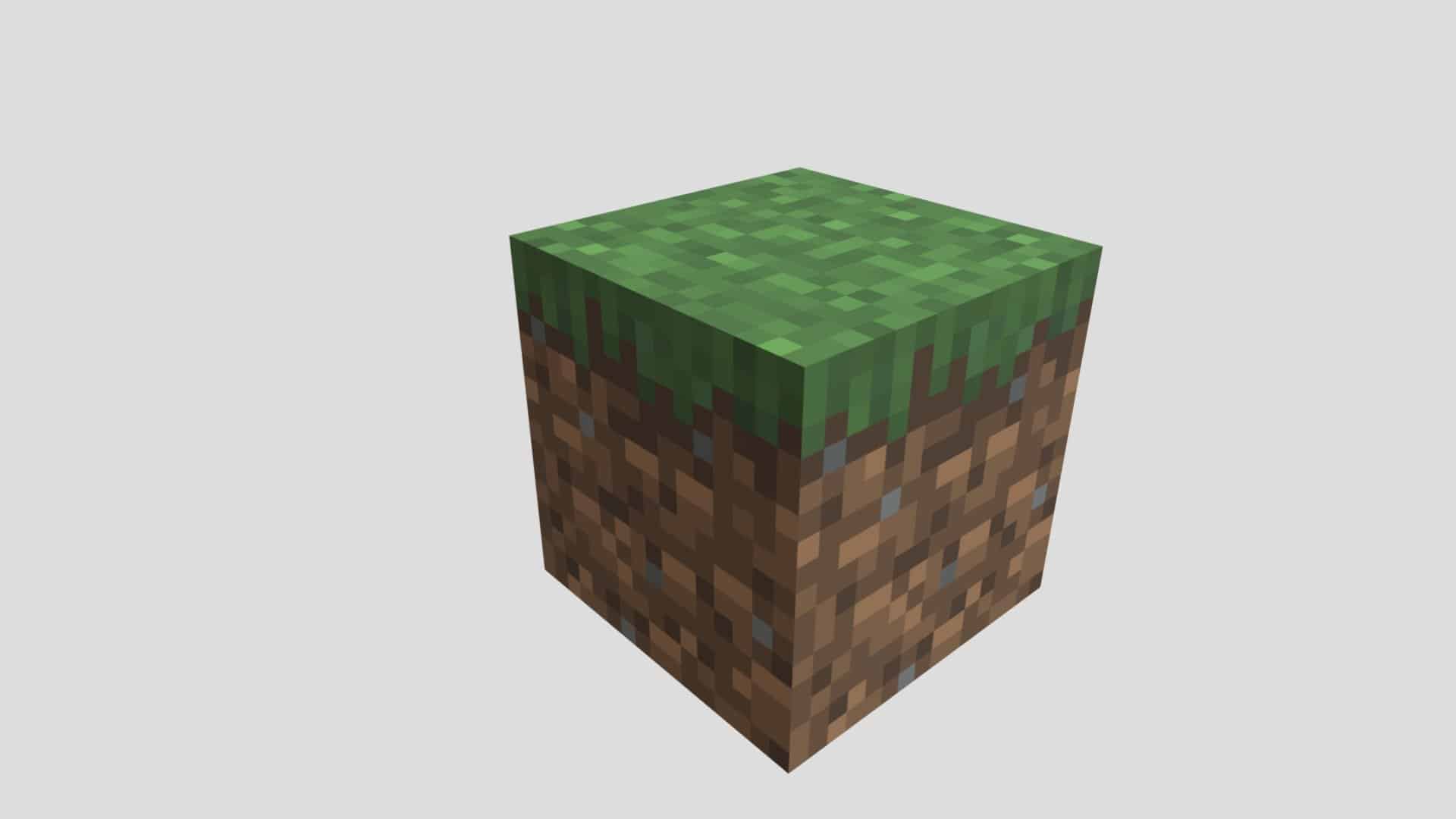
The minecraft grass block is one of the most iconic blocks in the game. From the moment players spawn into a new world, grass blocks define the look and feel of the Overworld. They represent safety, natural terrain, and the starting point for most survival adventures.
Beyond aesthetics, the grass block minecraft mechanic plays an important role in gameplay. Grass blocks affect mob spawning, terrain generation, and how landscapes evolve over time. Because of this, understanding how grass blocks work is essential for both builders and survival players.
So what exactly is a grass block in Minecraft, where does it appear, and why does it matter? Simply put, grass blocks are the foundation of most natural environments in the game and a key element in building believable worlds.
What Is a Grass Block in Minecraft?
Grass Block vs Grass (Plant)
One of the most common points of confusion for new players is the difference between a grass block and grass plants. A grass block is a solid block with a green surface, while grass plants are decorative items that grow on top of blocks.
Breaking this down:
- Grass block: a full block used for terrain and building
- Grass plant: a non-solid decorative element
Understanding this distinction helps avoid mistakes when farming, building, or terraforming.
Natural Generation and Biomes
Grass blocks generate naturally across most Overworld biomes. Plains, forests, taigas, and jungles all feature grass blocks as their primary surface layer.
They do not naturally generate in the Nether or the End. In some special biomes, such as mushroom fields, grass blocks are replaced by mycelium, which behaves differently but follows similar spreading rules.
Minecraft Grass Block Texture Explained
Top, Side, and Bottom Textures
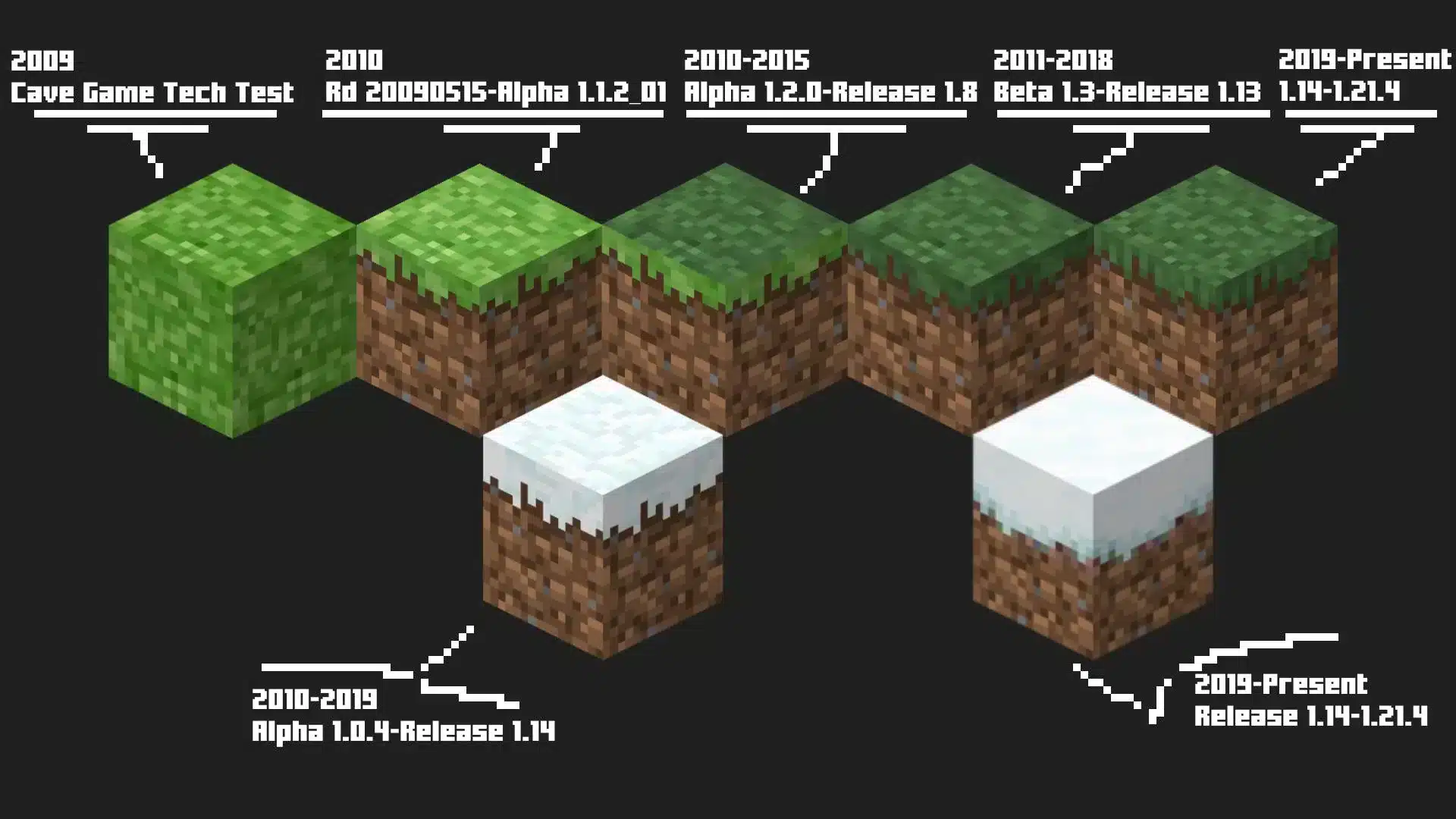
The minecraft grass block texture is made up of three distinct visual elements. The top face displays green grass, the sides show dirt with a grassy overlay, and the bottom face uses a standard dirt texture.
This layered design allows grass blocks to blend naturally into terrain while still looking distinct when exposed on cliffs or hillsides.
Biome-Based Color Variations
Grass blocks do not always appear the same color. Their green shade changes depending on the biome they are placed in. For example:
- Plains biomes use bright green tones
- Forests appear darker and richer
- Savannas display yellowish grass
- Deserts cause nearby grass to look dry and faded
These color variations are automatic and help visually distinguish different regions of the world.
How to Get Grass Blocks in Minecraft
Getting Grass Blocks with Silk Touch
In survival mode, the only direct way to obtain grass blocks is by using the Silk Touch enchantment. When a grass block is broken with a Silk Touch tool, it drops itself instead of turning into dirt.
Without Silk Touch, breaking a grass block will always result in a dirt block.
Grass Spreading Mechanics
If you do not have Silk Touch, grass blocks can still be created through spreading. When a dirt block is placed next to an existing grass block and exposed to enough light, the grass will slowly spread.
This mechanic allows players to transform large dirt areas into grass naturally over time.
Creative Mode Access
In Creative mode, grass blocks are available directly in the inventory. This makes them easy to use for landscaping, custom maps, and large-scale builds without worrying about mechanics or light levels.
Grass Block Mechanics and Behavior
Light Requirements
Grass blocks require sufficient light to survive and spread. If light levels drop too low, grass blocks will turn back into dirt.
Transparent blocks such as glass do not block grass growth, but solid blocks placed above grass can prevent it from spreading.
Mob Spawning and Gameplay Impact
Grass blocks play a role in mob spawning. Passive mobs such as cows, sheep, and horses naturally spawn on grass blocks, making them essential for animal farms.
Because of this, maintaining grass-covered areas is important for long-term survival gameplay.
Why Grass Blocks Matter in Minecraft Worlds
Building and Landscaping
Grass blocks are essential for landscaping and terraforming. They help create natural-looking hills, paths, yards, and custom biomes that feel alive rather than artificial.
Builders rely on grass blocks to blend structures into the environment and avoid harsh transitions between natural and made areas.
Survival and Multiplayer Relevance
In survival and multiplayer worlds, grass spreading depends on chunk updates and game ticks. On busy servers or unstable connections, grass growth can appear slow or inconsistent.
A stable connection improves chunk loading and block updates, making mechanics like grass spreading feel more reliable. ExitLag helps stabilize connections on PC and Mobile by reducing packet loss and improving routing, which is especially helpful when terraforming or managing large grass-covered areas online.
Grass Block vs Other Natural Blocks in Minecraft
While the grass block is the most common surface block in the Overworld, it is not the only natural option available. Understanding how the grass block compares to other similar blocks helps players make better decisions when building, farming, or terraforming.
Grass Block vs Dirt
At first glance, grass blocks and dirt blocks seem closely related, but their mechanics are very different. Dirt is a static block with no special behavior, while the grass block is dynamic.
Grass blocks can spread to nearby dirt blocks under the right conditions, while dirt will never change on its own. In addition, passive mobs naturally spawn on grass blocks but not on dirt. From a visual standpoint, grass blocks are far more suitable for natural landscapes, whereas dirt is best used as a temporary or hidden filler block.
Grass Block vs Mycelium
Mycelium is the grass block equivalent found in mushroom fields biomes. It shares similar spreading mechanics but has a distinct purple texture and does not support passive mob spawning.
Unlike grass blocks, mycelium creates a darker, more alien atmosphere. Builders often use it intentionally for fantasy or corrupted biome designs. From a survival perspective, grass blocks are usually more practical due to their role in animal spawning.
Grass Block vs Moss Block
Moss blocks are decorative blocks introduced to expand building creativity. Unlike grass blocks, moss does not spread naturally and does not support mob spawning.
Moss is best used for detailing caves, ruins, or lush environments, while grass blocks remain the foundation for open terrain and functional landscapes.
Advanced Grass Block Mechanics
Grass blocks are governed by several hidden rules that control how they behave over time.
Spreading Rules in Detail
Grass spreads from an existing grass block to adjacent dirt blocks through random game ticks. For this to happen, the target block must have sufficient light, usually level 9 or higher.
Transparent blocks such as glass do not prevent spreading, but solid blocks placed directly above dirt will stop grass from growing. Grass also cannot spread across gaps or diagonally, which is important when designing farms or decorative patterns.
Grass Decay and Conversion to Dirt
If a grass block loses access to light, it will eventually turn back into dirt. This commonly happens when solid blocks are placed directly above it.
Understanding this mechanic is essential when building underground bases or placing decorative blocks over natural terrain. Improper lighting or block placement can quickly ruin a grassy area.
Grass Block and Mob Spawning
Grass blocks play a critical role in mob-related gameplay systems.
Passive Mob Spawning Requirements
Passive mobs such as cows, sheep, pigs, and horses naturally spawn on grass blocks in well-lit areas. This makes grass blocks essential for animal farms and renewable food sources.
Without grass blocks, passive mob spawning becomes unreliable or impossible in many setups.
Grass Blocks in Farm Design
Most efficient animal farms rely on large grass-covered areas to encourage natural spawning. Players often flatten terrain and ensure consistent lighting to maximize results.
Grass blocks are also used strategically to control where mobs can and cannot spawn, helping players design safer bases.
Grass Block Uses in Building and Landscaping
Beyond mechanics, grass blocks are one of the most important aesthetic tools in Minecraft.
Terraforming and Natural Builds
Grass blocks allow players to reshape the world while maintaining a natural look. Hills, valleys, paths, and open fields all rely on grass to blend smoothly with the environment.
Combining grass blocks with dirt paths, flowers, and foliage creates realistic terrain transitions that improve the overall quality of builds.
Custom Biomes and Aesthetic Design
Advanced builders often use grass blocks to define custom biomes. By combining grass with biome-specific plants, trees, and blocks, players can create unique regions within a single world.
Grass color blending between biomes also adds subtle visual depth without requiring texture packs.
Multiplayer, Performance, and Grass Behavior
Grass block mechanics behave slightly differently in multiplayer environments due to performance factors.
Chunk Loading and Grass Spreading on Servers
Grass does not spread in unloaded chunks. On multiplayer servers, this means grass growth may appear slow or inconsistent if players are not actively nearby.
Large servers with many players can also delay random tick updates, affecting how quickly grass spreads across terrain.
Connection Stability and World Updates
Because grass spreading depends on game ticks and chunk updates, unstable connections can make growth appear delayed or desynced.
ExitLag helps stabilize connections on PC and Mobile by improving routing and reducing packet loss. This results in smoother chunk updates and more consistent world behavior, which is especially noticeable when terraforming or managing large grassy areas on multiplayer servers.
Grass Block Comparison Table
| Block Type | Spreads Naturally | Supports Mob Spawning | Biome Color Affected | Main Use |
| Grass Block | Yes | Yes | Yes | Natural terrain |
| Dirt | No | No | No | Filler and building base |
| Mycelium | Yes | No | Limited | Mushroom biomes |
| Moss Block | No | No | No | Decoration |
Common Grass Block Mistakes to Avoid
Blocking Light Incorrectly
Placing full solid blocks directly above grass blocks will eventually cause them to turn into dirt. Using slabs or transparent blocks prevents this issue.
Expecting Instant Spreading
Grass spreading is not immediate. It depends on random ticks and active chunks, meaning patience is required when converting large dirt areas into grass.
All game images used in this blog belong to Mojang Studios. They are used for informational and educational purposes only and do not imply endorsement or affiliation with the rights holders.


