
Minecraft village seeds are one of the easiest ways to start a new survival world with food, shelter, villagers, trades, farms, and early loot already nearby. Instead of spending your first night searching for safety, the right seed can place you close to a village, a blacksmith chest, nearby caves, useful biomes, or even late-game structures.
A strong start becomes even better when your world has more than one objective nearby. While exploring Minecraft village seeds, you can use ExitLag’s guide to Trial Chambers in Minecraft to understand why some village starts are especially valuable when trial structures appear close to spawn. That makes Minecraft village seeds useful not only for early survival, but also for combat practice, loot progression, and longer adventure routes.
Minecraft village seeds are popular because villages solve several early-game problems at once. You can sleep safely, collect crops, trade with villagers, use workstations, protect iron golems, and build a base around existing infrastructure. For players who want faster progression, villager seeds for Minecraft can turn the first hour of survival into a much smoother experience.
This guide explains what makes a village seed worth using, how Java and Bedrock differences affect world generation, which types of villages are best, how to use seeds correctly, and how to build a better survival plan around Minecraft village seeds in 2026.
What Are the Best Minecraft Village Seeds?
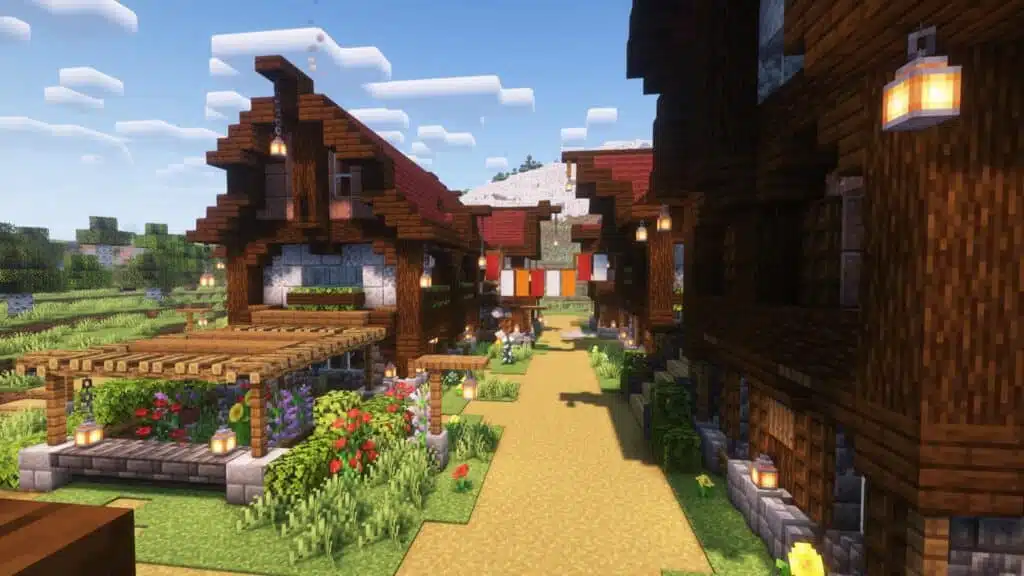
The best Minecraft village seeds are the ones that place a village near spawn while also offering useful resources, strong terrain, and nearby structures. A village alone is helpful, but a village near caves, Trial Chambers, ruined portals, temples, mountains, oceans, or Ancient Cities can shape your entire playthrough.
When players search for Minecraft village seeds, they usually want one of three things: a safe beginner start, a fast progression route, or a beautiful building location. The best seed depends on which goal matters most to you.
Best Village Seed Features
A great village seed usually includes several of these features:
- Village within 100–300 blocks of spawn.
- Farms for early food.
- Beds for skipping the first night.
- Villagers for trading.
- Flat land for building.
- Nearby cave access.
- Blacksmith or weaponsmith chest.
- Nearby ruined portal.
- Strong biome variety.
- Close structures for exploration.
- Safe terrain for beginners.
- Long-term base potential.
For seeds for Minecraft for villages, the village location matters as much as the seed number. A village on flat plains is easy to expand. A mountain village is scenic but harder to protect. A desert village gives fast visibility and temple access. A snowy village can be beautiful, but farming may require extra planning.
Village Seed Categories
Different village seeds on Minecraft work better for different playstyles.
| Seed Type | Best For | Why It Works |
| Plains village | Beginners | Flat terrain, farms, easy expansion |
| Desert village | Fast loot | Temples, open visibility, quick exploration |
| Taiga village | Builders | Wood access, cozy terrain, strong atmosphere |
| Snowy village | Scenic survival | Unique look, challenge, colder theme |
| Savanna village | Exploration | Open terrain, cliffs, warm biomes |
| Coastal village | Boats and trade routes | Easy travel, shipwrecks, ocean builds |
| Mountain village | Megabases | Dramatic terrain and views |
| Multiple-village seed | Trading halls | More villagers and job options |
For most survival players, plains and desert villages are the easiest. For builders, snowy, taiga, cherry, and mountain villages often create more memorable worlds.
How Do You Use Village Seeds in Minecraft?
To use Minecraft village seeds, copy the seed number, create a new world, open the seed field in world settings, paste the seed, choose the correct version and edition, then generate the world. After spawning, use coordinates to locate the village if it is not directly beside you.
This step sounds simple, but many players get wrong results because they use the wrong edition, wrong version, experimental settings, custom world options, or outdated coordinates. That is why Minecraft village seeds should always be treated as version-sensitive.
Step-by-Step Seed Setup
Use this process:
- Copy the seed exactly.
- Open Minecraft.
- Select Create New World.
- Find the seed field.
- Paste the seed number.
- Confirm Java or Bedrock Edition.
- Match the listed version when possible.
- Enable coordinates if you play Bedrock.
- Generate the world.
- Travel to the listed village coordinates.
If the village is not where expected, check your version first. World generation can change after updates. A seed that worked perfectly in Java 1.21 may not place every structure exactly the same in a later version.
Players looking for villager seeds for Minecraft should also remember that villagers themselves are part of the village system. If a village spawns correctly but villagers die before you protect them, the seed still worked. The problem becomes survival management.
Java vs Bedrock Seed Differences
Java and Bedrock have become more similar in terrain generation over time, but they are not always identical in structure placement, spawn behavior, or details. This means one seed may create similar mountains and rivers across editions, while villages, temples, chests, and exact coordinates may still differ.
Use this rule:
| Situation | What to Do |
| Seed says Java only | Test it in Java first |
| Seed says Bedrock only | Use Bedrock for best accuracy |
| Seed says Java and Bedrock | Expect similar terrain, but verify structures |
| Seed has coordinates | Turn coordinates on and check carefully |
| Seed is old | Re-test before building a long-term world |
This is especially important for seeds for Minecraft for villages because the village is the point of the seed. If structure placement changes, the seed may still be beautiful, but it may no longer be a true village start.
What Village Seed Should Beginners Choose?
Beginners should choose Minecraft village seeds with a village close to spawn, flat terrain, farms, beds, animals, trees, and safe cave access nearby. The goal is not to pick the rarest seed. The goal is to survive easily while learning the game.
A beginner-friendly seed should reduce pressure without removing exploration. You want food, shelter, and trading nearby, but you also want enough adventure options to keep the world interesting.
Best Beginner Village Traits
A beginner seed should include:
- A village visible from spawn.
- Wheat, carrots, potatoes, or beetroot farms.
- At least one safe house to claim.
- Nearby trees for wood.
- Water access.
- Gentle terrain.
- Few cliffs near the village.
- Caves within walking distance.
- Animals nearby.
- Room to expand.
When choosing village seeds on Minecraft, avoid starts where the village is trapped on cliffs, inside ravines, or surrounded by hostile terrain unless you want a challenge. These worlds can be fun, but they are not always beginner-friendly.
A good starter plan is simple. Claim a house, sleep before night, harvest crops, replant them, craft basic tools, light up the village, and fence off dangerous paths.
First-Day Checklist
After spawning in a village, do this:
- Set your spawn point in a bed.
- Collect crops and replant them.
- Check houses for chests.
- Find workstations.
- Gather wood.
- Craft basic tools.
- Light up dark corners.
- Block dangerous caves near houses.
- Protect villagers from zombies.
- Mark the village center.
Do not attack the iron golem unless you know what you are doing. It protects the village, and losing it early can make night raids and zombie attacks more dangerous.
For longer survival progression, village starts pair well with mining routes. If your Minecraft village seeds include deep caves or nearby mountains, ExitLag’s guide to Ancient Debris in Minecraft can help you plan the later Nether stage after your village base is stable.
What Are the Best Village Seeds for Trading?
The best village seeds for trading are seeds with multiple villages near spawn or a large village with many villagers and workstations. More villagers mean more trade options, easier job assignment, and faster access to emeralds, enchanted books, tools, armor, and resources.
Trading is one of the biggest reasons players search villager seeds for Minecraft. A good trading setup can carry your entire world from early survival to end-game gear.
Why Multiple Villages Help
Multiple villages nearby can provide:
- More villagers.
- More beds.
- More job blocks.
- More farms.
- More building options.
- Easier villager breeding.
- More iron golem protection.
- More biome-based village styles.
- Better trading hall potential.
For seeds for Minecraft for villages, two or three villages within walking distance can be more useful than one rare village far away. You can connect them with roads, boats, minecarts, Nether tunnels, or simple paths.
Just remember that villagers do not respawn naturally if they die. Protect them early with torches, fences, doors, walls, and safe indoor spaces.
Best Villager Jobs to Prioritize
Once your village is safe, focus on jobs that help progression.
| Villager Job | Why It Helps |
| Librarian | Enchanted books, name tags, paper trades |
| Armorer | Armor and emerald trades |
| Toolsmith | Pickaxes, axes, shovels |
| Weaponsmith | Swords, axes, bells |
| Farmer | Food trades and emerald farming |
| Cleric | Ender pearls, redstone, lapis |
| Fletcher | Stick trades for easy emeralds |
| Mason | Building blocks and quartz |
Librarians are usually the most valuable for long-term worlds because enchanted books can shape your gear. Farmers and fletchers are excellent early emerald sources.
What Are the Best Village Seeds for Exploration?
The best exploration-focused Minecraft village seeds place a village near structures such as Trial Chambers, ruined portals, desert temples, jungle temples, shipwrecks, mineshafts, Ancient Cities, strongholds, or ocean monuments. These seeds make the village a hub for adventure instead of just a starter base.
This type of world is ideal if you want survival progression with clear objectives. You can return to the village between trips, store loot, trade, repair gear, and prepare for the next expedition.
Village Plus Structure Seeds
Look for village seeds with nearby:
- Trial Chambers.
- Desert temples.
- Ruined portals.
- Shipwrecks.
- Mineshafts.
- Strongholds.
- Ancient Cities.
- Trail ruins.
- Pillager outposts.
- Woodland mansions.
- Ocean monuments.
- Jungle temples.
For Minecraft village seeds, nearby structures create natural milestones. A ruined portal gives early Nether access. A Trial Chamber adds combat and loot. An Ancient City gives late-game risk. A temple offers quick resources. A stronghold can turn the world into a speedrun-style seed.
If you want a broader collection beyond villages, ExitLag’s guide to game seeds for Minecraft is a natural next step. It can help you compare Minecraft village seeds with other seed types, such as survival islands, rare biomes, speedrun starts, and structure-heavy worlds.
How to Turn a Village Into an Exploration Hub
A village becomes stronger when you build infrastructure around it.
Useful upgrades include:
| Upgrade | Purpose |
| Storage room | Keep loot organized |
| Map wall | Track nearby structures |
| Nether portal room | Build safe travel routes |
| Trading hall | Access gear and emeralds |
| Farm area | Maintain food supply |
| Defensive wall | Protect villagers |
| Mine entrance | Reach ores quickly |
| Stable or dock | Support travel |
| Enchanting room | Improve gear before expeditions |
This turns village seeds on Minecraft into long-term worlds. Instead of abandoning the village after looting it, you make it the center of your survival story.
How Does ExitLag Help With Minecraft Village Seeds?
ExitLag can help Minecraft players optimize connection routes and improve stability when playing on multiplayer servers. It does not change world generation, create better seeds, spawn villages, increase loot, or guarantee lower ping for every player. However, it can help if routing instability affects your online Minecraft sessions.
This matters because many players use Minecraft village seeds on servers with friends. A great seed can feel frustrating if players rubber-band, disconnect, or experience delayed block breaking while building and exploring together.
What ExitLag Can Help With
ExitLag may help with:
- Route optimization.
- More stable connections.
- Reduced packet loss in some cases.
- Smoother multiplayer sessions.
- Better consistency on supported routes.
- Less instability when traveling across large worlds.
When exploring villager seeds for Minecraft on a shared server, stability becomes important. Villages often become community hubs, with farms, trading halls, storage rooms, portals, and building projects in one area. If several players are active around the same base, a stable connection makes collaboration easier.
What ExitLag Cannot Do
ExitLag cannot:
- Make a seed generate differently.
- Create villages where none exist.
- Fix a corrupted world.
- Improve FPS caused by shaders or mods.
- Replace server optimization.
- Guarantee a specific ping.
- Prevent all disconnects.
- Fix every ISP issue.
- Protect villagers from zombies.
- Restore lost villagers.
Use ExitLag for connection optimization where it applies. Use lighting, fences, walls, backups, and server settings to protect the village itself.
Where Can You Learn More About Minecraft Updates?
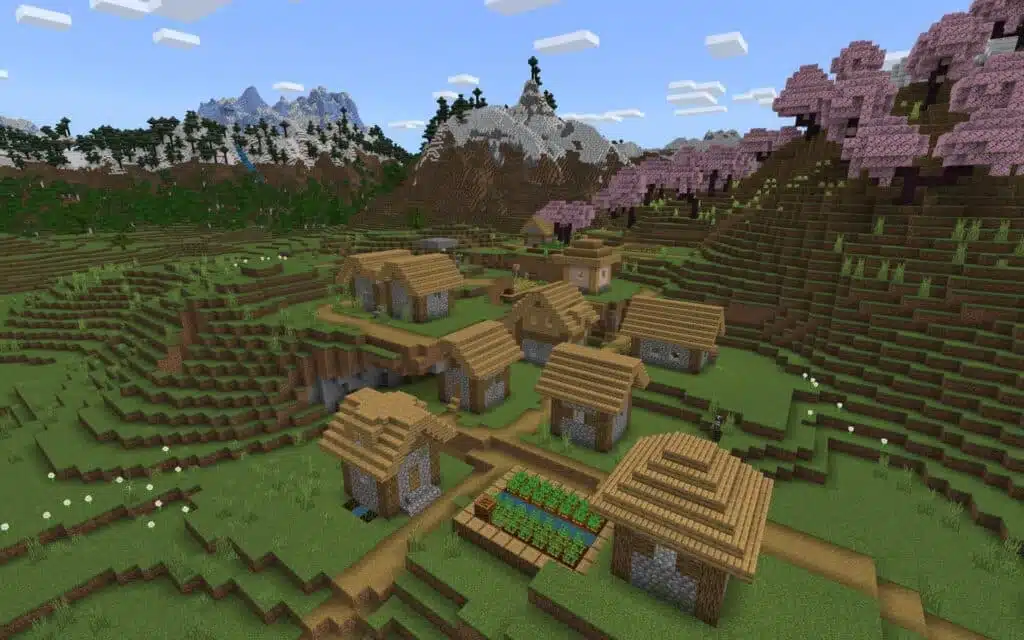
Minecraft changes over time, so players should use official sources when checking versions, features, editions, and update details. This is especially important for Minecraft village seeds because world generation and structures may behave differently across versions.
You can check the official Minecraft website for news, downloads, updates, and general game information. It is the safest source when you need to confirm whether a new version affects your world, your server, or your seed testing routine.
Why Version Notes Matter
Version notes matter because seed guides can age quickly. A seed tested in one version may still work later, but coordinates, structures, chest loot, biome details, or spawn points can change.
Before committing to a seed, check:
- Java or Bedrock Edition.
- Exact game version.
- Whether experimental features are enabled.
- Whether world generation changed.
- Whether the server uses plugins or mods.
- Whether coordinates match your edition.
- Whether the seed was tested recently.
This is especially useful for seeds for Minecraft for villages because players expect the village to be present. If an old seed no longer spawns the village, it may still be playable, but it does not answer the search intent.
Java and Bedrock Basics
Minecraft has different editions, and they affect how people use seeds. The official Minecraft site explains Java and Bedrock as separate editions with different platform features, cross-play behavior, Marketplace support, and mod availability.
For a broader beginner-friendly overview, the official About Minecraft page is useful. It helps new players understand Java, Bedrock, multiplayer, Realms, Marketplace content, mods, and how Minecraft works as a creative survival sandbox.
For seed players, the key takeaway is simple: always test the seed in the same edition and version listed by the guide.
FAQ
Below are common questions about Minecraft village seeds, villagers, Java and Bedrock differences, and how to choose the best seed.
What are Minecraft village seeds?
Minecraft village seeds are world seed numbers that generate a village near spawn or at useful coordinates. Players use them to start with shelter, food, villagers, trades, and easier survival progression.
What are the best Minecraft village seeds for beginners?
The best beginner seeds have a village close to spawn, flat terrain, farms, trees, animals, and safe caves nearby. Plains villages are usually the easiest beginner option.
Do village seeds work on both Java and Bedrock?
Some village seeds work similarly across Java and Bedrock, but structure placement and details can differ. Always check the edition listed by the seed guide before creating your world.
Why did my village seed not work?
Your seed may not work because you used the wrong version, wrong edition, experimental settings, custom world settings, or outdated coordinates. Seeds are sensitive to world generation changes.
What are villager seeds for Minecraft?
Villager seeds for Minecraft are seeds chosen because they provide easy access to villages and villagers. They are useful for trading halls, emerald farming, iron farms, and survival bases.
Are seeds for Minecraft for villages good for speedruns?
Some seeds for Minecraft for villages can be good for speedruns if they include blacksmith loot, ruined portals, strongholds, or other progression structures near spawn.
Can villagers respawn in Minecraft?
No. Villagers do not naturally respawn after dying. You need to protect them or breed more villagers using beds, food, and safe conditions.
What should I do first in a village seed?
Set your spawn in a bed, gather crops, check chests, light up houses, protect villagers, collect wood, and create a safe storage area.
Are village seeds on Minecraft good for multiplayer?
Yes. Village seeds on Minecraft are excellent for multiplayer because players can share farms, divide houses, build trading halls, and use the village as a central base.
Can ExitLag improve Minecraft village seeds?
ExitLag does not change seeds or world generation. It can help optimize connection routes and may improve stability when playing Minecraft on supported multiplayer servers.
Final Thoughts
Minecraft village seeds are among the best ways to start a new survival world because they give you shelter, food, villagers, trades, farms, and structure potential from the beginning. Whether you want a safe beginner base, a trading empire, a speedrun-style route, or a scenic build location, the right seed can shape the entire playthrough.
The most important rule is to test before committing. Match the seed to your edition, version, coordinates, and playstyle. Protect villagers early, build infrastructure around the village, and use nearby structures to create clear goals.
For multiplayer players, ExitLag can help optimize connection routes and may improve stability while you explore, trade, build, and travel across shared worlds. Choose your seed, invite your friends, test the village location, and start building a stronger survival base around Minecraft village seeds today.
All game images used in this article belong to their respective owners. They are used for informational and educational purposes only and do not imply endorsement or affiliation with the rights holders.


