

Nothing ruins a battle, dungeon run, or PvP fight quicker than MIR4 high ping, especially when your skills delay, your character freezes, or mobs react several seconds late. Above all, when MIR4 starts suffering from high ping, every action becomes unpredictable — from farming loops to boss rotations and PvP encounters. In advance, this guide explains the causes behind unstable latency and how tools compatible with supported games help players eliminate lag.

What is high ping in MIR4?
At first, understanding MIR4 high ping is essential before applying any fix. Ping represents the time (milliseconds) it takes for data packets to travel from your device to MIR4’s servers and back. The higher the ping, the slower your commands register during combat or movement. This leads to desynchronized attacks, missed dodges, and delayed reactions.
Even more, ping is not solely about internet speed. Often, delays come from unstable latency, irregular routing paths, or congested network hops chosen automatically by your ISP. Like this, even fast internet plans can still suffer from severe MIR4 latency if the route to the server is inefficient.
In summary, MIR4 high ping is the delay between your command and the game’s response. The longer this delay, the harder it becomes to perform skill combos or survive PvP encounters.
How high ping affects gameplay in MIR4
High ping dramatically affects the core gameplay experience, turning fast-paced combat and farming loops into frustrating, delayed tasks.
Here are the most common in-game issues:
- Slow or delayed hit registration on skills
- Serious rubberbanding while grinding or moving
- Sudden disconnections during boss fights or raids
- Massive competitive disadvantage in PvP
- Missed dodges, blocks, or reactions
- Delayed heals or skill chains
Skill chaining and combat timing
First of all, MIR4’s action combat depends on precision and timing. In the same way, when ping spikes, your attacks land late and your skill chains fail. As a result, burst rotations become unreliable and you may lose duels even with proper timing.
Movement, evasion, and positioning
From the same point of view, lag MIR4 causes teleporting, delayed movement, or sudden jumps backward. Above all, this disrupts farming, PvP positioning, and boss mechanics.
Main causes of high ping in MIR4
Server distance
At first sight, the farther you are from MIR4’s servers, the longer data takes to travel. Definitely, remote players experience more MIR4 connection issues.
ISP / routing issues
According to your ISP’s automated routing, your packets may take long or unstable paths. That way, even high-speed plans become vulnerable to lag MIR4.
Network congestion
Often, multiple household devices or regional traffic spikes slow down packet travel. Consequently, unstable MIR4 latency becomes more frequent during peak hours.
Outdated hardware
Beforehand, old routers, damaged cables, or weak Wi-Fi signals can dramatically increase ping and instability.
Game-specific cause
MIR4’s servers may experience overload during events, updates, or large PvP encounters. These moments temporarily increase MIR4 high ping.
How to check and test your ping in MIR4
Firstly, MIR4 provides a connection status indicator showing latency in real time. If the numbers jump rapidly — for example, 40ms to 150ms — your connection is unstable, not necessarily slow.
On the other hand, OS tools like ping, tracert, or pathping reveal the hops between your network and the game servers, helping diagnose MIR4 connection issues.
In conclusion, ideal ping is 20–60ms, acceptable is under 120ms, and anything above that introduces lag MIR4.
Ping levels classification
| Ping level | Gameplay experience |
| 0–60 ms | Smooth, responsive gameplay |
| 60–120 ms | Playable with slight delay |
| 120–180 ms | Noticeable lag MIR4 issues |
| 180–250 ms | Severe delay, risky PvP/farming |
| 250+ ms | Unplayable |
Basic fixes to reduce high ping in MIR4
Optimize local connection
- Switch from Wi-Fi to Ethernet
- Close applications consuming bandwidth
- Restart router and modem
- Update network adapter drivers
- Reduce total devices connected
- Disable automatic updates from launchers or store apps
Contact your ISP
Even so, persistent ping issues often require ISP support. Your provider can identify signal noise, packet loss, or routing failures.
Bullet list:
- Ask if your region is experiencing instability
- Request a packet-loss test
Second bullet list:
- Confirm whether your router is outdated
- Ask about possible routing alternatives
Required numbered list:
- Request a routing profile refresh
- Ask for peak-hour diagnostics
- Verify international route stability
ExitLag: the best solution to fix high ping in MIR4
Right away, ExitLag becomes the most effective way to stabilize unstable routes and eliminate the MIR4 high ping that disrupts combat, farming loops, and large-scale PvP battles. Instead of relying on your ISP’s inconsistent routing logic, ExitLag redirects your traffic through the fastest and most stable paths available, ensuring smoother gameplay and more reliable responses during intense moments.
What is ExitLag?
In advance, ExitLag is a premium software created specifically for connection optimization, reducing delays, stabilizing routes, and eliminating the hidden causes behind MIR4 latency. Built with multi-layered algorithms, ExitLag ensures your skills, movement, and dodges respond instantly. You can explore the underlying technology in the technology section.
Above all, ExitLag solves the root of MIR4 connection issues by rebuilding the network path between you and the game servers using advanced routing intelligence.
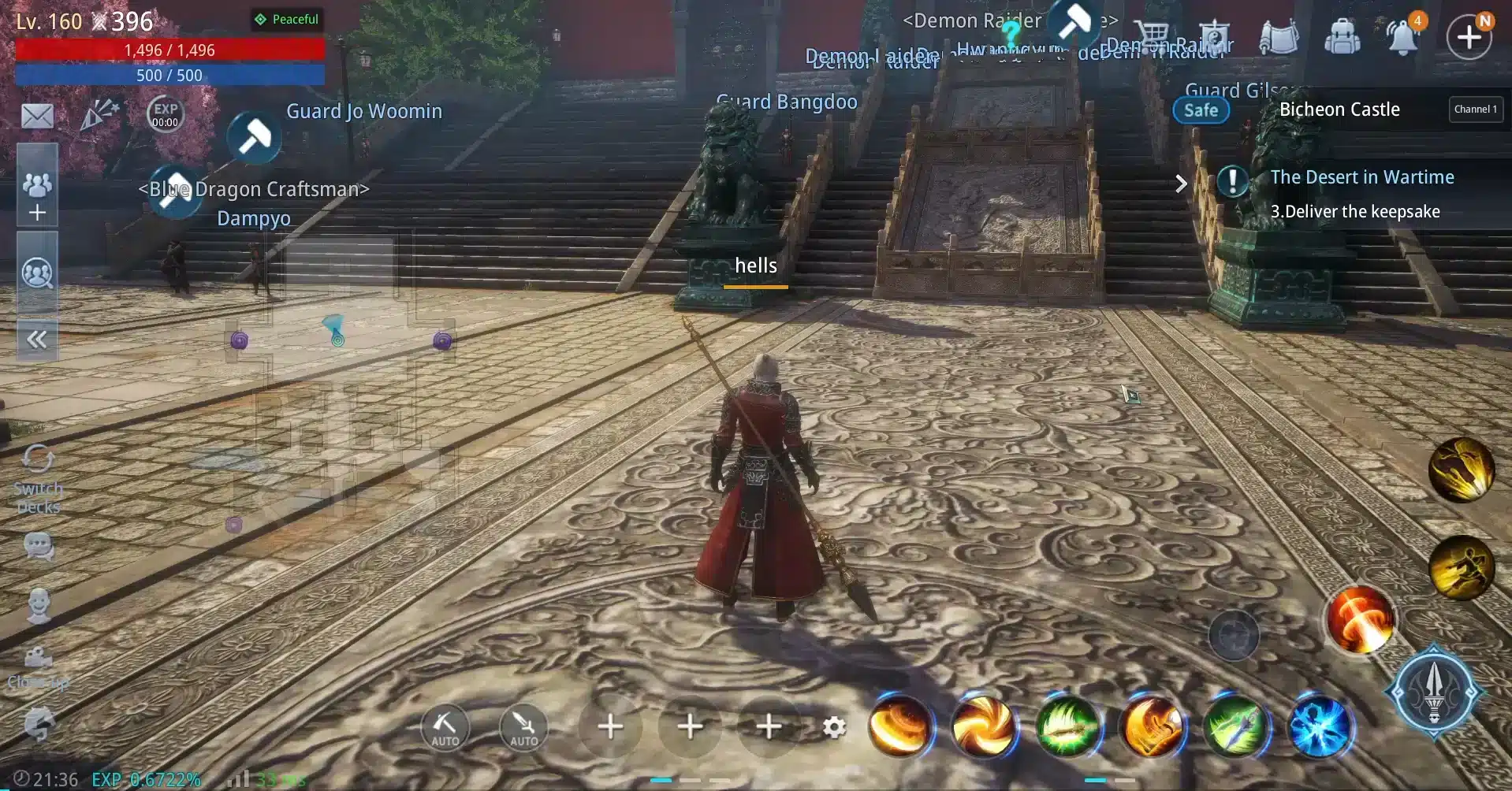
How ExitLag works
ExitLag uses five core optimization layers:
- Real-time route analysis It continuously scans every available route to MIR4 servers, identifying the fastest and most reliable options.
- Multiple routes simultaneously Like this, your traffic is duplicated across multiple paths, preventing failures and reducing reliance on unstable routes.
- Automatic best route selection As a result, ExitLag dynamically chooses the optimal route at any given moment, improving overall responsiveness.
- Hop optimization By reducing unnecessary hops between your PC and the game servers, ExitLag eliminates bottlenecks that cause lag MIR4.
- Connection stabilization Finally, ExitLag removes jitter and prevents sudden spikes, ensuring smooth, predictable gameplay. To learn more, visit the how it works section.
Advantages for MIR4 players
Faster combat responses
Firstly, ExitLag reduces delay between skill activation and the game’s reaction, making combos, bursts, and evasion smoother and more reliable.
Improved movement fluidity
In the same way, stable routing eliminates rubberbanding, ensuring your character moves naturally across maps — essential for farming and PvP.
More reliable PvP performance
Above all, consistent routing leads to fairer fights in open-world PvP, Clan Wars, and Valley combat, where milliseconds decide who wins.
Fewer disconnections
As a result, ExitLag greatly reduces disconnects caused by unstable hops, offering more security during boss fights and rare-drop farming.
Better gameplay during peak times
ExitLag avoids congested ISP routes, bypassing the traffic that intensifies MIR4 connection issues during peak hours.
Supports many online games
You can explore the full list of supported titles in the supported games section.
Is ExitLag worth it for MIR4?
Definitely. If you are tired of combat delays, skill desync, rubberbanding, or unstable ping, ExitLag is absolutely worth using. MIR4’s fast and reactive gameplay becomes significantly smoother with optimized routing. You can check available plans and options on the pricing page.
How to use ExitLag in MIR4
The process is extremely simple:
Step 1 – Access the official ExitLag website and download the application. There’s a free trial period for new users.
Step 2 – Install and open the program. Log in with your account.
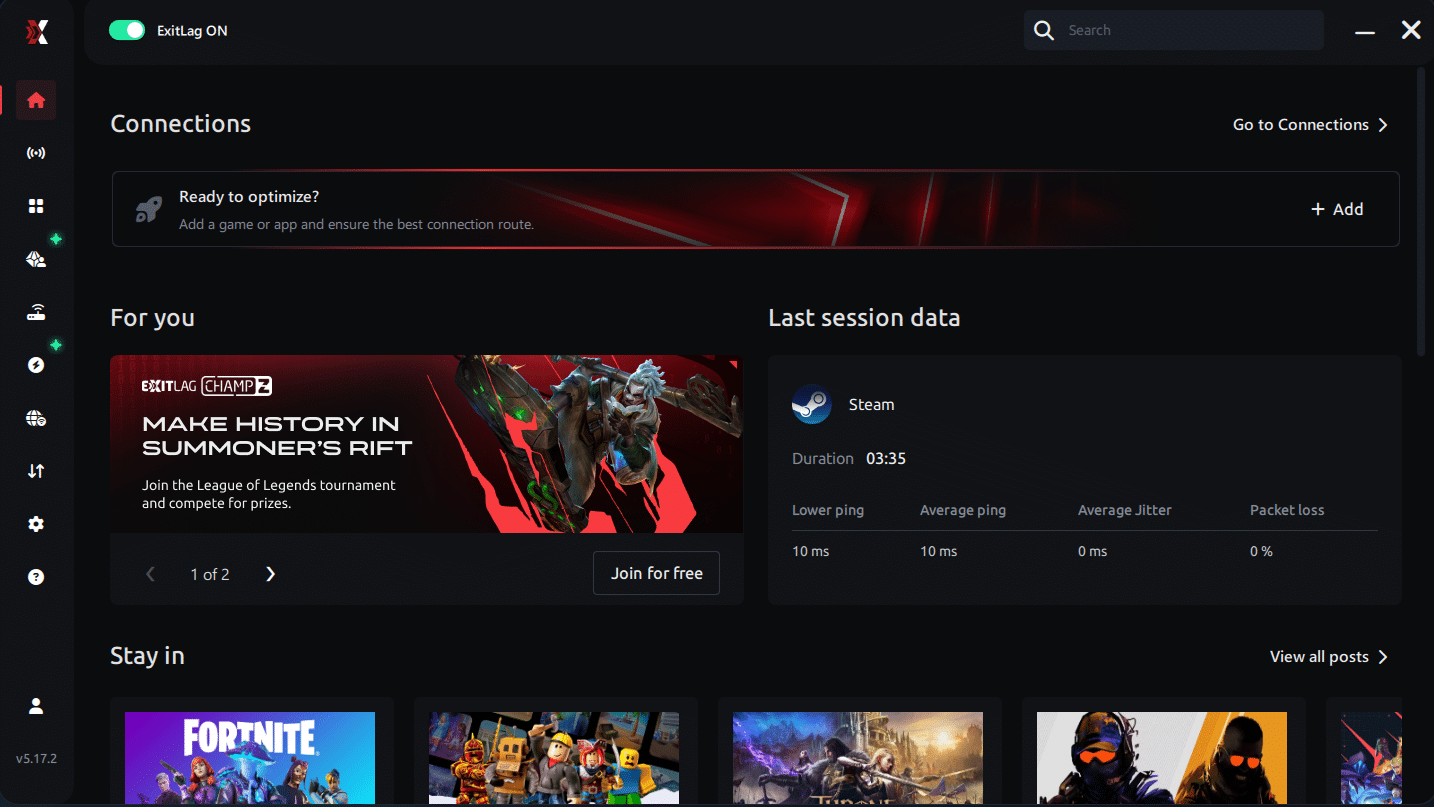
Step 3 – In the search bar, type “MIR4” and select the game from the list.
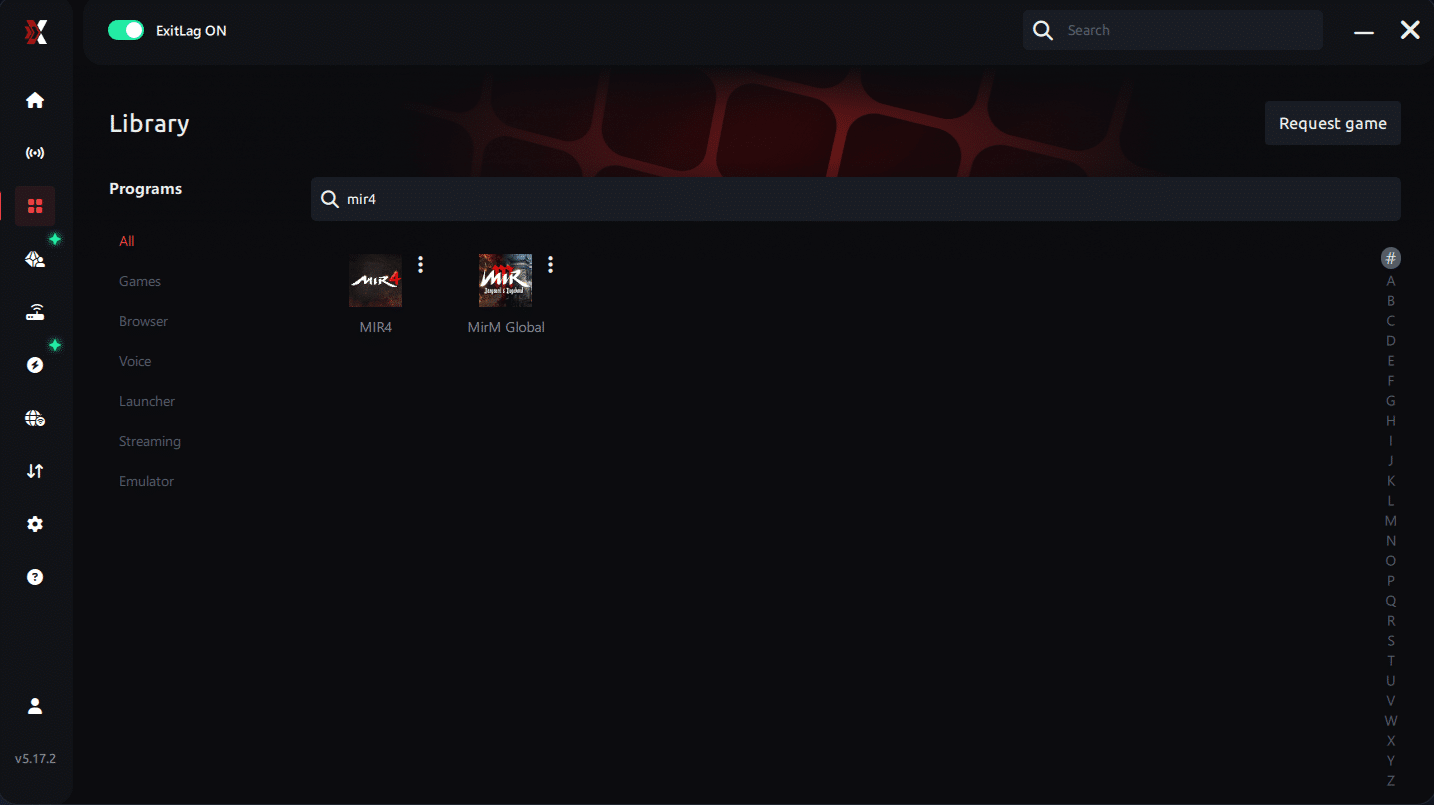
Step 4 – Choose between automated or manual route
Based on the results, you can let ExitLag automatically select the best route or manually choose the server that showed the lowest latency for your connection.
AI-optimized automated route
Based on the results, you can let ExitLag automatically select the best route through AI optimization. The system analyzes multiple connection paths in real time and automatically identifies the most efficient route for your connection, ensuring the lowest possible latency without requiring manual choices.
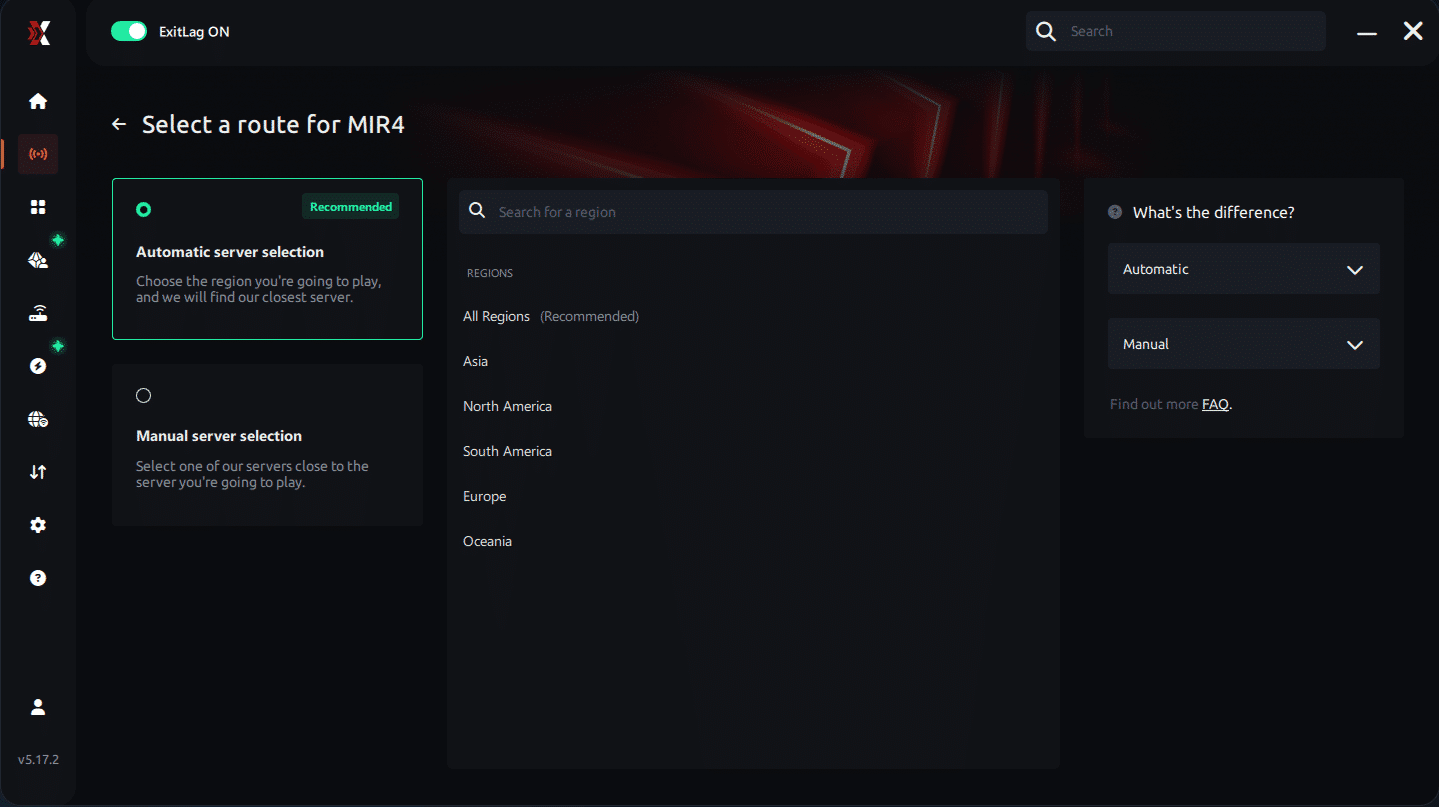
Manual route
If you prefer to have full control over your connection, you can manually choose the server based on the ping test results. Simply select the server that showed the lowest latency or the one that best meets your specific gaming needs, allowing complete customization of your experience.
Step 5 – Click “Apply routes” or the play button. ExitLag will begin optimizing your connection automatically.
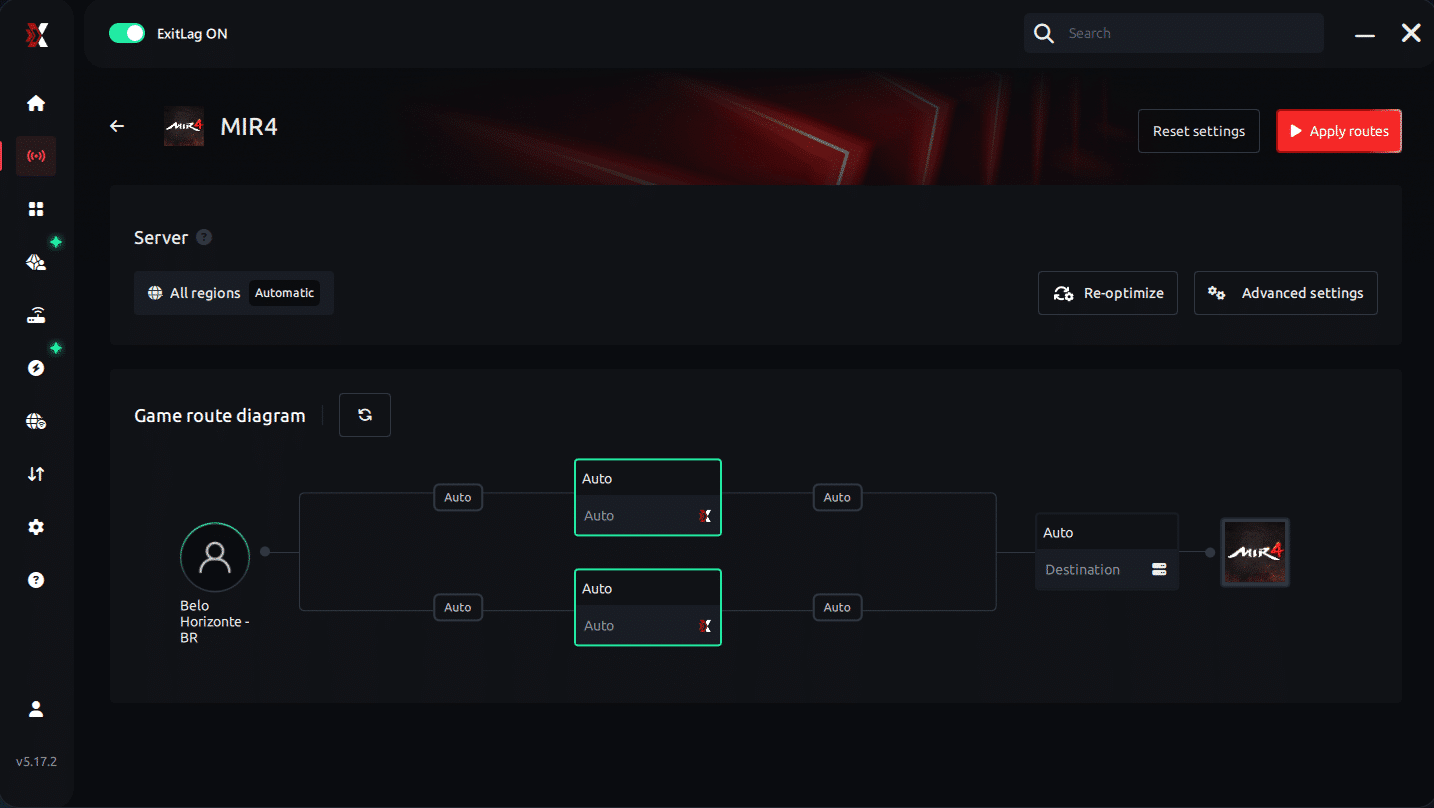
Step 6 – Wait a few seconds until optimization is complete. You’ll see ping indicators in the interface.
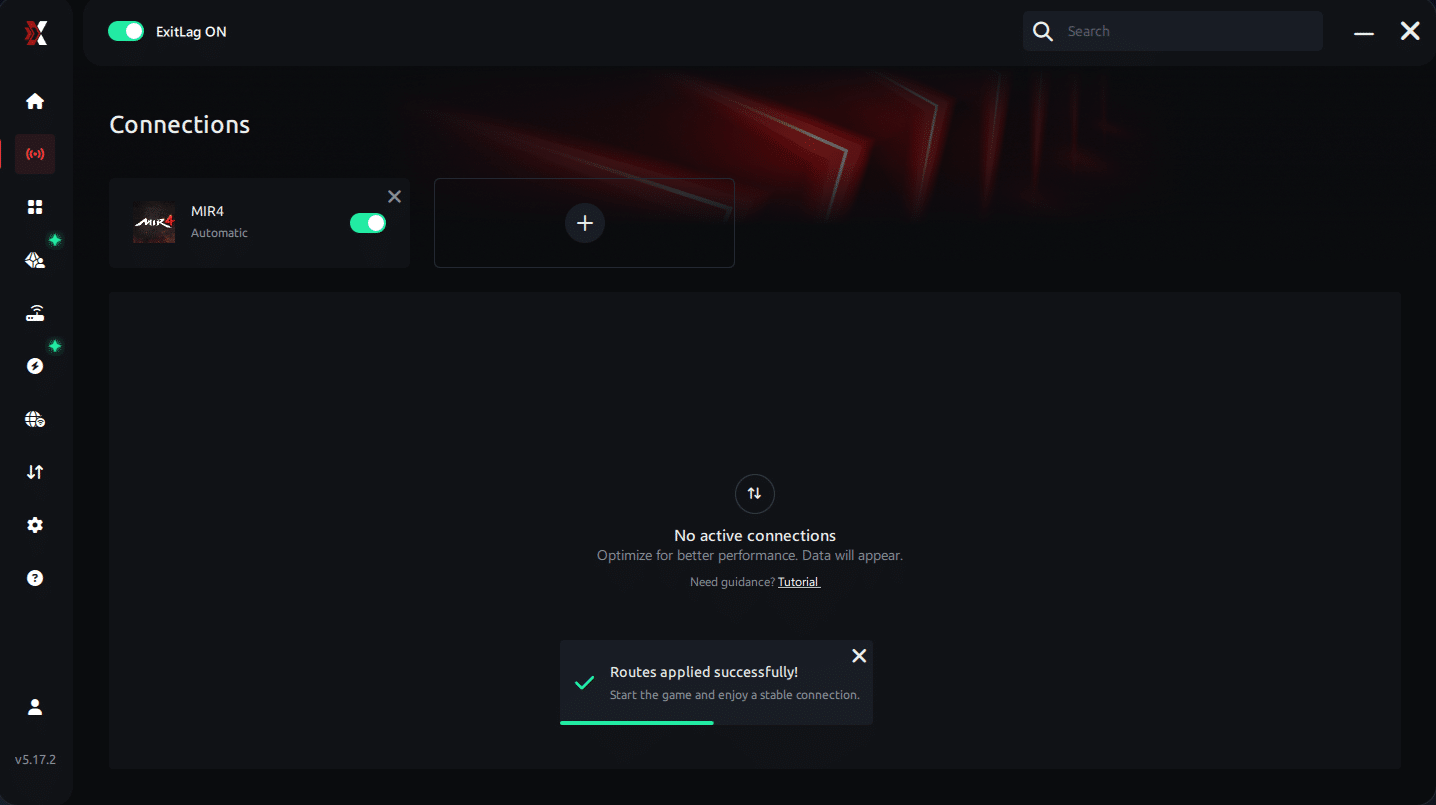
Step 7 – Launch MIR4 normally. The optimization will already be active.
ExitLag runs in the background while you play, constantly adjusting routes to maintain the best possible performance.
Final thoughts: Play MIR4 without lag forever
At the end of the day, MIR4 lag should never ruin your progress. Whether you’re farming, mining Darksteel, doing PvP, or participating in large-scale clan wars, your internet connection should never be the reason you lose rewards or time.
With ExitLag, you finally take control of your network performance. The software finds the fastest routes, eliminates lag, and stabilizes your ping so that every skill, every movement, and every battle happens exactly when you want it to.
Try ExitLag for free right now and experience how smooth MIR4 can be when your connection is fully optimized. Play with confidence, progress faster, and make lag a thing of the past.t.
FAQ: everything about high ping in MIR4
What causes high ping in MIR4?
At first sight, MIR4 high ping is caused by long-distance routing, inefficient ISP paths, or server congestion. Even reliable internet connections may experience delays if packets travel through unstable hops.
Furthermore, wireless interference, outdated routers, and peak-hour traffic worsen MIR4 connection issues, making gameplay unpredictable.
How do I check my ping in MIR4?
MIR4 displays your real-time connection quality in-game. If your ping fluctuates rapidly, your routing path is unstable.
On the other hand, advanced OS commands such as tracert, ping, and pathping help identify which hop is generating MIR4 latency by analyzing packet travel in detail.
What is good ping for MIR4?
Ideally, 20–60ms offers fast, responsive gameplay. Between 60–120ms, skills still function properly but feel slightly delayed. Above that range, lag MIR4 becomes noticeable, especially in intense PvP or boss mechanics.
In conclusion, consistency is more important than having extremely low ping — stable values ensure predictable performance.
Can high ping get you banned in MIR4?
No. High ping is not a bannable condition. MIR4 does not punish players for latency or connection instability. In summary, MIR4 high ping may damage your gameplay, but it never puts your account at risk.
Does ExitLag work for MIR4?
Yes. ExitLag is widely used to optimize routing, reduce latency spikes, and prevent packet loss. Players who suffer from MIR4 connection issues often see immediate improvements when activating ExitLag during gameplay.
Why does MIR4 lag more during large-scale PvP?
During massive PvP encounters, servers experience high load while your ISP routes become congested. Together, these factors intensify MIR4 high ping. Optimized routing significantly reduces the impact, but server load still contributes to temporary delays.
Conclusion
In conclusion, solving latency issues in MIR4 is essential for smooth combat, efficient farming, and competitive PvP. With the right troubleshooting steps and intelligent routing optimization, you can finally overcome MIR4 high ping and enjoy the game at full performance.
For more insights, tutorials, and tips, visit the official ExitLag blog.
MIR4 high ping no longer needs to ruin your free time. Now that you understand the causes and how to stabilize your connection, you can finally enjoy your gaming smoothly. Start your free trial and see the difference for yourself.



