
Anyone who plays Mir4 knows how frustrating Mir4 Lag can be, especially when it strikes during an intense boss fight or a crucial PvP duel. Even players with strong PCs and fast internet connections end up facing delays, rubberbanding, and random freezes that completely break immersion. Therefore, it becomes difficult to execute skills at the right moment, dodge incoming attacks, or maintain precise movement when the game simply refuses to respond smoothly.
However, this problem is far more common than it should be. Many players mistakenly believe that lag only comes from weak hardware or slow Wi-Fi, but in reality, the root cause is usually related to unstable communication between your device and the game servers. Like this, even with excellent internet speed, your character can still move slowly, skills can fail to register, and the game world can appear unstable or out of sync.
Finally, the purpose of this guide is to explain why Mir4 Lag happens, how it affects gameplay, and most importantly how you can fix it permanently using a professional route-optimization tool. By the end, you’ll understand the real causes behind the instability and how to eliminate it for good, ensuring smooth, fluid action at every moment.
What is lag in Mir4?
Lag in Mir4 happens when there is a delay between performing an action (like moving, attacking, or casting a skill) and the server registering it. This delay usually comes from network problems rather than hardware issues. Here are the most common sources:
- Unstable routing between your connection and the server
- Packet loss caused by overloaded or low-quality nodes
- High latency due to distance or congestion
- Temporary spikes during peak gaming hours
Therefore, lag is not only a matter of connection speed; it is mainly about the path your data takes through the internet until it reaches the Mir4 server.
Lag, ping and fps in Mir4: what’s the difference?
To fully understand the problem, it’s important to separate three concepts:
| Term | Meaning | Effect on Gameplay |
| Lag | Delay between your action and server response | Actions feel slow, characters freeze or rubberband |
| Ping | Time your data needs to travel to the server and back | Higher ping = slower reactions |
| FPS | Frames per second rendered on your screen | Lower FPS = visual stutters, not network lag |
Like this, even if your PC delivers high and stable FPS, you may still experience Mir4 Lag because the issue comes from unstable routing or poor server connection.
Why Mir4 lags even on fast internet
It’s common to wonder why the game still delays actions even when your internet speed seems perfect. The real reason is simple: your ISP (internet service provider) does not prioritize gaming routes.
Inefficient routing
Your data may pass through multiple unnecessary nodes, increasing latency and the chance of packet loss.
Peak-time congestion
During busy hours, many players share the same infrastructure. The network becomes overloaded, producing spikes and instability.
Long distance to servers
If the nearest Mir4 server is far away, higher latency is inevitable unless you use routing optimization.
Packet loss
When packets are lost, the server receives incomplete information, resulting in rubberbanding, skills registering late, or enemies teleporting.
However, all of these issues can be significantly reduced with the right technology.

How exitlag solves Mir4 connectivity problems
ExitLag is a specialized gaming route optimizer designed to improve connection stability by selecting the fastest, cleanest, and most direct routes to the game server. Instead of relying on your ISP’s default paths, ExitLag applies advanced techniques to ensure your connection bypasses congested or unstable nodes.
It works using:
- Multi-route system: multiple paths are tested simultaneously to find the most efficient
- Intelligent tunneling: data is transmitted through optimized tunnels
- Dynamic correction: automatic switching to better routes in real time
Therefore, you minimize ping, avoid packet loss, and enjoy stable gameplay even when servers are crowded.
Benefits of using Exitlag for Mir4
Lower and more stable ping
ExitLag ensures a direct and optimized route to Mir4 servers, providing instantaneous responses to movement and skill inputs.
Less desync and packet loss
By routing data through cleaner nodes, the risk of data loss is drastically reduced, eliminating rubberbanding or sudden teleporting enemies.
Improved input precision
Combat feels more responsive, and your actions reach the server faster, improving timing and accuracy.
Better hit registration
Your skills and attacks register correctly because the server receives your inputs without delay.
Stability during peak hours
Even when the server or network is busy, ExitLag maintains a consistent route, keeping gameplay smooth.
User-friendly design
The interface is simple, the setup is fast, and no technical expertise is required.
How to use ExitLag in MIR4
The process is extremely simple:
Step 1 – Access the official ExitLag website and download the application. There’s a free trial period for new users.
Step 2 – Install and open the program. Log in with your account.
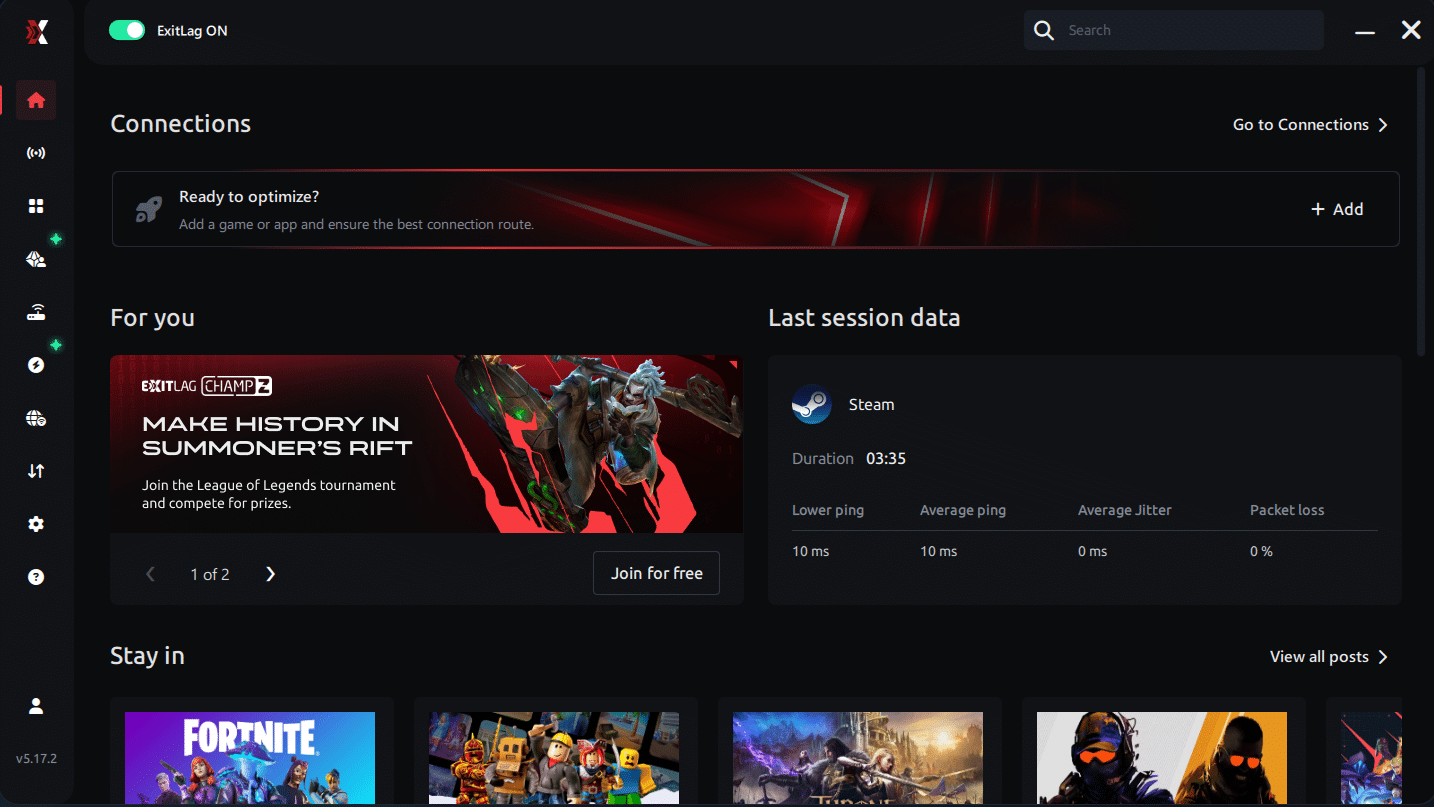
Step 3 – In the search bar, type “MIR4” and select the game from the list.
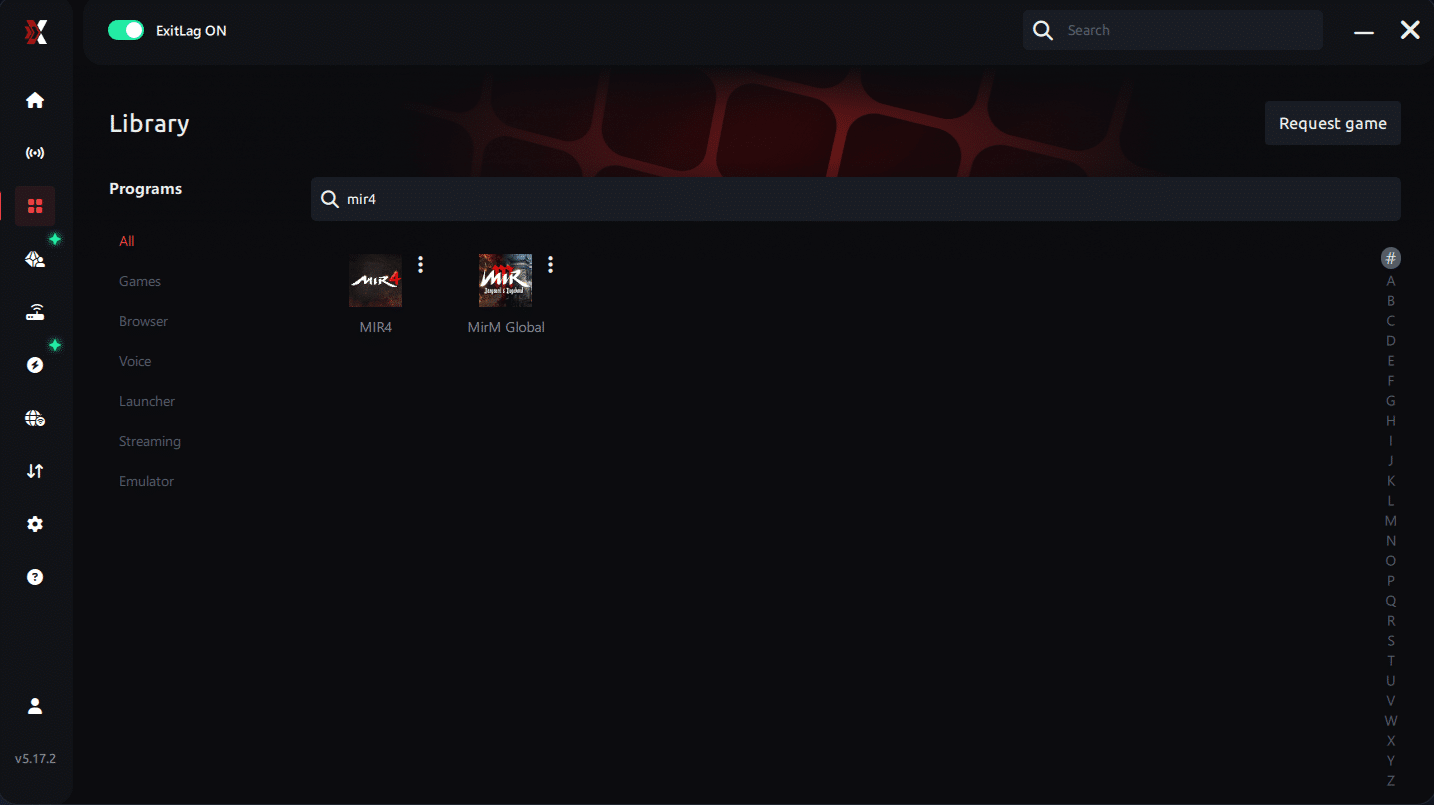
Step 4 – Choose between automated or manual route
Based on the results, you can let ExitLag automatically select the best route or manually choose the server that showed the lowest latency for your connection.
AI-optimized automated route
Based on the results, you can let ExitLag automatically select the best route through AI optimization. The system analyzes multiple connection paths in real time and automatically identifies the most efficient route for your connection, ensuring the lowest possible latency without requiring manual choices.
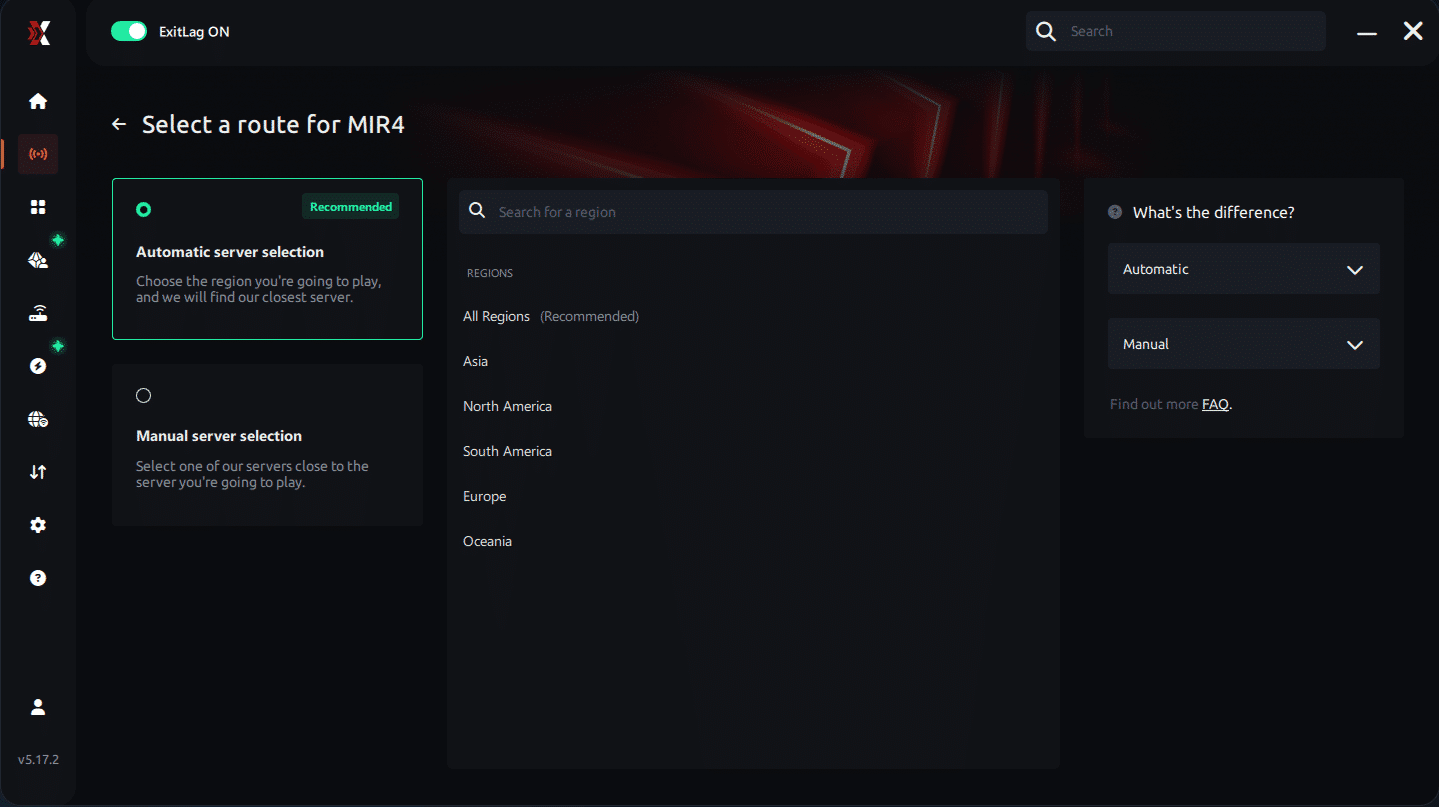
Manual route
If you prefer to have full control over your connection, you can manually choose the server based on the ping test results. Simply select the server that showed the lowest latency or the one that best meets your specific gaming needs, allowing complete customization of your experience.
Step 5 – Click “Apply routes” or the play button. ExitLag will begin optimizing your connection automatically.
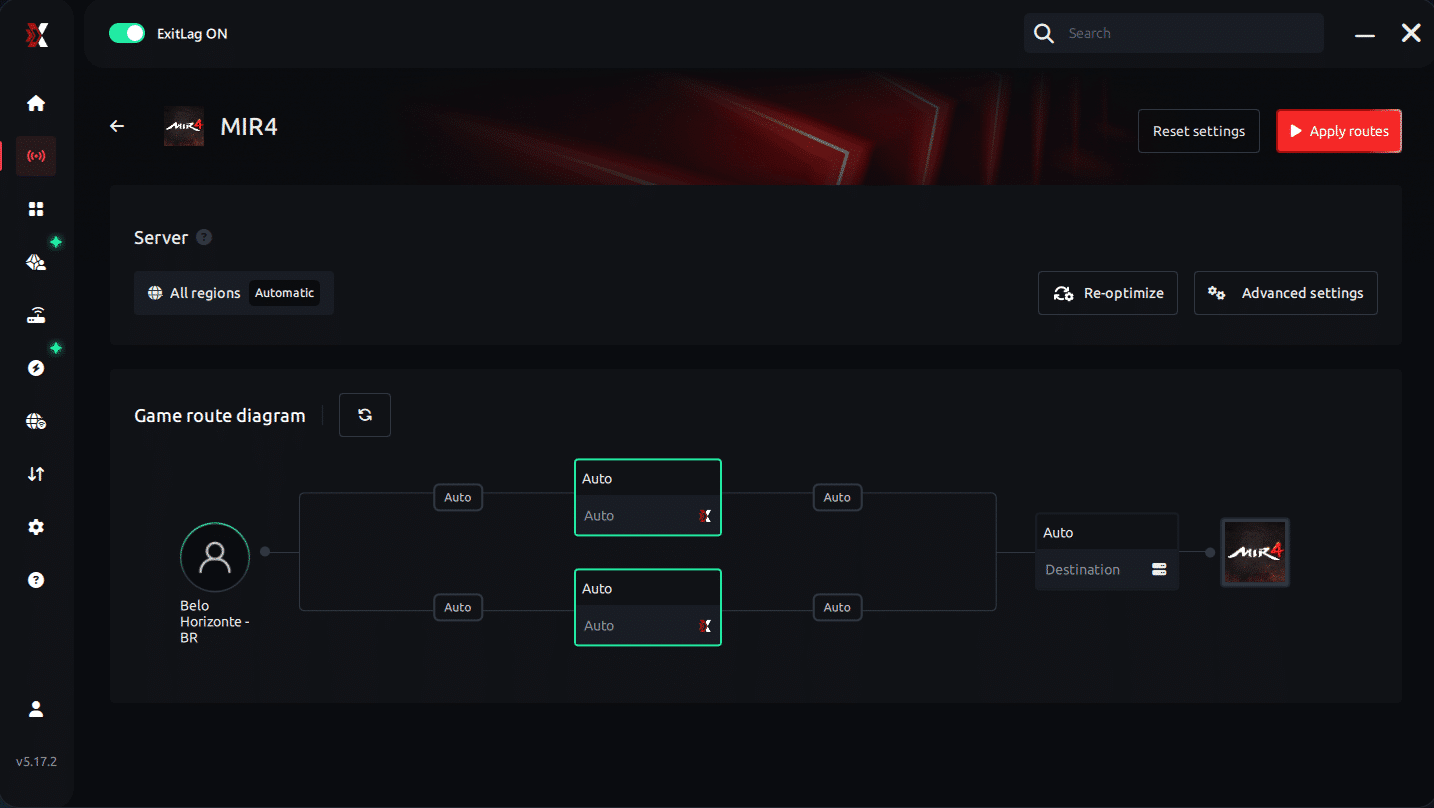
Step 6 – Wait a few seconds until optimization is complete. You’ll see ping indicators in the interface.
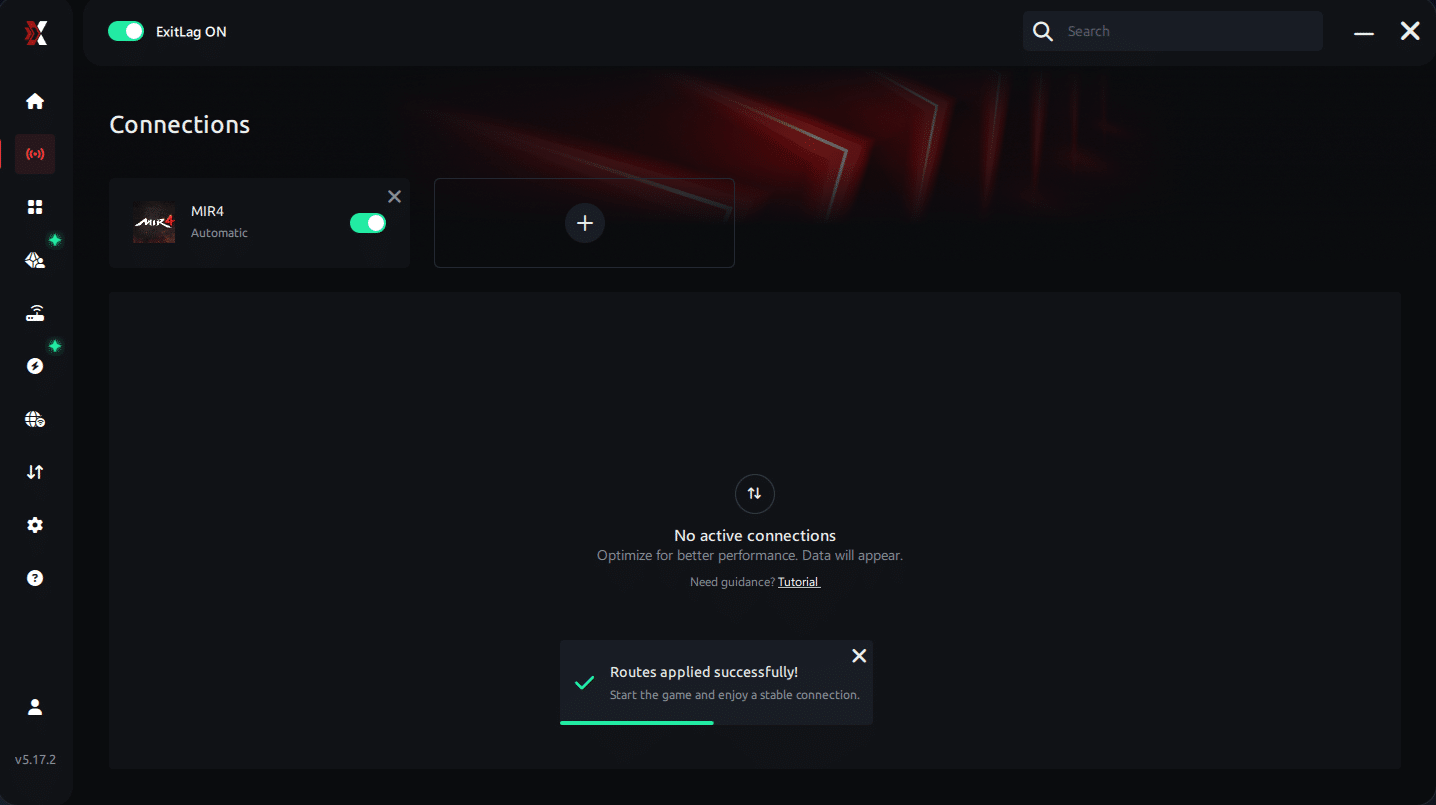
Step 7 – Launch MIR4 normally. The optimization will already be active.
ExitLag runs in the background while you play, constantly adjusting routes to maintain the best possible performance.
Final thoughts: Play MIR4 without lag forever
At the end of the day, MIR4 lag should never ruin your progress. Whether you’re farming, mining Darksteel, doing PvP, or participating in large-scale clan wars, your internet connection should never be the reason you lose rewards or time.
With ExitLag, you finally take control of your network performance. The software finds the fastest routes, eliminates lag, and stabilizes your ping so that every skill, every movement, and every battle happens exactly when you want it to.
Try ExitLag for free right now and experience how smooth MIR4 can be when your connection is fully optimized. Play with confidence, progress faster, and make lag a thing of the past.t.
When ExitLag provides the biggest advantage in Mir4
ExitLag isn't only for players suffering constant lag. It also provides huge benefits in moments when performance matters most:
- Clan battles with dozens of players on screen
- Boss fights where timing determines survival
- Arena and PvP duels where reaction speed is crucial
- Events or peak hours that naturally overload servers
- Playing from distant regions or cross-server situations
- Farming sessions where stability improves efficiency
Like this, even players who consider their connection “good enough” can experience massive improvements in consistency and reaction time.
Key advantages summarized
- Reduces latency significantly
- Stabilizes connection even during peak hours
- Prevents packet loss and rubberbanding
- Improves skill registration and combat precision
- Offers fast setup and easy configuration
- Optimizes routes worldwide
Eliminate Mir4 lag permanently
Lag doesn’t have to define your experience in Mir4. Therefore, depending on your ISP’s random routing is no longer the best option if you want competitive stability, faster reaction times, and smoother gameplay. ExitLag gives you full control over your connection, ensuring that your data reaches the Mir4 servers in the fastest and most efficient way possible.
Finally, stop allowing Mir4 Lag to ruin your battles, delay your skills, or break your immersion. Start your free ExitLag trial today and feel the difference in every fight, every boss, and every adventure inside Mir4.



