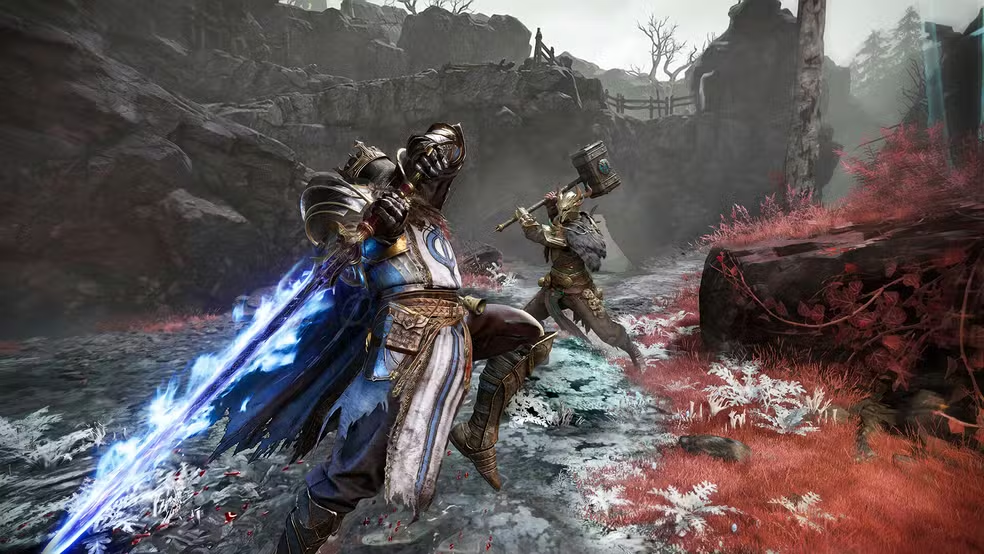
Imagine dropping into the mist with your squad, blade drawn, every frame rendering exactly when it should. Your camera pans are buttery, your dodge rolls land on time, and every relic pickup feels tactile and immediate.
That is what Mistfall Hunter is supposed to feel like. The dark fantasy world, the tension of PvPvE extraction, the dread of hearing footsteps behind a fog wall, all of it depends on smooth, consistent visuals to hit properly.
Now picture the opposite. You are mid-fight against a rival hunter squad, and your screen suddenly hitches. Frames drop, your aim jerks, and the extraction you were seconds from securing slips away. This is exactly the gap that FPS boost in Mistfall Hunter closes for thousands of players adjusting to a freshly launched title. It is a familiar frustration, similar to what players have described in other network-sensitive titles, like the connection instability seen in Lineage II packet loss issues, where unstable performance ruins otherwise winnable encounters.
The good news is that this problem has a proven solution. ExitLag helps players get noticeably smoother performance by optimizing the network path between their PC or console and the Mistfall Hunter servers. Many players report significantly more stable FPS and fewer stutters once their connection is properly optimized, and you can see how it works for yourself at ExitLag’s official platform.

Why high FPS matters in Mistfall Hunter
Mistfall Hunter launched on July 29-30, 2026, on PC via Steam, PlayStation 5, and Xbox Series X|S, with day-one availability on Xbox Game Pass. Because the game is brand new, a huge wave of players are testing performance for the first time, often without knowing how much frame rate impacts survival in an extraction shooter.
Getting a real FPS boost in Mistfall Hunter is not a luxury, it is a survival tool. In a PvPvE loop where every second counts, your frame rate directly shapes how fast you react to threats.
What is FPS (frames per second)
FPS simply measures how many individual images your system renders and displays every second. Think of it like a camera filming a scene: the more frames it captures per second, the smoother and more lifelike the motion looks on playback.
A low FPS count means the game is essentially showing you fewer “snapshots” of the action. Consequently, fast movements like a Shadowstrix dash or a Sorcerer’s spell cast can look choppy and delayed.
Benefits of high FPS in Mistfall Hunter
Higher frame rates translate into real, tangible advantages for every class and every extraction run. Here are the main benefits players notice immediately:
- Smoother gameplay during combat, looting, and movement across the map.
- Better aim precision, since your crosshair tracks targets without visual stutter.
- Faster reaction time to enemies appearing through fog or ambushes.
- A real edge in PvP encounters, where split-second decisions decide who extracts.
- A more immersive world, letting the dark fantasy atmosphere actually land.
- Less visual fatigue, since your eyes are not compensating for jarring motion.
- More consistent input response, which matters heavily in melee-focused classes.
FPS ranking for Mistfall Hunter
Not all frame rates are created equal. The table below breaks down what each range actually feels like in practice.
| FPS range | Quality | Experience | Competitive? |
|---|---|---|---|
| 144+ | Excellent | Ultra smooth, near-instant response | Yes |
| 90-144 | Very good | Fluid, minimal noticeable stutter | Yes |
| 60-90 | Good | Playable, occasional dips felt | Somewhat |
| 30-60 | Fair | Noticeable choppiness in fights | No |
| Below 30 | Poor | Frequent stutter, delayed inputs | No |
High FPS vs beautiful graphics
Many new players max out every graphics slider on day one, not realizing this trade-off can hurt them. Ultra shadows and volumetric fog look stunning, but they also tax your GPU heavily.
In a competitive PvPvE loop, performance should almost always win over visual polish. Therefore, dialing back a few graphical settings to protect your frame rate is usually the smarter move for serious hunters.
How ExitLag increases FPS in Mistfall Hunter
This is where things get practical. Understanding how ExitLag increases FPS in Mistfall Hunter requires separating network performance from raw hardware performance, since both affect what you see on screen.
What is ExitLag? (it is NOT a VPN)
ExitLag is NOT a VPN, and this distinction matters enormously. A VPN encrypts and reroutes all your traffic through a single tunnel, often adding latency in the process.
ExitLag, on the other hand, is a connection optimization tool built specifically for online games. It analyzes multiple possible network routes in real time and selects the fastest, most stable one for your specific game traffic, as explained in detail on the ExitLag how it works page.
Generic optimizers and antivirus-bundled boosters typically just clear cache or close background apps. ExitLag instead targets the actual data path between your device and the game server, which is a fundamentally different approach.
How ExitLag improves FPS in online games
Frame rate and network latency are more connected than most players realize. When your connection experiences jitter or packet loss, the game engine has to wait for data, which can create micro-stuttering even on powerful hardware.
This waiting period disrupts frame pacing, the consistent timing between each rendered frame. As a result, your FPS counter might look fine on average while the actual experience feels stuttery and inconsistent.
ExitLag stabilizes this client-server synchronization by keeping data flowing smoothly and predictably. Consequently, the game engine spends less time waiting and more time rendering, which supports a more consistent FPS boost in Mistfall Hunter during intense fights.
Ways ExitLag boosts your FPS
Here are the concrete mechanisms behind the improvement:
- Eliminating micro-stuttering by keeping data packets arriving in a steady, predictable rhythm.
- Reducing input lag so your actions register closer to real time.
- Stabilizing frame time, meaning less variance between each rendered frame.
- Optimizing your route with multi-path technology, testing several network paths simultaneously.
- Prioritizing game traffic, so Mistfall Hunter data does not compete with background downloads.
- Reducing ping, which lowers the delay between your inputs and server responses.
- Offering redundant connections, so a single bad hop does not disrupt your session.
ExitLag vs other FPS boost solutions
It helps to see how ExitLag compares against the other approaches players typically try first.
| Solution | Increases FPS? | Reduces lag? | Stability | Ease of use | Recommendation |
|---|---|---|---|---|---|
| ExitLag | Yes, indirectly via network | Yes | High | Very easy | Strongly recommended |
| Common VPN | Rarely | Sometimes worse | Low to medium | Moderate | Not ideal for gaming |
| Generic game booster | Minimal | Minimal | Low | Easy | Limited impact |
| Windows optimization | Minor | No | Medium | Moderate | Useful as a supplement |
| Hardware upgrade | Yes, directly | No | High | Expensive | Great long term |
| Doing nothing | No | No | Unpredictable | N/A | Not recommended |
You can browse the full list of supported titles, including Mistfall Hunter, on the ExitLag supported games page.
Why ExitLag works so well
ExitLag’s advantage comes from a combination of proprietary routing technology and a genuinely massive global server footprint. This lets it find efficient paths that a standard internet connection would never take on its own.
Additionally, ExitLag applies game-specific optimization rather than a one-size-fits-all approach. Because the platform serves a huge worldwide community of gamers, its routing data is constantly refined based on real, live network conditions.
Setting up ExitLag for maximum FPS in Mistfall Hunter
Getting started is straightforward, even for players who have never used a network optimizer before.
Installation and initial setup
Follow these steps to get your FPS boost in Mistfall Hunter running in minutes:
- Visit the ExitLag official website to download the application.
- Alternatively, start with the ExitLag free trial to test everything risk-free.
- Install the application on your PC following the on-screen instructions.
- Launch ExitLag and create or sign in to your account.
- Search for Mistfall Hunter within the supported games list.
- Select the game to load its specific optimization profile.
- Choose your preferred server region, or leave it on automatic.
- Click connect and allow ExitLag to establish the optimized route.
- Launch Mistfall Hunter normally once the connection is active.
- Keep ExitLag running in the background throughout your play session.
Advanced ExitLag settings for Mistfall Hunter
Once installed, you can fine-tune performance further. Automatic mode lets ExitLag pick the best route on its own, which works well for most players.
Manual mode, however, lets experienced users select a specific region or server path themselves. This can be useful if you know a particular route performs better for your ISP.
The Traffic Shaper feature also deserves attention, since it prioritizes Mistfall Hunter traffic over other background applications. Multi-routing options add another layer of redundancy in case one path becomes congested.
Testing your FPS improvement
Measuring your FPS boost in Mistfall Hunter before and after ExitLag gives you real proof of the difference. Here is how to test it properly:
- Use the in-game frame counter if Mistfall Hunter includes one in its settings menu.
- Try third-party overlay tools that display real-time FPS and frame time.
- Run a short benchmark in a busy area, both with and without ExitLag active.
- Compare stutter frequency during combat encounters specifically, not just idle exploration.
For console players (PS5 / Xbox)
Console optimization works differently than on PC, and it is worth being transparent about this. ExitLag is primarily designed for PC environments where it can directly manage the network path from the device itself.
Console players can still benefit indirectly by optimizing router-level routing where supported, though the level of control is more limited than on PC. If you play primarily on PlayStation 5 or Xbox Series X|S, focus on your home network setup, such as using a wired connection instead of Wi-Fi.
Real results: FPS before and after ExitLag
While exact numbers vary by hardware, region, and internet provider, the pattern reported by players is consistent.
| Metric | Without ExitLag | With ExitLag | Gain |
|---|---|---|---|
| Average FPS | Fluctuating | More consistent | Noticeably smoother |
| Minimum FPS | Frequent dips | Fewer dips | Improved floor |
| Frame time | Variable | More stable | Reduced variance |
| Micro-stutters | Common | Rare | Significant reduction |
| Input lag | Higher | Lower | Faster response |
| Ping | Higher, variable | Lower, stable | More consistent |
Extra optimizations to maximize FPS with ExitLag
Network optimization pairs well with a few extra tweaks that cost nothing.
In-game settings worth adjusting
Lowering shadow quality, volumetric fog, and motion blur usually frees up significant GPU headroom. Meanwhile, keeping resolution scaling reasonable helps maintain sharpness without tanking performance.
Windows system optimizations
Closing unnecessary background apps before launching Mistfall Hunter reduces CPU contention. Enabling Game Mode in Windows settings can also help prioritize resources for the game.
Free hardware-level optimizations
- Update your GPU drivers to the latest stable version.
- Clean dust from your PC’s fans and vents for better thermal performance.
- Set your power plan to high performance instead of balanced.
- Disable unnecessary startup programs that eat into available RAM.
GPU settings (NVIDIA / AMD)
NVIDIA users can enable low latency mode in the control panel for tighter input response. AMD users have a similar option through Radeon Anti-Lag, which reduces the delay between input and rendered frame.
Why network optimization increases FPS
It is worth understanding the deeper mechanics behind why a stable connection supports better frame rates.
The connection between lag and FPS
Lag technically refers to network delay, while FPS refers to rendering speed, but the two interact closely. When your connection stalls waiting for server data, the engine can stutter even if your GPU is fully capable.
How packet loss affects FPS
Packet loss forces the game client to request missing data again, which can cause visible hitches. This is precisely the kind of connection instability that a stable route, like the ones ExitLag builds, helps prevent.
Input lag and its relationship with FPS
Input lag measures the delay between pressing a button and seeing the result on screen. A high FPS with poor network stability can still feel unresponsive if input lag remains elevated.
Frame time consistency explained
Frame time consistency refers to how evenly spaced each rendered frame is over time. Even with a high average FPS, inconsistent frame time creates a stuttery feel that undermines the FPS boost in Mistfall Hunter you were hoping for.
Frequently asked questions
Does ExitLag really increase FPS?
ExitLag optimizes your network route, which reduces micro-stuttering and stabilizes frame pacing. Many players experience noticeably smoother performance as a result, though it works alongside your hardware rather than replacing it.
How much FPS will I gain with ExitLag?
Exact gains vary based on your hardware, ISP, and location, so no fixed percentage is honest to promise. What is consistent is more stable frame delivery and fewer stutters during intense sequences.
Does ExitLag work if my PC is weak?
ExitLag optimizes network performance, not raw rendering power, so it cannot compensate for a very outdated GPU or CPU. However, it can still reduce network-related stutters even on lower-end systems.
Is ExitLag safe to use?
Yes, ExitLag is designed specifically for gaming and does not modify your game files or interfere with anti-cheat systems. It focuses solely on optimizing your network path.
Does ExitLag work on console?
ExitLag is primarily built for PC, where it has direct access to manage the network route. Console players have more limited options, though router-level improvements can still help.
Do I need fast internet for ExitLag to work?
Not necessarily. ExitLag focuses on route quality and stability rather than raw bandwidth, so even a moderate connection can see real improvements once routing is optimized.
What’s the difference between ExitLag and a VPN?
ExitLag is NOT a VPN. A VPN encrypts traffic and routes it through one fixed tunnel, often adding latency, while ExitLag actively searches for the fastest available path. You can read the full technical breakdown on the ExitLag how it works page.
How much does ExitLag cost?
Pricing details and available plans are listed on the ExitLag pricing page, and you can also try the ExitLag free trial before committing to anything.
Does ExitLag work with Mistfall Hunter?
Yes, Mistfall Hunter is supported. You can confirm this and browse other supported titles on the ExitLag games directory.
Without ExitLag vs with ExitLag
Here is a side-by-side look at the difference players commonly describe.
Without ExitLag, the experience often looks like this:
- ❌ Random micro-stutters during intense fights
- ❌ Inconsistent frame pacing that feels jarring
- ❌ Higher, unstable ping during peak hours
- ❌ Input delay that throws off precise dodges
- ❌ Frustrating extraction losses tied to lag spikes
With ExitLag active, players typically report:
- ✅ Smoother, more consistent frame delivery
- ✅ Reduced micro-stuttering during combat
- ✅ More stable, lower ping overall
- ✅ Faster, more reliable input response
- ✅ Greater confidence during high-stakes extractions
| Aspect | Without ExitLag | With ExitLag |
|---|---|---|
| Frame stability | Inconsistent | Noticeably steadier |
| Ping | Higher and variable | Lower and stable |
| Micro-stutters | Frequent | Rare |
| Input responsiveness | Delayed | Sharper |
| Overall confidence in fights | Lower | Higher |
Maximize your FPS in Mistfall Hunter with ExitLag now
Getting a real FPS boost in Mistfall Hunter is entirely achievable, and it does not require an expensive upgrade to start seeing a difference.
Summary of benefits
- ✅ Smoother combat and movement across every class
- ✅ More stable frame pacing during intense fights
- ✅ Reduced ping and lower input lag
- ✅ Fewer disruptive micro-stutters
- ✅ A more immersive dark fantasy experience overall
Why ExitLag is the best solution
ExitLag targets the actual root cause of many performance complaints, which is often network instability rather than hardware limitations. Because it is purpose-built for gaming, it delivers results that generic tools simply cannot match.
Get started now
- Head to the ExitLag registration page to create your account.
- Download the application and install it on your PC.
- Add Mistfall Hunter to your optimized games list.
- Connect and jump into your next extraction run with confidence.
Remember, ExitLag is NOT a VPN, it is a dedicated performance tool built around one goal: helping you get the smoothest, most stable connection possible for the games you care about. If you are ready to stop losing fights to stutters and lag, visit ExitLag’s official site and start optimizing your Mistfall Hunter sessions today.
All game images used in this blog post belong to their respective developer/publisher. They are used for informational and educational purposes only and do not imply endorsement or affiliation with the rights holders.
Got questions or want to connect with other players? Join the conversation at the ExitLag Forum!