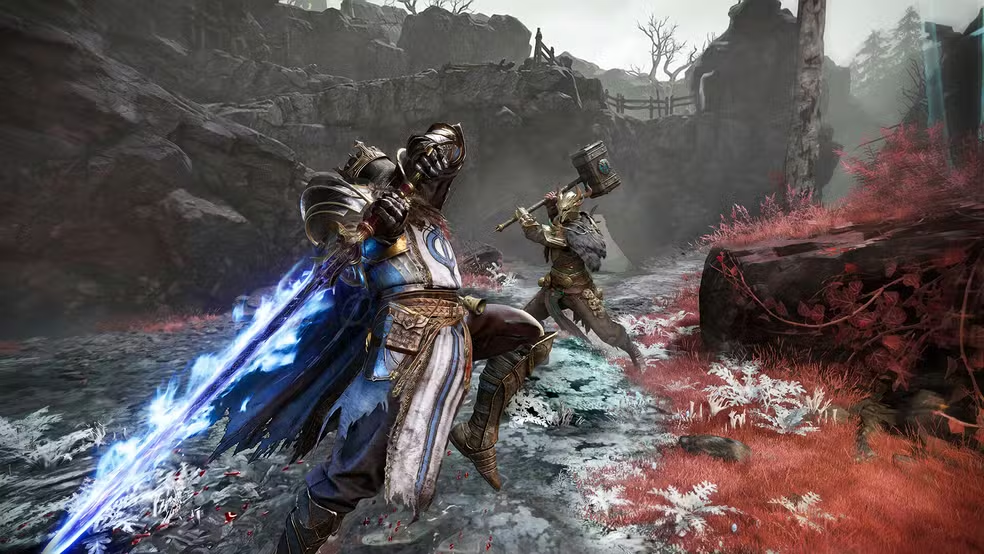
You finally found a rare relic during an extraction run, your squad is holding the line, and then it happens: your character freezes for half a second, a Withered Knight lands a hit that should have missed, and you are staring at a death screen. That half second was high ping, and in Mistfall Hunter, it can turn a clean extraction into a total loss. If you want to understand every game affected by this issue and how connection quality shapes competitive play, you can check the full list of supported titles for connection optimization.
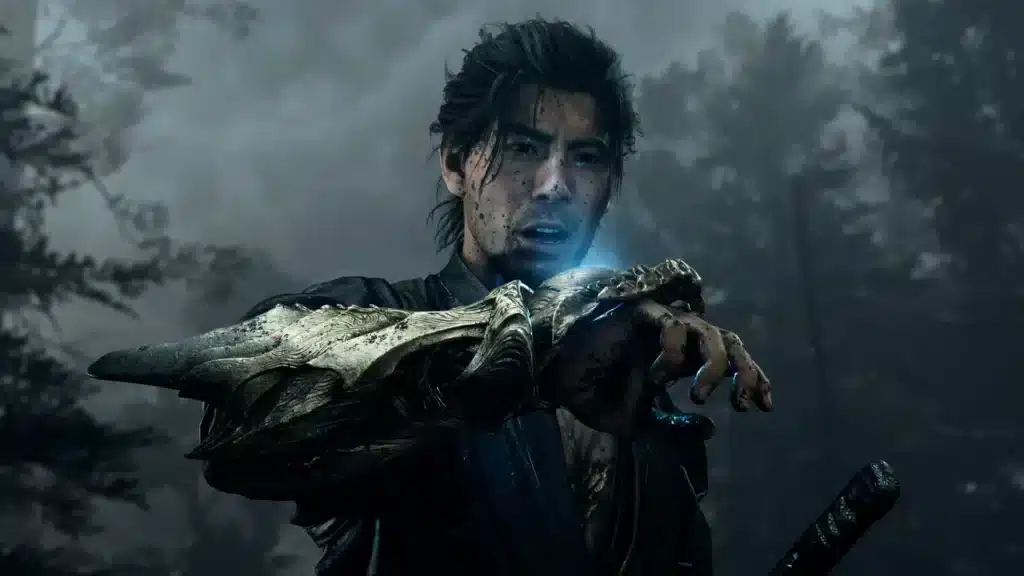
What is high ping in Mistfall Hunter?
Ping is the time it takes for a data packet to travel from your device to the game’s servers and back. It is measured in milliseconds (ms), and the lower that number, the faster your actions register in the game world.
When your ping is low, your skills, dodges, and attacks in Mistfall Hunter feel instant. When it climbs, there is a visible gap between pressing a button and seeing the result on screen.
This gap matters enormously in a PvPvE extraction shooter, where every encounter with another hunter or a monster can be decided in a fraction of a second. High latency does not just feel annoying, it directly changes match outcomes.
How high ping affects your Mistfall Hunter gameplay
High ping does not stay in the background. It actively interferes with core mechanics that Mistfall Hunter relies on for combat and survival. Here is what you will notice:
- Delayed skill and command execution: your Sorcerer’s spell or Blackarrow’s shot fires noticeably after you press the button.
- Dying behind cover: the server registers your position differently than what you see, so you take damage while you believe you are safe.
- Poor hit registration: shots and melee swings that look like clean hits simply do not count.
- Rubberbanding: your character snaps back to a previous position, breaking movement during chases or escapes.
- Random disconnections: unstable routes can drop you mid-extraction, risking your entire loot run.
- Competitive disadvantage in PvP: opponents with stable connections react and hit first, even if your reflexes are better.
- Loss of rank or MMR: repeated losses caused by lag translate directly into rating drops over time.
Main causes of high ping in Mistfall Hunter
Understanding why your connection struggles is the first step toward fixing it. Several factors can push your Mistfall Hunter latency into problematic territory.
Distance from game servers
The physical distance between your location and the server hosting your match adds unavoidable travel time to every data packet. Players farther from a data center will naturally see higher baseline ping than those close to it.
ISP-related issues
Your internet service provider’s internal routing and network quality play a huge role. Some ISPs prioritize traffic poorly or suffer from congestion during peak hours, causing lag in Mistfall Hunter even with a fast plan.
Inefficient routing
Data packets do not always travel the shortest path to the server. They often bounce through multiple intermediate hops, and an inefficient route can add significant delay even when your local connection is fine.
Network congestion
Shared bandwidth, whether from other devices at home or from broader internet traffic near you, competes for the same pipe your game needs. This congestion introduces spikes exactly when you need consistency most.
Outdated hardware and equipment
Old routers, worn network cables, and outdated drivers cannot handle modern gaming traffic efficiently. This bottleneck adds latency before your data even leaves your home network.
High server demand at launch
Mistfall Hunter just launched on July 29-30, 2026 across PC, PlayStation 5, and Xbox Series X|S, with day one access on Xbox Game Pass. Consequently, servers under heavy launch demand can experience temporary spikes in ping for everyone, regardless of individual setup.
How to identify and test high ping in Mistfall Hunter
Before fixing anything, you need to confirm what your actual numbers look like. Most extraction games, including Mistfall Hunter, display a ping indicator somewhere in the interface, typically in a corner of the HUD or within the network settings menu.
If you want a second reference point, you can also test your connection outside the game. On Windows, open Command Prompt and run a ping command toward a public server to see your baseline latency to the wider internet.
Comparing your in-game ping with this baseline helps you understand whether the problem sits with your local network, your ISP, or the game’s servers specifically. This distinction determines which fix will actually help.
Here is a quick reference for what different ping ranges mean for your Mistfall Hunter sessions:
| Ping range | Rating | Expected experience |
|---|---|---|
| 0-30 ms | Excellent | Instant response, smooth PvP, reliable extractions |
| 30-60 ms | Good | Minor delay, generally unnoticeable in most fights |
| 60-100 ms | Acceptable | Occasional input lag, some hit registration issues |
| 100 ms+ | Problematic | Frequent rubberbanding, delayed skills, lost fights |
Basic solutions to reduce high ping in Mistfall Hunter
Before reaching for advanced tools, it is worth optimizing what you already control. Small adjustments to your setup can meaningfully lower your Mistfall Hunter connection issues.
Optimize your local connection
- Use a wired ethernet connection instead of Wi-Fi whenever possible, since cables are far more stable.
- Close background applications that consume bandwidth, such as cloud backups or streaming services.
- Update your network adapter drivers to the latest version available from the manufacturer.
- Configure Quality of Service (QoS) on your router to prioritize gaming traffic over other devices.
- Restart your router and modem periodically to clear temporary congestion issues.
- Select the closest available server region if Mistfall Hunter offers that option in its settings.
Contact your ISP
If your connection remains unstable even after local optimization, the issue may sit further upstream. Reach out to your internet provider and ask about routing quality or congestion in your area.
Sometimes a simple plan upgrade or a technician visit resolves recurring instability that no local fix can solve. It is worth ruling this out before assuming the problem is entirely on your end.
ExitLag: the best solution to reduce high ping in Mistfall Hunter
What is ExitLag?
ExitLag is the software built specifically to solve connection problems like the ones described above. Instead of guessing which fix might help, ExitLag actively manages your routing to the game’s servers in real time.
This connection optimization approach means you are not just treating symptoms, you are addressing the actual path your data takes. You can see the full technical explanation behind the connection optimization technology that powers ExitLag.
How does ExitLag work to reduce high ping?
ExitLag uses Multi-Internet technology to keep your connection to Mistfall Hunter as fast and stable as possible. You can read a deeper breakdown of the engine behind faster routing if you want the full picture.
In practice, the system performs several tasks continuously:
- Real-time analysis of your current connection quality and route performance.
- Simultaneous testing of multiple network paths to the game’s servers.
- Automatic selection of the fastest and most stable route available.
- Optimization of the number of hops your data takes along the way.
- Ongoing stabilization to prevent sudden spikes during active gameplay.
Benefits of ExitLag for Mistfall Hunter players
- Drastic ping reduction: by routing through optimized paths, ExitLag can noticeably lower your average latency.
- Packet loss elimination: fewer dropped packets mean fewer moments where your inputs simply vanish.
- Stable connection: consistency matters more than raw speed, and ExitLag focuses heavily on stability.
- DDoS protection: your real connection details stay shielded from targeted attacks during matches.
- Ease of use: the interface is built for gamers, not network engineers, so setup takes minutes.
- Multiple server support: whether you play with friends on different regions or switch servers, ExitLag adapts automatically.
Is it worth using ExitLag in Mistfall Hunter?
Given how punishing high ping is in an extraction-based PvPvE game, the answer is straightforward. Losing loot, rank, or an entire run to preventable lag is a frustration most players would rather avoid entirely.
You can compare the available options on the subscription plans page and pick what fits your play schedule.
How to set up ExitLag for Mistfall Hunter
- Get the client from the official ExitLag download page.
- Install the application and open it on your PC.
- Search for Mistfall Hunter in the supported games list.
- Select the game and enable the routing optimization for it.
- Choose the recommended route, or let the automatic selection handle it.
- Launch Mistfall Hunter as you normally would, keeping ExitLag running in the background.
- Monitor your in-game ping to confirm the improvement during your session.
- Adjust the selected route manually if you notice any regional server changes.
Frequently asked questions
What causes high ping in Mistfall Hunter?
High ping usually comes from a combination of factors: distance from the server, ISP routing quality, network congestion, and outdated hardware. Since the game just launched, server demand is also temporarily elevated.
These causes can overlap, which is why some players see spikes only during certain hours. Identifying which factor affects you most is the first step to fixing it.
How do I check my ping in Mistfall Hunter?
Most versions of the game display a ping counter in the HUD or within the network or settings menu. This number updates in real time during matches and extractions.
For an outside comparison, you can also run a basic ping test from your computer’s command line tool. Comparing both numbers helps isolate whether the issue is local or server-side.
What is good ping for Mistfall Hunter?
Generally, anything under 30 ms is considered excellent for fast-paced PvPvE combat. Between 30 and 60 ms remains good for most encounters without major issues.
Once you cross the 100 ms mark, expect noticeable delays in skills, hit registration, and movement. This is the threshold where most players start losing fights they should win.
Can high ping get you banned?
No, high ping itself is a connection issue, not a violation of game rules. However, using unauthorized third-party programs that manipulate game files or interact improperly with anti-cheat systems can lead to penalties.
Tools that simply optimize your network route, without touching game files, do not fall into that risky category. Always check that any software you use focuses purely on connection routing.
Does ExitLag work for Mistfall Hunter?
Yes, ExitLag supports Mistfall Hunter and works by optimizing the route your data takes to the game’s servers. It does not modify game files or interfere with how the game runs.
Since it focuses entirely on network routing, it complements your existing setup rather than replacing anything. Players dealing with extraction losses due to lag often see immediate improvement.
Will Mistfall Hunter servers be laggy right after launch?
Yes, this is expected. With the official release landing on July 29-30, 2026 across PC, PlayStation 5, and Xbox Series X|S, alongside Xbox Game Pass access, server demand is at its peak.
This surge can temporarily raise ping for many players, even those with strong connections. Optimizing your own routing still helps reduce the impact of this shared congestion.
Does class choice affect how noticeable high ping feels?
Somewhat. Classes with fast, precise inputs, such as Shadowstrix or Blackarrow, tend to expose latency issues more visibly than slower, tankier classes like Withered Knight.
Regardless of which of the six classes you main, from Mercenary to Seer to Sorcerer, a stable connection benefits every playstyle equally.
Conclusion
High ping in Mistfall Hunter is not just an inconvenience, it is a direct threat to your extractions, your loot, and your competitive standing in PvP. Every delayed skill or rubberbanded death chips away at the experience the game is meant to deliver.
The good news is that this problem has a clear, proven solution. By optimizing your local setup and pairing it with dedicated routing technology, you can take back control of your connection quality. For more guides like this one, explore the ExitLag blog for gamers.
Do not let another extraction end because of lag you could have prevented. Stop losing runs to bad connections and try the free trial offer today.
All game images used in this blog post belong to their respective developer/publisher. They are used for informational and educational purposes only and do not imply endorsement or affiliation with the rights holders.
Got questions or want to connect with other players? Join the conversation at the ExitLag Forum!