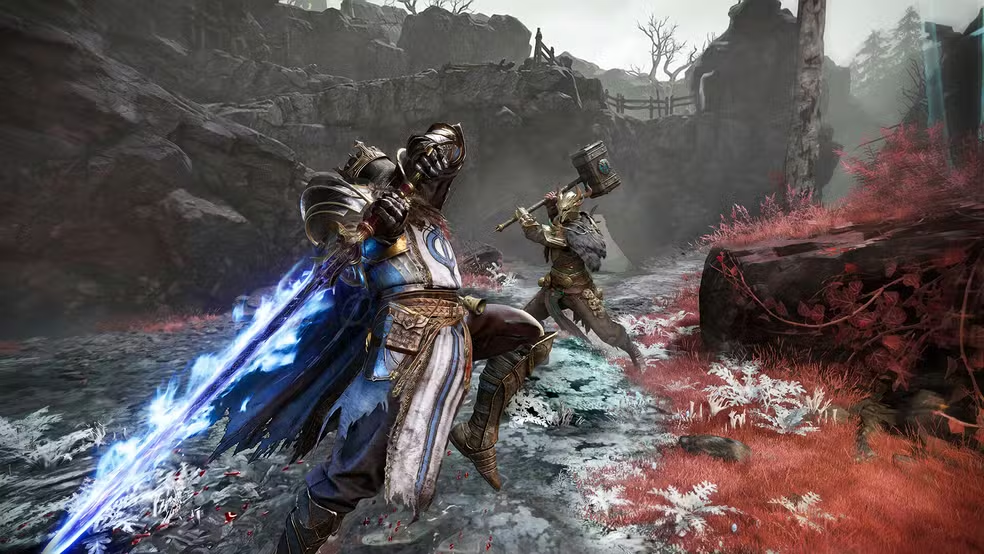
There’s nothing worse than losing a run because of lag.
You line up the perfect shot, your character freezes for half a second, and suddenly you’re staring at a death screen instead of your loot. It feels unfair, because in a lot of ways, it is.
The frustrating part is that this happens even to players with fast, reliable internet at home. Lag in an extraction ARPG like Mistfall Hunter isn’t always about your download speed or your router.
In this article, you’ll understand exactly what causes lag in Mistfall Hunter, how to tell it apart from ping and FPS issues, and how ExitLag can solve it for good so you can play with the stability that high-risk extractions demand.
What causes lag in Mistfall Hunter
Lag in Mistfall Hunter usually comes from problems along the connection route between your PC or console and the game’s servers, not from your hardware. Understanding where the issue actually starts is the first step toward fixing it.
Since Mistfall Hunter just launched on PC, PlayStation 5, and Xbox Series X|S, with day-one access on Xbox Game Pass, a huge number of players are logging in at the same time. That alone can create temporary instability while server demand settles down.
Here are the most common causes behind high ping Mistfall Hunter players report during extractions and PvP encounters:
- Poor connection routing: your internet provider automatically picks a path to the game server, and that path is not always the fastest or most direct one.
- Packet loss and network congestion: data packets get dropped or delayed as they pass through crowded nodes between you and the server.
- Geographic distance: the farther you are from the server region, the more time your data needs to travel back and forth.
- ISP instability: some providers throttle or deprioritize gaming traffic during peak hours.
- Launch-day server demand: with the game freshly released, server load is naturally higher than it will be in a few weeks.
Why this matters for extraction gameplay
In an extraction ARPG, every second counts. A delayed hit, a missed dodge, or a rubberbanding enemy can mean losing your entire loadout.
That’s why identifying the real source of your lag, rather than blaming your PC, is the smartest first move.
Lag, ping, and FPS in Mistfall Hunter: what’s the difference
Not every performance issue in Mistfall Hunter is the same problem wearing a different name. Before you can fix anything, you need to know which one you’re actually dealing with.
Here’s a simple breakdown:
| Term | What it means | What causes it |
|---|---|---|
| Lag | Delay between your input and the game’s response | Network route issues, packet loss, server congestion |
| Ping | Time it takes data to travel to the server and back (measured in ms) | Distance, routing, ISP instability |
| FPS | Number of frames your game renders per second | Graphics card, CPU, in-game settings |
If your character visually stutters but your inputs still land correctly, that’s usually an FPS problem tied to your hardware or settings. However, if your commands register late, enemies teleport, or hits don’t connect even though your gameplay looks smooth, that’s lag and ping, which point straight back to your connection.
This distinction matters because a lot of players trying to fix Mistfall Hunter lagging issues waste time lowering graphics settings when the real problem is their network route the whole time.
Why does lag happen in Mistfall Hunter even with good internet?
This is the part most players never fully understand: having fast internet does not guarantee a fast route to the game server. Your provider chooses the path your data takes automatically, and that path is rarely optimized for gaming.
Think of it like digital traffic. Your data packets are cars, and your ISP’s default route is a highway that looks fine but is actually packed with congestion at certain hours.
Even a 500 Mbps connection can hit an unstable connection Mistfall Hunter server node if that automatic route passes through a crowded exchange point. Speed and stability are simply not the same thing.
This is exactly why players with excellent home internet still experience:
- Random spikes in ping during PvP fights
- Enemies that appear to jump or teleport short distances
- Commands that feel like they land a beat too late
- Disconnections during high-demand hours right after launch
What if you could manually choose the best connection route, avoiding that congested path entirely?
ExitLag: the solution to lag in Mistfall Hunter
ExitLag is a connection optimization software built specifically for online games, and it’s the definitive answer to how to reduce lag in Mistfall Hunter. Instead of relying on the default, unpredictable path your ISP assigns, ExitLag actively searches for the fastest, most stable route to the game’s servers.
It works through intelligent multi-route technology that continuously scans available paths in real time. When it finds a better route than the one your ISP is using, it reroutes your connection through it, all without touching your game files.
The direct benefits players notice right away include:
- Reduced and more consistent ping
- Fewer disconnects and packet loss spikes
- Smoother, more predictable gameplay during peak hours
The technical edge behind ExitLag
This is where ExitLag goes beyond the basic advice you’ll find on most sites. Lower ping doesn’t just look better on a screen, it directly changes how combat feels and resolves.
A reduced ping shortens the round-trip time between your command and the server’s response, which means faster reaction confirmation during extraction fights. Consequently, that split-second advantage often decides who lands the first hit.
Lower packet loss also prevents two of the most frustrating bugs in online ARPGs: enemies appearing to teleport and inputs that silently fail to register. When packets arrive consistently, the server receives an accurate, real-time picture of your actions.
This has a direct effect on hit registration, since the server needs your input data to arrive on time to validate a hit correctly. A stable connection also reduces input lag, making every dodge, block, and attack feel immediate rather than delayed.
In PvP specifically, whoever’s client processes the fight state first usually reacts first, so a faster, more stable route can be the deciding factor. On top of that, a consistent connection sharply reduces rubberbanding and desynchronization, the visual snapping that happens when your client and the server disagree about your position.
Benefits of ExitLag for Mistfall Hunter players
Beyond the technical explanation, here’s what actually changes in your day-to-day sessions once you optimize your route with ExitLag.
Ping more stable and lower
- Your commands register closer to instantly, with less variation between fights.
- Extraction runs feel more predictable because your inputs match what happens on screen.
Fewer freezes and less packet loss
- Gameplay stays smooth even during peak hours right after launch, when unstable connection Mistfall Hunter issues are most common.
- Fewer moments where enemies appear to skip or vanish mid-fight.
More performance and precision
- Ideal for PvP encounters, ranked runs, and high-risk extractions where every hit matters.
- Reaction windows become more reliable, which matters most when the stakes are highest.
Easy to set up
- The interface is intuitive, and most players are optimized within minutes.
- No advanced networking knowledge is required to get results.
How to use ExitLag step by step
Getting started with ExitLag Mistfall Hunter optimization takes only a few minutes. Here’s the full process:
- Visit the official ExitLag website to get started.
- Download the application and create your free account.
- Activate the free trial offer to test the optimization before committing.
- Find and select Mistfall Hunter from the supported games list.
- Click “Apply” and launch Mistfall Hunter to play with an optimized route.
Once it’s running, you’ll notice the difference in your very first extraction. There’s no reason to keep guessing when the fix takes less time than a single match.
Common mistakes players make when troubleshooting lag
- Blaming the PC first: many players lower their graphics settings before checking their connection route. Fix: rule out ping and packet loss issues first.
- Ignoring launch-day server demand: expecting zero lag on a freshly released game is unrealistic. Fix: use route optimization to minimize the impact while server load stabilizes.
- Only checking download speed: a fast connection does not mean a stable route to the game server. Fix: focus on latency and packet loss, not just bandwidth numbers.
Pro tips for smoother sessions
- Close bandwidth-heavy background apps: downloads and streaming can compete with your game traffic during extractions.
- Test during peak and off-peak hours: comparing your ping at different times helps you confirm whether the issue is route-related.
- Keep your optimization active before queuing: apply your route before you load into a match, not after you notice lag.
- Monitor your ping in real time: watching for spikes helps you identify patterns tied to specific times of day.
Conclusion
Lag doesn’t need to decide the outcome of your runs in Mistfall Hunter. Once you understand that the real issue is usually your connection route rather than your hardware, the fix becomes clear.
With ExitLag, you take control of that route, reduce your ping, and play with the stability that competitive extractions demand. Every hit, dodge, and command deserves to land exactly when you make it.
There’s no better time to test it than now, right as the game reaches its biggest player base yet. Try the ExitLag free trial today and feel the difference in your very next run.
All game images used in this blog post belong to their respective developer/publisher. They are used for informational and educational purposes only and do not imply endorsement or affiliation with the rights holders.
Got questions or want to connect with other players? Join the conversation at the ExitLag Forum!