

Nexon MapleStory remains one of the most recognizable 2D MMORPGs in gaming, combining side-scrolling combat, colorful environments, character progression, bosses, quests, and a huge selection of playable classes.
Nexon MapleStory has evolved considerably since its original launch, with new classes, regions, events, progression systems, and quality-of-life improvements continuing to expand the game. Players can access the Global service through Nexon’s ecosystem and supported platforms.
Nexon MapleStory is a free-to-play online RPG published by Nexon in which players create characters, level up, learn skills, collect equipment, defeat monsters, and explore a large interconnected world. Its long-term appeal comes from combining accessible 2D gameplay with deep progression.
Nexon MapleStory: What Is the Game About?
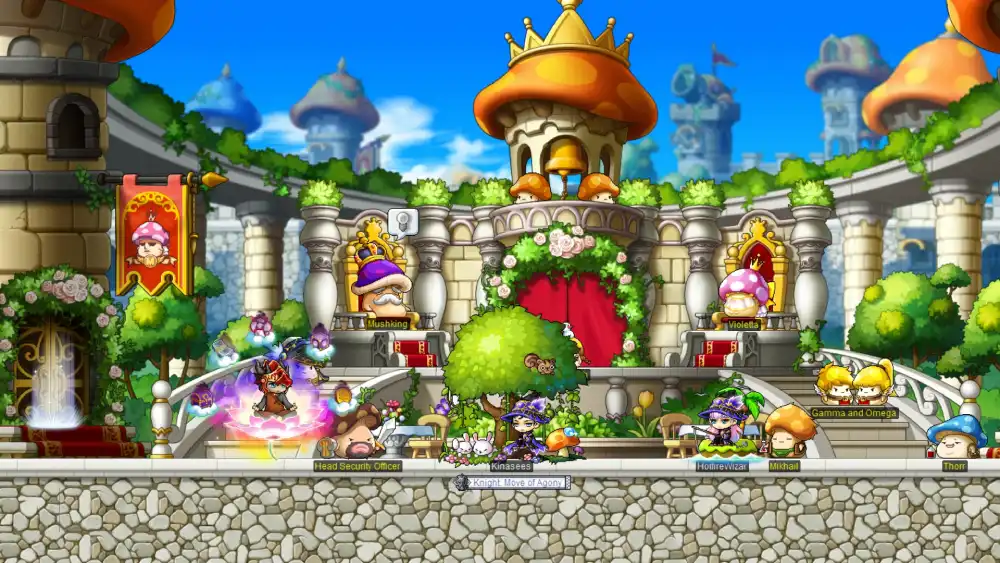
MapleStory is built around character progression. You begin with a new character, choose a class path, defeat monsters, complete quests, improve equipment, and gradually unlock stronger areas and bosses.
Although the basic concept sounds simple, modern MapleStory contains numerous systems designed for long-term progression.
Explore the Maple World
The world of MapleStory is divided into many regions, towns, hunting areas, and specialized zones.
Players move between environments while completing quests and fighting increasingly powerful monsters.
As characters become stronger, progression expands into:
- Higher-level hunting zones;
- Story quests;
- Daily and weekly activities;
- Boss encounters;
- Equipment upgrades;
- Character-specific progression systems;
- Events;
- Endgame content.
The game’s side-scrolling format makes exploration immediately recognizable, while its progression systems provide much more depth than the visual style might initially suggest.
Build your character over time
Character development is central to Nexon MapleStory. Leveling increases access to skills and stronger content, but progression also depends on equipment, stats, upgrades, account-wide bonuses, and other systems.
This means reaching a high character level is only one part of becoming stronger.
Players often spend considerable time improving multiple systems simultaneously.
MapleStory.nexon: How to Start Playing
Players searching for MapleStory.nexon are usually looking for the official Nexon ecosystem used to access MapleStory.
The Nexon Launcher is one of the official ways to download and launch the game. Nexon’s current support documentation provides versions for both Windows and macOS.
Create a Nexon account
Before playing through the Nexon Launcher, you need a Nexon account. Once the account is created, the general process is straightforward:
- Download the official Nexon Launcher.
- Install the launcher.
- Sign in with your Nexon account.
- Find MapleStory.
- Download the game.
- Complete any available updates.
- Launch MapleStory.
- Select your world and create a character.
Nexon also supports account-country and regional service rules.
Global MapleStory is unavailable in some territories that have their own dedicated MapleStory services, including Korea, Japan, China, Southeast Asia, and Taiwan.
MapleStory is also available on Steam
Another option is Steam. Players can use Steam to install and launch MapleStory where the service is available.
This gives players flexibility when deciding how they want to access the game. However, your account setup and service region still matter.
Therefore, if you encounter access problems, check the official Nexon support information for your country before assuming that your installation is broken.
Nexon.MapleStory Classes and Playstyles
One of MapleStory’s defining features is its large number of playable classes.
Different characters can focus on melee combat, ranged attacks, magic, summons, mobility, support, or hybrid mechanics.
That variety makes experimenting with multiple characters an important part of the game.
Choose a class that matches your style
There is no single correct class for every player.
A beginner may prefer straightforward combat, while an experienced player may enjoy a class with more complex resource management or skill combinations.
Common gameplay styles include:
- Close-range melee;
- Long-range physical damage;
- Magic attacks;
- Summoning;
- High-mobility combat;
- Support abilities;
- Burst damage;
- Sustained damage.
When exploring nexon.maplestory, it is worth researching how a class plays rather than choosing only by appearance.
Some classes may feel dramatically different despite existing within the same overall game.
Why multiple characters matter
MapleStory encourages players to create more than one character.
Additional characters can provide account-wide advantages through progression systems that reward building a broader roster.
Therefore, creating an alternate character is not necessarily starting over from zero.
It can become part of your long-term account development.
This system also gives players a reason to experience different classes instead of remaining on only one character forever.
Nexon MapleStory Worlds and Servers Explained
Before creating your first character, you need to choose where that character will exist.
World selection can affect progression style, economy, trading options, community interaction, and how you approach long-term development.
Different worlds create different experiences
MapleStory offers different server environments designed around distinct progression models.
Depending on the current Global MapleStory structure, some worlds emphasize a more traditional economy and trading experience, while others focus more heavily on self-progression.
Because world structures can change over time, players should review the current official information before committing to a new long-term character.
Important factors include:
- Trading availability;
- Economy;
- Population;
- Character progression;
- Friends or guilds;
- Existing characters;
- Preferred playstyle.
If friends already play MapleStory, joining their world may be more important than choosing based purely on progression mechanics.
Think before committing to a world
A large amount of MapleStory progression is attached to characters and account systems.
Therefore, choosing a world without understanding how it works can create unnecessary frustration later.
New players should first consider whether they prefer:
- Independent progression;
- Trading;
- Group play;
- Established economies;
- Playing with friends.
Then select the environment that best supports those goals.
Nexon MapleStory Progression: Leveling and Equipment
Leveling is one of the most visible forms of progression, but modern MapleStory involves many interconnected systems.
As you move toward higher-level content, equipment and character optimization become increasingly important.
Level through quests and monsters
Early progression introduces players to basic movement, combat, skills, and questing.
As your character develops, monster hunting becomes an important source of experience.
Events can also accelerate progression.
For new players, the best approach is usually to follow the game’s current progression guidance instead of immediately copying endgame strategies designed for veteran accounts.
Focus first on:
- Learning your class;
- Unlocking skills;
- Improving equipment;
- Understanding movement;
- Completing essential quests;
- Opening new content.
Once these basics become familiar, more advanced optimization begins to matter.
Improve your equipment
Equipment plays a major role in character strength.
Weapons, armor, accessories, and other items can be improved through multiple systems.
As a result, two characters at the same level can have dramatically different combat performance.
The table below summarizes some of the major areas new players should understand.
|
Progression Area |
What It Does |
Why It Matters |
|
Character Level |
Unlocks skills and content |
Core progression |
|
Equipment |
Increases combat stats |
Major source of power |
|
Skills |
Defines your combat abilities |
Determines class gameplay |
|
Bosses |
Provide challenges and rewards |
Important for progression |
|
Account Systems |
Reward developing multiple characters |
Strengthens long-term accounts |
|
Events |
Offer temporary activities and rewards |
Can accelerate progression |
This is why MapleStory should not be viewed as a game where character level alone determines strength.
Progression becomes increasingly interconnected over time.
Bosses in Nexon MapleStory
Boss encounters are one of the major milestones of MapleStory progression.
They test your character’s damage, survivability, movement, and knowledge of mechanics.
Bossing also becomes an important part of weekly progression for established characters.
Start with manageable bosses
Do not jump directly into difficult bosses simply because your character technically has access to them.
Instead, work through easier encounters and learn basic mechanics.
Bosses may require you to:
- Avoid specific attacks;
- Move between safe areas;
- Manage cooldowns;
- Use burst damage efficiently;
- Survive multiple phases;
- Understand special mechanics.
Practicing easier encounters develops skills that become important later.
It also gives you a clearer idea of whether your equipment and damage are appropriate for harder fights.
Progress toward harder encounters
Later bosses become significantly more demanding.
At higher levels, improving your character often means balancing several progression systems before challenging the next major encounter.
This creates an ongoing loop:
- Improve your character.
- Defeat stronger bosses.
- Obtain additional resources.
- Upgrade your equipment.
- Increase your damage and survivability.
- Challenge the next tier of content.
For many long-term Nexon MapleStory players, this cycle becomes one of the main reasons to continue developing a character.
MapleStory Events and Updates
MapleStory is a live-service MMORPG, which means the available content changes over time.
Nexon continues to release patches, events, and updates. The Korean service, for example, was still receiving version 1.2.419 updates in September 2026.
Events can accelerate progression
Events often provide temporary progression opportunities.
Depending on the event, players may receive access to:
- Leveling bonuses;
- Special missions;
- Event shops;
- Equipment rewards;
- Cosmetic rewards;
- Progression materials;
- Temporary activities.
Because these rewards vary, returning players should always check the current event information.
A strategy from several months ago may not reflect the best opportunities available today.
Keep the game updated
Running an outdated installation can cause technical problems.
Nexon’s support documentation recommends repairing the installation when files are outdated or corrupted, particularly when MapleStory closes soon after launch.
If you experience technical issues, check for game updates before attempting more complicated fixes.
The launcher can also help manage updates automatically.
Nexon MapleStory on Windows and Mac
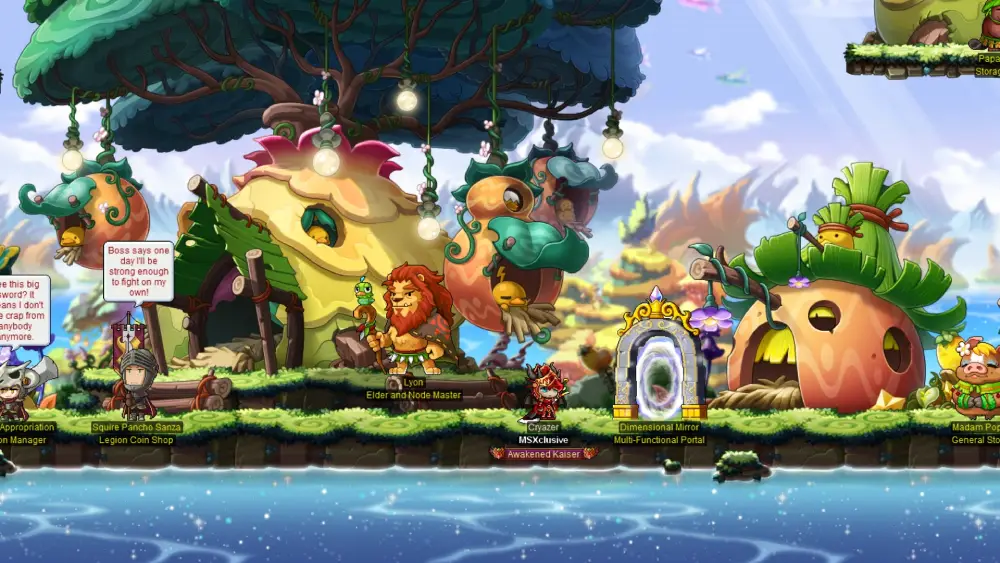
For many years, MapleStory was strongly associated with Windows.
However, platform availability has expanded.
Nexon launched a macOS beta in December 2025, allowing eligible players to run MapleStory on Mac through the Nexon Launcher. Steam support for the macOS version began on May 21, 2026.
Windows requirements and 64-bit support
Modern MapleStory uses a 64-bit client.
Nexon’s support documentation states that the game no longer supports 32-bit operating systems.
Therefore, if MapleStory refuses to open on an older Windows PC, checking the operating system architecture should be one of the first troubleshooting steps.
A 64-bit operating system also allows the game to use modern system resources more effectively than its older 32-bit version.
MapleStory on Mac
Mac users now have an official option through the current beta.
However, Nexon warns that technical or gameplay issues can occur while the macOS beta remains in progress.
Therefore, players experiencing Mac-specific problems should check Nexon’s latest support documentation.
This is especially important because compatibility information can change while the beta continues.
NX and the Nexon MapleStory Cash Shop
MapleStory is free-to-play, but Nexon also operates a virtual currency system called NX.
NX can be used across supported Nexon America games to purchase eligible in-game items, accessories, and services.
What is NX?
NX is Nexon’s virtual currency.
Players can purchase NX through Nexon and, for supported games, through Steam.
Depending on the game and item, NX may be used for cosmetic items, convenience features, or other eligible purchases.
Players should always review the current item description before buying.
Do you need NX to start playing?
No.
A new player can begin exploring MapleStory.nexon without purchasing NX.
Free-to-play progression remains a central part of MapleStory.
However, players who decide to purchase NX should always use official Nexon channels instead of unofficial sellers.
This reduces the risk of account problems, scams, or unauthorized transactions.
Common Nexon MapleStory Connection and Launch Problems
Online games can occasionally experience technical problems.
MapleStory is no exception.
However, connection problems and client problems should be treated separately.
MapleStory closes after launching
If nexon.maplestory closes shortly after starting, Nexon recommends several checks.
These include verifying that you are playing from a supported region, repairing outdated or corrupted files, and disabling third-party software that could conflict with anti-cheat systems.
Do not immediately reinstall everything.
Start with basic troubleshooting first.
A repair installation may solve the problem without requiring a complete download.
Connection instability while playing
If the game remains open but you experience network-related symptoms, investigate your connection.
Possible signs include:
- High latency;
- Delayed actions;
- Disconnections;
- Connection instability;
- Packet loss;
- Sudden lag spikes.
These problems are different from a client crash.
If your computer closes MapleStory entirely, network optimization alone will not repair corrupted files, incompatible software, or other local technical problems.
FAQ
Here are quick answers to common questions about Nexon MapleStory.
What is Nexon MapleStory?
Nexon MapleStory is a free-to-play 2D MMORPG focused on character development, classes, combat, quests, bosses, equipment, and long-term progression.
Is MapleStory still available in 2026?
Yes. MapleStory remains active in 2026, with Nexon continuing to provide updates, events, support, and regional services.
Can you play Nexon MapleStory on Mac?
Yes. Nexon launched a macOS beta in December 2025, with Steam support for Mac following in May 2026.
Where can I download MapleStory?
You can download MapleStory through supported official channels such as the Nexon Launcher or Steam, depending on your platform and region.
What is NX in MapleStory?
NX is Nexon’s virtual currency and can be used for eligible in-game items, accessories, and services.
Why won’t Nexon MapleStory open?
Outdated or corrupted files, unsupported regions, third-party software conflicts, or an unsupported 32-bit operating system can prevent the game from launching.
Enjoy Nexon MapleStory With ExitLag
Whether you are leveling a new character, challenging bosses, or returning after a long break, Nexon MapleStory offers a huge amount of progression to explore. If latency, packet loss, or unstable routing affects your online sessions, ExitLag can help optimize the connection route between your device and supported game servers.
ExitLag focuses specifically on gaming route optimization rather than functioning as a traditional VPN, helping players improve connection stability when network routing is part of the problem.
Try ExitLag and optimize your connection for a smoother MapleStory experience!
Got questions or want to connect with other players? Join the conversation at the ExitLag Forum!


