

OG Fortnite skins are one of the biggest status symbols in the game. They signal “I was there early,” and that social proof is exactly why these cosmetics attract scammers, hackers, and shady account-trading pitches.
A lot of that hype is tied to Fortnite’s early identity, which is why nostalgia keeps pushing demand up. If you want a safer way to understand that appeal, this breakdown of Fortnite OG nostalgia skins and why they matter gives useful context without touching risky account trading.
OG Fortnite skins also create a real problem: players who only want a look end up gambling with their entire account. Once an account changes hands, the “original ownership” trail becomes messy, and that usually ends with bans, chargeback disputes, or the seller taking the account back later.
OG Fortnite skins aren’t just cosmetics anymore—they’re a risk magnet. That’s why it’s important to separate two situations: (1) you’re tempted to buy an account for OG cosmetics, or (2) you lost access to your legitimate account and you’re trying to recover it safely.
This guide focuses on safe, policy-compliant paths. It will still cover the reality of the marketplace and why it exists, but it won’t give instructions for trading accounts—because Epic explicitly disallows buying, selling, or sharing accounts.
What makes a Fortnite skin “OG”?
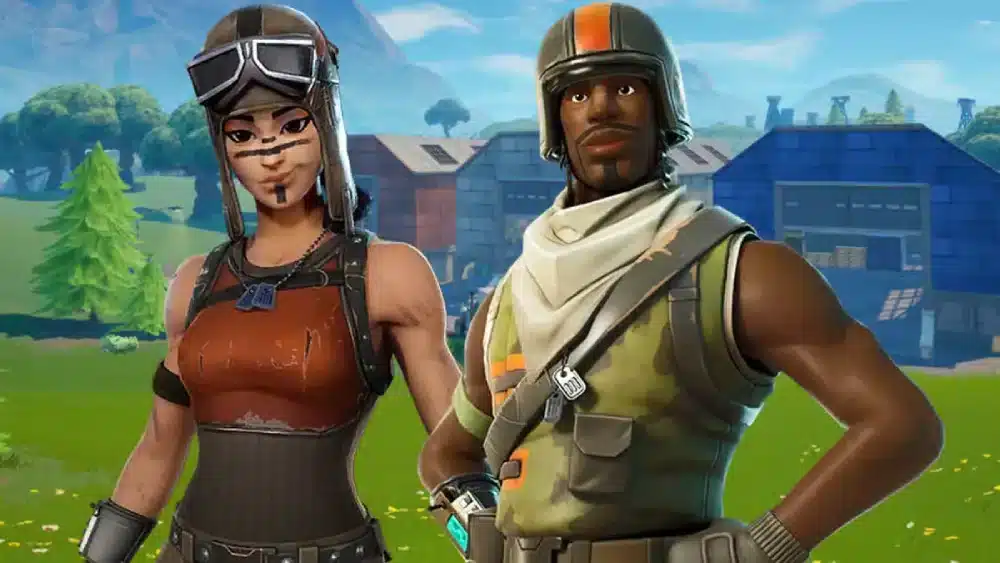
“OG” is player slang, not an official rarity tier. Still, the label usually means the skin was available early, had a limited window, and became uncommon over time.
In most conversations about OG Fortnite skins, the same themes show up: early adoption, limited access, and social prestige. People often lump these into “first era” cosmetics—especially season 1 skins—because they came from a time when fewer players spent money on the game.
When you hear players talk about OG skins Fortnite, they’re usually pointing to cosmetics that were (a) old, (b) uncommon for a long time, and (c) culturally tied to Fortnite’s early identity—whether or not the item ever returns.
Renegade Raider is a perfect example of how the “OG” concept changes over time. That skin is usually the first name that comes up in rarity arguments, but the conversation is often full of myths and outdated claims. For a cleaner overview, check this guide on Renegade Raider in Fortnite and its history before treating any listing as “proof” of value.
Epic has brought Chapter 1 Season 1 content back through Fortnite OG and even reintroduced classic items via the OG Season Shop, which reshapes what “rare” means in practice.
Early availability and limited return windows
A skin feels “OG” when most players couldn’t get it later. That scarcity can come from:
- A short availability window (event-limited or early shop rotations)
- Early progression gates (level requirements, season shop systems)
- A long period where the item didn’t return
- Cultural “legend” status in the community
This is why players searching for rare Fortnite skins tend to focus less on stats and more on history: when was it obtainable, and for how long?
Examples players cite (and why rarity can change)
Players frequently cite Skull Trooper and Renegade Raider in “OG” conversations—sometimes for different reasons. One is strongly tied to early-era hype, while the other is tied to early-era access and later “return” debates.
When people argue about rarity, it helps to compare against an actual cosmetic page instead of social posts or marketplace screenshots. You can use the Fortnite cosmetic listing on fortnite.gg as a quick reference point for how an item is tracked and presented.
A useful mindset: “OG” is a social label, not a guarantee of permanent scarcity. Fortnite can re-release cosmetics, create alternate styles, or launch “OG” shop moments that reframe what counts as exclusive.
Quick reality check table
| “OG” reason | What it usually means | Why it can shift later |
| Early release | Came out in Fortnite’s early era | Epic can re-release or remix |
| Limited window | Was only obtainable briefly | Shops/events can return |
| Low adoption | Few players bought it back then | Playerbase growth changes rarity perception |
| Cultural prestige | Community treats it as iconic | New “icons” replace old ones |
To keep this grounded, remember: “OG” doesn’t make account trading safe. It only makes accounts a bigger target.
Can you buy OG Fortnite skins legally?
The short answer: you can buy cosmetics only through official Fortnite/Epic systems. Buying an account because it has OG Fortnite skins is not allowed under Epic’s rules.
Epic’s support guidance is direct: account buying, selling, or sharing is against their Terms of Service.
Epic’s Community Rules also explicitly prohibit scams and deceptive practices, including buying or selling accounts or account information.
In other words, the “account marketplace” for OG skins Fortnite is not an approved channel. That’s why it’s packed with scams: there’s no legitimate enforcement, and you can’t reliably prove ownership once money changes hands.
To keep your expectations aligned, treat “cheap OG account” listings as a red flag—not a deal.
If you’re seeing sellers pitch “safe transfers” or “verified ownership,” that’s usually part of the same risk cycle. This article on OG Fortnite accounts and the common scam patterns is a good reality check before you click anything else.
What Epic’s Terms mean in practice
When account trading happens, several outcomes are common:
- Account ban for violating rules
- Seller recovery (original owner uses the original email/receipts to reclaim it)
- Chargeback and payment disputes that lock the account
- Support refusal if ownership cannot be verified cleanly
That “seller recovery” risk is huge. Even if the buyer changes the password, the original owner often has the strongest evidence trail: original email access, oldest receipts, creation date data, or platform links.
So yes—accounts with rare Fortnite skins are valuable in the black market. However, that value is exactly why they’re a top target for theft and fraud.
Safer ways to chase the “OG look” without trading accounts
Want the vibe without the risk? These are the only paths that don’t put your entire account at stake:
- Watch for official returns and OG events. Fortnite OG has already brought back early-era content and an OG Season Shop moment.
- Look for similar aesthetics (same theme, different skin) through the official Item Shop.
- Focus on combos (pickaxe + back bling + wrap) to recreate an “early Fortnite” silhouette.
- Avoid third-party “skin unlock” offers. Those often lead to credential theft.
Official releases and modes are still the safest place to chase the early-era vibe without gambling your account. If you want the legit entry point, go through the official Fortnite OG page on Epic Games Store and stick to in-ecosystem options.
Decision guide (fast)
- You want cosmetics → stick to official shop/bundles/events.
- You want a “rare account” → that’s exactly what scammers want you to want.
- You lost your own account → go straight to official recovery.
How do you recover a Fortnite account with OG Fortnite skins?
Recovery is where you should put your energy—especially if the account is legitimately yours.
Epic provides official help paths for account access and recovery topics (including “How can I recover access to my Epic Games account?” and security resources like 2FA).
For owners of OG Fortnite skins, acting fast matters because compromised accounts can be resold, linked to new platforms, or used for fraud. The more the attacker changes, the harder the trail becomes.
Here’s the key: don’t try to “out-hack” a hacker. Use official support, and build a clean proof-of-ownership package.
What evidence Epic typically asks for
Epic’s process can vary, but support commonly relies on ownership indicators such as:
- Original email address used to create the account (or oldest known email)
- Purchase receipts / transaction IDs (especially the oldest ones)
- Display name history (previous usernames)
- Linked platform accounts (console, PC accounts tied to the Epic account)
- Approximate account creation date and location patterns (when available)
Think of it like this: the best proof is the earliest proof. Old receipts beat recent ones. Original email beats “new email I set last week.”
Proof-of-ownership checklist table
| Evidence type | Why it helps | Where to find it |
| Oldest receipts / transaction IDs | Strongest ownership signal | Email receipts, payment history |
| Original email access | Confirms account origin | Email provider inbox/recovery |
| Linked console/PC accounts | Connects you to account history | Platform account settings |
| Past display names | Matches internal records | Screenshots, emails, friends’ logs |
| 2FA/phone history (if enabled) | Ties identity to account | Auth app/SMS logs |
Step-by-step recovery checklist
Use this flow to keep it clean and efficient:
- Secure your email first
Change email password, enable 2FA, review recovery options, and remove unknown devices - Gather ownership proof
Collect the oldest receipts, original email details, and any platform link evidence. - Use official Epic support channels
Submit your recovery request via Epic’s help resources and follow their verification steps. - Lock down the Epic account after recovery
- Enable 2FA
- Update password to something unique
- Review connected accounts
- Remove suspicious links/devices
- Stop the leak that caused the compromise
Common causes include reused passwords, phishing links, “free skins” pages, and third-party login traps.
High-impact prevention list
- Use a password manager + unique passwords
- Enable 2FA on email and Epic account
- Never “verify” accounts on random sites
- Don’t share login access—even with friends
- Avoid marketplaces for OG skins Fortnite entirely
One more important point: accounts obtained through prohibited trading are far less likely to be recovered, because the strongest evidence usually points to the original creator—plus the transaction itself violates policy.
How ExitLag can help Fortnite sessions feel more stable
Not every Fortnite moment is equally sensitive to connection quality. Yet when you’re playing ranked, tournaments, time-limited events, or high-pressure fights, consistency matters.
ExitLag focuses on connection optimization by selecting and maintaining better routes to game servers in real time. It’s designed to reduce issues like lag spikes, packet loss, and jitter by improving routing stability.
This matters most when performance problems aren’t coming from your PC/console, but from unstable routing between your ISP and the server.
Better routing for more consistent matches
Fortnite is a game of timing—peeks, edits, swaps, and resets. When the connection stutters, your inputs can feel delayed or inconsistent.
ExitLag’s routing approach aims to keep your path to the server more stable, which can help reduce:
- Sudden ping spikes
- Match-to-match route inconsistency
- Packet loss moments that cause “micro-freezes” online
This doesn’t turn a bad Wi-Fi setup into magic. It does help when your ISP’s route is the weak link.
When ExitLag helps (and when it won’t)
ExitLag tends to help when:
- Your ping is “fine” sometimes but spikes at specific hours
- You see packet loss or jitter during matches
- Your connection route is longer/worse than it should be
ExitLag won’t fix:
- Low FPS from hardware limits
- Overheating or background apps
- A consistently unstable home network setup
Still, for players who care about clean competitive sessions, ExitLag is a practical tool to test—especially if your goal is reducing connection randomness while you protect an account with OG Fortnite skins.
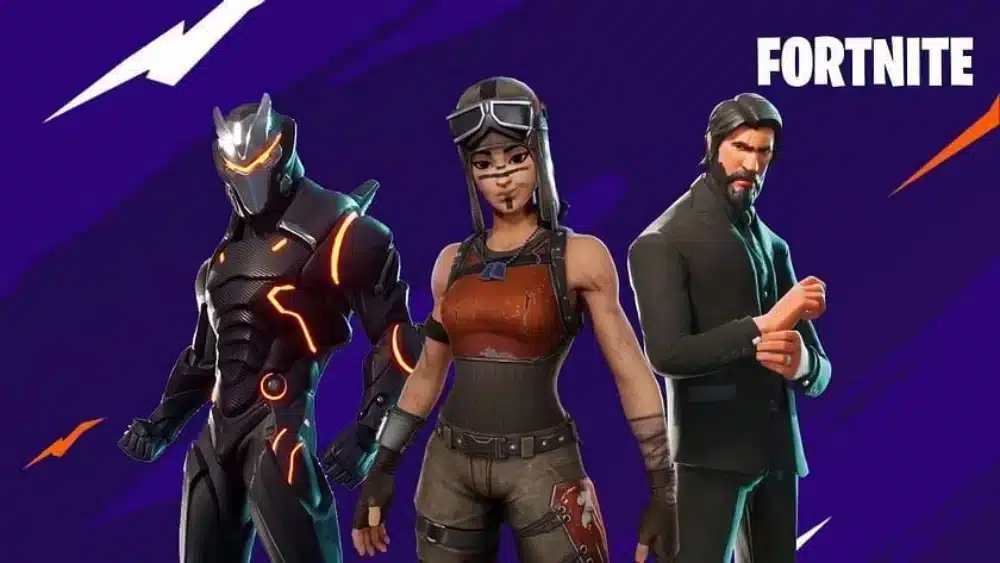
FAQ: OG Fortnite skins, bans, and account security
People keep asking the same questions because the “OG account” culture is loud and confusing. Here are clear answers.
No. Account buying/selling/sharing is against Epic’s Terms, and that risk includes bans and loss of access.
Because scarcity equals resale value. That demand attracts scammers, phishing attempts, and account takeovers—especially around iconic items like Renegade Raider or Skull Trooper.
Sometimes. Fortnite OG and the OG Season Shop have shown that early-era content can return through official channels.
Secure your email account immediately, then start official Epic recovery steps and gather purchase proof.
Old receipts and the original email history tend to be the strongest. The earlier the evidence, the better.
Enable 2FA everywhere, use unique passwords, and avoid third-party “free skins” offers. Epic’s rules also explicitly call out scams and deceptive practices in their ecosystem.
Want to keep your account safe and your matches stable? Set up 2FA today, clean up your passwords, and test ExitLag if your Fortnite sessions suffer from spikes or packet loss—especially when protecting OG Fortnite skins.
Got questions or want to connect with other players? Join the conversation at the ExitLag Forum!



