

When you’re fully immersed in Delta Force, every second matters, but sudden delays, rubberbanding, and unresponsive commands can quickly ruin the experience. Many players dealing with packet loss Delta Force feel stuck, especially when trying to fix packet loss Delta Force on their own. However, unreliable routing, server instability, and poor ISP performance often create these disruptions, leading to moments where your shots don’t register or enemies teleport unexpectedly.
Therefore, when Delta Force connection issues take over your matches, the resulting frustration can be overwhelming. You press a button, but the action appears seconds later; you try to dodge an attack but end up frozen mid-movement; or worse, you’re kicked out of the server entirely. These symptoms are classic signs of packet loss, and they affect players regardless of hardware power.
Finally, understanding what’s behind the scenes is essential to dealing with packet loss Delta Force. Before trying random fixes, you need clarity on how packet transmission works, why certain routes fail, and how a specialized tool can stabilize your connection. Like this, you’ll regain control over your gameplay and reduce the frustrating Delta Force lag that disrupts competitive moments.
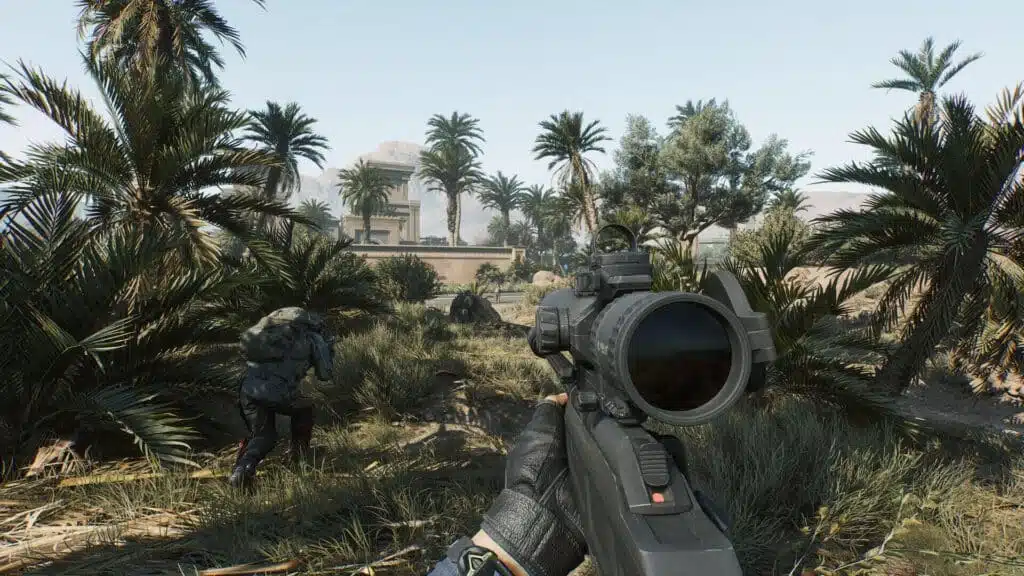
What is packet loss in Delta Force?
In online gaming, packet loss refers to moments when data packets fail to reach the servers, disrupting the entire transmission of data. Delta Force continuously sends and receives information, player input, character position, hit registration, and whenever a piece of that information is lost, delayed, or corrupted, the game struggles to update your actions.
However, this packet loss works like sending a message that never reaches the recipient. The server expects your data but receives only fragments, creating delays, jumps, and desynchronized gameplay. Therefore, when packet loss accumulates, even basic movements can feel inconsistent, making every mission unpredictable.
How packet loss affects your gameplay
Packet loss can generate severe and frequent in-game issues, such as:
- Delayed inputs: You press a key, but the server reacts seconds later.
- Rubberbanding: Your soldier snaps backward as if pulled by an elastic band.
- Sudden disconnections: You’re removed from the server without warning.
- Enemy teleporting: Opponents appear in different positions unpredictably.
- Failed hit registration: Shots that should connect simply don’t count.
- Skills not triggering: Abilities or actions seem ignored entirely.
- Erratic movement: Your character behaves unpredictably on screen.
Main causes of packet loss in Delta Force
Inefficient routing
Your date travels through multiple routers before reaching the server. However, when one of those routers becomes overloaded or fails, part of your information is discarded. This inefficient path increases the likelihood of packet loss Delta Force, especially during peak hours.
Unstable connection
Wi-Fi interference, outdated modems, or ISP fluctuations often cause an unstable connection. Like this, even if your speed seems adequate, the quality of your link may still generate Delta Force connection issues.
Distance from servers
The further you are from the server, the more “hops” your data packets must cross. Each hop introduces potential loss, latency, and routing errors.
Network congestion
Multiple devices streaming, downloading, or gaming simultaneously consume bandwidth. Therefore, your game must compete with household traffic, increasing delays and packet drops.
Hardware problems
Faulty cables, outdated network cards, or overheating routers can physically corrupt data, resulting in significant Delta Force lag.
How to identify packet loss in Delta Force
You can often feel packet loss before you confirm it. Inconsistent latency, delayed actions, or unpredictable enemy behavior are clear signs something is wrong. Therefore, pay attention to moments where the game freezes despite a seemingly stable ping.
However, you can also test your connection manually through your system’s command line by using continuous ping tests. When you notice timeouts or large fluctuations in response time, these results typically indicate perda de pacotes. Finally, interpreting these signals helps you determine whether the issue comes from your home setup, ISP, or server path.
Packet loss levels in Delta Force
| Packet loss percentage | Gameplay impact |
| 0% | Perfect, stable gameplay |
| 1–5% | Occasional stutters |
| 5–10% | Frequent lag and rubberbanding |
| 10–20% | Difficult to play |
| 20%+ | Nearly unplayable |
Basic solutions to reduce packet loss
Optimize your local connection
- Use wired connection instead of Wi-Fi.
- Close background apps that consume bandwidth.
- Update network drivers regularly.
- Enable QoS on your router to prioritize gaming traffic.
- Replace old or damaged ethernet cables.
- Disable unnecessary network-heavy applications.
Contact your ISP
If loss persists even after optimizing your setup, your ISP may be routing your dados inefficiently. However, contacting them and requesting a line quality check or new routing configuration can help stabilize your gameplay.
ExitLag: the definitive solution for Delta Force
What is ExitLag?
ExitLag is a software specialized in connection optimization designed to eliminate instability during online gameplay. It uses advanced technology to ensure your routes remain fast, stable, and secure, giving you the best possible experience in Delta Force. Therefore, unlike temporary fixes, ExitLag serves as a definitive optimization layer over your natural connection.
How ExitLag reduces packet loss
Using Multi-Internet technology, ExitLag keeps your connection stable by redirecting data packets through multiple optimized paths.
Real-time analysis identifies the best routes.
- Multiple simultaneous connections prevent instability.
- Automatic selection ensures a backup path if one route fails.
- Hop optimization reduces distance and latency.
- Stabilization keeps your gameplay smooth and reliable.
Advantages of ExitLag for Delta Force
ExitLag completely eliminates packet loss Delta Force by selecting the most stable connection paths. It also reduces ping using direct routes and prevents random fluctuations during intense combat. Furthermore, its protection against DDoS-related disruptions ensures consistent performance. Finally, its simple interface lets you activate routes instantly, even on unofficial servers.
Is ExitLag worth using in Delta Force?
ExitLag is especially effective if you play on distant international servers, experience constant instability, or want the competitive advantage of a superior connection. If peak-hour congestion or unreliable ISP routing ruins your sessions, the service becomes indispensable.
How to use ExitLag in Delta Force
The process is extremely simple:
Step 1 – Access the official ExitLag website and download the application. There’s a free trial period for new users.
Step 2 – Install and open the program. Log in with your account.
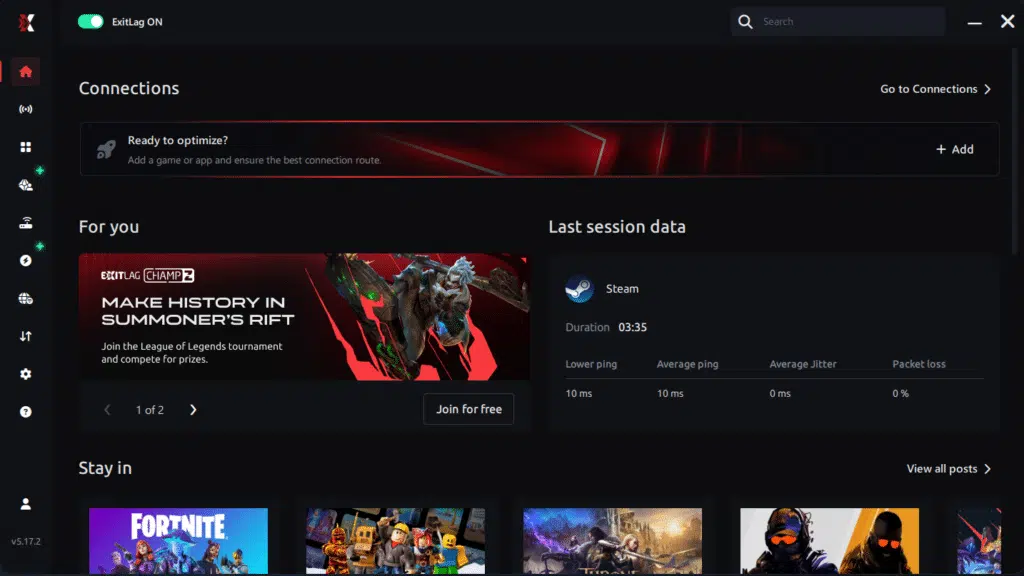
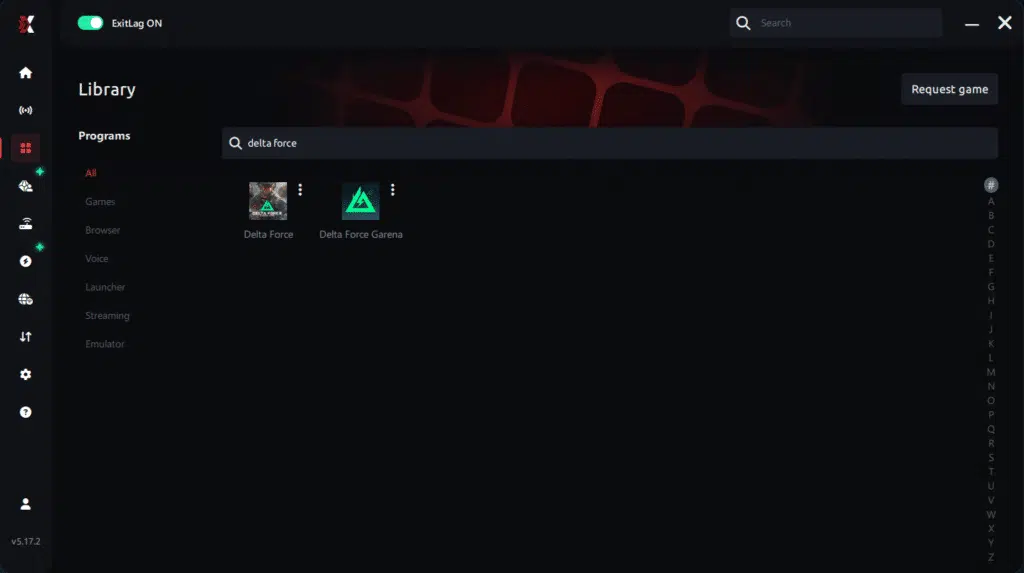
Step 3 – In the search bar, type “Delta Force” and select the game from the list.
Step 4 – Choose between automated or manual route
Based on the results, you can let ExitLag automatically select the best route or manually choose the server that showed the lowest latency for your connection.
AI-optimized automated route
Based on the results, you can let ExitLag automatically select the best route through AI optimization. The system analyzes multiple connection paths in real time and automatically identifies the most efficient route for your connection, ensuring the lowest possible latency without requiring manual choices.
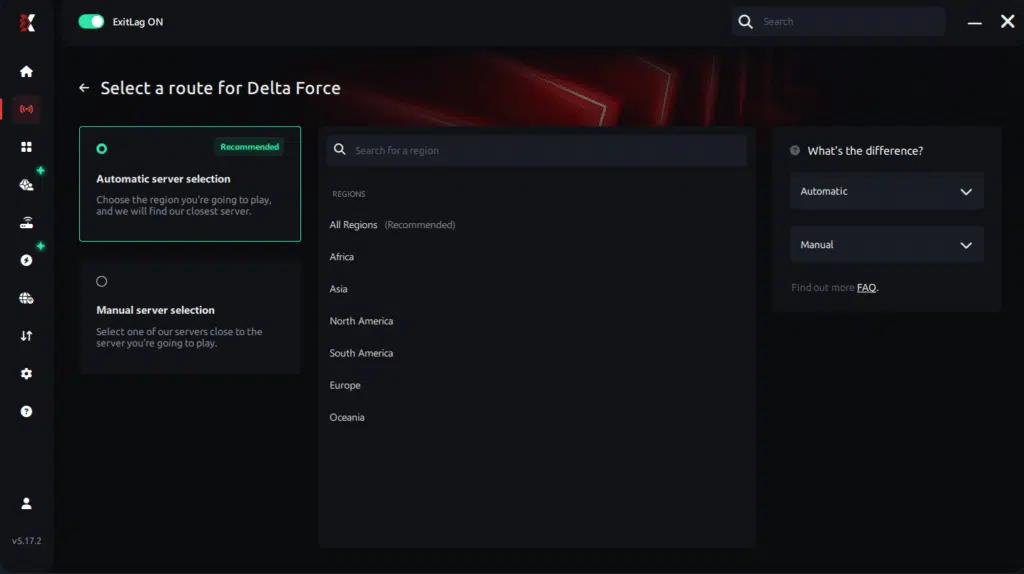
Manual route
If you prefer to have full control over your connection, you can manually choose the server based on the ping test results. Simply select the server that showed the lowest latency or the one that best meets your specific gaming needs, allowing complete customization of your experience.
Step 5 – Click “Delta Force” or the play button. ExitLag will begin optimizing your connection automatically.

Step 6 – Wait a few seconds until optimization is complete. You’ll see ping indicators in the interface.
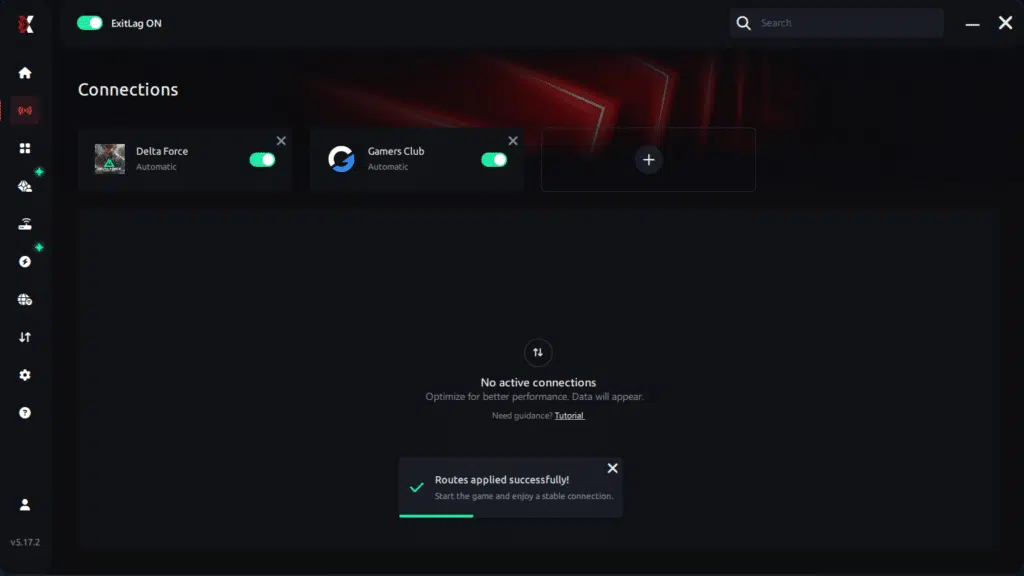
Step 7 – Launch Delta Force normally. The optimization will already be active.
ExitLag runs in the background while you play, constantly adjusting routes to maintain the best possible performance.connection is optimized.
FAQ about packet loss in Delta Force
Is packet loss the same as lag?
No. Lag usually refers to high latency, while packet loss means data never reached the server. However, both issues combine to create severe instability in Delta Force. You can have low ping but still suffer heavy packet loss.
Why do I get packet loss only in Delta Force?
Different games use different servers and routes. Therefore, packet loss Delta Force may occur even if other titles work fine, because the problematic path may affect only this server.
Can packet loss trigger false bans?
Generally no. Packet loss causes erratic movement, but it is not typical cheat behavior. However, extremely unstable connections may cause automatic disconnections.
How much packet loss is acceptable?
For competitive play, 0% is ideal. Up to 1% is tolerable for casual sessions. Anything higher affects accuracy, responsiveness, and mission consistency.
Can my hardware cause packet loss?
Yes. Damaged ethernet cables, overheating routers, and outdated network cards can all corrupt pacotes de dados.
Does ExitLag work on private Delta Force servers?
Yes, as long as they appear in the game’s configuration list.
Do I need ExitLag running all the time?
Only while gaming. However, starting it before launching Delta Force ensures full optimization.
Conclusion: eliminate packet loss and play Delta Force without interruptions
Packet loss doesn’t have to undermine your gameplay or sabotage critical missions. When your experience is defined by random freezes and unpredictable movements, understanding the root causes becomes essential to restoring smooth and reliable performance.
However, while local adjustments are helpful, they don’t compare to the full stabilization delivered by ExitLag, the ultimate solution for players who want consistent, delay-free performance. With optimized routes and stronger server paths, you can finally reduce packet loss Delta Force, regain competitive confidence, and push further in your missions. Learn more at the ExitLag blog.
Finally, with enhanced stability, you’ll progress faster, win more engagements, and avoid the frustration of unfair losses. When your connection becomes reliable, your skill can shine without limitations.
Got questions or want to connect with other players? Join the conversation at the ExitLag Forum!




