

Playing Gamers Club becomes frustrating when your shots fail to register, your character teleports across the map, or your movement feels delayed due to packet loss Gamers Club. Many players facing unstable matches try multiple fixes without success, even though their internet appears fast enough for competitive gaming. Therefore, understanding what packet loss really is, and why it happens specifically on Gamers Club servers, is essential for solving the problem.
However, even with a good PC and a decent connection, packet loss often occurs when the Gamers Club connection issues are linked to unstable routing or network congestion. Like this, data sent from your computer to the server doesn’t arrive properly, causing delayed actions, failed peeks, missed bullets and unpredictable gameplay. This is especially damaging in competitive scenarios where a single millisecond determines the outcome of duels.
Finally, solving packet loss Gamers Club requires optimizing the path your connection takes to the server, not just adjusting your settings. With the right approach and the proper tools, you can eliminate these interruptions, reduce inconsistencies, and achieve a stable playing experience. This guide will show you how packet loss works, how to detect it, and the exact steps to fix it permanently using a professional routing optimizer.

What is packet loss in Gamers Club?
Packet loss happens when data packets sent from your PC fail to reach the servers of Gamers Club or return incomplete. In online games, thousands of packets are exchanged every second. When some of these packets disappear during transmission, the game loses critical data, causing actions to be ignored or delayed. This is known as packet loss, and it severely affects competitive performance.
In Gamers Club, packet loss results in bullets not registering, players teleporting, hit registration delays, inconsistent peeks, and unresponsive movement. An easy analogy is sending messages to someone: if some messages never arrive, the other person receives only part of the information and acts incorrectly as a result. The same happens between your PC and the server.
Understanding this mechanism is essential, especially when you aim to fix packet loss Gamers Club or analyze why inconsistencies happen only in this platform and not in other games.
How packet loss affects gameplay in Gamers Club
Below are specific issues caused by packet loss Gamers Club:
- Rubberbanding: your character moves forward and suddenly snaps back
- Delayed hit registration: bullets appear to hit but don’t count
- Sudden disconnections during clutch situations
- Teleporting enemies that make duels unpredictable
- Unresponsive commands, especially when peeking or jumping
- Erratic player movement, affecting timings
- Gamers Club lag even with low ping
These symptoms make competitive performance unfair and unstable.
Main causes of packet loss in the platform
Inefficient routing
Your data travels through multiple routers to reach Gamers Club servers. If any of these nodes are unstable, packets are dropped. Therefore, path quality—not internet speed—is often the true cause of the problem.
Unstable connection
Issues with your ISP, modem, or router lead to random drops, disconnections, or short outages. This is commonly misinterpreted as server issues.
Distance from servers
If you live far from Gamers Club data centers, packets must travel a longer and riskier route, creating more opportunities for loss.
Network congestion
Multiple devices using your network, peak-hour congestion, or overloaded nodes increase packet collisions and drops.
Faulty hardware
Damaged cables, old routers, or failing network adapters create interference and directly cause packet loss Gamers Club.
How to identify packet loss in Gamers Club
Inside Gamers Club, the first signs of packet loss include inconsistent latency, rubberbanding, stuttering movement and delayed commands. When Gamers Club lag occurs with normal ping, you are most likely experiencing packet loss rather than standard latency issues.
Interpreting these results helps determine whether your connection is stable, or if you need specialized correction tools to reduce packet loss Gamers Club effectively.
Packet loss reference table
| Packet Loss Level | Gameplay Experience | Impact |
| 0% | Smooth, stable | Ideal |
| 1–3% | Slight delays | Moderate |
| 3–8% | Rubberbanding, failed shots | High |
| 8%+ | Unplayable | Severe |
Basic solutions to reduce packet loss
Optimize your local connection
- Connect via ethernet instead of Wi-Fi
- Close background applications consuming bandwidth
- Update your network drivers
- Configure QoS to prioritize gaming traffic
- Replace damaged or old cables
- Restart modem and router regularly
ExitLag: the definitive solution for packet loss
What is ExitLag?
ExitLag is a software specialized in connection optimization designed to eliminate unstable routing, packet loss and connection spikes. It uses advanced technology to ensure your packets always travel through the fastest, most reliable path to Gamers Club servers.

How ExitLag reduces packet loss
ExitLag uses a Multi-Internet engine capable of distributing dados across multiple routes simultaneously.
Key functionalities include:
- Real-time route analysis
- Multiple simultaneous paths
- Automatic route switching
- Hop reduction
- Connection stabilization
Advantages for Gamers Club players
- Packet loss elimination through optimized multi-routes
- Noticeable reduction of ping, improving duel timings
- Stable connection, even during peak hours
- Protection against unstable nodes
- Easy-to-use interface
- Compatible with multiple servers and regions
These benefits ensure constant, predictable gameplay, especially during tournaments, rank-ups and scrims.
Is ExitLag worth it for Gamers Club?
ExitLag is especially valuable if you face unstable routing, distant servers or frequent packet loss during matches. It dramatically improves your consistency and reliability in competitive play, making it worth the investment.
How to use ExitLag in gamers club
The process is extremely simple:
Step 1 – Access the official ExitLag website and download the application. There’s a free trial period for new users.
Step 2 – Install and open the program. Log in with your account.
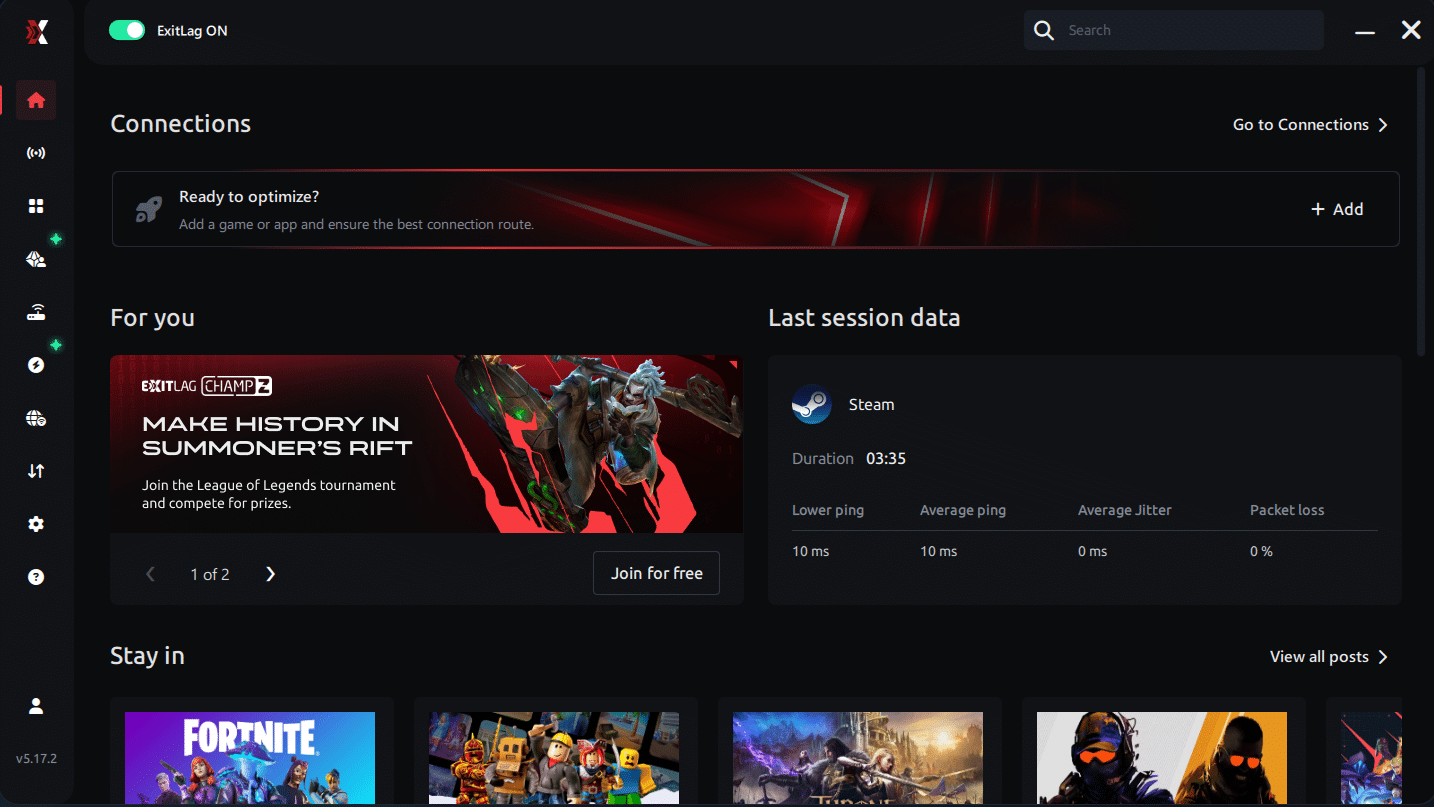
Step 3 – In the search bar, type “gamers club” and select the game from the list.
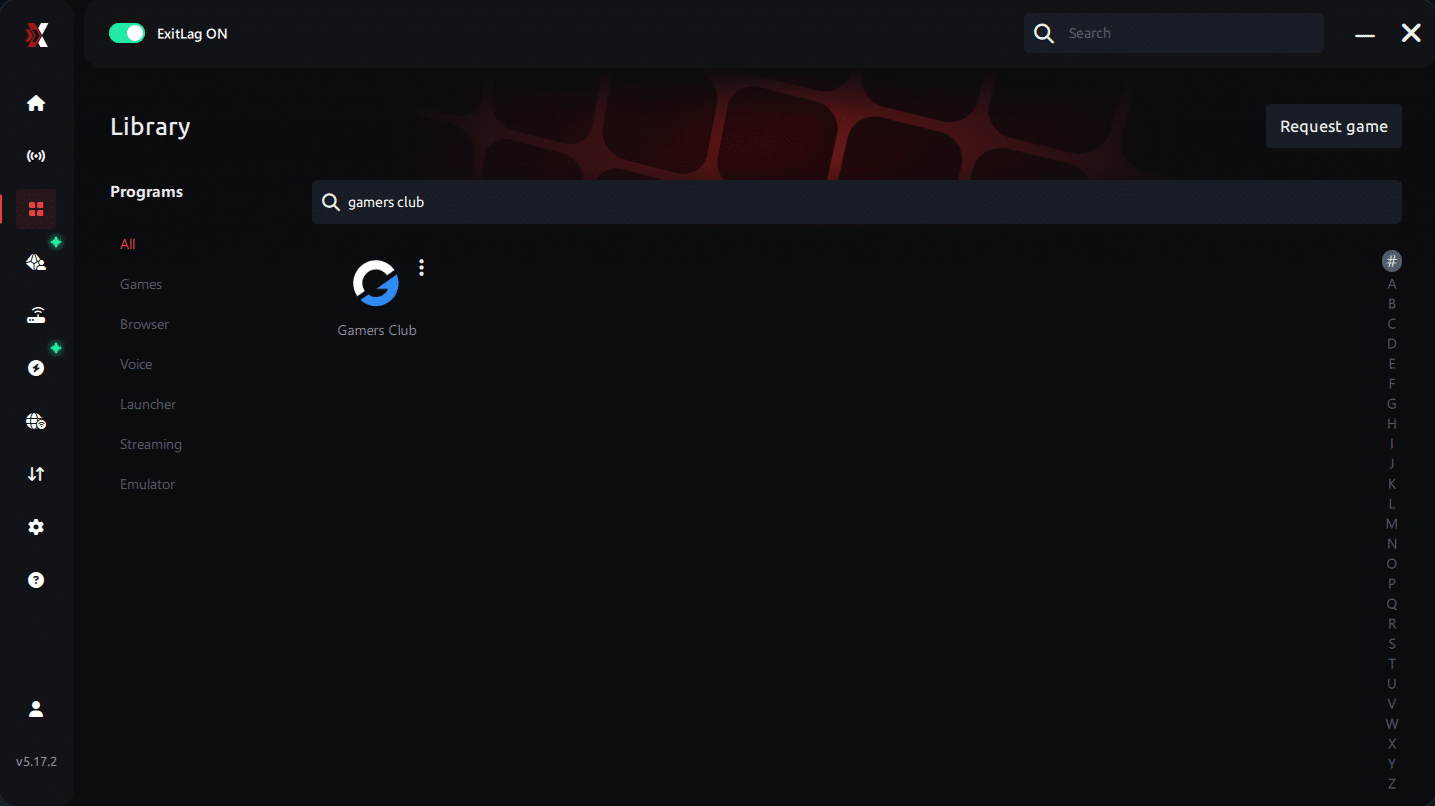
Step 4 – Choose between automated or manual route
Based on the results, you can let ExitLag automatically select the best route or manually choose the server that showed the lowest latency for your connection.
AI-optimized automated route
Based on the results, you can let ExitLag automatically select the best route through AI optimization. The system analyzes multiple connection paths in real time and automatically identifies the most efficient route for your connection, ensuring the lowest possible latency without requiring manual choices.
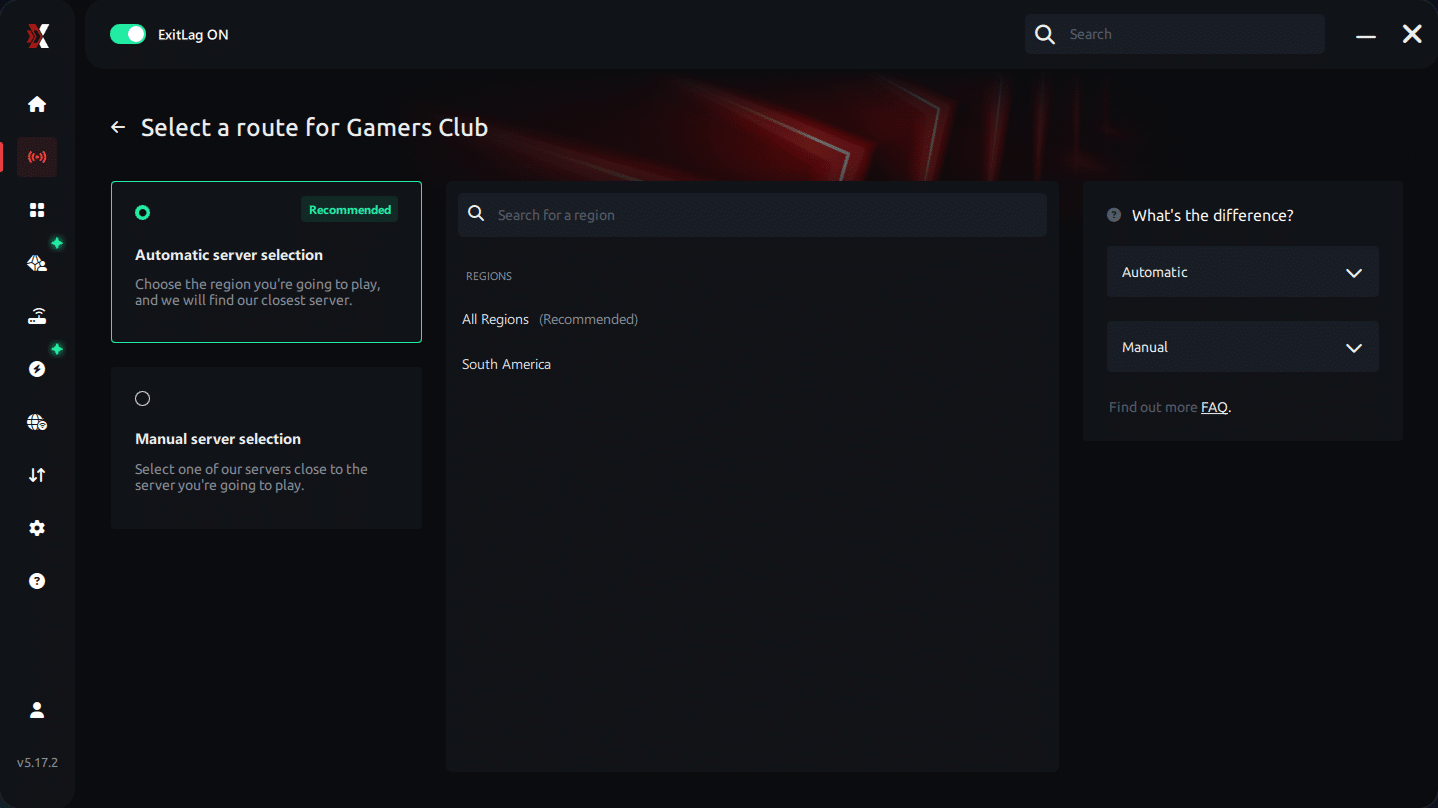
Manual route
If you prefer to have full control over your connection, you can manually choose the server based on the ping test results. Simply select the server that showed the lowest latency or the one that best meets your specific gaming needs, allowing complete customization of your experience.
Step 5 – Click “gamers club” or the play button. ExitLag will begin optimizing your connection automatically.
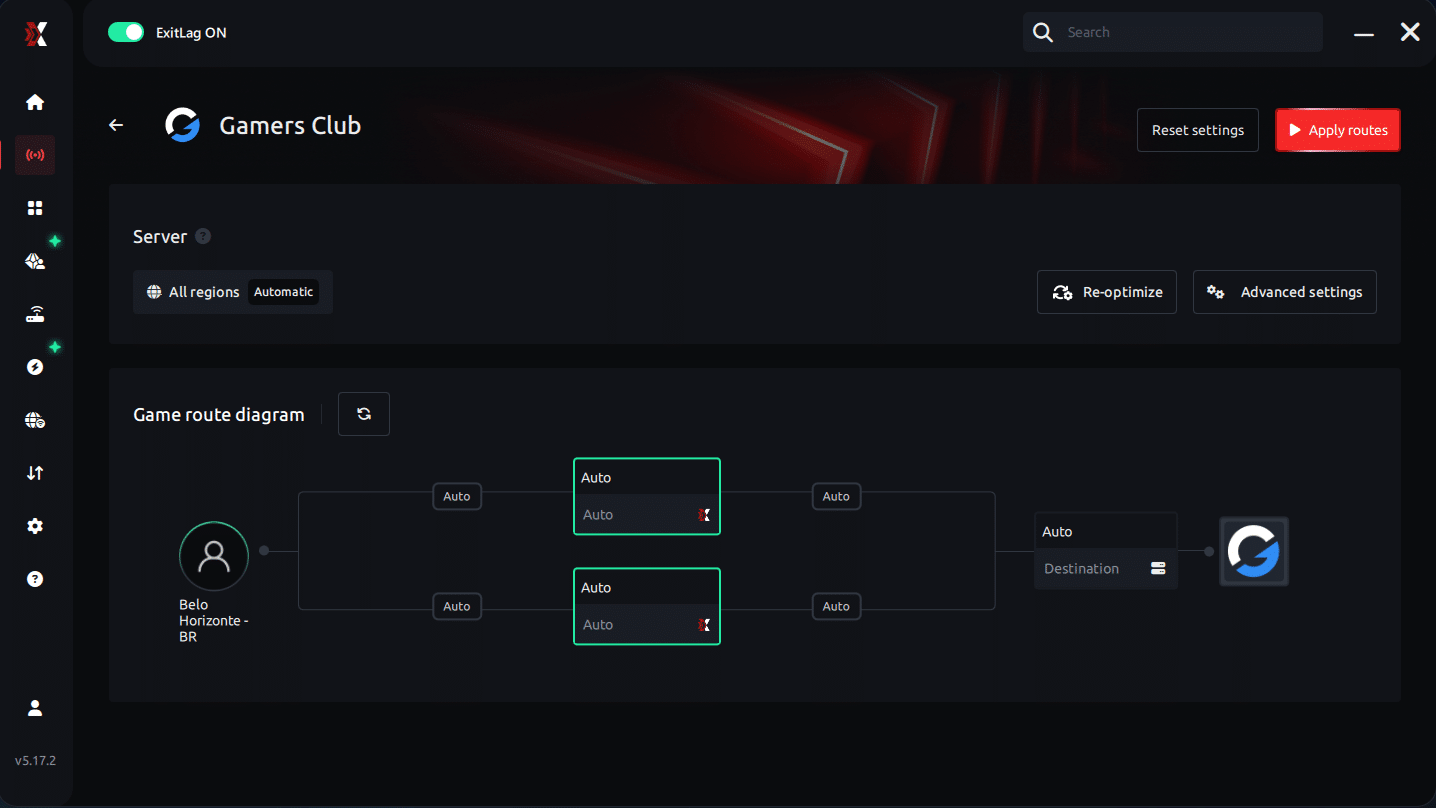
Step 6 – Wait a few seconds until optimization is complete. You’ll see ping indicators in the interface.
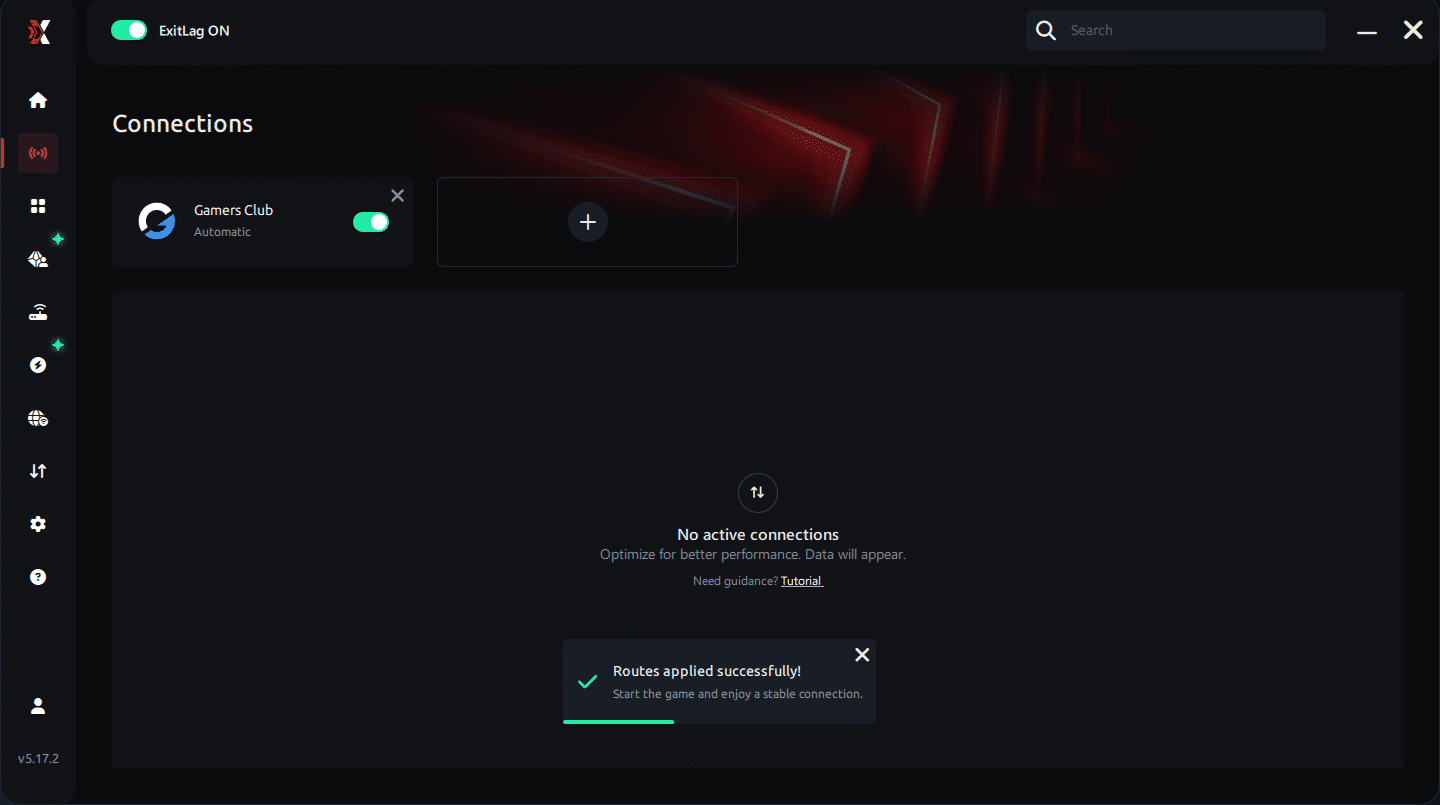
Step 7 – Launch gamers club normally. The optimization will already be active.
ExitLag runs in the background while you play, constantly adjusting routes to maintain the best possible performance.
Faq
Is packet loss the same as lag? No. Lag refers to high ping, while packet loss refers to missing data. You can experience low ping and still suffer packet loss due to unstable routing.
Why do I have packet loss only on Gamers Club? Each game uses different server routes. Some routing paths may be problematic specifically for Gamers Club’s servers, causing selective packet loss.
Can packet loss cause bans for suspicious movement? Generally no. Packet loss creates erratic behavior but does not resemble hacks. However, extreme instability may trigger auto-kick disconnections.
How much packet loss is acceptable? Ideally 0%. Up to 1% is tolerable for casual play, but competitive players must avoid even minimal loss because duels depend on precision.
Can hardware issues cause packet loss? Yes. Faulty network adapters, damaged Ethernet cables and outdated routers can all create packet instability.
Does ExitLag work on private or alternative Gamers Club servers? Yes. ExitLag works for official and private routes as long as they are configured properly.
Do I need to keep ExitLag running all the time? Only while playing. It’s recommended to activate it before launching Gamers Club.
Eliminate packet loss and play Gamers Club without interruptions
Packet loss Gamers Club doesn’t need to define your experience. Even small percentages can ruin competitive rounds, break timings and cause unfair deaths. However, when you take control of your connection and optimize your routes, you remove the instability that affects your gameplay. ExitLag provides the most reliable and permanent solution for eliminating packet loss, improving hit registration and stabilizing your connection during crucial moments.



