
If you're a Lineage W player, you've probably experienced those frustrating moments when your commands don't seem to respond, your characters "teleport" across the map, or you get disconnected in the middle of a crucial battle. These problems are often caused by packet loss, a technical issue that can completely ruin your gaming experience.
What is packet loss in Lineage W?
Packet loss, or lost packets, occurs when data sent between your computer and Lineage W servers doesn't reach its destination. Imagine that every action in the game - from a simple movement to using an ability - is a message sent in small data packets. When these packets get lost along the way, the game simply doesn't register your actions.
How packet loss affects your gameplay in Lineage W
In Lineage W, where every second counts during PvP, sieges, and raids, packet loss can be devastating:
- Command delay: You press the key to use a skill, but it only activates seconds later
- Rubberbanding: Your character snaps back after moving, as if pulled by a rubber band
- Sudden disconnections: You're kicked from the server without warning
- Loss of items or experience: In extreme situations, you can die without being able to react
- PvP failures: Impossible to compete when your attacks don't register correctly
Main causes of packet loss in Lineage W
1. Inefficient routing
Data between you and the server can pass through dozens of routers. If any of these points is congested or misconfigured, packets can be dropped.
2. Unstable connection
Problems with your internet provider, modem, or router can cause intermittent packet loss.
3. Distance from servers
The farther you are from the Lineage W server, the greater the chance of packet loss along the way.
4. Network congestion
Peak hours or multiple devices using your connection can overload available bandwidth.
How to identify and test packet loss in Lineage W
Before solving the problem, you need to confirm if you're actually experiencing packet loss:
Simple ping test:
- Open Command Prompt (Windows) or Terminal (Mac/Linux)
- Type:
ping [server_IP] -t - Watch for lost packets or large variations in response time
In-game signs:
- Inconsistent latency displayed in the game
- Lag even with low ping
- Erratic behavior from other players
Table: packet loss levels and impact on Lineage W
| Packet Loss | Impact on Lineage W | Gameplay | Recommendation |
|---|---|---|---|
| 0% - 1% | Imperceptible | Excellent | Ideal condition |
| 1% - 2% | Occasional small freezes | Good | Acceptable for casual play |
| 2% - 5% | Visible command delays | Compromised | Problems in PvP |
| 5% - 10% | Frequent rubberbanding | Poor | Inadequate for combat |
| Above 10% | Disconnections and teleports | Unplayable | Needs urgent correction |
Basic solutions to reduce packet loss in Lineage W
Optimize your local connection
- Use wired connection: Wi-Fi is convenient, but ethernet cable is more stable
- Close background applications: Downloads, streaming, and updates consume bandwidth
- Update network drivers: Outdated drivers can cause instability
- Configure QoS on router: Prioritize Lineage W traffic
Contact your provider
If the problem persists, your ISP may be experiencing infrastructure problems in your region. Request line and equipment verification.
ExitLag: the best solution to eliminate packet loss in Lineage W
What is ExitLag?
ExitLag is specialized connection optimization software for online games. Unlike generic solutions, ExitLag was developed specifically for gamers, using advanced routing technology to ensure your data reaches Lineage W servers in the most efficient and stable way possible.
Think of ExitLag as a smart GPS for your connection: while the default internet route may be congested or pass through problematic paths, the software automatically finds the best alternative routes, ensuring your data packets reach their destination without losses.
How does ExitLag work to reduce packet loss?
The software operates through a technology called Multi-Internet, which uses multiple simultaneous routes:
- Real-time analysis: The software constantly monitors the quality of different routes to Lineage W servers
- Multiple simultaneous connections: Your data is sent through several routes at the same time
- Automatic selection: If one route shows packet loss, another takes over instantly
- Hops optimization: Reduces the number of "jumps" your data needs to make between routers
- Jitter stabilization: Keeps latency consistent, avoiding abrupt variations
Advantages of ExitLag for Lineage W players
Packet loss elimination The main advantage is the drastic reduction or total elimination of packet loss through the multiple routes system. If one path loses packets, another is ready to take over.
Ping reduction Besides stabilizing the connection, the software frequently reduces latency by finding more direct routes to servers.
Stable connection No more unpredictable ping variations that disrupt your combat timing.
DDoS protection Some Lineage W servers suffer attacks that affect player connections. ExitLag can help mitigate these effects.
Ease of use Simple and intuitive interface - just select Lineage W from the games list and activate optimization.
Multiple server support Works with official servers and private servers of Lineage W around the world.
Is it worth using ExitLag in Lineage W?
The answer depends on your player profile:
Definitely worth it if you:
- Play on international servers far from your region
- Participate in competitive PvP, olympiads, or sieges
- Face packet loss or frequent instability
- Want competitive advantage through superior connection
- Play during peak hours with network congestion
- Use internet from regional providers with poor routing
May not be necessary if:
- You already have perfect connection without packet loss
- Play only casually without focus on competitive content
- Are very close geographically to servers
For most Lineage W players, especially those facing connection problems, ExitLag represents an investment that pays for itself by eliminating unfair deaths, item losses, and frustrations caused by network issues. Check out the available plans and choose the one that best suits your needs.
How to use ExitLag in Lineage W
The process is extremely simple:
Step 1 – Access the official ExitLag website and download the application. There’s a free trial period for new users.
Step 2 – Install and open the program. Log in with your account.
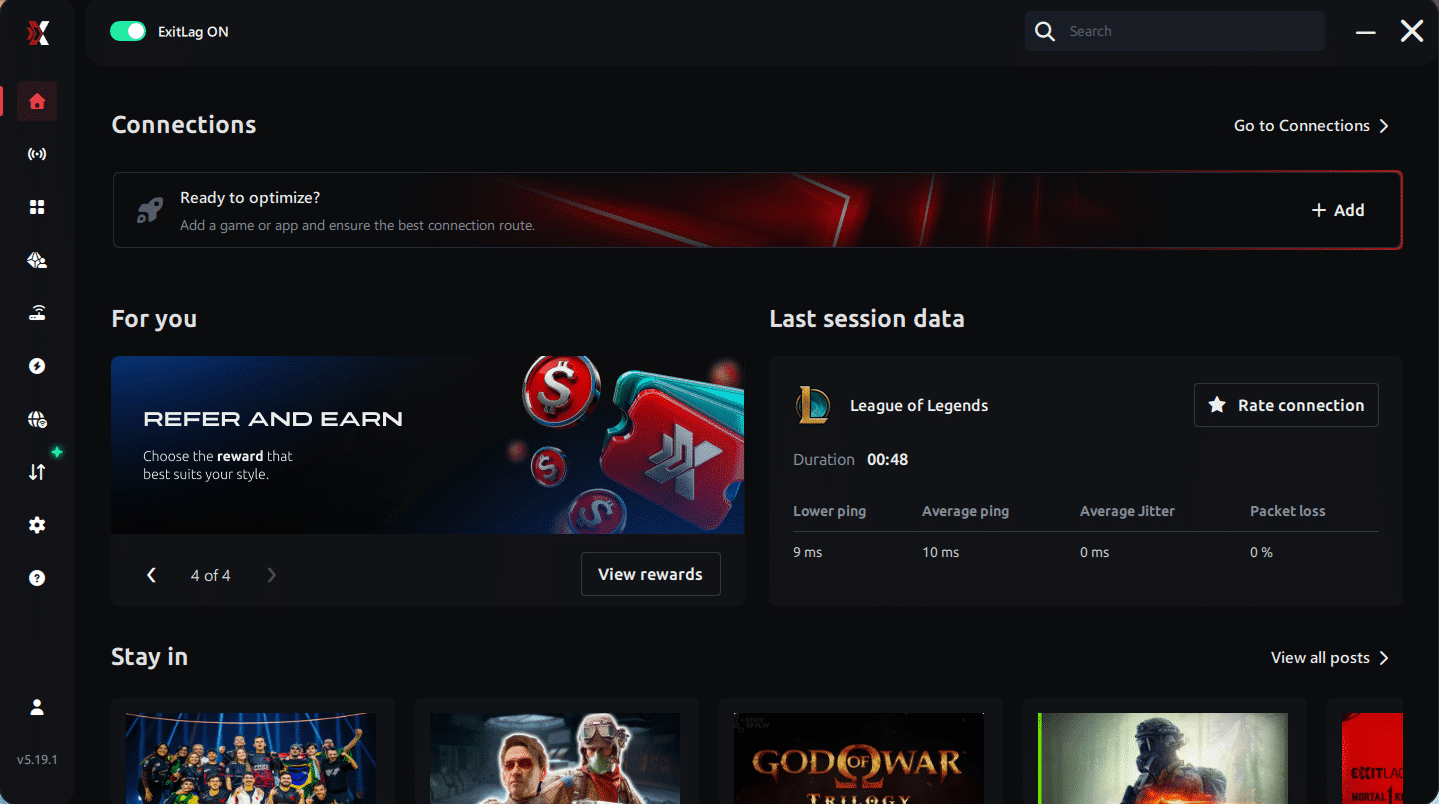
Step 3 – In the search bar, type “Lineage W” and select the game from the list.
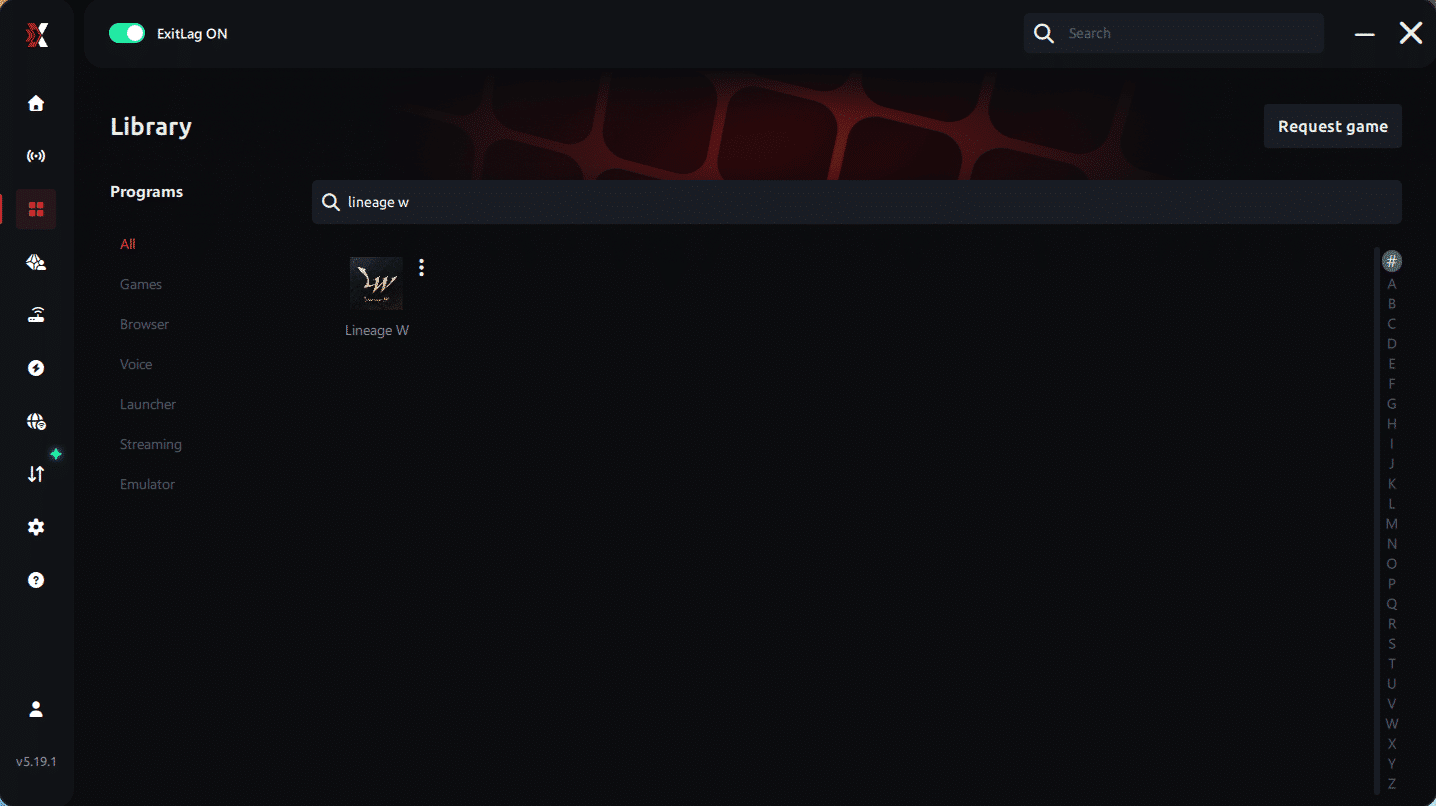
Step 4 – Choose between automated or manual route
Based on the results, you can let ExitLag automatically select the best route or manually choose the server that showed the lowest latency for your connection.
AI-optimized automated route
Based on the results, you can let ExitLag automatically select the best route through AI optimization. The system analyzes multiple connection paths in real time and automatically identifies the most efficient route for your connection, ensuring the lowest possible latency without requiring manual choices.
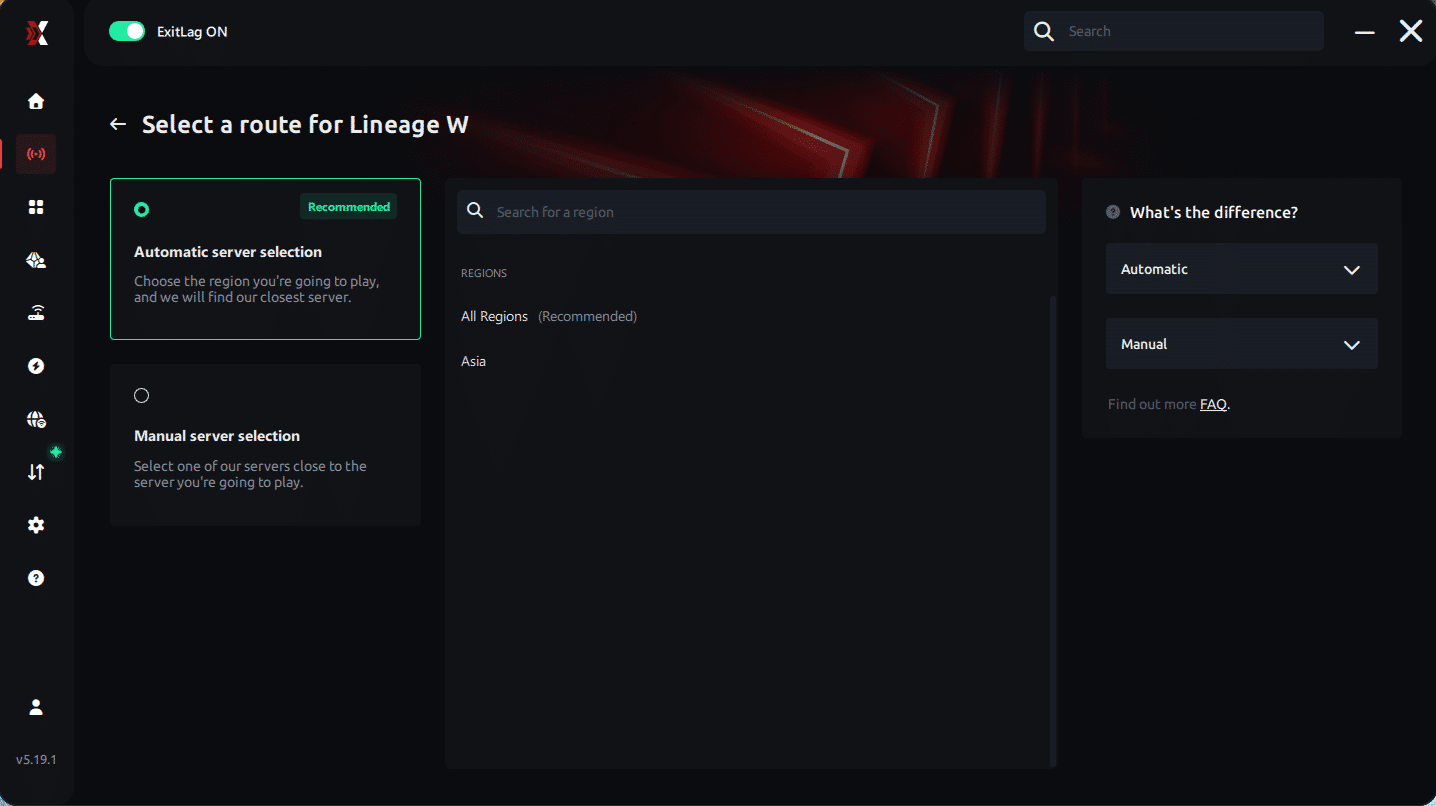
Manual route
If you prefer to have full control over your connection, you can manually choose the server based on the ping test results. Simply select the server that showed the lowest latency or the one that best fits your gameplay needs, whether for PvP, farming, or large-scale guild battles.
Step 5 – Click “Apply routes” or the play button. ExitLag will begin optimizing your connection automatically.
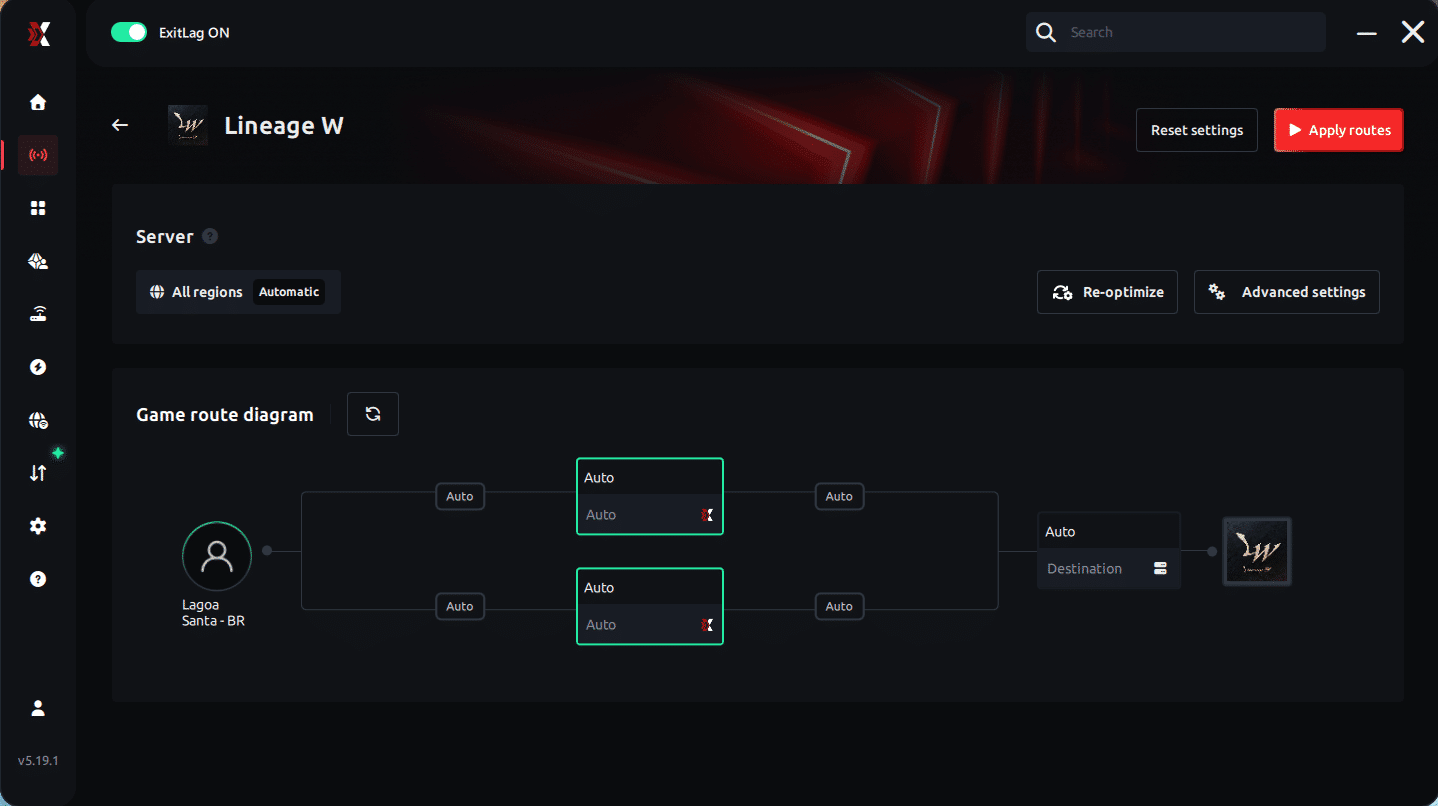
Step 6 – Wait a few seconds until optimization is complete. You’ll see ping indicators in the interface.
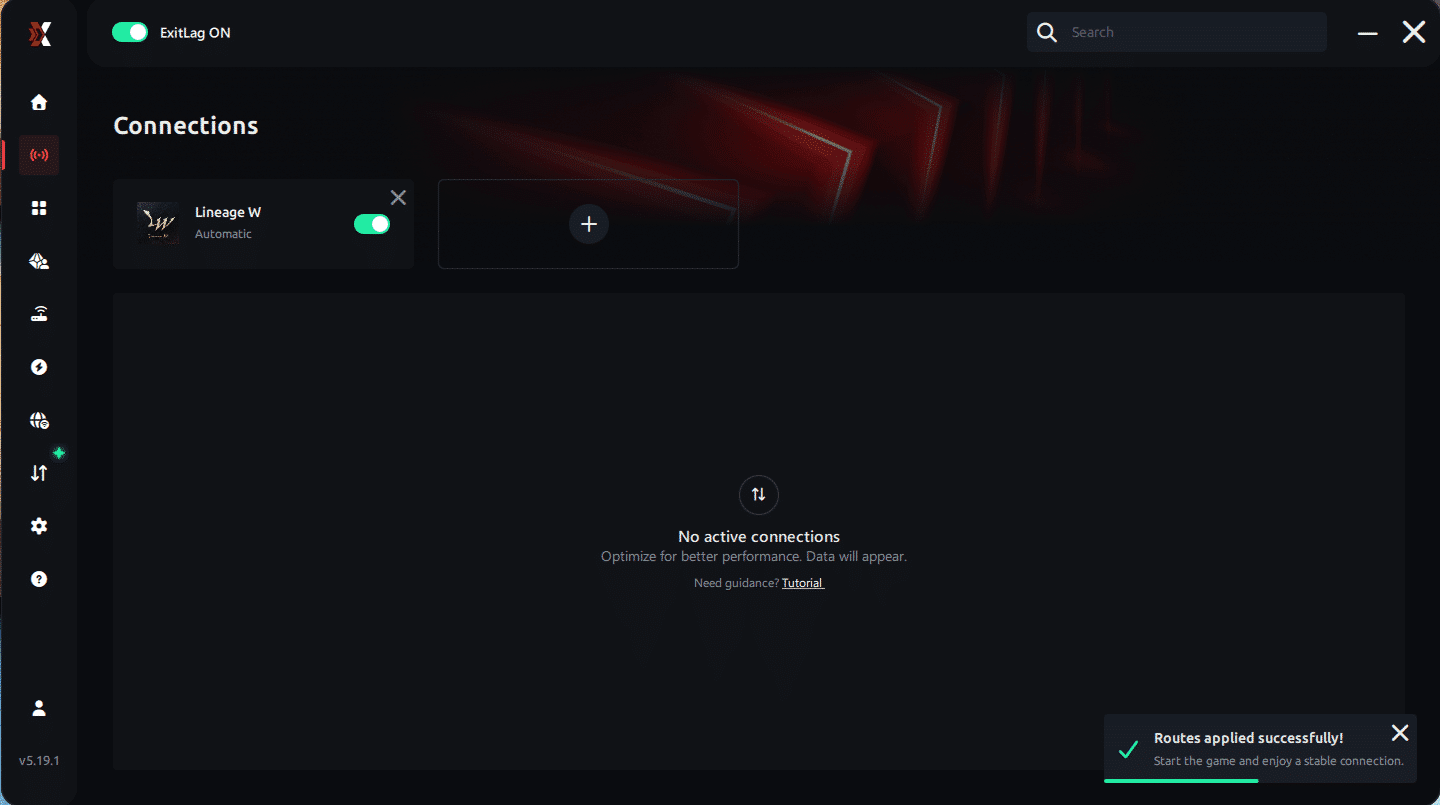
Step 7 – Launch Lineage W normally. The optimization will already be active.
ExitLag runs in the background while you play, constantly adjusting routes to maintain the best possible performance.
FAQ: frequently asked questions about packet loss in Lineage W
Is packet loss the same as lag?
Not exactly. Lag generally refers to high latency (high ping), while packet loss is the loss of data during transmission. You can have low ping and still suffer from packet loss, resulting in a poor gaming experience.
Why do I have packet loss only in Lineage W and not in other games?
Different games use servers in different locations and distinct network protocols. The path your data travels to Lineage W servers may have problematic points that don't affect other games.
Can packet loss cause a ban for suspected hacking?
Generally not. Packet loss causes erratic behavior that's different from hacks. However, very unstable connections may cause you to be automatically disconnected for server protection.
How much packet loss is acceptable to play Lineage W competitively?
Ideally, you should have 0% packet loss. Up to 1% may be tolerable in casual situations, but for competitive PvP, sieges, and olympiads, any packet loss can be fatal.
Can packet loss be caused by my hardware?
Yes. Defective network cards, damaged ethernet cables, routers with outdated firmware, or modems with problems can cause packet loss. Test with different equipment to isolate the problem.
Does ExitLag work on Lineage W private servers?
Yes! The software works on both official servers and private servers of Lineage W, as long as you correctly configure the destination server.
Do I need to keep ExitLag running all the time?
You only need to keep the software active while playing. It's recommended to start before opening Lineage W to ensure optimization is working from the beginning.
Conclusion: eliminate packet loss and play Lineage W without lag
Packet loss doesn't have to be the end of your journey in Lineage W. With the right tools, especially a specialized solution like ExitLag, you can ensure a stable connection and responsive gameplay, allowing you to focus on what really matters: dominating the world, conquering castles, and becoming a legend in Lineage W.
Don't let technical problems prevent you from making the most of one of the most iconic MMORPGs of all time. Invest in an optimized connection and get back to playing without interruptions, with the certainty that every command will be executed the exact moment you press the key.
For more tips on online game optimization and how to improve your experience in various titles, visit the ExitLag blog and stay informed about best practices for gamers.
Ready to eliminate packet loss from your Lineage W? Try it for free and discover the difference an optimized connection can make in your battles. Test now and see results immediately!



