

If you’re curious about paper Minecraft the game, you’re about to discover a completely different way to experience one of the most iconic games ever created. Instead of the traditional 3D world, this version transforms Minecraft into a 2D side-scrolling experience that feels both nostalgic and surprisingly engaging.
At first, it might seem like a simplified version of the original game. But once you start playing, you quickly realize that paper Minecraft the game still captures the core mechanics that made Minecraft so popular, exploration, crafting, and survival, just in a different format.
So, what exactly is Paper Minecraft? It’s a paper Minecraft browser game that recreates the Minecraft experience using 2D graphics. You can still mine resources, build structures, and survive against enemies, but everything happens in a flat world instead of a fully 3D environment.
If you’ve been looking for a way to play something lighter, faster, and accessible directly from your browser, this might be exactly what you need.
How To Play Paper Minecraft: Getting Started Step By Step
Understanding how to play Paper Minecraft is simple, but knowing how to play efficiently makes a big difference in your experience.
When you open the game, you’ll notice that it offers familiar modes like Survival and Creative. This means you can either challenge yourself or focus entirely on building.
Choosing Your Game Mode
Before you start, you’ll need to decide how you want to play:
- Survival mode: gather resources, manage health, and avoid enemies;
- Creative mode: unlimited resources, full freedom to build;
- Peaceful mode: no enemies, focus on exploration and building.
If you're new, starting in Creative can help you understand the mechanics before moving into Survival.
First Steps Inside The Game
Once you enter the world, your priorities are similar to the original game:
- Gather wood immediately;
- Craft basic tools;
- Start building a simple shelter;
- Explore your surroundings.
Even though this is a paper Minecraft 2d version, the survival loop remains surprisingly faithful.
Paper Minecraft Controls: How To Move And Interact
Mastering paper Minecraft controls is essential if you want to play smoothly and avoid frustration.
Basic Movement Controls
The movement system is simple and intuitive:
- Arrow keys or WASD to move;
- Spacebar to jump;
- Mouse to interact and place blocks.
Because the game is 2D, movement feels more direct, but it also requires precision when placing blocks or navigating terrain.
Interaction And Crafting Mechanics
Beyond movement, you’ll also need to manage:
- Inventory navigation;
- Crafting system;
- Tool usage.
These mechanics are simplified compared to the original game, but they still require attention, especially in Survival mode.
Paper Minecraft Online: Where And How To Play
One of the biggest advantages of paper Minecraft online is accessibility. You don’t need to install anything, download files, or worry about system requirements.
Playing In Your Browser
You can play the game directly through your browser, which makes it:
- Fast to load;
- Easy to access;
- Compatible with most devices.
This is why many players search for a paper Minecraft browser game when they want a quick gaming session.
Paper Minecraft Free Experience
Another important point: paper Minecraft free means exactly what it says.
You can:
- Play without paying;
- Test gameplay instantly;
- Explore different modes without commitment.
This makes it perfect for casual players or those who just want to experiment.
Paper Minecraft 2D: What Makes It Different From Original Minecraft
The biggest difference between paper Minecraft the game and traditional Minecraft is the perspective.
Core Differences You’ll Notice
Here’s what changes in the paper Minecraft 2d version:
- Side-scrolling view instead of full 3D;
- Simpler visuals;
- Faster gameplay sessions;
- Less complex world generation.
How This Affects Gameplay
At first, you might think this makes the game easier, but that’s not always true.
Because of the 2D perspective:
- Movement requires more timing;
- Building becomes more strategic;
- Combat can feel more direct.
In many ways, it becomes a different kind of challenge.
Best Tips To Improve Your Gameplay
If you want to get better at paper Minecraft the game, you need to go beyond the basics.
Practical Tips For Beginners
Start with these:
- Always gather resources early;
- Build shelter before night;
- Keep tools ready;
- Avoid unnecessary risks.
These are simple, but they make a huge difference in survival.
Advanced Tips To Level Up
Once you’re comfortable, take it further:
- Plan your builds before placing blocks;
- Optimize your movement in 2D space;
- Use vertical space more efficiently;
- Learn enemy behavior patterns.
These strategies help you move from casual play to mastery.
Paper Minecraft Unblocked: Playing Without Restrictions
Many players search for paper Minecraft unblocked because they want to play in restricted environments like schools or workplaces.
Why Unblocked Versions Exist
These versions allow players to:
- Access the game in restricted networks;
- Play without downloads;
- Bypass common access limitations.
What You Should Keep In Mind
While unblocked versions are popular, always:
- Use trusted platforms;
- Avoid suspicious websites;
- Respect local rules and restrictions.
Safety should always come first.
Paper Minecraft Vs Original Minecraft
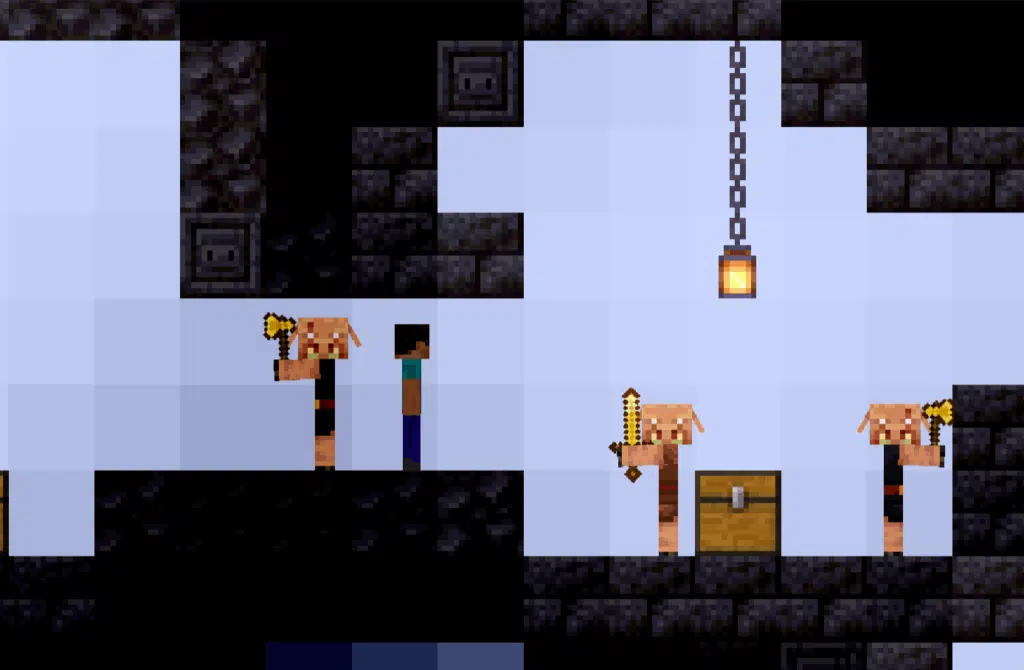
If you’re trying to fully understand paper Minecraft the game, one of the best ways is to compare it directly with the original version. At first glance, they may seem similar because they share the same core idea, mining, crafting, and building, but the experience is actually quite different once you start playing.
Key Differences Between Paper Minecraft And Original Minecraft
To make this clearer for you, take a look at the table below. This comparison will help you visualize what really changes between the two versions.
| Feature | Paper Minecraft 2D | Original Minecraft 3D |
| Perspective | 2D side view | Full 3D world |
| Accessibility | Browser-based | Installed game |
| Performance | Lightweight | Requires more resources |
| Gameplay Complexity | Simplified | Highly complex |
| Cost | Free | Paid (full version) |
Now let’s walk through this together in a way that actually helps you decide which one fits your style.
When you look at the perspective alone, you already see a huge difference. The paper Minecraft 2d format changes how you move, build, and interact with the world. Everything becomes more direct, but also more strategic in terms of positioning.
Then comes accessibility. This is where paper Minecraft online really shines. You don’t need to install anything, just open your browser and start playing. That’s why many players search for a paper Minecraft browser game when they want something quick and easy.
Performance is another major factor. Because it’s lightweight, paper Minecraft free runs smoothly on almost any device. You don’t need a powerful PC, which makes it accessible to a much wider audience.
On the other side, the original Minecraft offers a much deeper experience. It has more systems, more mechanics, and a much larger world to explore. But with that comes complexity and higher system requirements.
Which Version Should You Choose Based On Your Playstyle
Now here’s the most important part, how does this actually affect you as a player? If you’re someone who:
- Wants quick sessions;
- Prefers simple and direct gameplay;
- Needs something lightweight;
- Enjoys experimenting without commitment.
Then paper Minecraft the game is a perfect fit. It gives you the essence of Minecraft without the complexity.
But if your goal is:
- Long-term progression;
- Complex builds and systems;
- Multiplayer experiences;
- Full immersion in a 3D world.
Then the original Minecraft is the better choice.
The key here is not deciding which one is “better”, it’s understanding what kind of experience you’re looking for.
And once you’re clear on that, choosing between the two becomes much easier.
Common Mistakes When Playing Paper Minecraft
Even though paper Minecraft the game is simpler than the original, players still make mistakes that affect their experience.
Ignoring Survival Priorities
Some players focus too much on exploring and forget the basics.
This leads to:
- Running out of resources;
- Being unprepared for enemies;
- Losing progress quickly.
Not Adapting To The 2D Perspective
Another common mistake is playing as if it were a 3D game.
But in paper Minecraft 2d, you need to:
- Think more about positioning;
- Adjust your movement timing;
- Build with vertical awareness.
Once you adapt, everything becomes easier.
FAQ
What Is Paper Minecraft The Game?
It’s a 2D version of Minecraft that runs in the browser and replicates core gameplay mechanics.
Is Paper Minecraft Free To Play?
Yes, you can play paper Minecraft free online without downloads.
How Do You Play Paper Minecraft Online?
You can access it through a browser and start playing instantly.
What Are The Controls In Paper Minecraft?
Use keyboard for movement and mouse for interaction.
Is Paper Minecraft The Same As Minecraft?
No, it’s a simplified 2D version inspired by the original.
Paper Minecraft The Game And How To Play With Better Performance Using ExitLag
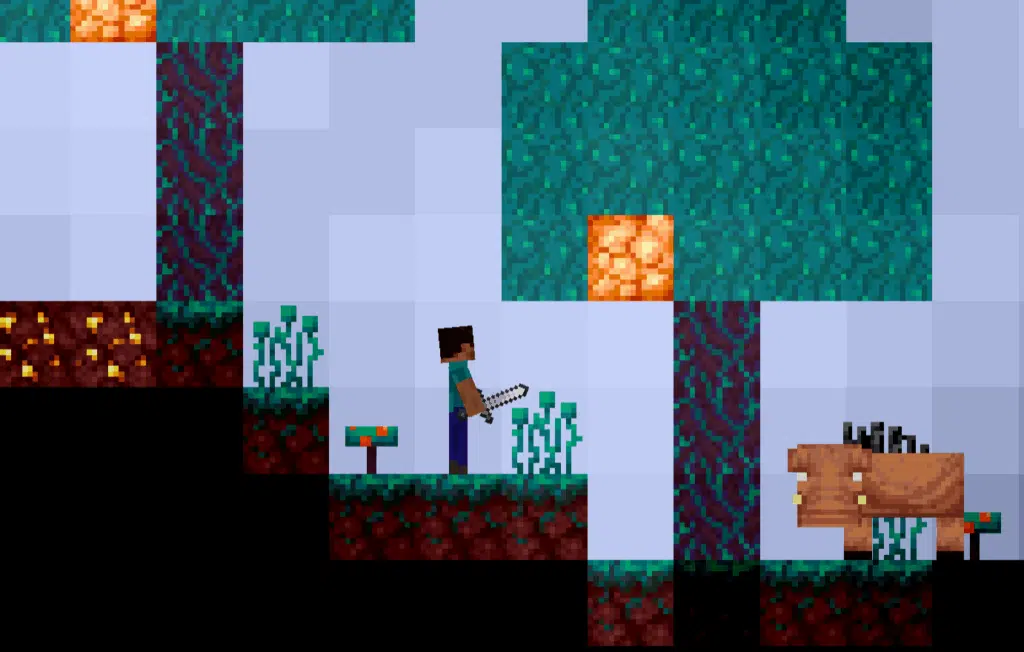
Now that you understand everything about paper Minecraft the game, you’re ready to explore, build, and enjoy this unique version of Minecraft.
Even though it’s a browser-based game, performance still matters. Lag, input delay, and unstable connections can affect your gameplay experience, especially when timing and precision are important.
That’s where ExitLag comes in.
ExitLag optimizes your connection in real time, reducing latency and ensuring a more stable experience, without acting as a VPN.
Try ExitLag now and enjoy smoother, more responsive gameplay in every session.


