
Path of Exile 2 Crashing can interrupt a map, prevent the game from launching, or even freeze your entire PC during a loading screen. Since several different hardware, software, and game-related issues can cause crashes, finding the correct solution requires some troubleshooting.
Path of Exile 2 Crashing can be linked to graphics drivers, corrupted files, renderer problems, Windows settings, insufficient hardware resources, overheating, or conflicts with background programs. In some cases, players report crashes mainly when changing areas or starting the game.
Path of Exile 2 Crashing means the game unexpectedly closes, freezes, becomes unresponsive, or forces the system to restart. The best approach is to identify when the crash happens and then test the most relevant fixes instead of changing several settings at once.
Path of Exile 2 Crashing: What Causes It?
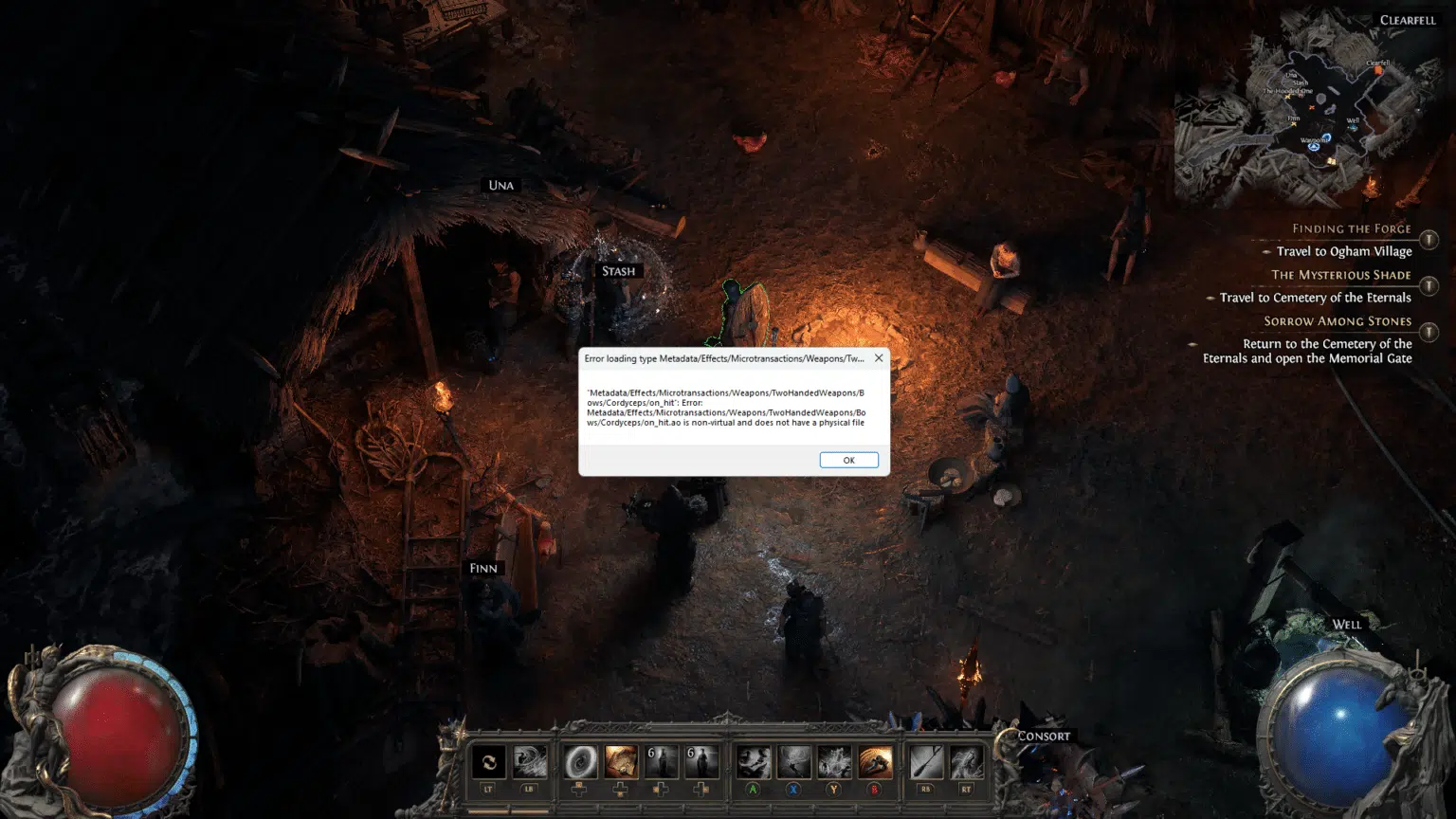
There is no single cause behind every crash. Some problems appear immediately after launching the game, while others happen during loading screens, intense combat, or transitions between areas. Hardware configuration can also make the experience different from one PC to another.
Graphics drivers and rendering problems
Graphics-related issues are among the first things to investigate when Path of Exile 2 keeps crashing.
Path of Exile 2 uses modern rendering technologies, and problems with drivers, DirectX, Vulkan, GPU settings, or shader processing can result in crashes.
Community reports have described different results when switching between DirectX 12 and Vulkan, particularly for crashes occurring during startup or loading screens. These reports vary by hardware, so changing the renderer should be treated as a troubleshooting test rather than a guaranteed fix.
Common graphics-related causes include:
- Outdated GPU drivers;
- Corrupted driver installations;
- DirectX problems;
- Vulkan compatibility issues;
- GPU overclocking;
- Incorrect graphics settings;
- Third-party overlays;
- Upscaling-related conflicts.
Therefore, graphics troubleshooting should be one of your first steps when Path of Exile 2 Crashing occurs repeatedly.
Corrupted or outdated game files
A game update that does not install correctly can also cause crashes.
Corrupted files may prevent Path of Exile 2 from loading assets properly, which can result in problems during startup or when entering another zone.
This becomes especially relevant after a large patch.
If Path of Exile 2 PC crashing started immediately after an update, verifying the installation is a sensible first step before reinstalling the entire game.
Path of Exile 2 Crash Fix: Start With These Steps
Before changing advanced Windows or BIOS settings, begin with simple troubleshooting.
The goal is to remove the most common causes while keeping your system configuration as close to normal as possible.
Restart and update your system
A complete restart can resolve temporary driver, memory, or background-process problems.
Follow these steps:
- Close Path of Exile 2.
- Close unnecessary applications.
- Restart your PC.
- Check for Windows updates.
- Check for GPU driver updates.
- Launch the game again.
- Test whether the crash returns.
If Path of Exile 2 Crashing started after a GPU driver update, however, the newest driver may not always be the best solution for your specific configuration.
In that situation, check whether the GPU manufacturer has acknowledged known problems with the latest release before changing drivers again.
Verify Path of Exile 2 game files
If you play through Steam, use Steam's file verification feature.
This checks whether installed game files match the expected versions and downloads replacements when necessary.
This is particularly useful for a Path of Exile 2 crash fix after:
- Game updates;
- Interrupted downloads;
- Unexpected shutdowns;
- Storage problems;
- Failed patch installations.
Do this before completely reinstalling Path of Exile 2.
A full reinstall takes much longer and may not solve the problem if the actual cause is a driver or system configuration issue.
Path of Exile 2 Crashing on Startup
Path of Exile 2 crashing on startup is particularly frustrating because you cannot reach the graphics menu to change settings normally.
Players have reported situations where the game briefly shows a black screen and then returns to the desktop.
Reset the game configuration
A corrupted graphics configuration can sometimes prevent the game from starting.
Community troubleshooting has identified the Path of Exile 2 configuration file in the user's Documents folder as one area worth checking when startup problems occur. Resetting the configuration forces the game to rebuild settings, although this is not guaranteed to solve every startup crash.
Before modifying or deleting configuration files:
- Close the game completely;
- Back up important files;
- Confirm you are working with the correct Path of Exile 2 folder;
- Avoid downloading replacement system files from unknown websites.
If the crash is caused by an incorrect graphics option, resetting the configuration can allow the game to start with default settings.
Disable conflicting overlays
Overlays and monitoring applications can interact with games at the graphics level.
Possible examples include:
- Performance monitoring overlays;
- Recording software;
- GPU tuning tools;
- Third-party FPS counters;
- Communication overlays.
Community troubleshooting discussions have frequently included disabling overlays when investigating Path of Exile 2 crashing on startup, although results differ between systems.
Temporarily close these programs and launch the game again.
If Path of Exile 2 starts normally, re-enable applications individually until you identify the conflict.
Path of Exile 2 Crashing Loading Screen Problems
A particularly common pattern involves crashes or freezes while entering another area.
Players have reported system freezes during portals, map transitions, and other loading screens.
Test another graphics renderer
If Path of Exile 2 crashing loading screen problems repeatedly occur, testing another renderer may help identify a graphics-related issue.
Depending on your available settings and current game version, Path of Exile 2 may offer different rendering options such as DirectX 12 and Vulkan.
Switch one setting at a time.
Then enter several different areas and observe whether stability changes.
Community reports show mixed results: some players reported improvement with Vulkan, while others encountered different issues depending on their hardware.
Therefore, there is no universal "best renderer" for every PC.
Reduce demanding graphics settings
Loading a new area can create a sudden increase in resource usage.
If your PC is already close to its hardware limits, reducing demanding graphics options may improve stability.
Consider lowering:
- Shadows;
- Lighting quality;
- Texture-related settings;
- Resolution;
- Upscaling options;
- Effects quality.
Path of Exile 2 officially requires at least 8 GB of RAM and a GPU with 3 GB of VRAM. The recommended specifications include 16 GB of RAM, and solid-state storage is recommended.
The table below can help identify which area to investigate first.
|
Crash Situation |
Possible Cause |
First Step |
|
Crash immediately after launch |
Renderer or configuration problem |
Reset settings and test renderer |
|
Crash after an update |
Corrupted or incompatible files |
Verify game files |
|
Loading-screen freeze |
Renderer, CPU, memory, or asset loading |
Lower settings and test renderer |
|
Random desktop crash |
Driver or background software |
Update drivers and close overlays |
|
PC completely freezes |
System-level hardware/software issue |
Check temperatures and system stability |
|
Crash during intense combat |
GPU, CPU, or memory load |
Reduce graphics settings |
This distinction matters because the best Path of Exile 2 Crashing solution depends on when the issue appears.
Path of Exile 2 PC Crashing: Check Your Hardware
Software troubleshooting will not solve every crash.
Hardware temperatures, unstable overclocks, insufficient memory, or storage problems can also make games unstable.
Compare your PC with the system requirements
The current Steam listing specifies the following minimum requirements for Path of Exile 2:
- Windows 10;
- Intel Core i7-7700 or AMD Ryzen 5 2500X;
- 8 GB RAM;
- GTX 960 3 GB, Intel Arc A380, or RX 470;
- DirectX 12;
- 100 GB available storage;
- Broadband internet connection.
Recommended hardware includes 16 GB RAM, an RTX 2060, Intel Arc A770, or RX 5600 XT, with SSD storage recommended.
If your computer barely meets the minimum specifications, demanding encounters may expose performance limitations more easily.
This does not mean every Path of Exile 2 PC crashing problem is caused by weak hardware, but system requirements provide a useful starting point.
Check temperatures and overclocking
High CPU or GPU temperatures can create instability.
If crashes happen after playing for a while rather than immediately after startup, monitor your temperatures.
Also consider temporarily disabling:
- GPU overclocking;
- CPU overclocking;
- RAM overclocking profiles;
- Aggressive undervolting.
Return components to stable manufacturer settings and test again.
Path of Exile 2 Crashing that disappears at default hardware settings can indicate that your previous configuration was unstable under this particular workload.
Update GPU Drivers to Fix Path of Exile 2 Crashing
Drivers allow Windows and games to communicate correctly with your graphics hardware.
An outdated, corrupted, or incompatible driver can cause crashes even when your GPU itself is powerful enough.
Install current stable drivers
Visit the official website or software utility provided by NVIDIA, AMD, or Intel.
Check whether a newer stable driver is available for your GPU.
Before updating:
- Identify your GPU model;
- Download drivers only from official sources;
- Close unnecessary programs;
- Restart Windows after installation.
Then test Path of Exile 2 again.
If Path of Exile 2 keeps crashing immediately after installing a new driver, check whether reverting to a previous stable driver changes the behavior.
Avoid unofficial DLL fixes
You may encounter community solutions involving manually replacing DirectX or graphics DLL files.
Some community discussions have described this method for specific DirectX-related errors.
However, downloading system DLL files from unknown sources creates unnecessary security and stability risks.
Safer troubleshooting should prioritize:
- Windows Update;
- Official GPU drivers;
- Game file verification;
- Microsoft system components;
- Official game patches.
Use community workarounds cautiously, especially when they require replacing system files.
Reduce Background Conflicts and Memory Usage
Path of Exile 2 is not the only software using your system resources.
Browsers, streaming software, launchers, recording tools, and other applications may consume significant RAM or interact with the GPU.
Close unnecessary programs
Before launching the game, close applications you do not need. Pay special attention to:
- Browsers with many tabs;
- Video editing software;
- Recording programs;
- Hardware monitoring utilities;
- Other games;
- Virtual machines;
- Large downloads.
This can free additional memory and reduce the number of programs interacting with the graphics system.
For players experiencing Path of Exile 2 PC crashing, simplifying the environment also makes troubleshooting easier.
Disable overlays temporarily
If you use Steam, Discord, GPU software, or third-party monitoring tools, test the game with their overlays disabled.
Do not disable every program permanently. Instead, test one variable at a time.
If Path of Exile 2 Crashing stops, re-enable each tool individually until the problem returns.
That approach lets you identify the actual conflict rather than sacrificing useful software unnecessarily.
Path of Exile 2 Keeps Crashing After an Update
Game patches can change graphics rendering, assets, shaders, networking systems, and many other components.
Because Path of Exile 2 remains in Early Access as of September 2026 and is scheduled to leave Early Access in December 2026, substantial changes can still occur before full release.
Check recent patch information
If Path of Exile 2 keeps crashing immediately after an update, determine whether other players are experiencing the same issue.
Check official Path of Exile channels and patch information before making major changes to Windows.
If a widespread problem was introduced by a patch, the most effective solution may ultimately require an update from Grinding Gear Games.
Meanwhile, you can still test basic troubleshooting such as:
- Verifying files;
- Restarting the PC;
- Updating drivers;
- Resetting game settings;
- Testing another renderer.
Avoid drastic system changes when a newly introduced game issue is the likely cause.
Retest custom settings
A game update may interact differently with settings that previously worked without problems.
Temporarily return graphics options to default values. Then gradually restore your preferred settings.
This is especially useful for renderer options, upscaling, frame-rate limits, and demanding effects.
Connection Problems vs. Path of Exile 2 Crashing
Not every interruption is technically a crash.
Because Path of Exile 2 is an online game, network instability can sometimes produce disconnects, freezes, or loading behavior that players initially interpret as crashes.
Identify a real crash
A traditional crash usually involves:
- The game closing to desktop;
- An error message;
- The application becoming unresponsive;
- Windows terminating the process;
- A complete system freeze.
Network problems more often produce:
- Disconnect messages;
- Sudden latency spikes;
- Rubberbanding;
- Failed area transitions;
- Server connection errors.
Understanding this difference is essential.
ExitLag can help optimize network routes, but it cannot repair corrupted game files, faulty drivers, overheating hardware, or an unstable overclock.
Check your network when disconnects are involved
If your game remains open but frequently loses connection, investigate your network separately.
Try:
- Restarting your router;
- Using a stable wired connection when possible;
- Stopping background downloads;
- Checking packet loss;
- Testing another network;
- Reducing network congestion.
Connection troubleshooting should complement, not replace, the technical fixes for Path of Exile 2 Crashing.
Best Order to Fix Path of Exile 2 Crashing

Changing twenty settings at once makes it almost impossible to identify which fix worked. Instead, troubleshoot in a controlled sequence.
Follow this troubleshooting checklist
Try these steps in order:
- Restart the game and PC.
- Verify Path of Exile 2 files.
- Install stable GPU drivers.
- Close overlays and background applications.
- Reset graphics settings.
- Test another graphics renderer.
- Lower demanding graphical options.
- Check CPU and GPU temperatures.
- Disable overclocks temporarily.
- Compare your hardware with system requirements.
- Check whether a recent game update introduced the issue.
- Investigate your connection if the problem is actually a disconnect.
This process covers the most common sources of Path of Exile 2 crash fix searches without immediately resorting to risky system changes.
Test after each change
Launch Path of Exile 2 after every major adjustment. Try to reproduce the same situation that previously caused the crash.
For example, if Path of Exile 2 crashing loading screen is your problem, repeatedly test area transitions instead of simply standing in town.
Record which changes improve or worsen stability. This creates a much clearer troubleshooting path.
FAQ
Here are quick answers to common questions about Path of Exile 2 Crashing.
Why does Path of Exile 2 keep crashing?
Path of Exile 2 keeps crashing because of issues such as drivers, corrupted files, renderer conflicts, background software, overheating, or hardware instability.
How do I fix Path of Exile 2 crashing?
Start by restarting your PC, verifying files, updating graphics drivers, closing overlays, and testing lower graphics settings or another renderer.
Why is Path of Exile 2 crashing on startup?
Path of Exile 2 crashing on startup can result from configuration problems, renderer issues, graphics drivers, corrupted files, or conflicting software.
Why does Path of Exile 2 crash on loading screens?
Path of Exile 2 crashing loading screen problems may involve rendering, CPU load, memory usage, drivers, or asset-loading issues.
Can outdated GPU drivers crash Path of Exile 2?
Yes. Graphics-driver problems can cause instability, so installing a stable driver from NVIDIA, AMD, or Intel is an important troubleshooting step.
Can ExitLag fix Path of Exile 2 crashes?
ExitLag can help with network-related problems such as unstable routing, latency, or packet loss, but it cannot fix crashes caused by hardware, drivers, or corrupted game files.
Fix Path of Exile 2 Crashing and Play Smoother With ExitLag
Once you identify the cause of Path of Exile 2 Crashing, apply the appropriate fix and test the game again. If your problem also involves latency, packet loss, or unstable online routing, ExitLag can optimize the connection path between your PC and supported game servers.
ExitLag is focused on gaming route optimization rather than changing your location like a traditional VPN, helping create a more stable online connection when network routing is part of the problem.
Try ExitLag and optimize your connection for a smoother Path of Exile 2 experience!



