Coding games have changed the way people start learning programming. Instead of treating code like a dry subject full of syntax rules and abstract theory, these games turn learning into something active. You solve problems, test ideas, break things, fix them, and immediately see what your logic does. That feedback loop makes programming feel far less intimidating and much more rewarding.
The learning format matters, but so does the quality of the session while you are using online tools. If browser-based platforms feel inconsistent or delayed, it helps to understand where ExitLag supports online games and interactive experiences before assuming the issue is part of the platform itself.
For that reason, coding games work especially well for new learners. Many beginners struggle when their first contact with code is just text on a screen and long explanations. Games make the same concepts feel lighter. Loops, variables, conditions, functions, and debugging become part of a challenge instead of just a lesson. That is why so many people search for coding games for beginners, coding games online, and coding games free when they want a more approachable way to build skills.
At the same time, these tools are not useful only for absolute beginners. Some platforms are simple and visual, while others are designed for players who want to write real code in languages like Python, JavaScript, Java, or C++. There are even Python coding games, block-based options like a Scratch coding game, and more advanced strategy titles where the code controls your in-game actions. In other words, coding games can support several levels of learning, from first contact to deeper practice.
This guide explains what these games are, why they work, which ones stand out, how they differ by learning style, and how ExitLag can help keep online sessions smooth when you are using browser-based or competitive coding platforms.
What are coding games?
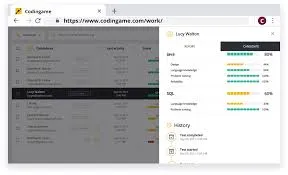
Coding games are interactive learning experiences built around programming logic. Instead of only reading lessons or watching tutorials, you learn by solving in-game challenges with code. Some games ask you to move a character through a maze. Others ask you to automate units, solve algorithmic puzzles, or battle against other players by writing code.
That practical structure matters. It pushes you to think like a programmer from the start.
Most coding games online use a few core ideas:
- You receive a challenge
- You write or arrange logic to solve it
- The game shows the result immediately
- You adjust your code and try again
- The next challenge adds a new concept
This pattern makes abstract ideas easier to understand. It also builds confidence faster because every solved challenge feels like visible progress.
Good programming games usually include features like:
- Interactive problem-solving
- Real-time feedback
- Levels or structured progression
- Visual or text-based coding systems
- Motivation through goals, progress, or competition
Some platforms focus on real programming languages. For example, CodeCombat teaches typed code and highlights Python and JavaScript on its official site, while CodinGame describes itself as a challenge-based platform where players solve coding puzzles and build bots.
Why do coding games work so well for beginners?
The biggest strength of coding games is that they reduce the emotional weight of learning. Beginners often feel blocked by fear of getting things wrong. Games soften that. Failure becomes part of play rather than proof that you are “bad at coding.”
That shift is important because programming is built on iteration. You rarely get everything right on the first try. A strong learning environment should make trial and error feel normal. That is exactly what many coding games for beginners do.
They help in several ways:
- They break big concepts into small steps
- They give immediate feedback
- They make mistakes easier to understand
- They turn repetition into practice, not boredom
- They reward experimentation
For younger learners or people who feel overwhelmed by typed code, block-based systems are often the best first step. Google’s Blockly is a visual drag-and-drop programming editor designed to power coding education experiences, and Blockly Games was created as a self-teaching way to introduce programming concepts.
That makes block-based tools especially useful when someone wants a Scratch coding game style experience or other beginner-friendly visual systems.
What beginners learn first
Most entry-level coding games introduce the same foundation:
- Sequence
- Loops
- Conditions
- Variables
- Functions
- Debugging
- Pattern recognition
These basics matter because they transfer across nearly every programming language.
Why games feel less overwhelming than tutorials
A normal tutorial may explain a concept and then leave you staring at a blank editor. A game usually gives you a goal first. That creates momentum. You are not just “studying loops.” You are using a loop to solve something.
That difference makes a huge impact for first-time learners.
What are the best coding games online right now?
There is no single best option for everyone. The right choice depends on your age, goals, and preferred learning style. Some people want story-based learning. Others want puzzles. Others want competitive coding.
Here are some of the strongest options to know.
| Platform | Best for | Main style |
| CodinGame | Puzzle and challenge-based learning | Real code challenges |
| CodeCombat | Story-driven learning | Game-style lessons with real code |
| Blockly Games | Visual beginners | Block-based logic |
| Screeps | Advanced strategy learners | Persistent MMO programming |
| Robocode | Java-focused experimentation | Robot battle automation |
CodinGame presents itself as a challenge-based training platform where users solve games, code AI bots, and learn through interactive programming challenges.
If that challenge-first format sounds like the right fit, the official CodinGame platform is the best place to explore how its puzzles, bots, and competitive exercises are structured before choosing a learning path.
CodeCombat teaches typed code through gameplay and explicitly highlights Python, JavaScript, and HTML in its learning ecosystem. Its premium page also references competitive coding experiences and additional learning content.
Blockly, from Google, is a visual programming editor based on drag-and-drop blocks, and Google’s documentation explains that Blockly applications can generate text-based code such as JavaScript or Python.
Screeps positions itself as an online strategy game for programmers where you use real JavaScript to control units, and its official materials describe both Screeps World and Screeps Arena.
Best options by learning style
If you want a better match, sort them like this:
- Story and progression: CodeCombat
- Puzzle and skill practice: CodinGame
- Visual logic for beginners: Blockly Games
- Advanced automation and systems thinking: Screeps
- Competitive or bot-based experimentation: Robocode
Which ones are best for complete beginners?
The easiest entry points are usually:
- Blockly Games
- CodeCombat
- other visual tools similar to a Scratch coding game
These remove some of the pressure of raw syntax while still teaching real logic.
Which coding games are best for Python learners?
A lot of people specifically want Python coding games, and that makes sense. Python is widely seen as one of the easiest languages to start with because the syntax is usually cleaner than many alternatives.
If your goal is to practice Python through play, look for games that either officially support Python or are built around beginner-friendly typed code.
Some of the strongest paths include:
- CodeCombat for guided progression
- CodinGame for challenge-based practice
- puzzle-style platforms that support Python
- browser tools where you solve logic with Python snippets
CodeCombat officially markets Python as one of its core languages for learners, and CodinGame supports multiple languages across its coding challenges.
That makes both strong candidates for Python coding game use, depending on what you want.
Best use cases for Python coding games
Choose Python coding games if you want to:
- Practice syntax while staying engaged
- Learn logic with a beginner-friendly language
- Move from tutorials into applied problem-solving
- Build confidence before larger projects
How Python games differ from visual games
A visual game helps you understand logic structure. A Python coding game helps you connect that logic to a real typed language. That step matters because eventually you want to write code directly, not only move blocks around.
Are there good free coding games?
Yes. One reason coding games are so useful is that many strong options either have free versions or are fully accessible without payment.
If budget matters, focus on coding games free options that still offer meaningful depth.
CodinGame’s official site presents the platform as accessible through its challenge-based environment, and Blockly’s educational tools are openly available through Google’s developer ecosystem.
CodeCombat offers some content for free, while additional content is tied to premium access.
That means the free-vs-paid landscape looks roughly like this:
| Type | What you get |
| Fully free options | Great for trying coding without commitment |
| Freemium platforms | Enough to test the style before paying |
| Premium-heavy games | Better for learners who already know they like the platform |
Best free-first approach
A good strategy is:
- Start with a free visual or puzzle platform
- Test whether you prefer visual logic or typed code
- Move to a deeper platform once you know your style
What free platforms are best for experimentation?
For experimentation, these are often strong:
- Blockly Games
- CodinGame
- entry-level CodeCombat content
That makes them solid coding games free choices for people who want to explore before committing.
What is the difference between block-based and typed coding games?
This is one of the most important decisions for learners.
Block-based systems are usually best when you are brand new. They reduce syntax errors and let you focus on logic. Typed systems are better once you are ready to write actual code and get used to a programming language.
A Scratch coding game or Blockly-style experience helps with:
- Sequencing
- loops
- conditionals
- procedural thinking
- visual cause and effect
Typed-code games help with:
- real syntax
- debugging actual code
- formatting habits
- transferable programming skills
- language-specific problem-solving
Google’s Blockly tools are explicitly built around drag-and-drop visual programming, while Blockly applications can generate text-based code outputs such as JavaScript or Python.
That is one reason block-based tools are such a useful bridge.
Which one should you choose first?
Choose block-based first if:
- you are nervous about syntax
- you are teaching a child
- you want to learn logic before language rules
Choose typed-code first if:
- you already know basic logic
- you want job-relevant syntax practice
- you are ready for real programming structure
Can you combine both?
Yes, and that is often the best path.
A good progression is:
- start with block-based logic
- move to a beginner-friendly typed language
- practice with challenge platforms
- build small projects after that
What mechanics and technology make coding games effective?
The user’s keywords here matter because the best mechanics for coding games are not random game features. They directly support learning.
Strong mechanics for coding games usually include:
- immediate feedback
- clear win conditions
- manageable difficulty scaling
- visible cause and effect
- progressive concept introduction
- replayable challenges
These mechanics work because programming itself is iterative. A good learning game mirrors that.
The underlying technology for coding games also matters. Browser-based editors, code validation systems, visual rendering, instant compilation feedback, and safe sandbox execution all help make these platforms usable at scale.
Google’s Blockly documentation shows how block-based systems can generate text-based code, while CodinGame and CodeCombat demonstrate how browser-based environments can support interactive coding tasks directly in the platform.
Best mechanics for learning retention
The best retention comes from games that do these well:
- teach one idea at a time
- repeat concepts in new contexts
- make success feel earned
- let players inspect mistakes easily
Best technology choices for accessibility
The best technology for coding games usually includes:
- browser-based access
- low setup friction
- cross-device compatibility
- instant execution or preview
- safe code environments
That is a big reason coding games online are so popular. You can start quickly.
Is there a Minecraft coding game or a Google coding game?
There are two keyword ideas here that deserve a clear answer.
A Minecraft coding game usually refers to learning experiences built around Minecraft-inspired environments or code-learning activities connected to Minecraft ecosystems. These are popular because Minecraft already attracts creative learners and younger audiences. Even when the coding environment is simplified, the Minecraft connection helps motivation.
A Google coding game often points people toward Blockly Games or other Google-backed learning tools. Google’s Blockly ecosystem is one of the clearest examples here, since Blockly is maintained as a visual programming editor and Blockly Games was specifically designed for self-guided learning.
Why branded ecosystems matter
Recognizable ecosystems help because:
- learners already trust the brand
- the theme lowers entry resistance
- the game world feels familiar
- motivation tends to last longer
Are these good for serious learning?
Yes, as long as expectations are realistic.
A theme like Minecraft or Google-backed block learning can be a great starting point, especially for younger or first-time learners. But eventually, learners usually need to move into typed code and broader problem-solving too.
Why does connection quality matter in coding games?
When people think about lag, they usually think about shooters or MMOs. But connection quality also matters in coding games online, especially if the game is browser-based, competitive, or constantly validating code against remote systems.
A poor connection can cause:
- delayed feedback
- slower code submissions
- interrupted sessions
- frustration during competitive play
- weaker focus during timed challenges
That breaks the learning flow. Since feedback speed is part of what makes coding games effective, connection issues can make the whole experience feel worse than it should.
How ExitLag can help with coding games online
ExitLag is not a learning platform and it does not teach code. But it can help support smoother online experiences by improving routing stability in supported scenarios. That matters most when you are using browser-based platforms, competitive coding experiences, or online game-like environments where responsiveness affects the experience.
For example, if you are using coding games online with live challenge submissions or interactive competitive environments, a more stable connection can make those sessions feel cleaner and less frustrating.
Where ExitLag fits best
ExitLag is most relevant when you are:
- using online challenge platforms regularly
- dealing with route instability
- experiencing inconsistent responsiveness
- trying to keep competitive sessions smoother
What ExitLag does not do
It does not:
- teach programming
- replace a tutorial
- turn beginner content into advanced content
- guarantee that every platform will perform better
Its value is in helping the online experience feel more stable, which supports focus and consistency.
That benefit makes more sense when you look at the system behind it rather than treating it like a vague performance claim. The core ExitLag technology and routing approach explains why connection stability can matter even in sessions built around fast feedback and repeated online interactions.
FAQ
Coding games are interactive tools or platforms that teach programming concepts through gameplay, puzzles, challenges, or code-driven systems. They help learners practice logic in a more engaging way than traditional lessons.
The best coding games for beginners are usually block-based or guided platforms with clear progression, such as Blockly Games and story-driven typed-code tools like CodeCombat.
For learners who want that guided format with a stronger game feel, the official CodeCombat learning platform is worth checking directly to compare its structure, supported languages, and progression style with the other options mentioned in the guide.
Yes. There are several strong coding games free options, including Blockly Games and challenge-based free platforms like CodinGame, though some services also offer premium upgrades.
Good Python coding games usually include platforms that officially support Python, such as CodeCombat and CodinGame. They are useful for learners who want both logic practice and real syntax exposure.
Yes. A Scratch coding game or similar block-based system is often excellent for absolute beginners because it teaches programming logic without heavy syntax pressure.
A Google coding game usually refers to tools connected to Google’s Blockly ecosystem, especially Blockly Games, which was designed as a self-teaching introduction to coding concepts.
Final thoughts on coding games
Coding games are one of the best entry points into programming because they make logic feel practical, visible, and rewarding. They turn abstract concepts into action. Whether you want coding games free, a Python coding game, a Scratch coding game, a Minecraft coding game-style experience, or more advanced coding games online, there is room to start at your level and build up gradually.
The best part is that these tools do more than entertain. Good coding games teach real habits: experimentation, debugging, pattern recognition, and persistence. They also show how smart mechanics for coding games and accessible technology for coding games can make learning much easier. Platforms like CodinGame, CodeCombat, Blockly Games, and Screeps each prove that in different ways.
That broader context is also useful if you want to understand how the service is applied across different types of connected experiences. These official ExitLag guides and platform explanations give a clearer picture of where it fits and where it does not.
If you want to practice with fewer interruptions while using online coding platforms, try ExitLag to support a smoother and more stable experience as you learn, test, and improve your skills.
Got questions or want to connect with other players? Join the conversation at the ExitLag Forum!