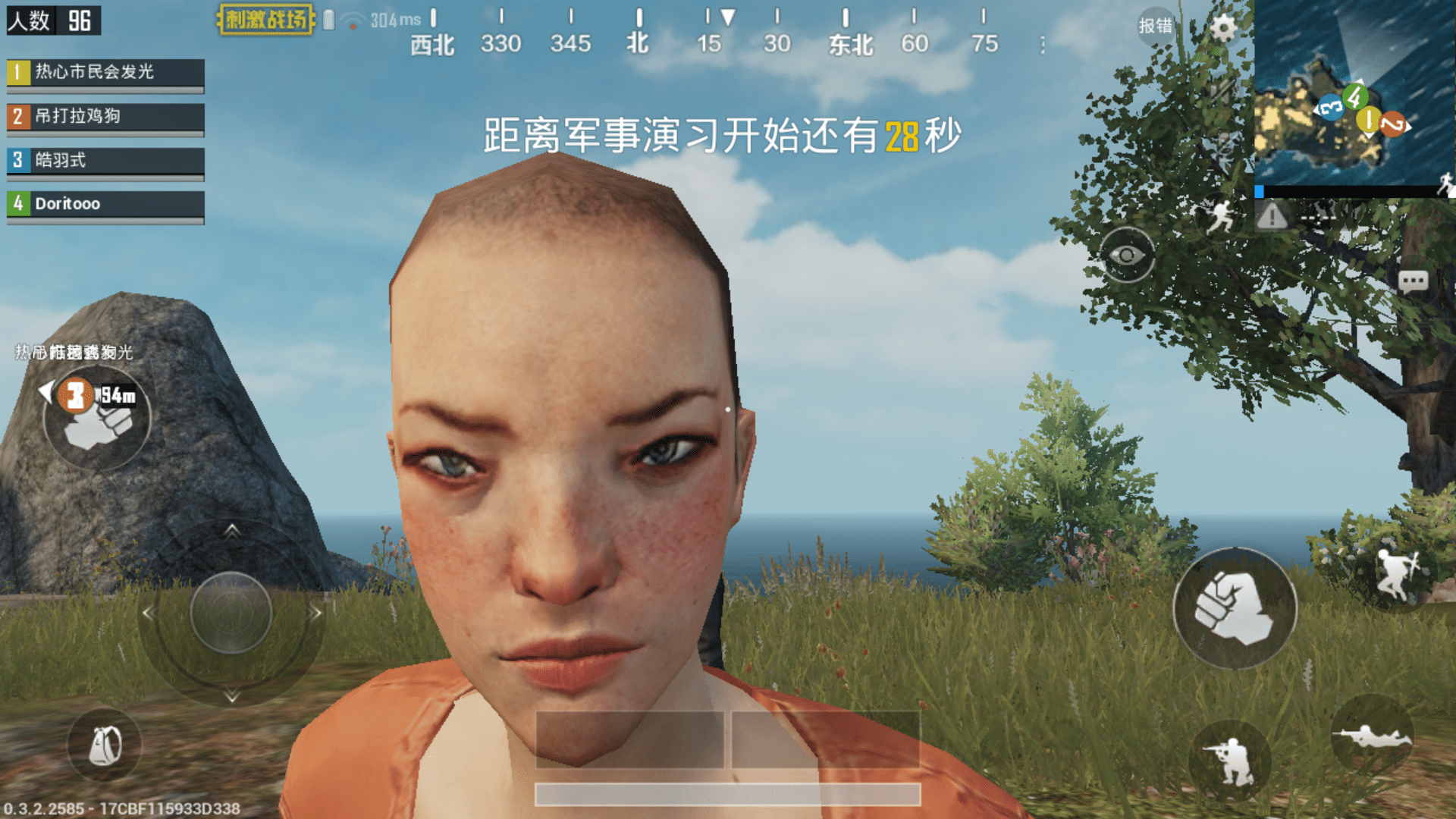
Anyone who has played PUBG knows how devastating high ping can be—your shots don’t register, enemies teleport, and gunfights become unfair before they even start. At first sight, these spikes seem random, but in reality, PUBG high ping is usually caused by routing issues, server distance, or overloaded networks, not only at PUBG but also at many other games.
Additionally, PUBG is officially listed among the supported games, meaning there are reliable ways to stabilize your performance from now on. This guide explains exactly why PUBG high ping happens, how to diagnose the issue, and how to fix latency permanently.

What is high ping in PUBG?
Beforehand, understanding PUBG high ping means understanding how latency, data packets, and servers interact. Ping is the time, measured in milliseconds (ms), that it takes for your device to send a request to the game server and receive the reply.
Above all, low latency is crucial in PUBG because combat is decided in milliseconds. Every movement update, shot fired, and step heard relies on synchronized data packets traveling quickly. When latency increases, delays occur between your actions and the server response. In the same way, this leads to inconsistencies like delayed peeks, out-of-sync enemies, and slow hit registration.
Now, when ping spikes, your connection to the server becomes unstable. As a result, your screen may not match the server’s reality, leading to missed shots, failed engagements, or sudden deaths you couldn’t predict.
How high ping affects gameplay in PUBG
High ping severely damages PUBG’s competitive integrity because it relies on instant reactions and precise positional data. Below are common symptoms players face:
- Hit registration delay
- Rubberbanding when moving or vaulting
- Desync making enemies appear in wrong places
- Weapon delay when firing or peeking corners
- Packet loss and stutters during intense fights
- Connection icon warnings that force disengagement
- Severe disadvantage in ranked or scrims
Gunfight disadvantage
Firstly, gunfights rely on predictable movement and immediate firing. When ping spikes, bullets don’t register on time, allowing enemies to win even when your aim is perfect. In summary, high ping creates an unfair imbalance.
Delayed movement and looting
Secondly, delayed movement affects vaulting, looting, healing, and re-peeking. That way, engagements feel sluggish, and your character responds slower than your opponents.
Check also: PUBG for PC: The Ultimate Beginner’s Guide
Main causes of high ping in PUBG
Server distance
Sometimes PUBG connects players to faraway servers due to matchmaking load or automatic region selection. The greater the physical distance, the longer data packets take to travel, increasing latency.
ISP / routing issues
According to network specialists, ISPs often choose cheaper routes rather than the fastest ones. In other words, this adds extra hops and unstable paths, causing unpredictable PUBG latency.
Network congestion
Often, multiple devices use bandwidth simultaneously—streaming, downloads, or smartphones. This creates PUBG connection issues, particularly during peak hours.
Outdated hardware
Old routers, failing modems, or outdated network drivers introduce instability. Previously unnoticed, these factors significantly affect ping and consistency.
Game-specific cause
PUBG servers occasionally experience regional overload, maintenance, or instability. At the same time, matchmaking queues may connect you to congested servers.
How to check and test your ping in PUBG
Firstly, PUBG shows your ping directly in-game. Enable “Network Debug Stats” to display real-time ping, packet loss, and server data. This helps identify if spikes come from the game or your connection.
In advance, command-line tools can offer deeper diagnostics. On Windows, “ping -t” and “tracert” show continuous latency and routing paths. Similarly, macOS/Linux users can perform “ping” and “traceroute.”
Reference values to consider:
- 0–40ms: Excellent
- 40–80ms: Playable
- 80–120ms: Noticeable delay
- 120ms+: High ping with severe gameplay issues
In other words, anything above 100ms becomes a disadvantage in competitive PUBG.
Check also: Everything You Need to Know About the Latest PUBG Update
Ping levels classification
| Ping Range | Quality | Gameplay Experience |
| 0–40 ms | Excellent | Smooth, responsive |
| 40–70 ms | Good | Slight delay, barely noticeable |
| 70–120 ms | Playable | Delays in skill checks, timing feels off |
| 120–200 ms | Poor | Rubberbanding and significant delay |
| 200+ ms | Critical | Unplayable interactions |
Basic fixes to reduce high ping in PUBG
Optimize local connection
- Use Ethernet instead of Wi-Fi
- Close background apps (streaming, downloads, cloud sync)
- Update router firmware and network drivers
- Restart router/modem to refresh routing
- Disable automatic updates (Steam, Windows, mobile devices)
- Limit the number of connected devices
These steps often reduce immediate lag PUBG symptoms.
Contact your ISP
Before contacting them, note potential issues:
- Frequent latency spikes
- Packet loss in specific hops
- Slow response during peak hours
You may request:
- Line quality checks
- Route adjustments
- New modem or router
A simple checklist to follow:
- Ask if your region is experiencing congestion
- Request tests on routing stability
- Confirm if your plan supports low-latency performance
In contrast, ISPs rarely optimize routes automatically—so engaging them directly is essential.

ExitLag: the best solution to fix high ping in PUBG
When it comes to stabilizing your connection and eliminating PUBG high ping, nothing matches the consistency delivered by ExitLag.
What is ExitLag?
ExitLag is a software built specifically for connection optimization in online games. Instead of relying on unstable ISP paths, it analyzes multiple possible routes in real time and ensures your data packets travel through the fastest and most stable path. You can explore all supported titles in the games list to confirm PUBG compatibility.
ExitLag was designed for gamers who demand responsiveness, consistency, and minimal latency in competitive shooters like PUBG.
How ExitLag works
ExitLag delivers superior routing through:
- Real-time route analysis
- Multiple routes simultaneously
- Automatic best route selection
- Hop optimization
- Connection stabilization
Together, these systems eliminate PUBG latency spikes and maintain stable performance even during peak hours.
Advantages for PUBG players
More accurate hit registration
With ExitLag, shot registration becomes significantly more consistent. In advance, this is critical in PUBG where milliseconds determine whether bullets connect. When the routing is optimized, your shots reach the server instantly, reducing the inconsistent delays caused by PUBG latency. In summary, fights become fairer, and your aim matters more than unstable network paths.
Smoother movement and reduced rubberbanding
Above all, rubberbanding is one of the most frustrating symptoms of PUBG connection issues. With stable routing, your character’s movement becomes fluid—vaulting, peeking, strafing, and repositioning are executed without sudden backtracks.
Reliable peeking and corner engagements
Even more, PUBG’s gunfights revolve around corner mechanics. Peeking advantage evaporates when ping spikes. ExitLag ensures data packets travel consistently, giving you clean, predictable movement during close-range fights and long-range duels.
Stronger performance on distant servers
Sometimes you need to play on international servers with friends or during off-peak hours. Normally, this causes severe PUBG high ping, but ExitLag minimizes the penalty by selecting shorter, faster network hops.
Stability during peak hours
At the same time, regional server congestion and ISP peak times usually create unpredictable spikes. ExitLag bypasses unstable hops to maintain consistent ping, preventing sudden spikes that ruin clutch fights.
Overall competitive advantage
PUBG rewards players who combine fast reaction time with situational awareness. By stabilizing your connection, ExitLag enhances your consistency—making your performance more reliable across all matches, tournaments, and scrims.
Is ExitLag worth it for PUBG?
Definitely. PUBG is one of the most punishing shooters when it comes to unstable latency because every bullet, step, and peek depends on precise synchronization with the server. In contrast, regular ISP routing often fails to maintain stable paths. ExitLag solves this with intelligent multi-route optimization that keeps your ping consistent and prevents random spikes.
Additionally, you can compare the available pricing options to choose the best plan for your playstyle. In the end, ExitLag provides a competitive edge for any PUBG player who wants reliability, smooth gameplay, and stable performance.
How to use ExitLag in PUBG
The process is extremely simple:
Step 1 – Access the official ExitLag website and download the application. There’s a free trial period for new users.
Step 2 – Install and open the program. Log in with your account.
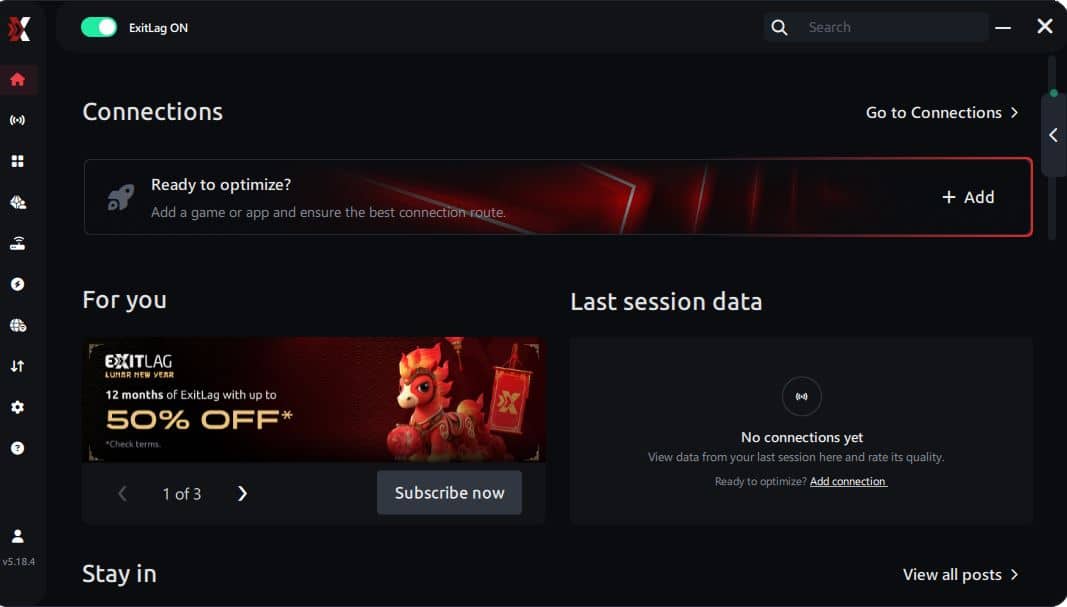
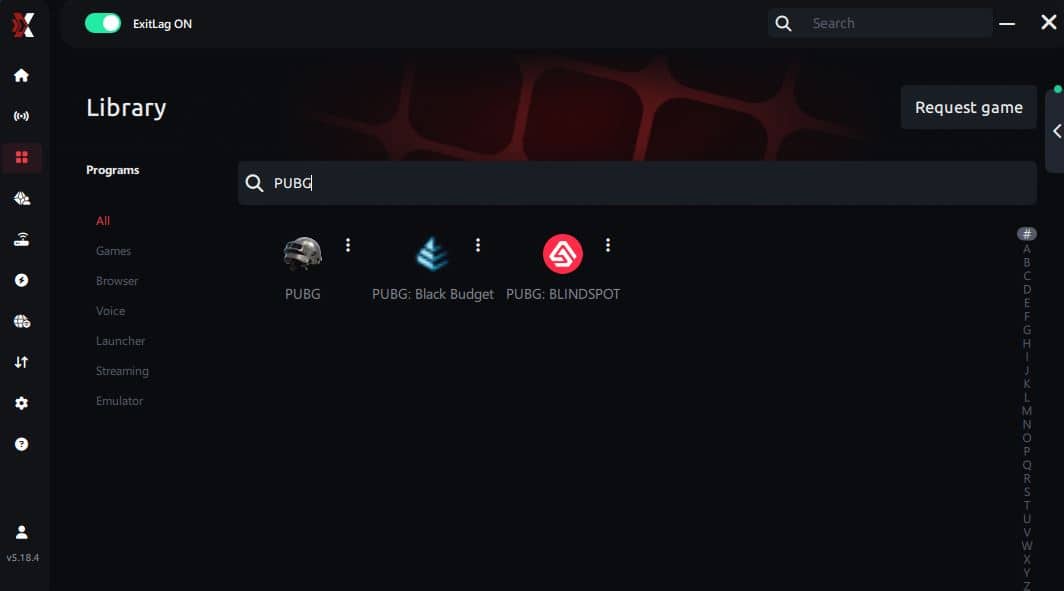
Step 3 – In the search bar, type “PUBG” and select the game from the list.
Step 4 – Choose between automated or manual route
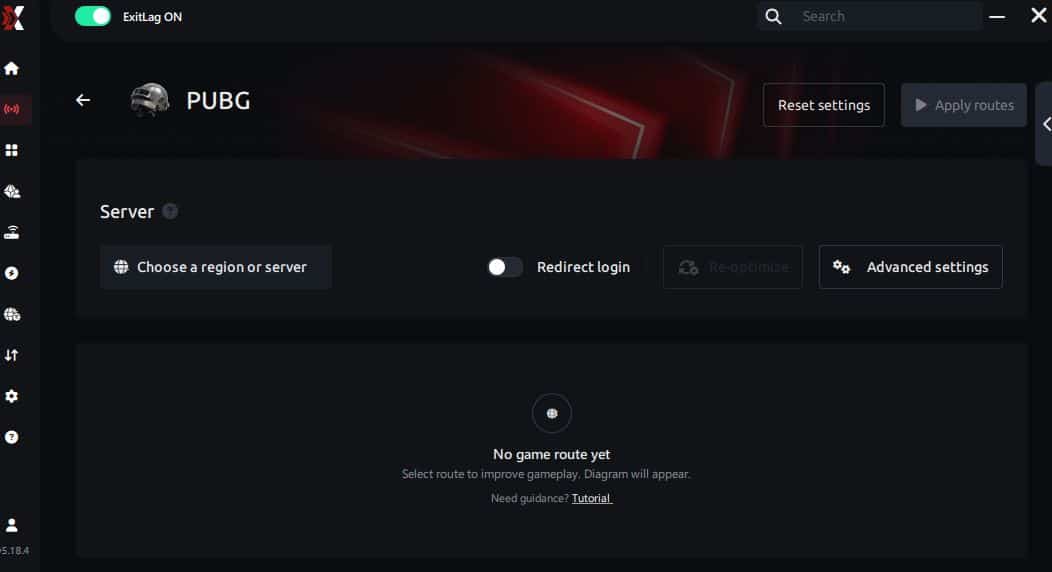
Based on the results, you can let ExitLag automatically select the best route or manually choose the server that showed the lowest latency for your connection.
AI-optimized automated route
Based on the results, you can let ExitLag automatically select the best route through AI optimization. The system analyzes multiple connection paths in real time and automatically identifies the most efficient route for your connection, ensuring the lowest possible latency without requiring manual choices.
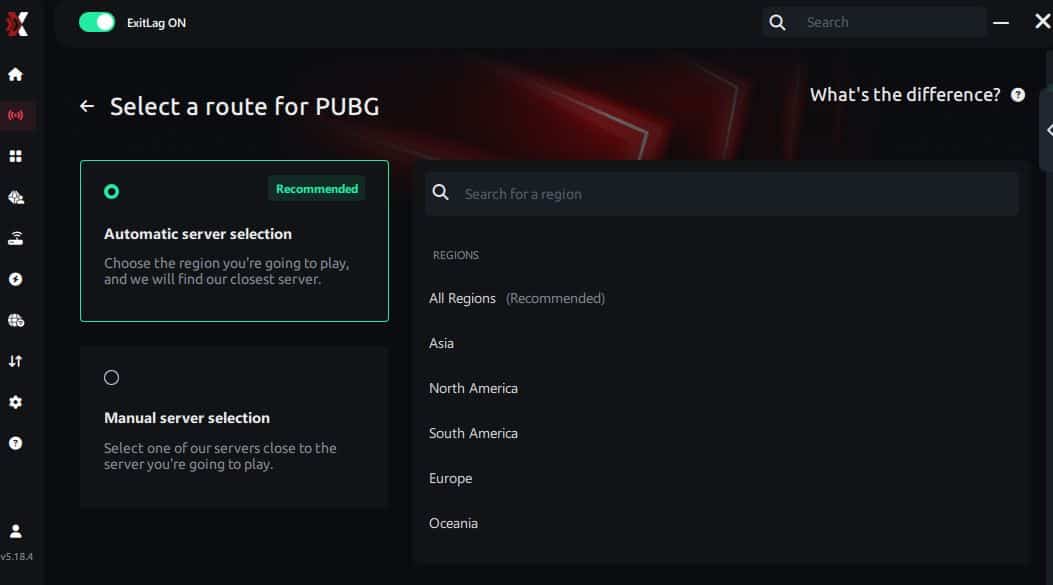
Manual route
If you prefer to have full control over your connection, you can manually choose the server based on the ping test results. Simply select the server that showed the lowest latency or the one that best meets your specific gaming needs, allowing complete customization of your experience.
Step 5 – Click “PUBG” or the play button. ExitLag will begin optimizing your connection automatically.
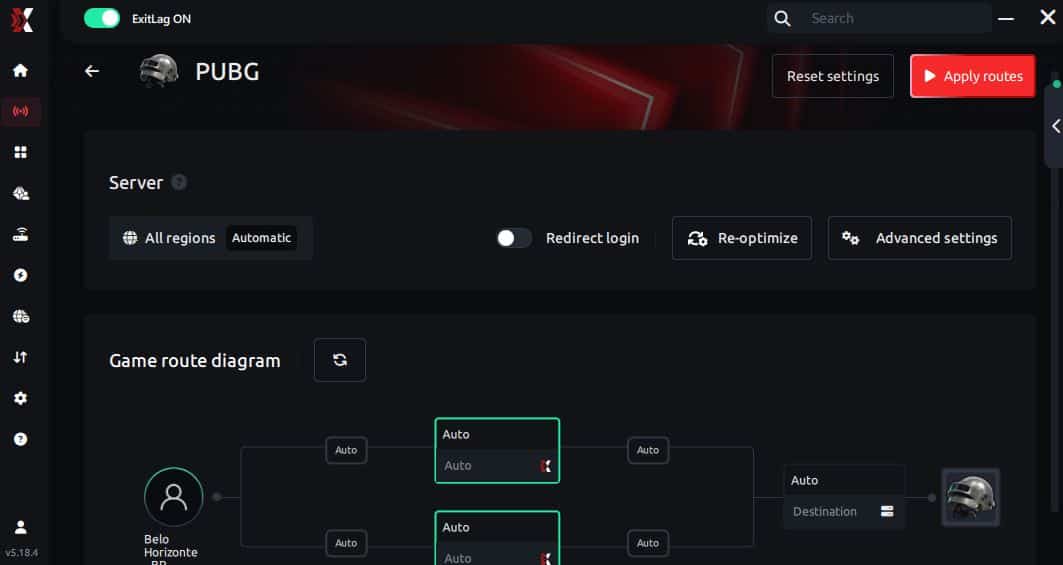
Step 6 – Wait a few seconds until optimization is complete. You’ll see ping indicators in the interface.
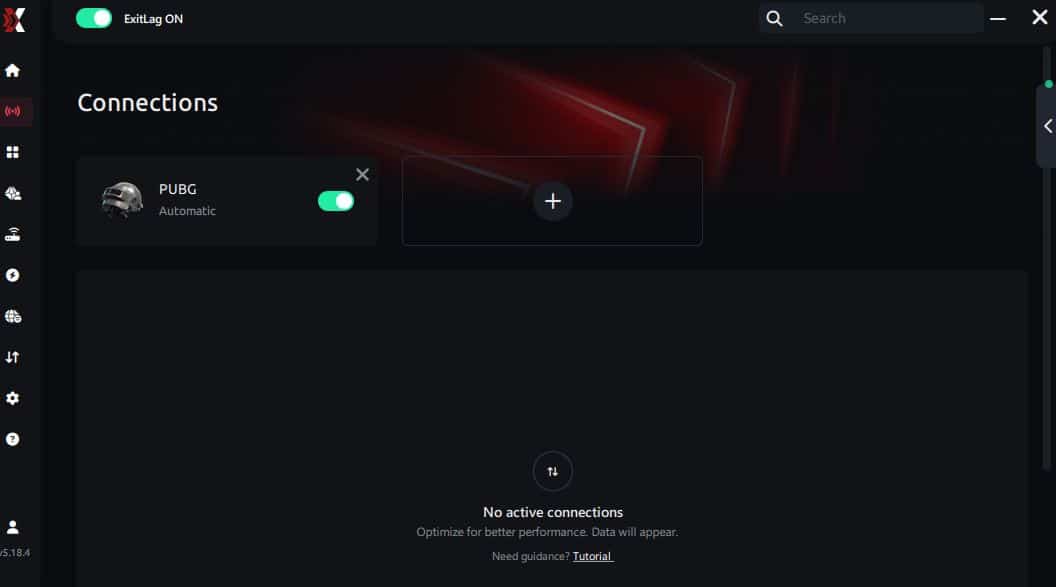
Step 7 – Launch PUBG normally. The optimization will already be active.
ExitLag runs in the background while you play, constantly adjusting routes to maintain the best possible performance.
FAQ: everything about high ping in PUBG
What causes high ping in PUBG?
High ping is usually caused by server distance, routing inefficiency, Wi-Fi instability, or overloaded regional servers. From the same point of view, PUBG connection issues can also arise from bandwidth usage at home or ISP congestion during peak hours. In summary, several factors work together to create latency spikes.
How do I check my ping in PUBG?
To check your ping, enable “Network Debug Stats” in the settings. This displays real-time ping, packet loss, and server performance indicators. Soon after, you can supplement this with system tools like “ping” and “tracert” to identify routing issues. Combining in-game and OS tests provides the best understanding of your network stability.
What is good ping for PUBG?
Generally:
- 0–40ms: Excellent
- 40–80ms: Playable
- 80–120ms: Noticeable delay
- 120ms+: Severe disadvantage Above 100ms, peeking, momentum control, and hit registration begin to feel inconsistent. In conclusion, stable low ping is essential for competitive matches.
Can high ping get you banned in PUBG?
No, high ping itself does not result in bans. However, if your PUBG high ping causes repeated disconnects or inactivity during matches, the system might temporarily penalize you with matchmaking restrictions. Still, latency alone isn’t considered cheating or misconduct.
Does ExitLag work for PUBG?
Yes. ExitLag fully supports PUBG and uses multi-route optimization to improve routing, stabilize latency, and reduce packet loss. At the same time, many players experience smoother movement, cleaner peeks, and significantly more accurate hit registration. ExitLag is built precisely for fast-paced shooters like PUBG.
Why does PUBG lag even when my internet is fast?
Sometimes fast internet still routes traffic through overloaded or inefficient hops. Previously, players believed bandwidth alone determined performance, but routing quality matters far more in PUBG. Even so, heavy Wi-Fi interference or background devices can cause spikes. ExitLag solves the routing part by bypassing slow or congested paths entirely.
Conclusion
In conclusion, dealing with PUBG high ping can ruin even the most carefully planned matches. But now you understand the causes, how to diagnose the problem, and the best solutions to stabilize your gameplay. Above all, optimizing your routing is the key to long-term consistency. For more insights, tutorials, and tips, visit the official ExitLag blog.
PUBG high ping no longer needs to ruin your free time. Now that you understand the causes and how to stabilize your connection, you can finally enjoy your gaming smoothly. Start your free trial and see the difference for yourself.