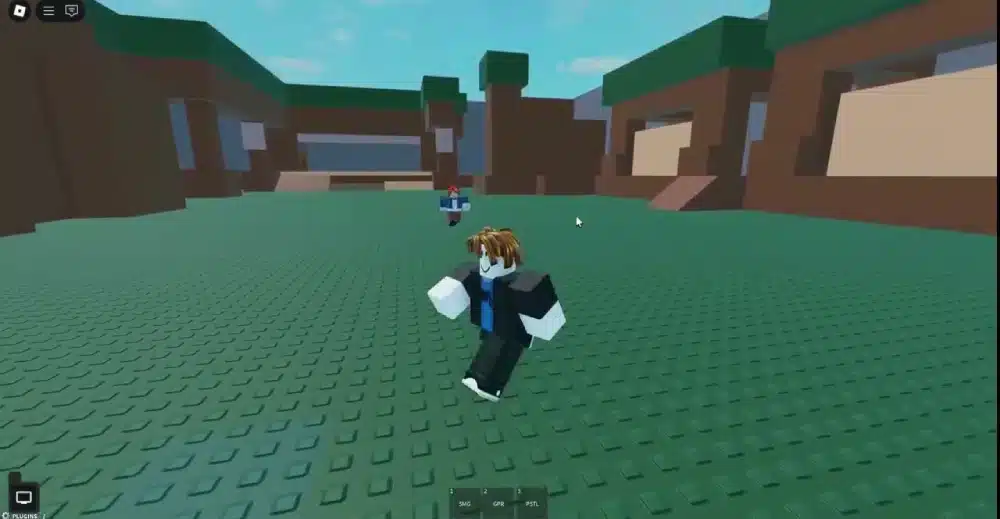
Roblox Scripts are the foundation of every interactive Roblox experience. From opening doors and spawning enemies to saving player progress and creating complex game mechanics, scripts bring every Roblox world to life. Without scripting, even the most detailed maps would remain static environments.
For aspiring developers, Roblox Scripts are the gateway to creating unique gameplay experiences. Using the Lua programming language inside Roblox Studio, creators can design everything from simple obstacle courses to large multiplayer adventures enjoyed by millions of players worldwide.
If you’re searching for Roblox Scripts, wondering how a Roblox Script works, or looking for safe ways to create Scripts for Roblox, understanding the basics of Roblox Studio is the first step. While many players also search for topics like Roblox Script Executor, legitimate development always takes place inside Roblox Studio using Roblox’s official scripting tools.

Roblox Scripts: What Are They?
A script is a piece of Lua code that tells Roblox how a game should behave. Scripts control nearly every interactive feature players encounter.
Examples include:
- Opening doors
- Awarding points
- Saving progress
- Creating NPC behavior
- Triggering animations
- Managing game rules
Without scripts, Roblox games would contain environments but very little interaction.
Why Are Scripts Important?
Every successful Roblox experience relies on scripting.
Developers use scripts to create:
- Gameplay systems
- Combat mechanics
- User interfaces
- Economy systems
- Checkpoints
- Multiplayer features
Whether you’re building a simulator or an adventure game, scripting makes the experience dynamic.
Who Uses Roblox Scripts?
Scripts are useful for developers at every level.
They are commonly used by:
- Beginners
- Independent creators
- Development teams
- Educational programs
- Professional studios
- Hobby developers
Learning scripting opens the door to creating almost any type of Roblox experience.
How a Roblox Script Works
A Roblox Script executes instructions written in Lua. When an event occurs, the script responds based on the logic created by the developer.
Examples of events include:
- A player joins the game.
- A button is clicked.
- A character touches an object.
- A timer reaches zero.
- A tool is equipped.
- An item is collected.
Scripts allow these actions to trigger gameplay features automatically.
Lua: Roblox’s Programming Language
Roblox uses the Lua programming language because it is lightweight, flexible, and beginner-friendly.
Developers use Lua to:
- Create variables
- Build functions
- Handle events
- Control objects
- Store data
- Manage game logic
Learning Lua is one of the most valuable skills for aspiring Roblox creators.
Where Scripts Are Created
Official Roblox development takes place inside Roblox Studio.
Roblox Studio provides:
- Script Editor
- Explorer window
- Properties panel
- Output console
- Testing tools
- Debugging features
These tools help developers write, test, and improve their code efficiently.
Types of Roblox Scripts
Roblox supports several different script types. Each serves a different purpose.
| Script Type | Primary Function |
| Script | Runs on the server |
| LocalScript | Runs on the player’s device |
| ModuleScript | Stores reusable code |
Understanding these script types helps developers organize projects more effectively.
Server Scripts
Server scripts control mechanics shared by every player.
Common responsibilities include:
- Leaderboards
- Enemy AI
- Game progression
- Economy systems
- Data saving
These scripts ensure that every player experiences consistent gameplay.
Local Scripts
Local scripts execute only on an individual player’s device.
They commonly manage:
- User interfaces
- Camera controls
- Visual effects
- Input handling
- Client-side animations
Using LocalScripts improves responsiveness for player-specific features.
Module Scripts
Module scripts allow developers to reuse code across multiple systems.
Benefits include:
- Cleaner organization
- Easier maintenance
- Reduced duplication
- Better scalability
Large Roblox projects frequently depend on ModuleScripts to keep code organized.
What Can Roblox Scripts Create?
The possibilities are nearly endless.
Developers build systems such as:
- Inventory management
- Character abilities
- Vehicle controls
- Quest systems
- Trading mechanics
- Mini-games
As scripting knowledge grows, increasingly advanced gameplay becomes possible.
Popular Gameplay Systems
Many successful Roblox experiences rely on scripted systems like:
- Daily rewards
- Pets
- Crafting
- Skill trees
- Progression systems
- Boss battles
These mechanics help keep players engaged over long periods.
Getting Started With Roblox Scripting
Learning to create Scripts for Roblox is easier when you begin with simple projects.
A recommended learning path is:
- Install Roblox Studio.
- Learn basic Lua syntax.
- Create simple interactions.
- Practice with small projects.
- Expand into multiplayer systems.
Building experience gradually makes advanced scripting much easier to understand.
Understanding Roblox Script Executors
Many players searching for Roblox scripting also encounter the term Roblox Script Executor. It is important to understand the distinction.
A Roblox Script Executor refers to third-party software that attempts to run unauthorized code inside Roblox experiences. These tools are not part of Roblox Studio, are not intended for legitimate game development, and generally violate Roblox’s Terms of Use. Using unofficial executors may expose players to account moderation, security risks, or malicious software.
Developers creating games should always use Roblox Studio and the official scripting tools provided by Roblox.
Why Learning Roblox Scripts Is Worth It
Learning Roblox Scripts is one of the most valuable skills for anyone interested in Roblox development. From simple interactive objects to complex multiplayer systems, scripting allows creators to transform ideas into fully playable experiences.
Whether you’re exploring your first Roblox Script, learning how to build Scripts for Roblox, or beginning your journey with Roblox Studio, understanding Lua and the official development workflow provides a strong foundation for creating engaging, high-quality Roblox games.
Scripts for Roblox: How to Create Your Own
Learning to create Scripts for Roblox is one of the best ways to understand how Roblox experiences function. Every interactive feature, from opening doors to complex combat systems, starts with well-written Lua code inside Roblox Studio.
Instead of memorizing large amounts of code, new developers should focus on understanding the logic behind each script.
Start With Small Projects
Beginners should avoid creating massive games immediately.
Instead, practice with simple systems like:
- Opening a door
- Displaying a message
- Awarding coins
- Creating checkpoints
- Turning lights on and off
- Teleporting players
Small projects build confidence while reinforcing Lua fundamentals.
Learn Core Lua Concepts
Every Roblox developer should understand the basics before moving to advanced mechanics.
Important concepts include:
- Variables
- Functions
- Events
- Loops
- Tables
- Conditional statements
Mastering these building blocks makes larger projects much easier to develop.
Common Uses for Roblox Scripts
Almost every Roblox experience relies on scripting. Developers use scripts to create gameplay systems that respond to player actions in real time.
Popular applications include:
- Character progression
- Inventory systems
- NPC behavior
- Shop interfaces
- Daily rewards
- Matchmaking
These systems work together to create engaging gameplay loops.
Player Interaction
Many scripts respond directly to player actions.
Examples include:
- Clicking buttons
- Picking up items
- Entering new areas
- Completing quests
- Unlocking achievements
These interactions make games feel dynamic and rewarding.
World Events
Scripts also control changes within the game world.
Common examples include:
- Weather changes
- Day and night cycles
- Boss appearances
- Timed events
- Random item spawns
Dynamic environments help keep experiences fresh for returning players.
Organizing Larger Roblox Projects
As projects grow, organization becomes increasingly important. Well-structured code is easier to maintain, debug, and expand.
Experienced developers often organize projects by:
- Gameplay systems
- User interface
- Player data
- Enemy AI
- Utility modules
- Shared resources
A clean project structure reduces development time and minimizes errors.
Why ModuleScripts Are Valuable
ModuleScripts allow developers to reuse code across multiple systems.
Benefits include:
- Better organization
- Reduced duplication
- Easier maintenance
- Improved scalability
- Faster updates
Most professional Roblox projects rely heavily on ModuleScripts.
Write Readable Code
Readable code benefits both solo developers and teams.
Good practices include:
- Use descriptive variable names.
- Keep functions focused.
- Remove unused code.
- Comment complex logic.
- Organize scripts logically.
These habits make future updates much easier.
Testing Your Roblox Scripts
Testing is an essential part of development. Even small scripting mistakes can create unexpected gameplay issues.
Developers should test:
- Player spawning
- User interface
- Multiplayer interactions
- Data saving
- Item collection
- Character movement
Frequent testing helps identify problems before players encounter them.
Debugging Efficiently
Roblox Studio includes several debugging tools.
Useful features include:
- Output window
- Breakpoints
- Script Editor
- Explorer
- Error messages
Learning how to use these tools saves significant development time.
Understanding Roblox Script Executor
Many people searching for Roblox scripting eventually encounter the term Roblox Script Executor. It is important to understand the difference between official development tools and unauthorized software.
A Roblox Script Executor generally refers to third-party programs that attempt to inject or execute code inside Roblox experiences outside the intended development environment. These applications are not part of Roblox Studio and are not used for legitimate game development.
Potential risks include:
- Account moderation
- Security vulnerabilities
- Malware exposure
- Data theft
- Unstable game performance
- Loss of account access
Developers who want to create games should always use Roblox Studio and the official scripting workflow provided by Roblox.

Legitimate Development vs Unauthorized Tools
The differences are significant.
| Official Roblox Studio | Third-Party Executors |
| Designed for development | Not intended for game creation |
| Supported by Roblox | Unofficial software |
| Uses Lua within Studio | Attempts to execute unauthorized code |
| Safe for development | May create security and account risks |
| Intended for creators | Often associated with exploits |
Understanding this distinction helps new developers avoid confusion when researching Roblox scripting.
Improving as a Roblox Developer
Writing better scripts takes practice.
Many experienced creators recommend:
- Building small projects first.
- Reading official documentation regularly.
- Testing every new feature.
- Refactoring old code.
- Learning from completed projects.
- Practicing consistently.
Whether you’re creating your first Roblox Script or expanding a large multiplayer experience, focusing on official development tools and strong Lua fundamentals will help you build reliable, scalable, and enjoyable Roblox games.
Why Players Search for Steal a Brainrot Roblox Script
One of the fastest-growing trends in the Roblox community is searching for a Steal a Brainrot Roblox Script. As competitive experiences become more popular, some players look for shortcuts that promise automatic farming, faster progression, or gameplay advantages.
While these searches are common, it’s important to understand that unofficial scripts are not part of Roblox Studio or the normal game development process. Developers create Roblox experiences using official Lua scripts inside Roblox Studio, while exploit scripts attempt to modify gameplay in ways that the game was never designed to support.
Why These Searches Are Popular
Competitive games often encourage players to improve quickly.
Common reasons people search for unofficial scripts include:
- Faster progression
- Automatic resource collection
- Easier grinding
- Unlocking rewards
- Competitive advantages
- Curiosity about scripting
Although these motivations are understandable, unofficial scripts can introduce unnecessary risks.
Potential Risks of Unofficial Scripts
Using unauthorized scripts or third-party software may lead to several problems.
Possible consequences include:
- Account moderation
- Permanent account suspension
- Malware infections
- Password theft
- Personal data exposure
- Unstable game performance
Keeping your Roblox account secure should always be a priority.
Safe Alternatives for Learning Roblox Scripting
If you’re interested in scripting because you want to understand how Roblox games work, there are much better options than downloading unknown files from the internet. Learning through Roblox Studio provides valuable programming skills while keeping your account safe.
Build Your Own Projects
Creating your own games teaches concepts that can be applied to increasingly advanced projects.
Good beginner ideas include:
- Obstacle courses
- Coin collection systems
- Checkpoints
- NPC conversations
- Inventory systems
- Simple combat mechanics
Each project introduces new scripting concepts in a practical way.
Practice Lua Every Day
Consistent practice produces better results than memorizing large amounts of code.
A productive learning routine might include:
- Reading official documentation.
- Building a small feature.
- Testing your code.
- Fixing any errors.
- Improving the project.
Small improvements quickly build long-term development skills.
Best Practices for Roblox Developers
Whether you’re creating your first game or managing a larger project, following good development habits makes scripting easier and more reliable.
Experienced creators recommend:
- Organize scripts clearly.
- Name variables consistently.
- Test features frequently.
- Remove unused code.
- Use ModuleScripts when appropriate.
- Keep backups of important projects.
Strong organization becomes increasingly valuable as games grow in complexity.
Focus on Performance
Efficient scripts improve the player experience.
Developers should avoid:
- Unnecessary loops
- Repeated calculations
- Duplicate code
- Unused assets
- Poor project organization
Optimized projects generally perform better across different devices.
Continue Learning
Roblox development continues to evolve.
Areas worth exploring include:
- DataStores
- RemoteEvents
- RemoteFunctions
- UI programming
- Animation systems
- Pathfinding
Expanding your knowledge allows you to create more engaging experiences.
Improve Your Roblox Experience With ExitLag
Whether you’re testing multiplayer features in Roblox Studio or enjoying your favorite Roblox experiences with friends, a stable internet connection helps create a smoother experience.
High ping, packet loss, and unstable routing can affect movement, synchronization, and overall responsiveness during online gameplay. While network conditions do not change how your scripts function, they can impact testing sessions and multiplayer interactions.
ExitLag is designed specifically for gamers. Its intelligent multi-path routing technology continuously optimizes your connection by selecting more stable network paths between your device and supported game servers.
Whether you’re building games in Roblox Studio or exploring community-created experiences, a reliable connection lets you spend more time creating and playing.
Pro Tips
Learning Roblox Scripts becomes much easier when you focus on understanding programming concepts instead of copying code without knowing how it works. The following recommendations can help you improve more quickly.
Start Small
Avoid creating an enormous project as your first game.
Instead, begin with:
- Interactive doors
- Checkpoints
- Collectible items
- Timers
- NPC dialogue
- Leaderboards
Mastering simple systems builds a strong foundation.
Write Clean Code
Good organization saves time during future updates.
Helpful habits include:
- Use descriptive names.
- Group related scripts.
- Delete unused assets.
- Keep functions short.
- Comment complex logic.
Readable code is easier to maintain.
Common Mistakes
Mistake 1: Copying Scripts Without Understanding Them
Many beginners download scripts without learning how they work. Correction: Study the Lua code and understand its purpose before using similar techniques in your own projects.
Mistake 2: Ignoring Testing
Even simple scripts can produce unexpected behavior. Correction: Test every new feature in Roblox Studio before publishing your experience.
Mistake 3: Using Unauthorized Script Executors
Some players believe third-party executors are legitimate development tools. Correction: Use Roblox Studio for scripting. Unauthorized executors are not part of the official development workflow and may violate Roblox’s Terms of Use while exposing your account to security risks.
Frequently Asked Questions
What Are Roblox Scripts?
Roblox Scripts are Lua programs created inside Roblox Studio that control gameplay mechanics, user interfaces, events, animations, and many other interactive systems.
What Is a Roblox Script?
A Roblox Script is a file containing Lua code that executes specific instructions during gameplay or while managing server-side systems.
What Is a Roblox Script Executor?
A Roblox Script Executor generally refers to third-party software that attempts to execute unauthorized code inside Roblox experiences. These tools are not part of Roblox Studio and are not intended for legitimate game development.
Can I Learn Roblox Scripting Without Programming Experience?
Yes. Many developers begin with little or no programming knowledge. Starting with simple Lua concepts and practicing consistently is an effective way to learn.
Are Scripts for Roblox Safe?
Scripts created inside Roblox Studio using official development tools are the intended way to build Roblox experiences. Downloading unknown scripts or executors from unofficial sources may expose users to security and account risks.
Roblox Scripts are at the heart of every interactive Roblox experience. By learning how a Roblox Script works inside Roblox Studio, developers can create engaging gameplay systems, interactive worlds, and memorable multiplayer adventures.
Whether you’re researching Scripts for Roblox, improving your Lua skills, or trying to understand what a Roblox Script Executor is, focusing on official Roblox development tools is the safest and most effective path. Building your own projects not only improves your programming abilities but also helps you create experiences that other players can enjoy for years to come.
Got questions or want to connect with other players? Join the conversation at the ExitLag Forum!