Roblox Strongest Battlegrounds Sound ID Codes let you customize the sound that plays after eliminating another player, adding more personality to every fight. From memes and classic gaming effects to anime-inspired sounds, there are plenty of options to try.
Roblox Strongest Battlegrounds Sound ID Codes are especially popular with players who want their eliminations to stand out. Instead of hearing the default effect every time, you can choose a custom sound ID that matches your character, humor, or fighting style.
Roblox Strongest Battlegrounds Sound ID Codes are numeric Roblox audio IDs that can be entered into The Strongest Battlegrounds' custom kill sound feature. To use them, players currently need access to the game's Kill Sound customization feature, which requires its corresponding Game Pass.
Roblox Strongest Battlegrounds Sound ID Codes: How Do They Work?
Sound IDs are connected to audio assets available through Roblox. When a compatible experience supports custom sounds, the numeric ID tells the game which audio asset to play.
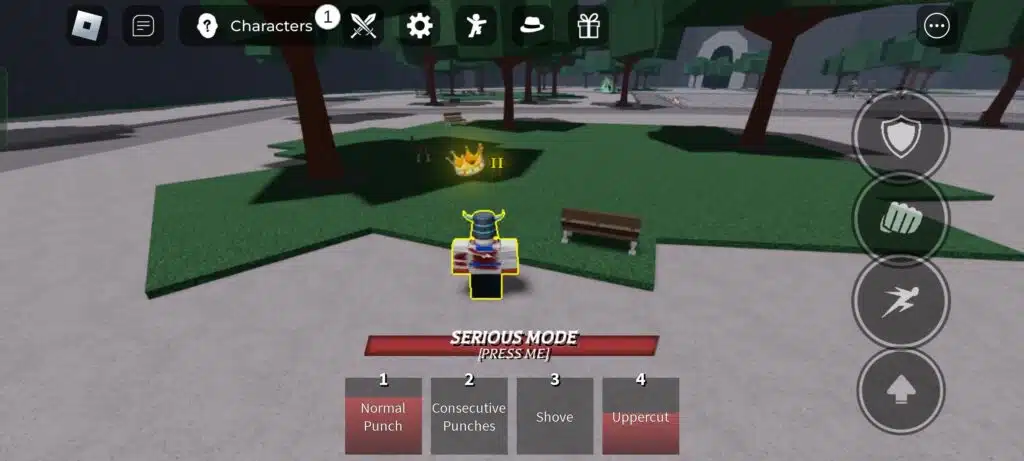
In The Strongest Battlegrounds, this feature is mainly used for custom kill sounds. That means your selected audio plays when you successfully eliminate another player.
What is a kill sound ID?
A kill sound ID is the numerical identifier associated with a Roblox audio asset. Players can enter these numbers into games that support custom kill sounds. The Strongest Battlegrounds is one of the Roblox fighting experiences that offers this feature.
Some players prefer dramatic sounds, while others choose funny memes or recognizable gaming effects.
This is why The Strongest Battlegrounds kill sound IDs have become a popular customization feature within the community.
Do all Roblox audio IDs work?
No. An audio ID existing on Roblox does not automatically mean it will work as a kill sound.
Audio can become unavailable because it was removed, made private, moderated, or changed by its creator. The game itself may also stop accepting a particular asset.
Therefore, Roblox Strongest Battlegrounds Sound ID Codes should always be treated as potentially changeable.
If one code no longer works, simply test another option from the list.
Best Strongest Battlegrounds Kill Sound IDs
There are hundreds of possible sounds, but some are better suited to quick eliminations than others.
The following selection includes meme sounds, game effects, dramatic clips, and other popular options currently listed for The Strongest Battlegrounds in 2026.
Funny and meme sound IDs
Funny sounds are perfect if you want your eliminations to feel less serious. Here are several best Strongest Battlegrounds kill sounds to try:
|
Sound |
|
|
Bruh |
6349641063 |
|
Emotional Damage |
9083355768 |
|
Fart |
4809574295 |
|
You Are an Idiot |
3200130016 |
|
Wait A Minute |
6545189687 |
|
Whole Crowd Laughing |
139711563713822 |
|
Plankton Snoring |
75730845492004 |
|
Bird Meme |
15704325502 |
|
Ah Nope!!!! |
5304557205 |
|
Man, Shut Up! |
9064673560 |
|
You Going to Cry? |
8649450925 |
|
Another Fatherless Child |
8235260386 |
These codes are useful if you want a short audio punchline after winning a fight.
However, Roblox audio availability changes, so a code that works today may not remain available indefinitely.
Gaming-inspired kill sounds
Gaming references are another good fit for The Strongest Battlegrounds.
Players familiar with other titles may recognize several of these Roblox kill sound ID codes:
|
Sound |
Roblox Sound ID |
|
CS GO |
7269900245 |
|
Team Fortress 2 |
2866718318 |
|
Ultra Kill |
937885646 |
|
Pac-Man Death |
132366334 |
|
MM2 Win Sound |
7187643697 |
|
Garry's Mod |
6646870890 |
|
Arsenal |
78304589786200 |
|
Head Shot |
8974751426 |
|
Windows XP |
6345884580 |
|
Windows Crash |
2661731024 |
|
Ender Pearl |
105510900575316 |
|
Garden Warfare |
116798227537657 |
A short, recognizable sound usually works better than a long audio clip because it does not interrupt the flow of combat.
That makes classic gaming effects particularly effective as kill sounds.
Strongest Battlegrounds Sound Codes for Anime Fans
The Strongest Battlegrounds has a combat style heavily influenced by anime action, so anime-related audio fits naturally into many fights.
Several current sound lists include effects and voice clips inspired by popular anime culture.
Anime-inspired IDs to try
If anime-style effects match your character, consider these Strongest Battlegrounds sound codes:
|
Sound |
Roblox Sound ID |
|
Anime Laugh |
82719020266339 |
|
Ara Ara |
8233569802 |
|
Gambare Gambare |
6649017583 |
|
Naruto Pain! |
5951474720 |
|
Gear Second |
1665180217 |
|
One Piece Does Exist |
5793681247 |
|
Gojo from Wish |
9117321903 |
|
Miwa |
138209454579679 |
|
Judgement Kill |
89753661936156 |
|
Maliketh |
117616066656065 |
Some names are community labels rather than official names from their original franchises.
Therefore, treat the list as a way to discover sounds rather than as an official catalog of licensed audio.
Choose short sounds for combat
A good kill sound should be easy to recognize without becoming distracting.
Long audio clips can overlap with combat, movement, or another elimination.
For that reason, consider sounds that:
- Start immediately;
- Have a recognizable first second;
- Are not excessively loud;
- Fit your character style;
- Remain understandable during combat.
The goal is to make your eliminations memorable without making every fight harder to follow.
More Roblox Kill Sound ID Codes to Try
If memes and anime effects are not enough, there are many additional options available. Current 2026 lists include more than 100 IDs associated with The Strongest Battlegrounds, giving players plenty of room to experiment.
Dramatic and combat sound IDs
These sounds can add more impact to eliminations:
|
Sound |
Roblox Sound ID |
|
Explosion |
112678203671384 |
|
Blood Splash |
5700183626 |
|
Breaking Mirror |
8378549872 |
|
Finishing Blow |
7118312248 |
|
Nuke Incoming |
6435404036 |
|
Slice |
7727945686 |
|
Gong |
122119501933578 |
|
Death |
8508727445 |
|
Drop Dead |
4702564143 |
|
Welcome to the Shadow Realm |
7345224995 |
|
Toxicity! |
7355090174 |
|
Boom Headshot Meme |
7361085557 |
These Roblox kill sound ID codes work especially well for players who prefer a more dramatic finish.
Again, availability can change because Roblox audio assets are not permanently guaranteed.
Weird and unusual sounds
Sometimes the best kill sound is simply something unexpected. Try options such as:
- 6286038151 – Birb;
- 6087891128 – Toilet Fart;
- 130783046 – Godzilla;
- 18331725459 – Har Har Har;
- 8395383233 – Lego Brick Breaking;
- 8227660256 – Snoring;
- 430285057 – Chomp;
- 83183602057306 – Drain Pipe;
- 147722165 – Poof;
- 792323017 – Alarm.
Unexpected sounds can make the moment funnier because your opponent has no idea what is about to play.
That is one reason Roblox Strongest Battlegrounds Sound ID Codes remain such a popular customization option.
How to Use Sound IDs in The Strongest Battlegrounds
Knowing which IDs you want is only half the process.
You also need access to the custom kill sound feature before entering a code.
Unlock the kill sound feature
Current guides report that The Strongest Battlegrounds requires players to purchase the Kill Sound Game Pass before custom IDs can be used. The listed price in February 2026 was 199 Robux, although Game Pass pricing can change.
The general process for how to use sound IDs in The Strongest Battlegrounds is:
- Open The Strongest Battlegrounds.
- Enter the game.
- Open the Settings menu.
- Find the Customize Kill Sound option.
- Purchase the required Game Pass if you do not already own it.
- Return to the customization option.
- Enter or paste your preferred audio ID.
- Save the selection.
- Test it during gameplay.
Copying and pasting the ID is usually safer than entering a long number manually. One incorrect digit will prevent the intended sound from loading.
Test your new sound
After entering the ID, test it in normal gameplay. If nothing plays when you eliminate another player, return to the settings menu and confirm that the number was entered correctly.
If the ID is correct but still does not work, the audio may no longer be available.
In that situation, choose another code. This does not necessarily mean there is a problem with your account or Game Pass.
Why Strongest Battlegrounds Sound Codes Stop Working
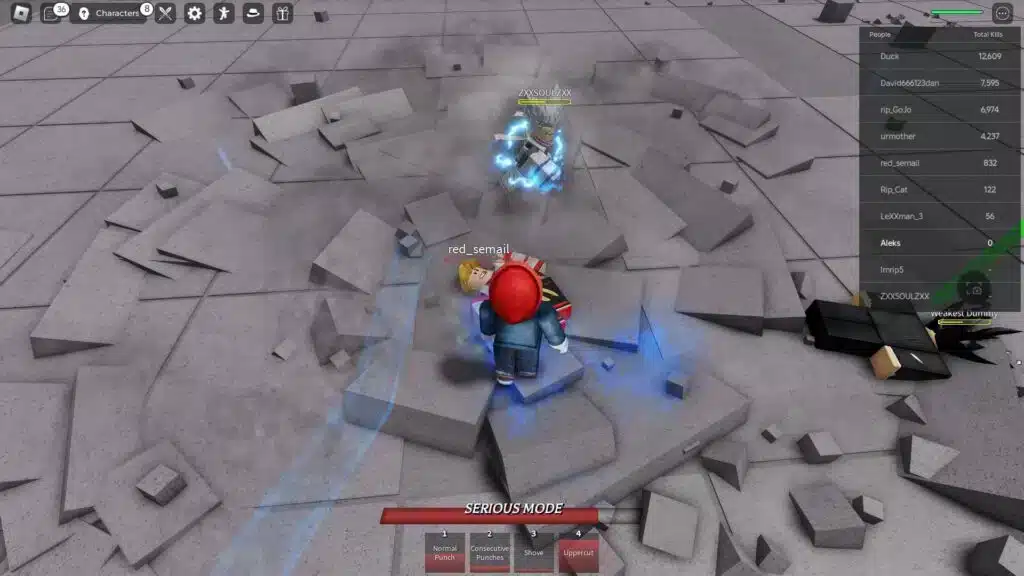
One of the most common frustrations with custom Roblox audio is finding an ID online that no longer works.
There are several reasons this can happen.
Roblox audio availability can change
Roblox audio assets are controlled by platform rules and asset permissions. A sound may stop working because:
- The audio was removed;
- The asset became private;
- The creator changed its permissions;
- Roblox moderated the audio;
- The experience no longer accepts that asset;
- The ID was copied incorrectly.
For this reason, even lists of The Strongest Battlegrounds kill sound IDs need occasional updates.
A broken ID should not be considered permanent evidence that the entire feature is unavailable.
Try another active ID
The easiest troubleshooting method is to test a different known ID. If another sound works, your Game Pass and customization settings are probably fine.
Use this simple checklist:
- Copy the ID again.
- Check for accidental spaces.
- Test another sound.
- Reopen the customization menu.
- Restart the Roblox experience.
- Check whether other players report the same audio as unavailable.
This is much faster than reinstalling Roblox for a problem caused by one audio asset.
How to Find More Strongest Battlegrounds Sound Codes
The available list is much larger than the examples above. Players who want something more unique can search for other Roblox audio IDs and test them in compatible experiences.
Browse Roblox audio assets
Roblox's creator ecosystem contains audio assets with numerical IDs. Current guides also recommend browsing Roblox's audio library when searching for additional kill sounds.
When selecting an audio clip, prioritize:
- Short effects;
- Clear audio;
- Appropriate volume;
- Recognizable openings;
- Sounds that comply with Roblox rules.
Not every audio asset will necessarily work in The Strongest Battlegrounds. Still, experimenting can help you find a sound that is less common than the most popular IDs.
Save your favorite IDs
If you frequently change sounds, create a small list of favorites. You can organize them into categories such as:
- Funny;
- Anime;
- Gaming;
- Dramatic;
- Meme;
- Retro.
This makes it easier to switch styles without repeatedly searching for the same Roblox Strongest Battlegrounds Sound ID Codes.
It can also help when one of your favorite sounds becomes unavailable.
Best Strongest Battlegrounds Kill Sounds for Different Styles
There is no single best sound for every player. The right choice depends more on the reaction you want than on the sound itself.
Pick a sound that matches your style
If you prefer funny gameplay, try meme effects such as Bruh or Emotional Damage. If you want something more dramatic, choose an explosion, headshot, or finishing-blow effect.
Anime fans may prefer character-inspired voice lines, while longtime gamers may enjoy retro sounds such as Pac-Man Death or classic Windows effects.
Here is a quick guide:
|
Style |
Good Sound Choices |
|
Funny |
Bruh, Fart, Snoring |
|
Dramatic |
Explosion, Finishing Blow, Head Shot |
|
Anime |
Anime Laugh, Gambare Gambare, Gear Second |
|
Gaming |
CS GO, Ultra Kill, Team Fortress 2 |
|
Retro |
Pac-Man Death, Windows XP |
|
Meme |
Emotional Damage, You Are an Idiot |
The best Strongest Battlegrounds kill sounds are ultimately the ones you enjoy hearing repeatedly.
Avoid sounds that become annoying
Remember that you may hear your kill sound many times during a session. Something hilarious the first time can become irritating after dozens of eliminations.
Short sounds generally age better. You can also rotate between several Roblox Strongest Battlegrounds Sound ID Codes whenever your current choice starts feeling repetitive.
FAQ
Here are quick answers to common questions about custom sound IDs in The Strongest Battlegrounds.
What are Roblox Strongest Battlegrounds Sound ID Codes?
Roblox Strongest Battlegrounds Sound ID Codes are numeric Roblox audio IDs used to customize the sound that plays when you eliminate another player.
How do you use kill sound IDs in The Strongest Battlegrounds?
Open Settings, access the custom Kill Sound feature, and enter a valid audio ID. The feature currently requires its corresponding Game Pass.
What are the best Strongest Battlegrounds kill sounds?
Popular choices include Bruh, Emotional Damage, Ultra Kill, Head Shot, Pac-Man Death, anime effects, memes, and other short gaming sounds.
Why is my Strongest Battlegrounds sound ID not working?
The ID may be incorrect, removed, private, moderated, or no longer supported. Test another active ID to determine whether the problem is specific to that sound.
Can I use any Roblox sound ID in The Strongest Battlegrounds?
Not necessarily. An audio asset must remain available and compatible with the game's custom kill sound system to work correctly.
Do Strongest Battlegrounds kill sounds cost Robux?
Current 2026 guides list the custom Kill Sound feature as requiring a Game Pass priced at 199 Robux, although Roblox prices can change.
Enjoy Roblox Strongest Battlegrounds Sound ID Codes With ExitLag
Once you have chosen your favorite Roblox Strongest Battlegrounds Sound ID Codes, you can focus on combos, movement, timing, and battles. If latency, packet loss, or unstable network routing affects your online matches, ExitLag can help optimize your connection route for supported Roblox gameplay.
ExitLag focuses on gaming connection optimization rather than changing your location like a traditional VPN, helping improve routing when network instability is part of the problem.
Try ExitLag and optimize your connection for smoother battles in The Strongest Battlegrounds!