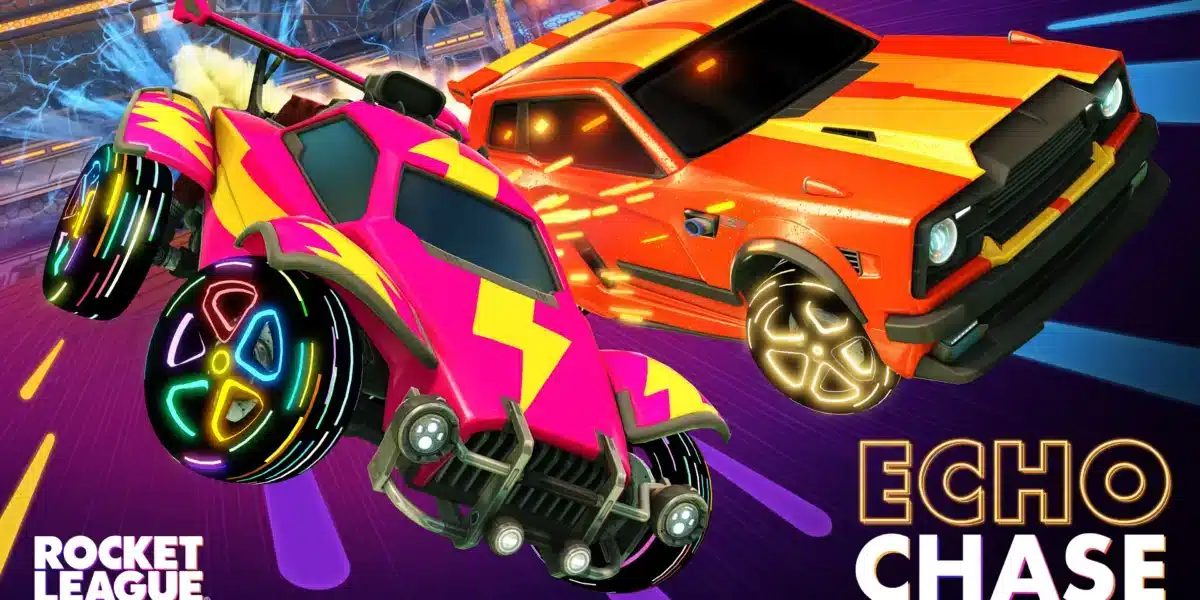
Rocket League Battle Cars are the vehicle-characters of the game: each car body has a distinct hitbox shape, visual profile, and visual design that players equip before matches. The term “Battle Cars” refers to the vehicle roster, which has grown from seven cars at launch in 2015 to over 70 distinct car bodies available in 2026 through purchase, event rewards, and crossover partnerships.

What Are the Differences Between Rocket League on Different Platforms?
Rocket League is available on PC (Epic Games Store and legacy Steam), PlayStation 4 and 5, Xbox One and Series X/S, and Nintendo Switch. Key differences between versions:
| Platform | Performance | Crossplay | Notes |
| PC (Epic) | Best (no frame cap) | Yes | Primary platform for competitive players |
| PC (Steam) | Best (no frame cap) | Yes | Legacy access only; no new accounts |
| PlayStation 5 | 120fps supported | Yes | Enhanced performance mode available |
| PlayStation 4 | 60fps | Yes | Standard performance |
| Xbox Series X/S | 120fps supported | Yes | Enhanced mode available |
| Xbox One | 60fps | Yes | Standard performance |
| Nintendo Switch | 30fps | Yes | Portable but reduced resolution and frame rate |
Full cross-platform play (crossplay) is enabled by default across all platforms. PC players, PlayStation players, Xbox players, and Switch players all compete in the same matchmaking pools.
Is Rocket League on PS3?
No. Rocket League has never been released for PlayStation 3 or Xbox 360. It launched on PlayStation 4 and PC in 2015 and was designed for the then-current generation of hardware. The PS3 version of the game’s spiritual predecessor, Supersonic Acrobatic Rocket-Powered Battle-Cars (SARPBC), was released on PlayStation 3 in 2008 through the PlayStation Network.
SARPBC is the direct precursor to Rocket League, developed by the same Psyonix team. It established the rocket-powered car soccer concept that Rocket League later refined and expanded. SARPBC is no longer available for download but existing owners who downloaded it before the PS3 PSN closure can still access it.
Popular Mods and Customizations for Rocket League
BakkesMod
BakkesMod is the most widely used Rocket League mod tool. It is not an officially sanctioned mod but is tolerated by Psyonix because it does not provide competitive advantages in online play. BakkesMod functions exclusively in local play and training modes.
BakkesMod features:
- Free Play enhancements: Ball prediction display, aerial training speed adjustment, and unlimited ball spawning
- Car visualization: Preview any car body, decal, wheels, and color combination before purchasing
- Workshop map support: Load community-created training maps for specific skill development (aerial training, dribbling courses, wall challenge maps)
- Training pack creation: Build custom shot sequences for personal practice
- Plugin ecosystem: Community-created plugins extend functionality for specific training scenarios
BakkesMod is free to download from bakkesmod.com and is compatible with Windows PC only.
Rocket League Workshop Maps
Community-created Workshop maps provide specialized training environments that the default game does not offer:
- Aerial Training maps: Specific aerial shot sequences for developing air control
- Dribbling Challenges: Ball-on-roof control courses with timing challenges
- Musty’s Shot Pack: One of the most downloaded community shot training collections
- JohnnyBoi_i’s Custom Maps: Collection including training and fun game modes
Workshop maps are accessed through BakkesMod’s map loader, not through the game’s built-in systems.
Official In-Game Customization
Within Rocket League’s official systems, car customization includes:
- Car body: Over 70 distinct vehicle bodies with different hitbox profiles
- Decals: Paint jobs applied to car bodies
- Wheels: Hundreds of wheel designs in multiple rarity tiers
- Boost effects: Visual and audio customization of the rocket exhaust
- Goal explosions: Custom effects when you score a goal
- Antennas, toppers, banners: Additional decorative items
- Player banners and titles: Text-based identity items visible in lobbies
Pro Tips: Rocket League Customization
- Hitbox matters more than aesthetics: Different car bodies have different hitbox shapes (Octane, Dominus, Plank, Hybrid types). The hitbox determines how the ball interacts with your car more than the visual model does. Choose your car based on hitbox type, then customize its appearance.
- Use BakkesMod’s preview mode before purchasing: The car visualization feature in BakkesMod lets you preview exact combinations before spending credits or real money in the official shop.
- Workshop maps improve specific skills faster than ranked: Aerial mechanics trained in isolation on Workshop maps develop faster than the same skills would in ranked play where match pressure prevents deliberate focus.
Common Mistakes When Customizing Rocket League
- Buying a car body based on looks without checking its hitbox: Players who switch between cars with different hitbox types (such as Octane to Dominus) often notice their ball touch accuracy decreasing because they have trained muscle memory for a different hitbox shape. Fix: Choose one hitbox type and stick with it until your mechanics are fully developed on that profile.
- Not using BakkesMod Workshop maps for aerial training: Ranked matches do not isolate aerial mechanics enough for deliberate practice. Fix: Spend dedicated sessions in Workshop aerial maps before expecting aerial skills to appear naturally in ranked.
Play Rocket League on Every Platform with ExitLag
Regardless of which platform you play on, ExitLag optimizes your connection to Psyonix servers for smoother gameplay.
ExitLag is available for PC. It selects the fastest, most stable route to Rocket League’s game servers in real time.
Download ExitLag and try it free.
All game names and trademarks belong to Psyonix and Epic Games. Used for informational purposes only.
Got questions or want to connect with other players? Join the conversation at the ExitLag Forum!