

Rocket League Middle East Servers players have reported connection problems throughout 2026, including high ping, unstable matches, and unexpected latency increases. The complaints became particularly noticeable in March, when players from Saudi Arabia, the United Arab Emirates, and neighboring countries reported deteriorating connections.
However, the situation is more complicated than a regional server outage. Some players report smooth matches with low latency, followed by games exceeding 100 ms, despite selecting the same matchmaking region.
The difference is frequently associated with server identifiers such as ME4 and ME6. So, what is happening to the Rocket League Middle East servers, and why does connection quality change between matches?
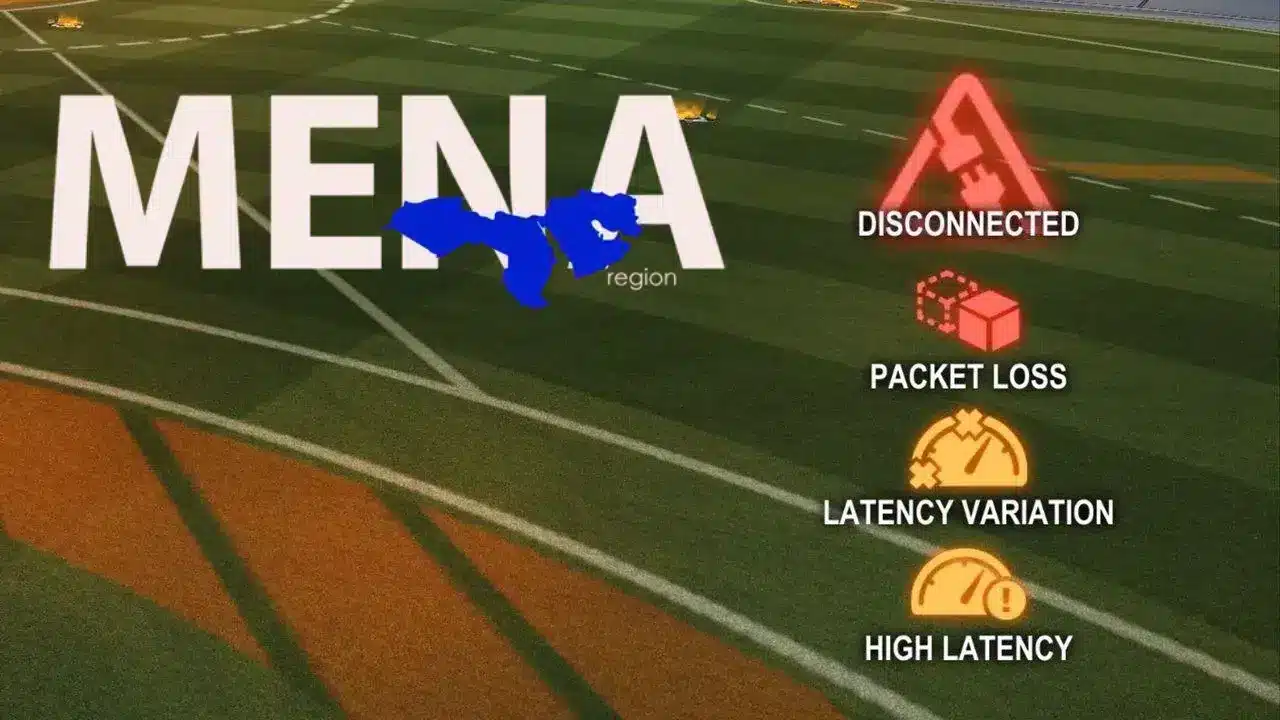 Reports of Rocket League Middle East high ping increased during March 2026.
On March 25, players on Reddit described sudden latency increases, including previously stable connections exceeding 100 ms.
These complaints appeared during a period of broader regional infrastructure disruptions.
However, the available evidence does not establish that every Rocket League connection problem originated from AWS infrastructure.
The situation continued evolving throughout the following months.
On May 8, an update shared by Rocket League's status account announced adjustments to a regional server location.
The announcement suggested that many players could experience lower latency following the changes.
Nevertheless, community feedback remained mixed.
In a May 26 discussion, one player reported that their previous 7–20 ms connection had increased to approximately 90–130 ms on ME6.
Similar complaints appeared in August and September, particularly regarding differences between ME4 and ME6.
These figures represent individual experiences, not official regional latency averages.
Reports of Rocket League Middle East high ping increased during March 2026.
On March 25, players on Reddit described sudden latency increases, including previously stable connections exceeding 100 ms.
These complaints appeared during a period of broader regional infrastructure disruptions.
However, the available evidence does not establish that every Rocket League connection problem originated from AWS infrastructure.
The situation continued evolving throughout the following months.
On May 8, an update shared by Rocket League's status account announced adjustments to a regional server location.
The announcement suggested that many players could experience lower latency following the changes.
Nevertheless, community feedback remained mixed.
In a May 26 discussion, one player reported that their previous 7–20 ms connection had increased to approximately 90–130 ms on ME6.
Similar complaints appeared in August and September, particularly regarding differences between ME4 and ME6.
These figures represent individual experiences, not official regional latency averages.
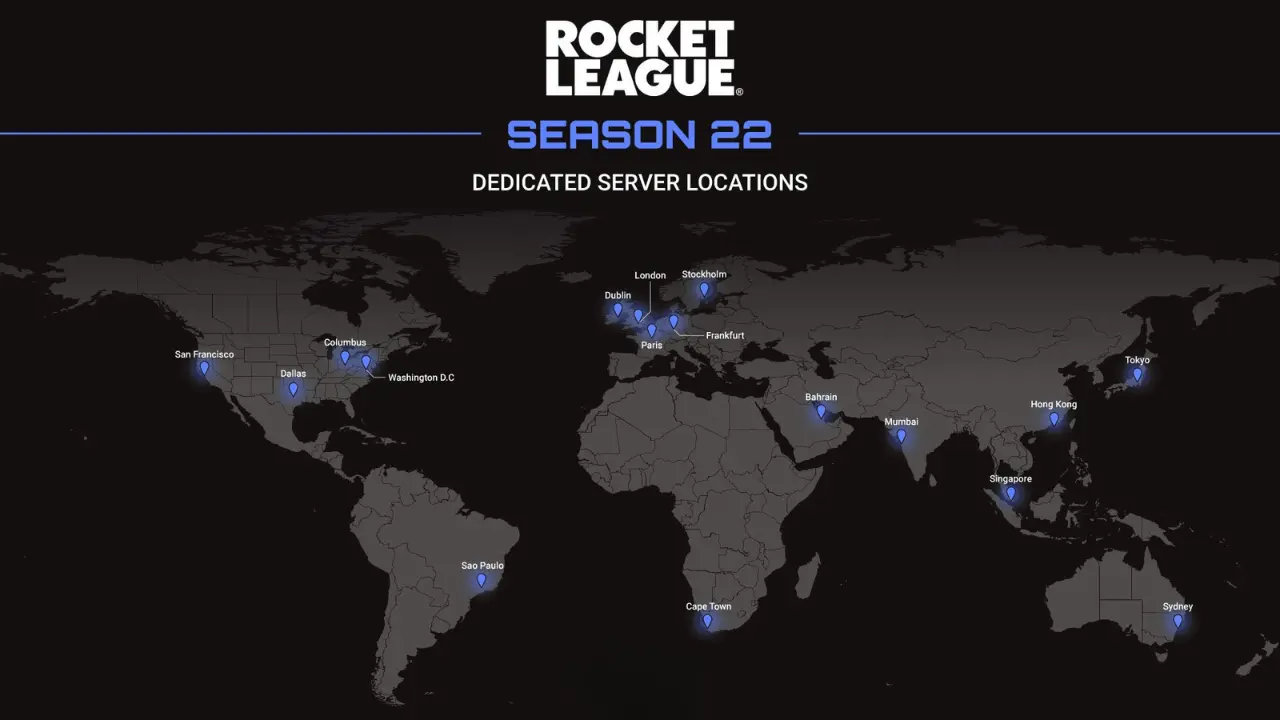 Rocket League offers several matchmaking regions, including Middle East (ME), Europe (EU), and India (IND).
According to Epic Games, choosing a nearby region generally provides better connectivity.
However, the Middle East designation does not identify a single publicly confirmed physical server location.
Players have reported different server identifiers within this region, including:
Rocket League offers several matchmaking regions, including Middle East (ME), Europe (EU), and India (IND).
According to Epic Games, choosing a nearby region generally provides better connectivity.
However, the Middle East designation does not identify a single publicly confirmed physical server location.
Players have reported different server identifiers within this region, including:
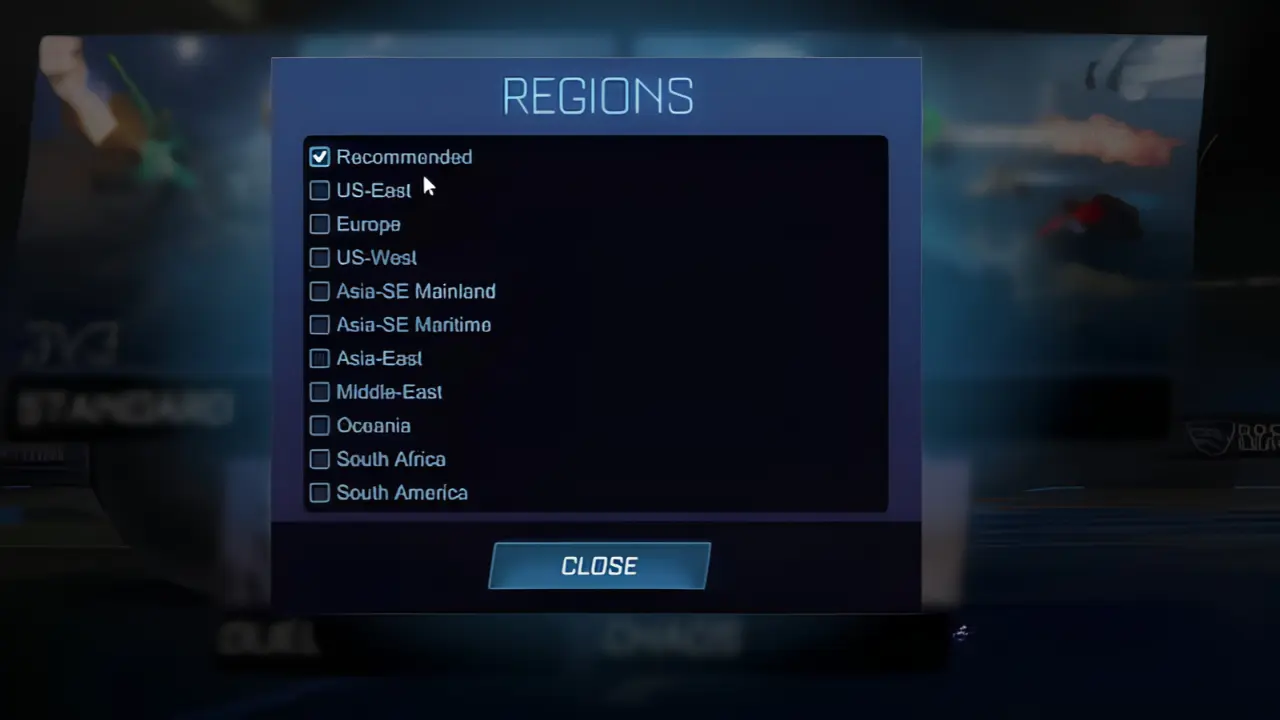 Rocket League allows players to change their matchmaking region through different menus.
The process depends on the selected game mode.
Rocket League allows players to change their matchmaking region through different menus.
The process depends on the selected game mode.
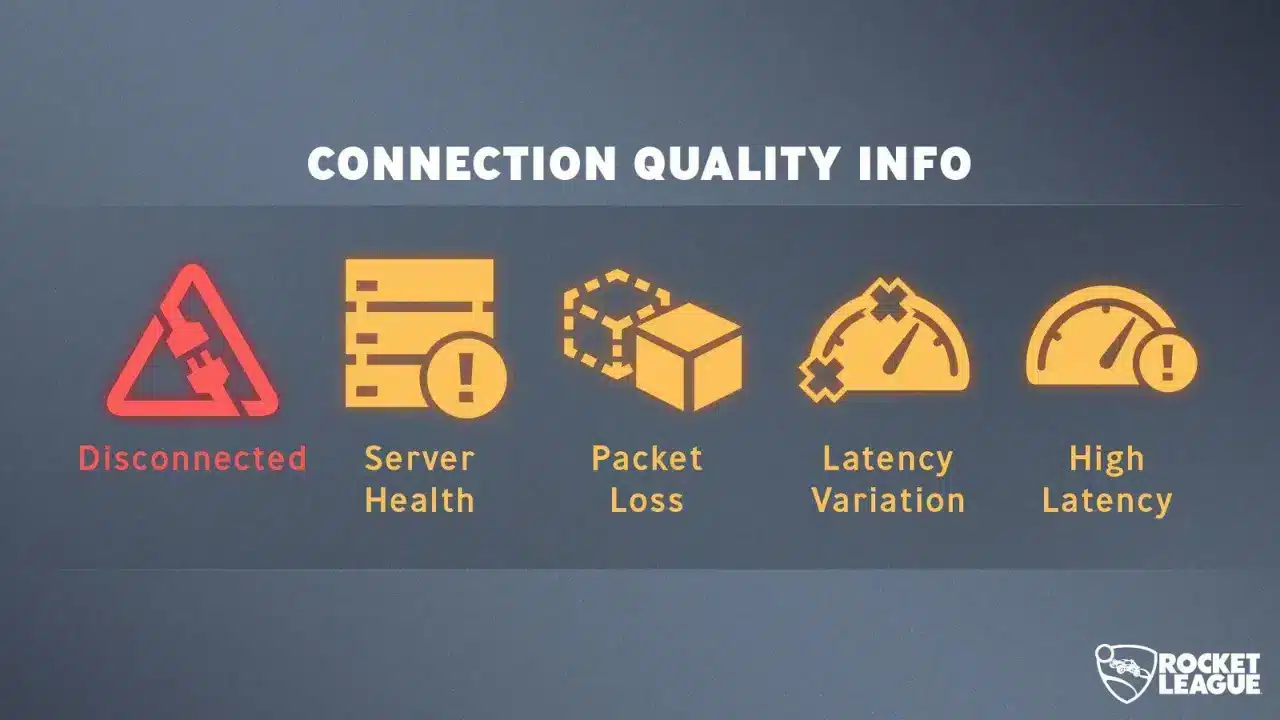 Rocket League includes five official Connection Quality Indicators.
Players can enable them through Settings > Interface > Connection Quality Indicators.
Each warning describes a different connection problem.
Rocket League includes five official Connection Quality Indicators.
Players can enable them through Settings > Interface > Connection Quality Indicators.
Each warning describes a different connection problem.
Understanding these warnings is particularly important when investigating Rocket League packet loss in the Middle East.
For example, consistently high ping may indicate geographical distance or inefficient routing.
Latency Variation suggests an unstable connection, even if the average ping appears acceptable.
Meanwhile, Server Health points toward problems with the match server itself.
PC players can also enable Network Graphs through the Interface settings.
These graphs display additional statistics, including latency and incoming or outgoing packet loss.
Epic explains these features in its official network diagnostics guide.
What Is Happening to Rocket League Middle East Servers?
Reports of Rocket League Middle East high ping increased during March 2026.
On March 25, players on Reddit described sudden latency increases, including previously stable connections exceeding 100 ms.
These complaints appeared during a period of broader regional infrastructure disruptions.
However, the available evidence does not establish that every Rocket League connection problem originated from AWS infrastructure.
The situation continued evolving throughout the following months.
On May 8, an update shared by Rocket League's status account announced adjustments to a regional server location.
The announcement suggested that many players could experience lower latency following the changes.
Nevertheless, community feedback remained mixed.
In a May 26 discussion, one player reported that their previous 7–20 ms connection had increased to approximately 90–130 ms on ME6.
Similar complaints appeared in August and September, particularly regarding differences between ME4 and ME6.
These figures represent individual experiences, not official regional latency averages.
Are Rocket League Middle East servers down right now?
As of October 20, 2026, the Epic Games Public Status page lists Rocket League services, including matchmaking, as operational. However, this does not guarantee that every regional match has optimal performance. Players should distinguish between service-wide outages, individual server problems, and unstable network connections.Where Are Rocket League Middle East Servers Located?
Rocket League offers several matchmaking regions, including Middle East (ME), Europe (EU), and India (IND).
According to Epic Games, choosing a nearby region generally provides better connectivity.
However, the Middle East designation does not identify a single publicly confirmed physical server location.
Players have reported different server identifiers within this region, including:
- ME2: Mentioned in April community discussions about improved latency in certain matches.
- ME3: Associated with high latency in some earlier player reports.
- ME4: Frequently described as providing better connections for some Gulf players.
- ME6: Repeatedly mentioned in complaints about elevated ping throughout 2026.
Why is the Rocket League ME6 server causing complaints?
The Rocket League ME6 server has become a recurring subject of community discussions. In September 2026, one player described receiving approximately 20–30 ms on one Middle East server and over 150 ms on another. The complaint also requested more control over matchmaking subregions. Although these experiences suggest significant differences between matches, they do not prove that ME6 performs poorly for every player.Why Do Some Rocket League Matches Have Higher Ping?
Selecting Middle East does not guarantee identical network conditions in every match. Several factors can explain why players experience different latency values. Different server destinations: Matchmaking may connect players to different servers within the selected region. ISP routing: Internet providers determine how traffic reaches its destination. Some routes may be considerably longer or less efficient. Network congestion: High traffic during peak hours can increase latency and packet loss. Server performance: Individual servers may experience technical problems even when the broader service remains operational. These factors help explain why Rocket League Saudi Arabia ping can change between consecutive matches. For example, a player could experience 30 ms in one match and over 100 ms in another. However, this difference alone cannot identify the underlying cause. A comparison between server identifiers, network indicators, and local connection conditions provides more useful information.How to Choose the Best Rocket League Region
Rocket League allows players to change their matchmaking region through different menus.
The process depends on the selected game mode.
Casual and Competitive matches
- Open Rocket League and select Play.
- Choose Casual or Competitive.
- Select Regions in the upper-right corner.
- Choose Middle East (ME), another region, or Recommended.
Tournaments and Private Matches
Tournament regions use a separate configuration. Open Settings, select Gameplay, and locate Tournament Schedule Region. Epic limits tournament region changes to once every 24 hours. Changes are also restricted near the end of a selected tournament. For Private Matches, open Play > Custom Games > Private Match > Create Private Match. Then select the preferred region. Importantly, choosing Middle East does not allow players to select ME4 or ME6 individually through the standard region menu.How to Identify High Latency, Packet Loss and Latency Variation
Rocket League includes five official Connection Quality Indicators.
Players can enable them through Settings > Interface > Connection Quality Indicators.
Each warning describes a different connection problem.
| Indicator | What it means |
| High Latency | High ping between the player and server |
| Latency Variation | Ping fluctuates instead of remaining stable |
| Packet Loss | Information traveling between the player and server is lost |
| Server Health | The game server is experiencing technical problems |
| Disconnected | The connection to the game servers has been lost |
How to Fix Rocket League High Ping in the Middle East
If your Rocket League connection remains unstable, begin by identifying whether the issue originates locally, along the network route, or at the server.1. Check server status and matchmaking region
Visit the Epic Games status page before changing network settings. If an official outage affects matchmaking, local troubleshooting cannot restore unavailable services. Otherwise, verify that your selected region is appropriate. Players in Saudi Arabia should begin by testing Middle East, followed by other available regions when necessary.2. Improve your local connection
Epic recommends several basic troubleshooting steps:- Use a wired Ethernet connection when possible.
- Restart your router and modem.
- Pause downloads and background updates.
- Reduce simultaneous network usage.
- Check whether other online games experience similar problems.


