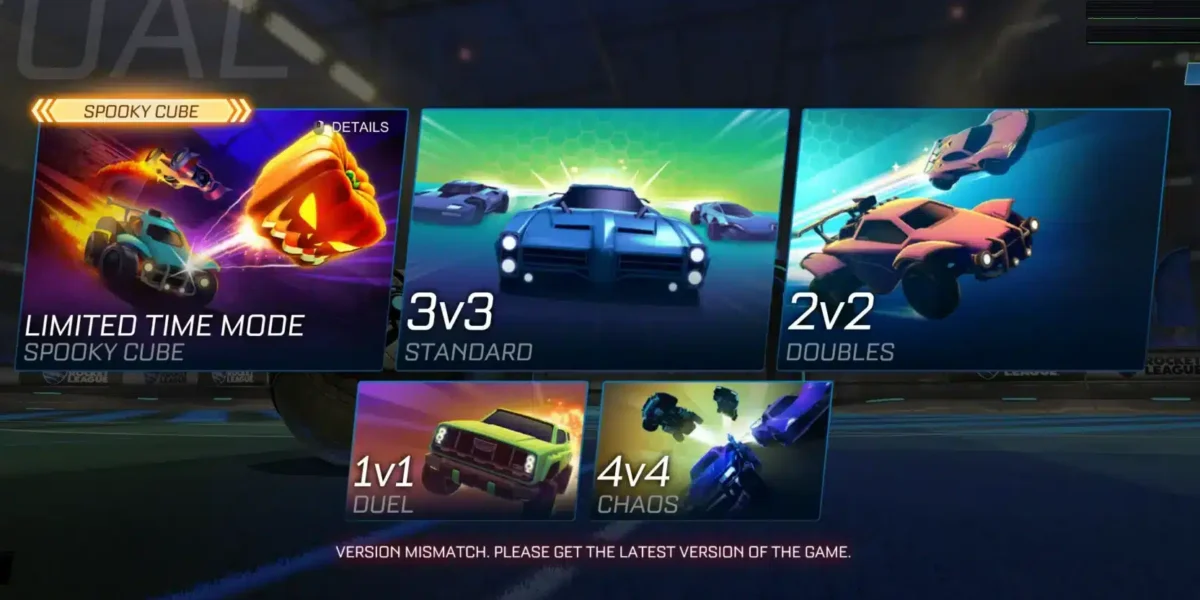
Few things are more frustrating than missing an open goal, losing a 50/50, or watching your car teleport mid-air because of Rocket League high ping. Above all, when Rocket League suffers from high ping, every dash, aerial, and flip reset feels unpredictable, making ranked matches unfair and casual play inconsistent. In advance, this guide breaks down why these spikes occur and how advanced tools supported by the games list help fix lag.

What is high ping in Rocket League?
At first, understanding Rocket League high ping is essential before applying any fix. Ping measures the time (milliseconds) it takes for data packets to travel between your device and the game servers. The higher the ping value, the longer your commands take to register. This delay leads to slow reactions, mistimed jumps, inaccurate touches, and unpredictable car movement.
Even more, ping is not only about internet speed. Often, the problem stems from unstable latency, long routing paths, or congested network hops chosen automatically by your ISP. Like this, you can have excellent broadband speed and still suffer from severe Rocket League latency due to inefficient routing.
In summary, Rocket League high ping is the delay between your action and the server’s response. This delay heavily impacts your mechanical precision and overall performance during matches.
How high ping affects gameplay in Rocket League
Soon after high ping appears, Rocket League becomes unpredictable and difficult to control. Car physics become inconsistent, and timing-based plays lose accuracy.
Here are the most common effects:
- Delayed hit registration on shots and aerials
- Severe rubberbanding during fast movement
- Random disconnections in competitive matches
- Huge competitive disadvantage in ranked
- Slow or delayed kickoff reactions
- Missed aerials due to desynced timing
Aerial mechanics and precision
First of all, Rocket League relies on perfect timing and quick reactions. In the same way, high ping causes delayed jumps, inconsistent air rolls, and misaligned shots. As a result, players struggle with air dribbles, flip resets, and redirects.
Movement speed, positioning, and timing
From the same point of view, lag Rocket League issues create unpredictable car movement. Above all, rubberbanding makes it harder to control speed, rotate properly, and maintain positioning during rotations.
Main causes of high ping in Rocket League
Server distance
At first sight, the farther you are from the Rocket League servers, the longer packets take to travel. Definitely, players far from hosting regions face more Rocket League connection issues.
ISP / routing issues
According to your ISP’s routing logic, your connection may follow inefficient or unstable paths. That way, even strong internet plans experience lag Rocket League.
Network congestion
Often, too many devices at home—or regional peak-time congestion—slow down packet delivery. Consequently, ping spikes suddenly, causing unexpected Rocket League latency.
Outdated hardware
Beforehand, old routers, damaged Ethernet cables, or weak Wi-Fi signals harm overall stability and responsiveness.
Game-specific cause
Rocket League servers may become overloaded during events or updates. Temporary overload increases Rocket League high ping until traffic levels normalize.
How to check and test your ping in Rocket League
Firstly, Rocket League shows your ping directly in-game, allowing you to monitor spikes in real time. If your ping jumps from 40ms to 180ms rapidly, you’re dealing with route instability.
On the other hand, you can run OS commands like ping, tracert, or pathping to identify the precise hops where delays occur. This reveals deeper Rocket League connection issues beyond normal latency.
In conclusion, under 40ms is excellent, 40–100ms is acceptable, but above that, lag Rocket League begins to disrupt gameplay.
Ping levels classification
| Ping level | Gameplay experience |
| 0–40 ms | Excellent, responsive control |
| 40–100 ms | Playable, minor delay |
| 100–160 ms | Noticeable lag Rocket League issues |
| 160–250 ms | Significant delay, risky in ranked |
| 250+ ms | Unplayable |
Basic fixes to reduce high ping in Rocket League
Optimize local connection
- Use Ethernet instead of Wi-Fi
- Close background apps using bandwidth
- Restart router and modem
- Update network adapter drivers
- Reduce the number of connected devices
- Disable auto-downloads on game launchers
Contact your ISP
Even so, persistent ping spikes often require ISP support. They can identify line noise, routing failures, or regional instability.

Bullet list:
- Ask if your region has ongoing instability
- Request a packet-loss diagnostic
Second bullet list:
- Confirm whether your router is outdated
- Ask if alternative routes are available
Required numbered list:
- Request routing profile update
- Ask for a peak-hour connection test
- Verify international routing paths
ExitLag: the best solution to fix high ping in Rocket League
Right away, ExitLag becomes the most effective solution for stabilizing your route and eliminating the Rocket League high ping that ruins your aerials, kickoff timing, and overall responsiveness. Instead of depending on your ISP’s unstable routing decisions, ExitLag intelligently directs your traffic along the fastest and most reliable pathways, resulting in smoother matches and more accurate mechanical execution.
What is ExitLag?
In advance, ExitLag is a specialized software designed for deep connection optimization, stabilizing your route, lowering latency, and removing the bottlenecks that cause Rocket League latency. Built by gamers, ExitLag ensures your inputs translate into immediate results on the field. You can learn more about its underlying engine through the technology section.
Above all, ExitLag targets the real cause of instability: poor routing, congestion, and inconsistent packet travel—all common sources of Rocket League connection issues.
How ExitLag works
ExitLag uses five powerful optimization systems:
- Real-time route analysis
It constantly scans available connection routes, selecting only the fastest and most stable ones. - Multiple routes simultaneously
Like this, traffic is sent through multiple paths at once to prevent failures or unstable connections. - Automatic best route selection
As a result, ExitLag instantly applies the route with the lowest latency for your match. - Hop optimization
By removing unnecessary hops between you and the server, ExitLag minimizes the delays that cause lag Rocket League. - Connection stabilization
Finally, ExitLag neutralizes ping spikes and jitter, giving you consistent, predictable gameplay. You can explore all mechanisms in the how it works section.
Advantages for Rocket League players
More responsive inputs
Firstly, ExitLag reduces input delay, improving your control during dribbles, flicks, aerials, and fast recoveries.
No more rubberbanding
In the same way, stable routing prevents those sudden jumps during high-speed rotations or boost grabs that commonly occur with Rocket League latency.
Higher accuracy in 50/50s and challenges
Above all, stable ping ensures you and the server stay in sync, leading to fairer and more predictable challenge outcomes.
Better aerial consistency
As a result, aerial mechanics—flip resets, redirects, ceiling shots—become smoother and easier to time because your car responds instantly.
More reliable ranked performance
Games become predictable instead of chaotic, especially during peak hours when Rocket League connection issues are most common.
Supports hundreds of online games
You can view the full list of compatible titles in the supported games section.
Is ExitLag worth it for Rocket League?
Definitely. If you’re tired of Rocket League high ping, teleporting cars, input delay, and slow kickoff reactions, ExitLag delivers immediate, measurable improvements. This feature is especially important for competitive players looking for consistency every match. For available plans, check the pricing page.
How to use ExitLag in Rocket League
The process is extremely simple:
Step 1 – Access the official ExitLag website and download the application. There’s a free trial period for new users.
Step 2 – Install and open the program. Log in with your account.
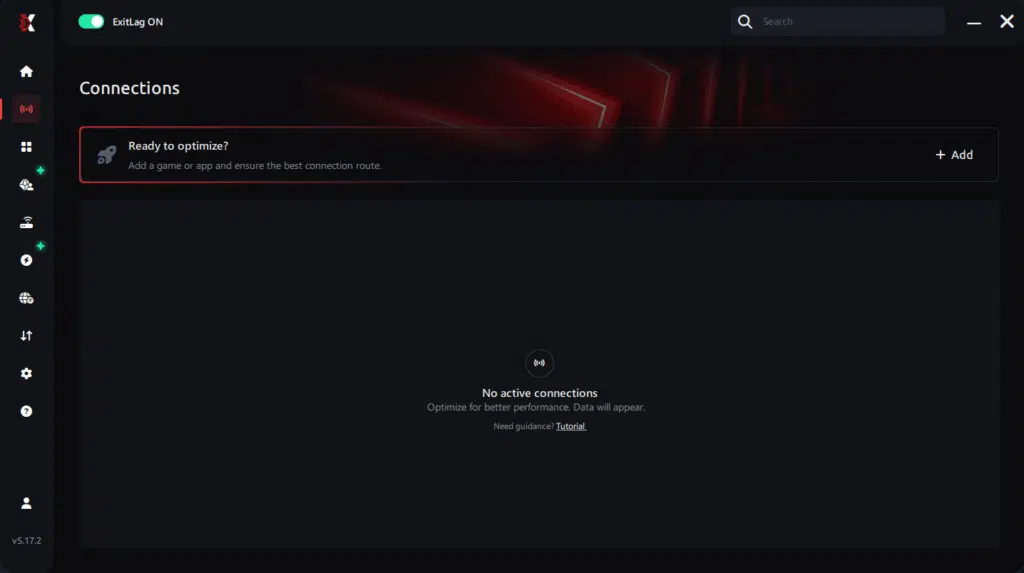
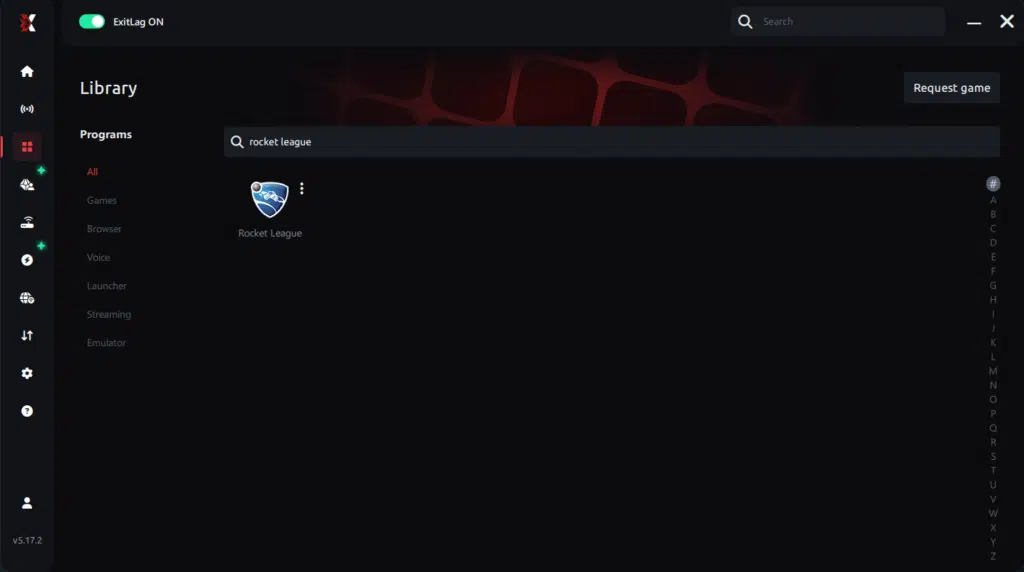
Step 3 – In the search bar, type “Rocket League” and select the game from the list.
Step 4 – Choose between automated or manual route
Based on the results, you can let ExitLag automatically select the best route or manually choose the server that showed the lowest latency for your connection.
AI-optimized automated route
Based on the results, you can let ExitLag automatically select the best route through AI optimization. The system analyzes multiple connection paths in real time and automatically identifies the most efficient route for your connection, ensuring the lowest possible latency without requiring manual choices.
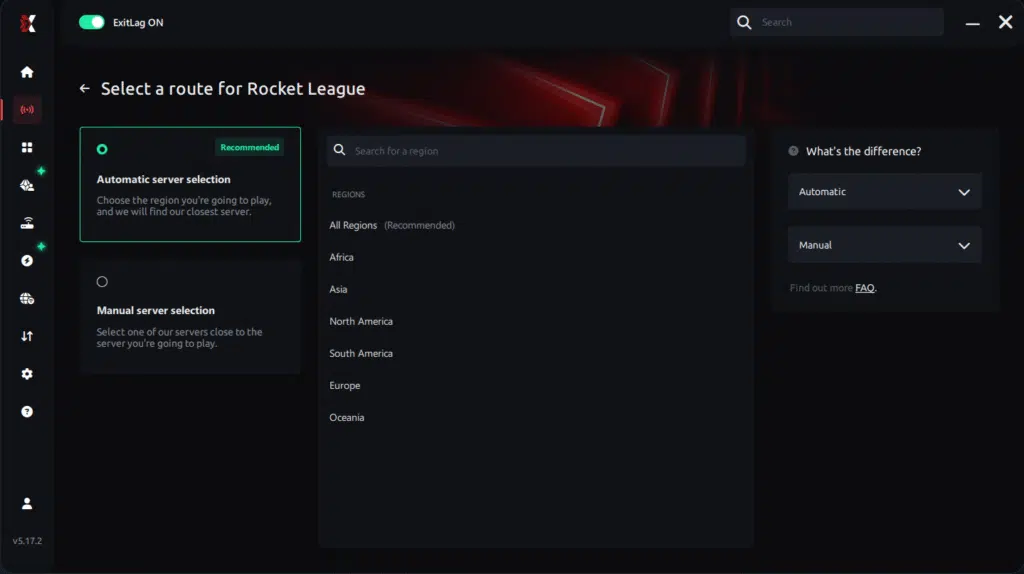
Manual route
If you prefer to have full control over your connection, you can manually choose the server based on the ping test results. Simply select the server that showed the lowest latency or the one that best meets your specific gaming needs, allowing complete customization of your experience.
Step 5 – Click “Apply routes” or the play button. ExitLag will begin optimizing your connection automatically.
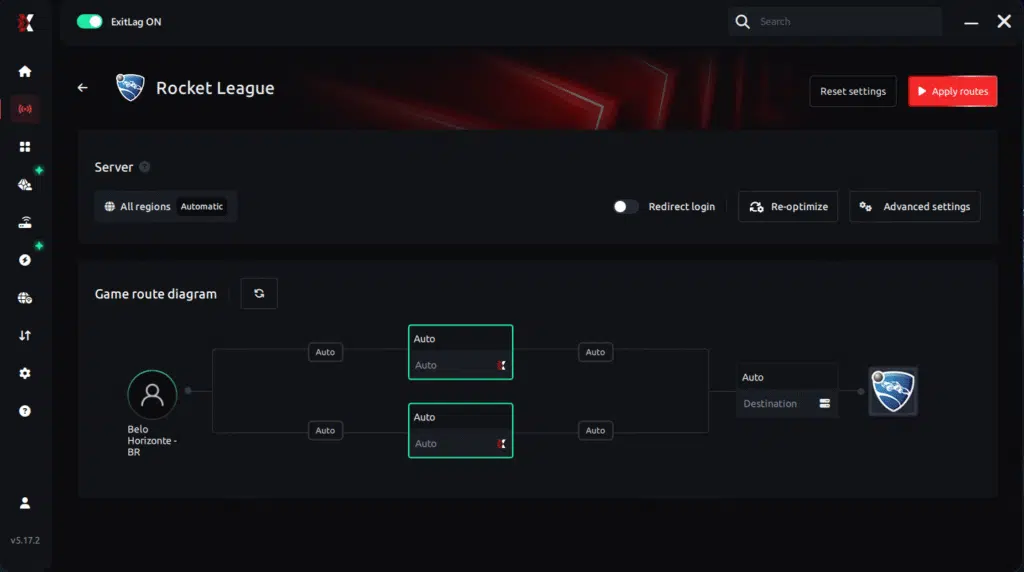
Step 6 – Wait a few seconds until optimization is complete. You’ll see ping indicators in the interface.
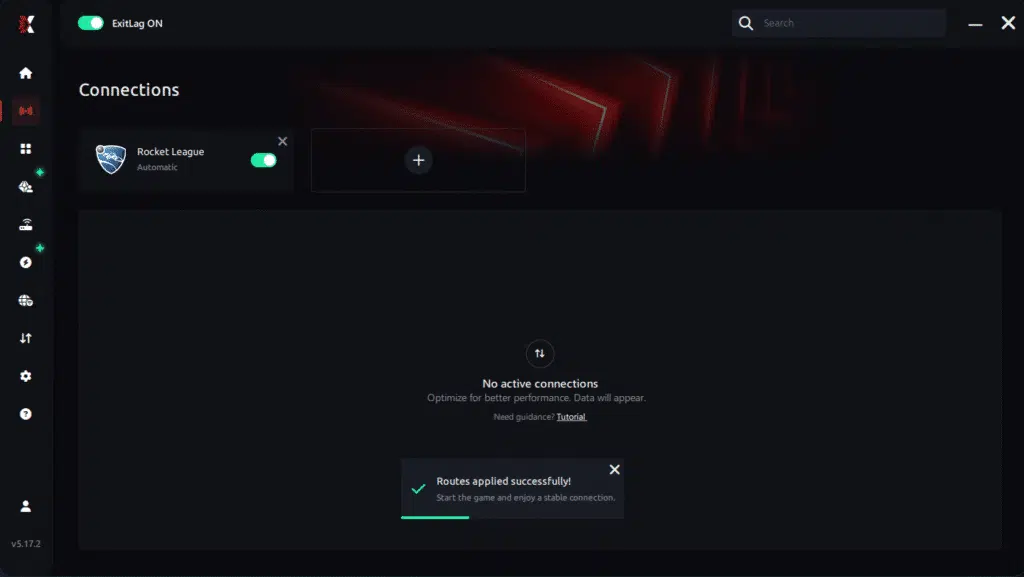
Step 7 – Launch Rocket League normally. The optimization will already be active.
ExitLag runs in the background while you play, constantly adjusting routes to maintain the best possible performance.
How to use Ping for Games: step-by-step guide (Rocket League)
Checking your connection quality before entering a match has never been easier. Here’s how to use Ping for Games in just a few steps:
1. Open the ExitLag software on your PC
Ensure the application is installed and open. The feature is integrated into the platform and available for free to all users.
2. Access the Network Analyzer tool
Locate the Network Analyzer in the software menu. This is where you’ll find Ping for Games along with other connection analysis features.
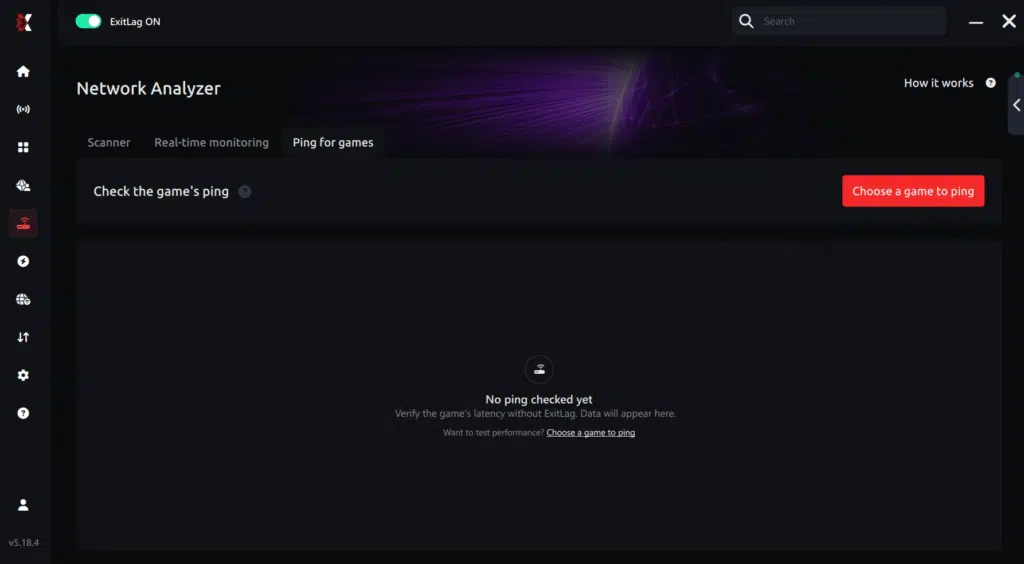
3. Select the game you want to test
Choose Rocket League from the list. The tool supports major online multiplayer games, including FPS, Battle Royales, MOBAs, MMORPGs, and more.
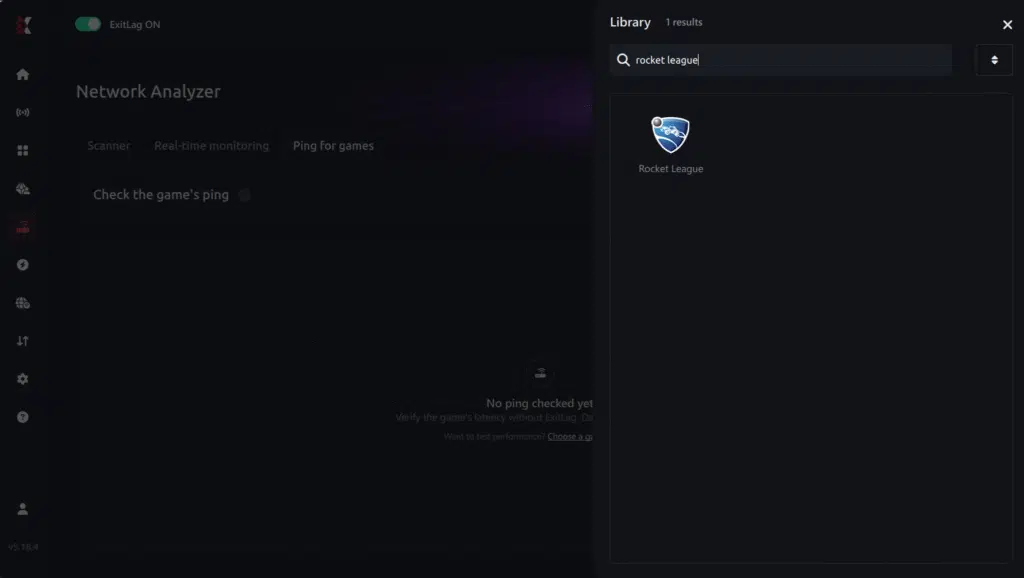
4. Choose the specific server
Select the exact Rocket League server you want to test instead of a generic region. This ensures more accurate results for your match.
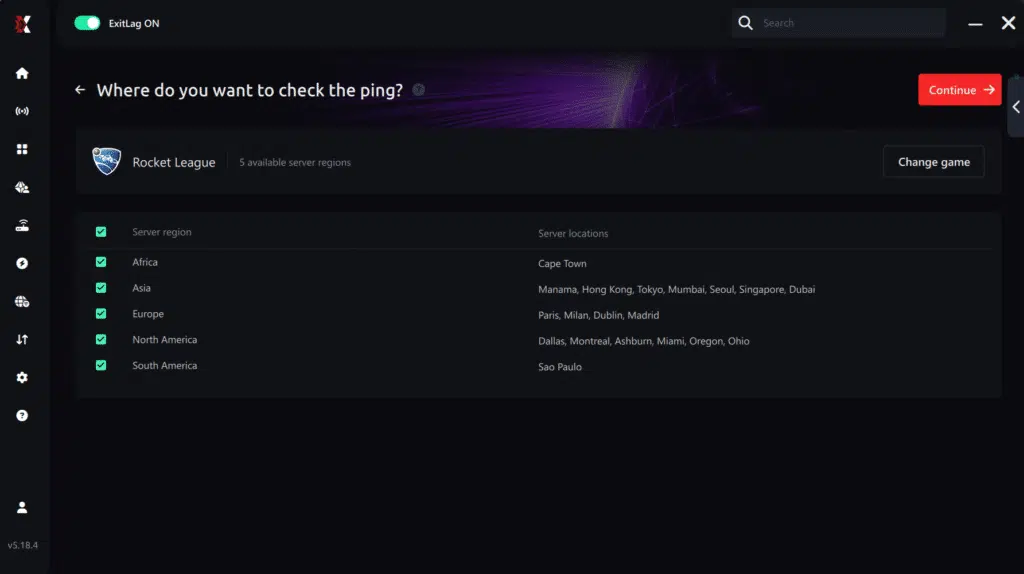
5. Start the ping test
With one click, the measurement is performed in real time between your device and the selected Rocket League server, considering your current connection (cable or Wi-Fi).
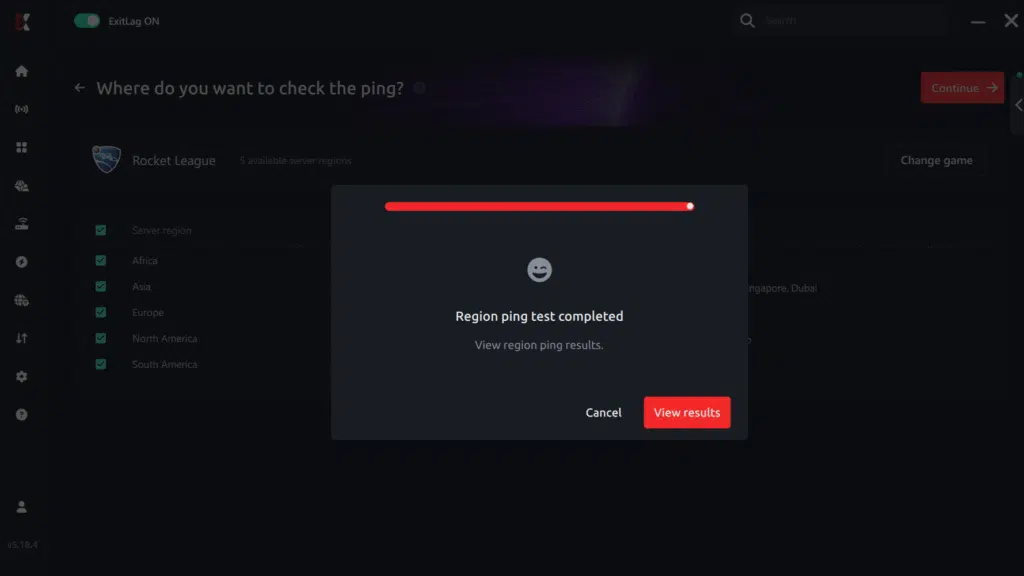
6. Analyze the results
Results appear in milliseconds (ms), automatically sorted from best to worst ping. You can also reorganize the view alphabetically if you prefer.
7. Choose the best server and play worry-free
With this information, simply select the server with the lowest latency and jump into Rocket League knowing your connection is optimized.
Final thoughts: Play Rocket League without lag forever
At the end of the day, Rocket League lag should never decide your matches. Whether you’re going for aerials, flip resets, or clutch saves, your connection should never be the reason for delayed touches or missed goals.
With ExitLag, you finally take control of your network performance. The software finds the fastest routes, eliminates lag, and stabilizes your ping so that every kickoff, every hit, and every goal happens exactly when you want it to.
Try ExitLag for free right now and experience how smooth Rocket League can be when your connection is fully optimized. Play with confidence, rank up faster, and make lag a thing of the past.
FAQ: everything about high ping in Rocket League
What causes high ping in Rocket League?
Initially, long-distance server routes, unstable connections, or overloaded traffic paths often lead to high ping in Rocket League. Even strong internet plans suffer when packets travel through poorly optimized ISP routes.
Furthermore, Wi-Fi interference, outdated routers, and regional congestion create additional Rocket League connection issues, especially during peak hours.
How do I check my ping in Rocket League?
Rocket League displays your ping directly during online matches. If your number increases rapidly—for example, from 30ms to 150ms instantly—you’re experiencing unstable routes.
On the other hand, using OS commands like tracert, ping, or pathping allows you to analyze where delays occur between you and the server, identifying deeper Rocket League latency problems.
What is good ping for Rocket League?
Under 40ms offers excellent control and responsiveness. Between 40–100ms is stable enough for most players. Beyond that, lag Rocket League becomes noticeable and affects consistency in aerials, challenges, and recoveries.
In conclusion, stable ping is even more important than low ping—consistent values ensure predictability.
Can high ping get you banned in Rocket League?
No. High ping cannot result in bans. Psyonix does not penalize players for connection issues. In summary, Rocket League high ping impacts performance but not account safety.
Does ExitLag work for Rocket League?
Yes. ExitLag is widely used to stabilize routing, reduce ping spikes, and minimize packet loss. This significantly improves gameplay for players dealing with Rocket League connection issues, especially during ranked sessions.
Why does Rocket League lag more during kickoff?
Kickoffs require precise synchronization between players and the server. If your routing path is unstable or overloaded, Rocket League high ping increases at the start of matches, creating inconsistent kickoff outcomes and delayed recoveries.
Conclusion
In conclusion, understanding the causes of instability and applying the right optimizations is the key to achieving stable, predictable gameplay. Once you reduce routing issues and stabilize your connection, you can finally overcome Rocket League high ping and perform at your true skill level.
For more insights, tutorials, and tips, visit the official ExitLag blog.
Rocket League high ping no longer needs to ruin your free time. Now that you understand the causes and how to stabilize your connection, you can finally enjoy your gaming smoothly. Start your free trial and see the difference for yourself.
Got questions or want to connect with other players? Join the conversation at the ExitLag Forum!