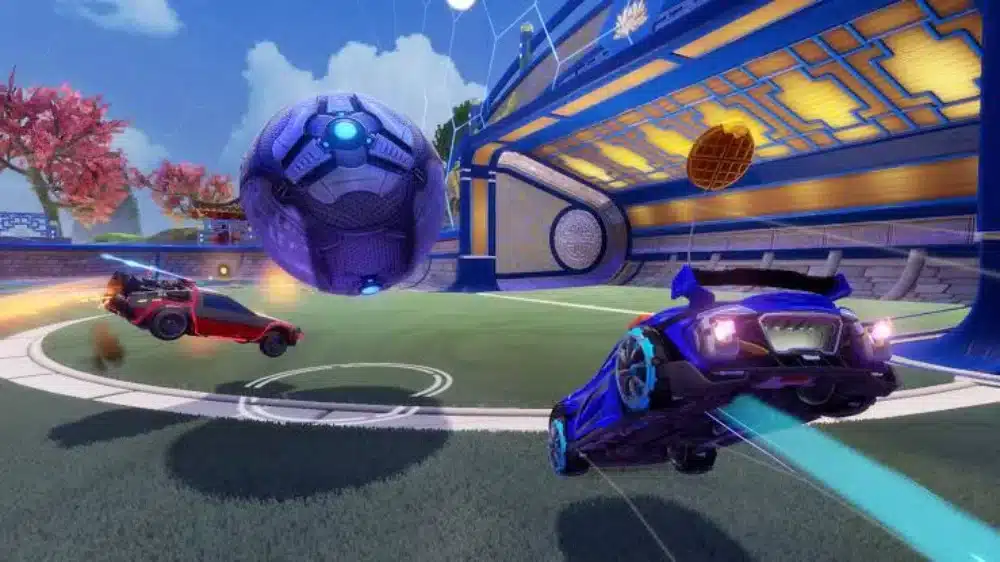
Rocket League Sideswipe remains one of the most recognizable mobile spin-offs of a major competitive game. It takes the core idea of Rocket League and reshapes it into shorter, side-view matches built for phones and tablets. The result is a faster, more compact experience that still rewards timing, boost control, positioning, and aerial precision. If you want quick matches with a real skill ceiling, Rocket League Sideswipe still stands out.
Players who come from the main game often make quick comparisons before deciding whether Sideswipe is worth the install. Looking at how the broader Rocket League identity is built around vehicle choice can help frame that transition, especially in a guide to the most recognizable Rocket League cars. Sideswipe is not the same experience, but it still benefits from that familiarity.
For many players, though, the biggest questions are no longer about gameplay basics. They are about access, platforms, and the game’s current status. That is why searches such as Rocket League Sideswipe download, is Rocket League Sideswipe on Android, Rocket League Sideswipe Play Store, and what happened to Rocket League Sideswipe have become so common. The short answer is that the game is still available, but its download path changed significantly when it moved to the Epic Games Store for mobile in Season 17.
If you are trying to understand where to install the game, how ranked works, whether Rocket League Sideswipe apk files are worth the risk, or whether there is a real Rocket League Sideswipe PC version, this guide breaks it down clearly. It also covers the ranked ladder, seasonal progression, and why connection quality matters if you want to play competitively. In other words, this is the practical guide to Rocket League Sideswipe as it exists now, not as it worked a year or two ago.
What is Rocket League Sideswipe?
Rocket League Sideswipe is a standalone mobile version of Rocket League designed around side-scrolling arenas, short matches, and touch-friendly controls. Instead of full 3D field rotation like the main game, it compresses the action into a 2D competitive format that is easier to pick up on mobile but still hard to master. Epic’s support pages describe it as available on iOS and Android, with competitive ranks, rotating seasonal modes, and online play.
That design is the reason the game feels different rather than watered down. Matches are fast, positioning is tighter, and mistakes are punished quickly. You still manage boost, challenge for the ball in the air, and try to outplay opponents with cleaner mechanics. However, the reduced arena complexity makes reactions and timing even more visible.
At a glance, the core appeal includes:
- Fast matches that fit mobile play
- Ranked progression
- Touch controls with controller support
- Car customization
- Seasonal content and rotating modes
That combination keeps Rocket League Sideswipe relevant for both casual players and ranked grinders. It is easy to start, but difficult to truly master.
That wider Rocket League appeal has never been only about match structure. Cosmetics, progression, and the way players build a recognizable profile across the ecosystem also shape long-term engagement, which is why many players still follow discussions around the current Rocket League item shop rotation. Even in a mobile spin-off, that sense of continuity matters.
What happened to Rocket League Sideswipe?
This is one of the most searched questions around the game right now, and there is a clear official answer. In Season 17, Sideswipe moved to the Epic Games Store on mobile. Epic also stated that, starting on October 10, 2024, players using previous versions would no longer be able to play and would need the updated version from the new distribution path.
That change explains why so many players started searching what happened to Rocket League Sideswipe, Rocket League Sideswipe Android Store, and Rocket League Sideswipe Play Store. The game did not shut down. It changed where many players are expected to get updates and installs. On Android worldwide, Epic points players to the Epic Games Store app. On iPhone and iPad, Epic’s official instructions say North American users can use Apple’s App Store, while EU users can follow Epic’s alternate store path.
So, if the game seemed harder to find than before, that is not your imagination. The distribution model changed, and older assumptions about where to install it are no longer reliable.
For that reason, it helps to rely on official update channels instead of older community assumptions or outdated store pages. The safest way to track platform changes and announcements is through the official Rocket League news page. That gives returning players a cleaner reference point when distribution changes again.
Why did players get confused?
The confusion came from three things happening at once:
- The game remained active
- The update path changed
- Different regions now have different official download routes
That mix naturally created uncertainty, especially for players returning after a break.
Does the game still get support?
Epic’s current support pages still maintain live help categories for Sideswipe, installation instructions, gameplay support, matchmaking help, and Rocket Pass information. That strongly indicates the game is still supported rather than abandoned.
Is Rocket League Sideswipe on Android?
Yes. Rocket League Sideswipe is on Android, but the official path matters. Epic’s mobile store pages say the Epic Games Store app is available globally on Android, and Sideswipe is one of the launch titles available there. Epic’s support article on updates also explicitly says Android players worldwide should download and update through the Epic Games Store.
That makes the answer to is Rocket League Sideswipe on Android very straightforward: yes, but the important detail is where. If you are looking specifically for Rocket League Sideswipe Android Store, Epic’s official store is the current safe reference point for Android users.
This also affects the old expectation that Android players should always use the Play Store first. In practice, many players searching Rocket League Sideswipe Play Store are really trying to figure out whether Google Play is still the main route. Epic’s current documentation points Android users to Epic’s own mobile store instead.
How do Android players install it now?
The official process is:
- Download the Epic Games Store app for Android
- Install the store
- Sign in with your Epic account if needed
- Install Rocket League Sideswipe from there
Epic provides a dedicated Android installation guide for this process.
Is the Play Store still the main Android option?
Epic’s current help pages do not present Google Play as the primary Android route. For Android worldwide, the official emphasis is on Epic’s mobile store.
How do you download Rocket League Sideswipe safely?
The safest answer is simple: use official stores first. For Android, Epic directs players to the Epic Games Store. For iOS, Epic says North American users can download from Apple’s App Store, while EU users can use Epic’s mobile path. Apple’s App Store listing for Sideswipe is also live in supported regions.
That means the best answer to Rocket League Sideswipe download is not “find any APK site.” It is “use the official current route for your device and region.” This matters because update eligibility, compatibility, and account security are all much better when you install through an official source.
When in doubt, it is better to start from the official ecosystem and work outward. The official Rocket League website is a solid reference for current game information, account-related guidance, and broader ecosystem updates that help verify whether a source is legitimate. That is especially useful when players are comparing old download habits with the current setup.
The same logic applies to searches like Rocket League Sideswipe apk. While players often look for APK files when regional access or store availability gets messy, unofficial APK sources introduce obvious risks: outdated builds, installation issues, and malware concerns. If you care about safe access and smooth updates, official channels remain the better path.
Official download options by platform
| Platform | Official route | Notes |
| Android | Epic Games Store mobile app | Official route worldwide on Android |
| iPhone/iPad in North America | Apple App Store | Epic support points NA users here |
| iPhone/iPad in the EU | Epic mobile route | Epic gives separate EU instructions |
Should you use APK files?
Only if you fully understand the risks, and even then, official sources are safer. For most players, Rocket League Sideswipe apk is a workaround search, not the best solution. If the official store path is available in your region, use it.
How do Rocket League Sideswipe ranks work?
Ranked play is still one of the biggest reasons people stick with the game. Epic’s support pages confirm Sideswipe uses competitive ranks and matchmaking that consider party skill, including special handling around the highest-ranked player in a party. Epic also references high-end ranks such as Grand Champion and Super Sonic Legend in its support materials for rewards and titles.
For practical purposes, players generally think in terms of a Rocket League Sideswipe ranking ladder that climbs from lower tiers into elite competitive play. The familiar structure most players reference includes Bronze, Silver, Gold, Platinum, Diamond, Champion, Grand Champion, and Super Sonic Legend. Epic’s support documentation directly confirms Grand Champion and Super Sonic Legend as meaningful reward thresholds.
This is why searches for Rocket League Sideswipe ranks and Rocket League Sideswipe ranking are still so common. Ranked is the mode that gives the game long-term replay value.
What affects your matchmaking?
Epic says party matchmaking uses a weighted average that skews toward the highest-ranked player. It also notes that lower-ranked friends can gain more for beating stronger opponents and lose less in some cases, depending on the skill gap.
That means ranked progress is not only about raw wins. It is also shaped by:
- Who you queue with
- The skill difference in the lobby
- Your consistency over time
- Your ability to avoid tilt and throwing close games
What rewards do top-ranked players get?
Epic states that players reaching Grand Champion or Super Sonic Legend can earn Titles as season rewards, with different title colors for each top rank. That reinforces the prestige of the upper end of the Rocket League Sideswipe ranks ladder.
Is Rocket League Sideswipe on PC?

There is no official standalone Rocket League Sideswipe PC release listed by Epic in the same way the main Rocket League is available on PC through the Epic Games Store. Epic’s official Sideswipe pages focus on Android and iOS availability instead. By contrast, the main Rocket League has a dedicated PC store page.
So, if you are searching Rocket League Sideswipe PC, the practical answer is that the game is officially positioned as a mobile title. Some players try mobile emulators, but that is not the same as a native official PC release, and performance or compatibility can vary.
That distinction becomes clearer when you compare Sideswipe with the desktop history of the main game. Anyone still confused about platform expectations can review how Rocket League on Steam changed over time, which helps separate legacy PC assumptions from the current reality of Sideswipe. It is a useful comparison before treating emulator workarounds like official support.
Is there controller support?
Yes. The game’s official store description highlights intuitive mobile controls, and controller use is commonly supported on mobile devices. That makes tablets and phones with controller pairing the closest official alternative for players who want a more console-like feel.
Is there an “unblocked” version?
There is no special official Rocket League Sideswipe unblocked edition. Usually, that phrase refers to school, workplace, or restricted-network access. Availability there depends on device policy, network rules, and supported store access, not on a separate official release.
Why does ExitLag matter for Rocket League Sideswipe?
Even though Rocket League Sideswipe was built for mobile, it is still a competitive online game where timing matters. Delayed jumps, inconsistent ball challenges, and unstable input response can ruin close matches. That is especially true when you are pushing ranked games and trying to climb the Rocket League Sideswipe ranking ladder.
This is where ExitLag becomes relevant. The point is not to change the game itself, but to improve connection stability so your actions feel more consistent during online matches. In a game built around quick reads and short windows, that matters.
What can ExitLag help with?
ExitLag can be useful for issues such as:
- Connection instability
- Lag spikes in online matches
- Inconsistent server response
- Match feel that changes from one session to the next
That is particularly valuable if you are serious about Rocket League Sideswipe ranks and want your losses to come from gameplay mistakes rather than network issues.
Who benefits most?
ExitLag is most relevant for:
- Ranked grinders
- Players on unstable mobile networks
- Players far from ideal server routes
- Anyone who notices stutter or inconsistent responsiveness
FAQ
It moved to the Epic Games Store on mobile in Season 17, and Epic said older versions would stop working after October 10, 2024.
Yes. Epic’s current official route for Android players worldwide is the Epic Games Store mobile app.
Use official sources first: Epic Games Store on Android, and Apple App Store or Epic’s iOS path depending on region.
Epic’s current official guidance for Android points players to the Epic Games Store rather than presenting Google Play as the main Android route.
There is no official standalone native PC version listed like the main Rocket League. Official Sideswipe availability is centered on Android and iOS.
They can be risky. If an official store option is available in your region, that is the safer path for installs and updates.
Final thoughts

Rocket League Sideswipe is still a live, playable mobile game with ranked progression, seasonal systems, and official support resources. The biggest change is not the core gameplay. It is the installation path. If you came back after a break and got confused by store availability, that confusion makes sense: Rocket League Sideswipe changed distribution, especially on Android, and players now need to pay closer attention to official store routes.
That also means the best way to approach the game in 2026 is with current information. Use the official Rocket League Sideswipe download path for your region, treat Rocket League Sideswipe apk searches cautiously, and do not assume there is a native Rocket League Sideswipe PC version just because the main game is on desktop. If you want to climb Rocket League Sideswipe ranks, stay updated, keep your install official, and make sure your connection is not sabotaging your gameplay.
And if you want a smoother competitive experience while pushing Rocket League Sideswipe ranked matches, try ExitLag to improve connection stability and play with more consistency.
Got questions or want to connect with other players? Join the conversation at the ExitLag Forum!