Rocket League tournament times matter if you want to enter daily brackets, earn rewards, practice under pressure, and build a stronger competitive routine. These in-game tournaments give players a structured way to compete beyond casual matches and ranked queues.
Rocket League tournament times are region-based, and Epic’s official support page notes that its listed in-game Competitive Tournament schedules are shown in UTC. That means players should always confirm the final local time inside the Rocket League “Tournaments” tab before registering.
Rocket League tournament times can include 2v2 Soccar, 3v3 Soccar, Extra Modes, and rotating formats such as Soccar or Heatseeker, depending on the region and day. This guide explains the Rocket League competitive schedule, Rocket League ranked schedule, Rocket League competition timing, Rocket League championship series, and Rocket League event calendar so you can plan better sessions.
Whether you are playing for Tournament Credits, practicing with a squad, or preparing for higher-level competition, timing is part of the strategy. A strong player does not only know mechanics. They also know when to warm up, when to register, and when to avoid queueing tired.
What time are Rocket League tournaments?
Rocket League tournament times depend on your competitive region. The official Epic schedule lists times in UTC, so players in North America, Europe, South America, Oceania, and the Middle East need to convert the schedule to local time or check directly inside the game.
The safest rule is simple: use the in-game “Tournaments” tab as the final source before registering. Online schedule pages help you plan, but the game client shows the available events for your account, region, and current season.
Daily tournament times by region
Epic’s official in-game tournament schedule shows different daily windows by region. For example, North America includes daily events such as Extra Modes at 8:00 PM UTC, 2v2 Soccar at 10:00 PM UTC, 3v3 Soccar at 12:00 AM UTC, another 2v2 Soccar at 2:00 AM UTC, a Soccar or Heatseeker slot at 3:00 AM UTC, and 3v3 Soccar at 4:00 AM UTC.
Europe has a different schedule pattern, including Extra Modes at 1:00 PM UTC, 2v2 Soccar at 3:00 PM UTC, 3v3 Soccar at 5:00 PM UTC, more rotating Soccar or Heatseeker slots, another 2v2 Soccar at 7:00 PM UTC, and 3v3 Soccar at 9:00 PM UTC.
South America, Oceania, and Middle East schedules also use region-specific timing. For South America, Epic’s page lists events such as Extra Modes, 2v2 Soccar, 3v3 Soccar, and Soccar or Heatseeker at different UTC slots across the week.
| Region | Common official schedule examples |
| North America | Extra Modes, 2v2 Soccar, 3v3 Soccar, Soccar or Heatseeker |
| Europe | Extra Modes, 2v2 Soccar, 3v3 Soccar, Soccar or Heatseeker |
| South America | Extra Modes, 2v2 Soccar, 3v3 Soccar, Soccar or Heatseeker |
| Oceania | Extra Modes, 3v3 Soccar, 2v2 Soccar, Soccar or Heatseeker |
| Middle East | Extra Modes and regional tournament slots |
Because these times are listed in UTC, the best practical step is to open Rocket League, go to Play, select Tournaments, and check your local upcoming schedule.
How to check tournament times in-game
To check Rocket League tournament times inside the game:
- Open Rocket League.
- Go to Play.
- Select Tournaments.
- Review the upcoming events.
- Check the format, time, and region.
- Register before the event starts.
- Stay online and ready for bracket generation.
This is especially useful because Rocket League competition timing can feel different depending on region, daylight saving changes, local time zone, and seasonal updates.
For daily planning, make a simple routine:
- Check the schedule before your session.
- Pick one 2v2 or 3v3 event.
- Warm up 15–20 minutes before registration.
- Register early.
- Avoid starting ranked matches too close to tournament time.
- Stay in free play or training while waiting.
A missed registration window can cost you the entire bracket, so timing matters as much as mechanics.
How do Rocket League tournaments work?
Rocket League tournaments are scheduled competitive brackets where players join solo or with a team and compete through elimination-style rounds. The format gives players a more structured experience than standard ranked matches because each round has higher pressure.
Unlike ranked, tournaments usually feel more like event play. You are not just trying to gain MMR. You are trying to survive each round, adapt quickly, and keep momentum across multiple matches.
Tournament formats and brackets
Most daily in-game tournaments use familiar Rocket League formats like 2v2 Soccar, 3v3 Soccar, Extra Modes, or rotating options. Epic’s official schedule confirms that these formats vary by region and time slot.
Common formats include:
- 2v2 Soccar.
- 3v3 Soccar.
- Extra Modes.
- Soccar or Heatseeker.
- Seasonal or limited event formats.
Tournament brackets usually place players against teams within a competitive range. That makes tournaments more balanced than open custom lobbies, but still unpredictable.
Tournament play rewards:
- Consistent defense.
- Smart rotations.
- Clean clears.
- Boost discipline.
- Strong kickoffs.
- Adaptability between rounds.
- Better communication.
- Mental control after mistakes.
The further you go, the more pressure each match brings.
Second chance and rewards
Many tournament systems include a Second Chance option if your team loses early. This gives players another opportunity to enter a bracket, usually after a first-round elimination. It is useful when a match starts badly because of nerves, connection issues, or a rough matchup.
Tournament rewards usually include Tournament Credits or seasonal reward items, depending on the current Rocket League system and event structure. These rewards often encourage players to compete regularly instead of treating tournaments as one-off events.
To get more value from tournaments:
- Register for events you can finish.
- Do not join if you need to leave soon.
- Play with teammates you trust.
- Use voice chat or quick chat efficiently.
- Avoid tilting after one goal.
- Save replays from close losses.
- Review defensive mistakes.
The best players treat each tournament as both competition and training.
What is the best Rocket League competitive schedule?
The best Rocket League competitive schedule depends on your goals. A casual player may enter one daily tournament for fun. A ranked grinder may use tournaments as pressure practice. A team may schedule tournaments as part of structured training.
The key is not to play every event. The key is to choose the right event when you are warmed up, focused, and able to finish the bracket.
Daily ranked and tournament routine
A strong daily routine could look like this:
| Time block | Activity |
| 10 minutes | Free Play warm-up |
| 10 minutes | Custom training |
| 1–2 matches | Casual or ranked warm-up |
| 5 minutes | Break and reset |
| Tournament registration | Join selected event |
| Tournament play | Focus only on bracket |
| After bracket | Review mistakes or save replays |
This routine supports both tournament and Rocket League ranked schedule planning. Ranked and tournaments are connected because both test decision-making, mechanics, and consistency.
However, do not overplay before the tournament. If you are already tilted from ranked losses, you may carry that frustration into the bracket.
Best timing for 2v2 and 3v3 events
2v2 and 3v3 require different preparation.
For 2v2:
- Avoid double commits.
- Communicate kickoffs.
- Respect last-man defense.
- Challenge carefully.
- Keep pressure without overextending.
For 3v3:
- Rotate wider.
- Trust third man.
- Avoid ball chasing.
- Control midfield boost.
- Clear with purpose.
- Do not stack all players in one corner.
If you are choosing between 2v2 and 3v3, pick the format that fits your team. A duo with strong chemistry may perform better in 2v2. A full squad with defined roles may prefer 3v3.
How should you prepare for Rocket League tournament times?
Preparation is the difference between joining a tournament and actually competing in it. Rocket League is fast, so jumping straight into a bracket cold can lead to whiffs, poor recoveries, weak touches, and rushed decisions.
Before your selected Rocket League tournament times, make sure your mechanics, mindset, and connection are ready.
Warm-up routine before registration
Use this warm-up before entering a tournament:
- Spend 5 minutes in Free Play.
- Practice basic aerial touches.
- Practice power shots.
- Practice recoveries.
- Run a short custom training pack.
- Play one casual or ranked match.
- Take a short break.
- Register early.
Warm-up goals should be simple:
- Hit the ball cleanly.
- Recover quickly.
- Check car control.
- Test your connection.
- Calm your hands.
- Reset your focus.
Do not spend 45 minutes grinding mechanics before the tournament if it makes you tired. Warm up enough to feel ready, not drained.
Team communication checklist
Communication is even more important in tournaments because there is less time to recover from confusion.
Use short callouts:
- “I got it.”
- “You.”
- “Back left.”
- “Need boost.”
- “Centering.”
- “Leaving.”
- “Demoing.”
- “Low boost.”
- “Third.”
- “Fake.”
Good communication should reduce confusion, not create noise. Do not narrate every touch. Call only what helps the team.
Before the match, agree on:
- Kickoff roles.
- Boost priorities.
- Defensive rotation.
- Who challenges first.
- How to handle overtime.
- When to slow the game down.
A calm team beats a loud team more often than players expect.
How does Rocket League Championship Series timing work?

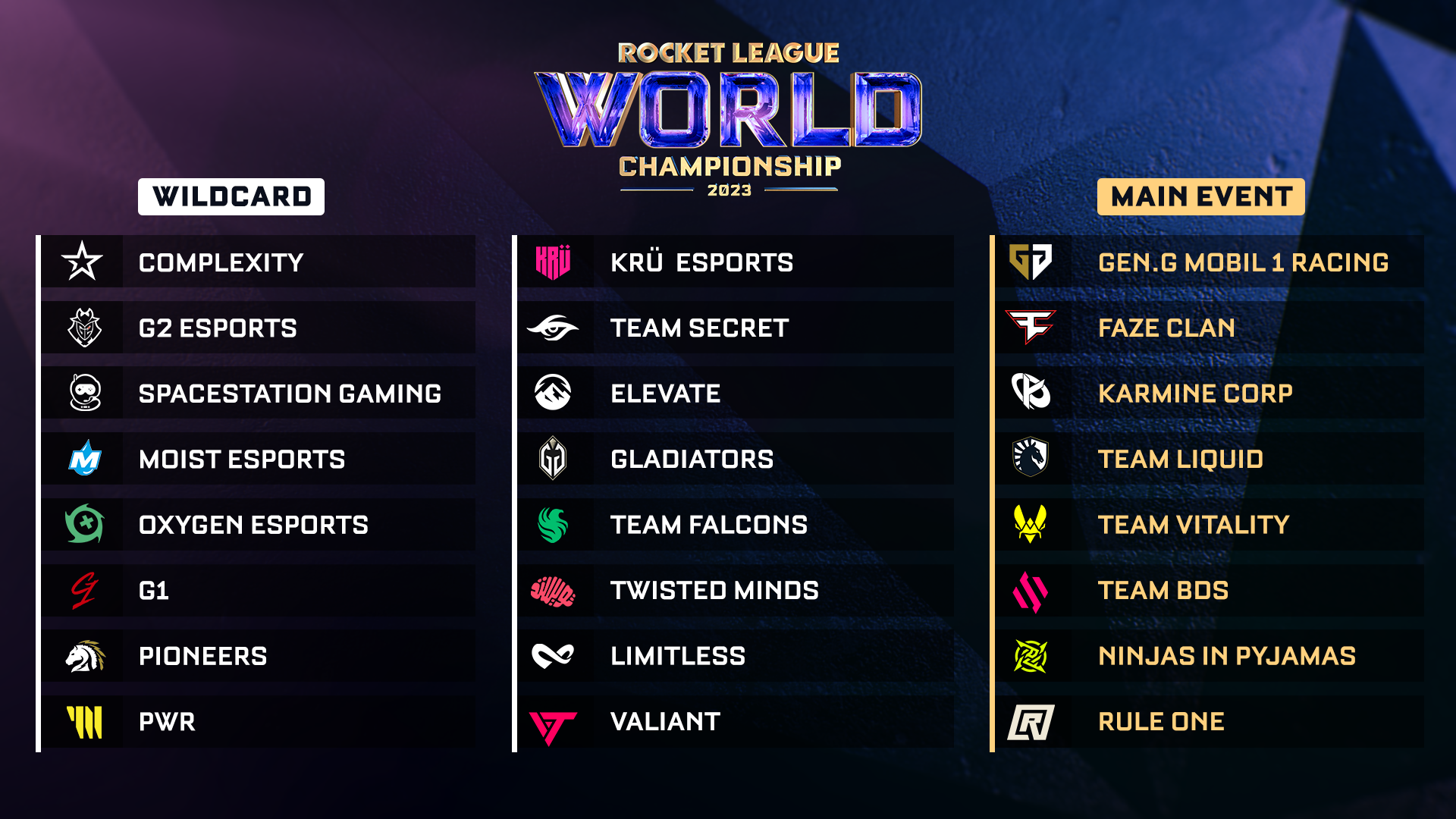
The Rocket League championship series is separate from daily in-game tournaments. RLCS is the official esports circuit where top players and teams compete across online events, Majors, and World Championship qualification.
Rocket League’s competitive page describes RLCS as the game’s most prestigious tournament circuit, with a global prize pool of over $6 million.
This matters because many players confuse daily in-game brackets with professional esports events. They both use Rocket League competition, but they are not the same system.
RLCS vs in-game tournaments
Here is the difference:
| Feature | In-game tournaments | RLCS |
| Audience | Everyday players | Professional and aspiring pro teams |
| Access | In-game registration | Official competitive registration |
| Format | Daily bracket play | Seasonal esports circuit |
| Rewards | Tournament Credits and items | Prize money, points, qualification |
| Skill range | Rank-based player brackets | Elite competitive teams |
| Schedule | Daily or weekly in-game | Official esports calendar |
In-game tournaments are great training. RLCS is the highest competitive stage.
The bridge between them is practice. Many players use daily events, ranked, scrims, and community tournaments to improve before trying organized competition.
RLCS 2026 schedule context
The 2026 RLCS season includes major structural elements such as two online splits, two Majors, 1v1 competition continuing, 2s joining RLCS, and an expanded World Championship featuring 20 teams. Rocket League’s official 2026 season announcement also noted that online Opens began in November 2025, with a Kick-Off Weekend in Copenhagen and Major 2 planned for Paris from May 20 to May 24.
For players following the Rocket League event calendar, this means there are two layers of scheduling to watch:
- Daily in-game tournament times.
- Official RLCS and esports event dates.
Daily tournaments help you play. RLCS helps you watch, learn, and follow the pro scene.
How can ExitLag improve Rocket League tournament times?
ExitLag does not change Rocket League tournament times, tournament rules, rewards, or matchmaking. However, it can help improve the connection side of your tournament experience by optimizing routes and reducing instability.
This matters because Rocket League is extremely sensitive to timing. A lag spike during kickoff, aerial defense, wall read, or overtime save can change the entire match.
Why connection stability matters in tournaments
Connection issues can hurt tournament performance in several ways:
- Delayed hits.
- Rubber-banding.
- Missed saves.
- Failed aerial reads.
- Late demos.
- Poor kickoff timing.
- Stuttering during challenges.
- Disconnections during bracket play.
- Panic touches caused by visual delay.
In ranked, one bad lag spike is annoying. In a tournament, it can eliminate your team.
That is why connection preparation should be part of your tournament routine, just like free play and custom training.
Using ExitLag before tournament registration
ExitLag helps optimize the route between your connection and game servers. Instead of relying only on your default internet path, it can look for more stable routing and help reduce packet loss or ping spikes.
Use ExitLag if you:
- Play on distant servers.
- Experience unstable routing.
- Notice packet loss.
- Get random ping spikes.
- Play during peak hours.
- Join tournaments with teammates in another region.
- Want a more stable competitive session.
Before your tournament:
- Start ExitLag.
- Check your Rocket League route.
- Close downloads and streaming apps.
- Use wired internet if possible.
- Open Rocket League early.
- Test a casual match.
- Register for the tournament.
ExitLag will not replace good rotations or mechanics, but it can help make your online session more reliable.
FAQ
What are Rocket League tournament times?
Rocket League tournament times are scheduled in-game competitive bracket times. They vary by region, format, and day. Epic’s official schedule lists times in UTC, so players should confirm local availability in the in-game Tournaments tab.
Where can I see the Rocket League competitive schedule?
You can see the Rocket League competitive schedule in the game by going to Play, then Tournaments. For esports, use Rocket League’s official competitive page and RLCS news updates.
Are Rocket League tournament times the same every day?
Many daily slots repeat, but formats and region schedules can vary. Epic’s schedule shows region-specific tournament slots in UTC, including 2v2, 3v3, Extra Modes, and rotating Soccar or Heatseeker events.
What is the difference between ranked and tournaments?
Ranked is a continuous matchmaking ladder. Tournaments are scheduled bracket events. A Rocket League ranked schedule is personal and flexible, while tournaments require you to register at specific times.
What is the Rocket League Championship Series?
The Rocket League championship series is the official esports circuit for top-level Rocket League competition. Rocket League’s competitive page describes RLCS as the game’s most prestigious tournament circuit, with a global prize pool of over $6 million.
Can ExitLag help with Rocket League tournaments?
Yes. ExitLag can help improve connection stability by optimizing routes to game servers. It does not change tournament times or matchmaking, but it can reduce lag-related issues during competitive play.
Plan your Rocket League tournaments and compete smarter
Rocket League tournament times are more than calendar reminders. They are part of your competitive strategy. If you know when events start, how formats rotate, and how much time you need to warm up, you enter each bracket with more control.
Use the in-game Tournaments tab as your final schedule source. Epic’s official schedule is useful for planning, but it is listed in UTC and varies by region.
To improve your results:
- Check the schedule early.
- Register before the last minute.
- Warm up with intention.
- Use short team callouts.
- Save replays from close losses.
- Avoid ranked tilt before tournament play.
- Track the official RLCS calendar if you follow esports.
- Prepare your connection before bracket start.
Rocket League tournament times are easier to use when your setup is ready. Try ExitLag to reduce lag, improve route stability, and make your tournament sessions smoother, whether you are grinding daily 2v2 brackets, entering 3v3 events, or preparing for a more serious competitive schedule.