
Nothing is more frustrating than dealing with SpiritVale lag in the middle of an important dungeon, world boss, or cooperative mission. Even if you have a fast internet plan, unexpected lag spikes, delayed abilities, and unstable gameplay can quickly ruin your experience. The good news is that these issues are more common than many players realize—and they can often be fixed.
If you're wondering why SpiritVale lag happens and what actually works to solve it, you've come to the right place. In this guide, you'll learn what causes lag, why a good internet connection isn't always enough, and how to achieve a more stable online experience with the right connection optimization. And before we continue, know that to know more about all the relevant content about gaming, you just have to check our blog.

What causes SpiritVale lag?
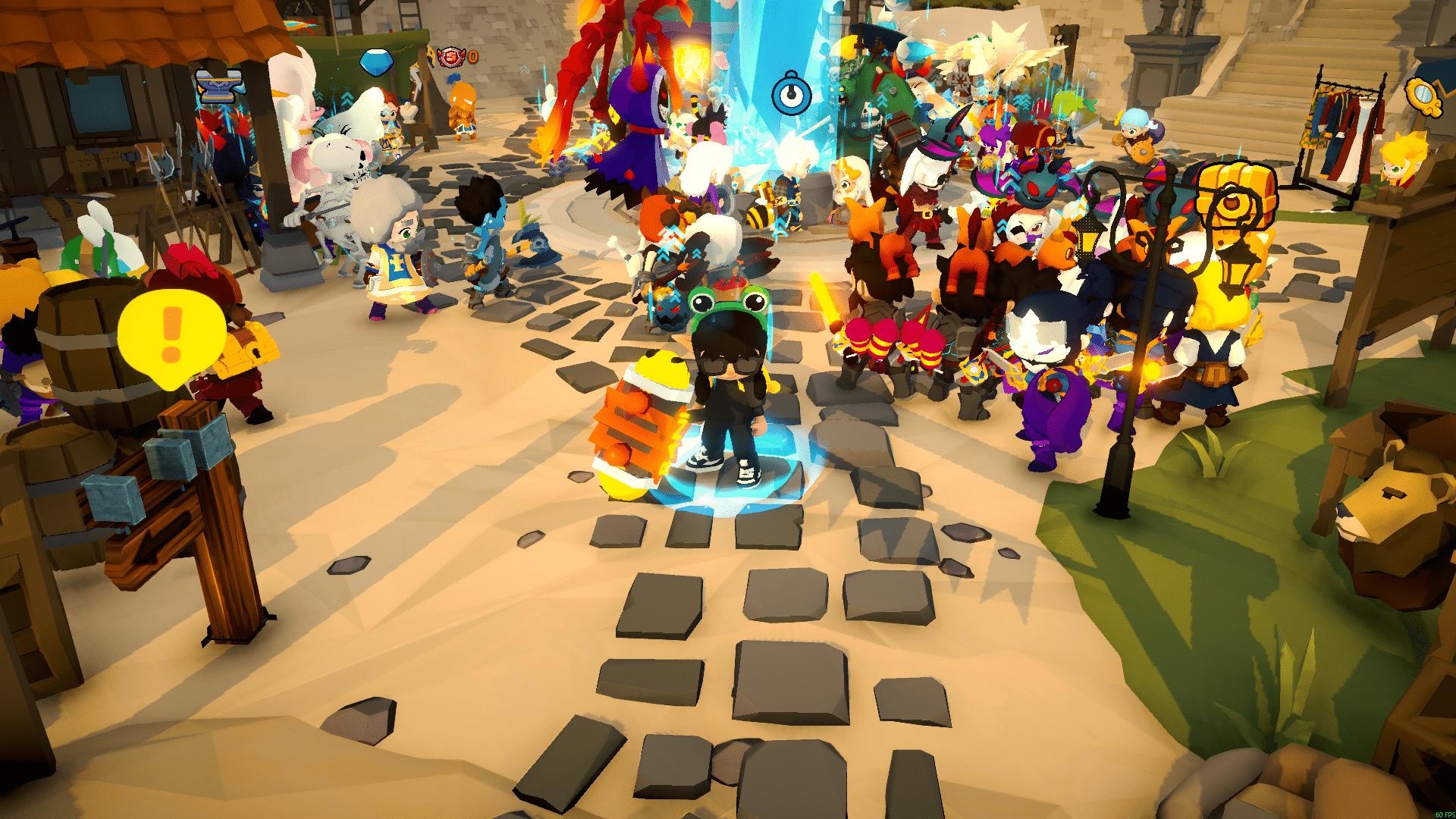
SpiritVale is an online MMORPG developed by Baikun Interactive, where players explore a vast fantasy world, complete quests, defeat powerful bosses, and cooperate with other adventurers in real time. Because the game relies on constant communication between your device and the game servers, even small connection issues can affect combat responsiveness and overall gameplay.
Understanding the causes of SpiritVale lag is the first step toward solving it. While many players immediately blame their computer or internet speed, the real problem is often somewhere between your home network and the game's servers.
Poor routing between your PC and the game server
Whenever you launch SpiritVale, your internet provider automatically chooses the path your data takes to reach the game's servers. However, that route isn't necessarily the fastest one available.
Instead, your connection may travel through multiple intermediate networks before reaching the destination. Every additional hop increases latency and can make your actions feel delayed during combat.
Packet loss
Packet loss happens when some pieces of game data never reach the server or fail to return to your computer.
As a result, you may experience several frustrating problems, including:
- Characters teleporting unexpectedly
- Delayed skill activation
- Rubberbanding during movement
- Enemies freezing or jumping across the screen
- Commands that seem ignored
Even small amounts of packet loss can noticeably reduce gameplay quality.
Firstly, you should read: Why Is My Ping So High? Troubleshooting Guide
Distance from the game server
Physical distance also plays an important role. The farther you are from the SpiritVale servers, the longer it takes for your commands to travel across the network.
Although distance itself cannot be eliminated, connection optimization can often reduce unnecessary delays caused by inefficient routing.
Internet provider instability
Sometimes the issue isn't inside your home.
Internet providers constantly balance traffic across different network routes. During busy hours, these routes may become overloaded, causing unstable latency even though your download and upload speeds appear normal.
Because of that, players often notice lag only during specific times of the day.
Network congestion
Network congestion is another common cause of connection problems. Think of your internet connection like a highway. When traffic is light, vehicles move quickly.
However, during rush hour, congestion slows everyone down.
Your game data behaves the same way. If too many users share the same network routes, your connection may become slower before reaching the SpiritVale servers.
You may also like: Lag spikes: how to reduce lag in online game for a smoother experience
SpiritVale lag, ping, and FPS: what's the difference?
Many players assume every gameplay problem is simply "lag."
However, lag, ping, and FPS describe completely different issues.
Understanding the difference helps identify the real cause of poor performance before attempting a solution.
What is lag?
Lag is the delay between your action and the server's response.
For example, you may press an ability key and wait a noticeable moment before the animation starts.
Common symptoms include:
- Delayed attacks
- Slow interactions
- Rubberbanding
- Characters teleporting
- Skills activating late
What is ping?
Ping measures the time it takes for information to travel between your computer and the game server.
Lower ping generally means:
- Faster responses
- Better synchronization
- More accurate skill timing
- Smoother multiplayer combat
Higher ping almost always increases noticeable lag.
What is FPS?
FPS (Frames Per Second) measures graphical performance instead of network quality.
Low FPS usually causes:
- Choppy animations
- Screen stuttering
- Reduced visual smoothness
- Slower rendering
Unlike lag, FPS depends mostly on your hardware, graphics settings, and system performance—not your internet connection.
Check also: Lagging Define: Understanding and Resolving Lag Issues
Why does SpiritVale lag happen even with good internet?
Many players believe upgrading to a faster internet plan automatically solves every connection issue. Unfortunately, that's not how online gaming works. Your internet speed determines how much data your connection can handle, but it doesn't guarantee that your game data follows the fastest possible route.
Imagine driving across a city. Even if you own a high-performance sports car, you'll still arrive late if you're stuck in heavy traffic. Internet traffic works exactly the same way.
Your ISP automatically chooses available routes, but those routes aren't always the shortest or least congested. Instead, your data may pass through several busy networks before finally reaching the SpiritVale servers.
As a result, you can still experience:
- High latency
- Packet loss
- Connection instability
- Rubberbanding
- Delayed skills
—even while your internet speed tests look perfectly normal.
Fortunately, there are ways to optimize those routes instead of relying solely on your provider's automatic decisions.
In the next section, you'll discover how ExitLag improves routing, reduces latency, minimizes packet loss, and helps create a smoother SpiritVale experience without changing your internet provider or upgrading your hardware.
Read this: Ping Test: learn how to do it and interpret the results properly
How ExitLag solves SpiritVale lag
At this point, you know that SpiritVale lag is often caused by inefficient network routing rather than slow internet speeds. So, what if you could bypass congested routes and automatically connect through the fastest available path?
That's exactly where ExitLag makes a difference.
ExitLag is a connection optimization software designed specifically for online games. Instead of relying solely on your internet provider's default routing, it analyzes multiple network paths in real time and selects the most efficient one for your connection.
As a result, your data reaches the SpiritVale servers through faster and more stable routes, reducing latency and improving overall gameplay responsiveness.
Intelligent multi-path routing
One of ExitLag's core technologies is Multipath Connection.
Instead of sending your game data through a single route, ExitLag continuously evaluates multiple paths simultaneously and chooses the most reliable option.
This helps avoid:
- Congested network routes
- Unstable connections
- Unexpected latency spikes
- Temporary routing failures
Because routing conditions change constantly, ExitLag adjusts automatically throughout your gaming session.
ExitLag can drastically improve your gameplay for an accessible price. To know more, check our pricing page.
Real-Time Optimization
Network conditions never stay the same.
Therefore, ExitLag continuously monitors your connection while you're playing.
If a better route becomes available, the software switches automatically without interrupting your gameplay.
This dynamic optimization keeps your connection stable even during busy network hours.
Traffic Shaper technology
Not every application running on your computer needs the same network priority.
Traffic Shaper ensures that SpiritVale receives priority over background applications competing for bandwidth.
Consequently, your gameplay remains smoother even when other software is active.
Benefits of ExitLag for SpiritVale players
Every improvement to your connection translates into a better gaming experience.
Whether you're exploring dangerous dungeons or participating in large multiplayer events, stable connectivity helps every action feel more responsive.
Lower and more stable ping
Reduced latency allows commands to reach the server faster.
Benefits include:
- Faster skill activation
- More responsive movement
- Better timing during boss mechanics
- Improved multiplayer synchronization
This becomes especially valuable during high-pressure encounters where every second matters.
Reduced packet loss
Packet loss often causes the most frustrating gameplay problems.
ExitLag helps minimize:
- Rubberbanding
- Character teleportation
- Delayed abilities
- Enemy desynchronization
- Missed interactions
Because of that, combat feels much more consistent.
Improved responsiveness
Lower latency also reduces input delay.
Your character reacts more quickly when you:
- Dodge attacks
- Activate abilities
- Change direction
- Interact with NPCs
- Use healing items
The result is a more fluid combat experience from start to finish.
Read also: Ping ms for Gaming: reduce the lag, enhance your experience
Better performance during peak hours
Many players notice worse performance in the evening when internet traffic increases.
ExitLag continuously searches for more efficient routes, helping maintain a stable connection even when standard ISP routes become congested.
How to use ExitLag with SpiritVale
Getting started takes only a few minutes.
Simply follow these steps:
- Download ExitLag from the official website.
- Create your account.
- Start the available free trial.
- Open the application.
- Select SpiritVale from the supported games list.
- Click Apply Routes.
- Launch the game and start playing.
In just a few minutes, you'll already notice a smoother and more stable gameplay experience. Use the free trial to explore all features!
SpiritVale connection issues vs ExitLag benefits
| Common issue | How ExitLag helps |
| High ping | Optimizes routing to reduce latency |
| Packet loss | Improves connection stability through smarter routes |
| Rubberbanding | Minimizes desynchronization during movement |
| Delayed skills | Reduces response time between your commands and the server |
| Network congestion | Automatically switches to more efficient routes in real time |
Frequently asked questions (FAQ)
Why does SpiritVale lag even with fast internet?
Fast internet speed doesn't always mean low latency. Your ISP may route your connection through congested or inefficient networks before reaching the game servers. As a result, you can still experience lag, packet loss, and unstable gameplay despite having an excellent broadband plan.
Does ExitLag reduce SpiritVale lag?
Yes. ExitLag optimizes the connection between your computer and the game servers by selecting faster and more stable routes. This helps reduce latency, minimize packet loss, and improve overall gameplay responsiveness.
Is SpiritVale compatible with ExitLag?
Yes. SpiritVale is fully compatible with ExitLag. Players can use the software to optimize their connection, improve network stability, and enjoy smoother online gameplay during quests, dungeons, and multiplayer activities.
Does ExitLag improve SpiritVale performance?
ExitLag improves your network performance rather than your graphics performance. By reducing ping, stabilizing your connection, and minimizing packet loss, it delivers smoother gameplay and more responsive controls throughout your SpiritVale sessions.
Can ExitLag help during large multiplayer events?
Absolutely. Large-scale events generate constant communication between your computer and the game servers. ExitLag helps maintain a stable connection during these demanding situations, reducing lag spikes and improving responsiveness when many players are online simultaneously.
In conclusion
You don't have to let connection problems decide the outcome of your adventures. SpiritVale lag is often caused by inefficient routing, packet loss, and network congestion rather than slow internet speed alone.
ExitLag solves these issues with intelligent route optimization, real-time traffic management, and stable multi-path technology, helping you enjoy lower ping, fewer interruptions, and smoother gameplay. Start the free trial today and discover how SpiritVale lag becomes far less noticeable when your connection is optimized for performance. Download ExitLag now!



