Every day, millions of accounts are compromised because their passwords are too weak, reused, or predictable. Knowing How To Create A Strong Password is one of the most important digital security skills anyone can develop.
How To Create A Strong Password starts with understanding what makes a password vulnerable. Short passwords, common words, and predictable patterns are the first things attackers try. A truly secure password defeats all of these attack vectors simultaneously.
The most effective approach combines length, randomness, and uniqueness. A password that is at least 16 characters long, contains no recognizable words, and is different for every account will resist both automated cracking tools and targeted guessing attempts.
How To Create A Strong Password: The Core Principles
Why Password Length Matters More Than Complexity
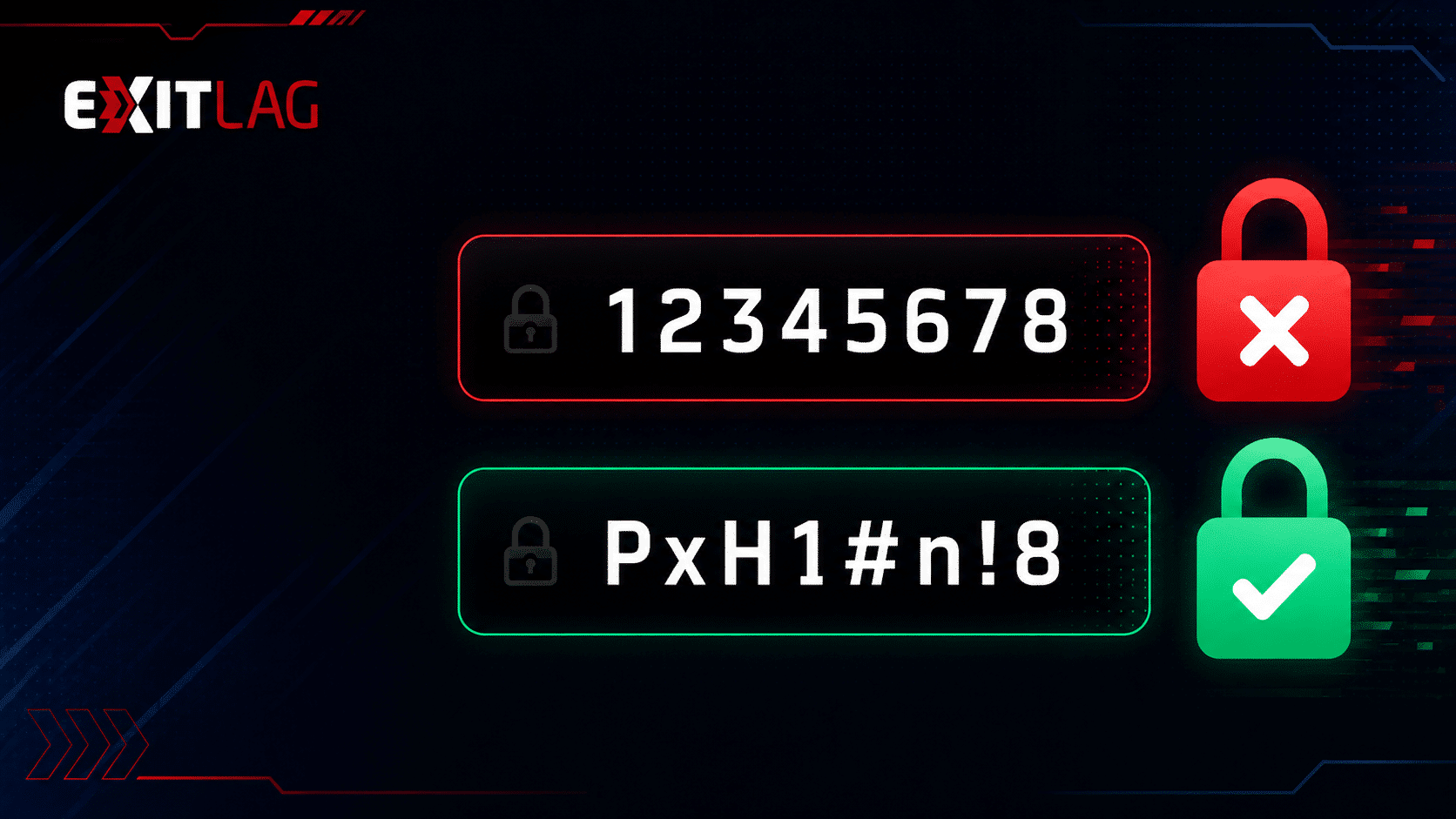
Many people believe that a short password filled with symbols is stronger than a longer, simpler one. Research consistently shows the opposite is true.
Consider these facts:
- An 8-character password, even with symbols, can be cracked in hours with modern hardware.
- A 12-character password with mixed characters takes significantly longer.
- A 16-character passphrase made of random words can take thousands of years to brute-force.
- A 20-character password with mixed characters is virtually uncrackable with current technology.
Length multiplies the number of possible combinations exponentially. Therefore, every additional character dramatically increases the time needed to crack the password.
How To Make A Strong Password With a Passphrase
A passphrase is a series of four to six random, unrelated words combined into one credential. This method is both highly secure and easier to remember than a random string of characters.
Good Passphrase Examples:
- Marble!Giraffe$Thunder9Cloud
- Pepper@Notebook#Jupiter7Swim
- Silent$Volcano!Amber9Branch
These examples follow a key rule: the words are unrelated to each other and to personal information. Furthermore, each one includes numbers and symbols to add complexity without sacrificing memorability.
Strong Password Examples That Actually Work
How To Create A Strong Password You Can Remember
Creating a Strong Password that is also memorable requires a structured approach. Here are proven techniques:
- Choose 4 completely unrelated words from different categories (object, animal, place, action).
- Capitalize the first letter of each word.
- Add a number between the second and third words.
- Insert a symbol between the third and fourth words.
- Review the result to ensure no personal information appears.
- Test its strength using a reputable password checker tool.
The result is a credential that is long, unpredictable, and still possible to recall with a little practice.
What Qualifies as Strong Password Examples
Strong passwords share these characteristics:
- At least 16 characters in total length
- Mix of uppercase and lowercase letters
- At least one number and one special character
- No recognizable words from any dictionary
- No personal information (names, dates, addresses)
- Unique to each individual account
Conversely, these patterns make passwords extremely weak:
- Using password, 123456, or qwerty
- Substituting letters with obvious numbers (like p@ssw0rd)
- Using a single word followed by a year
- Repeating the same password across multiple sites
How To Create A Strong Password That I Can Remember: The Method Table
| Technique | Security Level | Memorability | Best For |
| Random passphrase (4-6 words) | Very High | High | Most accounts |
| Password manager generated | Maximum | None needed | All accounts |
| Acronym from a phrase | Medium-High | High | Backup credentials |
| Pattern substitution (p@ssw0rd) | Low | High | Avoid entirely |
| Single word + number | Very Low | High | Never use |
Suggest Strong Password: Using a Password Manager
Why a Password Manager Is the Best Solution
The most effective way to manage Strong Passwords across dozens of accounts is to use a dedicated password manager. These tools generate, store, and auto-fill credentials without requiring you to memorize anything except one master password.
Benefits of using a password manager:
- Generates truly random passwords of any length
- Stores credentials in encrypted form
- Auto-fills login fields across devices
- Alerts you when a password has been reused
- Monitors for credentials exposed in data breaches
The only password you need to remember is the master password for the manager itself. Make that one as strong as possible using the passphrase method.
How To Create A Strong Password for Your Password Manager
Your master password deserves extra attention. Use this approach:
- Select six completely random, unrelated words.
- Add two numbers and two symbols between different words.
- Aim for at least 20 characters total.
- Write it down on paper and store it somewhere physically secure.
- Never store the master password digitally.
Pro Tips: Creating and Managing Strong Passwords
- Never reuse passwords across sites: A single breach at one site can expose every account that shares that password. Unique credentials for every account is a non-negotiable rule.
- Change passwords after any breach notification: If you receive a notification that a service was hacked, update that password immediately, even if you are not sure your account was affected.
- Use two-factor authentication alongside strong passwords: A strong password combined with 2FA creates two separate barriers for attackers to bypass. Most major services support authenticator apps or SMS codes.
- Audit your saved passwords regularly: Password managers usually include a health report that identifies weak, reused, or compromised passwords. Review it at least once per month and update any flagged credentials.
Common Mistakes Strong Password Users Make
- Creating a strong password for one site and reusing it everywhere: Even the most complex password becomes a liability if it is used across multiple accounts. Fix: use a unique password for every single account, generated by a password manager.
- Relying on substitutions like @ for a or 3 for e: Cracking tools are designed to account for these substitutions. They provide almost no additional security. Fix: use genuine randomness rather than predictable character swaps.
- Storing passwords in a plain text file or spreadsheet: An unencrypted document is as vulnerable as a sticky note on a monitor. Fix: use a reputable password manager with full encryption to store all credentials.
How Strong Passwords Work Against Real Attack Methods
Understanding the Most Common Password Attack Types
When you know how attackers crack passwords, it becomes much easier to understand why specific rules (like length and randomness) matter so much. There are several primary methods used:
Brute-force attacks systematically try every possible combination of characters. An 8-character password can be brute-forced in hours. A 16-character password with mixed character types would take thousands of years with current hardware.
Dictionary attacks test words, common phrases, and known passwords from breach databases. If your password contains any real word, it is vulnerable to this method.
Credential stuffing uses username and password pairs leaked in previous data breaches to try logging into other services. This is why reusing passwords across accounts is so dangerous.
- An attacker with your email and password from a breached streaming service will immediately test that combination on banking, email, and shopping sites.
- Automated tools can test thousands of combinations per second against online login portals.
- Even unique, complex passwords from one site become a liability if reused elsewhere.
How To Create A Strong Password That Resists Every Attack Type
A password that defeats all three attack types simultaneously needs to be:
- Long enough to make brute-force computationally infeasible (16+ characters)
- Random enough that no dictionary or known phrase applies (passphrase with unrelated words)
- Unique so that a breach of one account cannot expose others (one password per site)
These three requirements together, enforced consistently, eliminate the vast majority of credential-based attacks. Moreover, a password manager makes maintaining this standard across dozens of accounts entirely practical.
How To Create A Strong Password: Two-Factor Authentication as a Second Line of Defense
Why Strong Passwords Alone Are Not Enough
Even the most perfectly constructed Strong Password can be compromised through no fault of your own. Data breaches, phishing attacks, and keyloggers can expose credentials regardless of their quality. Two-factor authentication (2FA) addresses this gap.
With 2FA enabled, an attacker who obtains your password cannot log in without also possessing your physical device or access to your authentication app. This additional verification step dramatically limits the damage a compromised password can cause.
2FA options include:
- Authenticator apps (most secure: Google Authenticator, Authy, Microsoft Authenticator)
- SMS verification codes (convenient, but vulnerable to SIM-swapping attacks)
- Hardware security keys (maximum security for high-stakes accounts)
- Push notifications from a trusted app on a separate device
Enable 2FA on every account that offers it, starting with your email, banking, and primary social media accounts. These three account types provide the most access to your overall digital identity if compromised.
How To Create A Strong Password With Norton and ExitLag
Norton 360 For Gamers includes a fully integrated Password Manager built directly into the security suite. It handles the generation, storage, and auto-fill of Strong Passwords for every account you use.
Beyond storage, Norton's Dark Web Monitoring actively scans known breach databases for your email addresses and credentials. If any of your passwords appear in a leaked dataset, you receive an immediate alert so you can act before damage occurs.
ExitLag adds a complementary layer by optimizing the connection between your device and game servers. Because ExitLag routes your traffic through the fastest available path in real time, it also reduces exposure to network-level interception during gaming sessions.
Neither tool replaces the other. Norton protects your identity and credentials. ExitLag ensures your connection is stable and optimized. Together, they form a complete protection stack for anyone who takes digital security seriously.
Get both with ExitLag + Norton 360 For Gamers.
How To Create A Strong Password: Your Next Step
How To Create A Strong Password is a skill that pays dividends across every account you own. Starting with a passphrase, using a password manager, enabling two-factor authentication, and monitoring for breaches gives you a defense that most attackers simply cannot overcome.
The investment is minimal. The protection it provides against How To Make A Strong Password failures, credential theft, and account takeover is substantial.
All images used in this blog post belong to their respective owners and are used for informational and educational purposes only. They do not imply endorsement or affiliation with the rights holders.