An AirTag Battery is designed to last a long time, but it will eventually need replacement. Fortunately, Apple makes the battery user-replaceable, so you do not need to replace the entire tracker when the battery runs out.
If you own an AirTag, understanding its Battery Life can help you avoid losing tracking capability at the wrong moment. The good news is that Apple says AirTag works for more than a year with a standard replaceable battery.
So, how long do AirTags last? The battery is designed to provide more than a year of everyday use. When it becomes low, your iPhone can notify you, and you can check its status in the Find My app.
Replacing an AirTag battery is also straightforward. You only need the correct CR2032 lithium 3V coin cell battery and a few minutes to complete the process.
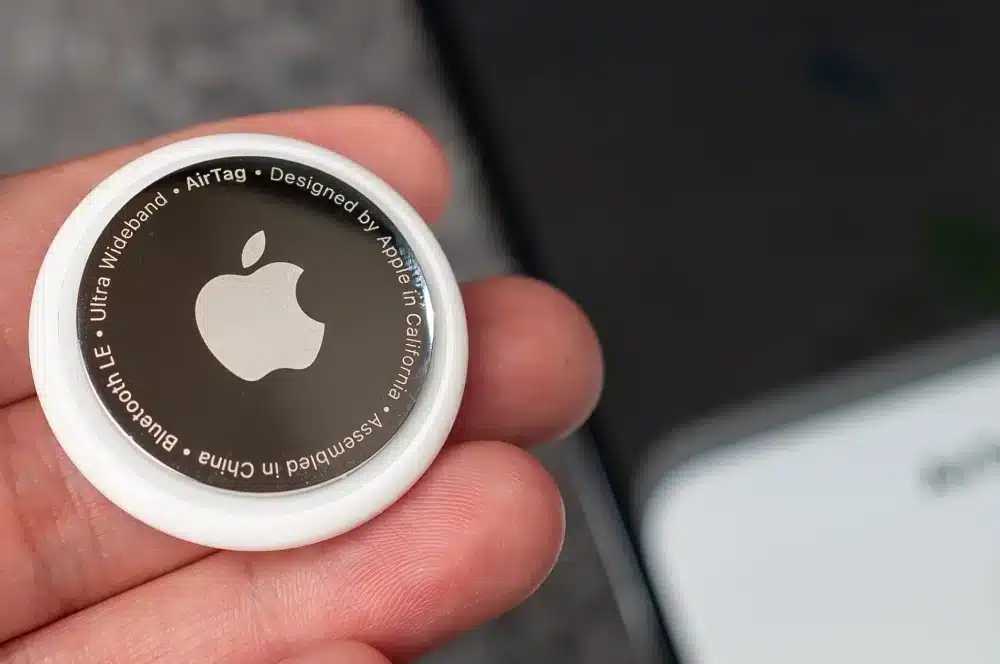
AirTag Battery: How Long Does It Last?
The expected AirTag Battery Life is one of the reasons the tracker is convenient for everyday use. Apple states that AirTag works for more than a year with a standard battery. This applies to both the original AirTag and the current second-generation model, which also uses a replaceable CR2032 battery.
How long do AirTag batteries last?
If you are asking How Long do AirTag Batteries Last, the simple answer is more than one year under typical use. However, battery duration is not an exact countdown.
Real-world battery performance can vary depending on how the AirTag is used, environmental conditions, and other factors. The important point is that AirTag is not designed to require frequent battery changes.
For most users, this means you can attach an AirTag to keys, luggage, a backpack, or another item and leave it working for an extended period before checking the battery.
How long do Apple AirTags last?
There are two different questions hidden in How Long do Apple AirTags Last. The first concerns the battery. The second concerns the AirTag itself.
The battery can be replaced by the user. Therefore, a depleted battery does not automatically mean the AirTag has reached the end of its useful life.
The device itself can continue to be used after a battery replacement, assuming the AirTag remains in good working condition. This distinction is important when comparing AirTag with devices that have sealed batteries.
What Battery Does an AirTag Use?
The correct Battery for AirTag is a CR2032 lithium 3V coin cell. This is a standard coin-shaped battery that is widely available. Apple specifically instructs users to insert the CR2032 with the positive side facing upward.
Which battery should you buy?
When purchasing an Apple AirTag battery, look for these specifications:
- CR2032.
- Lithium.
- 3V.
- Coin cell.
- Compatible with AirTag.
Apple also recommends looking for CR2032 batteries labeled as compatible with AirTag. Some CR2032 batteries use bitterant coatings designed to discourage accidental ingestion by children. Apple warns that some bitterant-coated CR2032 batteries may not work with AirTag. Therefore, compatibility matters more than simply finding any battery with the CR2032 label.
Why does the battery type matter?
A coin cell is small enough to fit inside the AirTag while providing the required electrical characteristics. Using the wrong battery type can create compatibility or safety problems.
For that reason, do not substitute another coin cell simply because it has a similar shape. Always check the battery specifications before installing it.
How to Change AirTag Battery
Learning How to Change AirTag Battery is simple because Apple designed the compartment for user replacement. You do not need to open the electronics or remove screws.
Step 1: Open the battery cover
Hold the AirTag with the polished stainless steel cover facing upward. Press down on the cover. While maintaining pressure, rotate the cover counterclockwise until it stops. You can then lift the cover away from the AirTag.
Step 2: Remove the old battery
Take the existing battery out of the compartment. Handle the battery carefully. Coin cell batteries should always be kept away from young children and pets because swallowing them can cause serious injury.
Step 3: Install the new CR2032
Place the new CR2032 battery inside the AirTag. The positive side should face upward. When the battery connects correctly, the AirTag should make a sound. That sound indicates that the battery has connected.
Step 4: Replace the cover
Put the stainless steel cover back onto the AirTag.BMake sure the three tabs on the cover line up with the three slots on the AirTag. Then rotate the cover clockwise until it stops. Your AirTag should now be ready to use again.
How to Replace AirTag Battery Safely
Knowing How to Replace AirTag Battery is not only about getting the tracker working again. Safety also matters.
Keep coin batteries away from children
CR2032 batteries are small enough to be swallowed. Apple specifically warns that button and coin batteries can cause severe injury or death if swallowed. A swallowed coin battery can cause internal chemical burns in a very short period.
Therefore:
- Keep new batteries away from children.
- Store used batteries safely before disposal.
- Never leave a loose CR2032 unattended.
- Seek immediate medical attention if a coin battery may have been swallowed.
Do not force the cover
The AirTag cover is designed to rotate. You should not need to pry it open with a screwdriver or another sharp object. Using unnecessary force can damage the cover or device. If the cover does not move, make sure you are pressing down firmly while rotating it in the correct direction.
How to Know When Your AirTag Battery Is Low
You do not have to guess when your AirTag Battery is running out. Apple provides battery status information through the Find My app.
Check the battery in Find My
To check whether your AirTag needs a new battery:
- Open the Find My app.
- Tap the Items tab.
- Select your AirTag.
- Check the information shown below its name.
- If the battery is low, a Low Battery notification appears.
Your iPhone can also notify you when an AirTag battery is low. This means you can usually replace the battery before the tracker stops working.
What does a low battery warning mean?
A low battery warning means it is time to prepare a replacement. You do not necessarily need to replace the battery immediately at the first sign of reduced charge.
However, delaying replacement for too long can eventually leave the AirTag without enough power to operate normally. For an AirTag attached to luggage or another important item, replacing it promptly is a smart habit.
AirTag Battery Life Compared With Replacement Frequency
The combination of long battery life and user replacement makes AirTag convenient for long-term tracking.
| AirTag Battery Factor | What It Means |
| Battery type | CR2032 lithium 3V coin cell |
| Battery replacement | User-replaceable |
| Expected battery duration | More than one year |
| Low battery notification | Available on iPhone |
| Battery status | Check through Find My |
| Replacement tools | No special tool required |
| Installation direction | Positive side facing up |
| Confirmation | AirTag plays a sound when connected |
This setup means you can keep using the same AirTag instead of discarding it when the battery becomes depleted.
How Long Do AirTags Battery Last in Everyday Use?
Searches such as How Long do AirTags Battery Last often suggest that every AirTag should reach exactly the same number of months. That is not how battery performance works.
Apple describes the AirTag as lasting more than a year with a standard battery. It does not promise an identical runtime for every individual device.
Usage can affect battery performance
Battery performance can vary with real-world use. An AirTag that spends most of its time attached to a stationary object may have a different usage pattern from one that travels constantly.
Environmental conditions can also affect batteries. Therefore, treat Apple’s more-than-one-year figure as a general expected duration rather than an exact replacement date.
Check instead of guessing
The most reliable approach is to use Find My. If your iPhone shows a low battery warning, replace the CR2032. This is more useful than trying to calculate the exact day when your AirTag battery will stop working.
Apple AirTag Battery Replacement: What You Need
You do not need a repair shop for a normal AirTag Battery Replacement. The process is intentionally simple.
Replacement checklist
Before starting, make sure you have:
- A compatible CR2032 lithium 3V battery.
- The AirTag.
- A clean, stable surface.
- A safe place for the old battery.
That is normally enough. You do not need to remove screws, open the electronic housing, or use specialized repair equipment.
Why user replacement is useful
A replaceable battery makes AirTag more practical for long-term ownership. Instead of replacing the tracker when its battery becomes depleted, you can simply install another CR2032. This also makes it easier to keep an AirTag attached to an important item for years, provided the device remains functional.
How Long Do Apple AirTags Last Beyond the Battery?
The question How Long do Apple AirTags Last should not be answered only by looking at battery duration. The battery is a consumable component. The AirTag itself is a reusable tracking device.
Replace the battery instead of the tracker
Once the battery is depleted, there is no need to automatically buy another AirTag. A replacement CR2032 can restore power. This is especially useful if you have multiple AirTags. Replacing several batteries is generally simpler than replacing several tracking devices.
Protect your AirTag
Although AirTag is designed for everyday use, physical damage can still affect it. The current AirTag is rated IP67 for splash, water, and dust resistance under controlled conditions. That does not mean it should be intentionally exposed to water. Apple also notes that resistance can decrease over time.
AirTag Battery Life: Original vs. Second Generation
Apple introduced the second-generation AirTag in 2026. The new model continues to use a user-replaceable CR2032 coin cell battery.
What remains familiar?
For battery replacement, the basic concept remains familiar:
- CR2032 battery.
- User replacement.
- Positive side facing up.
- Battery compartment under the stainless steel cover.
- Low battery status through Find My.
This means the basic maintenance process remains straightforward.
What should owners remember?
The second-generation AirTag has updated hardware and system requirements. However, the battery remains a replaceable CR2032 cell. Therefore, if your main concern is Apple AirTag Battery Life, the replacement process remains simple.
Pro Tips for AirTag Battery Management
A few habits can make AirTag maintenance easier.
Tip 1: Replace the battery after the warning
Do not wait until the AirTag completely stops responding. A low battery warning gives you an opportunity to replace it first.
Tip 2: Keep spare CR2032 batteries
If you own several AirTags, keeping compatible replacement batteries available can save time. This is especially useful before travel.
Tip 3: Check AirTag status before a trip
Before attaching an AirTag to checked luggage, open Find My and verify its status. A low battery warning is worth addressing before you leave home.
Tip 4: Confirm the battery sound
After installing a new battery, listen for the AirTag sound. It indicates that the battery has connected.
Tip 5: Dispose of old batteries responsibly
Do not leave used coin cells lying around. Follow local battery recycling and disposal rules.
Common Mistakes When Replacing an AirTag Battery
Even a simple replacement can go wrong if the battery is installed incorrectly.
Mistake 1: Installing the battery upside down
The positive side should face upward. If the battery is reversed, the AirTag may not operate correctly.
Mistake 2: Buying an incompatible CR2032
Not every CR2032 battery is guaranteed to work with AirTag. Apple specifically notes that some bitterant-coated versions may not function with the device. Look for a battery that is compatible with AirTag.
Mistake 3: Throwing away the AirTag
A dead battery does not mean the tracker itself is dead. The battery is designed to be replaced.
Mistake 4: Using tools to pry the cover
The stainless steel cover is designed to open by pressing and rotating. Avoid sharp objects that could damage the device.
Mistake 5: Leaving the old battery accessible
A used CR2032 can still pose a serious ingestion hazard. Keep it away from children and dispose of it appropriately.
ExitLag and Your Apple Gaming Setup
An AirTag helps you locate physical belongings, while ExitLag focuses on network performance when you are gaming on supported devices.
If you use an iPhone or iPad for online multiplayer games, connection quality can influence responsiveness, especially in fast-paced matches.
ExitLag can optimize network routing for supported games, helping reduce latency and connection instability. That can make gameplay feel more consistent when network routing is the source of lag.
For players who use their Apple devices for gaming, combining good device maintenance with a stable network connection can help create a smoother overall experience.
The important distinction is that ExitLag works on the network side. It does not replace AirTag functions or modify the AirTag itself.
A healthy AirTag battery keeps your tracker available, while a stable connection can help your supported online games respond more consistently.
Got questions or want to connect with other players? Join the conversation at the ExitLag Forum!