
Few things are more frustrating than trying to hunt or complete quests while Tibia high ping destroys your timing, delays your spells, and forces rubberbanding that ruins your experience. Not only at Tibia, but also at any online game. Above all, when Tibia reacts seconds late to your commands due to high ping, every death feels unfair. In advance, this guide explains why this happens, how to reduce it, and how players use tools like supported games to stabilize their connection.
What is high ping in Tibia?
At first, understanding Tibia high ping is essential to fixing it. Ping represents the time it takes for data packets to travel from your PC to servers, measured in milliseconds (ms). The higher this value, the longer you wait for the server to process your actions. When ping skyrockets, Tibia becomes unresponsive, spells trigger late, and monsters appear in places they were not moments earlier.
Even more, high ping doesn’t always mean your internet is slow. Instead, it often comes from routing, unstable latency, or delays in the data transmission path. In summary, Tibia high ping is simply a delay—measured in ms—between your command and the server’s reaction. Understanding that delay helps you diagnose what causes severe packet travel inconsistencies.
How high ping affects gameplay in Tibia
When Tibia high ping hits during critical moments, the entire gameplay flow breaks. Soon after, players notice delays in spellcasting and weird creature movements that make combat unpredictable.
Here are the most common effects:
- Delayed hit registration, causing spells not to trigger in time.
- Rubberbanding that teleports your character backward.
- Sudden disconnections during hunts or bosses.
- Severe competitive disadvantage in open PvP encounters.
- Loss of timing-based mechanics, harming high-level gameplay.
- Loot misclicks and inefficient pathing caused by delayed interactions.
Spellcasting delay and reaction time
First of all, delayed spells are one of the worst symptoms. In the same way, spells that normally fire instantly now take too long, creating a dangerous gap between intention and action. That’s because Tibia latency prevents the server from processing your command at the correct moment.
Desynchronization and creature movement
From the same point of view, enemies may walk unpredictably, making it impossible to predict attacks. As a result, your hunts become inefficient, and your survivability drops dramatically.
Main causes of high ping in Tibia
Server distance
At first sight, the farther you are from Tibia’s servers, the longer data must travel. Definitely, this increases ping and makes every action feel delayed. Long distances also increase risks of Tibia connection issues during peak times.
ISP / routing issues
According to technical routing behavior, your ISP chooses the path your data takes, and sometimes this path is inefficient. That way, even strong internet plans experience unstable ping due to poor routing logic.
Network congestion
Often, too many people connected at once—either regionally or inside your home—cause congestion. Consequently, your bandwidth becomes inconsistent, increasing spikes and lag Tibia symptoms.
Outdated hardware
While Tibia isn’t heavy, outdated network adapters or old routers can’t handle modern traffic efficiently. In addition, faulty cables or Wi-Fi interference may worsen Tibia latency.
Game-specific cause
Sometimes, specific Tibia updates or crowded game servers generate instability. While temporary, these conditions amplify Tibia high ping moments until developers stabilize the environment.
How to check and test your ping in Tibia
Firstly, Tibia makes it relatively easy to inspect your connection. Inside the game client, the status bar shows your ms value, letting you monitor spikes in real time. If numbers fluctuate from 50ms to 300ms rapidly, you’re experiencing high ping or latency instability.
On the other hand, you can run OS commands like ping or tracert to test packet travel times and identify where delays occur. Just run the command prompt and test your connection to server regions.
In conclusion, values under 50ms are excellent, 50–120ms are acceptable, and anything above 150ms may result in lag Tibia during gameplay.
(Primary KW #3: Tibia high ping)
Ping levels classification
| Ping level | Gameplay experience |
| 0–50 ms | Excellent, almost instant |
| 50–120 ms | Playable with minor delay |
| 120–180 ms | Noticeable lag Tibia issues |
| 180–250 ms | Severe delays and rubberbanding |
| 250+ ms | Unplayable, frequent disconnects |
Basic fixes to reduce high ping in Tibia
Optimize local connection
- Use a wired Ethernet cable instead of Wi-Fi.
- Close background applications consuming bandwidth.
- Update your network adapter drivers.
- Restart your modem/router for a clean session.
- Limit the number of devices connected to your network.
- Disable automatic downloads on Steam, Epic, or browsers.
Contact your ISP
Even so, if problems persist, contacting your provider is often necessary. Your ISP can check for routing failures, regional congestion, or outdated infrastructure.
Bullet list:
- Ask if your area has reported instability.
- Request line testing to identify packet loss.
Additional bullet list:
- Verify if your plan supports stable low-latency gaming.
- Ask if a newer modem or router is available.
Numbered list (must include one):
- Request a routing refresh or reallocation.
- Ask to diagnose connection drops.
- Confirm if international routes are congested.
ExitLag: the best solution to fix high ping in Tibia
ExitLag is the most reliable way to stabilize your connection and eliminate the routing problems that cause Tibia high ping.
What is ExitLag?
In advance, when Tibia high ping becomes constant, players need a solution that directly targets the connection route—something ordinary fixes can’t achieve. That’s exactly where ExitLag stands out as the definitive tool for connection optimization. This software was created by gamers who understand how devastating latency spikes are during hunts, boss fights, or PvP situations.
Furthermore, ExitLag is engineered to stabilize traffic paths, eliminate delays, and choose the most efficient connection route available. It works as a smart connection optimization system—not a workaround—designed to maximize stability and reduce Tibia latency with precision. To understand its foundation, you can explore its advanced technology inside the technology section.
Above all, players rely on ExitLag because it treats the actual cause of instability: poor routing, inefficient paths, and packet delays.
How ExitLag works
ExitLag operates through five core systems that constantly optimize your route:
- Real-time route analysis
Firstly, ExitLag monitors all available paths between your connection and Tibia’s servers, analyzing which route performs better moment by moment. - Multiple routes simultaneously
Like this, instead of relying on a single unstable route, ExitLag sends data through several paths at once, increasing stability and minimizing failures. - Automatic best route selection
As a result, the system always selects the fastest route, reducing spikes tied to Tibia connection issues. - Hop optimization
Even more, ExitLag reduces the number of “hops” (routers your data passes through), improving speed and consistency. - Connection stabilization
Finally, ExitLag keeps your latency predictable, eliminating sudden jumps and packet variations.
Advantages for Tibia players
Drastic latency stabilization
Constantly, Tibia players face unpredictable latency waves. ExitLag ensures your ping stays stable, making your gameplay smoother and reducing lag Tibia in all scenarios.
Reduced packet loss
Secondly, packet loss is one of the biggest causes of rubberbanding. ExitLag’s multi-route system eliminates lost packets, ensuring that every movement, spell, and attack reaches the server reliably.
Smoother combat and spellcasting
In the same way, stabilizing ping improves reaction timing. Whether you're casting exura gran or reacting to a sudden creature movement, your input becomes immediate, reducing misplays caused by Tibia latency.
Faster and safer hunts
As a result, you'll avoid unnecessary deaths caused by delays. Movement remains crisp, spells land consistently, and your character stops rubberbanding.
Better PvP precision
Above all, stable ping means predictable timing in PvP. ExitLag users report improved survivability and faster reaction speed because their commands reach the server without interruption.
Works across countless supported games
ExitLag supports hundreds of online titles. You can see all the supported titles in the supported games section.
Is ExitLag worth it for Tibia?
Definitely, yes. If you're dealing with Tibia high ping, unstable latency, rubberbanding, inconsistent spellcasting, or route instability, ExitLag delivers an immediate and noticeable improvement. From the same point of view, it is especially valuable if:
- You play from far regions
- Your ISP routing is inconsistent
- You experience spikes during peak hours
- You hunt in high-risk areas where instability means death
You can check all available plans inside the pricing section.
How to use ExitLag in Tibia
The process is extremely simple:
Step 1 – Access the official ExitLag website and download the application. There’s a free trial period for new users.
Step 2 – Install and open the program. Log in with your account.
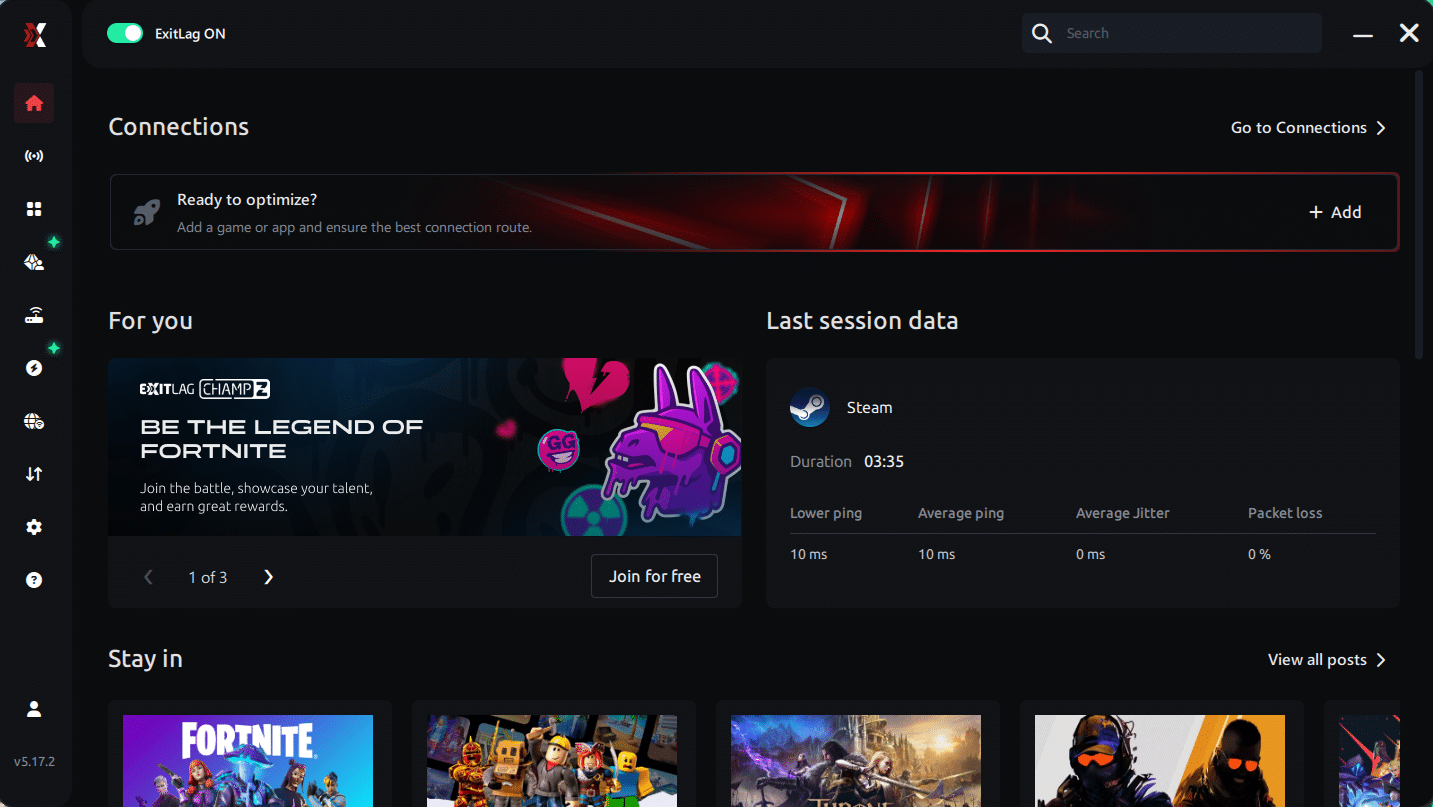
Step 3 – In the search bar, type “Tibia” and select the game from the list.
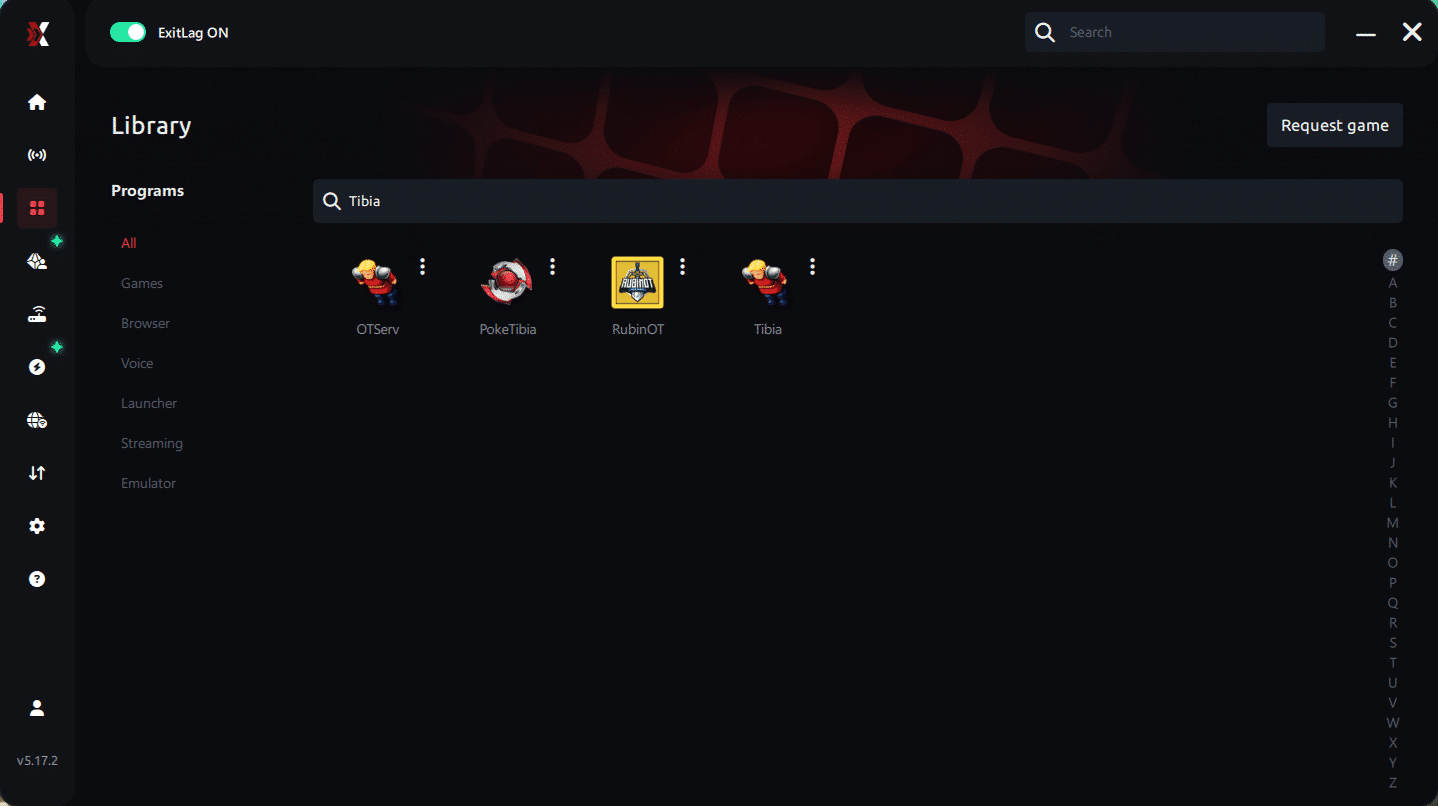
Step 4 – Choose between automated or manual route
Based on the results, you can let ExitLag automatically select the best route or manually choose the server that showed the lowest latency for your connection.
AI-optimized automated route
Based on the results, you can let ExitLag automatically select the best route through AI optimization. The system analyzes multiple connection paths in real time and automatically identifies the most efficient route for your connection, ensuring the lowest possible latency without requiring manual choices.
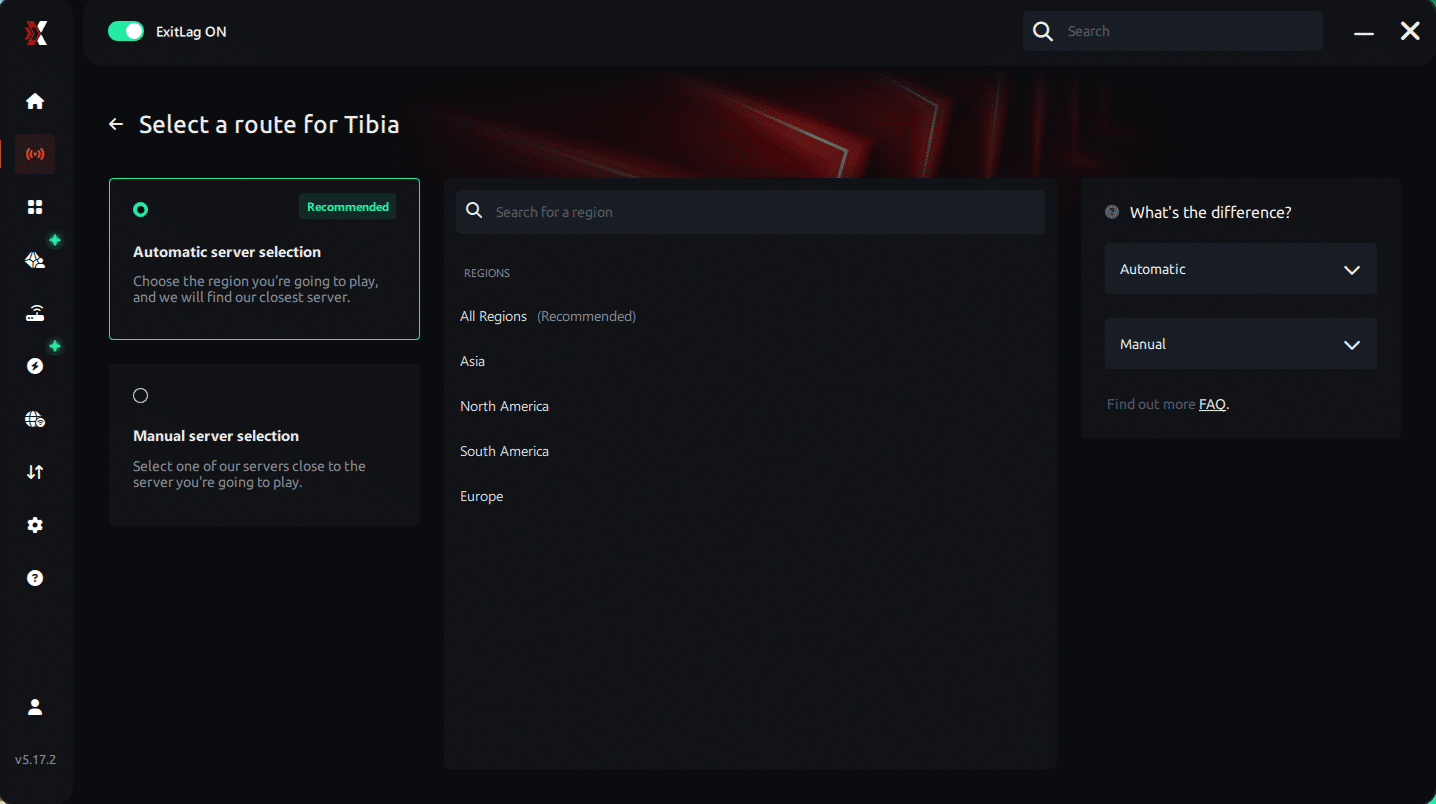
Manual route
If you prefer to have full control over your connection, you can manually choose the server based on the ping test results. Simply select the server that showed the lowest latency or the one that best meets your specific gaming needs, allowing complete customization of your experience.
Step 5 – Click “Apply routes” or the play button. ExitLag will begin optimizing your connection automatically.
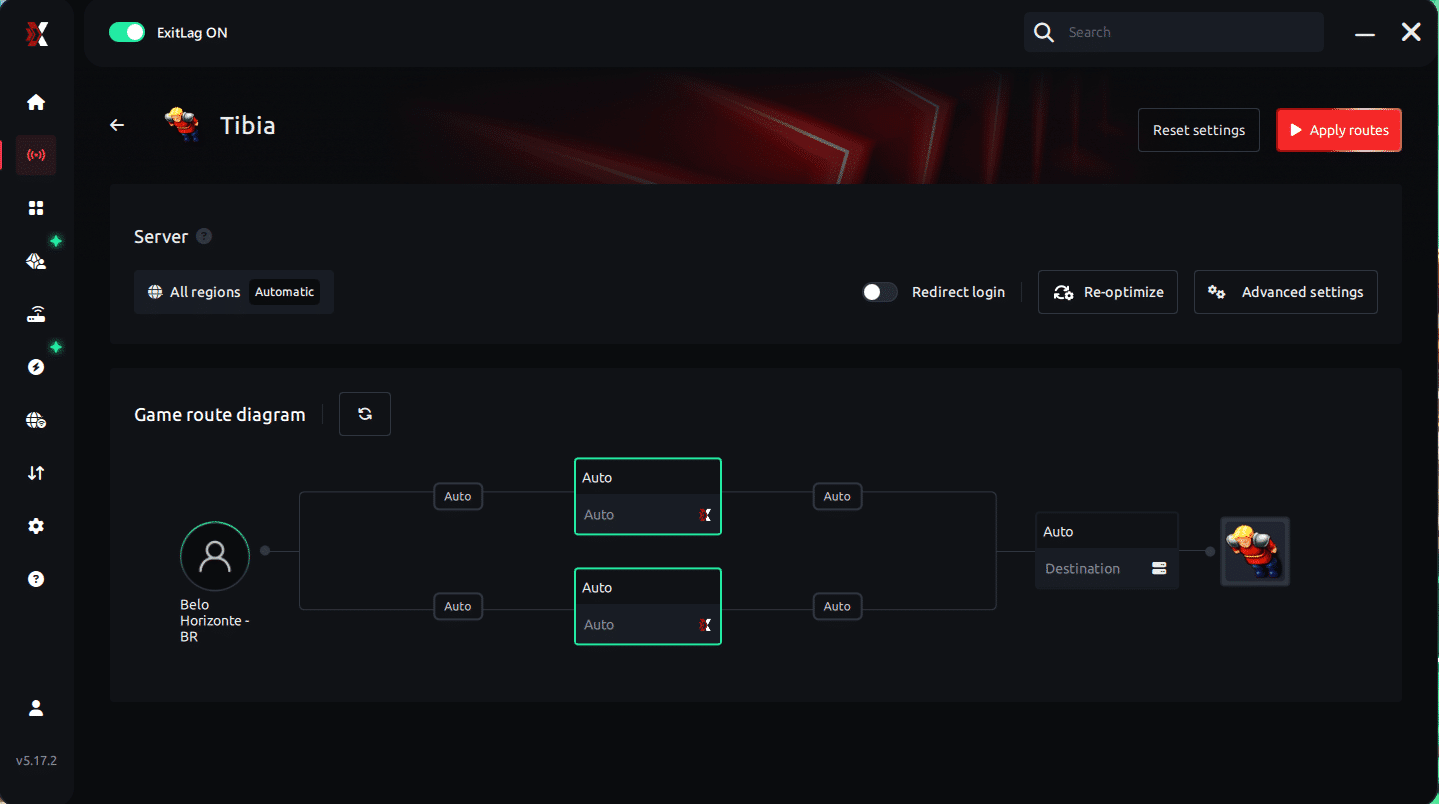
Step 6 – Wait a few seconds until optimization is complete. You’ll see ping indicators in the interface.
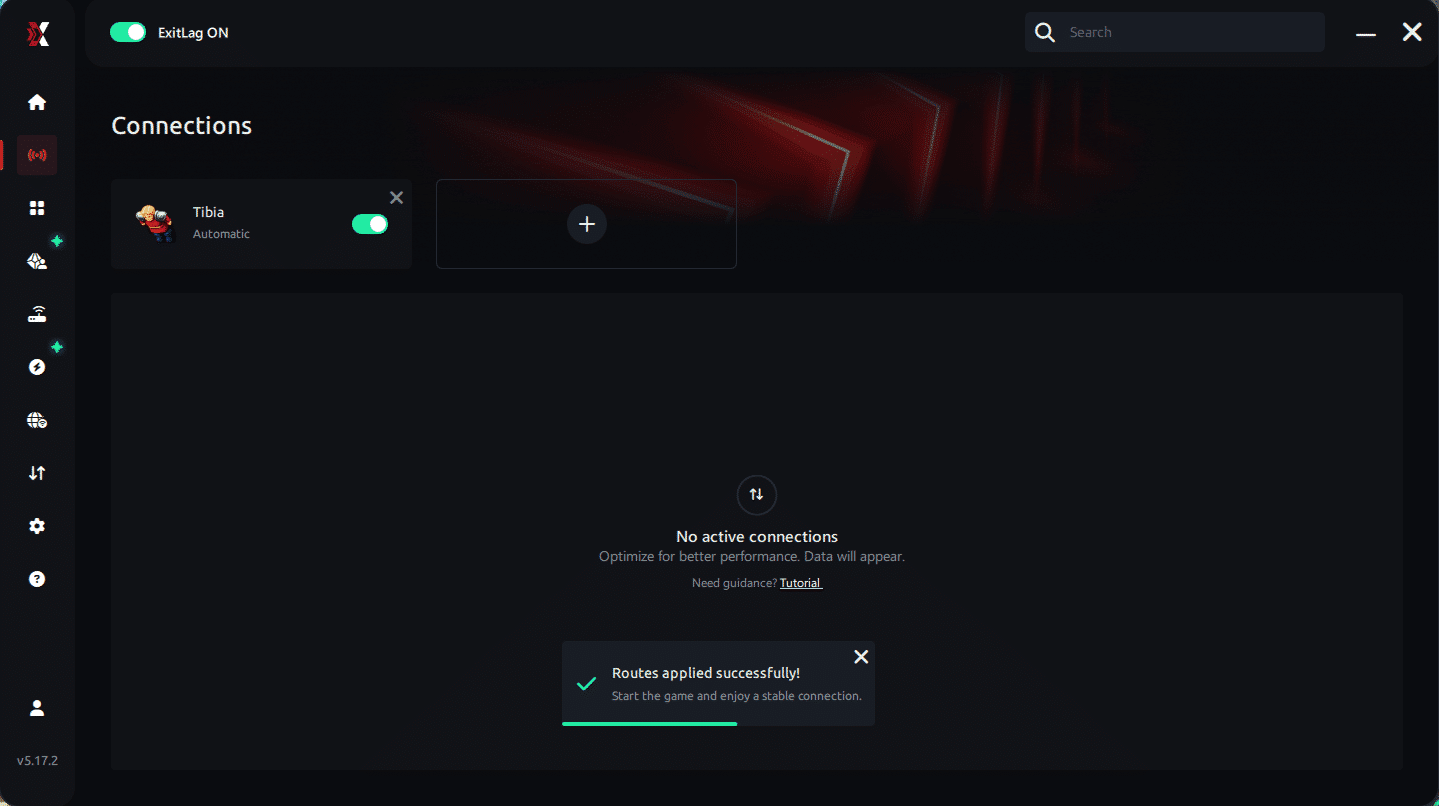
Step 7 – Launch Tibia normally. The optimization will already be active.
ExitLag runs in the background while you play, constantly adjusting routes to maintain the best possible performance.
How to use Ping for Games: step-by-step guide (Tibia)
Checking your connection quality before entering the game has never been easier. Here’s how to use Ping for Games in just a few steps:
1. Open the ExitLag software on your PC
Ensure the application is installed and open. The feature is integrated into the platform and available for free to all users.
2. Access the Network Analyzer tool
Locate the Network Analyzer in the software menu. This is where you’ll find Ping for Games along with other connection analysis features.
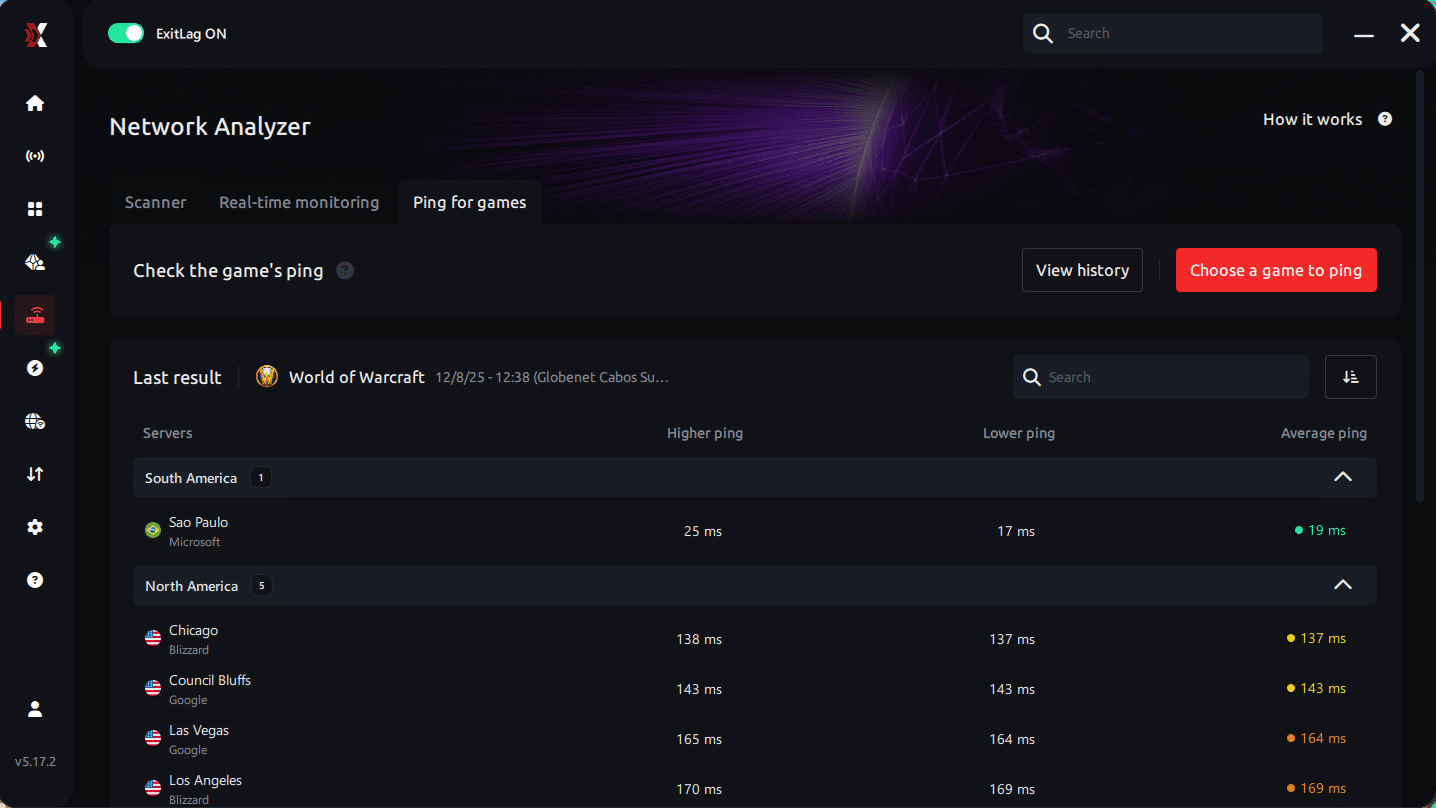
3. Select the game you want to test
Choose Tibia from the list. The tool supports major online multiplayer games, including FPS, Battle Royales, MOBAs, MMORPGs, and more.
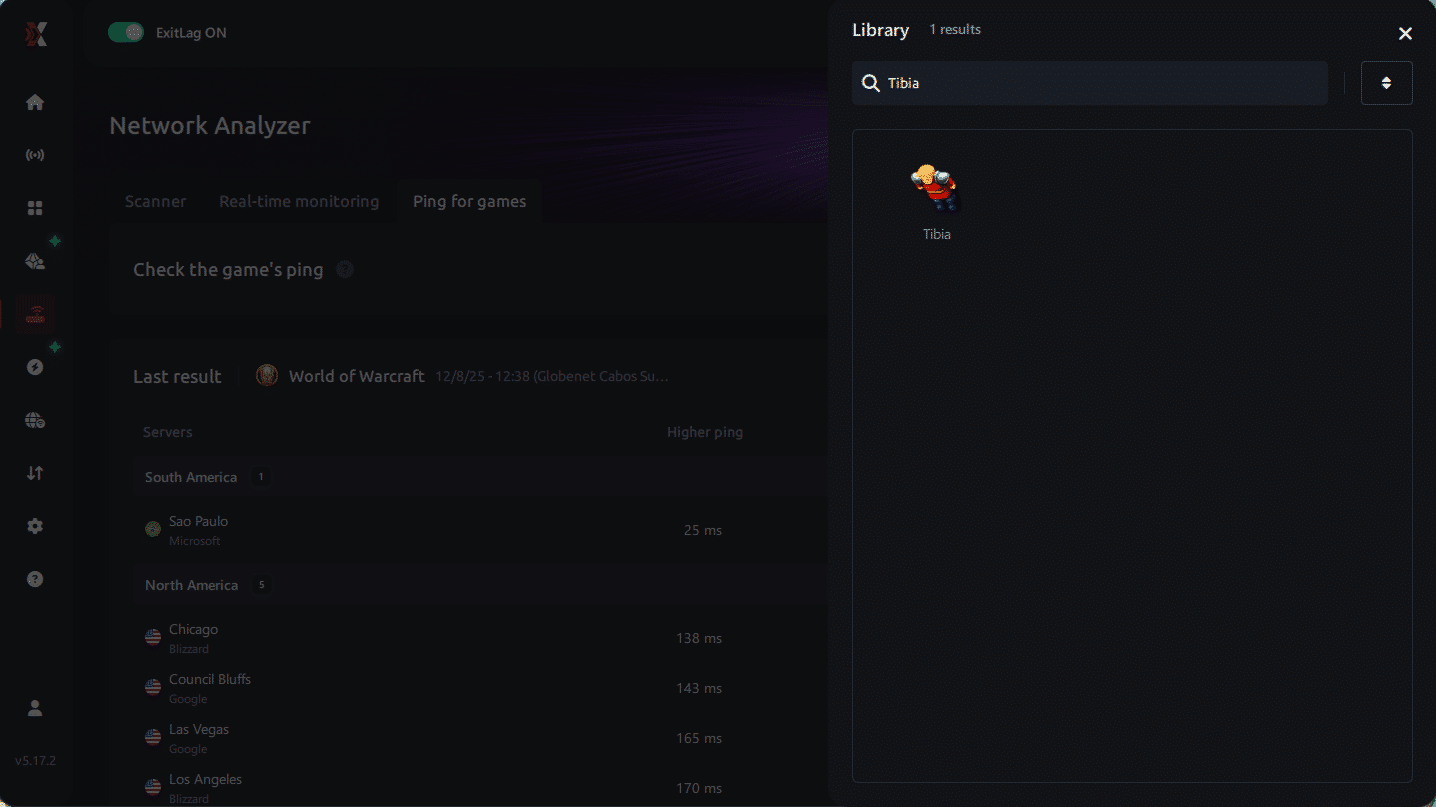
4. Choose the specific server
Select the exact Tibia server you want to test instead of a generic region. This ensures more accurate results for your world.
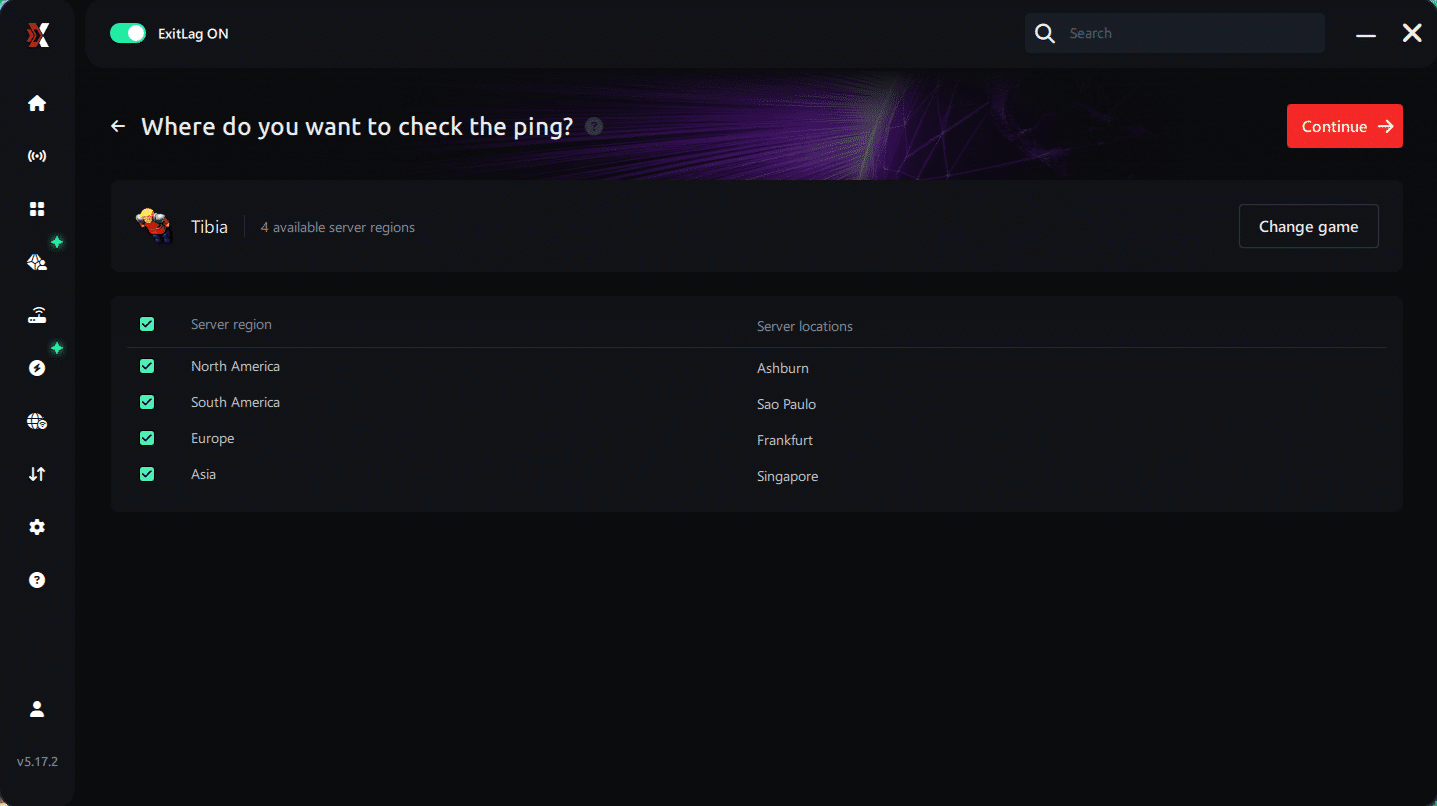
5. Start the ping test
With one click, the measurement is performed in real time between your device and the selected Tibia server, considering your current connection (cable or Wi-Fi).
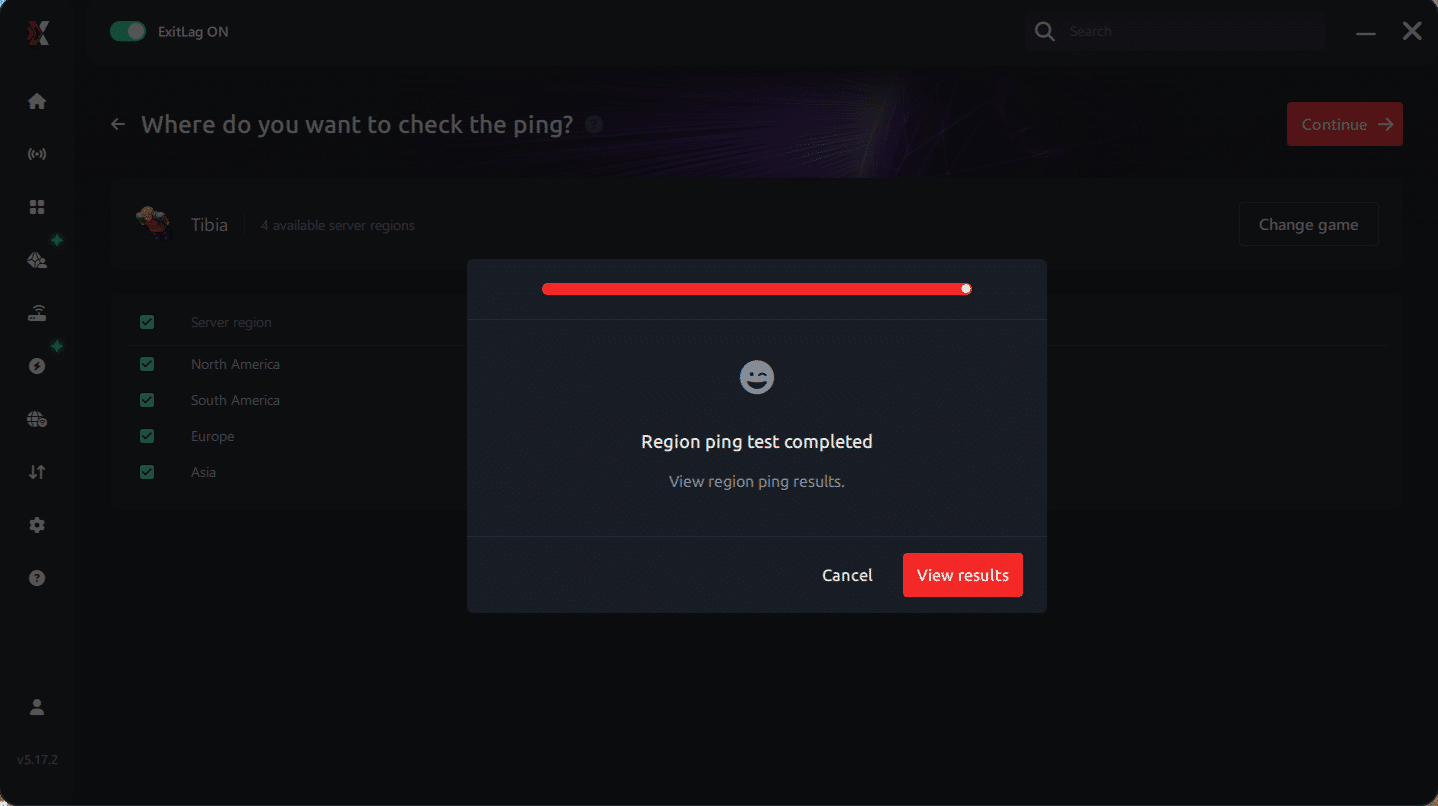
6. Analyze the results
Results appear in milliseconds (ms), automatically sorted from best to worst ping. You can also reorganize the view alphabetically if you prefer.
7. Choose the best server and play worry-free
With this information, simply select the server with the lowest latency and jump into Tibia knowing your connection is optimized.
Final thoughts: Play Tibia without lag forever
At the end of the day, Tibia lag should never ruin your experience. Whether you’re hunting, questing, or fighting in PvP, your internet connection should never be the reason you die or lose progress.
With ExitLag, you finally take control of your network performance. The software finds the fastest routes, eliminates lag, and stabilizes your ping so that every step, every spell, and every action happens exactly when you want it to.
Try ExitLag for free right now and experience how smooth Tibia can be when your connection is fully optimized. Play with confidence, progress faster, and make lag a thing of the past.
FAQ: everything about high ping in Tibia
What causes high ping in Tibia?
At first, Tibia high ping usually happens because your connection travels through inefficient routes chosen automatically by your provider. Often, these paths are longer, congested, or unstable. In other words, the problem isn’t always your internet speed—it’s the path your data takes.
Additionally, Tibia connection issues may come from server distance, local congestion, outdated equipment, or packet loss. All these factors combined generate the delays players feel during hunts and quests.
How do I check my ping in Tibia?
Inside Tibia’s interface, your ms value is displayed in the status area. If the number jumps drastically—like 40ms, then 180ms, then 300ms—you’re experiencing instability, not just slow connection.
Alternatively, you can run OS commands such as ping or tracert to test the route to the game servers. These tests reveal where the delay happens and how severe Tibia latency is at each hop.
What is good ping for Tibia?
Good ping for Tibia is typically 0–50ms, offering fast and accurate feedback. However, values up to 120ms are still playable. Above that, lag Tibia symptoms begin to appear, including spell delays and desync.
In conclusion, while Tibia tolerates moderate latency, stability is more important than raw speed.
Can high ping get you banned in Tibia?
No. High ping does not cause bans. Tibia’s punishment systems target third-party tools or abusive behaviors—never connection problems. Still, high ping may make your client behave erratically, which might seem suspicious in rare situations, but it does not trigger punishments.
In summary, Tibia high ping is a technical issue, not a rule violation.
Does ExitLag work for Tibia?
Yes. ExitLag is widely used by Tibia players who need stable and low latency. By optimizing routing, reducing hops, and eliminating packet loss, ExitLag dramatically improves gameplay. It is especially recommended for players dealing with Tibia connection issues, long distances, or unstable routes.
Custom question: Does high ping in Tibia depend on my PC or my internet?
Often, instability comes more from your internet path than from your PC. While outdated hardware can affect networking, the dominant factor behind Tibia high ping is routing. That’s because your ISP selects traffic paths automatically, which are not always optimized for gaming.
Still, improving both your hardware and your network provides the best results.
Conclusion
In conclusion, dealing with unstable latency can ruin hunts, disrupt quests, and make PvP almost impossible. However, understanding the causes and applying the correct solutions ensures a smoother experience. With the right tools and optimizations, you can finally overcome Tibia high ping and enjoy the gameplay as intended.
For more insights, tutorials, and tips, visit the official ExitLag blog.
Tibia high ping no longer needs to ruin your free time. Now that you understand the causes and how to stabilize your connection, you can finally enjoy your gaming smoothly. Start your free trial and see the difference for yourself.



