Choosing between USB C Vs Lightning can matter more than it first appears when you use an iPhone for gaming. The connector affects which cables, accessories, chargers, and wired devices you can use.
For mobile gamers, the USB C Vs Lightning debate is mainly about compatibility and convenience. Your iPhone model determines which port you have, while your accessories determine how useful each connection can be.
So, which option is better today? USB-C is the more flexible choice for newer iPhones, while Lightning remains practical for older devices and existing accessories. The right option depends on your hardware and gaming setup.
USB C Vs Lightning: What Changes for Mobile Gaming?
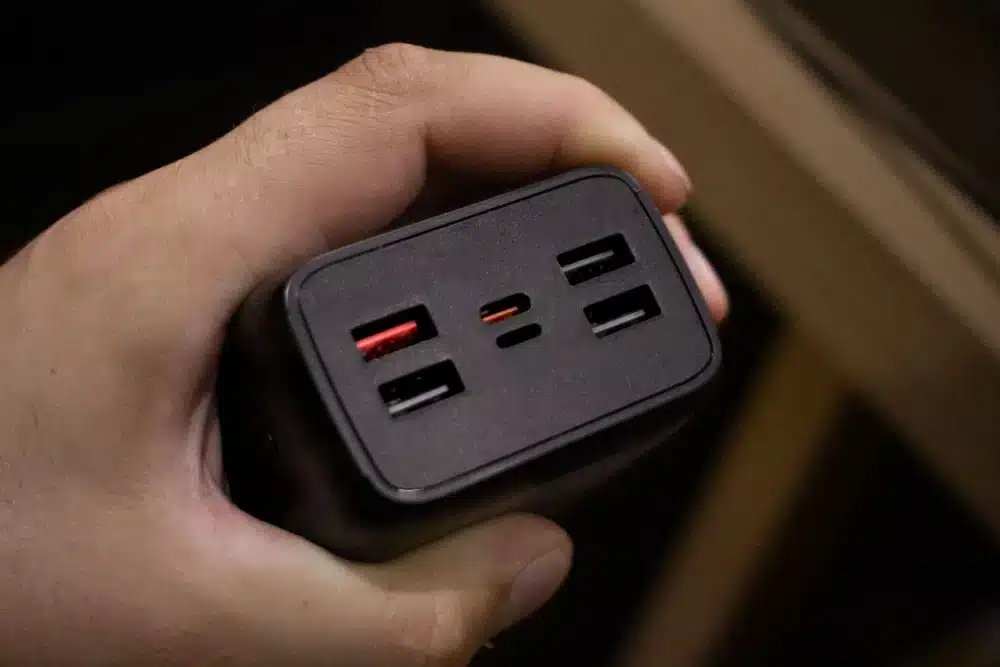
The biggest difference is the physical connector. However, the gaming experience depends on much more than the shape of the port.
USB-C Gives Newer iPhones More Flexibility
Newer iPhone models use USB-C. This makes it easier to share charging cables with many other modern devices.
That can be useful when gaming away from home. You may already carry a USB-C cable for another device, reducing the number of cables in your bag.
USB-C can also support different data and display capabilities depending on the device, cable, and protocol being used.
This point is important because USB-C does not automatically mean maximum USB performance. The USB-C connector can support different standards, so you should check the specifications of the device and cable. For gaming, this means the connector alone does not determine performance.
Lightning Still Works Well on Compatible iPhones
Lightning remains useful if your iPhone has a Lightning port. Existing cables and accessories can continue to work without requiring a complete replacement. That can be especially convenient for players who already own Lightning-compatible accessories.
A Lightning gaming setup may include:
- A Lightning charging cable
- A compatible power adapter
- Lightning audio accessories
- A Lightning adapter for older peripherals
- Wireless gaming accessories used alongside the phone
The main advantage is simple: you can continue using accessories designed for your device.
Lightning Vs USB C: Which Is Better for Charging?
Charging is one of the most important factors for mobile gaming. Long gaming sessions can drain a phone quickly. Using the correct charger and cable can therefore make your setup much more convenient.
USB-C Makes Charging Setups Easier
USB-C has become widely used across modern electronics. That creates a major advantage for gamers who own several devices. One USB-C ecosystem can reduce cable clutter and make it easier to share chargers.
Apple also supports USB-C charging on newer iPhones. The company recommends using a USB-C cable for faster charging on compatible models. However, charging speed is not determined by the connector alone. The phone, charger, cable, and charging standard all matter.
Lightning Can Still Be Convenient
A Lightning iPhone can still charge effectively with a suitable charger and cable. For players with older iPhones, there is no automatic reason to replace the entire setup simply because newer devices use USB-C.
If your Lightning cable is reliable and your charger meets your needs, it can remain a practical gaming solution. The main disadvantage is ecosystem flexibility.
As more devices adopt USB-C, a Lightning-only setup can require additional cables or adapters.
| Gaming Factor | USB-C | Lightning |
| Newer iPhone compatibility | Excellent | Limited |
| Existing older iPhone compatibility | Limited | Excellent |
| Cable ecosystem | Broad | More device-specific |
| Accessory flexibility | High | Good |
| Charging convenience | High | Good |
| Data capability | Depends on device and cable | More limited |
| Future flexibility | Strong | Lower |
| Best for | Newer iPhones | Older compatible iPhones |
USB Type C Vs Lightning Cable: What Should Gamers Buy?
The cable matters almost as much as the connector. A USB Type C Vs Lightning Cable comparison can be misleading if you only look at the physical ends.
USB-C Cables Have Different Capabilities
Not every USB-C cable provides the same performance. Some USB-C cables support only basic USB 2.0 data speeds. Others can support higher-speed standards when the connected hardware also supports them. That means gamers should avoid assuming that every USB-C cable offers the same capabilities.
Before buying a cable, check:
- Supported charging capability
- Data transfer standard
- Cable length
- Build quality
- Device compatibility
- Manufacturer specifications
A short, durable cable can also be more practical for gaming because it creates less cable movement around your hands.
Lightning Cables Are More Device Specific
Lightning cables are designed around Apple’s Lightning ecosystem. That can make compatibility easier to understand when you already own a compatible iPhone.
However, the Lightning ecosystem is less universal than USB-C across current consumer electronics. For gamers who own multiple modern devices, USB-C can therefore be more convenient.
Lightning Cable Vs USB Type C: Which Is Better for Accessories?
Gaming accessories can change the answer. A player using a wireless controller may barely care about the phone’s charging port during gameplay. Someone using wired accessories may care much more.
Wired Accessories Change the Decision
A gaming setup can include several connected devices.
For example:
- Wired headphones
- Charging accessories
- Controllers
- Storage accessories
- Display adapters
- Audio adapters
USB-C can provide broader accessory flexibility on supported iPhones. Apple also provides adapters that allow USB-C iPhones and iPads to connect with Lightning accessories. This makes the transition easier for players who already own older accessories.
Wireless Gaming Reduces the Difference
Bluetooth gaming accessories reduce the importance of the physical connector. A wireless controller does not require a Lightning or USB-C connection during gameplay. In that situation, the port becomes more important for charging than for gameplay itself. That can make either connector perfectly usable, depending on the iPhone model.
Lightning Cable Vs USB C: Does It Affect Gaming Performance?
This is where many comparisons become confusing. The connector itself does not automatically make a game run faster.
Your game’s frame rate depends on the phone’s hardware, software, graphics settings, temperature, and the game itself. Your network connection also matters when playing online.
The Port Does Not Automatically Reduce Ping
Switching from Lightning to USB-C does not automatically lower network latency. Online games communicate through your internet connection, not through the charging connector.
For example, changing a charging cable will not magically improve:
- Server latency
- Wi-Fi quality
- Cellular signal
- Packet loss
- Server distance
- Network congestion
This distinction is important when evaluating Lightning Cable Vs USB C for gaming.
USB-C Can Improve Setup Flexibility
USB-C can still improve the overall gaming setup. Its broader accessory ecosystem can make it easier to connect compatible devices, charge the phone, and manage accessories.
That is a convenience advantage rather than a guaranteed FPS or latency advantage. For competitive mobile gaming, network stability remains far more important than whether the phone has USB-C or Lightning.
USB C Vs Lightning Cable: Which Is Better for Competitive Players?
Competitive players usually care about consistency. That includes stable network performance, reliable accessories, comfortable controls, and sufficient battery life.
Why Cable Reliability Matters
A damaged cable can become a real problem during long gaming sessions. A loose connection can interrupt charging or cause an accessory to disconnect. For that reason, cable quality matters regardless of connector type.
A good gaming cable should:
- Fit securely
- Resist repeated bending
- Match the device requirements
- Provide the required charging capability
- Have enough length for comfortable use
Why Charging During Gaming Can Be Useful
Some players prefer to keep their phone connected during long sessions. That can prevent the battery from becoming the limiting factor. However, charging while gaming can also increase heat.
Heat management matters because sustained high temperatures can affect how a mobile device behaves during demanding workloads. The best approach is to keep the device well ventilated and avoid unnecessary heat sources.
Lightning Port Vs USB C: Which Port Is More Future Ready?
The Lightning Port Vs USB C comparison strongly favors USB-C for long-term flexibility. Newer iPhones use USB-C, and the connector is common across many categories of modern devices.
USB-C Fits a Larger Device Ecosystem
USB-C appears across phones, tablets, computers, accessories, displays, and other electronics. For gamers, this means fewer specialized cables can be necessary when several devices share the same connector.
A single USB-C cable may be useful across multiple compatible devices. However, always verify the specifications because the same connector can support different capabilities.
Lightning Remains Useful on Older Hardware
Lightning is not suddenly unusable. If your iPhone has a Lightning port, your existing accessories can continue to serve you. Replacing a working setup only because USB-C is newer is not always necessary. The decision becomes more important when buying a new device or rebuilding your gaming accessories.
USB-C Vs Lightning: How Should You Choose?
The easiest way to decide is to start with your iPhone.
Choose Based on Your Current Hardware
If you already have an iPhone with Lightning, keeping your existing accessories can make sense. If you are using a newer USB-C iPhone, building around USB-C is usually more convenient.
Consider these factors:
- Your iPhone model
- Your current cables
- Your gaming accessories
- Your charger collection
- Your need for wired peripherals
- Your plans for future devices
Think About Your Entire Gaming Setup
Do not compare the connectors in isolation. Think about how you actually play. If you mostly use wireless controllers and charge overnight, the difference may be minor.
If you frequently connect accessories, transfer data, or share chargers between devices, USB-C can be much more convenient.
USB-C Vs Lightning For Mobile Gaming: Pro Tips
1. Check the Cable Specifications
Do not buy a cable based only on the USB-C name. Check its supported charging and data capabilities.
2. Keep a Reliable Backup Cable
Competitive gaming sessions can last for hours. Having a spare compatible cable can prevent an avoidable interruption.
3. Avoid Excessive Cable Length
Long cables can become tangled around your hands or controller. Choose a length that gives you freedom without creating unnecessary clutter.
4. Watch Device Temperature
Gaming and charging can create additional heat. Keep the phone away from direct heat and use a setup that allows airflow.
5. Match Accessories to Your iPhone
Before buying a controller, adapter, or audio accessory, confirm that it works with your specific iPhone model.
6. Prioritize Network Stability
A different charging connector will not fix high ping. For online gaming, focus on the quality and stability of your network connection.
USB C Vs Lightning: Common Mistakes
Mistake 1: Assuming USB-C Always Means Faster
USB-C is a connector standard, not a guarantee of one specific performance level. Correction: Check the supported USB protocol and the specifications of both devices.
Mistake 2: Expecting Lower Ping
Changing a charging connector does not automatically improve online latency. Correction: Focus on network quality, server distance, packet loss, and connection stability.
Mistake 3: Buying the Cheapest Cable
Low-quality cables can create charging or connection problems. Correction: Choose cables from reputable manufacturers and verify their specifications.
Mistake 4: Ignoring Compatibility
An accessory that works with one iPhone may not work identically with another. Correction: Check the exact iPhone model and accessory requirements before purchasing.
Mistake 5: Replacing Everything Immediately
Moving to USB-C does not mean every existing Lightning accessory needs to be discarded. Correction: Replace accessories gradually as needed.
USB C Vs Lightning For Better Gaming Connectivity
Your charging connector is only one part of a mobile gaming setup. For online games, network stability can have a much bigger impact on responsiveness.
ExitLag can help optimize the connection path used by supported games, reducing unnecessary routing issues and helping create a more stable connection.
For iPhone gaming, this can be useful when the main problem is inconsistent latency rather than the physical charging port.
The best setup combines reliable hardware with a stable network connection. USB-C can simplify the hardware side, while a connection optimization tool can address network-related problems.
USB C Vs Lightning: Final Verdict for Gamers
The USB C Vs Lightning decision is simple when you start with your iPhone model. Lightning remains useful for compatible older iPhones and existing accessories.
USB-C is the stronger choice for newer iPhones and gamers who want a broader modern accessory ecosystem. The most important difference is flexibility, not automatic gaming performance.
USB-C can make charging and accessory management easier, but it does not directly increase FPS or guarantee lower ping.
If you are building a gaming setup today, USB-C offers the more flexible ecosystem. If you already have a Lightning iPhone that works well, there is no urgent reason to replace a reliable setup.
For online gaming, remember that the cable is only one part of the experience. Stable connectivity, responsive controls, device temperature, and reliable accessories all matter.
Ultimately, USB C Vs Lightning is less about which connector is universally faster and more about which ecosystem fits your gaming hardware, accessories, and daily routine.
Got questions or want to connect with other players? Join the conversation at the ExitLag Forum!