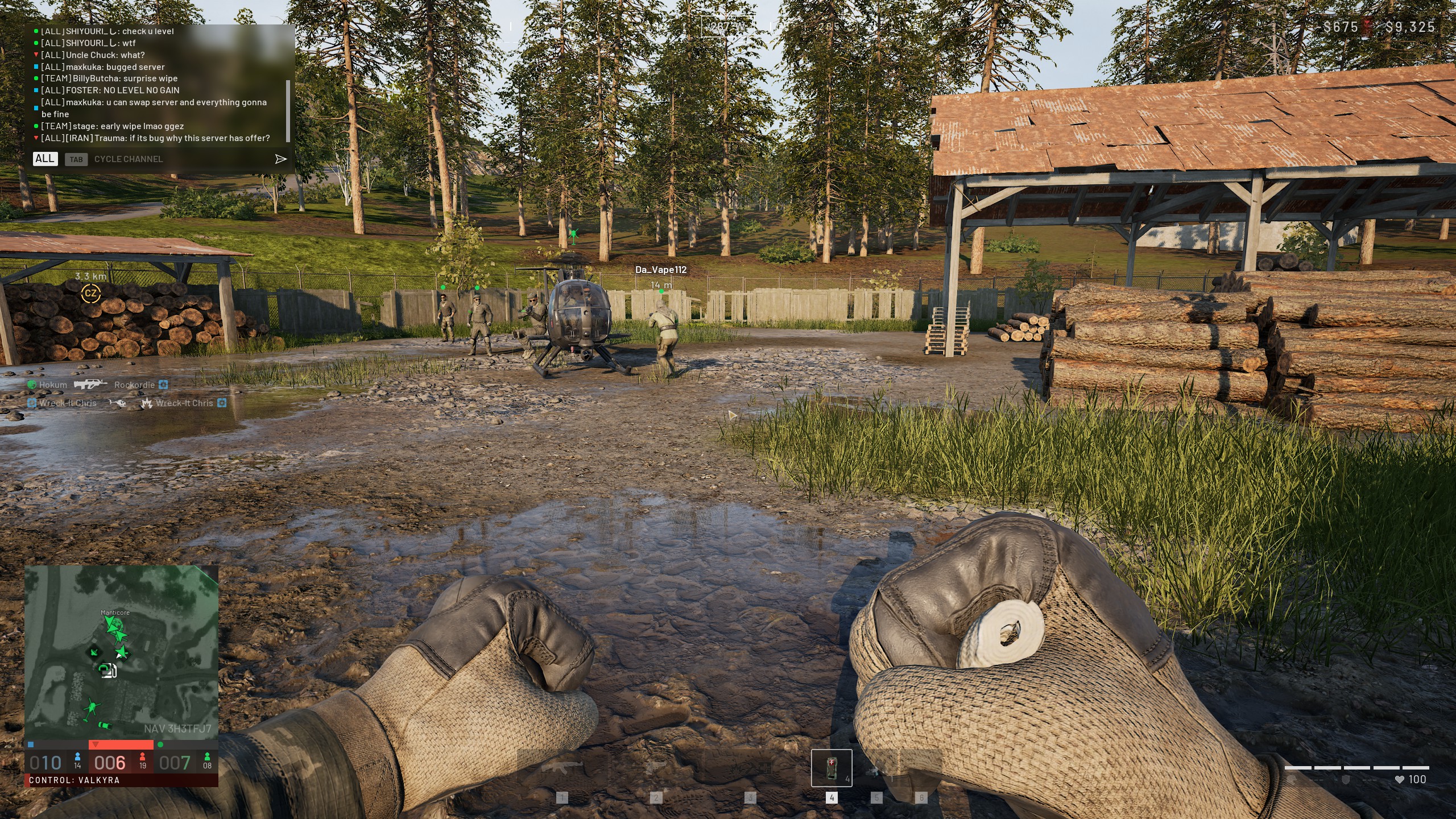
WARDOGS dropped players into a 100 person battlefield where three factions fight over a single moving Control Zone, and Wardogs Community Servers quickly became part of the conversation. The community reacted fast, and admins started renting their own matches almost immediately.
Within days of Early Access launching, Wardogs Community Servers became the go to destination for players who wanted more control over their matches. If you are still queuing into official matchmaking only, you are missing half of what Wardogs Community Servers have to offer.
In short, Wardogs Community Servers are player rented matches run by independent hosts instead of BULKHEAD's matchmaking queue. Right now they also carry a limited time Wardogs Community Server Cash Bonus on top of normal earnings.
You browse them through a dedicated server tab, join with a persistent server ID, and earn a small percentage more cash at the end of every match while the promotion lasts. That combination of control, community, and extra cash is exactly why so many players have switched over this month.
This guide breaks down exactly what Wardogs Community Servers are, how to find and join one, and how the current Wardogs Community Server Cash Bonus actually works. We will also cover hosting your own server, the ban rules nobody explains clearly, and the mistakes that get accounts wiped back to zero.
What Are Wardogs Community Servers?
Wardogs Community Servers are matches hosted and administered by players or approved hosting companies rather than the official matchmaking system. Instead of an anonymous queue, you join a persistent server with its own admin team, its own player base, and its own reputation.
Consequently, the experience feels far more personal than a random official lobby.
Official Servers vs Wardogs Community Servers
Official servers rely on player reports and backend moderation, which can take time to act on griefers or cheaters. Community servers flip that model entirely. As a result, local admins can remove a disruptive player in seconds instead of waiting on a ticket queue.
That single difference explains most of the appeal. However, community servers also let regulars build familiarity with the same 100 faces across dozens of matches, which naturally improves teamwork.
Why Players Are Switching To Community Servers
Several factors are driving the migration toward Wardogs Community Servers right now:
- Faster moderation: Admins can ban toxic players instantly instead of relying on slow official reports.
- Consistent communities: You start recognizing squadmates and rivals across sessions.
- Better regional coverage: Independent hosts often fill gaps where official capacity is thin.
- The current cash bonus: A temporary reward on top of normal match earnings.
How To Find And Join Wardogs Community Servers
Finding a good match used to be frustrating before the latest patch reorganized the browser. Now the process is considerably simpler, though it still has a few quirks worth knowing before you dive in.
Using The Server Browser
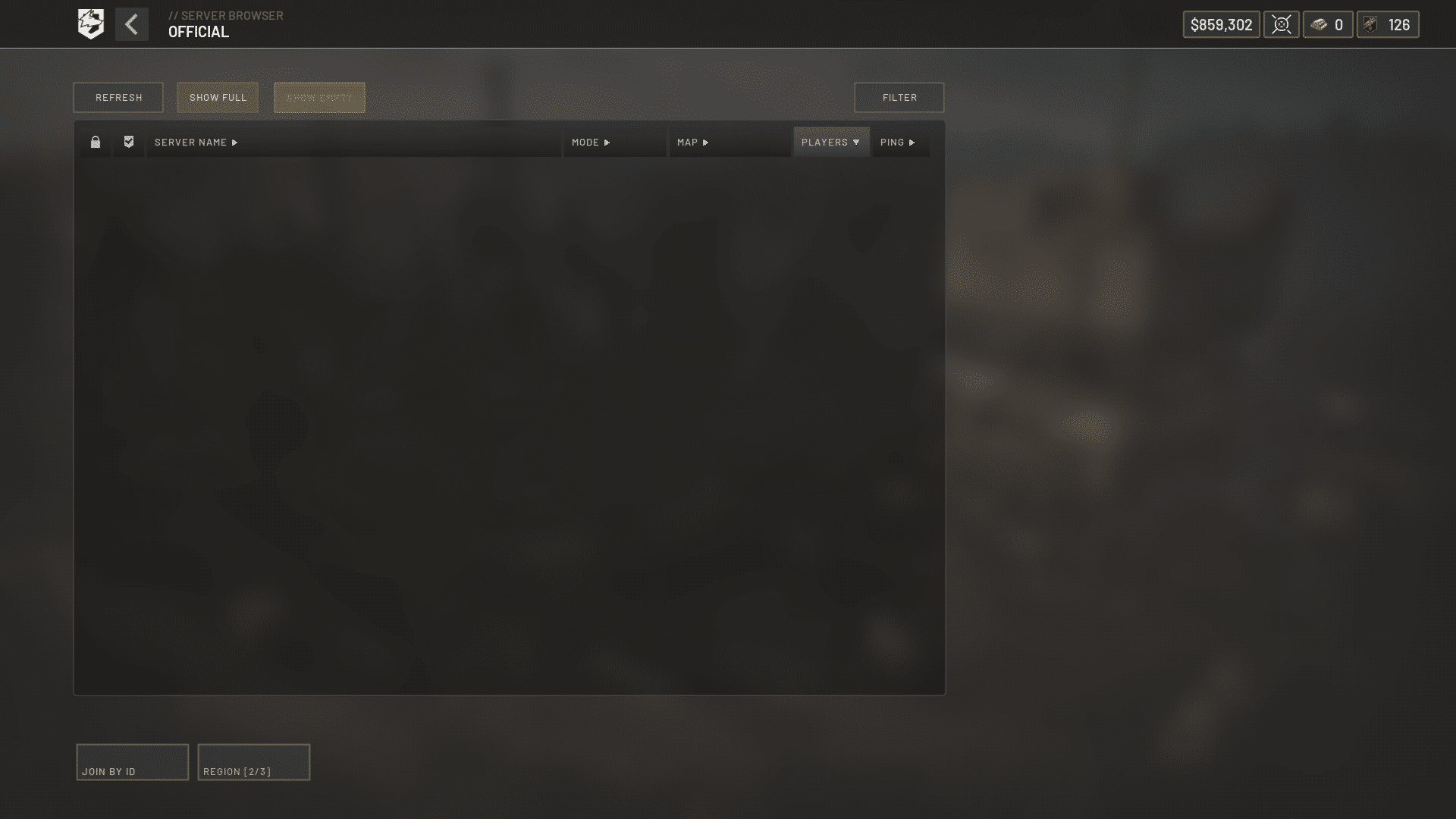
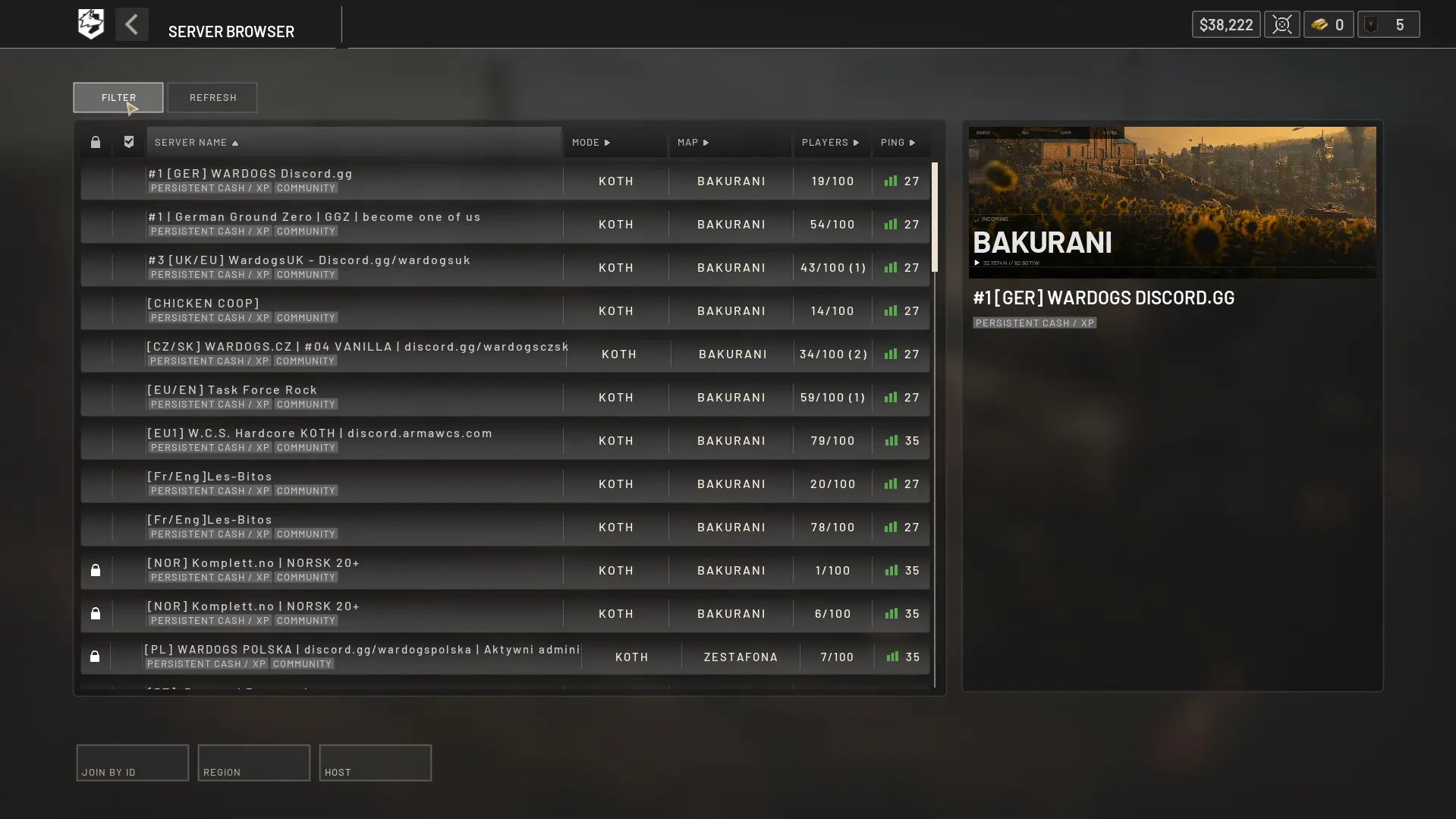
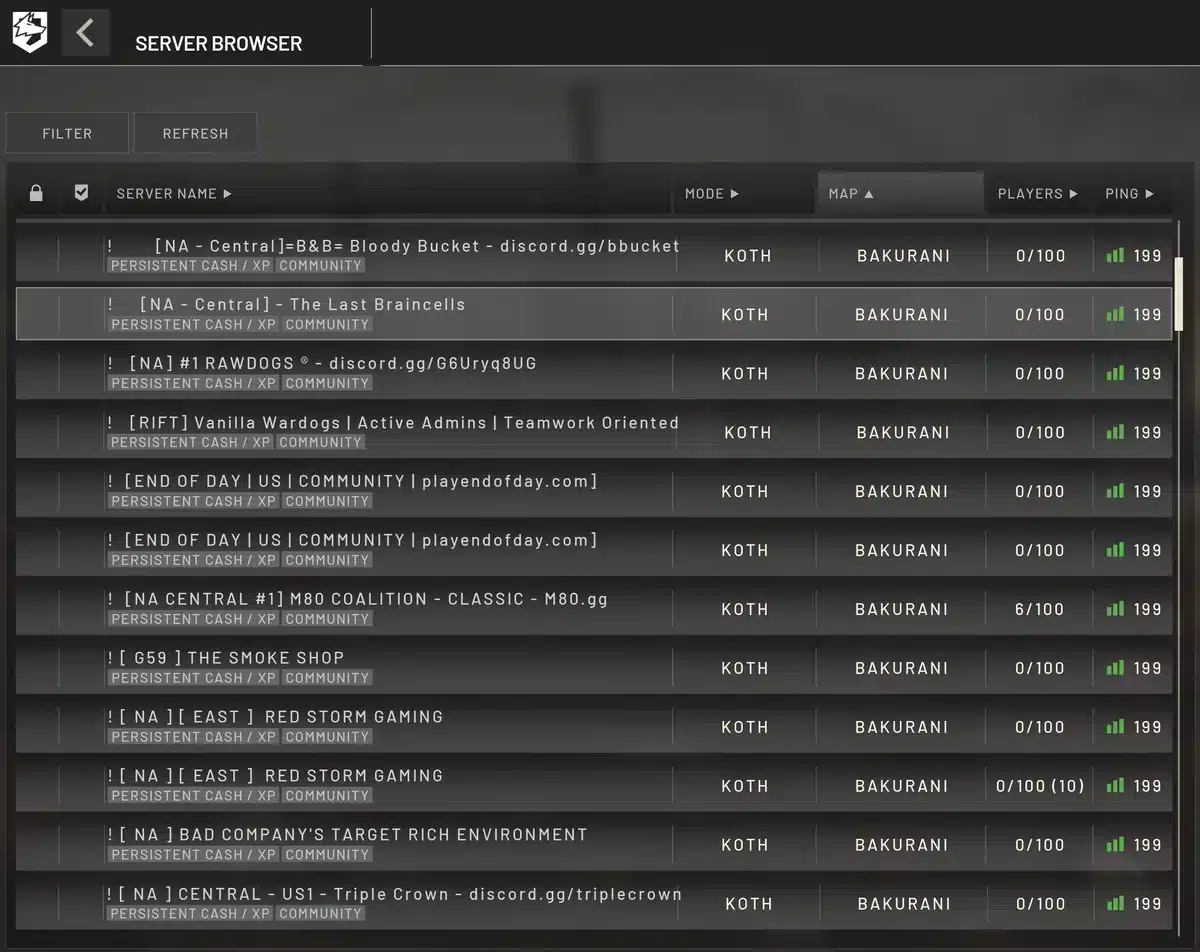
The Wardogs Server Browser now splits Official and Community listings into separate tabs, so you are no longer scrolling through a mixed list. Each community entry shows a persistent, unique server ID that stays valid between restarts, which makes it easy to rejoin a favorite.
First, follow these steps to get into a match quickly:
- Open the main menu and select the server browser.
- Switch to the Community tab instead of the default Official view.
- Choose exactly one region from the filter list.
- Use the text search box if you already know part of the server name.
- Toggle the Show Empty or Show Full option to narrow results further.
- Select a server and confirm to join the queue.
Search Tips That Actually Work
The search function is picky, and a few habits make a real difference when you are hunting for a specific Wardogs Community Servers listing.
- Select only one region at a time, since multi region selection often returns nothing.
- Search using a short three or four character substring instead of the full server name.
- Clear the search box between attempts rather than editing an existing query.
- Bookmark the server's unique ID somewhere safe until favoriting ships officially.
Understanding The Wardogs Community Server Cash Bonus
The Wardogs Community Server Cash Bonus is the headline reason so many players are trying community servers for the first time. It is a limited time incentive layered on top of the game's existing cash economy, and it specifically rewards players for finishing matches on community hosted servers.
How The Cash Bonus Works
Every player starts with a one time balance of ten thousand dollars, which is not refilled after every death. Instead, you earn additional cash through objective play, revives, transport, and holding the Control Zone, then repurchase your loadout each life.
On top of that normal economy, the Wardogs Community Server Cash Bonus currently adds a five percent boost to your End of Match cash reward when you finish a game on a community hosted server. Importantly, this bonus only applies to cash, not experience points.
Who Qualifies For The Wardogs Community Server Cash Bonus?
Notably, any player who completes a match on an approved community server during the promotional window qualifies automatically for the Wardogs Community Server Cash Bonus. There is no separate sign up or code to redeem. Therefore, the only requirement is finishing the match rather than leaving early.
Because this kind of promotion is time limited by design, it is worth checking the in game news panel before you plan a long grinding session. Bonuses like this one tend to rotate rather than stay permanent.
Is It Safe To Play On Wardogs Community Servers?
Safety is the most common concern new players raise about Wardogs Community Servers, and it is a fair one given how strict BULKHEAD has been about economy abuse. The short answer is yes, as long as you avoid a handful of clearly defined traps.
Ban Rules You Need To Know
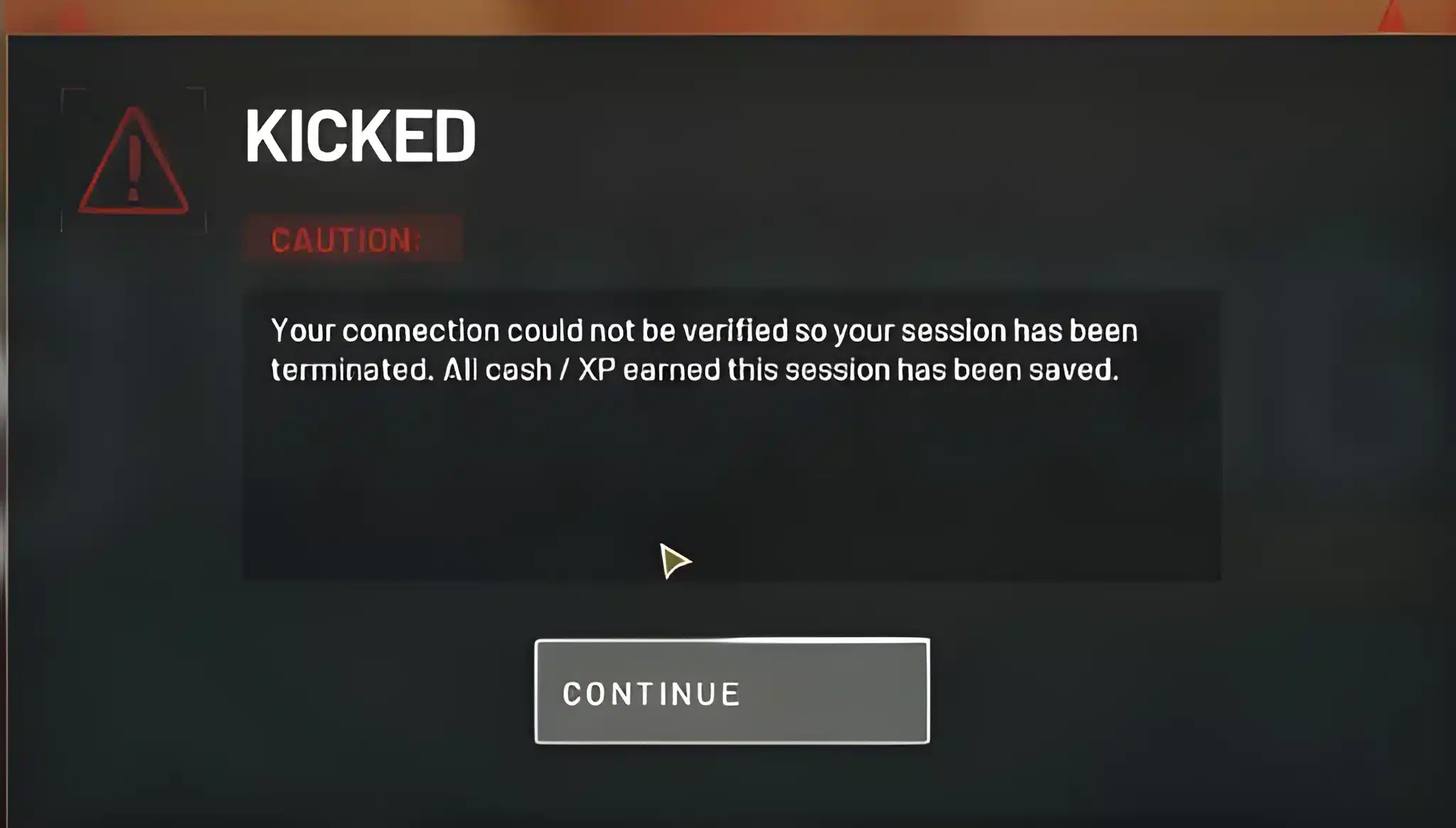
BULKHEAD actively tracks which servers players join and how long they stay there. Consequently, the penalties for abusing community servers are severe compared to a normal official game infraction.
| Violation | Consequence |
|---|---|
| Joining a known XP farming server repeatedly | Permanent account ban |
| Exploiting cash bugs or duplication glitches | Timed ban plus cash and XP reset to zero |
| Creating or sharing exploit tutorials | Permanent account ban |
| Testing a suspicious server once briefly | Generally tolerated, but repetition triggers detection |
How To Spot A Farming Server
Some hosts try to disguise farming setups as normal Wardogs Community Servers, so it pays to know the warning signs before you queue in.
- Server names or descriptions advertising "no rules" grinding.
- Listings mentioning "adjusted earnings" or unofficial payout multipliers.
- Extremely low player counts paired with unusually high cash payouts.
- Admins encouraging players to stay idle in the Control Zone for cash.
If you spot any of these signs, back out immediately. The backend detection system tends to flag repeat offenders shortly after their second or third visit.
Renting Your Own Wardogs Community Servers
Self hosting is not currently possible because the dedicated server code has not been released to the public. Instead, every legitimate Wardogs Community Server Hosting option runs through one of three approved partners.
Approved Hosting Partners
Choosing a host for your Wardogs Community Servers mostly comes down to budget, region, and how many player slots you actually need for your community.
| Host | Starting Price | Notes |
|---|---|---|
| QONZER | Around £49.95 per month | 8 to 12 CPU threads, no slot limits |
| BisectHosting | From $71.99 per month | Pricing scales with performance tier |
| xREALM | From €59.99 per month | Packages built for 60 to 100 players |
What A Rented Server Actually Costs
Minimum server capacity sits at sixty slots, which refers to available slots rather than a required player count. In other words, you can rent a sixty slot server and run smaller matches while you build an audience.
Before committing to a monthly plan, consider these factors:
- Decide which region your target community actually plays from.
- Compare CPU thread counts, since performance affects tick rate under load.
- Check whether the host supports the current patch automatically.
- Confirm refund or trial policies before your first payment.
Getting The Most From The Wardogs Community Server Cash Bonus
Once you understand the basics, a few extra habits separate casual visitors from players who consistently benefit from the Wardogs Cash Bonus on community servers.
Pro Tips: Wardogs Community Server Cash Bonus
- Finish every match you start: The End of Match bonus only pays out if you are present when the round ends, so avoid quitting early even in a losing game.
- Prioritize the Hot Zone: It pays double cash and counts as two players toward Control Zone scoring, stacking nicely with the current bonus.
- Stick to support roles when cash is tight: Reviving teammates and running logistics earns steady money without the risk of losing an expensive loadout.
- Rotate between two or three trusted servers: This builds admin familiarity and reduces your chance of accidentally landing on a flagged farming server.
- Check patch notes before big spending sprees: Vendor prices shift between updates, so confirm current costs rather than relying on older numbers.
Common Mistakes Wardogs Community Servers Players Make
- Leaving matches early to save time: This forfeits the entire End of Match cash bonus. Fix: commit to finishing the round, even if your team is behind.
- Ignoring server descriptions before joining: Many farming servers advertise themselves openly. Fix: read the listing carefully and skip anything promising unofficial payout boosts.
- Overspending on gear every life: Expensive loadouts bought carelessly drain your persistent cash balance fast. Fix: match your spending to your actual skill on that specific life.
- Assuming self hosting is available: Some players waste hours searching for server files that do not exist. Fix: use one of the three approved hosting partners instead.
Wardogs Community Servers And Your Connection
Playing on a rented community server often means routing through infrastructure that sits farther from your usual official region, especially on smaller or newer hosts. That extra distance can translate into higher ping and occasional packet loss during a 100 player fight.
Why Connection Quality Matters On Community Servers
A stable connection matters even more in WARDOGS than in most shooters, since the Control Zone rewards split second positioning inside a crowded fight. A single lag spike during a Hot Zone push can cost you a kill, a revive, or the cash tied to both.
How ExitLag Helps Wardogs Players
This is where ExitLag earns its place in your setup. ExitLag is not a VPN. It is a game connection optimizer that analyzes multiple network paths in real time and routes your traffic through the fastest, most stable path available to a community server host.
ExitLag supports over 4,000 titles across PC and mobile, backed by more than 1,500 servers spread across 190 plus countries. It does not encrypt traffic, does not mask your IP, and does not touch any files outside the games it supports, which keeps it safe to run alongside WARDOGS without affecting anti-cheat systems.
For a fast paced 100 player shooter like this one, a few features matter most:
- Real time optimization: Cuts delay and packet loss so your inputs land when you expect them to during Control Zone fights.
- Multipath technology: Sends your data through multiple routes at once, so one failing path does not disconnect you mid match.
- Multi Internet support: Combines up to four internet connections, keeping you online even if your primary connection drops.
- AI powered routing: Selects the fastest available path automatically, though manual customization is available if you prefer control.
If you regularly bounce between different Wardogs Community Servers and want consistent performance on every one of them, grabbing the ExitLag Download is a smart first step. Mobile players tracking their stats or squad chat on the go can also rely on ExitLag for Android or ExitLag for iOS to keep companion apps stable.
Final Verdict On Wardogs Community Servers
Wardogs Community Servers give players faster moderation, tighter communities, and right now, a genuine cash incentive that official matchmaking does not offer. Combined with the improved server browser from the latest patch, joining one has never been easier.
Should You Make The Switch?
If you value consistent teammates and quicker admin response over pure anonymous queuing, the answer is yes. The current Wardogs Community Server Cash Bonus simply adds extra reason to try it sooner rather than later.
What To Do Next
Open the server browser, filter to your region, and test two or three community servers before committing to one as your regular home. Pay attention to admin activity and player behavior in your first few matches.
Wardogs Community Servers are quickly becoming the default way serious players experience this game, and the mix of moderation, community, and bonus cash makes that shift easy to understand.
All game images used in this blog post belong to BULKHEAD and Team17. They are used for informational and educational purposes only and do not imply endorsement or affiliation with the rights holders.