The search for solara roblox tools has exploded recently, especially among players looking to modify gameplay or run scripts inside Roblox experiences. However, this growing interest comes with confusion, risks, and frequent technical issues.
If you’ve tried using solara roblox executor, you’ve probably encountered errors, crashes, or even warnings from Roblox itself. This is because executors operate outside official systems and often break when the game updates.
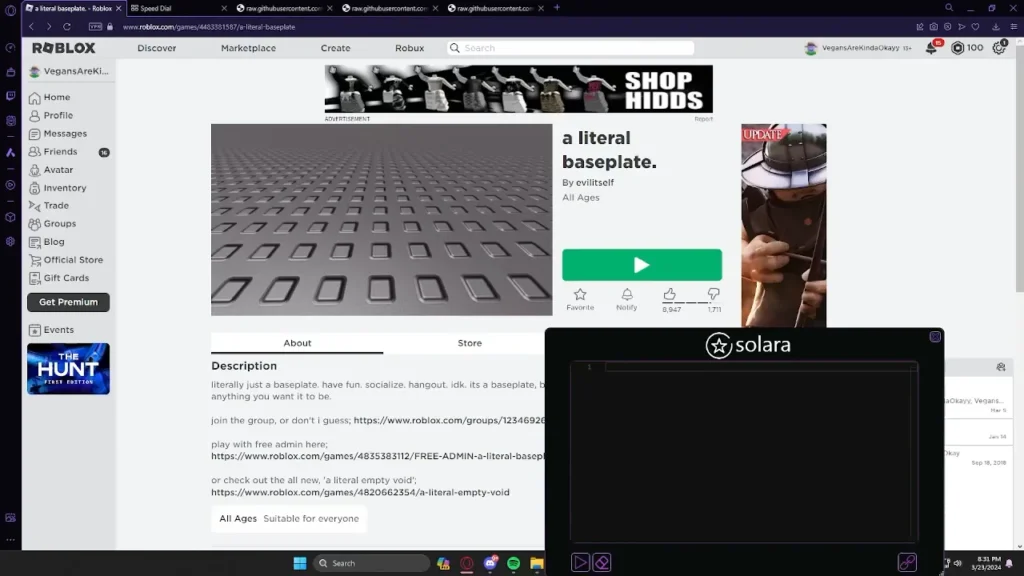
So what is solara roblox, and why are so many players dealing with problems like the “wrong roblox version solara” error? In simple terms, Solara is a third-party executor that injects scripts into Roblox, allowing users to alter gameplay behavior or automate actions.
Understanding how these tools work-and why they fail-is essential before deciding whether to use them. More importantly, knowing the risks can save your account and your device from serious issues.
What Is Solara Roblox Executor?
What executors do in Roblox
The solara roblox executor belongs to a category of tools known as script executors. These programs are designed to inject custom Lua scripts into Roblox games while they are running.
In practice, this means players can:
- Automate repetitive tasks
- Modify in-game mechanics
- Unlock restricted features
- Run custom scripts created by the community
While this may sound appealing, it’s important to understand that these actions are not supported by Roblox. In fact, they directly violate the platform’s terms of service.
Why Solara became popular
The rise of roblox solara tools is tied to accessibility. Many executors are advertised as free, easy to install, and powerful enough to run complex scripts.
Additionally, social media and forums have contributed to its popularity by sharing scripts, tutorials, and “working versions.” This creates a cycle where more users try the tool-even without understanding the risks.
Solara Roblox Executor – Wrong Roblox Version Error Fix
Why the “wrong roblox version solara” error happens
One of the most common issues users face is the wrong roblox version solara error. This happens because Roblox frequently updates its client to improve performance and security.
When this occurs, executors like Solara become outdated almost instantly. Since they rely on specific memory structures, even small updates can break compatibility.
As a result, users see errors such as:
- “Wrong Roblox version”
- Injection failed
- Executor not opening
- Script not executing
These issues are not bugs you can fully fix-they are a direct consequence of how executors interact with Roblox.
How to fix it step-by-step
If you’re facing this issue, here are the most common troubleshooting steps:
- Update your Roblox client to the latest version
- Wait for a Solara update (if one is released)
- Reinstall the executor completely
- Delete temporary or conflicting files
- Avoid using outdated script versions
Even after following these steps, there is no guarantee the tool will work. In many cases, users must wait for developers to update the executor after each Roblox patch.
Is Solara Safe Roblox?
Risks of using executors
A major concern surrounding is solara safe roblox is security. Since these tools are unofficial, they often bypass standard protections.
This creates serious risks, including:
- Malware infections hidden inside executables
- Keyloggers that steal login credentials
- Background crypto mining
- Unauthorized access to your Roblox account
Many users download executors from unofficial sources, increasing the chances of compromised files.
Roblox ban policies
Roblox has strict rules against exploiting and using third-party executors. Their systems are designed to detect strange behavior and script injection.
Consequences may include:
- Temporary account suspension
- Permanent bans
- Loss of in-game items and progress
Even if a tool appears to work temporarily, detection can happen later, resulting in delayed penalties.
Roblox Solara – How It Works and Why It Fails
How Roblox detects executors
Roblox continuously improves its anti-cheat and security systems. These systems monitor memory usage, script execution patterns, and unusual activity.
Executors like solara executor roblox attempt to bypass these systems, but detection methods evolve quickly.
Why Solara often stops working
The biggest reason roblox solara tools fail is simple: Roblox updates frequently.
Each update changes internal systems, forcing executor developers to rebuild compatibility. This results in constant downtime for users.
In many cases, executors stop working entirely after major updates, leaving users without support or fixes.
How to Improve Roblox Performance Without Exploits
Reduce lag and improve FPS
Instead of relying on risky tools, players can improve performance through safe methods:
- Lower graphics settings in Roblox
- Close background applications
- Use a stable internet connection
- Keep drivers updated
These adjustments can significantly improve gameplay without violating any rules.
How ExitLag improves Roblox gameplay
For players dealing with lag, ExitLag offers a powerful solution. Instead of modifying the game, it optimizes your connection.
ExitLag works by:
- Routing your traffic through optimized paths
- Reducing ping and latency spikes
- Stabilizing packet delivery
- Improving responsiveness in real-time
This results in smoother gameplay, especially in competitive or fast-paced Roblox experiences.
Unlike executors, ExitLag is completely safe and does not interfere with Roblox systems, making it the ideal choice for performance-focused players.
Solara Roblox Executor Advanced Troubleshooting Guide
Solara executor not opening – causes and fixes
Many users report that the solara roblox executor simply doesn’t open after installation. This is usually caused by antivirus interference or corrupted files.
Common causes include:
- Antivirus blocking the executable
- Missing system dependencies
- Damaged installation files
To fix this, try reinstalling the executor, temporarily disabling antivirus software, and ensuring all required system components are installed.
Script not executing in Solara Roblox executor
Another frequent issue with solara executor roblox is scripts failing to run. This often happens because scripts are outdated or incompatible with the current Roblox version.
Additionally, some scripts rely on features that Solara no longer supports after updates.
Injection failed error explained
The “injection failed” error is one of the most frustrating problems in roblox solara tools.
This usually happens due to:
- Roblox client updates
- Memory mismatch issues
- Anti-cheat interference
Unfortunately, this error cannot always be fixed manually, as it depends on executor updates.
Solara Roblox vs Other Executors Comparison
Key differences between executors
When comparing solara roblox executor with other tools, the main differences lie in stability, updates, and safety.
Some executors update faster, while others offer better script compatibility. However, all of them share similar risks.
Performance and stability comparison
| Feature | Solara | Other Executors | Roblox Studio |
| Safety | Low | Medium | High |
| Ban Risk | High | High | None |
| Stability | Low | Medium | High |
| Updates | Delayed | Faster | Official |
| Purpose | Exploits | Exploits | Development |
As shown above, Roblox Studio remains the only fully safe and supported option.
Is Solara Executor Roblox Worth It?
Pros and cons breakdown
Before using is solara safe roblox tools, it’s important to weigh the benefits and drawbacks.
Pros:
- Free to use
- Access to scripts
- Custom gameplay modifications
Cons:
- High risk of bans
- Security vulnerabilities
- Frequent crashes and errors
Real user experience insights
In reality, most users experience unstable performance when using solara roblox executor.
Frequent Roblox updates break compatibility, forcing users to constantly search for new versions or fixes.
Safer Alternatives to Solara Roblox Executor
Roblox Studio scripting (recommended)
Instead of using roblox solara, players can explore Roblox Studio, the official development tool.
Roblox Studio allows you to create games, scripts, and mechanics safely using Lua programming.
Learning Lua without executors
Learning Lua scripting is a much safer and more valuable skill than relying on executors.
Benefits include:
- No risk of bans
- Full creative control
- Official support from Roblox
How to Reduce Lag in Roblox Without Executors
Best settings for low ping
Improving performance without solara roblox tools is not only possible but highly effective.
Here are key optimizations:
- Lower in-game graphics settings
- Disable unnecessary background apps
- Use performance mode if available
Network optimization strategies
Follow these steps to improve your connection:
- Use a wired internet connection
- Close bandwidth-heavy applications
- Optimize your DNS settings
- Keep your system drivers updated
These changes can significantly reduce lag and improve responsiveness.
ExitLag for Roblox – Stable Connection Without Risk
How ExitLag works for Roblox
Instead of modifying the game like solara executor roblox, ExitLag optimizes your network routing.
It uses advanced technologies such as:
- Real-time route optimization
- Multipath connection
- Traffic shaping
Benefits for competitive gameplay
Using ExitLag provides:
- Lower ping in online matches
- Reduced packet loss
- More stable gameplay sessions
This ensures a smooth experience without risking your account.
Solara Roblox Executor FAQ
Why does Solara Roblox stop working after updates?
Because Roblox frequently updates its systems, breaking compatibility with executors like Solara.
Can you get banned for using Solara executor Roblox?
Yes. Roblox actively detects exploit tools, and using them can result in permanent bans.
Is Solara Roblox safe to download?
No guarantee. Many versions may contain malware or harmful code.
How to fix wrong roblox version solara permanently?
There is no permanent fix. You must wait for updates after each Roblox patch.
Solara Roblox Executor Final Verdict
Should you use it in 2026?
The reality is that solara roblox tools are unreliable and risky.
While they may work temporarily, the long-term consequences often outweigh the benefits.
Best approach for Roblox players
Instead of using executors, focus on:
- Improving performance
- Learning legitimate scripting
- Using tools like ExitLag for better connectivity
By choosing safe and effective methods, you can enjoy Roblox without risking your account or system.
Got questions or want to connect with other players? Join the conversation at the ExitLag Forum!