Experiencing World of Warcraft high ping can turn epic battles into frustrating delays—your spells cast late, abilities fail to trigger, and movement feels sluggish during raids or PvP. But you should know that WoW is officially listed among the supported games, meaning proven optimization methods can dramatically improve performance.
At first sight, it seems random, but in reality World of Warcraft high ping usually comes from unstable routing, network congestion, or server distance. In advance, these issues harm combat timing and reaction speed, especially in mythic raids and arenas. This guide breaks down why World of Warcraft high ping happens, how to identify the cause, and the best steps to reduce latency permanently.
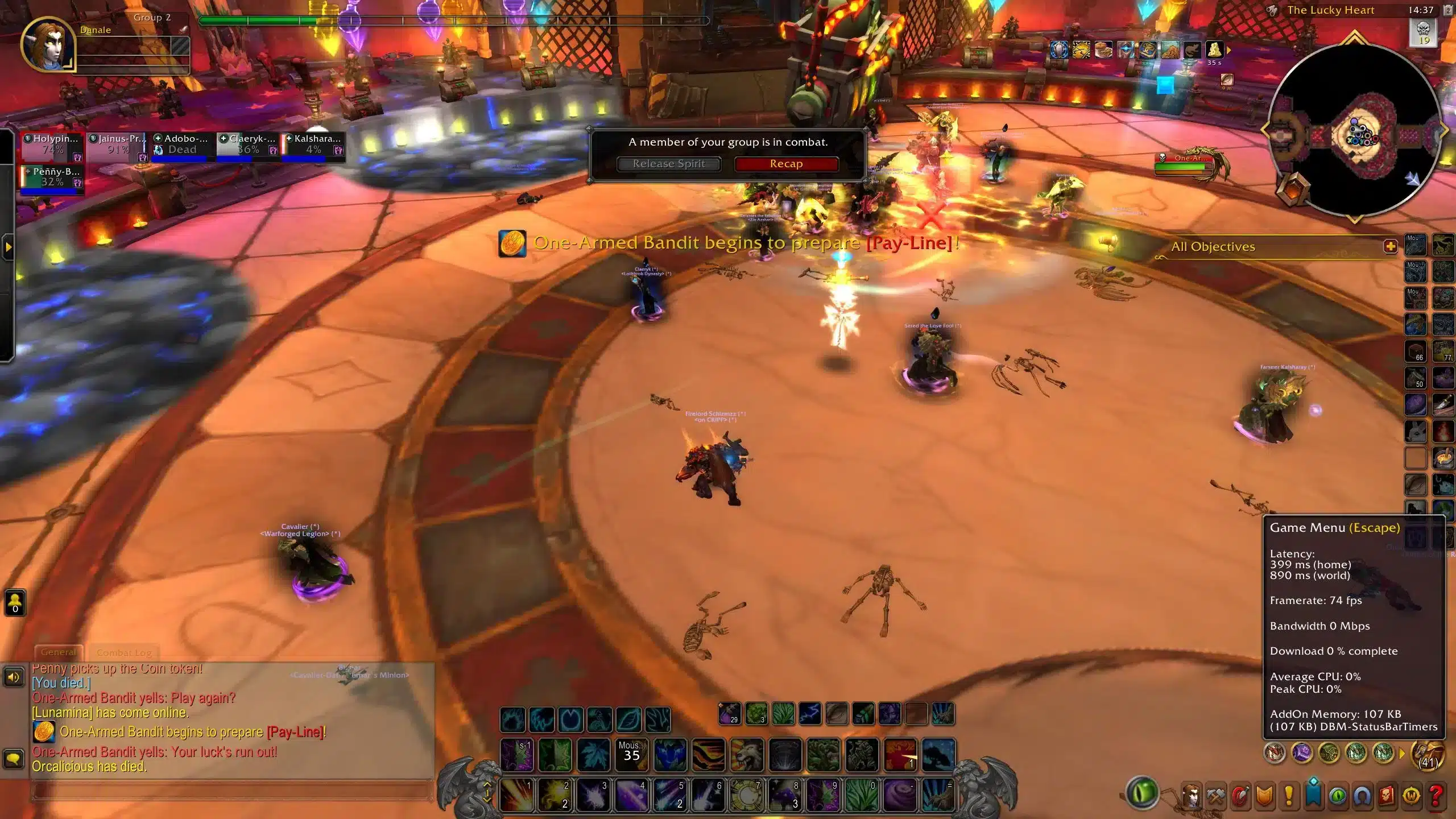
What is high ping in World of Warcraft?
To understand World of Warcraft high ping, it is helpful to first grasp the concepts of latency, data packets, and servers. Ping represents the time, measured in milliseconds (ms), that it takes for your computer to send information to the game server and receive feedback.
Above all, latency matters in WoW because every spell cast, cooldown usage, and movement command depends on precise server communication. When data packets take too long to travel, even small delays affect performance—your rotation feels off, interrupts fail, and enemies appear out of sync.
Now, when routing is unstable, it creates a gap between what you see on screen and what the server registers. In the same way, players may experience delayed heals, slow GCD responsiveness, or incorrect enemy positioning. That’s why keeping ping low and stable is critical for WoW’s global servers.
How high ping affects gameplay in World of Warcraft
High ping impacts everything in WoW—from casual questing to competitive PvE and PvP. Common symptoms include:
- Delayed spell casting
- Rubberbanding during movement
- Inconsistent hit registration
- Interrupts firing too late
- Desync during PvP arenas
- Resource delays (energy, runes, rage, holy power)
- Disconnects during large events
PvP performance and reaction time
Firstly, high ping drastically reduces your ability to react to enemy players. In arenas or battlegrounds, even 100ms can delay trinkets, interrupts, stuns, and defensives. In summary, you lose fights before your abilities even land.
Raid mechanics and rotation timing
Secondly, WoW’s raid mechanics rely heavily on precise movement and instant spell usage. That way, delayed input can lead to failed mechanics, late heals, and reduced DPS accuracy.
Main causes of high ping in World of Warcraft
Server distance
Sometimes the Blizzard region you selected is far from your physical location. Consequently, data packets must travel farther, increasing World of Warcraft latency.
ISP / routing issues
According to network specialists, ISPs often choose cheaper but slower routes. In other words, your connection may pass through unnecessary hops, creating unpredictable World of Warcraft connection issues.
Network congestion
Often, several devices using your network at once—streaming, downloads, mobile devices—cause ping spikes, especially during peak hours.
Outdated hardware
Old routers, weak Wi-Fi, outdated drivers, or malfunctioning modems can create instability. Even more, these can become bottlenecks unnoticed.
Game-specific cause
WoW servers occasionally experience stress during new content releases, patches, or major events. At the same time, global populations can overload specific regions.
How to check and test your ping in World of Warcraft
Firstly, WoW shows your current ping in-game by pressing “Ctrl + Shift + M” or via the Network Display setting. You can observe world/server latency and detect when spikes occur.
Soon after, system-level diagnostics like “ping -t” or “tracert” reveal if the problem comes from slow routing or unstable hops. Similarly, macOS/Linux users can run “ping” or “traceroute” for deeper data.
Reference ping values:
- 0–50ms: excellent
- 50–90ms: good
- 90–130ms: noticeable delay
- 130ms+: high ping impacting performance
In other words, above 120ms your spells, movement, and reactions become inconsistent.
Ping levels classification
| Ping Range | Quality | Gameplay Experience |
| 0–40 ms | Excellent | Smooth, responsive |
| 40–70 ms | Good | Slight delay, barely noticeable |
| 70–120 ms | Playable | Delays in skill checks, timing feels off |
| 120–200 ms | Poor | Rubberbanding and significant delay |
| 200+ ms | Critical | Unplayable interactions |
Basic fixes to reduce high ping in World of Warcraft
Optimize local connection
- Use Ethernet instead of Wi-Fi
- Update router firmware and network drivers
- Restart your modem/router to reset routing
- Close background apps using bandwidth
- Disable automatic updates (Battle.net, Windows, Steam)
- Reduce the number of connected devices on your network
These steps alone often reduce immediate lag World of Warcraft symptoms.
Contact your ISP
Beforehand, prepare notes on what you observe:
- Ping spikes at certain hours
- Packet loss during gameplay
- Slow response on specific hops
You may request:
- Line quality testing
- Routing adjustments
- A new modem or router upgrade
A simple checklist:
- Ask whether your area suffers from peak-time congestion
- Request an analysis of your routing to Blizzard servers
- Confirm if your connection plan supports gaming-level latency
In contrast, ISPs rarely optimize routing automatically, so contacting them can resolve issues faster.
ExitLag: the best solution to fix high ping in World of Warcraft
When unstable routes and server distance cause World of Warcraft high ping, ExitLag delivers the stability your gameplay demands.
What is ExitLag?
ExitLag is a software built specifically for connection optimization, giving WoW players faster, more stable routes to Blizzard servers. Instead of relying on your ISP’s default path, you benefit from optimized network hops designed for real-time gaming.
ExitLag’s technology is built for players who need responsiveness during raids, dungeons, and competitive PvP.

How ExitLag works
ExitLag improves routing using:
- Real-time route analysis
- Multiple routes simultaneously
- Automatic best route selection
- Hop optimization
- Connection stabilization
Together, these significantly reduce World of Warcraft latency, stabilize ping, and eliminate random spikes.
Advantages for World of Warcraft players
More accurate and responsive spellcasting
With ExitLag, WoW players experience smoother spellcasts and cleaner GCD timing. In advance, this is essential because even a small delay can break your rotation or cause missed interrupts. In summary, faster routing means your abilities fire exactly when you press them.
Stable performance in raids and dungeons
Above all, stability becomes crucial during heavy raid mechanics. When World of Warcraft latency spikes, defensive cooldowns and heals trigger too late. ExitLag minimizes delay, helping you survive boss abilities and maintain rotation flow.
Reduced rubberbanding during movement
Even more, World of Warcraft’s open-world traversal depends on consistent movement. Rubberbanding while mount traveling, dodging mechanics, or repositioning becomes rare thanks to optimized data packets traveling on stable routes.
Better PvP competitiveness
At the same time, arena and battleground players rely on perfect timing. ExitLag ensures that stuns, interrupts, CC chains, and defensives register instantly instead of lagging behind the server’s timeline. This gives you a fair fight against low-ping opponents.
Stronger performance across regions
Sometimes players join guilds outside their region, resulting in naturally higher ping. ExitLag reduces the impact of distance by selecting the shortest, fastest routing path available, helping avoid World of Warcraft connection issues in cross-region gameplay.
Protection during peak congestion
Lastly, WoW servers experience high traffic at expansion launches, patch days, and weekly reset times. ExitLag bypasses unstable hops to keep your latency consistent even when demand peaks.
Is ExitLag worth it for World of Warcraft?
Definitely. WoW relies heavily on precise timing—whether you’re pushing high Mythic+ keys, clearing mythic raids, or competing in arenas. In contrast, ISP routing often picks slow, overloaded paths that introduce inconsistency. ExitLag fixes this through advanced routing optimization, reducing spikes and stabilizing gameplay.
Furthermore, you can compare all available pricing options to choose the ideal plan. In the end, ExitLag is worth it for any WoW player seeking reliable, low-latency performance.
How to configure ExitLag for World of Warcraft
- Create your ExitLag account
- Download ExitLag via the official download section
- Install and log in
- Search for “World of Warcraft” in the game list
- Select your version (Retail, Classic, Hardcore, etc.)
- Choose the nearest Blizzard server region
- Activate Multi-Routes for maximum stability
- Click “Apply Routes” and launch WoW with ExitLag ON
Afterwards, watch your in-game latency values to confirm the improvement.
FAQ: everything about high ping in World of Warcraft
What causes high ping in World of Warcraft?
High ping in WoW usually comes from distant servers, routing inefficiencies, Wi-Fi interference, or overloaded networks. According to connection data, instability often appears when ISPs choose cheaper rather than faster paths. Despite that, server-side congestion during major events can also contribute to spikes.
How do I check my ping in World of Warcraft?
You can enable the Network Statistics overlay in-game or press “Ctrl + Shift + M” to view real-time ping. Soon after, system commands like “ping” and “tracert” help identify routing issues or packet loss. In summary, combining both tests reveals whether the problem is local or external.
What is good ping for World of Warcraft?
Generally:
- 0–50ms: Excellent
- 50–90ms: Good
- 90–130ms: Playable but delayed
- 130ms+: High ping impacting combat At first sight, anything above 120ms becomes problematic for raids and PvP. In conclusion, smooth performance depends on stable, low latency.
Can high ping get you banned in World of Warcraft?
No. High ping does not cause bans. However, disconnecting repeatedly due to unstable latency may cause temporary gameplay frustrations but won’t affect account status. Even so, WoW’s anti-cheat does not target players for network issues.
Does ExitLag work for World of Warcraft?
Yes. ExitLag fully supports WoW and improves routing stability across all Blizzard server regions. In advance, its multi-route system reduces World of Warcraft latency, prevents spikes, and keeps spells responsive. It’s a top solution for players facing network instability.
Why does my ping spike only during raids or crowded cities in WoW?
Large encounters generate more data packets, increasing the load on both your network path and the server. At the same time, overcrowded areas create temporary congestion. ExitLag checks multiple paths and avoids overloaded hops to stabilize your connection during these moments.
How to use ExitLag in World of Warcraft
The process is simple and straightforward:
Step 1 – Go to the official ExitLag website and download the software
Get the application from ExitLag’s official site. New users receive a free trial period to test the service.
Step 2 – Install and open the program
After installation, launch ExitLag and log in with your account.
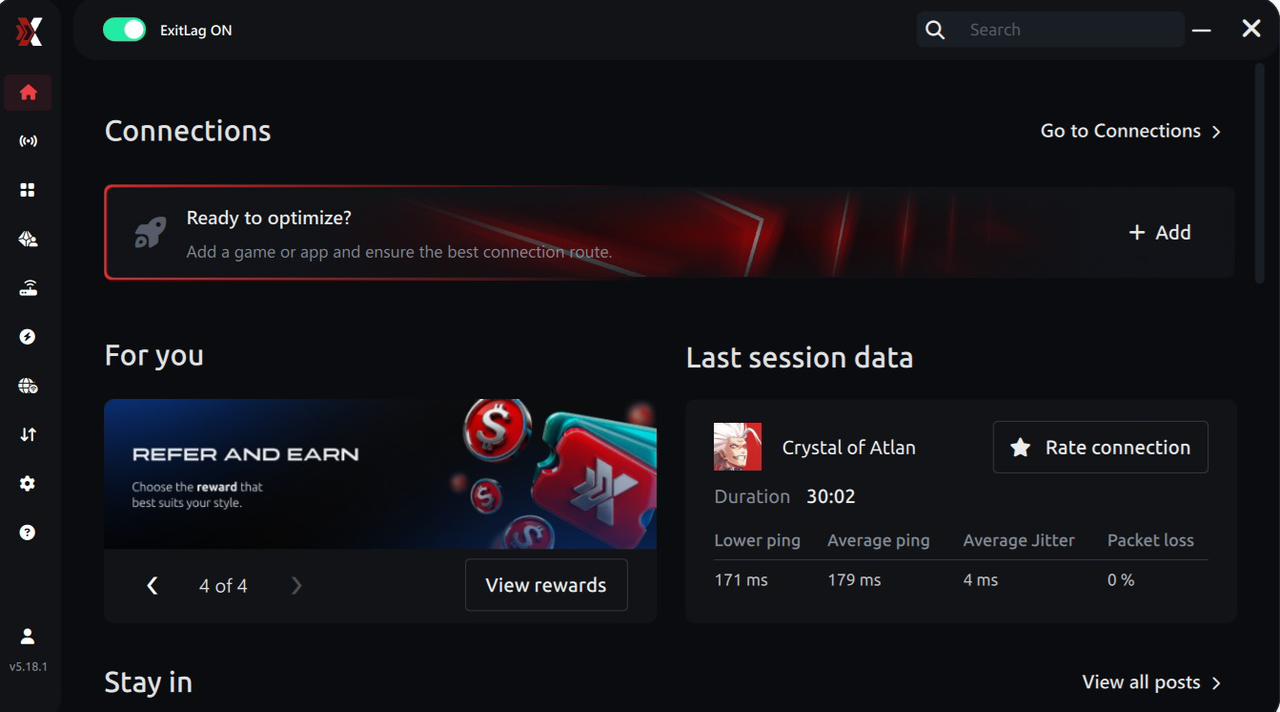
Step 3 – Search for “World of Warcraft”
Use the search bar inside ExitLag, type “World of Warcraft,” and select the correct game from the list.
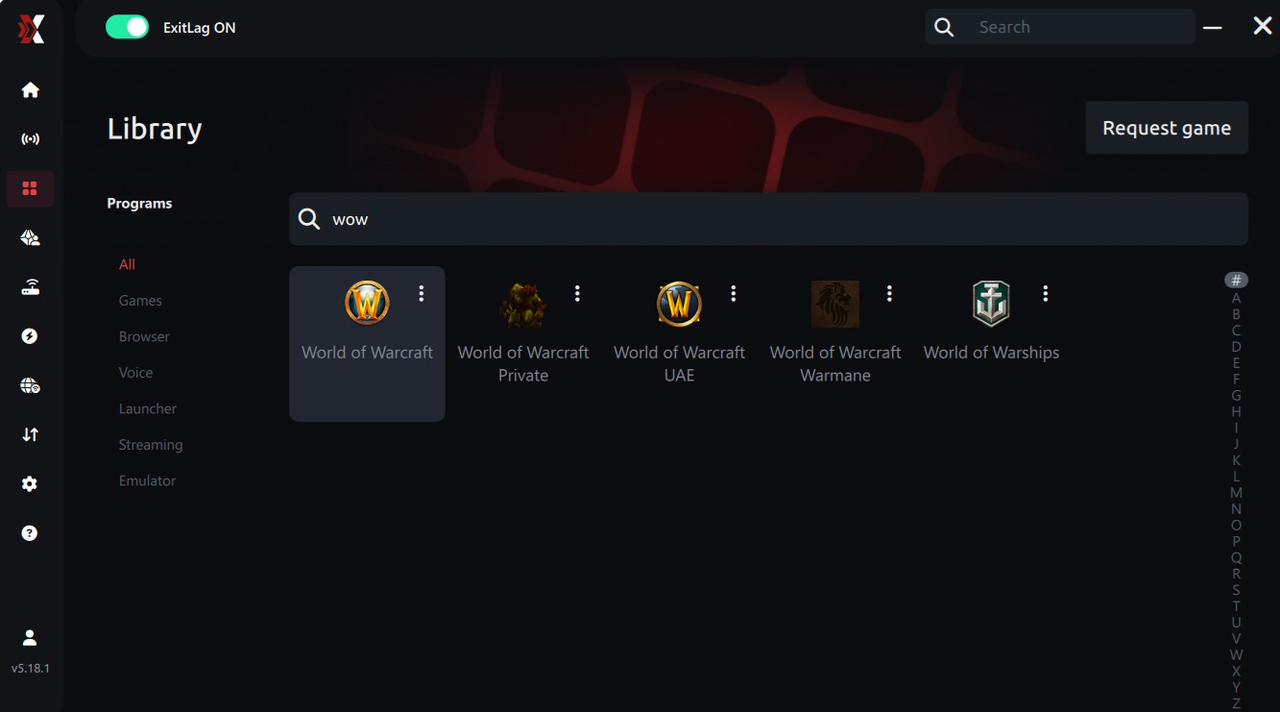
Step 4 – Choose between automated or manual routing
AI-optimized automated route
ExitLag can automatically select the best route using its AI-driven optimization system. It analyzes several connection paths in real time and picks the most efficient route for WoW, ensuring the lowest possible latency without requiring any manual setup.
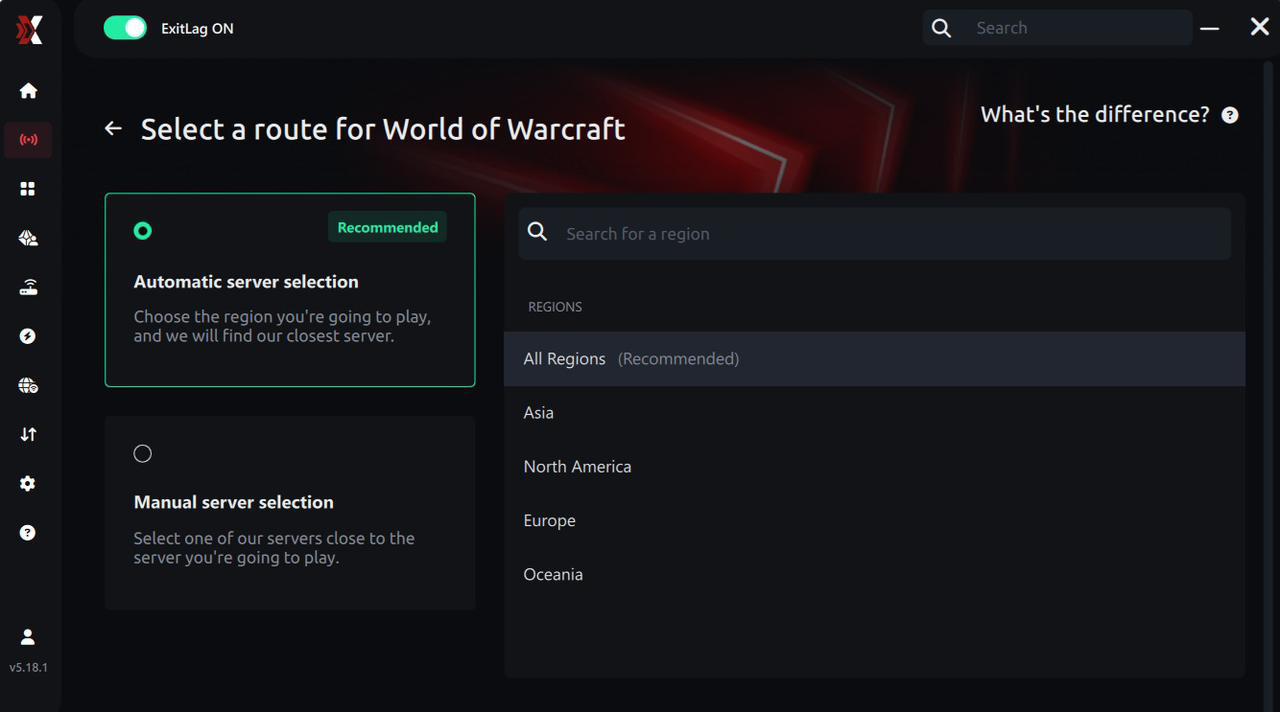
Manual route
If you prefer full control, you can manually choose a route based on the ping test results. Simply select the server that provides the lowest latency or the one that best suits your gameplay needs, whether you’re preparing for raids, arenas, or leveling.
Step 5 – Click “Apply routes”
Once you’ve selected your route, click the Apply button or the play icon. ExitLag will begin optimizing your connection.
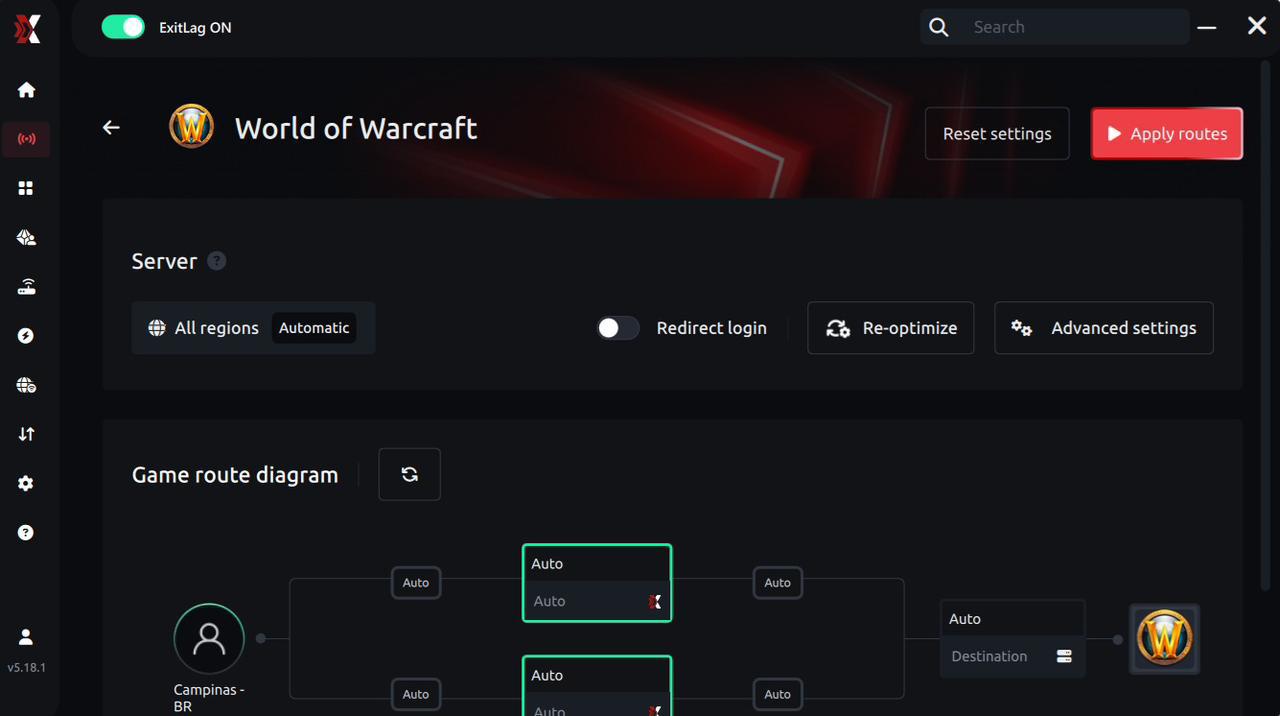
Step 6 – Wait a few seconds
Optimization completes within a few moments. You’ll see ping indicators displayed on the interface.
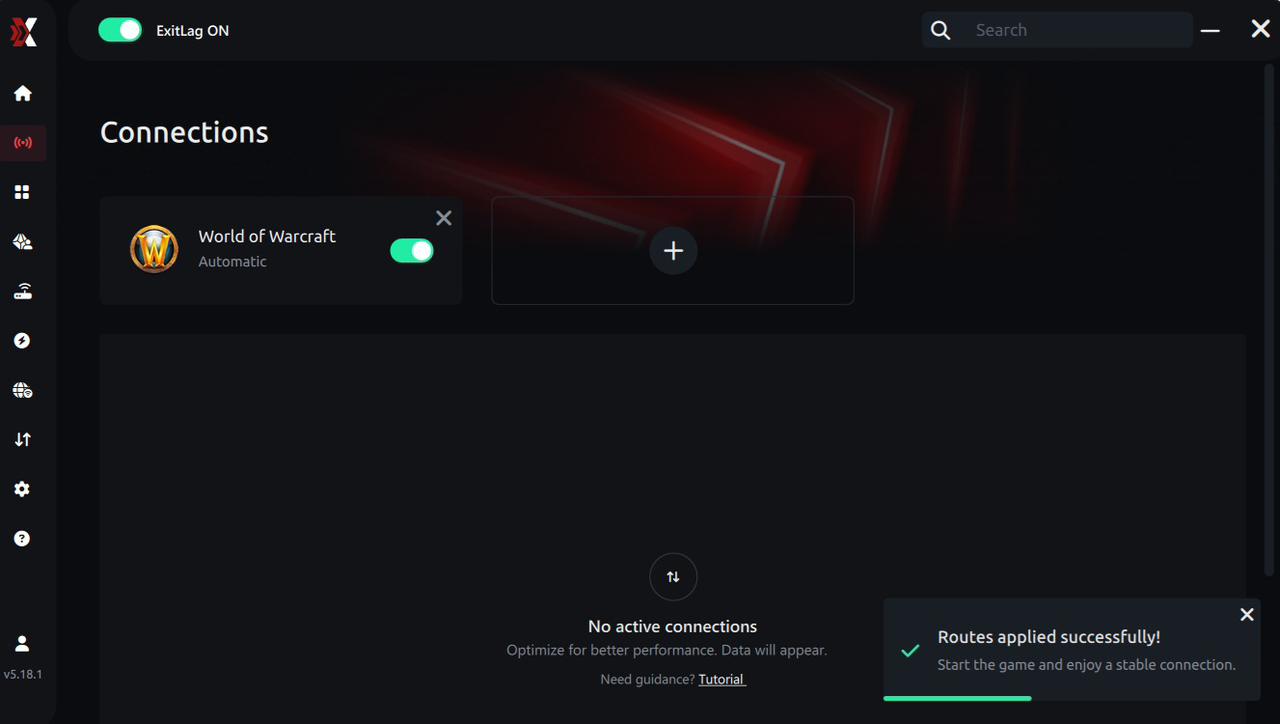
Step 7 – Launch World of Warcraft
Start WoW normally. ExitLag optimization will already be active.
ExitLag runs in the background while you play, continuously adjusting routes to maintain the best performance during raids, battlegrounds, dungeons, and open-world exploration.
How to use Ping for Games: step-by-step guide
Checking your connection quality before jumping into a raid, arena, or dungeon has never been easier. Here’s how to use ExitLag’s Ping for Games:
1. Open ExitLag
Make sure the application is installed and running on your PC. The feature is built into the platform and available for free to all users.
2. Access the Network Analyzer
In the ExitLag menu, open the Network Analyzer tool, where Ping for Games is located along with other network diagnostics.
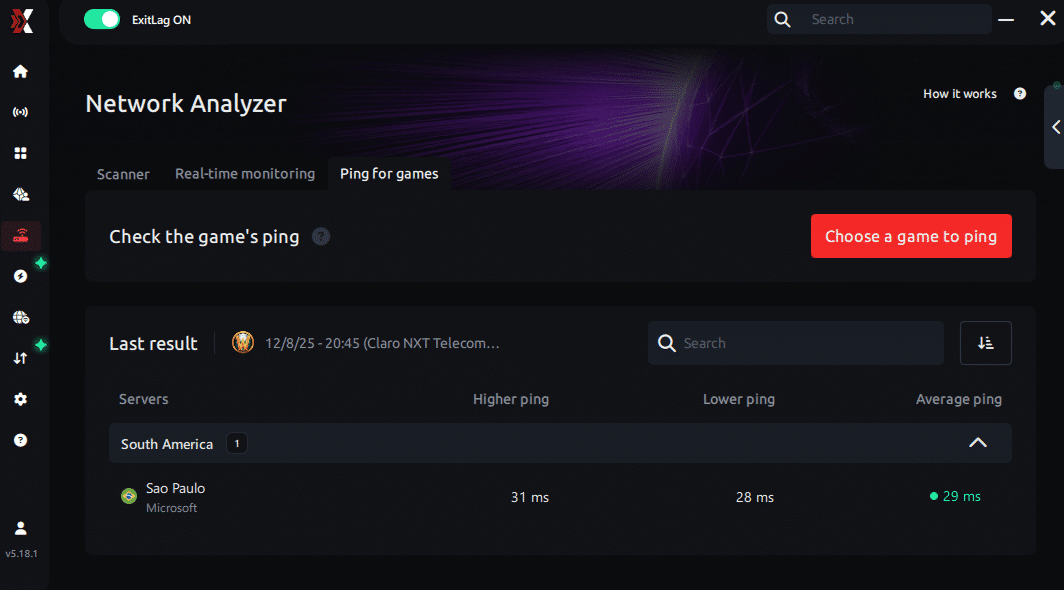
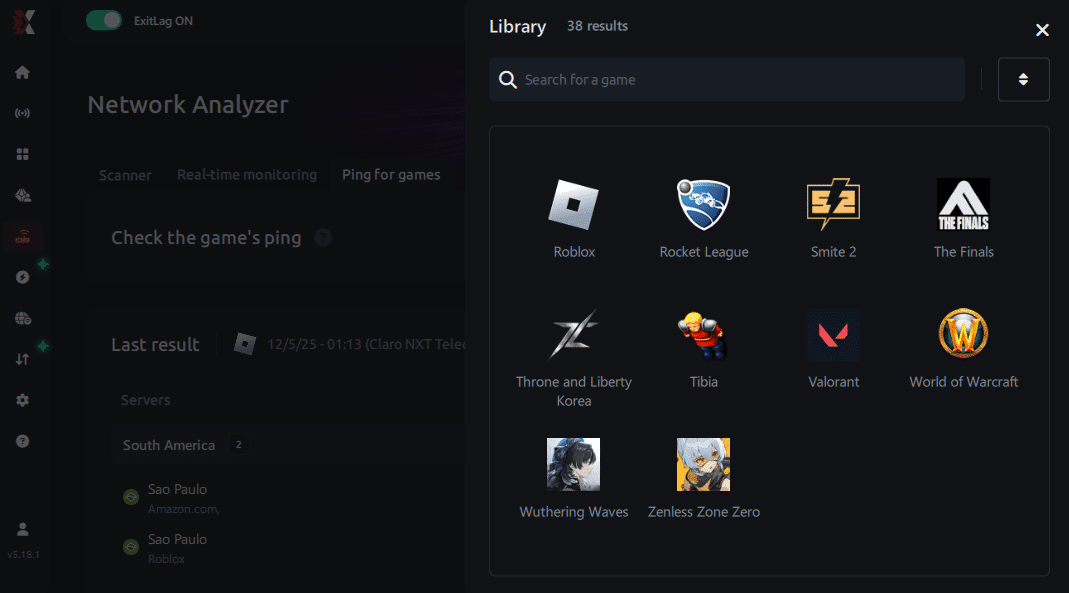
3. Select the game
Choose World of Warcraft from the list of supported games.
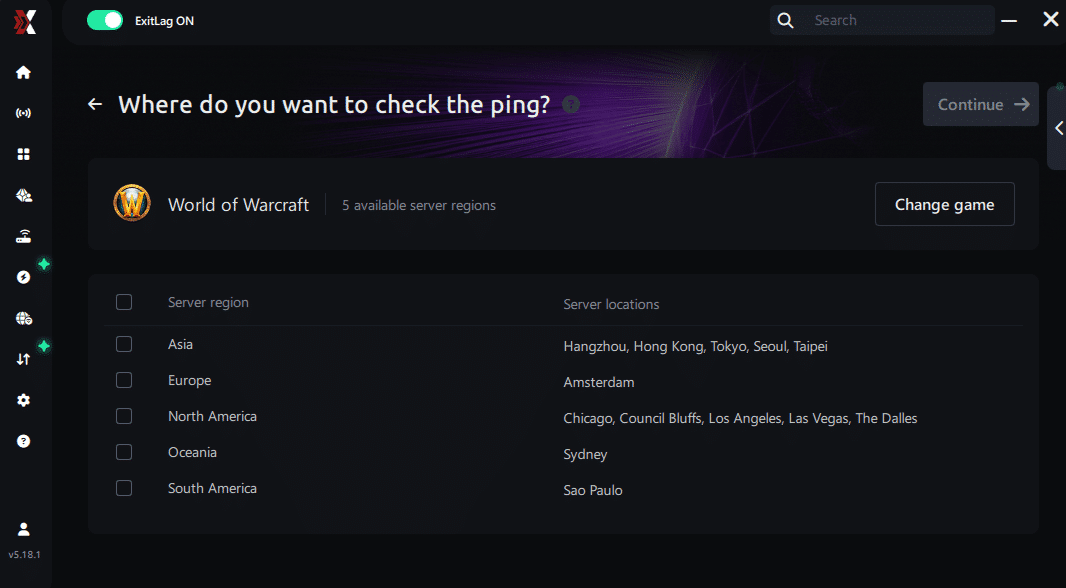
4. Choose the specific server
Ping for Games lets you directly select the exact server you want to test—such as NA, LATAM, OCE, or EU realms—providing far more accurate results than simply selecting a generic region.
5. Start the ping test
With one click, ExitLag measures real-time latency between your device and the selected server, taking your current connection (Wi-Fi or cable) into account.
6. Analyze the results
Your ping results appear in milliseconds, sorted automatically from best to worst. You can also switch to alphabetical order if you prefer.
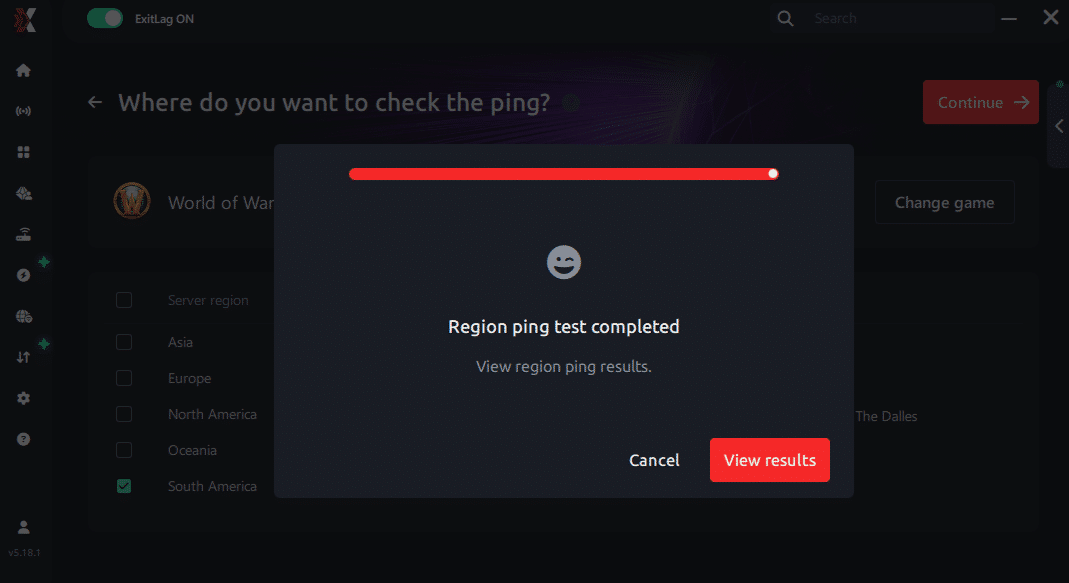
7. Choose the best server and start playing
Once you have the results, pick the server with the lowest latency and jump into the game with confidence that your connection is optimized.
Conclusion
In conclusion, World of Warcraft high ping harms every aspect of gameplay—from raids to PvP to open-world exploration. But now you know the root causes, how to identify them, and the best ways to fix latency. Above all, optimizing your routing ensures long-term stability. For more insights, tutorials, and tips, visit the official ExitLag blog.
World of Warcraft high ping no longer needs to ruin your free time. Now that you understand the causes and how to stabilize your connection, you can finally enjoy your gaming smoothly. Start your free trial and see the difference for yourself.