

Finding a WoW Forever server routing fix can help players dealing with latency spikes, disconnects, and delayed actions during combat. These problems are not always related to the speed of your internet plan.
Since the launch of World of Warcraft: Forever, players have reported connection issues on Blizzard's forums. Some can play other games and use online services without problems but experience an unstable connection when playing the MMORPG.
This WoW Forever server routing fix guide explains when route optimization can help, how to identify relevant connection issues, and how to set up ExitLag to test your connection.
Why do routing issues cause lag in WoW Forever?

Whenever you cast an ability or move your character, information travels between your computer and the game server. That data passes through multiple networks before reaching its destination.
Your internet service provider (ISP) helps determine this path, known as a network route. Connections between network operators and the availability of infrastructure also influence the path your data takes.
A congested or inefficient route can increase the time it takes for data to reach the server. That's why a high-speed internet connection doesn't necessarily provide low or consistent latency.
Common symptoms that may indicate connection issues in WoW Forever include:
- Sudden latency spikes during combat
- Delays when activating abilities
- Characters and enemies appearing to freeze
- Sudden server corrections to character movement
- Disconnects during dungeons or open-world activities
In November, players from different regions shared similar experiences on Blizzard's official forums. Some reports suggest potential routing issues, while others raise questions about regional server allocation.
However, these symptoms do not establish a single cause. Issues with the game's infrastructure and your home network should also be considered.
How to fix WoW Forever routing issues
Before changing your connection settings, identify when the lag occurs. This can help you determine whether testing an alternative route makes sense for your situation.
When should you use an alternative route?
If WoW Forever experiences connection issues while other games run normally, it's worth investigating the network path to Blizzard's servers.
One option is to use a route optimization tool. It allows you to test alternative paths for game traffic and potentially bypass network segments affected by congestion or packet loss.
You don't necessarily need to switch ISPs or upgrade to a faster internet plan to run this test.
Which connection issues can route optimization help address?
The effectiveness of a WoW Forever server routing fix depends on what's causing the instability. Here's what you can expect from a tool like ExitLag in different situations.
| WoW Forever connection issue | Can route optimization help? |
| High ping caused by inefficient routing | Yes, if a more efficient alternative route is available |
| Packet loss along an intermediate network segment | Yes, if the affected segment can be bypassed |
| Jitter caused by network congestion | May reduce latency fluctuations |
| Server downtime or maintenance | No, this depends on game availability |
| Incorrect server allocation by Blizzard | Cannot change server allocation but may optimize the route to the existing destination |
| Physical issues with your home network | Cannot replace repairs to your local connection |
It's also important to distinguish network lag from FPS drops. Route optimization affects network communication, not your computer's ability to render the game.
How can ExitLag improve your WoW Forever connection?
ExitLag is a connection optimization tool designed for online gaming. Its purpose is to improve the network path that data takes between the player and the game server.
Real-time route optimization
According to ExitLag's product documentation, the tool uses network analysis and intelligent route selection to identify suitable paths based on connection conditions.
Imagine your default route passes through a congested network. If another path is available, ExitLag can route game traffic through that alternative.
The benefit isn't necessarily a shorter physical distance. A route that bypasses congestion may provide a more consistent connection, even when average ping changes very little.
MultiPath technology and connection stability
ExitLag's MultiPath technology uses multiple connection paths to provide redundancy for game traffic. This may help reduce the impact of instability along an individual route.
Consistency matters when looking for a WoW Forever server routing fix. A connection with fewer fluctuations can make ability response times more predictable.
Unlike a general-purpose VPN, ExitLag focuses on optimizing gaming traffic. Its primary goal is connection quality rather than anonymous browsing or changing your account's location.
How to set up ExitLag for WoW Forever
The installation process follows ExitLag's official setup instructions. Selecting the correct game profile is important to ensure that optimization applies to the game's network traffic.
Step-by-step ExitLag setup guide
- Create an account on the official ExitLag website.
- Download and install the desktop application.
- Open ExitLag and sign in to your account.
- Search for World of Warcraft: Forever in the game catalog and identify the profile that matches your version of the game.
- Select the region where your game server is hosted and use automatic route selection, if available.
- Apply the routes in ExitLag, then launch the game.
- Check whether your game traffic appears as connected in ExitLag and monitor your latency throughout the session.
If you cannot find a clearly identified WoW Forever profile, contact ExitLag support before selecting a different World of Warcraft profile.
How to check your network route
Start with automatic route selection, if available. This allows the tool to evaluate connection paths without requiring manual adjustments.
Avoid selecting a region simply because it's closest to your home. What matters is the location of the game server you're connecting to, which may be in another country.
How to tell if ExitLag improved your WoW Forever connection
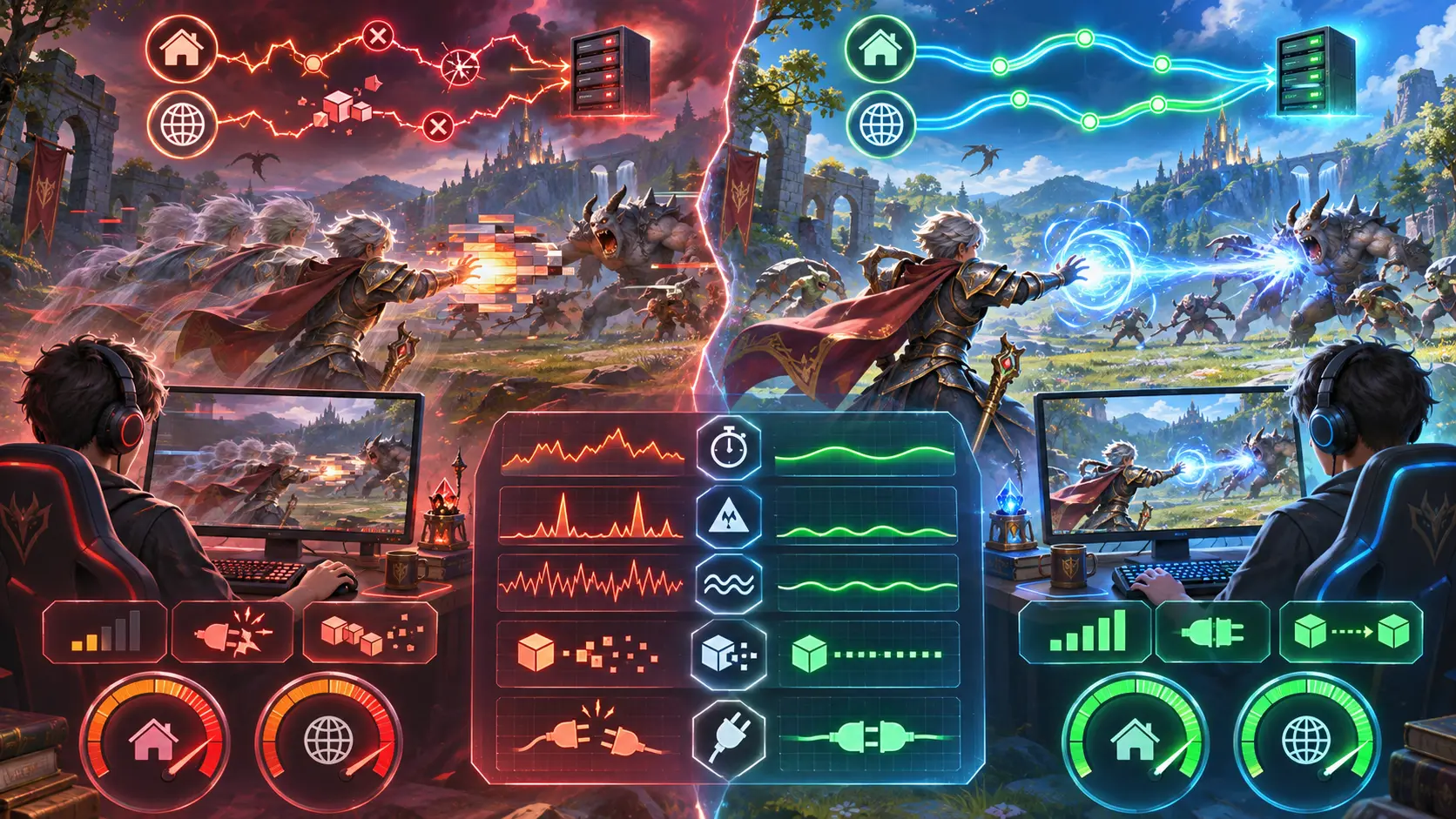
To evaluate your WoW Forever server routing fix, compare similar gameplay sessions with and without ExitLag. A single ping reading isn't enough to determine whether your connection has become more stable.
Connection metrics to monitor
WoW displays two latency indicators known as Home and World. Home latency relates to communication with services such as chat, while World latency helps you monitor communication with the game world.
World latency deserves particular attention if you're experiencing delays when casting abilities or interacting with enemies.
In addition to these indicators, monitor the following:
- Average latency: your typical connection response time
- Maximum latency: the severity of your highest recorded spikes
- Jitter: how much latency fluctuates over time
- Packet loss: data that fails to reach its intended destination
- Disconnects: how often your connection drops during a session
Testing your connection with and without ExitLag
Start a session without route optimization and record the available metrics. Then repeat the activity with ExitLag enabled, using the same character, server, internet connection, and game settings.
Run multiple comparisons, alternating between the two conditions at similar times. This helps reduce the influence of natural changes in network traffic.
To measure jitter and packet loss, use indicators or tools that can track those metrics. If they aren't available, record only the data you can verify.
Your results will depend on your connection and the available routes. No specific ping reduction is guaranteed for every player.
How to prepare your connection for WoW Forever raids
Connection stability becomes especially important during group content. A delayed ability can disrupt an encounter mechanic, particularly for tanks and healers.
Before entering raids, dungeons, or PvP matches, test your connection in a lower-risk activity.
Pre-raid connection checklist
- Check whether the game servers are online.
- Use a wired connection whenever possible.
- Pause downloads and updates that compete for bandwidth.
- Make sure ExitLag is active on the appropriate game profile.
- Monitor World latency and potential fluctuations.
- Test your abilities and movement before starting combat.
If connection issues persist, document the conditions under which they occur. This information can help ExitLag, Blizzard, or your ISP investigate the cause of the instability.
Improve your WoW Forever connection with ExitLag's Black Friday deal
Finding a WoW Forever server routing fix is an important step toward enjoying the MMORPG with a more consistent connection. ExitLag lets you test alternative routes without switching internet providers.
Take advantage of ExitLag's Black Friday deal with 50% off and the 12+3 offer. Purchase a 12-month subscription and get three additional months.
Claim your ExitLag Black Friday deal and optimize your connection for your next adventures in Azeroth.