Aion 2 mobile is finally confirmed for release in Korea and Taiwan, delivering the next-generation MMORPG experience on iOS and Android devices. Developed by NCSoft, the game builds on the original Aion universe with updated visuals and flexible class systems. While mobile pre-registration has been confirmed, exact cross-platform capabilities with PC remain unconfirmed at this stage.
Whether you’re a longtime Aion fan or new to the franchise, the upcoming mobile version of Aion 2 promises deep character progression, massive PvP battles, and cinematic quests-all playable from your phone or tablet. The mobile version is designed with scalability in mind, offering responsive controls, smart UI layouts, and touch-friendly combat systems that feel natural and intuitive.
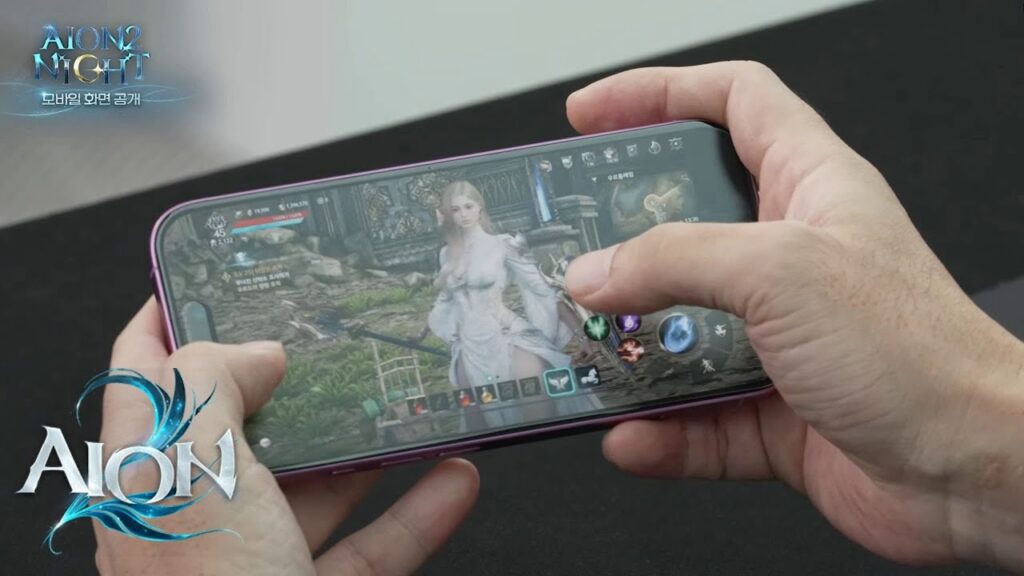
What is Aion 2 Mobile?
Aion 2 is the spiritual successor to the original Aion MMORPG, set hundreds of years before the first game’s timeline. With a revamped engine, seamless world design, and dynamic aerial combat, this new iteration is built to support handheld performance, with potential PC and mobile cross-play not yet officially confirmed.
The game combines:
- Fully open-world exploration across vertically layered maps
- Cross-server PvP combat with real-time faction warfare
- Instanced dungeons and high-reward boss raids
- Integrated profession and crafting systems
- Persistent guild and alliance support with mobile social tools
Players can choose from several classes and factions, build unique characters using robust customization tools, and engage in strategic battles featuring both ground and aerial combat. Combat is smooth, fast-paced, and built for touch controls, while still allowing controller support via OTG for hardcore players.
When is Aion 2 Mobile Releasing?
NCSoft has officially confirmed that Aion 2 will launch in Korea and Taiwan on November 19, 2025. This marks the beginning of a phased rollout, starting with localized servers and mobile-optimized content. While a global release date for North America, Europe, or Latin America is not yet confirmed, developer insights suggest that a worldwide rollout may occur sometime in 2026, though no specific month or quarter has been officially stated.
According to developer briefings, localization and server infrastructure testing are already underway in other regions, suggesting that international support is a core part of the roadmap. However, due to regional regulations, app store policies, and network infrastructure differences, delays between local and global launches are possible.
Key Dates
- November 19, 2025 – Mobile release in Korea and Taiwan (Android & iOS)
- Global release – Planned for 2026, exact date to be confirmed by NCSoft
Players outside supported regions may encounter geo-restrictions or delayed availability. It’s advised to wait for official announcements about global servers before attempting to access the game from Brazil or other territories.
On Which Devices Can You Play Aion 2?
Aion 2 mobile supports both iOS and Android platforms. As of now:
- Android users can pre-register via the Google Play Store, ensuring early access and exclusive rewards.
- iOS users are expected to gain access once the App Store listing becomes available, though no official launch date for iOS has been confirmed yet.
NCSoft’s platform strategy may include shared account progression between mobile and desktop, though cross-play between PC and mobile has not yet been confirmed for all regions or at launch.
Estimated Mobile Requirements (based on industry standards):
- RAM: At least 6 GB (estimated)
- OS: Android 10+ or iOS 14+ (estimated)
- Storage: Estimated 10–15 GB available space (subject to change)
- Connectivity: Stable 4G/5G or Wi-Fi recommended, especially for PvP
- Processor: Snapdragon 855 / Apple A12 Bionic or higher (estimated)
These specifications are based on trends from similar high-fidelity mobile MMOs and should be treated as unofficial estimates until NCSoft publishes confirmed system requirements.
How ExitLag Supports Mobile Performance
Although ExitLag is not yet directly compatible with mobile-only gameplay, it plays a vital role in optimizing mobile connections when used via desktop tethering or Android emulators. As many players rely on PC-based Android environments or mirror their mobile gameplay through Wi-Fi or USB tethering, ExitLag offers a strategic advantage in maintaining stable connections.
Here’s how you can benefit:
- Use ExitLag on a PC when playing Aion 2 through Android emulators like BlueStacks or LDPlayer
- Reduce packet loss, jitter, and lag spikes using ExitLag’s Multipath Connection and Real-Time Optimization
- Optimize route selection for Korean/Taiwan servers during early access or soft-launch periods
- Bypass inefficient ISP routing common in Latin American and Southeast Asian markets
Why This Matters
Aion 2’s high-fidelity combat and real-time PvP demand consistent low latency. Even when playing on mobile, unstable routing or high ping can ruin your session. ExitLag ensures smoother routes-especially during early access phases or if you’re accessing servers across continents.
With ExitLag:
- Your traffic is automatically routed via the best-performing paths
- You gain access to real-time route switching mid-session
- Your emulator sessions become as responsive as native apps
Note: ExitLag does not function as a VPN and does not encrypt or obscure your traffic-it purely optimizes your path to game servers for maximum performance.
Leveling Tips and Gameplay Strategy for Aion 2 Mobile
Mastering the mobile version of Aion 2 means preparing for a game that is expected to support fast sessions, optimized combat, and efficient progression tools. While NCSoft has confirmed a mobile version, many specific design details remain unverified. The mobile adaptation is likely intended to offer intuitive design choices that prioritize accessibility, pacing, and in-game rewards, but these features should be considered preliminary until officially detailed.
How to Level Efficiently in Aion 2 Mobile
Whether you’re new to mobile MMORPGs or a seasoned grinder, these tips will help maximize your XP gains:
- Prioritize Main Quests: These deliver consistent XP and unlock core game systems (mounts, dungeons, factions).
- Daily and Weekly Tasks: Log in consistently to complete auto-resetting missions for gear and currency.
- Join a Guild: Many mobile MMOs offer guild XP buffs and access to exclusive co-op content.
- Dungeon Queue Timing: Queue for instanced dungeons during peak hours to minimize wait times and maximize daily clears.
- Resource Management: Track potion usage, stamina/energy limits, and in-game timers for optimized grinding.
- Use Auto-Combat Wisely: Based on early previews and fan reports, the mobile version may include assisted combat for basic mobs but is not expected to offer full auto-combat. Manual control may still be required for boss encounters and complex skill rotations.
Customize UI for Better Mobile Control
Aion 2’s mobile interface is likely to include scalable HUDs, touch-based skill buttons, and minimized clutter. Once available, players should:
- Adjust button layout for thumb-reach and comfort.
- Enable/disable auto-loot, auto-target, or camera lock for situational control.
- Explore preset HUD themes for PvP, farming, or exploration modes.
Tip: If supported, a Bluetooth controller or OTG adapter could enhance control-but controller support has not yet been officially confirmed for Aion 2 mobile.
Mobile vs PC: What to Expect
While cross-platform development has been hinted at, the PC version is reported to be the lead platform for Aion 2. The mobile version may serve as a companion experience or offer adjusted systems for handheld play. As such, players should not expect complete parity between platforms.
Key Differences (anticipated):
- UI Size and Layout: PC may offer more visible action bars and shortcuts.
- Performance: PC is expected to deliver higher resolution and framerate stability.
- Touch Controls: Mobile will likely use gesture-based movement and skill shortcuts, but with limited interface depth.
Optimizing Your Mobile Device for Aion 2
To ensure smooth play, prep your device with the following general tips (not specific to Aion 2’s final specs):
- Free Storage Space: Maintain 20%+ free space to reduce lag.
- Limit Background Apps: Turn off unnecessary apps and services before launching.
- Activate Gaming Mode: Use your device’s built-in gaming optimization tools.
- Monitor Heat and Battery: Use a cooling case or charge while playing to avoid performance drops.
These recommendations apply broadly to mobile gaming and are not tailored to Aion 2’s confirmed requirements, which have not yet been released.
Can ExitLag Help Mobile Gamers?
While ExitLag does not support native mobile routing, it plays a critical role for:
- Players using emulators on PC to run the mobile version.
- Mobile tethering users optimizing routing through a desktop connection.
With ExitLag:
- You can route emulator traffic through stable game-optimized paths.
- Reduce ping and jitter when accessing overseas servers.
- Avoid routing problems common in shared Wi-Fi networks.
Final Thoughts on Aion 2 for Mobile
Aion 2’s mobile adaptation is shaping up to be a flexible and full-featured MMORPG, though many mechanics are still subject to change. While some PC-specific elements may be scaled down, the mobile game aims to offer an immersive experience-especially for players who prefer gaming on the go.
As global launch draws closer, players should stay tuned for:
- Mobile-only events or gear sets
- Global server timelines
- Device-specific performance patches
Stay updated for more tips and launch news as Aion 2 expands to players worldwide!
How to use ExitLag in Aion 2
The process is extremely simple:
Step 1 – Access the official ExitLag website and download the application. There’s a free trial period for new users.
Step 2 – Install and open the program. Log in with your account.
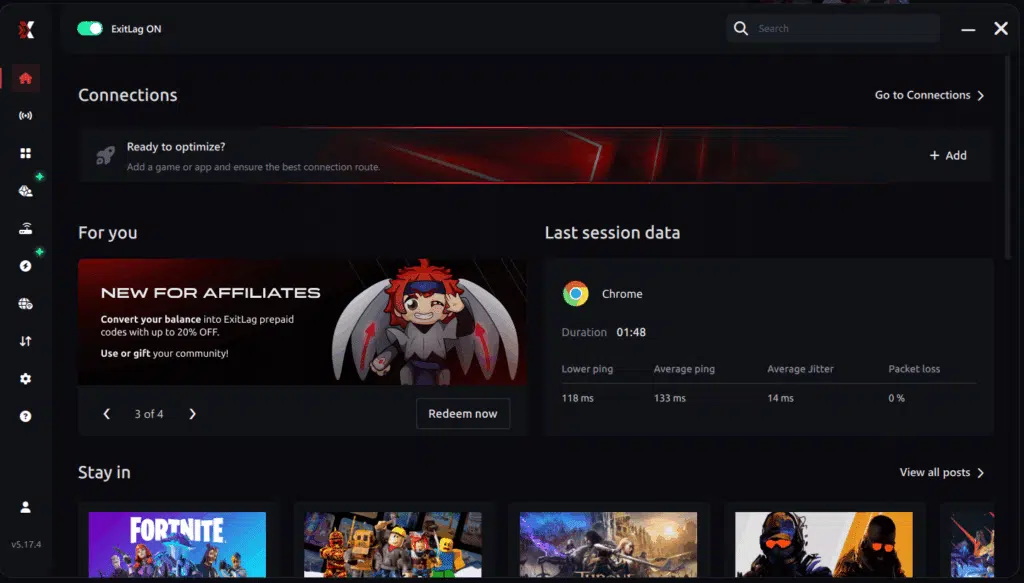
Step 3 – In the search bar, type “Aion 2” and select the game from the list.
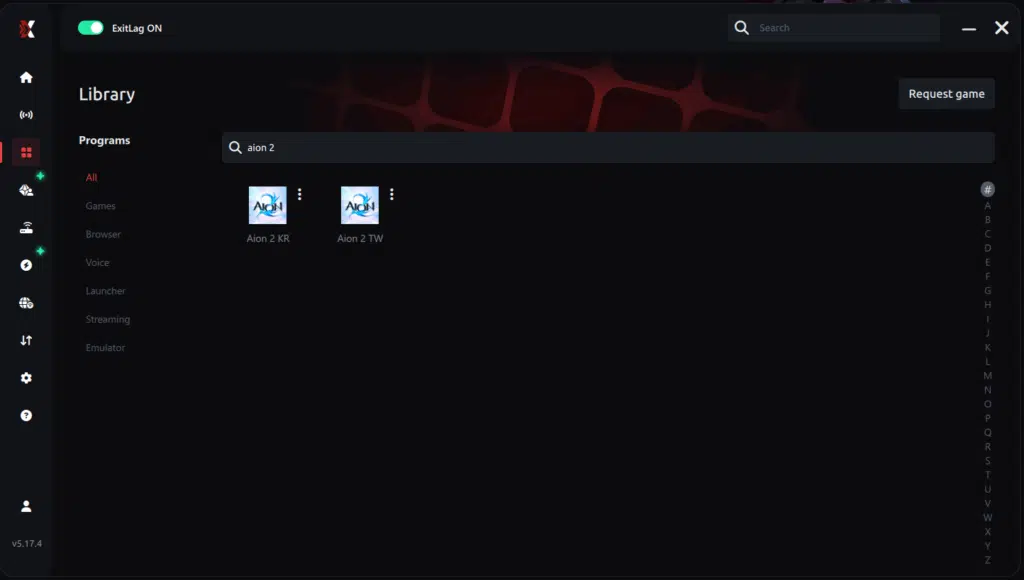
Step 4 – Choose between automated or manual route
Based on the results, you can let ExitLag automatically select the best route or manually choose the server that showed the lowest latency for your connection.
AI-optimized automated route
Based on the results, you can let ExitLag automatically select the best route through AI-optimized . The system analyzes multiple connection paths in real-time and automatically identifies the most efficient route for your connection, ensuring the lowest possible latency without requiring manual choices.
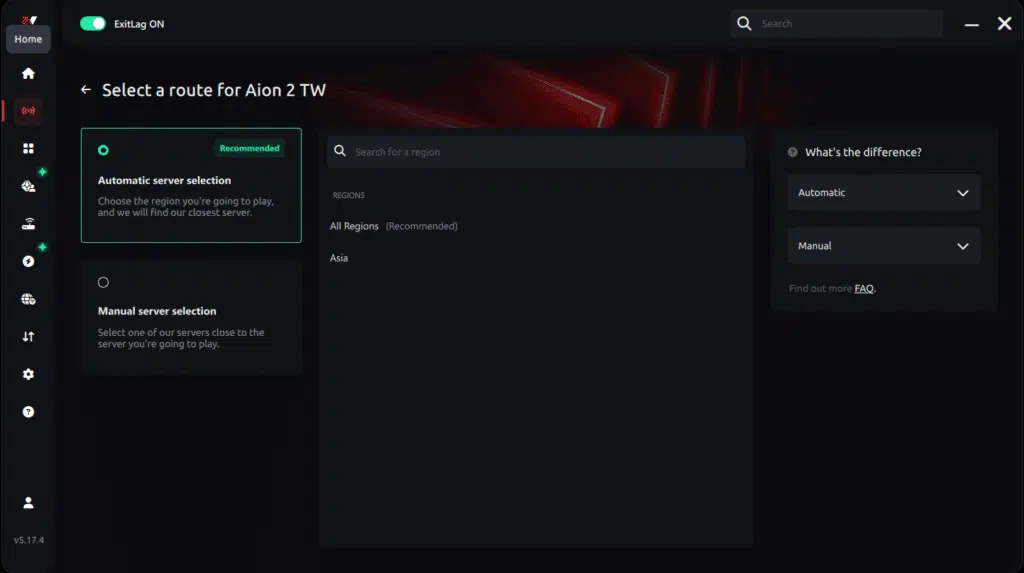
Manual route
If you prefer to have full control over your connection, you can manually choose the server based on the ping test results. Simply select the server that showed the lowest latency or the one that best meets your specific gaming needs, allowing complete customization of your experience.

Step 5 – Click “Apply routes” or the play button. ExitLag will begin optimizing your connection automatically.
AI-optimized automated route:

Manual route:

Step 6 – Wait a few seconds until optimization is complete. You’ll see ping indicators in the interface.
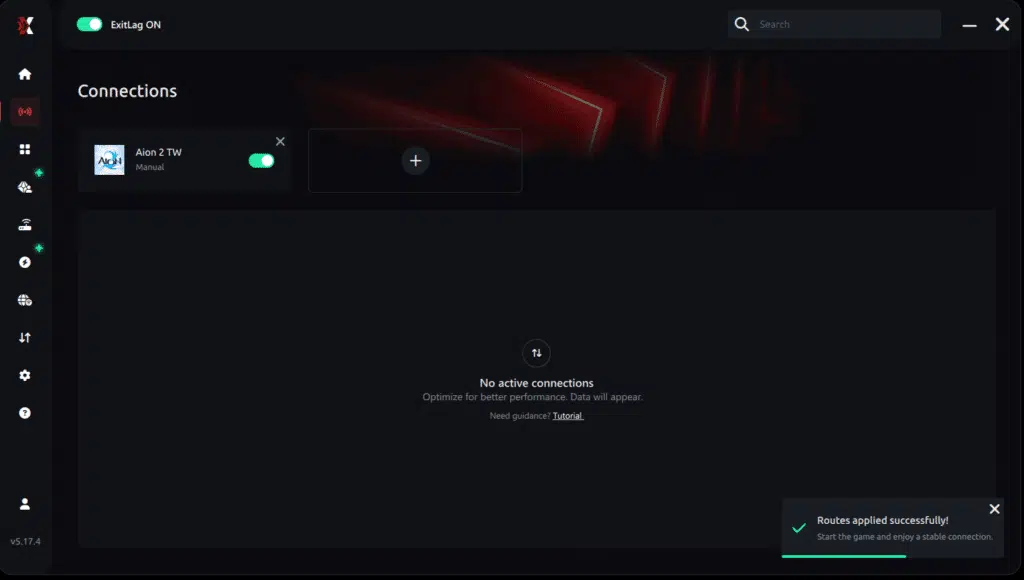
Step 7 – Launch Aion 2 normally. The optimization will already be active.
ExitLag runs in the background while you play, constantly adjusting routes to maintain the best possible performance.
How to use Ping for Games: step-by-step guide
Checking your connection quality before entering a match has never been easier. Here’s how to use Ping for Games in just a few steps:
1. Open the ExitLag software on your PC
Ensure the application is installed and open. The feature is integrated into the platform and available for free to all users.
2. Access the Network Analyzer tool
Locate the Network Analyzer in the software menu. This is where you’ll find Ping for Games along with other connection analysis features.
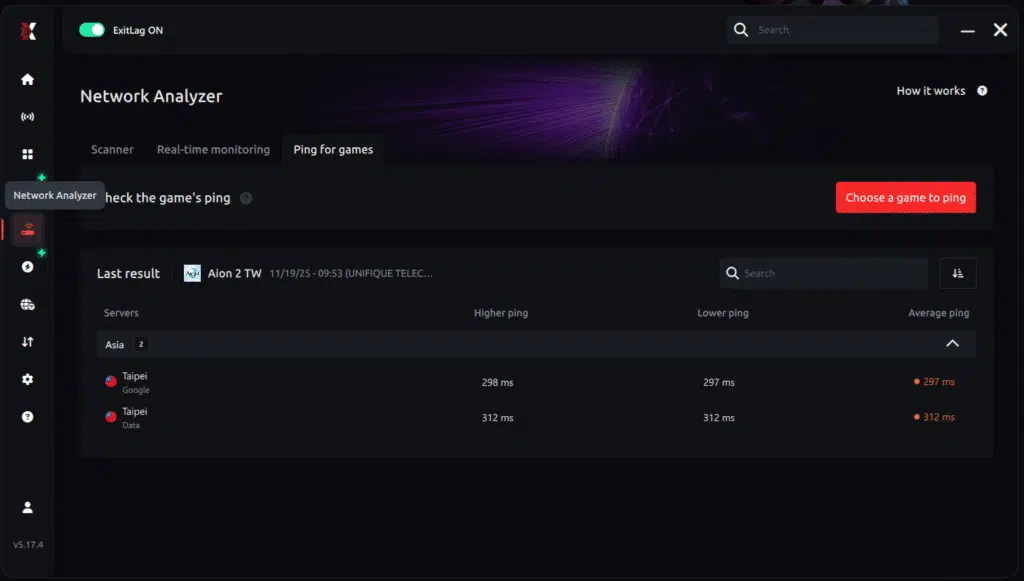
3. Select the game you want to test
Choose from the list the title you plan to play. The tool supports major online multiplayer games, including MOBAs, FPS, Battle Royales, MMORPGs, and more.
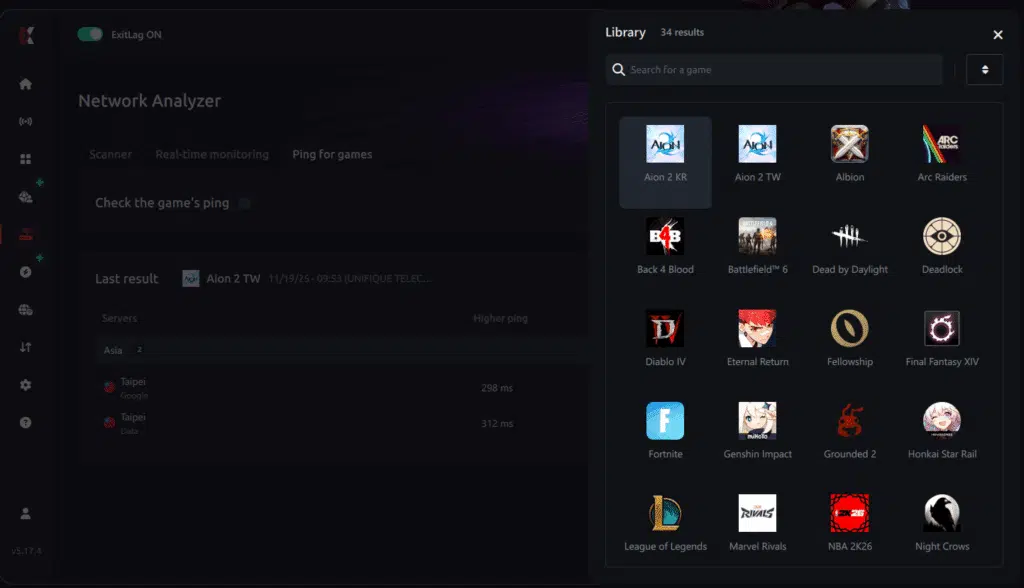
4. Choose the specific server
Now you select directly the server you want to test, instead of just a generic region. This ensures much more accurate results for your choice.
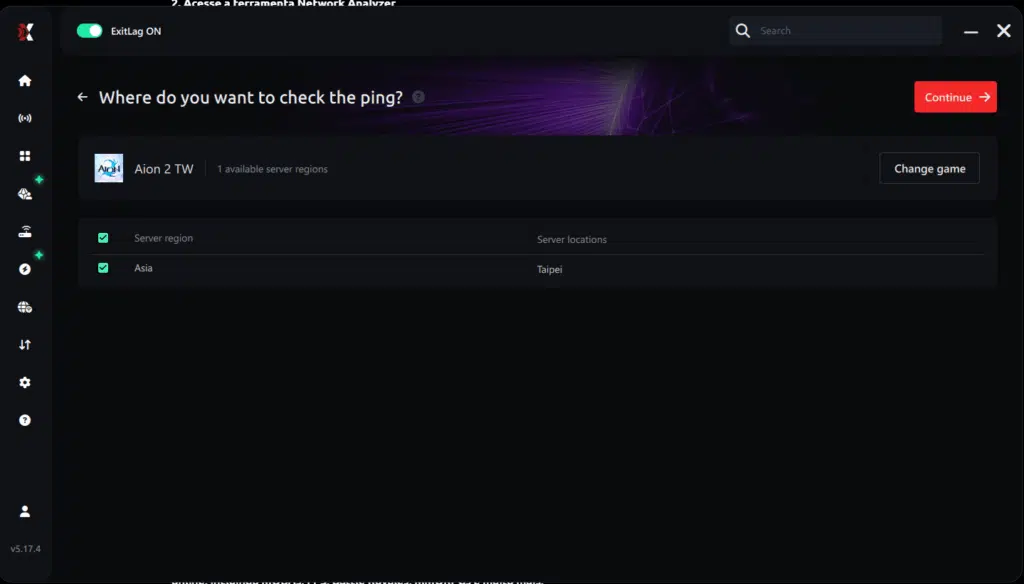
5. Start the ping test
With one click, the measurement is performed in real-time between your device and the chosen server, considering your current connection (cable or Wi-Fi).
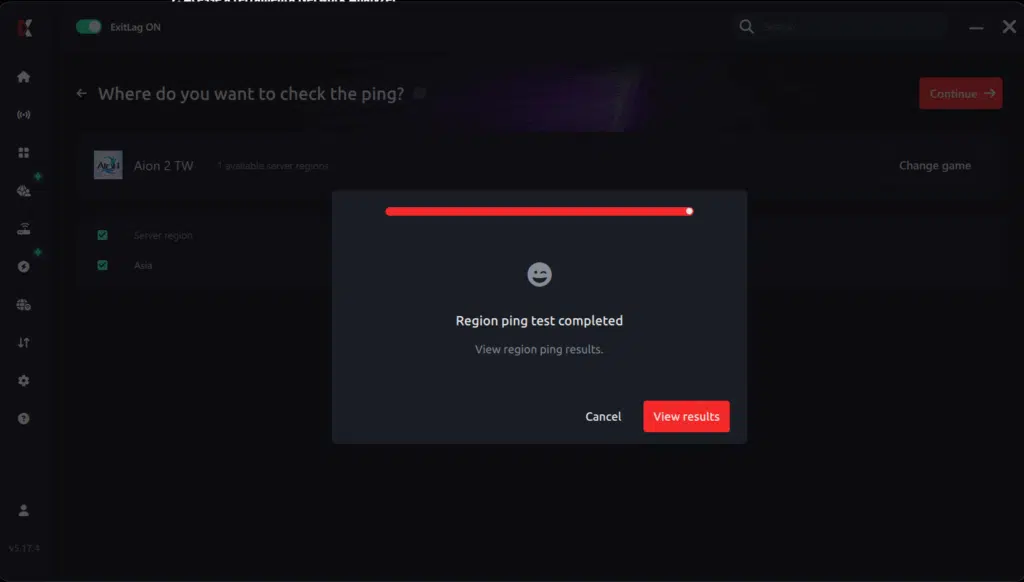
6. Analyze the results
Results appear in milliseconds (ms), automatically sorted from best to worst ping. You can also reorganize the view alphabetically, if you prefer.
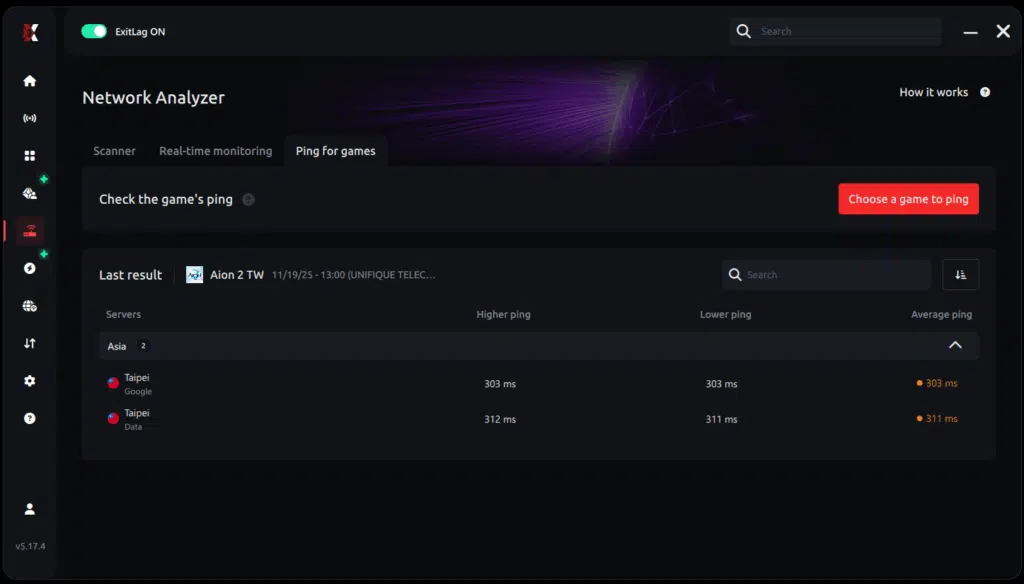
7. Choose the best server and play worry-free
With the information in hand, just select the server with the lowest latency and enter the match knowing your connection is optimized.
General Disclaimer
“All game images used in this blog belong to NCSoft. They are used for informational/educational purposes only and do not imply endorsement or affiliation with the rights holders.”
Got questions or want to connect with other players? Join the conversation at the ExitLag Forum!