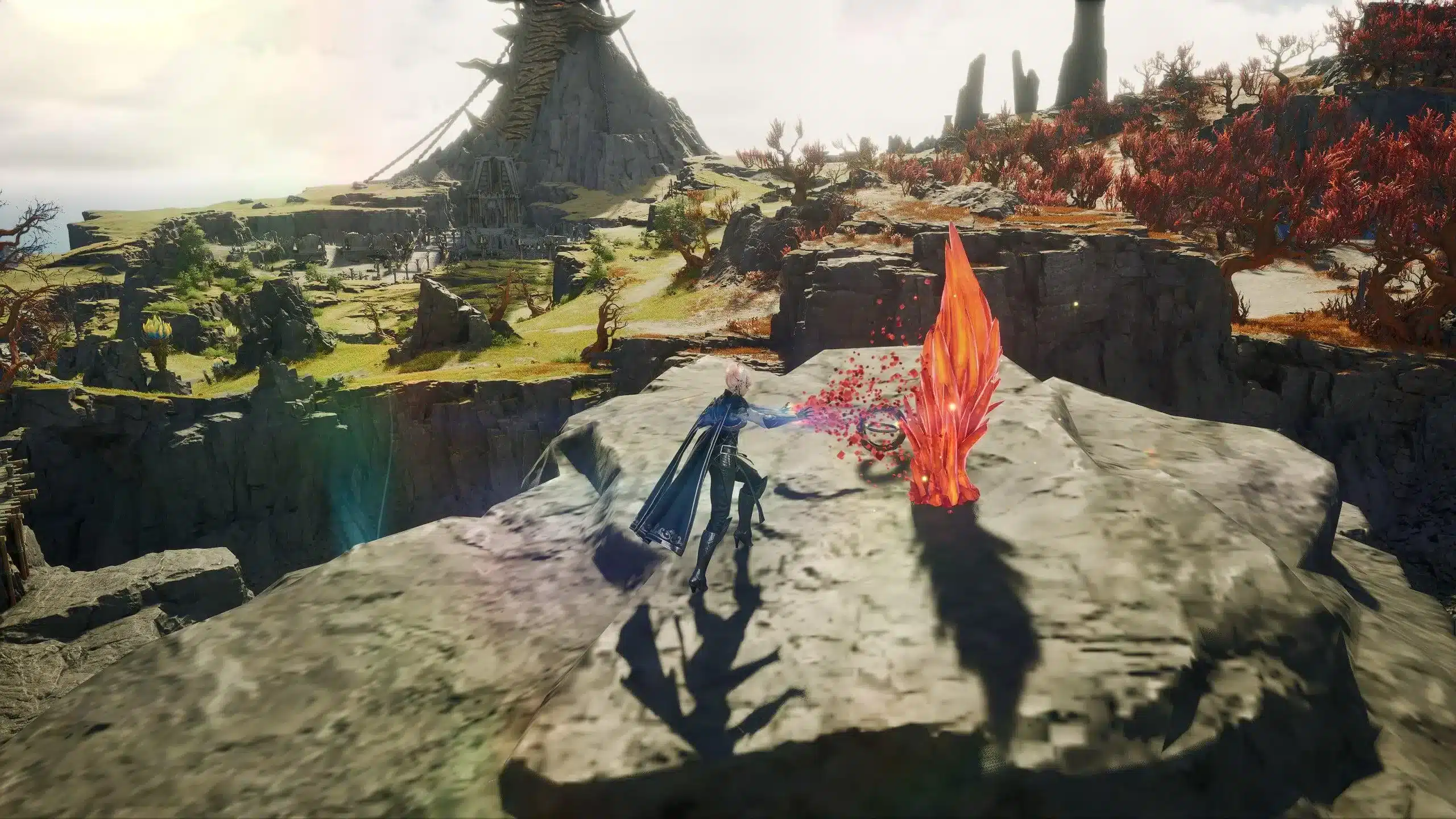
As one of the most anticipated MMORPGs in years, Aion 2 has generated intense speculation about where it will launch. Among the most asked questions: Will Aion 2 launch on Steam?
Steam, the world’s most popular digital storefront for PC games, is often a gateway for global MMO distribution. With Aion 2 targeting both mobile and possible PC markets, gamers worldwide are eager to know if Steam support is part of NCSoft’s release strategy.

What Is Aion 2 and Why Steam Matters
Aion 2 is NCSoft’s next-generation MMORPG built with Unreal Engine 4, intended as both a reboot and sequel to the classic Aion franchise. The game features a highly dynamic combat system, vertical exploration through gliding and flight, and a narrative rich in lore from Elyos and Asmodian perspectives.
With mobile-first gameplay and early access launching in Korea and Taiwan, the game has already begun regional testing phases. However, many players-especially in the West-hope to experience the game through their preferred PC ecosystem.
Steam integration would open the gates to:
- Seamless downloads and automatic updates
- Wider global accessibility with localization features
- Steam community integration (forums, guides, achievements)
- Support for PC-specific features like cloud saves and controller mapping
- Better visibility through Steam charts and trending sections
For international players, a Steam launch ensures easier access, direct payment options, and full compatibility with optimization tools like ExitLag.
Is Aion 2 Coming to Steam?
As of the time of writing, no official announcement has been made regarding an Aion 2 release on Steam. While the game is not currently listed publicly on Steam and has not appeared in the SteamDB catalog (as of this publication date), this status could change in the future.
That said, many of NCSoft’s legacy titles have eventually launched on Steam. For example:
- Blade & Soul was made available via Steam in Western regions
- Lineage II has Steam support depending on the publisher
- Guild Wars (ArenaNet) has a global PC presence, although not directly through Steam
This historical precedent leaves open several possibilities for Aion 2:
- Staggered rollout with mobile-first in Asia, followed by a Steam PC version globally
- Launch through NCSoft’s own NC Launcher or Purple platform, with a potential future migration to Steam
- Third-party publishing deal for Western release, possibly involving Steam
Why Aion 2 Isn’t on Steam (Yet)
Currently, there is no Steam version available, and the following reasons have been suggested by community analysts and market observers:
- The initial release is focused exclusively on mobile markets in Korea and Taiwan
- NCSoft tends to favor its proprietary launchers for early access stages
- There is no confirmed native PC client for global use at this time
- The current builds are based on Android OS, intended for mobile and emulator use
These factors make a Steam release unlikely in the near term, though not impossible. Players are advised to watch for updates via official channels.
Can You Play Aion 2 on PC Now?
Yes, but not via Steam or any official Windows client. The current method to enjoy Aion 2 on PC involves using Android emulators. This is not officially supported by NCSoft and may not reflect the intended gameplay experience.
Popular emulator choices include:
- LDPlayer 9
- Bluestacks 5
- MuMu Player
Emulator Tips for Best Performance:
- Enable VT (Virtualization Technology) in your BIOS
- Allocate at least 4 CPU cores and 6-8 GB RAM to the emulator
- Use a dedicated GPU and test both DirectX/OpenGL rendering modes
- Adjust in-game graphics settings to your machine’s capabilities
- Use custom hotkeys or controllers if supported
Reminder: Emulator usage is not endorsed by NCSoft and could fall outside their Terms of Service. Always review the publisher’s policies before proceeding.
Optimize Your Steam-like PC Play With ExitLag
Even though Aion 2 isn’t on Steam yet, playing through emulators introduces the same network challenges-high ping, packet loss, or jitter, especially for international users.
This is where ExitLag becomes essential for peak PC performance:
- Ends lag, ping, and jitter instantly
- Uses Multipath Connection to avoid server congestion
- Auto-optimizes the route between your ISP and Aion 2 servers
- Supports emulator routing without the need for VPN configurations
Steps to Set Up ExitLag for Aion 2 on PC
- Create your ExitLag account
- Download ExitLag for Windows
- Search for "Aion 2 TW" or "Aion 2 KR" in the game list
- Apply the optimized routes before launching your emulator
ExitLag works with LDPlayer, Bluestacks, and other Android emulators, giving you low latency in PvP and raids-even if you’re connecting from outside Asia.
Steam Page Expectations and Wishlist
If NCSoft does launch Aion 2 on Steam, players can reasonably expect:
- A native PC client fully optimized for mouse and keyboard
- Steam Cloud saves, achievements, and Workshop support
- Integration with Steam community features
- Transparent system requirements
- Pre-load access and global release timing
Players can monitor possible updates by:
- Watching SteamDB for Aion 2 entries (as of now, no listing confirmed)
- Following NCSoft’s official Korean and global news feeds
- Checking MMO fan discords, Reddit, and dev blogs
Aion 2 Steam Release: Will It Launch on Valve’s Platform?
As one of the most anticipated MMORPGs in years, Aion 2 has generated intense speculation about where it will launch. Among the most asked questions: Will Aion 2 launch on Steam?
Steam, the world’s most popular digital storefront for PC games, is often a gateway for global MMO distribution. With Aion 2 targeting both mobile and possible PC markets, gamers worldwide are eager to know if Steam support is part of NCSoft’s release strategy.
What Is Aion 2 and Why Steam Matters
Aion 2 is NCSoft’s next-generation MMORPG built with Unreal Engine 5, intended as both a reboot and sequel to the classic Aion franchise. The game features a highly dynamic combat system, vertical exploration through gliding and flight, and a narrative rich in lore from Elyos and Asmodian perspectives.
With mobile-first gameplay and early access launching in Korea and Taiwan, the game has already begun regional testing phases. A global release (PC and mobile) is currently scheduled for the second half of 2026.
However, many players-especially in the West-hope to experience the game through their preferred PC ecosystem.
Steam integration would open the gates to:
- Seamless downloads and automatic updates
- Wider global accessibility with localization features
- Steam community integration (forums, guides, achievements)
- Support for PC-specific features like cloud saves and controller mapping
- Better visibility through Steam charts and trending sections
For international players, a Steam launch ensures easier access, direct payment options, and full compatibility with optimization tools like ExitLag.
Is Aion 2 Coming to Steam?
As of the time of writing, no official announcement has been made regarding an Aion 2 release on Steam. The game is not currently listed publicly on Steam, and multiple sources confirm that NCSoft plans to use its own PURPLE platform for the PC version at launch, rather than Steam or Epic.
While this status could change in the future, current indications suggest Steam support may come later, if at all.
That said, many of NCSoft’s legacy titles have eventually launched on Steam. For example:
- Blade & Soul was made available via Steam in Western regions
- Lineage II has Steam support depending on the publisher
- Guild Wars (ArenaNet) has a global PC presence, although not directly through Steam
This historical precedent leaves open several possibilities for Aion 2:
- Staggered rollout with mobile-first in Asia, followed by a Steam PC version globally
- Launch through NCSoft’s own NC Launcher or PURPLE platform, with a potential future migration to Steam
- Third-party publishing deal for Western release, possibly involving Steam
Why Aion 2 Isn’t on Steam (Yet)
Currently, there is no Steam version available, and the following reasons have been suggested by community analysts and market observers:
- The initial release is focused exclusively on mobile markets in Korea and Taiwan
- NCSoft tends to favor its proprietary launchers for early access stages
- There is no confirmed native PC client via Steam for global use at this time
- The current builds are based on Android OS, intended for mobile and emulator use
These factors make a Steam release unlikely in the near term, though not impossible. Players are advised to watch for updates via official channels.
Can You Play Aion 2 on PC Now?
Yes, but not via Steam or any official Windows client. The current method to enjoy Aion 2 on PC involves using Android emulators. This method is not officially supported by NCSoft and may violate the Terms of Service. Proceed with caution.
Popular emulator choices include:
- LDPlayer 9
- Bluestacks 5
- MuMu Player
Emulator Tips for Best Performance:
- Enable VT (Virtualization Technology) in your BIOS
- Allocate at least 4 CPU cores and 6-8 GB RAM to the emulator
- Use a dedicated GPU and test both DirectX/OpenGL rendering modes
- Adjust in-game graphics settings to your machine’s capabilities
- Use custom hotkeys or controllers if supported
Important: Emulator usage is a community workaround and not endorsed by NCSoft. It may breach the publisher’s Terms of Service and can lead to account penalties. Always review the game's ToS before using third-party tools.
Optimize Your Steam-like PC Play With ExitLag
Even though Aion 2 isn’t on Steam yet, playing through emulators introduces the same network challenges-high ping, packet loss, or jitter, especially for international users.
This is where ExitLag becomes essential for peak PC performance:
- Ends lag, ping, and jitter instantly
- Uses Multipath Connection to avoid server congestion
- Auto-optimizes the route between your ISP and Aion 2 servers
- Supports emulator routing without the need for VPN configurations
Steps to Set Up ExitLag for Aion 2 on PC:
- Create your ExitLag account
- Download ExitLag for Windows
- Search for "Aion 2 TW" or "Aion 2 KR" in the game list
- Apply the optimized routes before launching your emulator
ExitLag works with LDPlayer, Bluestacks, and other Android emulators, giving you low latency in PvP and raids-even if you’re connecting from outside Asia.
See more about:
How to use ExitLag in Aion 2
The process is extremely simple:
Step 1 - Access the official ExitLag website and download the application. There's a free trial period for new users.
Step 2 - Install and open the program. Log in with your account.
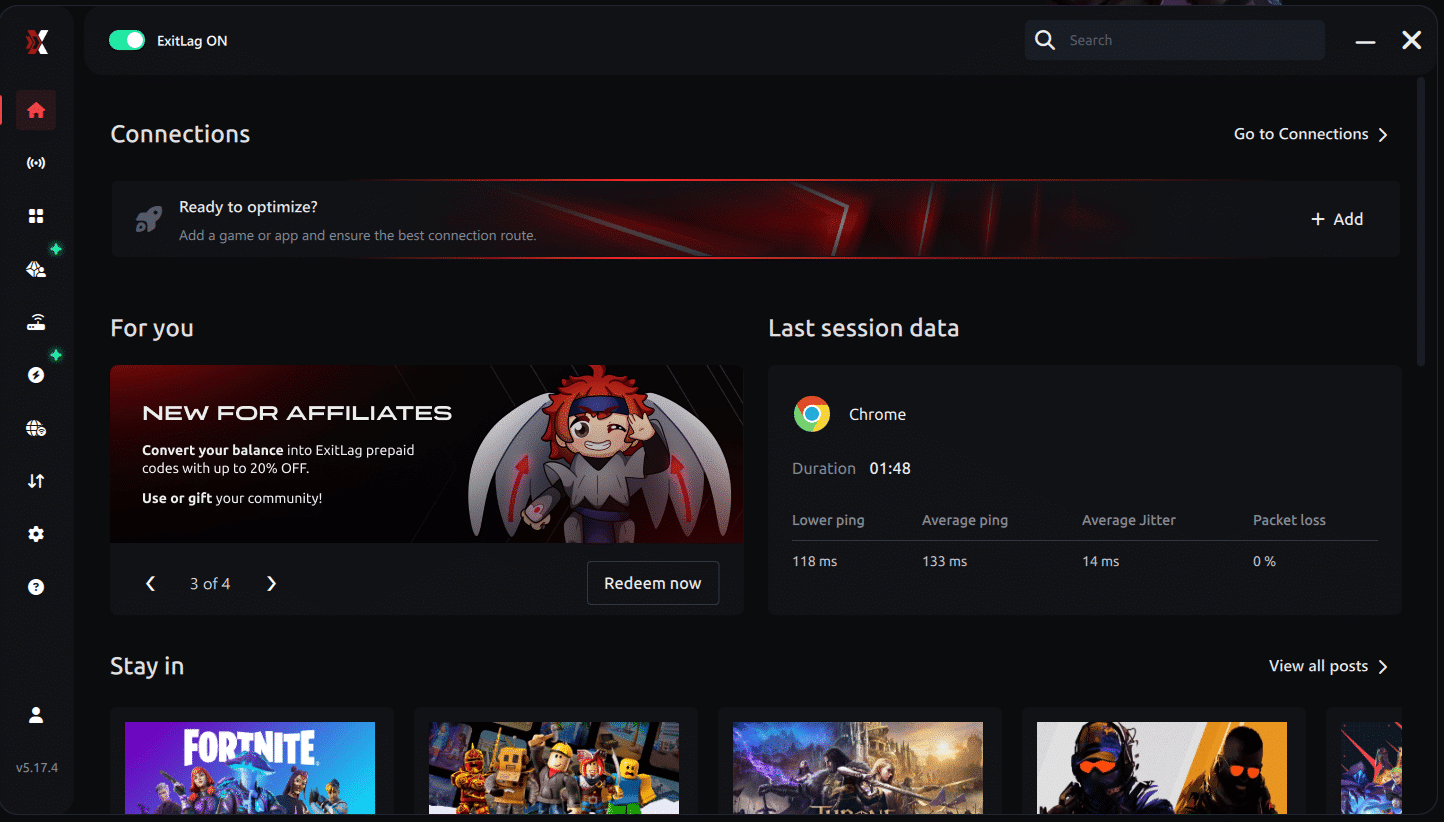
Step 3 - In the search bar, type "Aion 2" and select the game from the list.
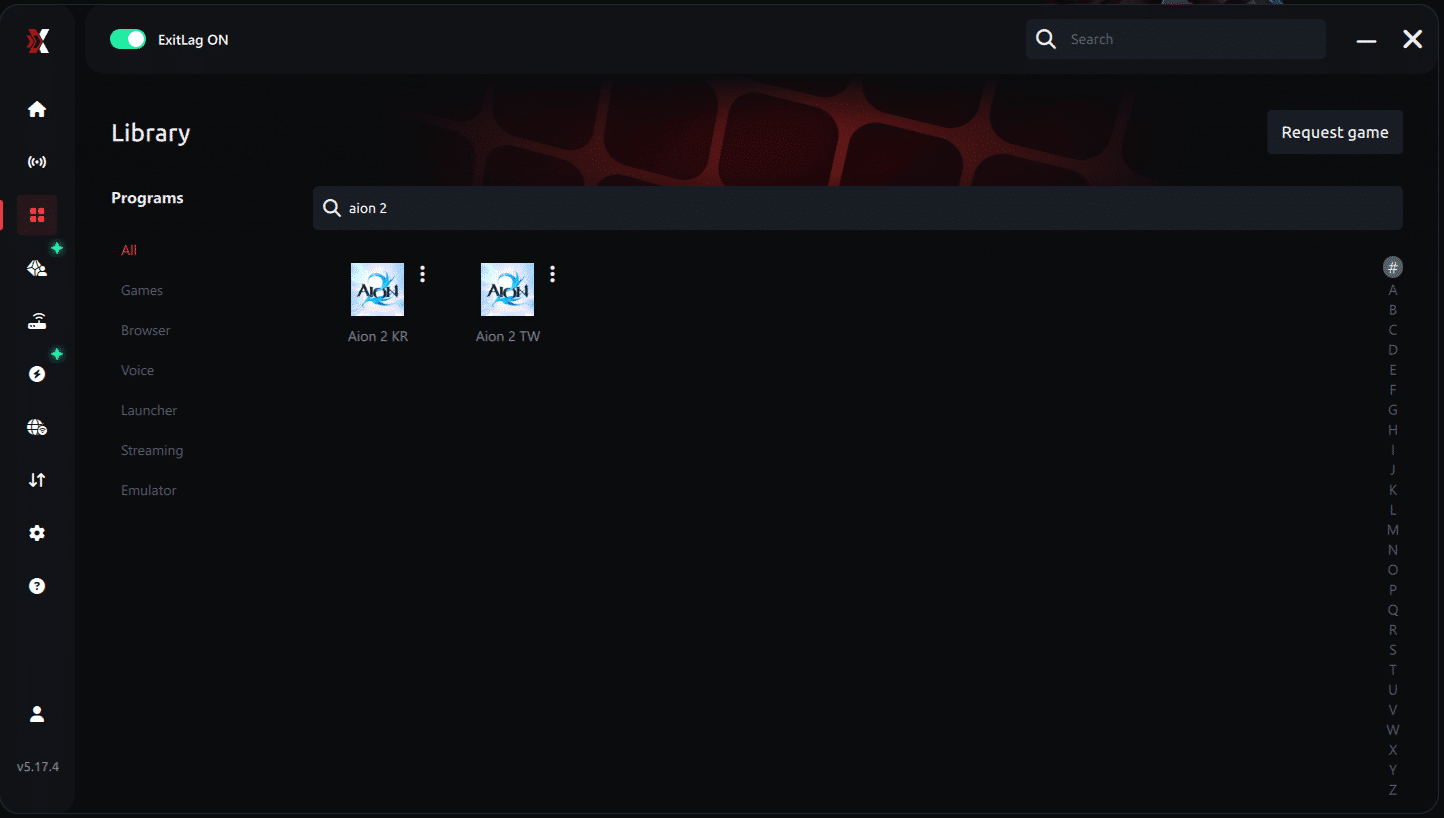
Step 4 - Choose between automated or manual route
Based on the results, you can let ExitLag automatically select the best route or manually choose the server that showed the lowest latency for your connection.
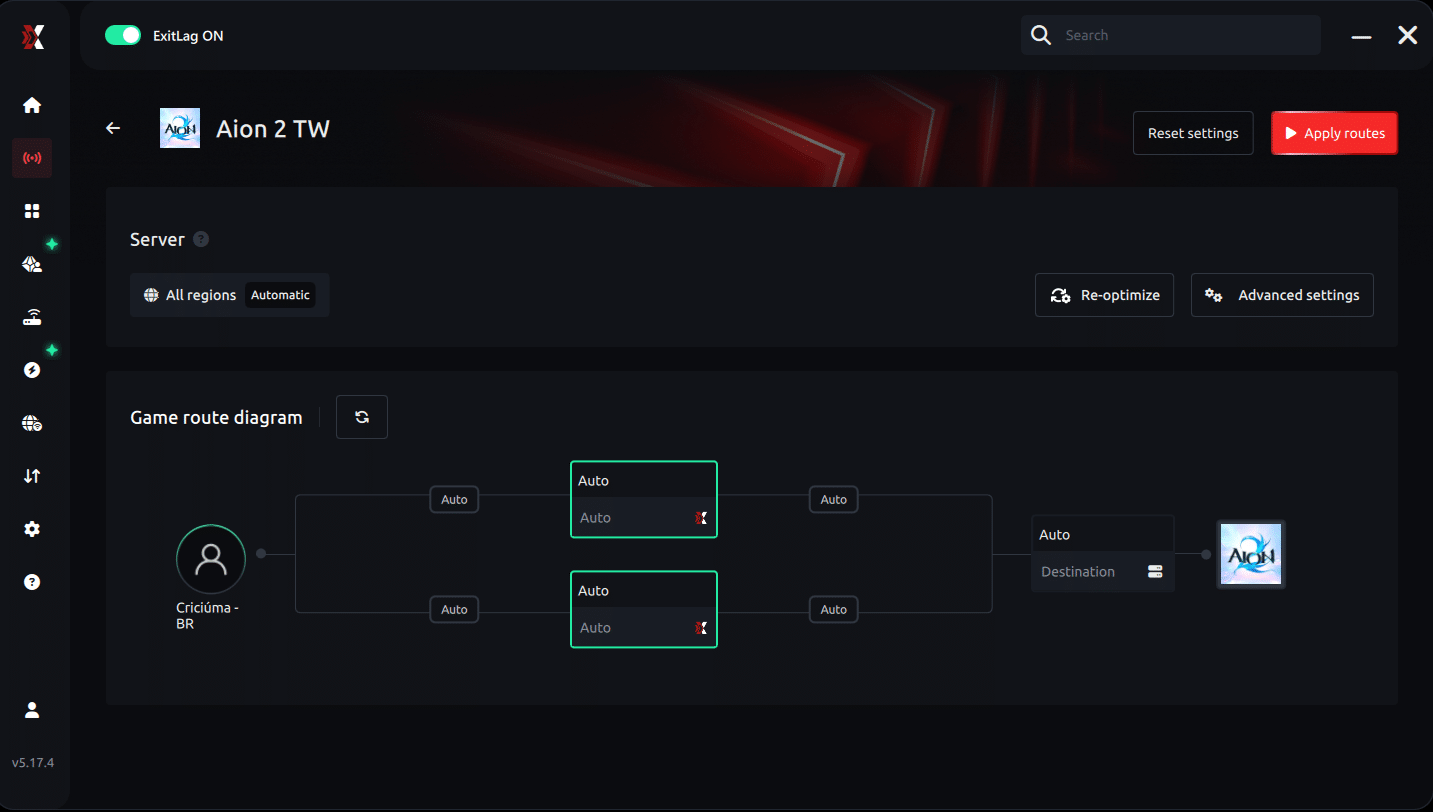
AI-optimized automated route
Based on the results, you can let ExitLag automatically select the best route through AI-optimized . The system analyzes multiple connection paths in real-time and automatically identifies the most efficient route for your connection, ensuring the lowest possible latency without requiring manual choices.
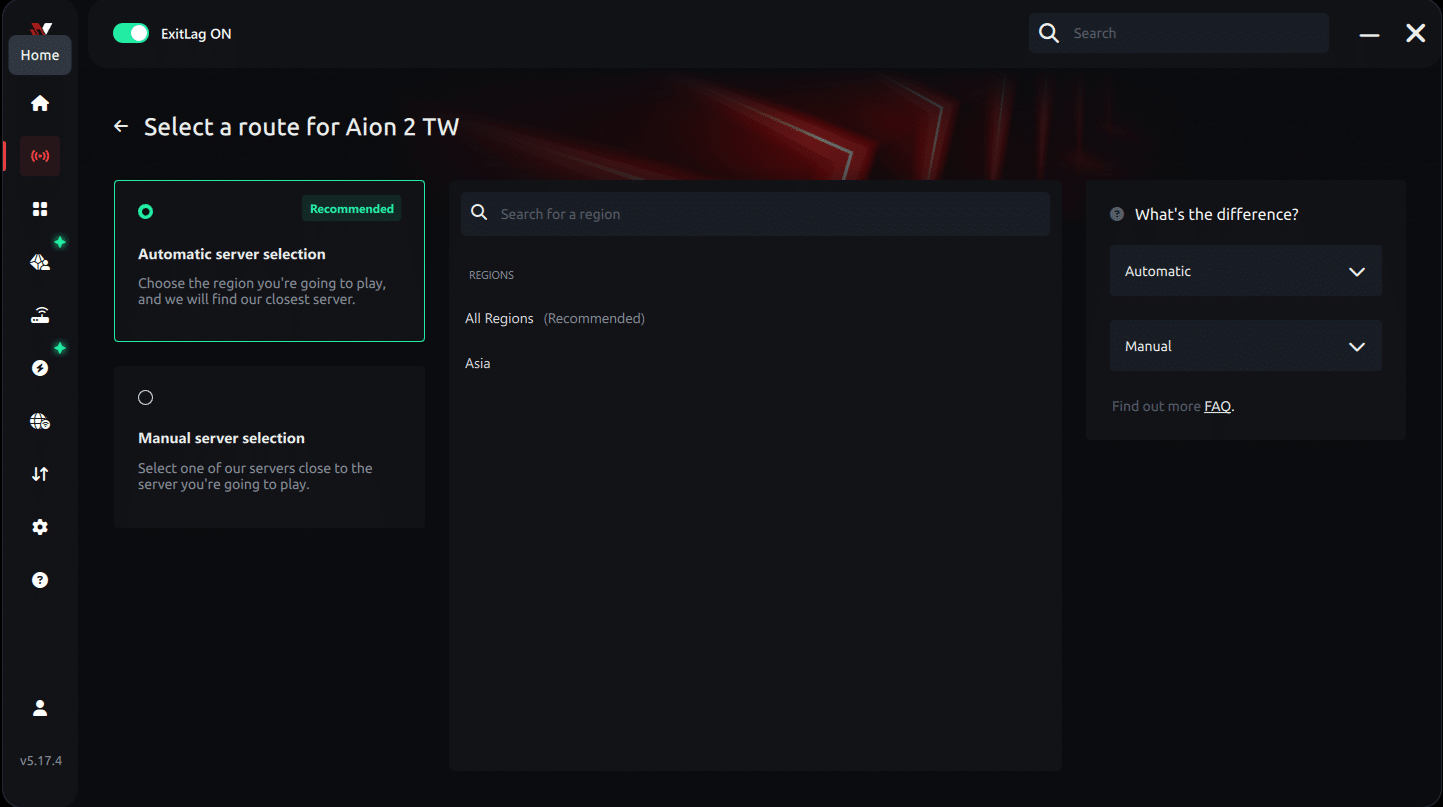
Manual route
If you prefer to have full control over your connection, you can manually choose the server based on the ping test results. Simply select the server that showed the lowest latency or the one that best meets your specific gaming needs, allowing complete customization of your experience.
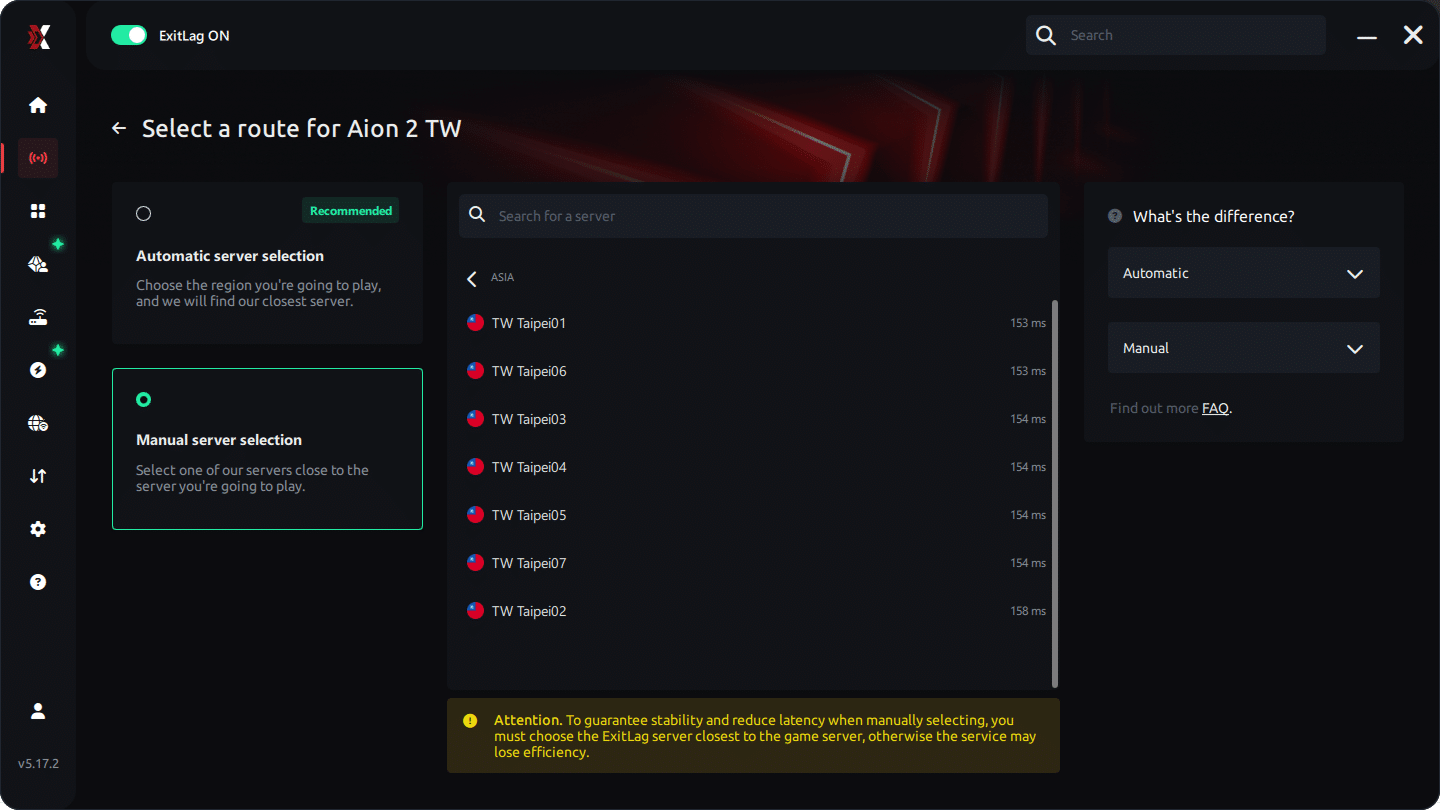
Step 5 - Click "Apply routes" or the play button. ExitLag will begin optimizing your connection automatically.
AI-optimized automated route:
Manual route:
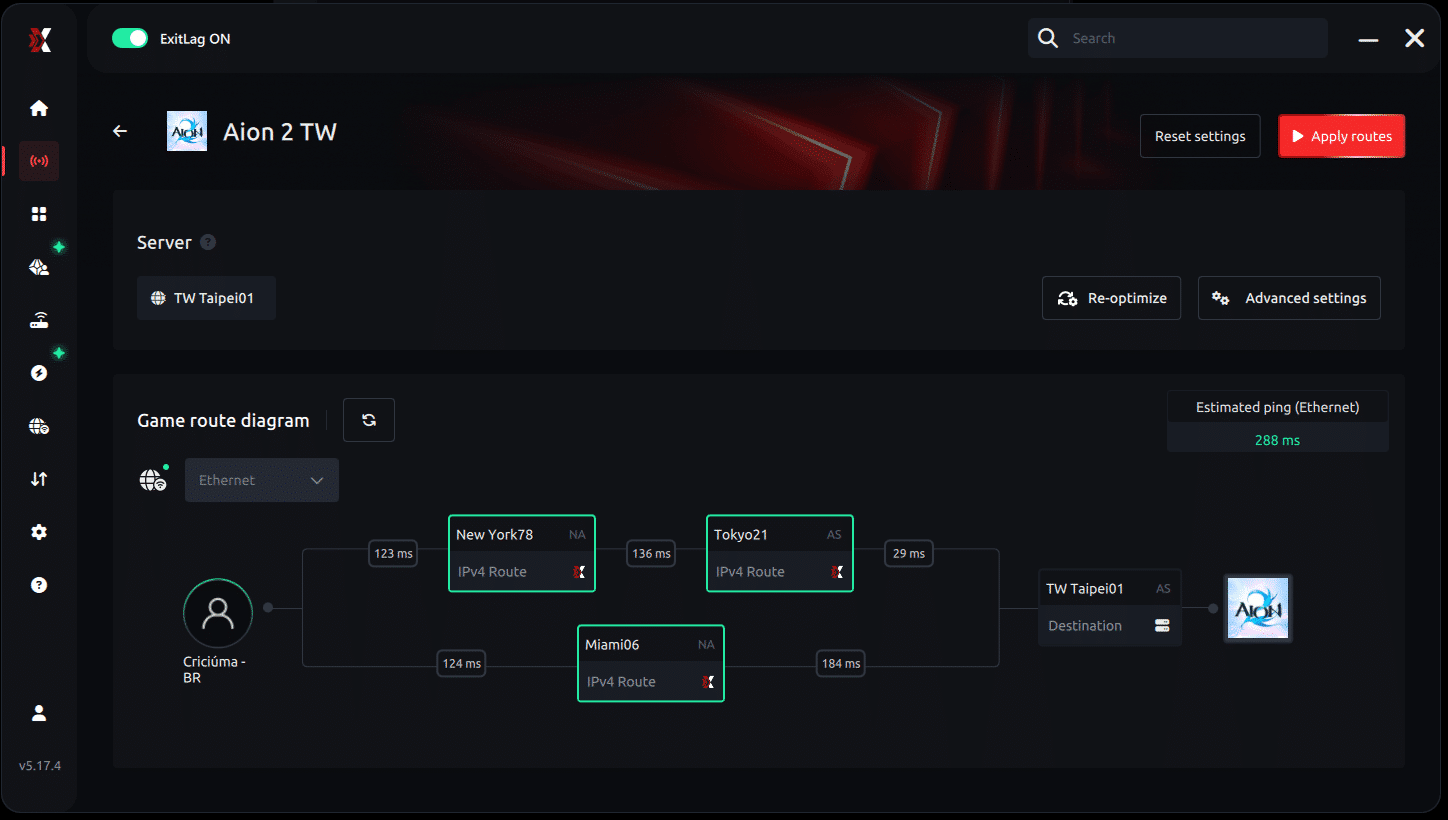
Step 6 - Wait a few seconds until optimization is complete. You'll see ping indicators in the interface.
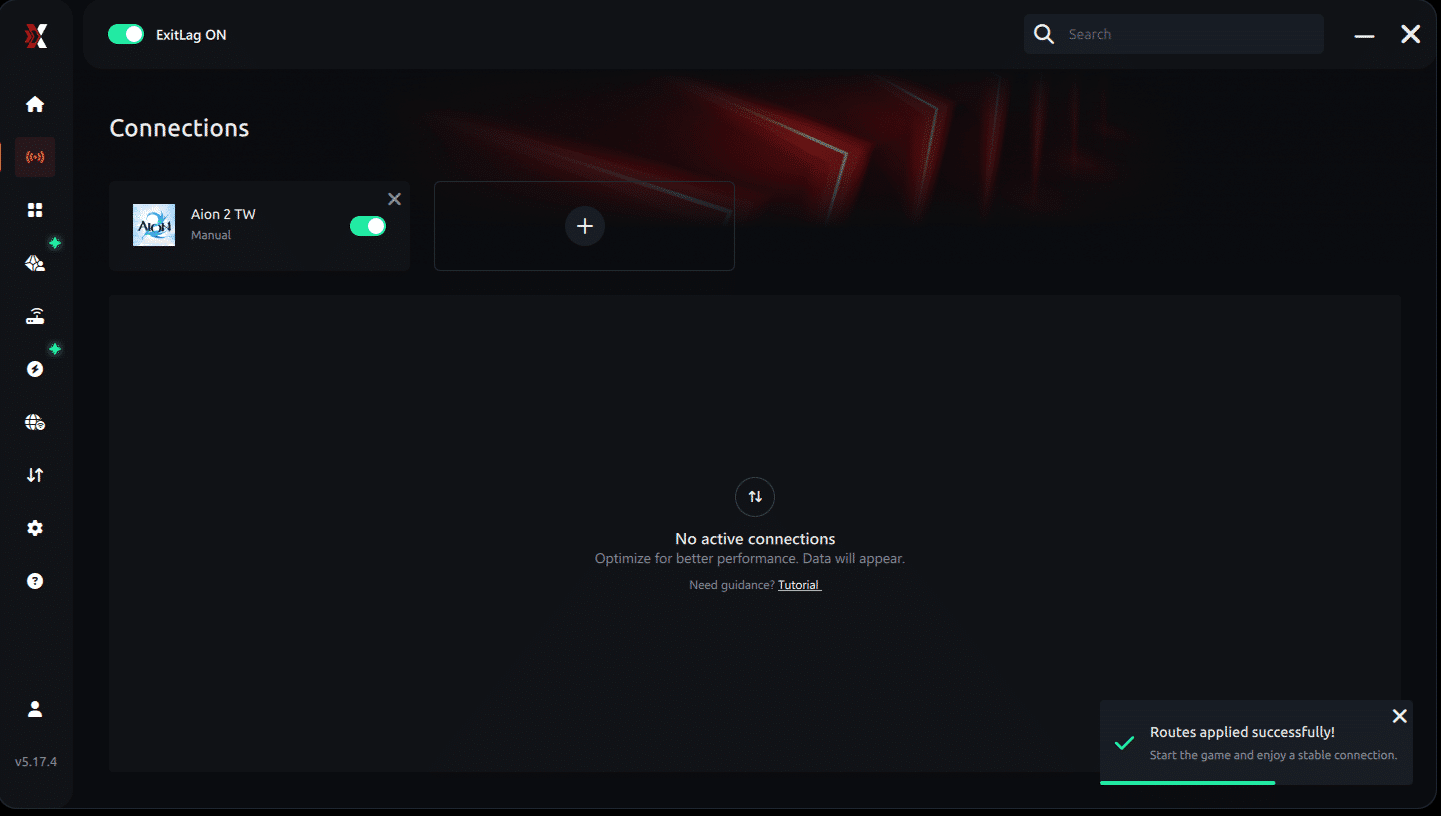
Step 7 - Launch Aion 2 normally. The optimization will already be active.
ExitLag runs in the background while you play, constantly adjusting routes to maintain the best possible performance.
How to use Ping for Games: step-by-step guide
Checking your connection quality before entering a match has never been easier. Here's how to use Ping for Games in just a few steps:
1. Open the ExitLag software on your PC
Ensure the application is installed and open. The feature is integrated into the platform and available for free to all users.
2. Access the Network Analyzer tool
Locate the Network Analyzer in the software menu. This is where you'll find Ping for Games along with other connection analysis features.
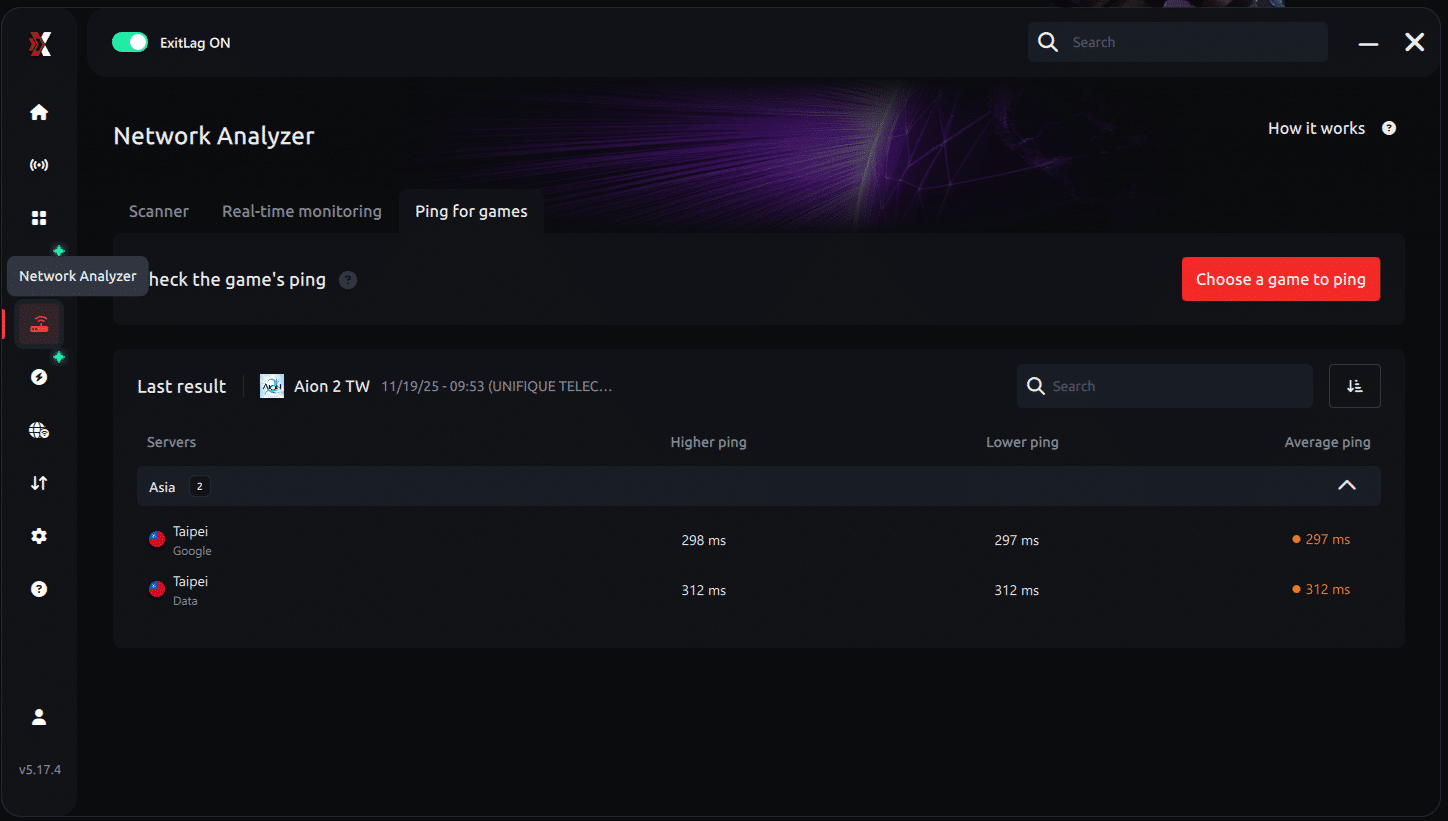
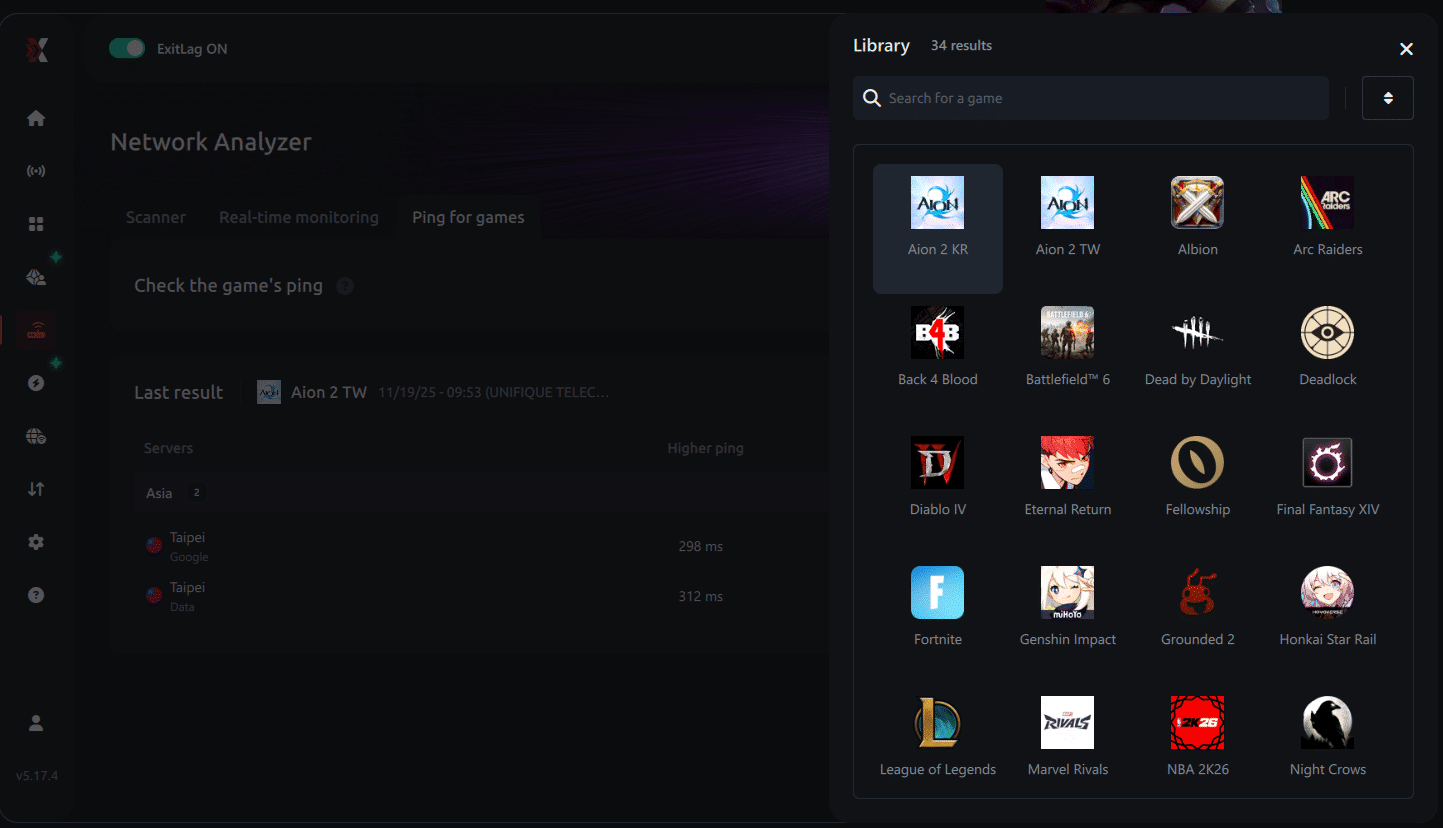
3. Select the game you want to test
Choose from the list the title you plan to play. The tool supports major online multiplayer games, including MOBAs, FPS, Battle Royales, MMORPGs, and more.
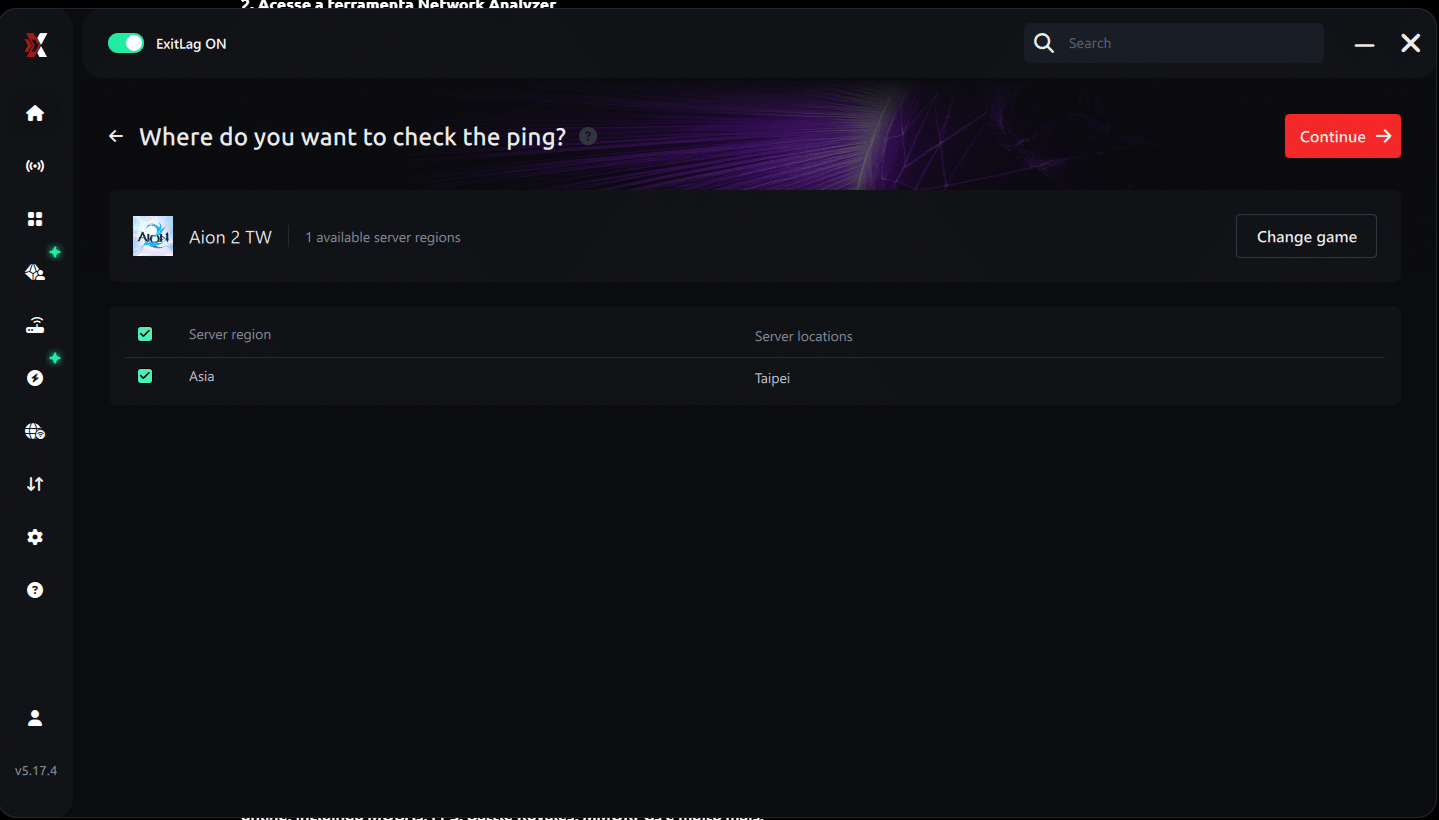
4. Choose the specific server
Now you select directly the server you want to test, instead of just a generic region. This ensures much more accurate results for your choice.
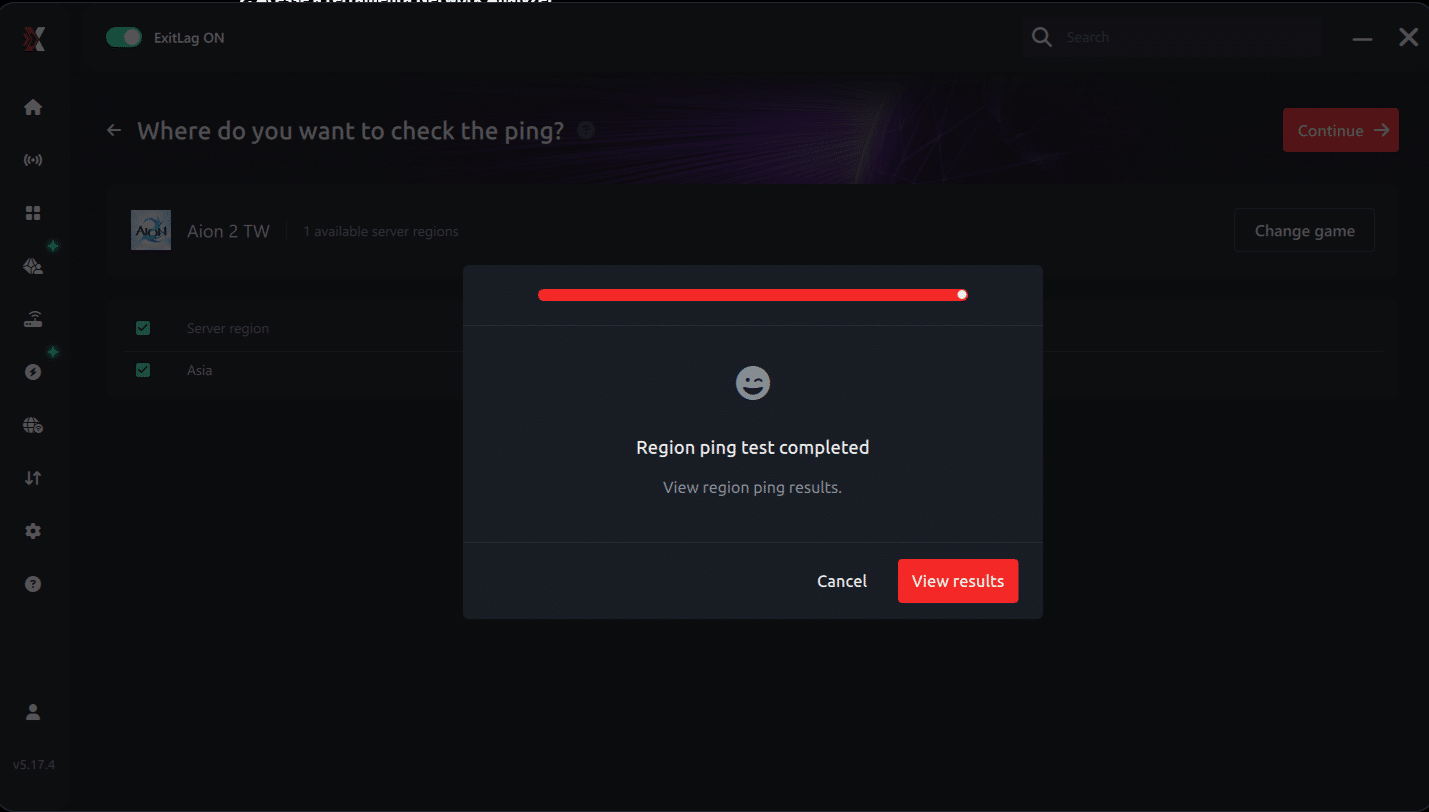
5. Start the ping test
With one click, the measurement is performed in real-time between your device and the chosen server, considering your current connection (cable or Wi-Fi).
6. Analyze the results
Results appear in milliseconds (ms), automatically sorted from best to worst ping. You can also reorganize the view alphabetically, if you prefer.
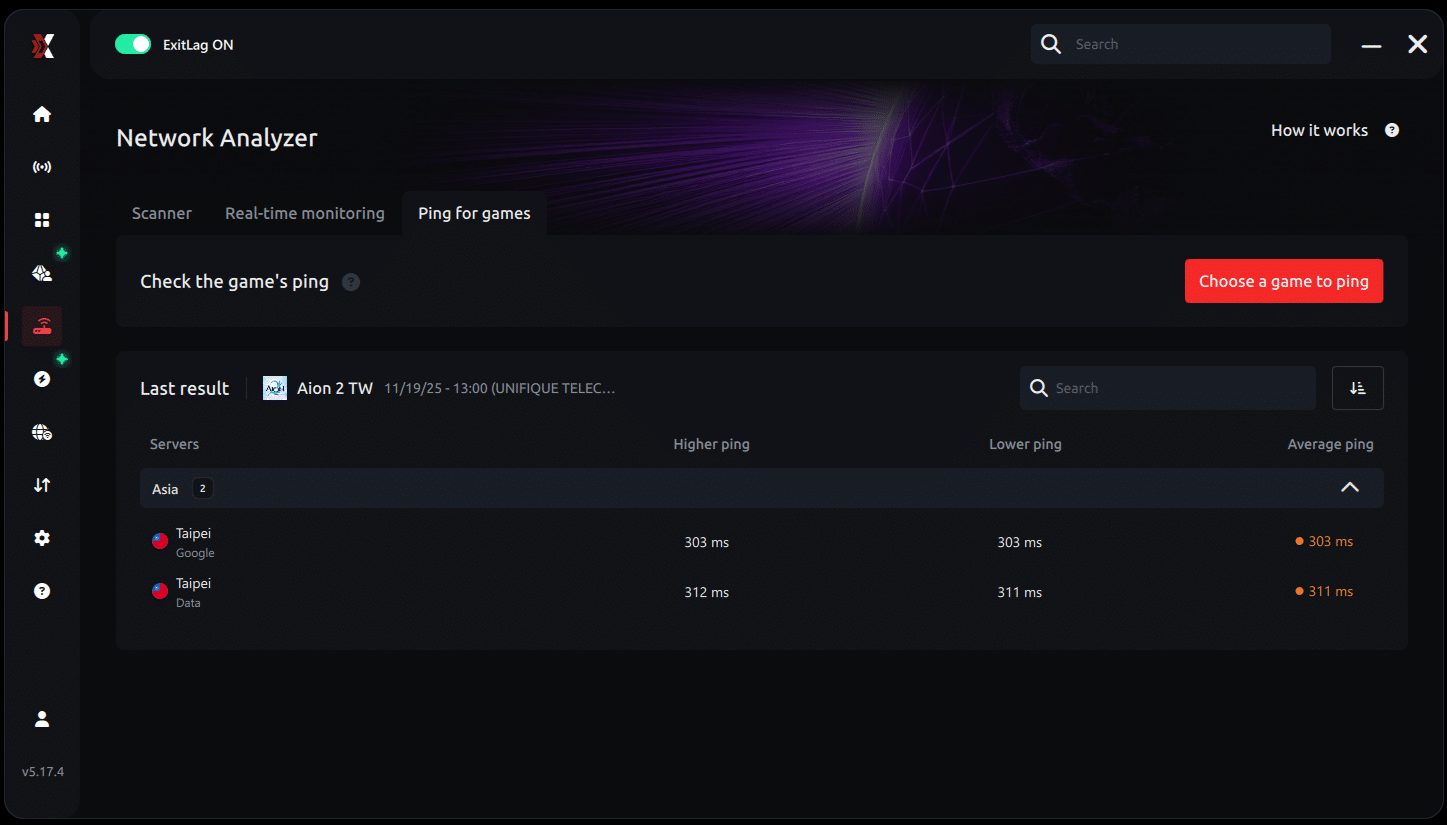
7. Choose the best server and play worry-free
With the information in hand, just select the server with the lowest latency and enter the match knowing your connection is optimized.
Steam Page Expectations and Wishlist
If NCSoft does launch Aion 2 on Steam, players can reasonably expect:
Key Features:
- A native PC client fully optimized for mouse and keyboard
- Steam Cloud saves, achievements, and Workshop support
- Integration with Steam community features
- Transparent system requirements
- Pre-load access and global release timing
Players can monitor possible updates by:
- Watching SteamDB for Aion 2 entries (as of now, no listing confirmed)
- Following NCSoft’s official Korean and global news feeds
- Checking MMO fan discords, Reddit, and dev blogs
All game images used in this blog belong to NCSoft. They are used for informational/educational purposes only and do not imply endorsement or affiliation with the rights holders.