Few things are as frustrating as losing fights, dying in the open world, or missing key abilities because Albion high ping slows your reactions during intense combat. Above all, when Albion becomes unresponsive due to high ping, every ZvZ, gank, dungeon, or arena match becomes unpredictable and risky. In advance, this guide explains why these spikes occur, how to fix them, and how tools compatible with supported games help players remove lag Albion, eliminate Albion latency, and resolve recurring Albion connection issues.
What is high ping in Albion?
At first, understanding Albion high ping is essential before attempting any fix. Ping represents the time (milliseconds) it takes for data packets to travel between your device and the game servers. The higher the ping, the longer actions take to register. When ping spikes, players experience delayed abilities, desynced movement, rubberbanding, and unpredictable enemy behavior.
Even more, high ping isn’t always tied to slow internet. Instead, it often comes from unstable latency, inefficient routing, or congested connection paths chosen automatically by your ISP. Like this, even players with strong internet plans can experience severe Albion latency.
In summary, Albion high ping is the delay between your command and the server’s response. The bigger the delay, the harder it is to react effectively during PvP and PvE.
How high ping affects gameplay in Albion
Soon after latency issues appear, Albion becomes difficult to play normally. Combat becomes unstable, movement desynced, and coordinated fights almost impossible.
Here are the most common effects:
- Delayed hit registration, especially in fast weapon builds
- Severe rubberbanding in crowded zones
- Sudden disconnections during ZvZ or Avalonian dungeons
- Major competitive disadvantage in ganking or duels
- Delayed healing, mobility skills, or interrupts
- Lost fights due to spell lag or unresponsive abilities
Ability timing and rotations
First of all, Albion combat relies heavily on precise skill timing. In the same way, delays disrupt combos and make weapons feel inconsistent. This is especially harmful in burst builds where milliseconds matter.
Movement and positioning
From the same point of view, lag Albion issues disrupt mount escapes, defensive repositioning, and kiting. Above all, rubberbanding in red or black zones can mean instant death and gear loss.
Main causes of high ping in Albion
Server distance
At first sight, the farther you are from Albion’s servers, the longer your data takes to travel. Definitely, players far from main hosting regions face increased Albion connection issues.
ISP / routing issues
According to your ISP’s routing logic, your data may take unstable or longer paths. That way, even fast plans still experience high latency and lag Albion spikes.
Network congestion
Often, too many users connected at once—either locally or regionally—cause congestion. Consequently, your ping fluctuates, causing unpredictable Albion latency spikes, especially during prime time.
Outdated hardware
Beforehand, outdated routers, weak Wi-Fi signals, and old network adapters worsen instability. In addition, damaged cables or inconsistent wireless channels amplify high ping.
Game-specific causes
Albion’s massive ZvZ battles and server load during events create temporary spikes. These conditions magnify Albion high ping until server load returns to normal.
How to check and test your ping in Albion
Firstly, Albion displays connection quality indicators within the game. If your ping jumps between 60ms and 250ms frequently, that reflects route instability—not simply low internet speed.
On the other hand, using OS commands like ping and tracert helps determine how many intermediate hops your connection travels before reaching Albion servers. Long or unstable hops indicate Albion connection issues caused by poor routing.
In conclusion, under 50ms is excellent, 50–120ms is playable, 120–180ms is noticeable, and anything above that introduces lag Albion.
Ping levels classification
| Ping level | Gameplay experience |
| 0–50 ms | Excellent, instant responses |
| 50–120 ms | Playable, slight delays |
| 120–180 ms | Noticeable lag Albion effects |
| 180–250 ms | Severe delay, dangerous PvP |
| 250+ ms | Nearly unplayable |
Basic fixes to reduce high ping in Albion
Optimize local connection
- Prioritize Ethernet over Wi-Fi
- Close background apps consuming bandwidth
- Restart modem and router
- Update network adapter drivers
- Limit connected devices
- Disable auto-updates on launchers or cloud apps
Contact your ISP
Even so, if high ping persists, your provider must investigate deeper issues. They can identify disturbances such as noise, congestion, or routing errors.
- Ask whether your area is experiencing instability
- Request a line test for packet loss
- Confirm if your router is outdated
- Ask about alternative routing where available
ExitLag: the best solution to fix high ping in Albion
Right away, ExitLag stands out as the most reliable way to stabilize unstable routes and eliminate the Albion high ping that disrupts your gameplay. Instead of relying on your ISP’s inconsistent routing, ExitLag builds a smarter, optimized path to the servers, reducing latency spikes and delivering a smoother Albion experience—even during peak hours.
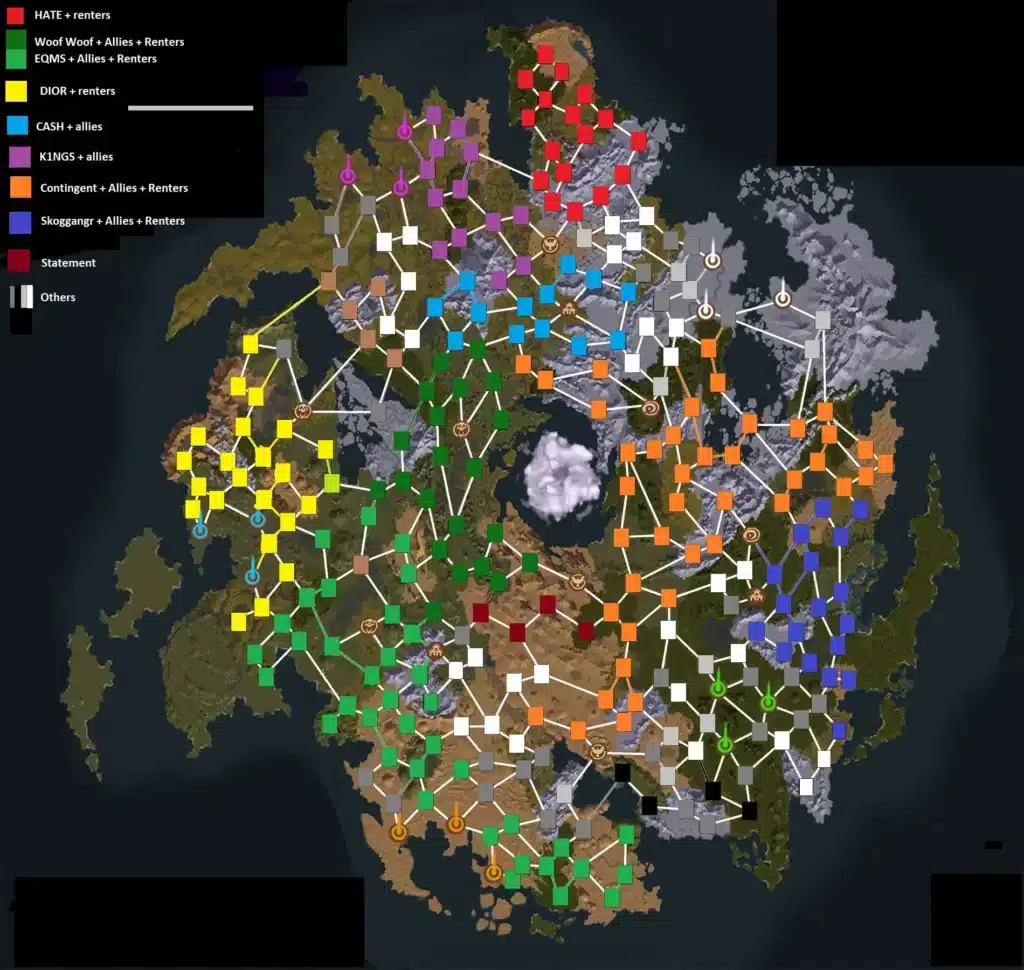
What is ExitLag?
In advance, ExitLag is a specialized software built exclusively for connection optimization, giving gamers the stable and predictable experience traditional fixes fail to provide. Designed by players who understand the frustrations of Albion latency, ExitLag ensures that your abilities, movement, and reactions register exactly when you expect them to. You can explore the underlying technology in the technology section.
Furthermore, ExitLag stabilizes routing regardless of your ISP’s limitations, reducing delays and preventing sudden ping spikes that cause Albion connection issues.
How ExitLag works
ExitLag improves your stability through five core optimization layers:
- Real-time route analysis
It constantly scans every possible path to Albion servers to find the most efficient one. - Multiple routes simultaneously
Like this, instead of using only a single unstable path, ExitLag sends your packets through multiple routes to guarantee reliability. - Automatic best route selection
As a result, the system instantly selects the fastest and most stable route at any given moment. - Hop optimization
By reducing the number of hops, ExitLag eliminates unnecessary delays that cause lag Albion. - Connection stabilization
Finally, it ensures predictable latency, preventing sudden spikes and erratic behavior. More details are available in the how it works section.
Advantages for Albion players
Consistent latency for PvP and ZvZ
Firstly, Albion’s large-scale battles require stable latency. ExitLag ensures smooth teamfights, clearer positioning, and precise timing during chaotic engagements.
No more rubberbanding in open world
In the same way, ExitLag reduces packet loss and route instability, preventing sudden snaps backward during ganks, escapes, or mount chases.
Faster skill response time
Above all, stabilized routing ensures abilities fire instantly, improving combos, interrupts, and defensive rotations.
Protection against ISP routing flaws
Often, ISPs choose inefficient routes. ExitLag bypasses these weak paths, removing the Albion latency that ruins your timing.
Improved performance during prime time
As a result, zones stay responsive even when servers become busy, meaning fewer missed abilities and safer dungeon runs.
Compatibility with many games
ExitLag supports a massive library of online titles. You can check all supported ones in the supported games list.
Is ExitLag worth it for Albion?
Definitely. If you’re dealing with Albion high ping, inconsistent abilities, rubberbanding, or route instability, ExitLag is absolutely worth using. The difference becomes clear within minutes—especially in PvP, open world content, and large-scale Zerg vs Zerg fights. To explore options and see what best fits your routine, visit the pricing page.
How to use ExitLag in Albion Online
The process is extremely simple:
Step 1 – Access the official ExitLag website and download the application. There’s a free trial period for new users.
Step 2 – Install and open the program. Log in with your account.
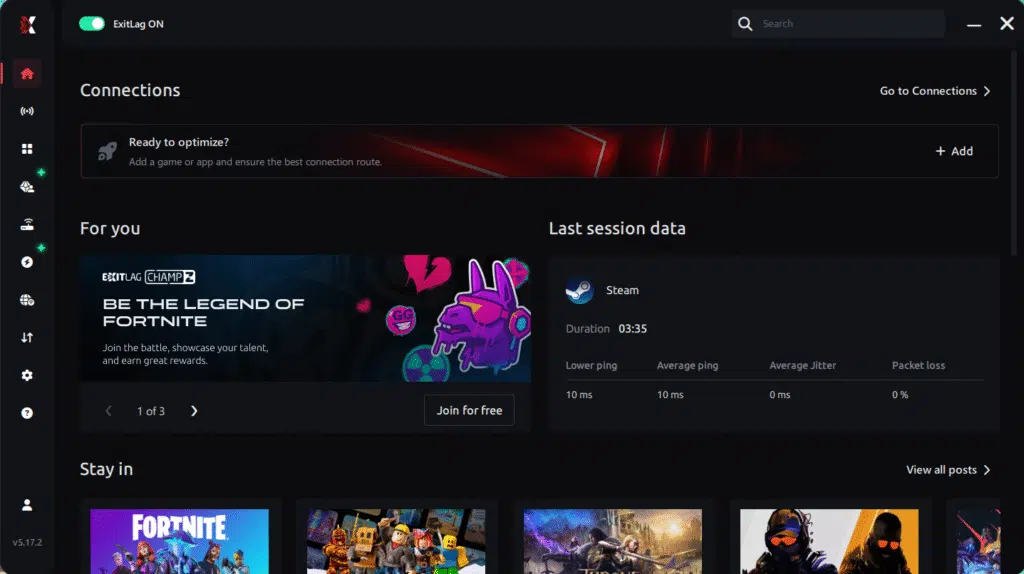
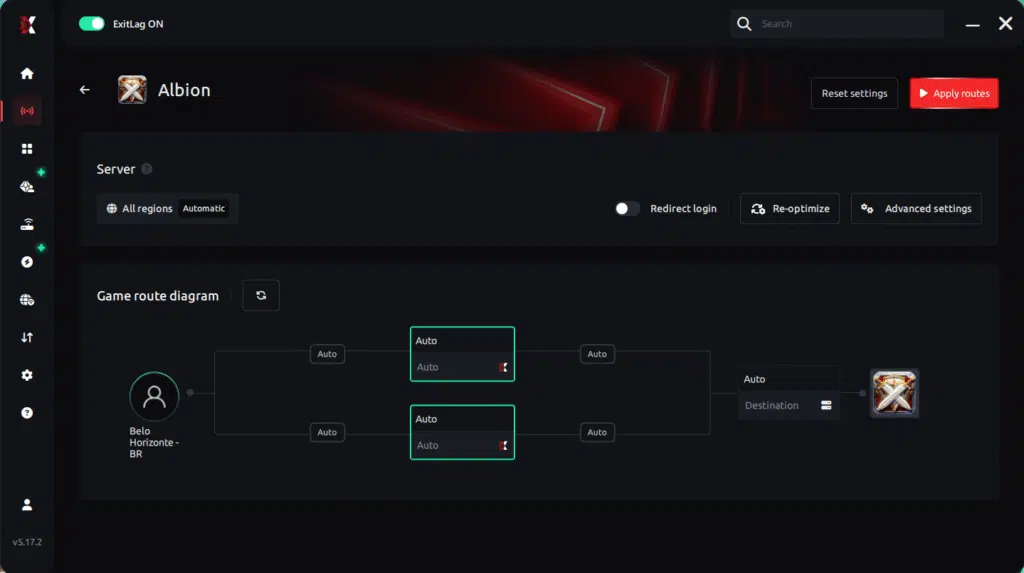
Step 3 – In the search bar, type “Albion Online” and select the game from the list.

Step 4 – Choose between automated or manual route
Based on the results, you can let ExitLag automatically select the best route or manually choose the server that showed the lowest latency for your connection.
AI-optimized automated route
Based on the results, you can let ExitLag automatically select the best route through AI optimization. The system analyzes multiple connection paths in real time and automatically identifies the most efficient route for your connection, ensuring the lowest possible latency without requiring manual choices.
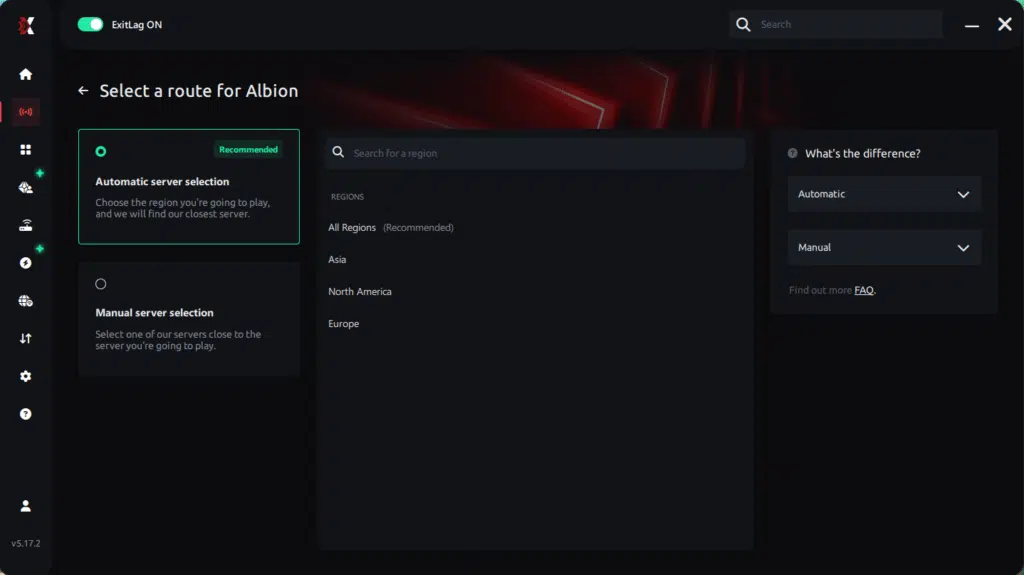
Manual route
If you prefer to have full control over your connection, you can manually choose the server based on the ping test results. Simply select the server that showed the lowest latency or the one that best meets your specific gaming needs, allowing complete customization of your experience.
Step 5 – Click “Apply routes” or the play button. ExitLag will begin optimizing your connection automatically.
Step 6 – Wait a few seconds until optimization is complete. You’ll see ping indicators in the interface.
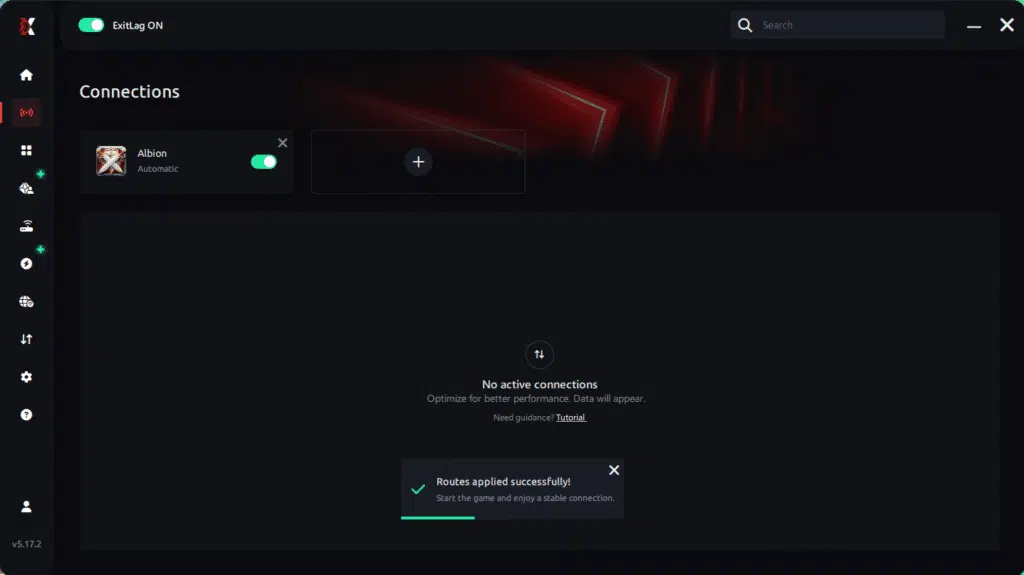
Step 7 – Launch Albion Online normally. The optimization will already be active.
ExitLag runs in the background while you play, constantly adjusting routes to maintain the best possible performance.
How to use Ping for Games: step-by-step guide (Albion Online)
Checking your connection quality before entering the game has never been easier. Here’s how to use Ping for Games in just a few steps:
1. Open the ExitLag software on your PC
Ensure the application is installed and open. The feature is integrated into the platform and available for free to all users.
2. Access the Network Analyzer tool
Locate the Network Analyzer in the software menu. This is where you’ll find Ping for Games along with other connection analysis features.
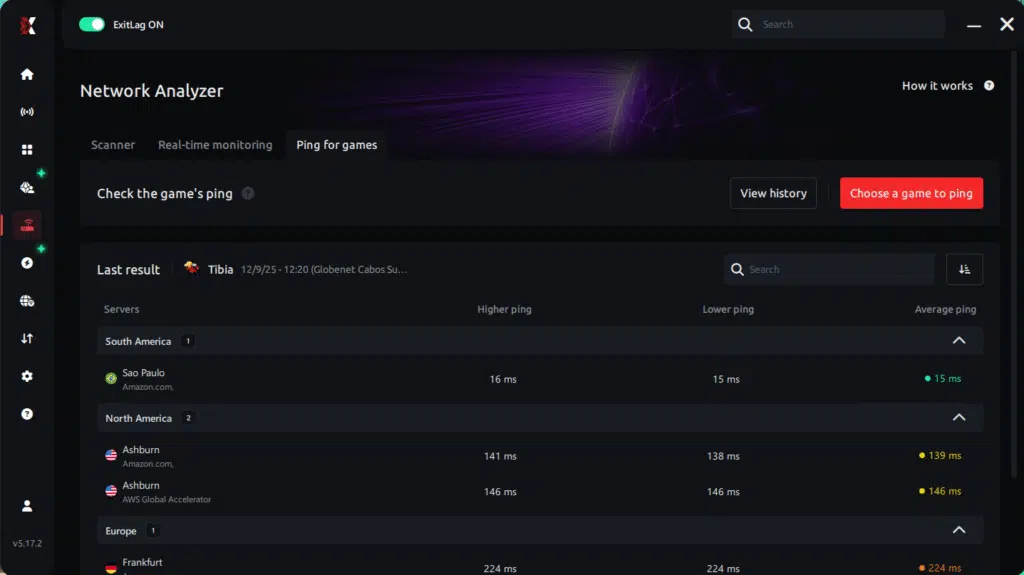
3. Select the game you want to test
Choose Albion Online from the list. The tool supports major online multiplayer games, including FPS, Battle Royales, MOBAs, MMORPGs, and more.
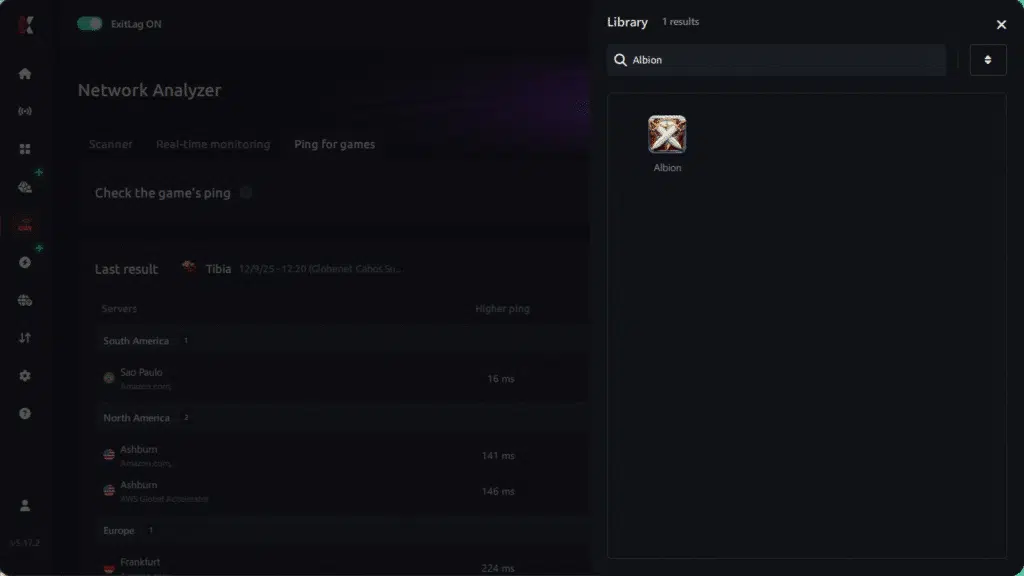
4. Choose the specific server
Select the exact Albion Online server you want to test instead of a generic region. This ensures more accurate results for your session.
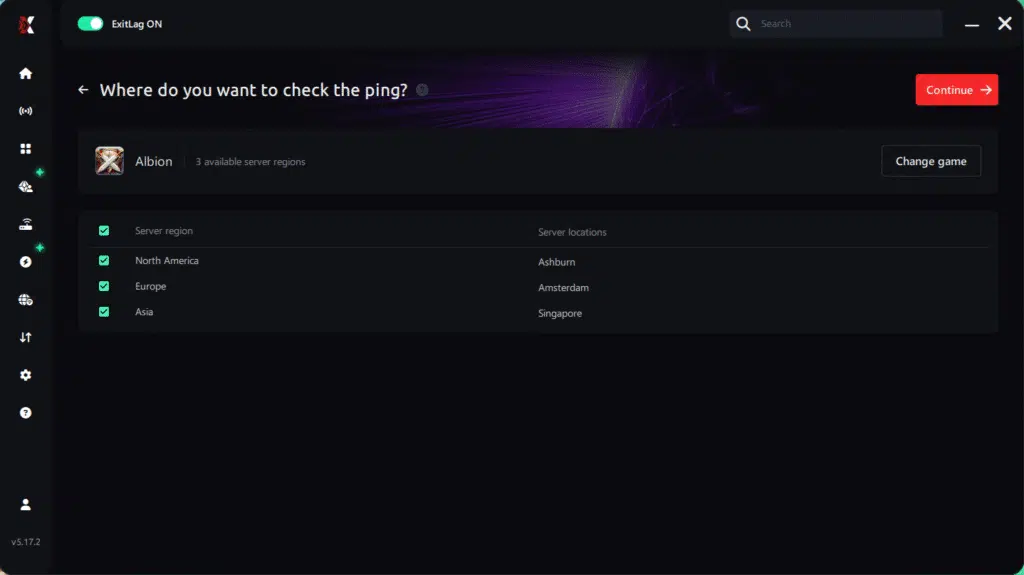
5. Start the ping test
With one click, the measurement is performed in real time between your device and the selected Albion Online server, considering your current connection (cable or Wi-Fi).
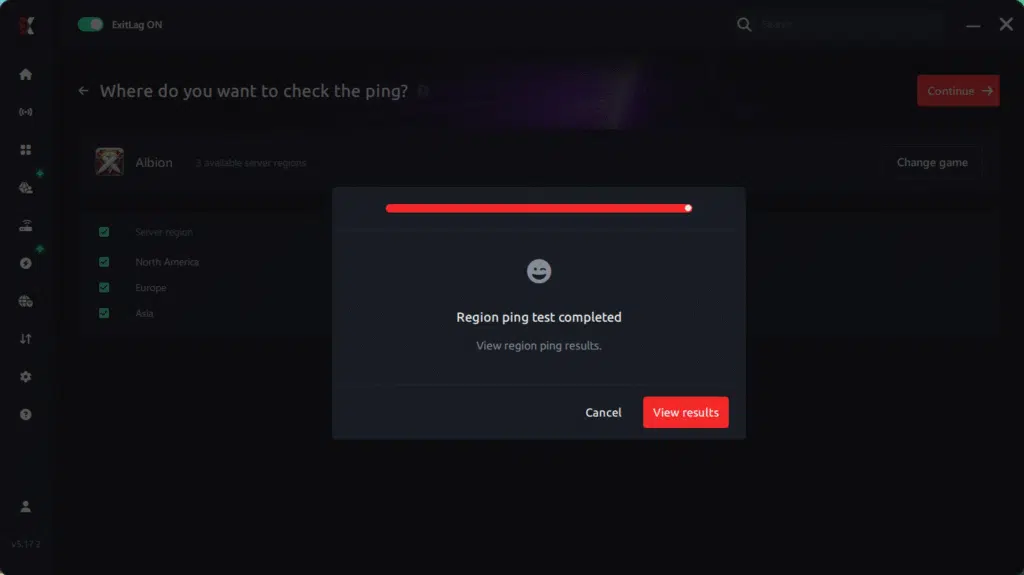
6. Analyze the results
Results appear in milliseconds (ms), automatically sorted from best to worst ping. You can also reorganize the view alphabetically if you prefer.
7. Choose the best server and play worry-free
With this information, simply select the server with the lowest latency and jump into Albion Online knowing your connection is optimized.
Final thoughts: Play Albion Online without lag forever
At the end of the day, Albion Online lag should never ruin your experience. Whether you’re doing PvP in the Black Zone, ZvZ, dungeons, or trading in the cities, your internet connection should never be the reason you lose a fight or your loot.
With ExitLag, you finally take control of your network performance. The software finds the fastest routes, eliminates lag, and stabilizes your ping so that every spell, every dodge, and every decision happens exactly when you want it to.
Try ExitLag for free right now and experience how smooth Albion Online can be when your connection is fully optimized. Play with confidence, dominate the battlefield, and make lag a thing of the past.
FAQ: everything about high ping in Albion
What causes high ping in Albion?
At first sight, Albion high ping is often caused by inefficient routing, overloaded servers, long-distance connections, or unstable networks. Even fast internet plans suffer when their data travels through congested or poorly optimized routes chosen automatically by ISPs.
Furthermore, wireless interference, outdated hardware, and regional surges in traffic can also increase Albion connection issues, creating heavy delays during gameplay.
How do I check my ping in Albion?
Albion provides connection indicators in-game that show your current latency and stability. If your ping jumps rapidly—like 70ms to 250ms instantly—you’re experiencing unstable routes.
On the other hand, you can test using OS commands such as ping or tracert. These tools reveal how many hops your data takes and where delays occur, helping diagnose Albion latency problems.
What is good ping for Albion?
Under 50ms is ideal and offers the best responsiveness. Between 50–120ms is acceptable, while 120–180ms creates noticeable lag Albion effects. Anything above 180ms increases risk in PvP, especially in high-damage or escape scenarios.
In conclusion, stability matters more than speed—consistent ping provides safer gameplay than fluctuating values.
Can high ping get you banned in Albion?
No. High ping cannot get you banned. Albion’s systems do not penalize players for instability, regional distance, or routing issues. In summary, Albion high ping only affects your gameplay—not your account status.
Does ExitLag work for Albion?
Yes. ExitLag is widely used by Albion players who need stable latency for ZvZ, ganking, solo dungeons, and arena matches. It stabilizes routes, reduces latency spikes, and minimizes packet loss—effectively eliminating Albion connection issues for many users.
Why does Albion lag more during ZvZ battles?
During ZvZ, dozens or hundreds of players interact in the same area, increasing server load and stressing inefficient routes. Combined with local congestion, this dramatically amplifies Albion high ping. Optimized routing reduces the impact, but server load remains a contributing factor.
Conclusion
In conclusion, addressing routing issues and stabilizing your connection is essential for safe PvP, efficient farming, and responsive combat. With the right optimizations, you can finally overcome Albion high ping and enjoy smooth, reliable gameplay across all zones and activities.
For more insights, tutorials, and tips, visit the official ExitLag blog.
Albion high ping no longer needs to ruin your free time. Now that you understand the causes and how to stabilize your connection, you can finally enjoy your gaming smoothly. Start your free trial and see the difference for yourself.
Got questions or want to connect with other players? Join the conversation at the ExitLag Forum!