If you’ve ever dived into a PvP skirmish, an Avalonian dungeon, a black-zone roam, or a high-stakes Crystal Arena match in Albion, you know that jitter can destroy an entire session in seconds. Even when your ping seems normal, the moment your connection becomes fluctuating, your character hesitates, teleports, rubberbands, or misfires abilities at the worst possible time.
This kind of connection instability is worse than simple high ping—it makes combat completely unpredictable, breaking the precise timing Albion’s combat system demands. If your experience feels unstable or inconsistent, checking the full catalog of supported games is a good first step (ExitLag supported games catalog).

What is jitter in Albion?
In Albion, jitter is the irregular variation in your connection’s latency, representing how inconsistent your response time is between your PC and the game servers. While ping measures the speed at which data travels, jitter measures how inconsistent that speed becomes across multiple packets.
For example, you might see your ping move from 50ms → 120ms → 80ms → 150ms, even when your average stays around 70ms. That instability directly affects gameplay.
Ideally, a stable connection should fluctuate no more than 5–10ms. Albion’s real-time server architecture relies on frame-by-frame consistency. When your latency wobbles beyond that threshold, every action becomes delayed or mistimed.
Unlike FPS games where lag causes aim delay, Albion’s combat is built on interrupt mechanics, mobility chains, iframe windows, energy management, and precise spacing. High jitter removes the reliability needed to execute combos, escape ganks, or land your weapon line’s key abilities.
In short: jitter breaks timing—and timing is everything in Albion.
How jitter affects your gameplay in Albion
Jitter produces a long list of gameplay issues that Albion players will immediately recognize:
- Inconsistent command execution: Skills may fire instantly, then suddenly take a full second to register.
- Unreliable dodges: Iframe abilities like Knight Boots or Blink fail unpredictably.
- Broken combos: Weapons like Daggers, Swords, and Hammers require tight rotations; jitter disrupts them.
- Sudden deaths: Enemies appear to “teleport” or reposition faster than your screen updates.
- Frustration in PvP: Every duel and group fight relies on micro-timing you can’t achieve with jitter.
- Wasted resources: Food buffs, potions, cooldown windows, and mobility abilities misalign due to delays.
- Inconsistent hit registration: Skillshots, auto-attacks, and E-abilities feel unreliable.
- Unstable directional targeting: Skill-aim trajectories shift unpredictably when timing varies.
Since Albion is full-loot, jitter doesn’t only cost fights—it costs gear, silver, rank, and sometimes hours of progress.
Main causes of jitter in Albion
1. Network congestion
When multiple devices or heavy applications (streaming, downloads, smart TVs) compete for bandwidth, packet prioritization becomes inconsistent. This leads to irregular response times.
2. Unstable routing
Your data may take different paths to reach the Albion servers depending on traffic and ISP routing. Each path has different delays, creating latency variability.
3. Wi-Fi instability
Wireless interference—from walls, distance, microwaves, Bluetooth devices, or signal fluctuations—interrupts packet timing. Even strong Wi-Fi can produce high jitter.
4. ISP issues
Many ISPs have overloaded nodes, outdated infrastructure, or poorly optimized routing. These conditions create unpredictable connection paths and unstable timing.
5. Distance to game servers
The farther you are from the Albion server region, the more “hops” your packets must travel. Each hop introduces a chance for variation and instability.
6. Albion server load
During ZvZ, primetime congestion, maintenance windows, or patch releases, the server’s responsiveness may temporarily decline.
How to identify and measure jitter in Albion
Extended ping test
Run a long-duration ping test to a major DNS or server host. If your results swing heavily between extremes, you’re experiencing jitter.
In-game signs
Common indicators include:
- Albion’s ping number fluctuating constantly
- Movement feeling “inconsistent” or unstable
- Certain moments playing smoothly followed by sudden lag spikes
- Rubberbanding during mounts, chases, or ZvZ movement
- Skills activating with different delays each time
- A generally unstable gameplay experience even with low base ping
If you feel Albion sometimes responds instantly and sometimes feels delayed, you are absolutely dealing with jitter.
Jitter level table
| Jitter Level | Description | Gameplay Impact |
| 0–5 ms | Excellent stability | Smooth and predictable gameplay |
| 5–15 ms | Acceptable | Minor fluctuations; rarely noticeable |
| 15–30 ms | High | Noticeable delays and timing issues |
| 30+ ms | Critical | Severe instability; difficult to play PvP |
Basic solutions to reduce jitter in Albion
Prioritize your connection
- Use an Ethernet cable
This removes wireless instability and ensures consistent packet delivery. - Close background applications
Hidden updates, streams, or cloud-sync tools consume bandwidth unpredictably. - Limit devices on your network
More devices = more competition = more jitter. - Disable automatic updates
Windows, Steam, Epic, and browser updates often run silently and cause latency variation. - Update network drivers
Outdated drivers cause irregular responses and packet processing delays. - Game-specific settings
Lower unnecessary network-intensive effects during large ZvZ encounters.
Configure QoS on your router
Quality of Service allows your router to prioritize Albion’s traffic. Even under heavy bandwidth usage, your packets will move first, reducing jitter significantly.
Check with your ISP
If jitter persists even after optimization, call your provider. Request:
- A line stability test
- Routing verification
- Congestion evaluation
- Node performance check
Many ISPs can correct jitter-related issues when asked.
ExitLag: the definitive solution to eliminate jitter in Albion
What is ExitLag?
ExitLag is a specialized software built specifically to fix unstable routing and unpredictable latency. Designed by gamers, it applies advanced connection optimization techniques to eliminate jitter entirely. Think of ExitLag as an intelligent network stabilizer constantly analyzing and adjusting your connection paths for maximum consistency. Learn more at ExitLag optimization technology.
Albion’s global server structure makes routing highly variable depending on your region. ExitLag fixes that by enforcing stable, predictable, optimized routes.
How ExitLag eliminates jitter in Albion
ExitLag uses powerful Multi-Internet routing technology (ExitLag multi-route system):
- Multiple simultaneous routes
Your packets travel through several paths at once. If one path becomes unstable, another instantly takes over. - Intelligent packet selection
ExitLag discards delayed packets and keeps only the fastest ones, removing jitter entirely. - Real-time route optimization
ExitLag monitors network conditions every second and automatically adjusts for the most stable routing. - Reduction of hops
Fewer routers means fewer failure points and lower timing variation. - Smart buffering
Creates a stable, continuous stream of data to Albion’s servers even when your ISP becomes unstable.
Advantages of ExitLag for Albion players
Full ping stabilization
Your ping becomes consistent rather than unpredictable.
Complete jitter elimination
ExitLag’s multi-route redundancy ensures stability even during primetime.
Improved timing
Perfectly timed interrupts, iframe dodges, and mobility combos become reliable again.
Competitive advantage
In a full-loot environment, connection stability is a weapon—ExitLag gives you the edge.
Works on all global servers
No matter where you are in the world, routing is optimized specifically for Albion.
Easy to use
Select Albion → apply routes → play. No technical skill required.
Is ExitLag worth using in Albion?
ExitLag is recommended if you:
- Experience jitter or fluctuating ping daily
- Play on distant or international servers
- Participate in high-level PvP, arenas, or corrupted dungeons
- Engage in large-scale ZvZ during primetime
- Use Wi-Fi or unstable routing
- Lose fights due to unpredictable lag
- Want perfect timing for weapon combos
Check available plans at ExitLag plans and pricing.
How to use ExitLag in Albion Online
The process is extremely simple:
Step 1 – Access the official ExitLag website and download the application. There’s a free trial period for new users.
Step 2 – Install and open the program. Log in with your account.
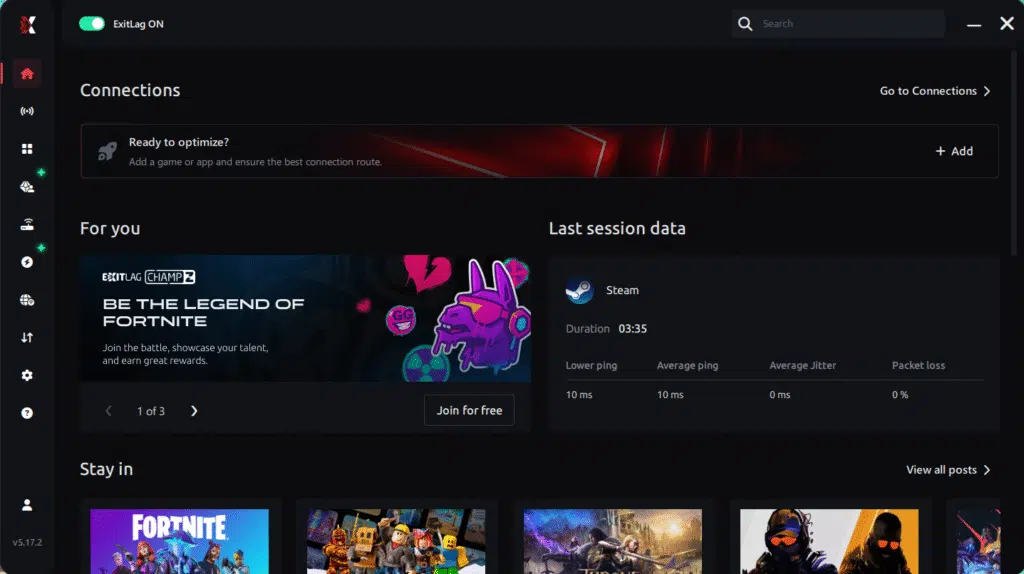
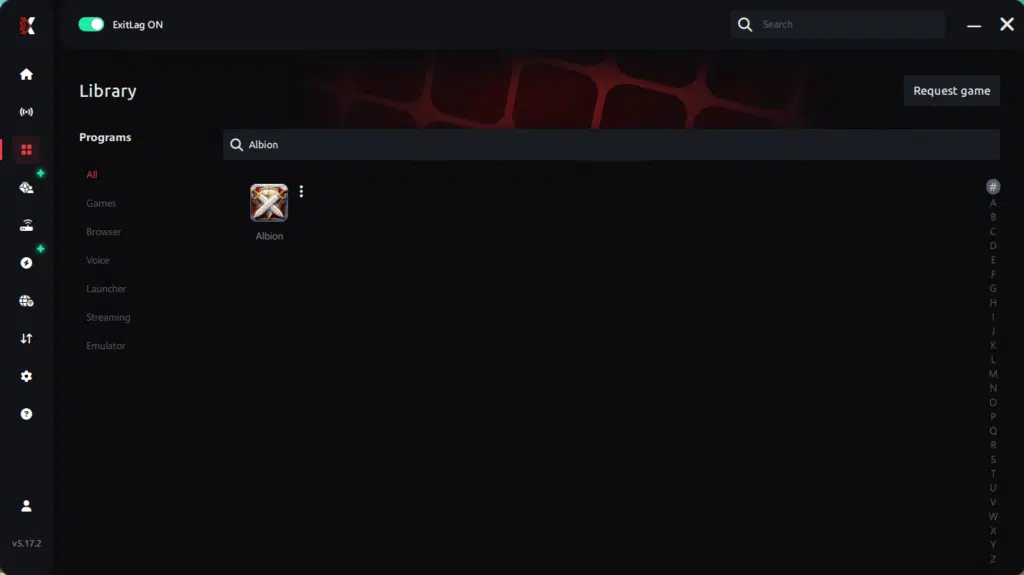
Step 3 – In the search bar, type “Albion Online” and select the game from the list.
Step 4 – Choose between automated or manual route
Based on the results, you can let ExitLag automatically select the best route or manually choose the server that showed the lowest latency for your connection.
AI-optimized automated route
Based on the results, you can let ExitLag automatically select the best route through AI optimization. The system analyzes multiple connection paths in real time and automatically identifies the most efficient route for your connection, ensuring the lowest possible latency without requiring manual choices.
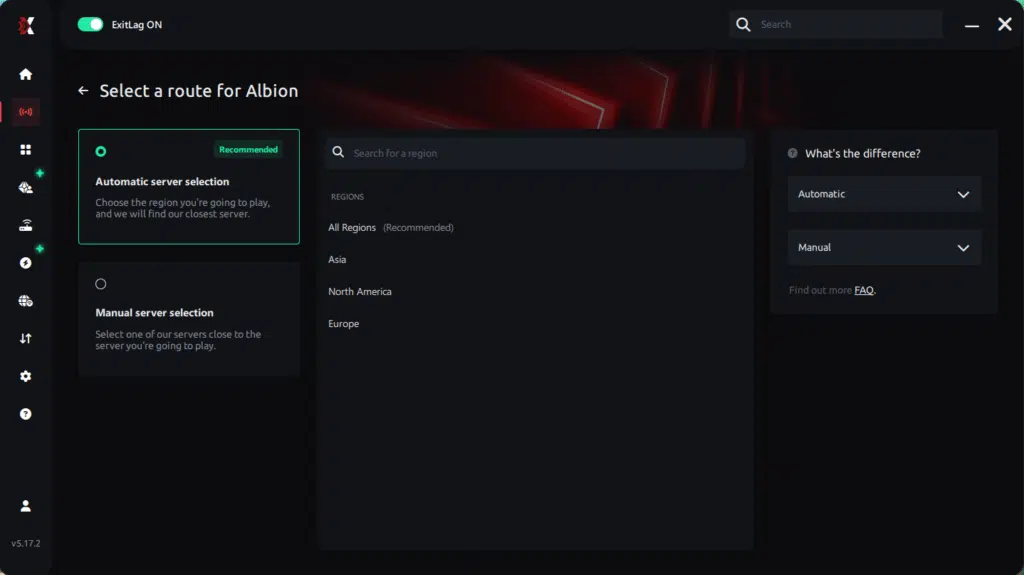
Manual route
If you prefer to have full control over your connection, you can manually choose the server based on the ping test results. Simply select the server that showed the lowest latency or the one that best meets your specific gaming needs, allowing complete customization of your experience.
Step 5 – Click “Apply routes” or the play button. ExitLag will begin optimizing your connection automatically.
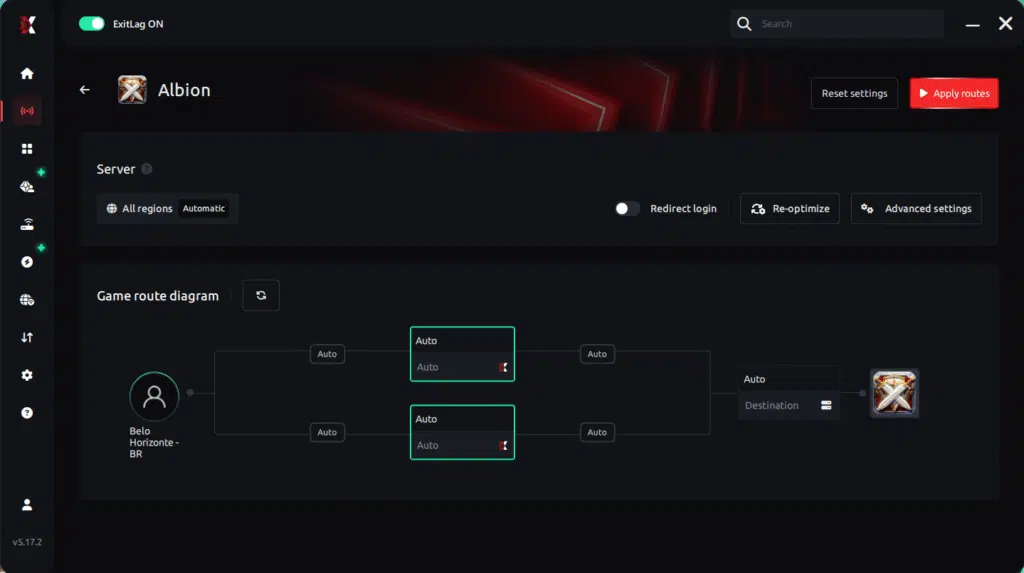
Step 6 – Wait a few seconds until optimization is complete. You’ll see ping indicators in the interface.
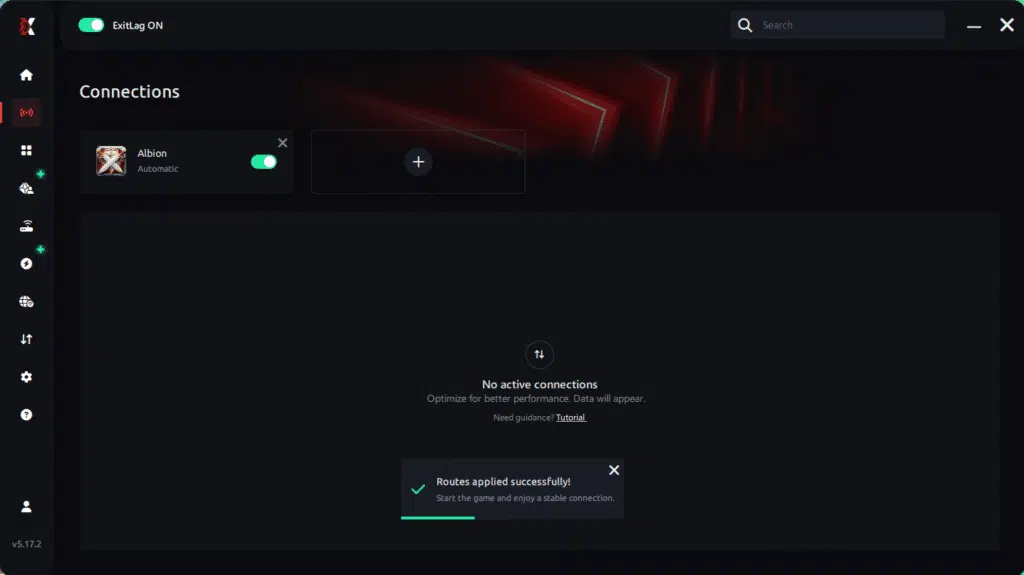
Step 7 – Launch Albion Online normally. The optimization will already be active.
ExitLag runs in the background while you play, constantly adjusting routes to maintain the best possible performance.
FAQ: Jitter in Albion
1. What is the difference between jitter, lag, and packet loss?
Jitter is the variation in ping, causing timing instability. Lag is the delay caused by high latency. Packet loss occurs when data doesn’t reach the server. You can have low ping and still suffer horrible performance if jitter is high.
2. Why is my ping fluctuating in Albion?
The most common causes include network congestion, Wi-Fi instability, ISP routing issues, long-distance servers, and packet variation caused by inconsistent paths.
3. Is jitter worse than high ping?
In many cases yes. A stable 100ms ping is more playable than a ping that jumps between 30ms and 150ms.
4. How can I tell if I have jitter?
Perform a long ping test and observe the variation. In Albion, signs include rubberbanding, delayed skills, inconsistent dodges, and fluctuating indicators.
5. Does Wi-Fi cause jitter?
Yes. Wi-Fi is inherently unstable and sensitive to interference. Ethernet is always more stable.
6. Does ExitLag fix more than jitter?
Absolutely. It lowers ping, eliminates packet loss, stabilizes routing, and improves connection quality across hundreds of supported games.
7. Do I need ExitLag running while I play?
Yes. ExitLag must remain open to maintain optimized routes throughout your entire session.
8. Does jitter affect ZvZ performance significantly?
Yes. Large battles amplify jitter dramatically because timing and positioning are crucial, making stable connections critical.
Conclusion
Jitter can turn an otherwise enjoyable Albion session into a chaotic, frustrating experience full of missed abilities, lost fights, and unnecessary deaths. But you don’t have to accept this instability. Albion was designed to feel smooth, responsive, and competitive—and with the right tools, you can experience it exactly that way.
ExitLag transforms unstable routing into a clean, perfectly optimized connection, eliminating ping variation and giving you the reliability you need to succeed in black zones, arenas, corrupted dungeons, and massive ZvZ battles. Learn more insights about connection improvement at ExitLag blog connection improvement insights.
Ready to stabilize your Albion experience permanently?
Start your ExitLag free trial today: start your ExitLag free trial today
Got questions or want to connect with other players? Join the conversation at the ExitLag Forum!