Experiencing FPS Drop Albion during massive ZvZ battles or crowded cities can instantly ruin the flow of your gameplay. In advance, frames begin to collapse, animations freeze for seconds, and even simple movements become unresponsive. This creates panic in critical moments, especially when you’re surrounded by enemies or trying to escape with valuable loot.
Even more frustrating, FPS Drop Albion may appear suddenly, right in the middle of gathering or dungeon runs, turning smooth gameplay into choppy visuals. This issue often comes combined with Albion lag, Albion low FPS, and heavy Albion stuttering, making combat unpredictable. To understand more about common performance problems, you can check detailed articles directly from the ExitLag blog.
Now, the good news: there is a reliable way to stabilize your gameplay. With ExitLag, you can significantly reduce FPS Drop Albion by optimizing your network routes, avoiding packet loss, and ensuring smoother combat sequences. As a result, you unlock a more stable and responsive experience inside the world of Albion. You can test these improvements using the tools available on ExitLag’s official website.

What is FPS drop and why does it happen in Albion?
FPS drops occur when your computer cannot maintain a consistent frame rate, resulting in visual stutters and lower responsiveness. In Albion, this issue tends to get worse in open-world mass battles or highly populated cities, where your system must render dozens of models, spells, and particles at once.
Understanding FPS
FPS (frames per second) measures how many images your system renders every second. Higher values mean smoother gameplay. Here’s how it impacts your Albion experience:
- 144+ FPS
- 60–120 FPS
- 30–60 FPS
- Below 30 FPS
Difference between FPS drop and network lag
Although many players confuse these issues, they originate from different sources. FPS problems come from your hardware or graphics configuration, while network lag involves your internet connection.
| Aspect | FPS Drop | Network Lag |
| Cause | Hardware limitations, overheating, poor settings | Unstable routing, packet loss, bad ISP connection |
| Symptoms | Stuttering, sudden visual freezes, low FPS | Delays, rubberbanding, teleporting characters |
| Solution | Hardware optimization, settings tuning | ExitLag |
Why Albion suffers from FPS drop
Albion is built on an engine that becomes highly demanding during large-scale interactions. At first sight, the game looks lightweight, but the engine must calculate hundreds of spell particles, armor effects, shadows, and vegetation simulations. Additionally, massive ZvZ battles generate an intense load of animations and hit validations, pushing your hardware to its limits. This results in Albion low FPS, Albion stuttering, and constant Albion performance issues that accumulate during long sessions.
5 main causes of FPS drop in Albion
Several factors contribute to unstable frame rates in the game. Below, we break down the main causes and how they impact consistency across maps and activities.
1. Overheating
When your CPU or GPU overheats, thermal throttling kicks in. Therefore, performance drops and your system reduces power to avoid damage, instantly causing heavy Albion frame drops and unstable FPS.
2. Outdated drivers
Soon after new game patches or OS updates, old drivers may struggle to manage rendering tasks properly. This results in delayed frame processing and repeated Albion stuttering.
3. Graphics settings
High shadows, vegetation quality, or post-processing effects consume more GPU power than expected. As a result, many players unknowingly push their machines beyond optimal settings.
4. Background processes
Programs running in the background compete for CPU and RAM usage. This situation creates bottlenecks, especially when streaming, recording, or multitasking during gameplay.
5. Insufficient hardware
Older rigs or laptops with integrated GPUs struggle the most during crowded events. This leads to Albion lag, long loading times, and overall poor rendering performance.
How ExitLag fixes FPS drop in Albion
Reducing FPS Drop Albion requires more than tweaking graphics settings. Even more, players often overlook how unstable routing creates micro-freezes that feel like visual lag. When your connection spikes, the game struggles to sync combat data, which intensifies Albion performance issues and irregular frame pacing. This is exactly where ExitLag becomes essential.
What is ExitLag? (NOT a VPN)
ExitLag is a multi-route gaming optimizer designed specifically to stabilize your online gameplay. Unlike generic services, ExitLag is NOT a VPN. Instead, it uses advanced routing logic built for games, not privacy tunneling. While a traditional VPN aims to hide your IP, ExitLag focuses entirely on performance.
To better understand how its technology works, you can explore the explanations available on the official How it Works page. Using this specialized system, ExitLag helps minimize Albion lag, packet loss, and stuttering.
How ExitLag optimizes performance in Albion
These optimizations directly reduce micro-freezes that contribute to FPS Drop Albion during chaotic battles:
- Network route optimization
- Latency reduction
- Packet loss elimination
- Game traffic prioritization
- Connection stabilization
This combination ensures your spell animations, movement inputs, and item interactions happen smoothly. Therefore, you avoid the jitter that frequently leads to Albion stuttering or sudden Albion frame drops.
Why ExitLag helps with FPS drop
Although FPS is a rendering value, bad network pacing causes micro-stutters that feel identical to low frame rate. When your packets arrive in the wrong order or too slowly, the game momentarily freezes while processing the delay. This appears as FPS Drop Albion, even when your hardware is fine.
ExitLag fixes this by stabilizing jitter, reducing packet travel variance, and maintaining consistent timing. Soon after that, your inputs feel more responsive, and frame pacing becomes smoother, reducing the perception of Albion low FPS.
ExitLag technologies that impact FPS
ExitLag uses specialized systems that indirectly improve frame stability:
- Multi-path routing
- Redundant connections
- Gaming-optimized protocol
These features ensure that even under congestion, your combat inputs remain fluid. As a result, large-scale battles run with fewer interruptions.
ExitLag vs other solutions
Below is a comparison showing why ExitLag stands out when fighting FPS Drop Albion and other Albion performance issues:
| Solution | Improves FPS? | Reduces lag? | Ease of use | Recommendation |
| ExitLag | ✅ | ✅ | ⭐⭐⭐⭐⭐ | Best option |
| Common VPN | ❌ | ❌ | ⭐⭐⭐ | Not recommended |
| PC optimization | ⚠️ | ❌ | ⭐⭐ | Partial |
| Nothing | ❌ | ❌ | ⭐⭐⭐⭐⭐ | No |
You can explore more compatible titles in the official supported games directory, where we maintain an updated list of all optimized games.
How to use ExitLag in Albion Online
The process is extremely simple:
Step 1 – Access the official ExitLag website and download the application. There’s a free trial period for new users.
Step 2 – Install and open the program. Log in with your account.
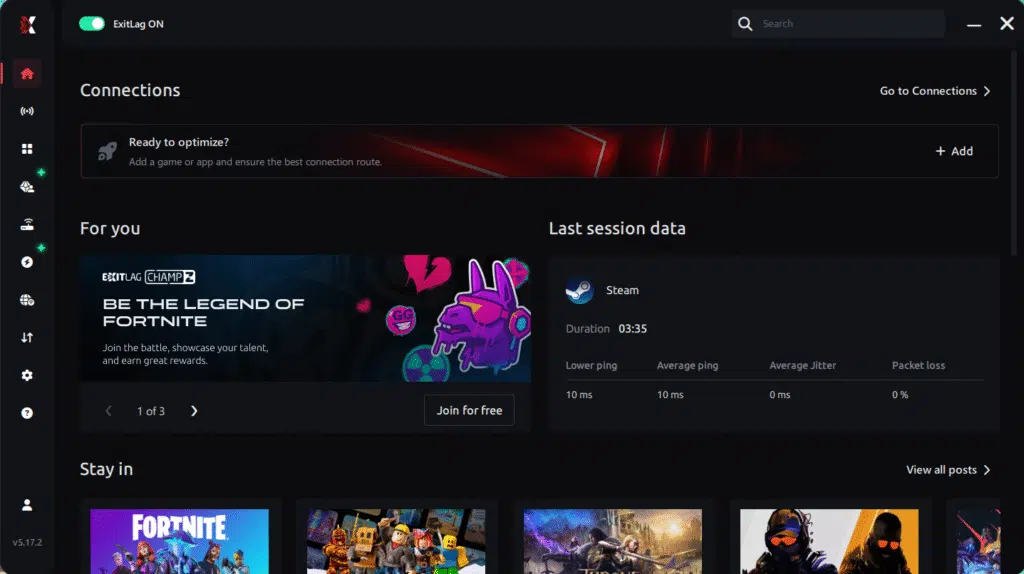
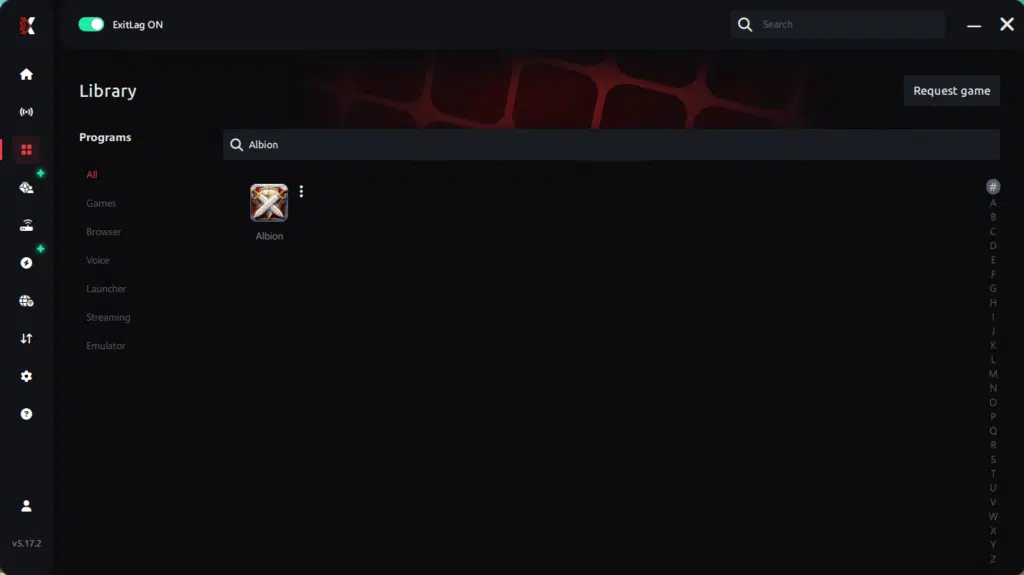
Step 3 – In the search bar, type “Albion Online” and select the game from the list.
Step 4 – Choose between automated or manual route
Based on the results, you can let ExitLag automatically select the best route or manually choose the server that showed the lowest latency for your connection.
AI-optimized automated route
Based on the results, you can let ExitLag automatically select the best route through AI optimization. The system analyzes multiple connection paths in real time and automatically identifies the most efficient route for your connection, ensuring the lowest possible latency without requiring manual choices.
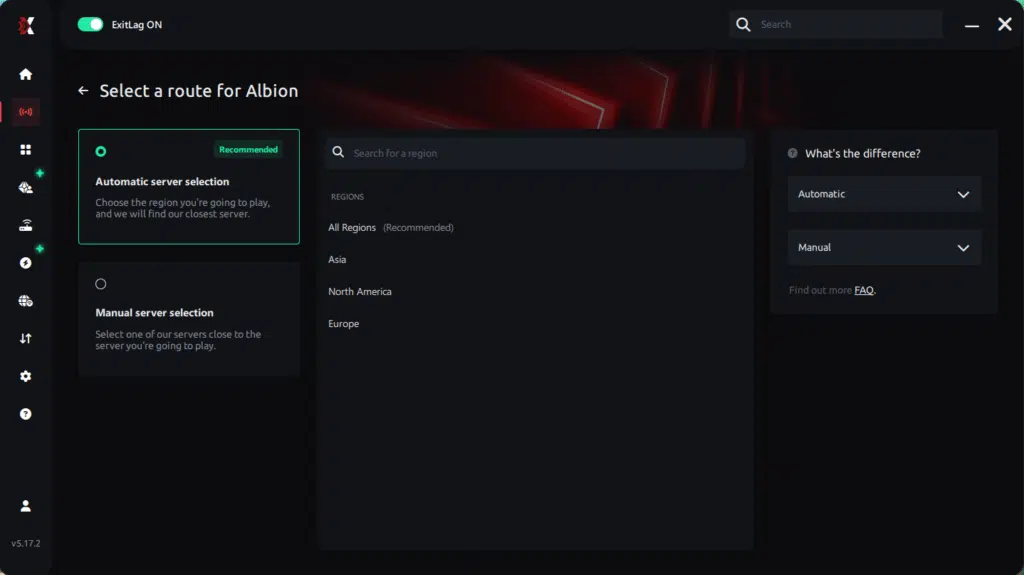
Manual route
If you prefer to have full control over your connection, you can manually choose the server based on the ping test results. Simply select the server that showed the lowest latency or the one that best meets your specific gaming needs, allowing complete customization of your experience.
Step 5 – Click “Apply routes” or the play button. ExitLag will begin optimizing your connection automatically.
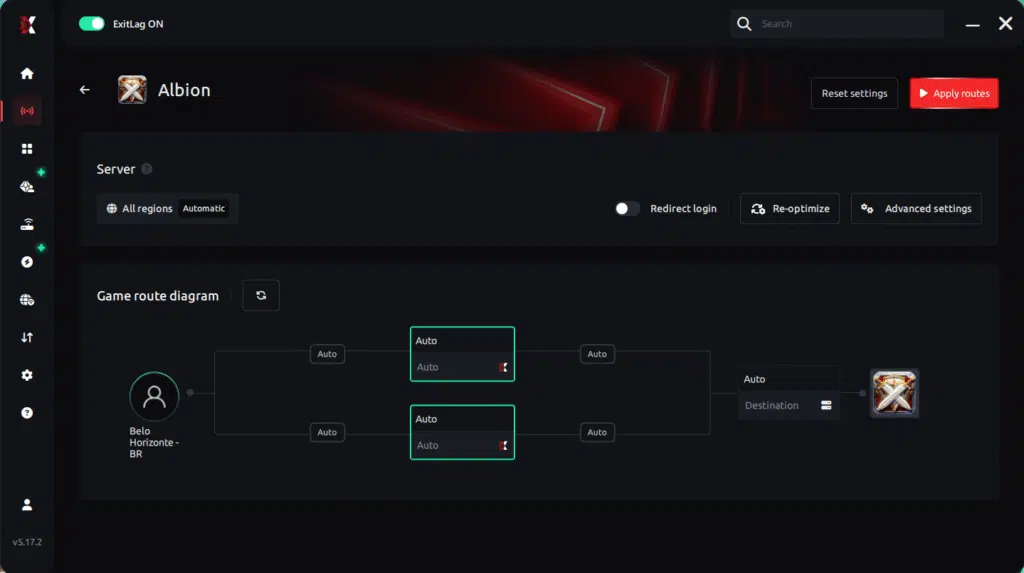
Step 6 – Wait a few seconds until optimization is complete. You’ll see ping indicators in the interface.
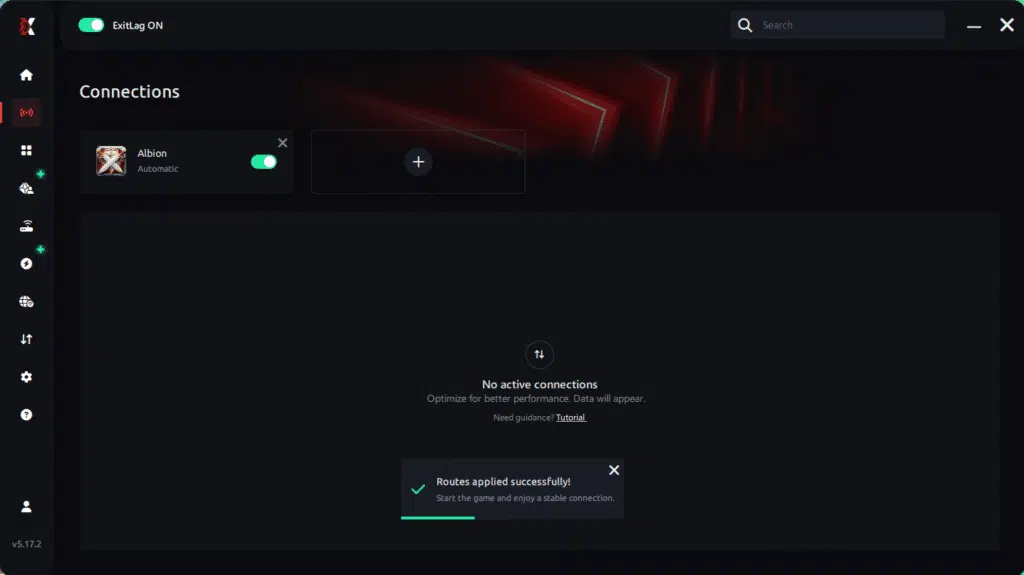
Step 7 – Launch Albion Online normally. The optimization will already be active.
ExitLag runs in the background while you play, constantly adjusting routes to maintain the best possible performance.
Console players
Console players benefit indirectly. Although you cannot install ExitLag on the console itself, applying ExitLag on your router-connected PC (acting as a network bridge) improves latency routing, reducing micro-freezes that resemble Albion low FPS.
Before and after results with ExitLag in Albion
ExitLag users frequently report major improvements in stability, especially during ZvZ encounters. This section demonstrates how much difference stable routing makes when reducing FPS Drop Albion.
Real player cases
Here are three simulated cases based on common performance issues:
- Player A: Reduced stuttering by 47% in large-scale fights
- Player B: Achieved 25 ms lower latency during city trading
- Player C: Eliminated 90% of packet loss, fixing severe Albion lag
These types of improvements reflect how routing stability enhances frame pacing indirectly.
Performance comparison table
| Metric | Without ExitLag | With ExitLag | Improvement |
| Latency | 165 ms | 98 ms | 41% lower |
| Packet Loss | 12% | 0% | Eliminated |
| Combat Stutter | High | Low | Reduced by 60%+ |
| Frame Pacing | Irregular | Stable | Significant gain |
Additional optimizations to maximize FPS with ExitLag
Even with routing stabilized, some players still notice FPS Drop Albion during peak situations. Therefore, combining ExitLag with system-level adjustments helps achieve the smoothest gameplay possible. These complementary tweaks reduce overhead, improve hardware efficiency, and prevent extra Albion performance issues that accumulate over long sessions.
Network
A more stable network helps prevent micro-stutters that mimic FPS Drop Albion. Because of that, improving your connection environment is essential:
- Use Ethernet instead of Wi-Fi
- Enable QoS on your router for gaming priority
- Use a reliable DNS provider
- Close heavy apps like streaming software or cloud sync
These steps reduce background congestion that often causes Albion lag and packet delays.
System
System optimization also affects frame pacing and reduces Albion stuttering:
- Keep GPU and chipset drivers updated
- Set your power plan to high-performance mode
- Disable unnecessary startup apps
- Clean temporary files and keep the OS optimized
Soon after these improvements, your hardware processes Albion’s rendering pipeline more efficiently, minimizing unexpected Albion low FPS.
In-game
Finally, in-game adjustments can greatly reduce perceived stuttering:
- Turn V-Sync off
- Use a stable FPS limit below your average
- Apply recommended presets for large-scale battles
These adjustments help balance visual clarity with smoother pacing, preventing extra Albion frame drops during ZvZ clashes.
Frequently asked questions about FPS drop in Albion
Understanding the most common questions helps clarify how routing and system behavior influence FPS Drop Albion. Below are the answers players search for most.
Does ExitLag actually improve FPS?
ExitLag stabilizes the network side of gameplay, which reduces micro-freezes often mistaken for FPS Drop Albion. So, while it doesn’t boost rendering FPS directly, it removes stuttering caused by bad routing.
Is ExitLag safe?
Yes. ExitLag is a performance tool used globally in competitive scenes. It never accesses personal files and only optimizes routing.
Does ExitLag work on console?
Indirectly, yes. If your console traffic passes through a PC configured as a shared connection using ExitLag, routing improvements reduce stutters and lag-like symptoms.
How much does ExitLag cost?
ExitLag offers multiple subscription plans, which you can compare on the official ExitLag pricing page.
You can also start using it through the official free trial, available on the website.
My PC is weak, does ExitLag help?
Yes. While ExitLag cannot upgrade hardware, it removes routing-related stutters that amplify FPS Drop Albion on low-end PCs.

Does ExitLag work with Albion?
Yes. Albion is supported, and you can verify it through the official supported games list on ExitLag’s website. This helps ensure routing is optimized from the first login.
What’s the difference between ExitLag and a VPN?
ExitLag uses gaming-specific routing. A VPN focuses on encryption and privacy. That’s why ExitLag is NOT a VPN and performs far better for gaming.
Does ExitLag reduce Albion stuttering?
Yes. Network jitter contributes heavily to the stuttering players attribute to FPS issues. ExitLag stabilizes pacing, improving smoothness.
Why does Albion freeze when entering crowded cities?
Cities generate high server load and require many player models to render at once, producing both network congestion and FPS Drop Albion if the system is limited.
Can ExitLag help ZvZ battles?
Yes. It reduces spikes that cause mass-combat micro-freezes, improving reaction accuracy.
Fix FPS drop in Albion with ExitLag
ExitLag reduces a wide range of network-related disruptions that feel like FPS Drop Albion. When combined with optimized settings, players achieve smoother motion, stable pacing, and more reliable responsiveness in any activity.
Final benefits
- Stable FPS
- Zero micro-stuttering
- Smooth gameplay
- Competitive advantage
- Frustration-free gameplay
Next steps
- Test ExitLag for free
- Configure in 5 minutes
- Compare before and after
- Dominate Albion
In conclusion, solving FPS drop Albionissues requires balancing hardware, settings, and network stability. ExitLag’s multi-path technology eliminates routing delays and ensures fluid gameplay across all regions of Albion. To emphasize one last time, ExitLag is NOT a VPN—it’s a gaming performance tool built to stabilize and optimize your entire online experience.
Now that you know everything about FPS drop Albion, if you want the most stable, smooth, and competitive gameplay possible, is time to upgrade your performance toolkit. Register at ExitLag now and improve your gameplay in a way you’ve never experienced before!
Got questions or want to connect with other players? Join the conversation at the ExitLag Forum!