Albion Online players know the frustration all too well: you’re in the middle of a critical fight, ready to secure that final hit, and suddenly Albion Lag strikes. The game freezes for a moment, enemies glitch forward, and your character responds seconds too late. This experience is more than annoying; it can completely ruin a dungeon run, a gathering route, or a high-stakes PvP encounter. Therefore, it’s essential to understand what causes this instability and how to eliminate it once and for all.
However, even players with fast connections often deal with spikes, rubberbanding, or delayed responses in Albion Online. That’s because lag isn’t only about your internet speed, it’s about the entire route your data travels until it reaches the game servers. Like this, the issue becomes far more complex than just “slow Wi-Fi.” Fortunately, there is a reliable way to stabilize your gameplay.
Finally, this guide explains what lag really is in Albion Online, why it happens, and how ExitLag provides the most effective solution to ensure stable gameplay, lower ping, and consistent performance eliminating Albion Lag for good.

Understanding lag in Albion
Lag in Albion Online represents the delay between your action and the server’s response. When you cast a spell, mount up, or roll in combat, the server must receive and process that action. If your connection experiences interruptions, this delay becomes visible in the form of freezes, rubberbanding, or unresponsive commands.
What causes lag in Albion?
Several factors contribute to lag, even for players with strong internet connections:
- routing problems between your PC and the game server
- packet loss due to network congestion
- distance from the game’s regional server
- provider instability during peak hours
Therefore, lag is usually not caused by your device, but by the path your connection takes.
Lag, ping and fps: the difference
Before fixing your performance, it’s important to know what each term really means.
| term | what it means | impact on albion |
| lag | delay between input and server response | delayed abilities, rubberbanding |
| ping | time for data to travel back and forth | high ping = unstable combat |
| fps | frames per second | more related to your PC hardware |
However, lag is primarily related to connection issues, not graphics performance. Like this, understanding where the problem lies helps you choose the right solution.
Why lag happens even with good internet
Albion Online uses global servers, and your data must travel through several nodes until reaching them. Your internet provider automatically selects these routes but they aren’t always the fastest or the most efficient. Sometimes your data “takes the long way,” or passes through congested, unstable paths.
Therefore, even with solid download and upload speeds, players can experience high ping, packet loss, or inconsistent gameplay. Think of it as digital traffic: your data gets stuck in a crowded highway, creating instability known as Albion Lag.
Introducing the solution: Exitlag
What if you could choose the best and fastest route to connect to Albion’s servers? ExitLag makes this possible. It is a connection-optimization software built specifically for gamers, ensuring you reach the server through the most stable paths.
How Exitlag works
ExitLag improves your connection using:
- multi-route systems (your data travels through multiple optimized paths)
- intelligent tunneling (avoids congested segments)
- packet stabilization (minimizes loss and jitter)
As a result, your gameplay becomes far more stable, responsive, and fluid.
Benefits of Exitlag for Albion players
ExitLag offers real, practical improvements for Albion Online:
Ping reduction
Ensures immediate action responses, especially in PvP situations.
Less packet loss
Prevents delayed skills, skipped animations, and sudden freezes.
More stability
Allows you to gather, fight, and explore without unpredictable spikes.
Competitive advantage
Gives you consistent reaction times during GvGs, arenas, and open-world PvP.
Easy setup
With simple configuration and a friendly interface, anyone can use it.
How to use ExitLag in Albion Online
The process is extremely simple:
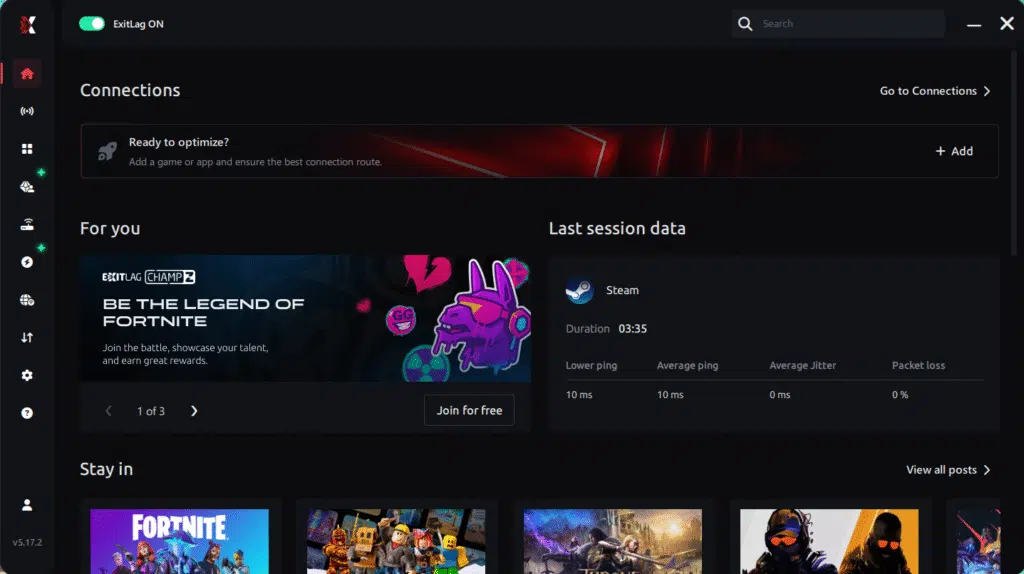
Step 1 – Access the official ExitLag website and download the application. There’s a free trial period for new users.
Step 2 – Install and open the program. Log in with your account.
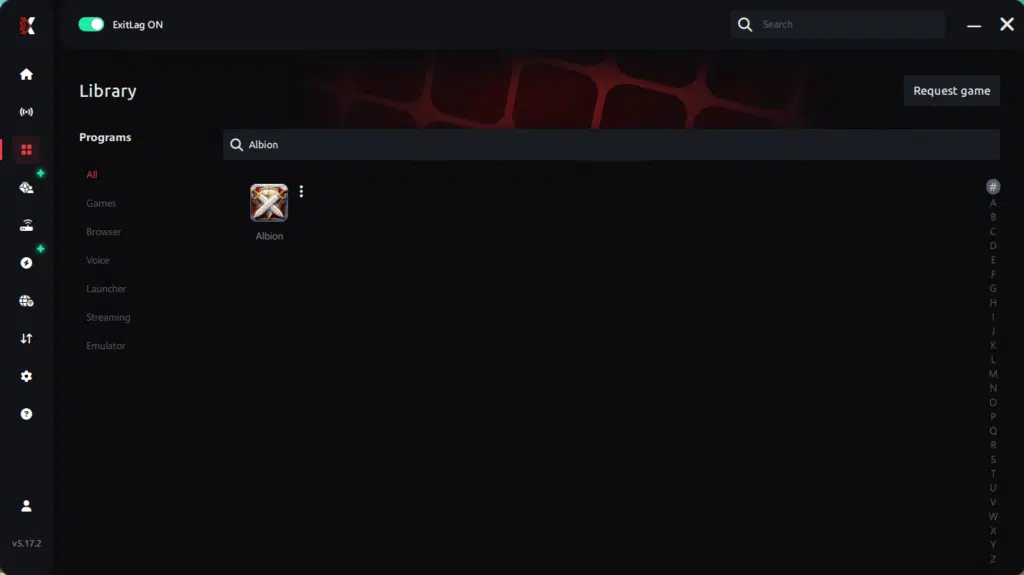
Step 3 – In the search bar, type “Albion Online” and select the game from the list.
Step 4 – Choose between automated or manual route
Based on the results, you can let ExitLag automatically select the best route or manually choose the server that showed the lowest latency for your connection.
AI-optimized automated route
Based on the results, you can let ExitLag automatically select the best route through AI optimization. The system analyzes multiple connection paths in real time and automatically identifies the most efficient route for your connection, ensuring the lowest possible latency without requiring manual choices.
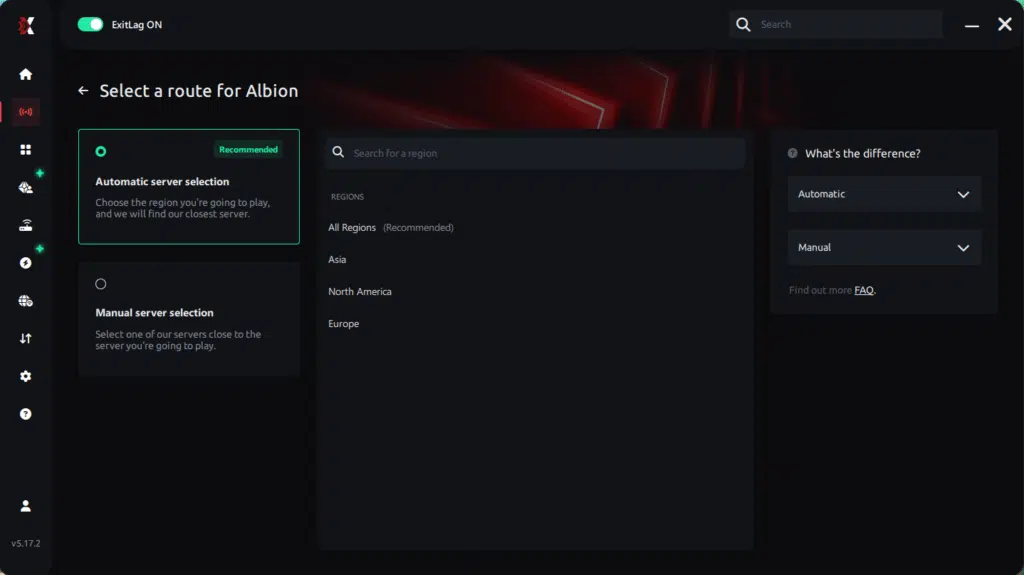
Manual route
If you prefer to have full control over your connection, you can manually choose the server based on the ping test results. Simply select the server that showed the lowest latency or the one that best meets your specific gaming needs, allowing complete customization of your experience.
Step 5 – Click “Apply routes” or the play button. ExitLag will begin optimizing your connection automatically.
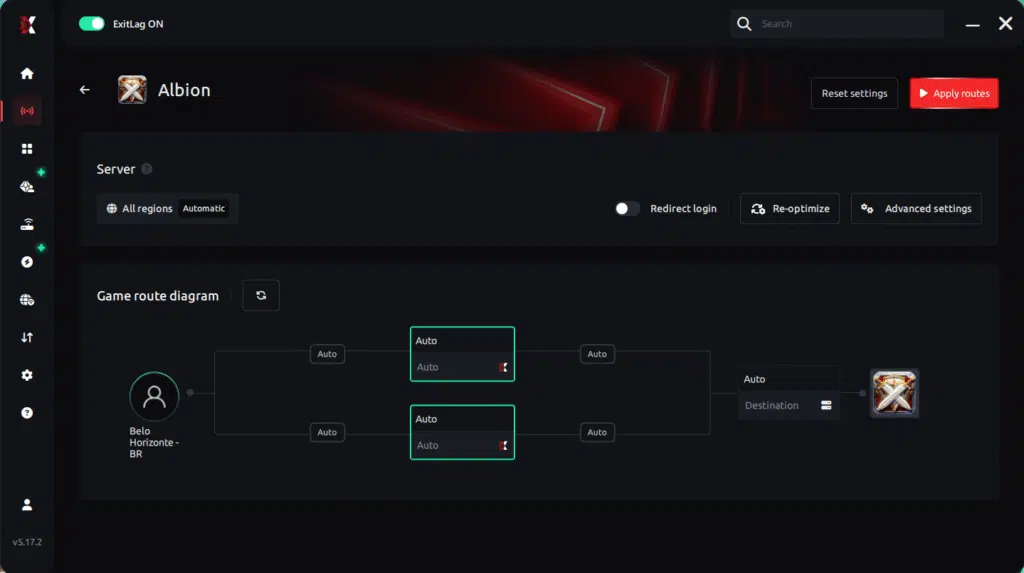
Step 6 – Wait a few seconds until optimization is complete. You’ll see ping indicators in the interface.
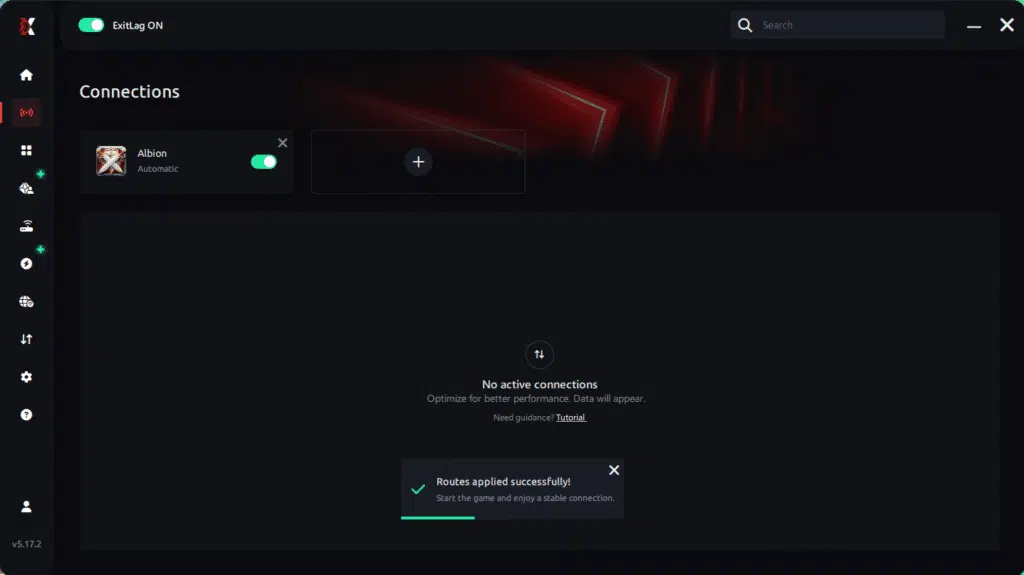
Step 7 – Launch Albion Online normally. The optimization will already be active.
ExitLag runs in the background while you play, constantly adjusting routes to maintain the best possible performance.
How to use Ping for Games: step-by-step guide (Albion Online)
Checking your connection quality before entering the game has never been easier. Here’s how to use Ping for Games in just a few steps:
1. Open the ExitLag software on your PC
Ensure the application is installed and open. The feature is integrated into the platform and available for free to all users.
2. Access the Network Analyzer tool
Locate the Network Analyzer in the software menu. This is where you’ll find Ping for Games along with other connection analysis features.
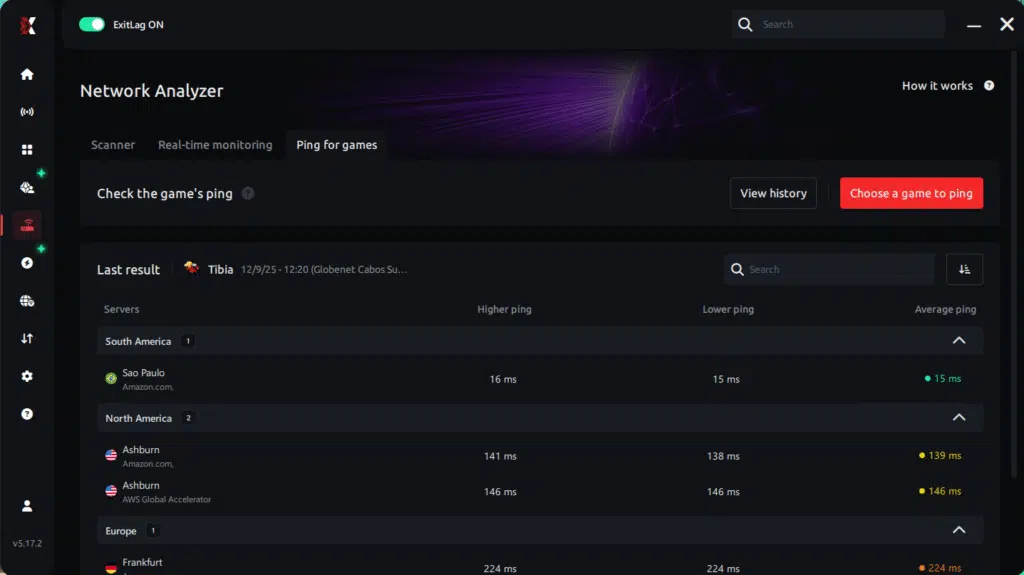
3. Select the game you want to test
Choose Albion Online from the list. The tool supports major online multiplayer games, including FPS, Battle Royales, MOBAs, MMORPGs, and more.
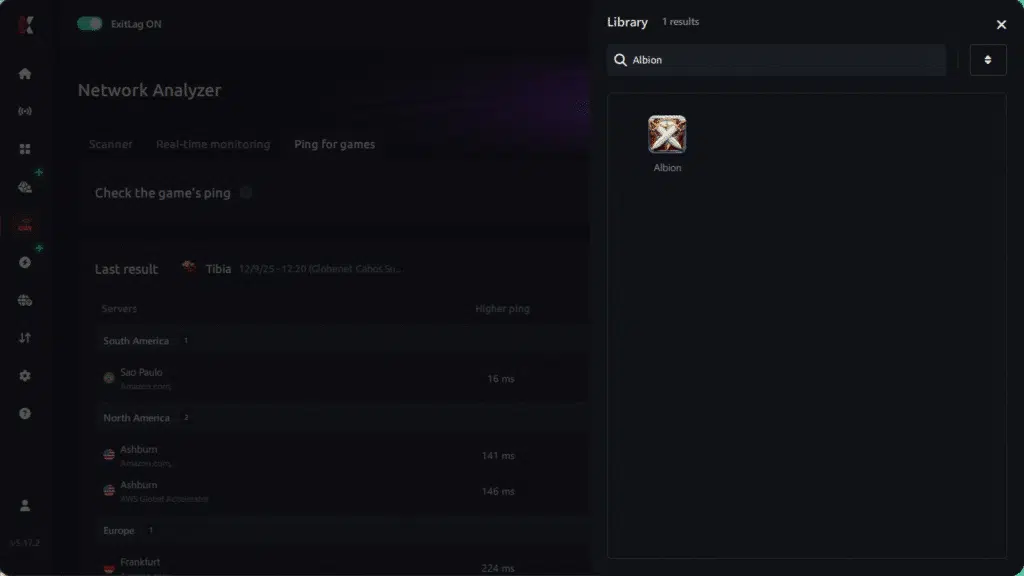
4. Choose the specific server
Select the exact Albion Online server you want to test instead of a generic region. This ensures more accurate results for your session.
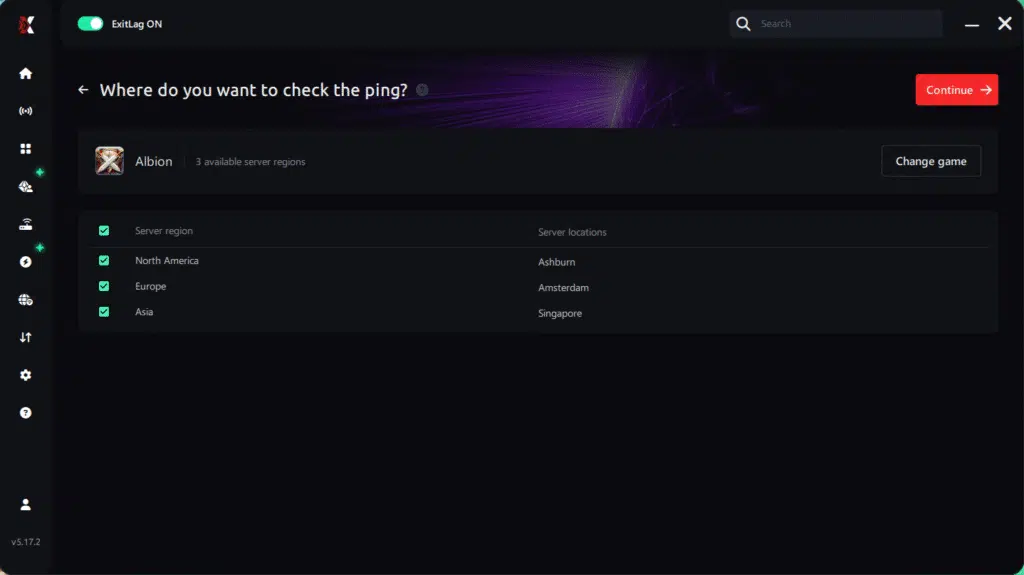
5. Start the ping test
With one click, the measurement is performed in real time between your device and the selected Albion Online server, considering your current connection (cable or Wi-Fi).
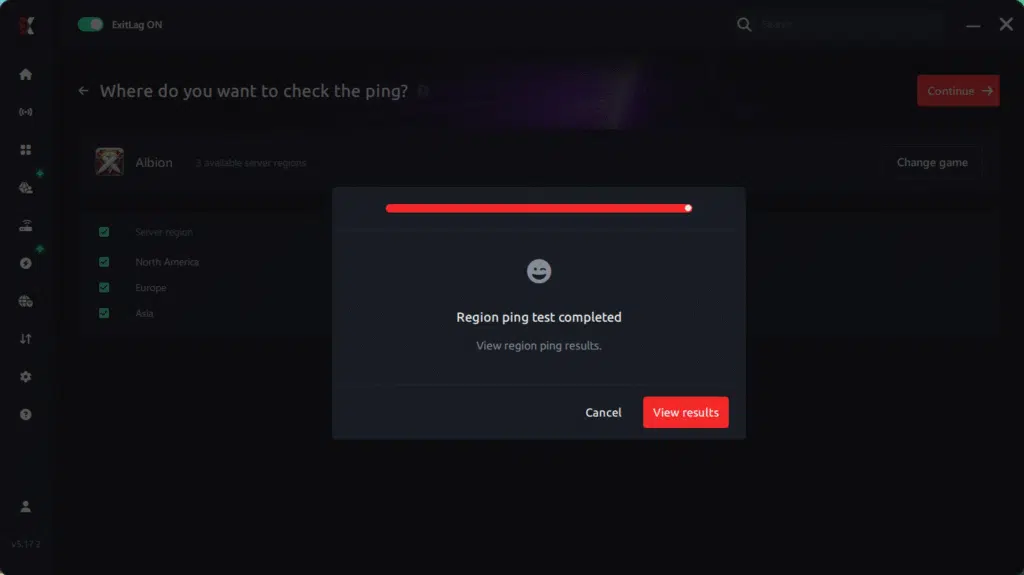
6. Analyze the results
Results appear in milliseconds (ms), automatically sorted from best to worst ping. You can also reorganize the view alphabetically if you prefer.
7. Choose the best server and play worry-free
With this information, simply select the server with the lowest latency and jump into Albion Online knowing your connection is optimized.
Final thoughts: Play Albion Online without lag forever
At the end of the day, Albion Online lag should never ruin your experience. Whether you’re doing PvP in the Black Zone, ZvZ, dungeons, or trading in the cities, your internet connection should never be the reason you lose a fight or your loot.
With ExitLag, you finally take control of your network performance. The software finds the fastest routes, eliminates lag, and stabilizes your ping so that every spell, every dodge, and every decision happens exactly when you want it to.
Try ExitLag for free right now and experience how smooth Albion Online can be when your connection is fully optimized. Play with confidence, dominate the battlefield, and make lag a thing of the past.
Got questions or want to connect with other players? Join the conversation at the ExitLag Forum!