For fans of social deduction games, the Among Us Download is an essential first step to start enjoying the fun. With multiple platforms available, it’s important to choose the right method based on your device. Whether you’re playing on a mobile phone, tablet, or computer, the installation process is straightforward. Additionally, using optimization tools such as ExitLag can help ensure smoother gameplay during your first online matches.
Moreover, understanding different versions of the game is key. You may notice variations between mobile and PC releases, or between free and paid versions. Knowing what each version offers allows you to make an informed choice before initiating your Among Us Download.
Finally, the Among Us Download also includes optional add-ons and skins. Players who want a more customized experience can explore cosmetic options or join friends in private servers. Starting with the right setup ensures that your game is both fun and stable from the moment you launch it.
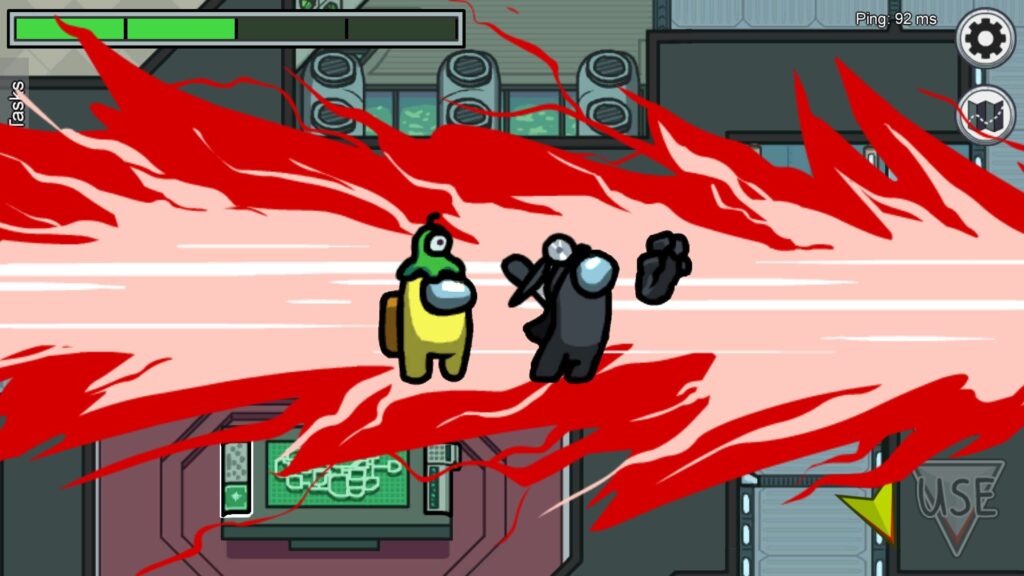
Download Among Us on Android
Firstly, downloading Among Us on a mobile device is simple. For Android users, go to the Google Play Store, search for “Among Us,” and select the official app. After tapping the download button, the app will install automatically.
It’s also important to consider storage requirements. Ensure your device has enough space for both the game and future updates. Furthermore, connecting to a stable Wi-Fi network is recommended to prevent interruptions during installation. Download Among Us Android version offers in-app purchases, but the basic gameplay remains free.
Download Among Us on iOS
Similarly, iPhone and iPad users can access the game via the App Store. Tap on the search icon, locate “Among Us,” and start the installation process. Once downloaded, it’s ready to play, and your Apple ID ensures smooth updates.
Additionally, enabling automatic updates is useful to keep your game current. This guarantees compatibility with friends who play on other platforms. As a result, you won’t miss new maps, features, or bug fixes.
Download Among Us on PC
For PC enthusiasts, there are multiple ways to get Among Us. The easiest is through official platforms like Steam or Epic Games. Players who prefer Download Among Us Pc can purchase the game on Steam, which provides a secure and verified copy.
Moreover, desktop users benefit from additional features such as keyboard shortcuts, better graphics, and performance optimization. Using a mouse and keyboard can also improve reaction times, which is crucial in competitive sessions.
Using Steam to Download Among Us
Among Us on Steam is convenient for users who want to keep their game library organized. Once purchased, the game can be installed with a single click. Steam handles updates automatically and ensures compatibility across multiple systems.
- Steam also allows cloud saves for your progress.
- Multiplayer matchmaking is streamlined.
- You can join friends easily through Steam’s friend list.
Additionally, cross-platform play is supported, so PC users can play with mobile players without issues. This flexibility has contributed to the game’s enduring popularity.
System Requirements
Before downloading, check if your device meets the minimum requirements. For PCs, this includes:
| Component | Minimum Requirement | Recommended |
| OS | Windows 7 | Windows 10 |
| Processor | 1.0 GHz | 2.0 GHz+ |
| RAM | 1 GB | 4 GB |
| Storage | 250 MB | 500 MB |
| Graphics | Integrated | Dedicated GPU |
Mobile devices have less stringent requirements, but keeping the device updated improves performance.
Tips for a Smooth Installation
To ensure a hassle-free Among Us Download, consider the following:
- Free up space on your device.
- Use a stable internet connection.
- Restart your device before installation.
- Check for pending system updates.
Common Issues and Fixes
Even with proper preparation, some users encounter problems:
- Installation errors due to insufficient storage.
- App crashes on older devices.
- Connectivity problems in multiplayer mode.
Solutions often involve clearing cache, reinstalling the game, or updating your device. These steps usually resolve most issues quickly.
Enhancing Gameplay Experience
Players can improve their experience by customizing settings:
- Adjust graphics quality for performance.
- Configure controls based on personal preference.
- Enable or disable notifications for focus.
These optimizations help create a smoother, more enjoyable gaming environment.
Cross-Platform Play
One of Among Us’ standout features is cross-platform support. Players on mobile, PC, or Steam can join the same sessions. This ensures friends can play together, regardless of device choice.
Multiplayer Strategy Tips
Understanding game mechanics improves success in multiplayer games:
- Stick with the group for safety.
- Observe behavior to identify impostors.
- Complete tasks efficiently.
- Communicate clearly in meetings.
These strategies increase chances of winning whether you play crewmate or impostor.
Device Comparison
| Device | Installation Method | Cost | Cross-Platform |
| Android | Google Play Store | Free | Yes |
| iOS | App Store | Free | Yes |
| PC | Steam / Epic Games | Paid | Yes |
| Browser | Official Web Portal | Free | Limited |
Extra Resources
For players seeking guidance or tips, tutorials, forums, and community channels are available. They provide insight into gameplay, updates, and new strategies.
Preparing Your Device for Among Us
Before starting the installation, ensure your device is ready. Free up storage space, close unnecessary apps, and update your system to the latest version. These steps reduce the risk of installation errors and improve performance.
Essential Settings for Mobile
To optimize mobile gameplay, adjust your device settings. Increase screen brightness, enable notifications selectively, and make sure the device is connected to a stable Wi-Fi network. These simple steps enhance overall experience.
Step-by-Step Installation Guide for Android
Here’s how to download and install Among Us on Android devices efficiently.
- Open Google Play Store.
- Search for “Among Us.”
- Tap “Install” and wait for download to complete.
- Launch the game and allow permissions as needed.
This method ensures a quick and reliable setup for Android users.
Step-by-Step Installation Guide for iOS
Similarly, iOS users can follow these steps:
- Open the App Store.
- Search for “Among Us.”
- Tap “Get” to begin download.
- Launch the app and sign in if required.
This sequence provides a smooth installation process for Apple devices.
Optimizing PC Installation
For PC, ensure you meet minimum system requirements and have reliable internet. Install necessary drivers and use official platforms to avoid errors. Proper preparation minimizes technical issues and improves stability.
Advantages of Steam for PC Players
Installing Among Us on Steam provides extra benefits:
- Automatic updates for latest features.
- Cloud saves for your progress.
- Easy friend management and multiplayer setup.
These features make Steam a preferred platform for PC enthusiasts.
Using Epic Games for Download
Besides Steam, Epic Games also offers Among Us. Downloading via Epic provides reliable installation and ensures you get updates automatically. It’s an alternative for users who prefer a different ecosystem.
Connecting Across Platforms
Among Us supports cross-platform play. Players on mobile, PC, and Steam can join the same game seamlessly. Cross-platform compatibility keeps friends united regardless of device choice.
Customizing Your Game
After installation, customizing the game enhances the experience. Adjust graphics, controls, and notifications. Personalization allows players to match their preferences for comfort and performance.
Creating a Stable Online Connection
A stable connection is vital for multiplayer matches. Consider these tips:
- Use a wired connection when possible.
- Avoid high-traffic networks during play.
- Limit background apps consuming bandwidth.
Reliable connectivity reduces lag and improves gameplay.
Top Tips for First-Time Players
New players often struggle with basic strategies. Follow these key tips:
- Stick with other players as a crewmate.
- Observe behavior carefully to identify impostors.
- Complete tasks efficiently to progress.
- Communicate clearly during emergency meetings.
These approaches improve chances of success and make matches more engaging.
Common Installation Errors
Even with preparation, some errors can occur:
- Download stops midway due to low storage.
- Game crashes on older devices.
- Compatibility issues with certain OS versions.
Simple troubleshooting, like clearing cache or reinstalling, usually resolves these problems.
Managing Updates
Keeping the game updated ensures access to new features. Enable automatic updates where possible. Regular updates also fix bugs and enhance compatibility with friends on different platforms.
Enhancing Graphics on PC
PC users can tweak graphics settings to improve visuals:
- Adjust resolution and frame rate.
- Enable or disable special effects depending on performance.
- Update GPU drivers for smoother experience.
These adjustments make the game more enjoyable without overloading the system.
Using External Tools for Optimization
Some players use optimization software to reduce latency. For instance, ExitLag Pricing helps maintain smooth connections. Proper tools enhance multiplayer experience significantly.
Recording Gameplay
Some players record matches for content creation or analysis. Use built-in screen recording tools or third-party software. Recording helps review strategies and share highlights with friends or online communities.
Conclusion: Start Your Among Us Download Today
Ultimately, completing the game installation is the gateway to hours of social deduction fun. By following the steps for your device, ensuring system requirements are met, and using Among Us Steam for PC players, you can start playing immediately while enjoying smooth performance and easy updates.
our device, ensuring system requirements are met, and considering optimization tools, you can start playing immediately.
Furthermore, exploring features such as in-game customization, Steam advantages, or mobile options enhances the experience. With these preparations, your gaming sessions will be seamless and enjoyable.
Finally, the Among Us Download can be paired with tools like ExitLag Register to guarantee the smoothest online connections while exploring all game modes across platforms. Whether you play with friends or join public lobbies, you’re ready to enjoy the complete Among Us experience.
Got questions or want to connect with other players? Join the conversation at the ExitLag Forum!