
Surviving the harsh nights and deep caves of Minecraft requires powerful gear that can withstand brutal combat encounters. When your favorite diamond sword or netherite pickaxe starts losing durability, standard repair methods simply will not cut it. Therefore, constructing a heavy utility station becomes one of the most important milestones in your survival world.
Knowing How To Craft Anvil In Minecraft opens up advanced equipment customization, enchantment combining, and permanent gear renaming. Whether you are preparing for boss fights or organizing an efficient base workshop, understanding the exact material cost saves considerable time. Furthermore, mastering how anvil mechanics handle experience levels prevents you from wasting rare resources.
If you want to protect your best equipment and keep your survival run thriving, you must master the precise layout required at your crafting table. Let us break down the exact material requirements, step-by-step assembly rules, and network optimization strategies so you can play smoothly.

Understanding The Minecraft Anvil Recipe And Material Requirements
Gathering the necessary resources for this powerful utility block demands a substantial amount of mining and smelting. Many players get surprised by the sheer volume of metal required to complete a single station.
The Minecraft Anvil recipe calls for a combination of compressed metal blocks and raw ingots. Consequently, preparing your smelting operation beforehand ensures you never run short halfway through the process.
- You need a total of thirty-one iron ingots to complete the entire recipe from scratch.
- Twenty-seven of those ingots must be converted into three separate iron blocks using a standard crafting grid.
- The remaining four iron ingots are placed in specific configuration slots alongside your blocks.
How To Make An Anvil In Minecraft Step By Step
Following the exact placement pattern on your crafting table is mandatory if you want the item to appear successfully. Placing even a single component in the wrong slot results in a failed output.
- Open your crafting table interface after gathering your materials.
- Place the three iron blocks across the entire top row of the grid.
- Place one iron ingot directly in the center slot of the middle row.
Finalizing Your Crafting Grid Layout
Completing the bottom row correctly finishes the shape, which resembles an inverted T-structure on your interface. Precision matters during this final step to avoid wasting precious resources.
- Place the remaining three iron ingots across the entire bottom row of the grid.
- Drag the newly forged item from the output box directly into your inventory.
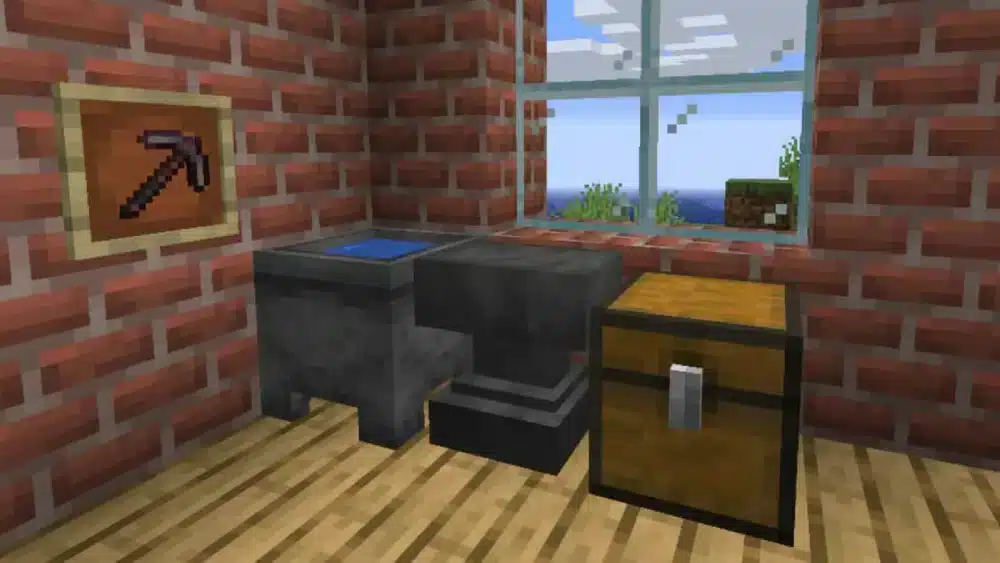
- Place your station down inside a well-lit workshop near your enchantment tables and storage chests.
| Component Needed | Exact Quantity | Conversion Method |
| Iron Blocks | 3 Units | Combine 9 ingots per block in a grid |
| Iron Ingots | 4 Units | Smelt raw iron ore inside a furnace |
| Crafting Table | 1 Unit | Built using four wood planks |
| Total Raw Cost | 31 Units | Mined underground and smelted completely |
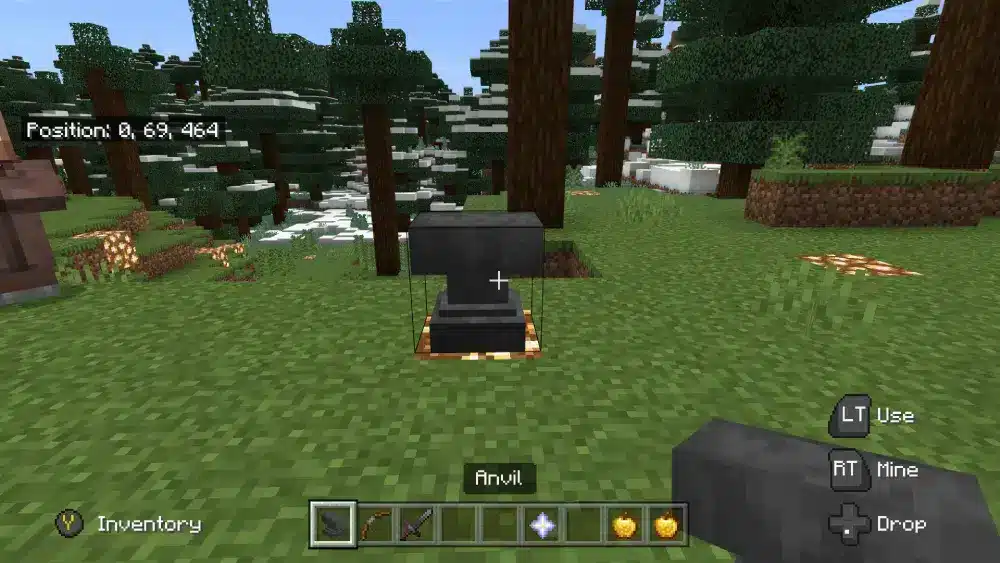
How Do You Use An Anvil In Minecraft Effectively?
Once you have successfully learned How To Make An Anvil In Minecraft, you must understand how to utilize its full potential without ruining your gear. Anvils serve three primary functions that keep your late-game progression moving forward.
Repairing damaged tools and weapons without losing your hard-earned enchantments is the most common use case. Additionally, merging enchanted books directly onto your armor grants precise control over your character builds.
- Place your damaged tool in the first slot and a duplicate item or raw material in the second slot.
- Review the required experience level cost before clicking the final confirmation button.
- Keep in mind that repeatedly repairing the same item increases its prior work penalty exponentially until it becomes too expensive to use.
How Do You Create An Anvil In Minecraft And Avoid Common Damage?
Anvils are unique blocks because they are affected by gravity just like sand and gravel. Placing them incorrectly or dropping them from heights can cause them to fracture and break completely.
- Never place your station directly above delicate flooring without ensuring solid support blocks underneath.
- Avoid dropping heavy utility blocks onto torches or half-slabs, as they will drop as items or shatter.
- Keep backup iron reserves in your storage room because heavy use eventually causes the station to crack and break permanently after several dozen operations.
Pro Tips: How To Craft An Anvil On Minecraft
- Combine enchantments before applying: Merge multiple enchanted books together on a separate table before applying them to your gear to minimize total experience costs.
- Repair with raw materials wisely: Using diamonds or netherite ingots to fix high-tier tools is expensive, so consider using duplicate unenchanted gear whenever possible.
- Build near an experience farm: Setting up your workshop close to a mob grinder ensures you never run out of levels during intensive equipment upgrading sessions.
- Monitor the Too Expensive penalty: Pay attention to the cumulative repair counter because once an item flags as too expensive, you can no longer modify it.
Common Mistakes How To Make An Anvil In Minecraft Players Make
- Confusing iron blocks with iron ingots: Trying to place individual ingots across the top row ruins the recipe and prevents the item from crafting. Fix: Always craft your ingots into solid blocks first before opening the main recipe layout.
- Ignoring the prior work penalty: Repairing an item endlessly without planning makes the final experience cost impossibly high. Fix: Combine items strategically and replace gear when the cumulative penalty gets out of hand.
- Placing stations unprotected outdoors: Leaving valuable utility blocks exposed to wandering mobs or explosions risks losing your station. Fix: Construct a secure indoor workshop with reinforced walls and locked doors.
Stabilize Your Connection And Eliminate Lag With ExitLag
Multiplayer survival servers require stable data exchanges between your client and hosting providers worldwide. When your internet service provider routes your data through congested commercial hubs, you suffer from delayed block placement and frustrating server desynchronization. ExitLag is a dedicated game connection optimizer that analyzes multiple network paths in real time and selects the absolute fastest route for your gaming traffic.
Using advanced Multipath Technology, ExitLag transmits your game data packets simultaneously across several independent routes. If one intermediate network node experiences sudden lag spikes or packet loss, the remaining paths maintain your connection instantly without dropping from your favorite multiplayer server. Furthermore, the built-in Traffic Shaper prioritizes your gaming data over background applications, ensuring your mining and building inputs register the exact millisecond you press them.
- Real-Time Route Optimization: Automatically connects you through the lowest-ping pathway available globally.
- Multi-Internet Support: Combines up to four separate internet connections for ultimate reliability during multiplayer sessions.
- PC Boost Features: Cleans system memory and minimizes background distractions to stabilize your frame rates.
Safe to use with thousands of PC and mobile titles, ExitLag operates entirely without modifying game files or triggering server anti-cheat systems. Enjoy seamless multiplayer survival today by getting theExitLag Download for your gaming rig.
All game images used in this blog post belong to Mojang Studios. They are used for informational and educational purposes only and do not imply endorsement or affiliation with the rights holders.


