
Bedrock Minecraft is the version most players actually start with, and for good reason. It runs on nearly every device, connects friends across consoles and phones, and keeps getting new features through frequent updates.
If you have ever wondered how Bedrock Minecraft stacks up against Java, which seeds are worth loading, or which mods are safe to install, this guide covers it all. Whether you are building your first house or hosting a full survival server, understanding Minecraft Bedrock Edition properly will save you hours of frustration.
In short, Bedrock Minecraft is the cross-platform build of the game developed for Windows, mobile, and consoles, and it lets players on different devices join the same world through cross-play. It uses a different engine than Minecraft Java & Bedrock Edition PC bundles, which is why the two versions cannot connect directly to each other's servers.
Why Bedrock Minecraft Dominates Cross-Platform Play
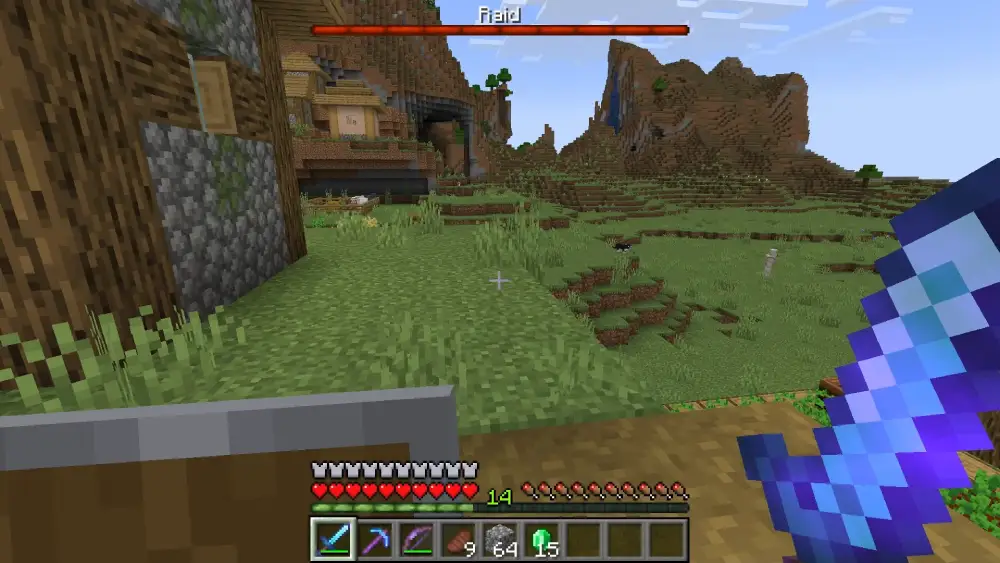
Cross-play is the single biggest reason bedrock minecraft has become the default choice for families and friend groups. A player on Xbox can join a world hosted by a friend on an iPhone without any extra setup.
Consequently, this accessibility makes Bedrock Minecraft the natural pick for anyone who plays with people on different hardware. Furthermore, Microsoft account integration means progress and purchases follow the player across devices.
How Does Cross-Play Actually Work?
Bedrock connects Windows, Xbox, PlayStation, Switch, iOS, and Android players inside the same world through a shared account system. Therefore, everyone needs a Microsoft account to join realms or public servers together.
- Windows, Xbox, and PlayStation players can join the same realm instantly
- Mobile players on iOS and Android use the identical add-on ecosystem as console
- Nintendo Switch supports full cross-play with no extra purchase required
- Local split-screen still works on consoles alongside online multiplayer
What Devices Support Minecraft: Bedrock Edition?
Minecraft: Bedrock Edition currently runs on Windows 10 and 11, Xbox One, Xbox Series X|S, PlayStation 4 and 5, Nintendo Switch, Android, iOS, and Amazon Fire devices. As a result, it is by far the most widely available version of the game.
Notably, performance stays smooth even on older phones and budget laptops, since the engine was built with lightweight hardware in mind from the start.
Minecraft Java vs Bedrock: Key Differences Explained
The minecraft java vs bedrock debate comes down to trade-offs rather than one version being strictly better. Java favors deep customization, while Bedrock favors accessibility and stability.
Redstone behaves differently between the two as well. In Java, pistons can be powered indirectly through the block above them, enabling extremely fast farm designs, while Bedrock's redstone update order is deterministic and produces consistent results everywhere.
| Feature | Bedrock Edition | Java Edition |
|---|---|---|
| Platforms | Windows, Xbox, PlayStation, Switch, mobile | PC only (Windows, Mac, Linux) |
| Cross-play | Full cross-play across all platforms | PC only, no console cross-play |
| Mods | Limited add-ons through the Marketplace | Massive mod ecosystem (Forge, Fabric) |
| World format | LevelDB | Anvil |
| Combat style | Simplified, faster clicking | Attack cooldown, more tactical |
| Performance | Runs well on low-end hardware | Requires stronger hardware for heavy mods |
Which Version Should Beginners Choose?
Newer players and families generally get more value from bedrock minecraft, mainly because it works across almost any device already in the house. On the other hand, players focused on building complex redstone contraptions or running heavily modded servers usually prefer Java.
Some players even buy the Minecraft Java & Bedrock Edition bundle for PC, which unlocks both versions under a single Microsoft account. This way, nothing is lost by picking a side.
Exploring Minecraft Bedrock Seeds Worth Trying
Good minecraft bedrock seeds combine an easy spawn with interesting nearby structures. A forest or plains biome near a village gives new players food, shelter, and trading options within the first in-game day.
Consider these seed categories when starting a fresh world:
- Village-adjacent spawns for immediate trading and shelter
- Survival island seeds for a harder, resource-limited challenge
- Ancient City spawns near the deep dark for early loot runs
- Mountain and cave-rich seeds for miners who want quick ore access
- Mangrove or cherry grove seeds for scenic building projects
Because seed codes work identically across devices in Bedrock, a seed you find on a phone will generate the exact same world on a console or Windows PC. This consistency is one of the underrated strengths of the platform.
How Do You Enter a Seed in Bedrock?
Open the Create New World menu, tap Game settings, and paste the seed code into the dedicated Seed field before generating the world. Afterward, double-check spelling since a single wrong character produces a completely different map.
Getting Started With Minecraft Bedrock Mods
Minecraft bedrock mods, officially called add-ons, install directly through the game without needing a separate launcher. This is a major difference compared to Java, where tools like Forge or Fabric are required first.
Add-ons are split into two main types, and most packs combine both:
- Behavior packs: Change how mobs, blocks, or game mechanics function
- Resource packs: Change textures, sounds, models, and visual style
Popular categories among current minecraft bedrock edition mods include creature overhauls that add new animals, furniture packs for interior design, and full biome expansions that introduce entirely new areas to explore. Many of these are available through the in-game Marketplace or trusted community sites.
Are Bedrock Add-Ons Safe to Install?
Add-ons from the official Marketplace are reviewed and generally safe, but third-party downloads carry more risk. Therefore, only download packs from reputable creators and avoid files bundled with unfamiliar installers.
- Always check file extensions match .mcpack or .mcaddon before installing
- Read recent reviews before trusting a third-party add-on site
- Back up your world folder before applying any new behavior pack
- Avoid add-ons that request permissions beyond texture and behavior changes
Building a Better Multiplayer Experience
Survival servers, realms, and public lobbies all depend on a stable connection, and this is where most bedrock edition minecraft players run into trouble. A high or unstable ping causes rubber-banding, delayed block placement, and dropped items during combat.
Distance to the server matters enormously here. Consequently, picking a realm or server hosted closer to your region will always outperform one on the other side of the world, no matter how good your local internet is.
Why Does Bedrock Lag More on Some Networks?
Bedrock uses UDP-based networking, which prioritizes speed over guaranteed delivery, so unstable routing can cause visible stutter even when your download speed looks fine. In fact, many lag complaints trace back to inconsistent routing rather than raw bandwidth.
Background downloads, other devices on the same network, and ISP congestion during peak hours all add extra strain. As a result, two players with identical internet plans can experience very different ping on the same server.
How ExitLag Improves Your Bedrock Minecraft Sessions
Experienced survival and PvP players eventually run into the same wall: solid internet at home still produces laggy multiplayer sessions because of the route packets take to reach the server. This is exactly the problem ExitLag was built to solve.
ExitLag is not a VPN. It is a game connection optimizer that constantly analyzes multiple network paths in real time and automatically routes your traffic through the fastest, most stable option available.
For bedrock minecraft specifically, this means fewer rubber-banding moments during PvP, smoother chunk loading on busy servers, and more consistent block placement timing when building or mining. It also helps a lot when hopping between realms hosted in different regions.
Here is what makes it useful for Minecraft players day to day:
- Multipath Technology: Sends data through several routes simultaneously, so if one path degrades, the others keep the connection stable.
- Multi-Internet Support: Combines up to 4 internet connections at once, switching instantly if one drops during a build session or raid.
- Real-time Optimization: Continuously reduces delay and packet loss, which translates into snappier commands and fewer desync moments.
- Traffic Shaper: Gives Minecraft traffic priority over other apps competing for bandwidth on the same network.
ExitLag supports over 4,000 titles across PC and mobile, backed by more than 1,500 servers spread across 190+ countries, and it does not modify game files or interact with anti-cheat systems in any way. Players who want smoother sessions can grab the ExitLag Download for their Windows or Mac setup, and mobile players can get the same benefit through ExitLag for Android or ExitLag for iOS.
Pro Tips: Optimizing Your Bedrock Minecraft Setup
- Lower your render distance on weaker devices: Reducing render distance in settings frees up resources for smoother frame rates without hurting gameplay much.
- Use a wired connection when hosting: Ethernet consistently produces more stable ping than Wi-Fi, especially when several players join your realm at once.
- Test add-ons in a copied world first: This prevents a broken mod from corrupting your main survival save.
- Check server region before joining: Picking the closest available region cuts latency dramatically compared to joining a distant one.
- Restart your router before long sessions: A fresh connection reduces the chance of mid-session packet loss during long building or raiding sessions.
Common Mistakes Bedrock Minecraft Players Make
- Ignoring world backups before installing mods: Many players install a new add-on directly on their main world and lose progress when it conflicts with existing data. Fix: always duplicate the world folder first.
- Assuming Java and Bedrock servers are interchangeable: Players often try joining a Java server IP on Bedrock and get confused when it fails. Fix: confirm the server explicitly supports Bedrock before connecting.
- Overloading render distance on mobile: Cranking visual settings too high on phones causes crashes and severe frame drops. Fix: match render distance to your device's actual capability.
- Blaming the game for ping issues caused by routing: Many players assume server lag is unavoidable when it is actually a routing problem. Fix: use a connection optimizer like ExitLag to find a more stable path.
Frequently Asked Questions About Bedrock Minecraft
Can You Play Minecraft: Bedrock Edition With Friends on Java?
No, Java and Bedrock use different engines and network protocols, so direct cross-play between them is not possible. However, third-party server software can sometimes bridge the two with extra setup.
Is Bedrock Minecraft Cheaper Than Java?
Pricing varies by platform and promotion, but both versions are generally similar in cost. Many PC players choose the combined Minecraft Java & Bedrock Edition package since it includes both under one purchase.
Do Minecraft Bedrock Edition Mods Cost Money?
Some Marketplace add-ons are paid, while plenty of community-made behavior and resource packs are free. Consequently, it is worth exploring both official and trusted third-party sources before spending anything. Overall, bedrock minecraft remains the most flexible way to play across devices, and knowing its strengths around seeds, add-ons, and multiplayer stability makes every session smoother. Combine smart settings with a reliable connection tool, and building, exploring, or surviving together becomes far less frustrating.
All game images used in this blog post belong to Mojang Studios. They are used for informational and educational purposes only and do not imply endorsement or affiliation with the rights holders.


