Building a thriving farm with friends brings an entirely new layer of fun to your digital countryside getaway. Working together requires careful resource management, efficient daily routines, and proper infrastructure layout across your shared land. Therefore, establishing animal housing early changes your financial trajectory completely.
The Stardew Valley Coop serves as the foundational building for raising poultry, rabbits, and other farm animals. Whether you are managing supplies for a basic wooden shelter or upgrading toward automated luxury, knowing how structures function keeps your animals productive. Furthermore, coordinating tasks with fellow players ensures your agricultural empire grows without missing a beat.
If you want to maximize daily profit and keep your animals happy, you must understand building upgrades and feeding mechanics. Let us break down every tier, animal type, and network optimization strategy so you can dominate your next co-op session.
Understanding The Stardew Valley Coop Progression Tiers
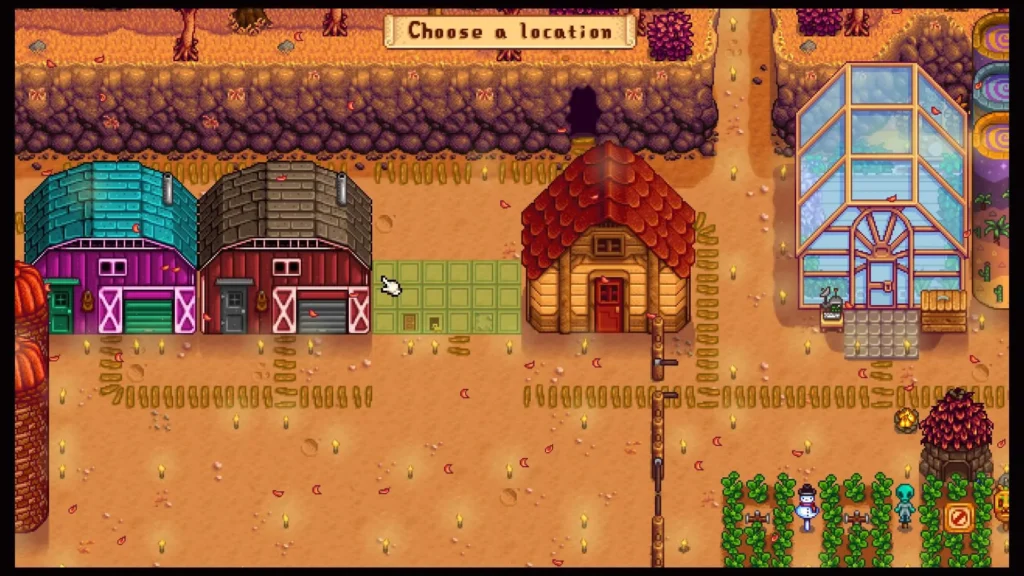
Expanding your animal housing requires visiting Robin at her carpenter shop with raw materials and gold. Planning your building phases ahead of time prevents wasted resources and seasonal bottlenecks.
Every tier introduces new capabilities, housing capacities, and automation features that reduce daily chores significantly. Consequently, upgrading your facilities as soon as you unlock the required materials is a smart strategy.
- Basic Coop: The starting version holds up to four animals and requires wood, stone, and a small gold investment.
- Big Coop Upgrade: Expands capacity to eight animals and unlocks the incubation feature for hatching eggs.
- Deluxe Coop Upgrade: Reaches a twelve-animal limit and introduces an automated feeding system that saves precious morning hours.
How To Build A Coop In Stardew Valley Effectively
Constructing your first animal shelter requires gathering basic raw materials from your surrounding wilderness. Clearing out trees and stone deposits around your property provides everything necessary for the initial build.
- Visit Robin at the carpenter shop during her standard opening hours with your materials ready.
- Select an open space on your farm layout that leaves plenty of room for future grass growth.
- Wait three days while Robin completes construction before purchasing your first livestock from Marnie.
Managing Livestock And Resources In Multiplayer Co-Op
Sharing a farm means dividing daily chores efficiently so everyone has time for mining, fishing, and combat. One player can handle animal care while others manage crop watering and greenhouse expansion.
- Stockpile hay in your silo before winter arrives to keep all livestock fed during cold months.
- Let animals outside to graze on fresh grass whenever weather permits to save on harvested feed.
- Pet your animals daily to increase their friendship hearts, which leads to higher-quality produce drops.
| Building Tier | Animal Capacity | Key Feature Unlocked | Required Materials |
| Basic Coop | 4 Animals | Basic housing and feeding bench | 300 Wood, 100 Stone |
| Big Coop | 8 Animals | Egg incubator for hatching | 400 Wood, 150 Stone, 10,000 Gold |
| Deluxe Coop | 12 Animals | Auto-feed system and rabbits | 500 Wood, 200 Stone, 20,000 Gold |
How Do You Choose The Right Animals For Your Farm?
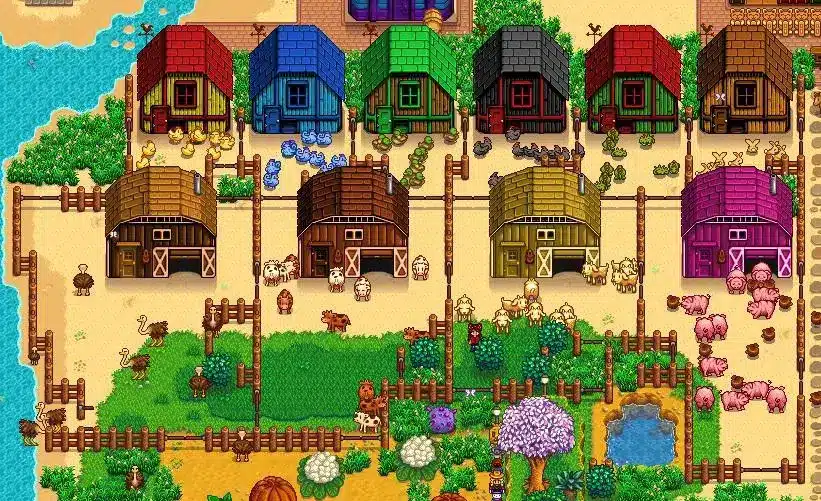
Deciding which livestock to raise depends entirely on your current financial goals and crafting needs. Different animals produce goods that feed directly into artisan equipment like mayonnaise machines and looms.
Prioritizing Early Revenue With Chickens
Starting with basic white or brown chickens provides a steady, reliable daily income stream. Processing their eggs into mayonnaise multiplies your profit margins effortlessly.
- Regular eggs turn into standard mayonnaise using basic artisan equipment.
- Void chickens produce dark eggs that sell for higher prices and craft specialized artisan goods.
- Dinosaur eggs found in artifact spots can be incubated inside a Big Coop for rare prehistoric yields.
Maximizing Profits With Deluxe Animals
Once you unlock the Deluxe Coop Stardew Valley upgrade, you gain access to high-tier animals like ducks, rabbits, and pigs. These creatures yield rare items required for completing community center bundles and crafting endgame gear.
- Ducks produce duck eggs and duck feathers used in advanced tailoring recipes.
- Rabbits drop wool and valuable rabbit feet that act as universal loved gifts for villagers.
- Pigs forage for truffles outside during non-winter seasons, creating the most lucrative artisan oil in the game.
How Do You Keep Your Connection Stable In Stardew Valley Coop?
Cooperative farming relies entirely on continuous server synchronization between the host player and farmhands. When network latency or packet loss strikes, inventory items disappear, and movement stutters during critical moments. ExitLag is a dedicated game connection optimizer that analyzes multiple network paths in real time and selects the absolute fastest route for your gaming traffic.
Using advanced Multipath Technology, ExitLag transmits your game data packets simultaneously across several independent routes. If one intermediate network node experiences sudden lag spikes or packet loss, the remaining paths maintain your connection instantly without disconnecting from your friends. Furthermore, the built-in Traffic Shaper prioritizes your gaming data over background applications, ensuring your farming inputs register the exact millisecond you press them.
- Real-Time Route Optimization: Automatically connects you through the lowest-ping pathway available globally.
- Multi-Internet Support: Combines up to four separate internet connections for ultimate reliability during long multiplayer sessions.
- PC Boost Features: Cleans system memory and minimizes background distractions to stabilize your frame rates.
Safe to use with thousands of PC and mobile titles, ExitLag operates entirely without modifying game files or triggering anti-cheat systems. Enjoy seamless multiplayer farming today by getting theExitLag Download for your gaming rig.
Pro Tips: Stardew Valley Coop
- Fences decay over time unless reinforced: Use sturdy stone or hardwood fences to enclose your animal pastures so you do not have to rebuild them every single season.
- Plant grass starters under fences: Placing grass starters beneath fence posts prevents animals from eating the root tile, allowing the patch to spread continuously across your yard.
- Check animal moods every morning: Right-clicking your livestock reveals whether they have eaten or been petted, helping you catch neglected chores immediately.
- Share farm money settings wisely: Coordinate with your co-op partners before launching a save to decide whether shared or separate wallet pools fit your group dynamic best.
Common Mistakes Stardew Valley Coop Players Make
- Leaving coop doors closed during winter: Keeping animal doors shut prevents livestock from going outside, but forgetting to feed them hay inside starves them. Fix: Always ensure your silo is full of hay before the winter season begins.
- Forgetting to collect artisan goods daily: Leaving mayonnaise machines and oil makers empty slows down your daily profit cycle significantly. Fix: Establish a morning routine where processing goods happens immediately after milking and petting.
- Placing coops too far from farmhouses: Walking across the entire map just to pet animals wastes valuable daytime stamina and hours. Fix: Build your animal enclosures close to your main farmhouse entrance for maximum efficiency.
All game images used in this blog post belong to ConcernedApe. They are used for informational and educational purposes only and do not imply endorsement or affiliation with the rights holders.
Got questions or want to connect with other players? Join the conversation at the ExitLag Forum!