Create Roblox is a common search for players who want to do more than simply join an experience. With one account, you can play games, customize an avatar, access Creator Hub, and start building your own Roblox experiences.
Create Roblox also connects directly to Roblox Studio, the main development tool used by creators. The same Roblox account can be used for both playing and creating, so beginners do not need a separate developer account to get started.
Create Roblox means entering Roblox’s ecosystem as both a player and potential creator. You can register an account, build your digital avatar, install Roblox Studio, create an experience, and manage projects through the official Creator Hub.
Create Roblox: How to Get Started
Getting started with Roblox is relatively simple because one account connects several parts of the platform. You can first create your profile and avatar, then move into game creation when you are ready.
Create a Roblox account
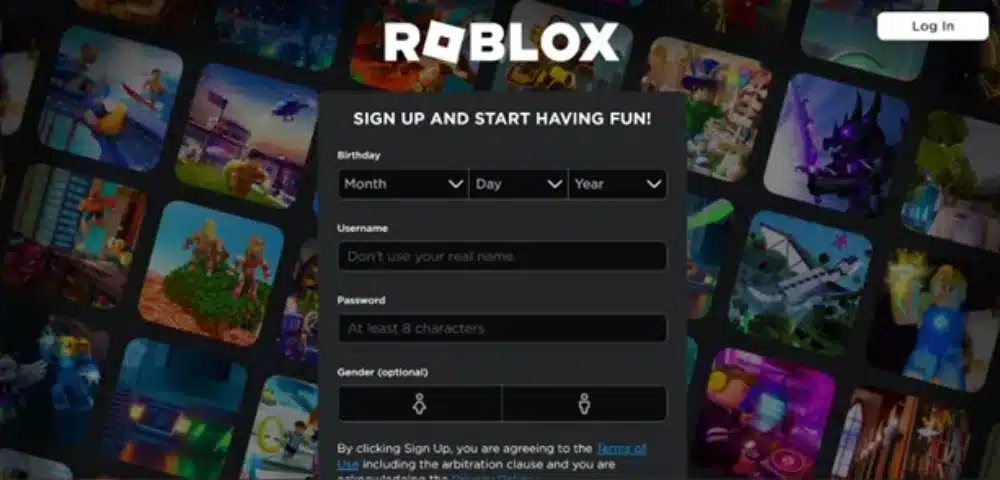
To begin, go to Roblox’s official website and create a free account.
Roblox’s own creator documentation explains that the same account is used to both play and create experiences.
A typical signup process includes:
- Open the official Roblox website.
- Choose the signup option.
- Enter the requested account information.
- Create a username and password.
- Complete any verification requested.
- Sign in to the account.
- Customize your profile and avatar.
Roblox may ask users to complete a CAPTCHA during account creation as part of its anti-abuse protections.
Once the account is ready, create Roblox becomes much more than account registration because the same profile can be used across games, Studio, Creator Hub, and avatar systems.
Customize your first Roblox avatar
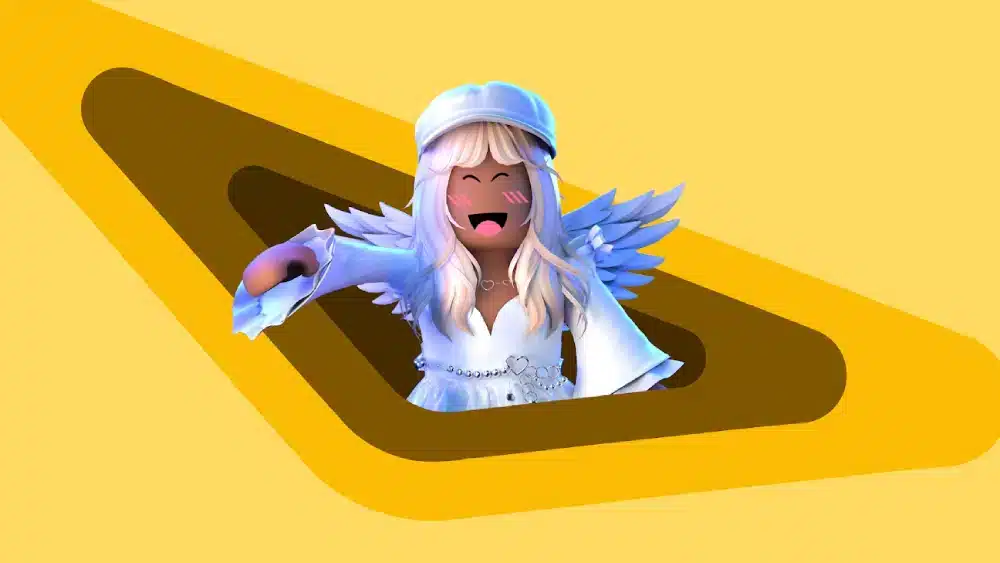
Every Roblox user is represented by an avatar.
Roblox describes avatars as customizable 3D characters whose cosmetics, clothing, and accessories can persist across experiences on the platform.
You can customize elements such as:
- Body appearance;
- Clothing;
- Accessories;
- Hair;
- Faces;
- Animations;
- Outfits.
Some items are free, while others may require Robux.
The avatar is one of the first ways players can personalize their identity after they create Roblox accounts.
Create Roblox Com and Creator Hub Explained
Searches such as create Roblox com, create roblox.com, and roblox.com create usually point toward Roblox’s creator ecosystem.
Today, the central location for developer documentation and many creation tools is Roblox Creator Hub.
What is create.roblox.com?
create.roblox.com is the official Roblox Creator Hub.
It contains documentation, development resources, dashboards, asset tools, tutorials, and access to experience-management features.
Roblox describes its platform as a 3D creation environment where developers can build games, communication spaces, simulations, showcases, concerts, and other interactive experiences.
Creator Hub is useful for both new and experienced developers because it brings together:
- Experience management;
- Documentation;
- Monetization tools;
- Analytics;
- Assets;
- Avatar creation resources;
- Publishing settings;
- Developer tutorials.
If you want to create Roblox games seriously, Creator Hub becomes one of the most important parts of the platform.
What can you manage in Creator Dashboard?
The Creator Dashboard helps developers manage experiences after they have been created.
Depending on your permissions and project setup, you can work with settings related to:
- Experiences;
- Places;
- Monetization;
- Avatar systems;
- Permissions;
- Assets;
- Publishing;
- Creator tools.
Roblox also uses the Creator Dashboard for newer systems such as Avatar Creation Tokens.
That makes create Roblox com searches especially relevant for users who have already moved beyond playing and want to manage their own projects.
How to Create a Roblox Game
One of the most popular creator searches is how to create a Roblox game.
Roblox uses the term “experience” for the 3D worlds that developers create, but many players still commonly call them games.
Install Roblox Studio
Roblox Studio is the primary development environment for building Roblox experiences.
Roblox describes Studio as an all-in-one IDE that includes the Roblox Engine, testing tools, and APIs required to create experiences.
The beginner process looks like this:
- Create your Roblox account.
- Download Roblox Studio.
- Sign in using your account.
- Start a new project.
- Choose a template or blank environment.
- Build your world.
- Add gameplay systems.
- Test the experience.
- Publish it to Roblox.
Studio supports both Windows and Mac. This makes how to create a Roblox game accessible even to beginners who have never worked with a traditional game engine.
Start with a template
Roblox Studio includes templates that simplify the learning process.
Current official examples include templates for:
- Platformers;
- Laser tag;
- Racing games.
These templates already include basic gameplay systems that creators can inspect and modify.
Starting with a template is useful because you can learn by changing something that already works.
For a first create Roblox project, this is usually easier than building a complete game from an empty world.
Roblox Studio and Game Development Basics
Creating a Roblox experience involves several skills. You do not need to master all of them immediately.
Building and environment design
The first layer is usually the world itself. Creators can place objects, adjust terrain, design buildings, create environments, and organize levels.
Roblox is designed for large multiplayer 3D environments and allows developers to customize objects and behavior extensively.
Beginner projects can start with:
- Platforms;
- Obstacles;
- Small buildings;
- Spawn areas;
- Collectibles;
- Simple arenas.
A smaller project is usually better for learning than attempting a massive open-world experience immediately.
Scripting and gameplay logic
More advanced experiences rely on scripts. Roblox uses Luau, a language derived from Lua, for game logic. Scripts can control things such as:
- Player interactions;
- Coins;
- Doors;
- Weapons;
- Missions;
- Timers;
- UI;
- Leaderboards;
- NPC behavior.
Roblox’s official Creator Hub includes guided learning paths for gameplay scripting and interface development.
Therefore, create Roblox can begin with simple building and gradually expand into programming.
Who Created Roblox?
Players often search who created Roblox when learning about the platform. Roblox Corporation was founded in 2004 by David Baszucki and Erik Cassel.
David Baszucki and Erik Cassel
The platform began as a project focused on user-created interactive worlds.
Over time, Roblox evolved into a much larger ecosystem involving players, developers, avatar creators, brands, and communities.
Roblox’s official company information identifies:
- David Baszucki as co-founder;
- Erik Cassel as co-founder;
- 2004 as the founding year.
This helps answer who created Roblox without confusing the company’s founding with later public launches or major platform milestones.
When was Roblox created?
The answer to when was Roblox created depends slightly on what someone means by “created.”
The company was founded in 2004, while Roblox later developed and launched the platform publicly. Roblox itself now refers to roughly two decades of creation history when discussing its evolution.
The table below summarizes the main concepts.
|
Topic |
Answer |
|
Roblox founded |
2004 |
|
Founders |
David Baszucki and Erik Cassel |
|
Main creation software |
Roblox Studio |
|
Creator website |
create.roblox.com |
|
Account needed to create |
Standard Roblox account |
|
Avatar customization |
Available to every user |
|
Experiences |
Games and other 3D interactive worlds |
These details help distinguish the platform’s history from the current create Roblox workflow.
Create Roblox Avatars and Character Content
Creating Roblox content is not limited to games. Avatar customization has become a major part of the creator ecosystem.
How Roblox avatars work
Every user has an avatar that can carry clothing, accessories, cosmetics, and other items between compatible experiences.
Roblox describes avatar systems as combinations of geometry, rigging, animation, and wearable content.
Creators can work with:
- Character bodies;
- Accessories;
- Clothing;
- Animations;
- Avatar items.
However, publishing certain Marketplace content can involve additional creator requirements.
Players simply customizing their own avatar do not need to build these systems themselves.
In-experience avatar creation
Roblox now also supports advanced in-experience avatar creation. Developers can build experiences where players customize avatar bodies and purchase them so that they are saved to their Roblox inventory.
This system currently involves components such as:
- AvatarCreationService;
- Creation Tokens;
- EditableMesh;
- EditableImage;
- Avatar body requirements.
Roblox also documents an alpha photo-to-avatar feature for developers building compatible experiences.
These systems are more advanced than normal avatar customization, but they show how much the create Roblox ecosystem has expanded.
Create Roblox Dashboard and Experience Management
Once you publish a project, creating the game is no longer the only task. You also need to manage it.
Understanding the Creator Dashboard
The Creator Dashboard provides controls related to your experiences and creator account.
Developers use it for tasks such as:
- Managing experiences;
- Configuring monetization;
- Managing certain avatar features;
- Reviewing project settings;
- Working with creator tools.
The exact available options can depend on the experience and account permissions.
That is why searches like create roblox.com or roblox.com create usually lead creators toward this dashboard environment rather than the standard player homepage.
About the PLS DONATE dashboard search
The phrase https//create.roblox.com/dashboard/creations/experience pls donate appears to reflect users searching for the Creator Dashboard in relation to the Roblox experience PLS DONATE.
However, accessing an experience through Creator Dashboard does not automatically give you editing access.
You can only manage projects owned by your account or projects for which your account or group has appropriate permissions.
This distinction is important because create.roblox.com is a management system, not a way to modify someone else’s Roblox experience.
Create Roblox Safely
Roblox creation involves accounts, projects, assets, and sometimes Robux. That makes account security important.
Protect your Roblox account
Use normal account-security practices when you create Roblox accounts or creator projects. Good habits include:
- Use a unique password;
- Never share login credentials;
- Enable available security features;
- Avoid unofficial account generators;
- Do not download suspicious “Roblox creator” software;
- Use official Roblox pages and Studio;
- Review permissions before giving collaborators access.
Creator accounts can become especially valuable if they own popular experiences or Marketplace assets.
Therefore, account security should be part of the development workflow from the beginning.
Avoid fake Creator Hub websites
Always check the domain when opening developer tools. The official Roblox Creator Hub uses create.roblox.com. Be cautious with websites that imitate Creator Hub while asking you to:
- Enter Roblox passwords;
- Download unknown executables;
- Disable antivirus protection;
- Paste browser cookies;
- Provide authentication tokens.
Those actions are not necessary to simply create or manage a Roblox experience.
Best First Projects to Create on Roblox
Your first game does not need to compete with the largest Roblox experiences. A simple finished project teaches more than an enormous unfinished idea.
Start with something small
Good beginner concepts include:
- Obby;
- Coin collection game;
- Small racing course;
- Simple survival arena;
- Basic tycoon;
- Platformer;
- Treasure hunt.
These projects let you practice the core development cycle without requiring hundreds of systems.
For example, an obby can teach:
- Level design;
- Checkpoints;
- Player spawning;
- Basic scripts;
- UI;
- Publishing.
Once you understand those systems, you can create something more ambitious.
Learn one system at a time
When learning how to create a Roblox game, avoid trying to master scripting, 3D modeling, animation, UI, monetization, and multiplayer networking simultaneously. A better sequence is:
- Learn Studio navigation.
- Build a simple environment.
- Add one gameplay mechanic.
- Test repeatedly.
- Publish privately.
- Ask friends to test.
- Fix problems.
- Add another feature.
This creates a much more manageable learning process.
FAQ
Here are quick answers to common questions about Roblox accounts, Studio, Creator Hub, avatars, and game creation.
How do I create a Roblox account?
Go to the official Roblox website, complete the signup form, create your account, and finish any verification requested by Roblox.
How to create a Roblox game?
Install Roblox Studio, sign in, choose a template or blank project, build your experience, test it, and publish it through Roblox.
Who created Roblox?
Who created Roblox? David Baszucki and Erik Cassel founded Roblox in 2004.
When was Roblox created?
When was Roblox created? Roblox Corporation was founded in 2004, before the platform evolved into the global creation ecosystem used today.
What is create.roblox.com?
create.roblox.com is the official Roblox Creator Hub, where developers can access documentation, Creator Dashboard tools, and development resources.
Can I create a Roblox avatar?
Yes. Every Roblox user can customize an avatar, while developers can also build more advanced avatar-creation systems inside supported experiences.
Create Roblox Experiences and Play Smoother With ExitLag
Whether you want to create Roblox experiences, customize your avatar, or simply explore what other developers have built, Roblox gives players access to both gaming and creation through the same ecosystem.
If latency, packet loss, or unstable routing affects your online Roblox sessions, ExitLag can help optimize your connection route for supported gameplay.
Try ExitLag and enjoy creating, testing, and playing Roblox with a more optimized connection!
Got questions or want to connect with other players? Join the conversation at the ExitLag Forum!