

CS2 Premier is one of the main competitive experiences in Counter-Strike 2, combining traditional 5v5 gameplay with map vetoes, numerical ratings, and leaderboards. Instead of simply choosing your favorite map and entering matchmaking, Premier challenges players to adapt to a broader competitive environment where every result contributes to visible progression.
However, succeeding in CS2 Premier requires much more than sharp aim. Communication, utility usage, economy management, trading, positioning, and map knowledge become increasingly important as you climb. Since opponents can eliminate maps during the veto, relying on a single favorite map can quickly become a serious weakness.
This guide explains how CS2 Premier works, including CS Rating, CS2 Premier ranks, map vetoes, trackers, and ranking progression. We will also compare Premier with Competitive and FACEIT, while covering practical strategies that can help you become a more consistent player and improve your results.
What Is CS2 Premier?
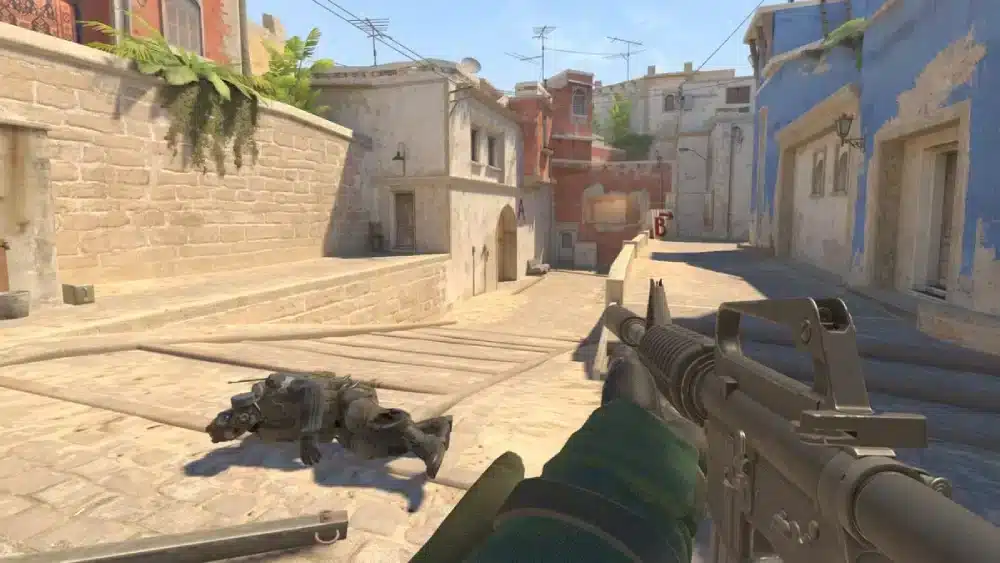
CS2 Premier is a ranked mode designed to provide a more structured competitive experience than traditional Competitive matchmaking. The core Counter-Strike formula remains unchanged, with two teams of five competing across Terrorist and Counter-Terrorist sides, but the systems surrounding each match are different.
The first major difference appears before the pistol round. Instead of selecting exactly which map you want to play, Premier uses a veto process where teams eliminate maps from the active pool until the final battlefield is determined.
Premier also uses CS Rating, a numerical representation of your position on the ladder. This differs from Competitive, where progression is associated with map-specific Skill Groups.
The general Premier experience follows this structure:
- Enter Premier matchmaking;
- Find a match;
- Participate in the map veto;
- Determine the map and starting side;
- Play the competitive match;
- Win or lose;
- Receive the corresponding rating adjustment.
Consequently, Premier rewards adaptability. Strong mechanics remain essential, but players who understand multiple maps and can adjust to different situations have a significant advantage.
Do You Need Prime to Play CS2 Premier?
Premier access is associated with Prime Status and the applicable account eligibility requirements. This can confuse new players because Counter-Strike 2 itself is free, while some parts of its ranked ecosystem require additional account conditions.
If you are searching for how to buy Premier CS2, the important point is that Premier is not purchased as a completely separate game mode. Players obtain Prime Status and satisfy the necessary progression requirements to access the Premier experience.
The process can be summarized as:
- Install Counter-Strike 2;
- Obtain Prime Status;
- Meet the required account progression criteria;
- Unlock Premier;
- Begin competing for CS Rating.
Requirements can change as Counter-Strike evolves, so information displayed within CS2 and Steam should always take priority over old tutorials or community discussions.
How Do CS Rating and CS2 Premier Ranks Work?
CS Rating is the numerical system representing a player’s position within CS2 Premier. Instead of primarily relying on names such as Silver, Gold Nova, Master Guardian, or Global Elite, Premier gives players a visible number that changes according to competitive results.
Players frequently refer to these rating ranges as CS2 Premier ranks. Color bands make broad progression easier to recognize:
| CS Rating | Color Band |
| 0–4,999 | Gray |
| 5,000–9,999 | Light Blue |
| 10,000–14,999 | Blue |
| 15,000–19,999 | Purple |
| 20,000–24,999 | Pink |
| 25,000–29,999 | Red |
| 30,000+ | Yellow/Gold |
These ranges should not be treated as official conversions to traditional Competitive ranks. Community charts may compare certain ratings with Gold Nova, Legendary Eagle, or Global Elite, but these comparisons are approximations rather than direct equivalents.
The same caution applies when comparing Premier CS2 with FACEIT. CS Rating and FACEIT Elo belong to separate competitive systems, so there is no universal one-to-one conversion between them.
What Is the Lowest CS2 Premier Rating?
Players searching for the lowest CS2 Premier rating are often looking for Premier’s equivalent of a traditional bottom rank. However, Premier uses numerical progression rather than starting with a named Skill Group such as Silver I.
For active players, the theoretical minimum is less important than rating direction. If your rating stabilizes and begins climbing as your gameplay improves, that progression provides much more useful information about your performance.
Competitive systems can also evolve through updates and seasons. Therefore, old screenshots claiming that one particular number is permanently the lowest possible rating should be treated cautiously.
How Do Placement and Rating Changes Work?
Before your position on the CS2 Premier ranking can be established, the system needs competitive results. Placement allows Premier to begin determining where you belong within its broader player population.
Because placements feel important, players sometimes make the mistake of changing their normal style. They chase kills, avoid necessary risks, or become excessively concerned about individual statistics rather than helping the team win.
Instead, focus on fundamentals:
- Trade teammates;
- Communicate useful information;
- Manage the economy;
- Use utility effectively;
- Avoid unnecessary deaths;
- Play around numerical advantages;
- Prioritize winning rounds over personal statistics.
Once you receive a rating, victories and defeats influence your progression. However, you should not expect every match to produce identical changes because competitive rating systems are more complex than simply adding a fixed number after every win.
Most importantly, remember that an impressive scoreboard does not guarantee victory. A player with fewer kills can still have enormous impact through trades, utility, information, site anchoring, and objective play.
What Is a CS2 Premier Tracker?
A CS2 Premier tracker is generally a third-party tool that organizes information about ratings, matches, and player performance. These tools can be useful because your current rating alone does not explain why you are climbing, stagnating, or losing points.
Depending on the tracker, you may find information such as:
- Current CS Rating;
- Rating history;
- Wins and losses;
- Match history;
- Map performance;
- Kill/death statistics;
- Win rate;
- Leaderboard position.
Instead of obsessing over a single statistic, look for patterns. If your win rate is significantly lower on one map, for example, investigate your rotations, utility, positioning, and knowledge of that map.
Likewise, a high K/D does not automatically indicate strong performance. Kills need context, and a player who trades effectively or creates space can sometimes contribute more than someone collecting low-impact eliminations.
How Does the CS2 Premier Map Veto Work?
Map veto is one of the features that most clearly separates CS2 Premier from standard Competitive matchmaking. Teams eliminate maps from the active competitive pool until the final map is determined, introducing strategy before anyone fires a weapon.
This system can expose players with extremely narrow map pools. You might perform exceptionally well on Mirage, for example, but that advantage disappears if the opposing team removes Mirage and forces you onto a map where your rotations and utility knowledge are weaker.
During the veto, consider factors such as:
- Your team’s strongest maps;
- Maps where teammates struggle;
- Opponent preferences when known;
- Utility knowledge;
- Familiarity with callouts;
- Recent team performance.
You do not need professional-level knowledge across the entire pool. However, every active map should have a basic foundation covering important callouts, rotations, common positions, entry paths, and essential utility.
Once that foundation exists, you can gradually learn advanced smokes, flashes, timings, boosts, and coordinated strategies. This makes practice more manageable while reducing your vulnerability during Premier vetoes.
How to Improve Your CS2 Premier Ranking
Improving your CS2 Premier ranking rarely comes from discovering one secret setting or mechanical trick. Sustainable progression usually happens when many small decisions become more consistent across hundreds of rounds.
Aim remains important, but several fundamentals can increase your impact:
- Improve crosshair placement;
- Learn to trade teammates;
- Communicate concise information;
- Manage the economy;
- Use utility with a purpose;
- Avoid unnecessary fights;
- Develop a broader map pool;
- Review repeated mistakes.
Crosshair placement is particularly important because good positioning reduces the amount of mouse movement required when an opponent appears. Instead of depending on spectacular flicks, anticipate likely enemy positions and keep your crosshair near head level while clearing angles.
Trading is equally valuable. When a teammate enters a site and dies, you should ideally be close enough to eliminate the defender before they reposition. Correct spacing can transform a teammate’s death into a fair exchange while allowing your team to continue gaining space.
Stop Throwing Away Advantages
One of the most common mistakes in CS2 Premier happens after a team has already created an advantage. A 5v3 can quickly become a 3v3 because players continue searching for individual fights instead of forcing opponents to take risks.
Once your team has more players alive, consider slowing down. Establish crossfires, protect important positions, preserve useful utility, and make opponents expose themselves while trying to recover the round.
The same principle applies to economy management. Counter-Strike rounds are financially connected, so one unnecessary force-buy can weaken the team’s purchasing power later. Before buying, consider teammates’ money, available utility, armor, saved weapons, and what everyone can afford in the next round.
These decisions may not produce highlight clips, but they are exactly the type of small advantages that help players climb consistently.
CS2 Premier vs Competitive: What’s the Difference?
The Premier vs Competitive CS2 comparison begins with map selection and progression. Premier uses CS Rating and map vetoes, whereas Competitive allows players to select maps before queuing and provides map-specific Skill Groups.
| Feature | Premier | Competitive |
| Main progression | CS Rating | Skill Groups |
| Ranking scope | Overall Premier performance | Map-specific |
| Map selection | Veto | Selected before queue |
| Broad map knowledge | Very important | Easier to specialize |
| Structure | More tournament-like | Traditional matchmaking |
| Best use | Ranked progression | Focused map practice |
Competitive can actually complement Premier. If Ancient is consistently hurting your CS2 Premier ranking, for example, repeatedly playing that map in Competitive gives you an opportunity to practice rotations, positions, and utility in a focused environment.
Premier becomes more demanding because adaptation itself is part of the competition. Once your map pool becomes broader, however, the veto changes from a potential weakness into another strategic element you can use to your advantage.
CS2 Premier vs Competitive vs FACEIT
The CS2 Premier vs Competitive vs FACEIT comparison becomes particularly relevant for players who want to take Counter-Strike more seriously. Although all three offer competitive experiences, they operate through different ranking systems and environments.
| Feature | Premier | Competitive | FACEIT |
| Ecosystem | Valve/CS2 | Valve/CS2 | Third-party |
| Progression | CS Rating | Skill Groups | Elo/levels |
| Map approach | Veto | Selected maps | Competitive platform |
| Broad map knowledge | Important | Less essential | Important |
| Best for | Native ranked ladder | Map-focused play | External competition |
Premier provides Valve’s integrated numerical ladder, while Competitive gives players greater control over which maps they practice. FACEIT, meanwhile, operates independently with its own Elo-based progression and competitive ecosystem.
So, is FACEIT better than CS2 Premier? There is no universal answer. Players interested in native CS2 progression may prefer Premier, while those seeking FACEIT’s separate matchmaking environment and Elo ladder may naturally gravitate toward that platform.
More importantly, avoid treating CS Rating and FACEIT Elo as interchangeable. Community conversion charts can offer rough comparisons, but CS2 Premier vs Competitive vs FACEIT involves three different progression systems rather than three versions of the same ranking.
How to Break a CS2 Premier Losing Streak
Losing streaks happen to every competitive player, but the way you react can determine how damaging they become. After several defeats, players often start chasing lost rating instead of making the decisions that normally help them win.
Tilt commonly leads to:
- Overpeeking;
- Unnecessary force-buys;
- Poor communication;
- Emotional rotations;
- Chasing kills;
- Ignoring utility;
- Immediately requeuing.
Instead, review what actually happened. Did you repeatedly lose opening duels? Were your rotations late? Did you struggle on one map? Were you forcing fights after gaining numerical advantages?
Specific mistakes give you something to improve. Blaming uncontrollable factors may occasionally be justified, but it provides nothing actionable for your next match.
Consistency is ultimately more valuable than occasionally carrying a game. One fewer unnecessary death, one successful trade, or one correctly timed flash may seem insignificant, but those improvements accumulate across hundreds of rounds.
Ping, Packet Loss, and CS2 Premier Performance
Counter-Strike depends on constant communication between your device and game infrastructure, which means network stability can influence how responsive matches feel. High latency, jitter, packet loss, or inefficient routing can become particularly noticeable during fast engagements.
However, network problems should not be confused with FPS drops or frame-time issues. If CS2 feels inconsistent, monitor both network and system performance before assuming your connection is responsible.
Network-related symptoms can include:
- Ping spikes;
- Packet loss;
- Rubberbanding;
- Delayed actions;
- Unstable latency;
- Synchronization problems.
If ping and packet loss remain stable while FPS suddenly falls, the problem is more likely related to local performance. Separating these symptoms prevents you from spending time changing network settings for a hardware or rendering issue.
How ExitLag Can Help With CS2 Connection Stability
ExitLag is designed to optimize network routes for supported online games. Internet traffic can travel through multiple networks before reaching game infrastructure, and the default path selected by your ISP may occasionally encounter congestion, packet loss, jitter, or inefficient routing.
When CS2 Premier problems are network-related, route optimization can help improve connection consistency. However, it will not increase FPS or fix a server-side outage, which is why identifying the source of the problem should always come first.
FAQ
Understanding CS2 Premier becomes easier once CS Rating is separated from Competitive Skill Groups and FACEIT Elo. Although all three systems measure progression, they serve different competitive environments and should not be treated as direct equivalents.
CS2 Premier is a competitive mode combining 5v5 Counter-Strike with map vetoes, CS Rating, and leaderboards. Instead of selecting one map before entering matchmaking, teams participate in a veto that determines where the match will be played.
CS2 Premier ranks are primarily represented through numerical CS Rating and corresponding color bands rather than traditional named Skill Groups. The number provides a more visible representation of progression through the Premier ladder.
Premier uses numerical ratings rather than a named bottom rank such as Silver I. Because competitive systems can evolve between seasons and updates, old community charts claiming a permanent minimum should be treated cautiously.
Premier uses CS Rating and map vetoes, while Competitive provides map-specific Skill Groups and lets players choose maps before queuing. As a result, Premier rewards broader map knowledge, whereas Competitive is particularly useful for focused map practice.
Neither is universally better. Premier offers Valve’s integrated CS Rating experience, while FACEIT provides an independent Elo-based competitive ecosystem. The best choice depends on which type of matchmaking and progression you prefer.
Improve Your CS2 Premier Experience
Climbing in CS2 Premier is ultimately about becoming more consistent across every part of Counter-Strike. Better map knowledge, smarter utility, stronger communication, disciplined economy management, and fewer unnecessary risks can gradually turn close losses into victories and make your rating progression more sustainable.
Meanwhile, if packet loss, jitter, unstable latency, or inefficient routing is interfering with your matches, improving the connection path can help you focus on what really matters: playing your best Counter-Strike.
Ready for smoother and more stable matches? Try ExitLag and optimize your CS2 connection today!
Got questions or want to connect with other players? Join the conversation at the ExitLag Forum!



