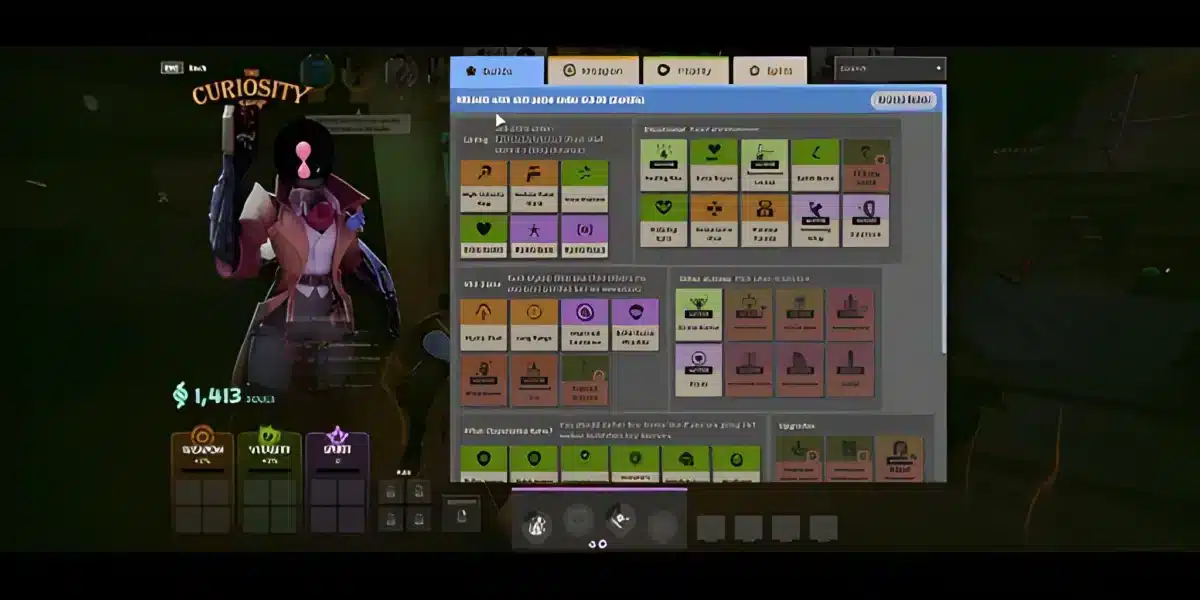
Checking Deadlock stats can tell you much more than whether you won or lost your latest match. Match history, hero performance, collected Souls, healing, and other numbers can help reveal where your gameplay is improving and where inconsistent decisions may be holding you back.
However, numbers need context before they become useful. Deadlock stats can change in meaning as Valve updates matchmaking, heroes, items, and core systems, so comparing data from different patches can produce misleading conclusions. Players interested in improving their competitive experience should combine performance analysis with a stable connection, especially in matches where latency can affect movement, aiming, and reactions. And before we continue, know that to know more about all the relevant content about gaming, you just have to check our blog.

Deadlock stats: what do they show?
Deadlock stats are performance metrics that help players analyze their matches, heroes, results, and individual contributions over time. Deadlock is a multiplayer game developed and published by Valve, and the developer still describes it as being in early development. Therefore, both gameplay systems and the statistics surrounding them can continue to evolve.
Looking only at wins can hide useful information about how you actually played. A victory might include a weak individual performance, while a defeat can still contain signs of improvement. For that reason, reading several metrics together gives you a clearer picture.
Valve added a Profile page that provides recent match breakdowns alongside all-time player and hero information. Its documented statistics include values such as Souls Collected and Healing, giving players more ways to examine their contribution beyond a basic win or loss.
Player and match statistics
Your deadlock player stats are most valuable when you use them to identify patterns. One unusually strong or weak match does not necessarily represent your normal level, so reviewing multiple games is generally more informative.
Depending on the information available in your profile and match history, useful areas to examine can include:
- Recent match results and overall performance patterns.
- Souls collected during matches.
- Healing and other measurable contributions.
- Performance across the heroes you regularly play.
- Differences between recent games and longer-term results.
For example, Souls collected can provide context for your economy during a match. However, a larger total should not automatically be interpreted as better overall gameplay. Where those Souls came from, how efficiently you used them, and what happened during important fights still matter.
The same principle applies to healing and combat-related numbers. Statistics show what happened numerically, but they do not completely explain positioning, communication, objective decisions, or whether a play created an advantage for your team.
As a result, Deadlock stats work best as evidence for reviewing your gameplay rather than as a single score that defines your skill.
Why Deadlock statistics change over time
Deadlock remains under active development, which makes patch context especially important. Valve continues to adjust heroes and game systems, meaning statistics collected under an older balance version may not represent the current environment.
A hero can receive changes to abilities, damage values, cooldowns, items, or other mechanics. When that happens, historical deadlock hero stats may describe how the hero performed before those adjustments rather than how players should expect the character to perform now.
This is particularly important when comparing community statistics. Before drawing conclusions from a dataset, check details such as:
- Which game version or patch the statistics cover.
- How recently the information was updated.
- Whether the sample represents many matches or only a limited group.
- Which skill levels or player populations are included.
- Whether the figures come from Valve or a third-party service.
These details can completely change how a number should be interpreted. A win rate from an older patch, for example, should not automatically be used to describe a hero after significant balance changes.
Deadlock player stats and what they mean
Understanding deadlock player stats requires more than opening your profile and searching for the biggest number. The goal is to identify repeatable patterns that explain how you perform across different matches and heroes.
That means recent results, hero familiarity, economy, and match context should be considered together. Doing so can help separate an isolated bad game from a weakness that repeatedly appears in your matches.
How to analyze your recent performance
Start with a group of recent matches rather than focusing entirely on your latest result. Look for repeated situations that could indicate where your playstyle is consistent and where it changes under pressure.
A simple review process can help:
- Check several recent matches and note your results.
- Compare your performance when using the same hero.
- Look at relevant economy and contribution statistics.
- Identify patterns that repeatedly appear in victories or defeats.
- Use those patterns to choose one area to work on in future matches.
For instance, consistently falling behind economically can be more useful to investigate than one unusually low Souls total. Similarly, strong numbers in several games with one hero may suggest familiarity, but they still need to be considered alongside the opponents, match circumstances, and current patch.
This approach also makes a deadlock stats tracker more useful. Instead of opening a tracker simply to see whether a number increased, you can use the information to answer specific questions about your performance.
Rank, MMR and hero performance
Competitive statistics become more complicated when matchmaking enters the picture. Valve has previously documented matchmaking systems that considered a player’s core MMR alongside hero-specific adjustments based on familiarity with individual heroes.
In its November 2024 matchmaking update, Valve explained that hero MMR was based on a player’s Core MMR with hero-specific offsets. The developer also described calculating hero familiarity using recent matches and displaying relative hero rankings in the interface.
Because Deadlock is still changing, historical matchmaking documentation should not be treated as a guarantee that every detail works identically today. Instead, it provides useful context for understanding why two players with similar visible results may still have different matchmaking experiences.
Above all, avoid treating one number as a complete measurement of skill. Deadlock combines aiming, movement, economy management, hero knowledge, positioning, teamwork, and decision-making, so meaningful Deadlock stats analysis requires several pieces of information.
Network conditions can also influence how consistently you perform in an online match. Once the servers are functioning normally, ExitLag can optimize connection routes on PC and help reduce routing instability, high ping, and connection fluctuations. With a more consistent network environment, your match data becomes easier to evaluate without connection problems repeatedly disrupting key fights.
That individual analysis becomes even more useful when you compare it with broader hero performance. Win rates, pick patterns, tracker datasets, and leaderboard information can provide another layer of context, but those numbers require careful interpretation before they can tell you which trends actually matter.
Deadlock hero stats: which numbers matter?
Understanding deadlock hero stats requires more than finding the character with the highest percentage on a tracking website. Hero performance can shift after balance changes, while player skill, matchmaking level, sample size, and familiarity can influence the numbers shown by a dataset.
For that reason, Deadlock stats are most useful when you compare several metrics and confirm when the information was collected. A strong statistic from an older patch may have limited value after Valve changes a hero or important game systems.
Win rate versus actual hero strength
Deadlock win rate stats show how frequently a hero wins within a particular dataset. They can help identify performance trends, but a higher win rate does not automatically prove that one hero is stronger than every alternative.
The player population behind the number matters. A hero may perform differently among experienced players than among newer players who are still learning abilities, builds, movement, and positioning.
Sample size also deserves attention. When comparing win rates, consider:
- How many matches are represented in the dataset.
- Which skill levels are included.
- When the matches were played.
- Whether a recent balance update changed the hero.
- Where the statistics came from.
These factors provide context that a percentage alone cannot offer. They are especially important while Deadlock remains in active development and Valve continues adjusting gameplay.
How patches affect hero statistics
Balance patches can quickly make older deadlock hero stats less representative of the current game. Changes to abilities, cooldowns, damage, items, or other systems can influence how a hero performs without changing the player’s fundamental approach.
Therefore, always check the patch associated with the data. Comparing current results with statistics collected before a major balance change can create an inaccurate picture of a hero’s present performance.
The same rule applies when comparing your own statistics. If your results suddenly improve or decline after an update, investigate what changed before assuming that the difference comes entirely from your individual performance.
How does a Deadlock stats tracker work?
A deadlock stats tracker organizes available match information so players can review performance without manually recording every result. Depending on the service and available data, trackers may focus on player profiles, heroes, match histories, rankings, or broader trends.
However, third-party statistics should not automatically be treated as official Valve data. Their usefulness depends on what information they can access, how frequently they update it, and how they calculate the metrics displayed.
In-game stats versus third-party trackers
Deadlock’s in-game Profile page provides a direct way to review recent matches and all-time player and hero information. This makes it a useful starting point when you want to understand your own performance.
Community trackers can provide another perspective by organizing available information differently or aggregating results across players. Before relying on one, check whether its data reflects the current game version.
A practical verification process is:
- Check when the tracker was last updated.
- Identify which patch its data represents.
- Look at the number of matches included.
- Check which player population is represented.
- Compare relevant information with your in-game profile when possible.
Following these steps makes Deadlock stats easier to interpret and reduces the risk of drawing conclusions from outdated information.
What tracker numbers cannot tell you
Statistics cannot fully measure decision-making. A tracker may show match results and numerical contributions, but it cannot always explain whether you positioned correctly, communicated effectively, chose the right fight, or made the best decision around an objective.
Connection quality is another variable worth separating from gameplay analysis. ExitLag can optimize network routing for Deadlock on PC, using connection optimization to help reduce instability caused by inefficient routes, ping fluctuations, and packet-related issues. It does not increase skill, MMR, or win rate automatically, but a stable connection can provide a more consistent environment for competitive matches.
ExitLag can drastically improve your gameplay for an accessible price. To know more, check our pricing page.
Deadlock leaderboard stats and Deadlock stats
Deadlock leaderboard stats add a competitive comparison to individual performance analysis. Instead of looking only at your match history, leaderboard information can show how high-level players are positioned within Valve’s competitive systems.
Valve has previously documented regional and hero-specific leaderboards. Because Deadlock remains under development, however, leaderboard requirements and matchmaking systems can evolve, so current in-game information should take priority over old screenshots or guides.
How Deadlock leaderboards work
In Valve’s November 2024 matchmaking update, the developer documented Top 1000 Core MMR leaderboards for North America, South America, Europe, Asia, and Oceania. It also introduced hero-specific Top 1000 leaderboards.
This historical documentation helps explain how Valve has approached competitive rankings, but it should not be assumed that every matchmaking rule remains unchanged. Deadlock’s ongoing development makes date and patch context important.
The table below summarizes how the major statistical categories can be used.
| Stat type | What it helps measure | Best use |
| Player stats | Individual match performance | Tracking personal progress |
| Hero stats | Results associated with characters | Identifying hero trends |
| Win rate | Frequency of winning in a dataset | Comparing broader results |
| Match history | Recent games and consistency | Reviewing performance patterns |
| Leaderboard | Competitive placement | Comparing ranked players |
These categories answer different questions. Combining them usually provides more context than selecting a single number and treating it as a complete representation of performance.
Why leaderboard position is not the whole story
Leaderboard placement is useful for competitive comparison, but it does not describe every aspect of a player’s gameplay. Hero familiarity, decision-making, mechanical execution, teamwork, and consistency can all influence performance.
The same caution applies when using deadlock player stats to compare yourself with highly ranked players. Their matches may take place under different matchmaking conditions, so copying a number without understanding its context provides limited value.
Frequently asked questions (FAQ)
How do I check my Deadlock stats?
Start with Deadlock’s in-game Profile page, which Valve introduced with recent-match breakdowns and all-time player and hero information. You can then use community tracking tools for additional analysis where reliable current data is available.
Always check when third-party statistics were updated before using them to evaluate the current patch.
Can you see player stats in Deadlock?
Yes. Valve has officially documented player and hero statistics through Deadlock’s Profile page, including recent match breakdowns and metrics such as Souls Collected and Healing.
The exact information available can evolve as Valve continues developing the game.
Where can I check Deadlock hero stats?
Start with information available directly inside Deadlock. Community trackers may also aggregate deadlock hero stats, but their coverage and methodology can differ.
For third-party data, check the patch, update date, sample size, and represented player population before comparing heroes.
What do Deadlock win rate stats mean?
Win rate represents the proportion of recorded matches won within a specific dataset. It can reveal trends, but it should be interpreted alongside sample size, skill level, patch version, and other relevant variables.
Therefore, the highest percentage does not automatically identify the strongest hero for every player or situation.
Do route optimization tools or ping reducers help with Deadlock?
They can help when connection problems involve inefficient routing, unstable latency, jitter, or packet loss between your network and the game infrastructure. They cannot fix Deadlock server outages, hardware limitations, or internal game bugs.
ExitLag focuses on route and connection optimization, making it relevant when network conditions are interfering with otherwise operational online matches.
How much does ExitLag cost?
ExitLag offers several subscription plans, including monthly, quarterly, and annual options. Prices vary depending on your region and promotions, so checking the official website is the best way to see the latest offers.
Use the free trial to explore all features!
Is ExitLag compatible with Deadlock?
Game support can change as titles and services are updated, so current compatibility should be verified directly through ExitLag before subscribing for a specific game. Search for Deadlock inside the application or check the current supported-game information to confirm availability.
In conclusion
Performance data becomes more valuable when you understand what each number actually represents. Player statistics can reveal personal patterns, hero data can highlight broader trends, and win rates or leaderboards can provide additional context when their patch and sample population are clear.
For competitive online play, reliable network conditions also make performance easier to evaluate consistently. ExitLag can help optimize routing on PC when connection instability is affecting matches, while your improvement still depends on practice, decisions, hero knowledge, and teamwork. Combining those factors with careful analysis is the best way to get meaningful value from Deadlock stats. Download ExitLag now!
Got questions or want to connect with other players? Join the conversation at the ExitLag Forum!