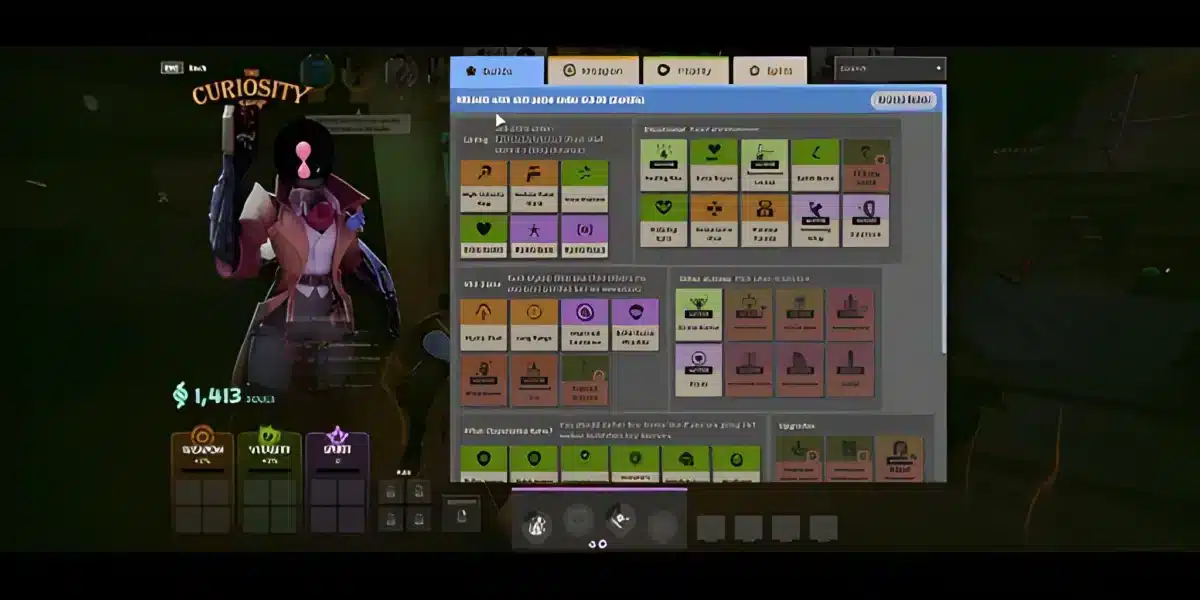
Improving in Valve’s competitive multiplayer game becomes easier when you can look beyond the result of a single match. A Deadlock tracker organizes performance information so you can review player statistics, hero results, recent matches, and rankings instead of relying entirely on memory when deciding what is working.
However, Deadlock tracker websites are third-party resources rather than features built directly into Deadlock by Valve. Services such as Tracker.gg can organize available match data into useful profiles and statistics, but the game remains in active development. That means patches, experimental systems, and changes to available data can affect what trackers display over time. And before we continue, know that to know more about all the relevant content about gaming, you just have to check our blog.

Deadlock tracker: what can you track in 2026?
A Deadlock tracker is a third-party statistics tool that organizes available Deadlock player and match data into profiles, match records, hero statistics, rankings, and other performance information. Deadlock is Valve’s multiplayer game currently in development, and tracking services give players another way to analyze how they perform across multiple matches.
The most useful trackers go beyond showing whether you won or lost. A Deadlock stats tracker can help you investigate patterns across recent games, compare performance between heroes, and review historical results.
That context is important because one match rarely explains your actual performance. You might dominate a favorable game and struggle immediately afterward against stronger opposition or an unfamiliar matchup. Looking across several matches provides a more useful picture.
Deadlock player stats you can analyze
The exact statistics available depend on the service and the data it can access. Tracker.gg provides Deadlock profiles that include overall performance information, match history, hero-related statistics, and leaderboard features.
These Deadlock player stats can help answer practical questions. Perhaps your results are significantly stronger with one hero, or your recent performance changes depending on which role or playstyle you choose.
Useful information can include:
- Overall profile statistics.
- Matches played and recent results.
- Hero-specific performance.
- Match history.
- Ranking information when available.
- Leaderboard statistics.
- Live match information through supported tracker features.
Do not interpret every number in isolation. A statistic becomes more useful when you compare it with context such as hero choice, number of matches, game updates, and recent performance.
For example, a high success rate across only a handful of matches does not provide the same evidence as similar results maintained over a much larger sample. Likewise, historical statistics from an older patch may describe a different balance environment.
Why tracker data can help you improve
Statistics are most useful when they lead to better questions. Instead of opening a profile simply to see whether a number increased, look for repeated patterns that may point toward parts of your gameplay worth reviewing.
Start with your recent matches. If one hero consistently produces better results, consider what makes that pick more comfortable. Your familiarity with abilities, positioning, farming patterns, or team fights may be contributing to the difference.
Then compare weaker performances. Repeated problems across several matches are usually more informative than one bad game. The objective is not to let a tracker decide whether you played well, but to use its information as another source when reviewing your decisions.
A simple analysis routine looks like this:
- Review your overall profile before focusing on individual matches.
- Compare recent results instead of judging one game.
- Check how performance changes between heroes.
- Look for trends that repeat across several matches.
- Consider whether a major Deadlock update occurred during the period.
- Use those observations to choose something specific to practice.
This process makes a Deadlock stats tracker more valuable than using it only as a public profile page.
Deadlock Tracker GG: how Tracker.gg works
Deadlock Tracker GG refers to Tracker Network’s tracking service for Valve’s game. Tracker Network launched Deadlock support in May 2026, providing profile statistics, match history, hero information, leaderboards, and additional tools through its website and Windows desktop application.
Tracker.gg is not an official Valve service. That distinction matters because its statistics and features depend on the information available to the tracking platform, while Valve controls Deadlock itself and can change game systems as development continues.
Finding your Deadlock profile
Using Tracker.gg starts with its Deadlock profile search. Once you locate the relevant account, you can move from broad performance information into more specific match and hero data.
The basic process is straightforward:
- Open the Deadlock section on Tracker.gg.
- Search for the player profile you want to inspect.
- Review the available overall statistics.
- Open the Deadlock match history for recent results.
- Compare performance across different heroes and matches.
This structure is useful because it lets you move from general information toward individual games. If an overall statistic catches your attention, recent matches may provide additional context for understanding why it changed.
Remember that visibility can depend on the information the tracker can access. If expected data is missing or outdated, do not automatically assume your game account or match has a problem.
Using the Tracker.gg desktop app
Tracker Network also provides a Windows desktop application for Deadlock. According to Tracker.gg, the app can automatically import future matches and provide additional functionality such as an in-game overlay.
Its live match feature can provide information about players during a match, while the broader profile tools help organize historical performance. This makes the desktop app more convenient for players who regularly use tracking information rather than manually checking the website after every session.
Still, more data does not automatically create better decisions. Use the overlay and profile information to support your understanding of matches rather than letting statistics distract from what is happening in the game.
The same principle applies to the Deadlock leaderboard. Rankings can provide interesting comparison points, but the statistic being measured, number of matches, hero choices, and current patch all affect how useful that comparison is. Once your profile is set up, reviewing match history and leaderboard information with that context becomes the next step toward getting real value from a Deadlock tracker.
Deadlock match history: what should you look for?
Your Deadlock match history becomes more useful when you treat it as a record of trends instead of a collection of isolated wins and losses. Recent matches can help reveal which heroes you use most often, how consistently you perform, and whether certain patterns appear repeatedly.
Because Deadlock remains in development, patch context also matters. A performance trend from an older version of the game may not translate perfectly after Valve adjusts heroes, items, mechanics, or other systems.
Comparing your recent matches
Start by reviewing several matches instead of focusing on your best or worst result. A larger sample gives you more context and reduces the chance of drawing conclusions from an unusual game.
When comparing matches, look for repeated changes in hero performance and results. If a pattern appears consistently, you have a clearer starting point for reviewing your gameplay.
Useful questions include:
- Which heroes produce your most consistent results?
- Are recent results improving or declining?
- Do certain patterns repeat across multiple matches?
- Did a major patch occur during the period you are comparing?
- Are you judging performance from enough matches?
Tracking performance by hero
Hero-specific statistics can help separate your overall account performance from your experience with individual characters. Tracker.gg includes hero statistics as part of its Deadlock tracking features.
These numbers are most valuable as context. Your Deadlock player stats with a frequently played hero naturally provide a different sample than statistics from a hero you have only used a few times.
Deadlock leaderboard and player rankings explained
A Deadlock leaderboard lets players compare tracked statistics across profiles. Tracker.gg provides leaderboard pages for Deadlock, but the results are dynamic and should be checked directly rather than treated as permanent rankings.
Leaderboards are useful for discovering high-performing tracked players and comparing specific statistical categories. However, position alone does not explain every difference between players.
How Deadlock leaderboards work
Before comparing profiles, check what the leaderboard is actually measuring. Different categories can produce different rankings, so a player appearing highly in one statistic does not automatically occupy the same position in another.
Here is how the major tracker features differ:
| Tracker feature | What it shows | Why it is useful |
| Profile stats | Overall tracked performance | Quick account overview |
| Match history | Previous recorded matches | Review recent trends |
| Hero stats | Hero-specific information | Compare hero performance |
| Live match | Available current match data | Add match context |
| Leaderboards | Ranked statistical categories | Compare tracked profiles |
| Desktop overlay | Tracker information in game | Convenient access to data |
The table also shows why there is no single statistic that explains everything about a player.
Why leaderboard position does not tell the whole story
Sample size is one important limitation. Results based on relatively few matches should not automatically be compared with long-term statistics from someone who has played substantially more.
Patches can also change the context. Since Deadlock is still evolving, balance updates and system changes may influence which heroes, strategies, or statistics are most relevant at a given time.
Deadlock stats tracker: alternatives and data limitations
Tracker.gg is not the only source of Deadlock data. Other community projects work with available game information to provide statistics, match data, analytics, and tools for players or developers.
One example is Deadlock API, which documents access to areas such as match information, player statistics, MMR data, hero and item analytics, and leaderboard data. These resources can be useful when exploring the wider ecosystem behind a Deadlock stats tracker.
Deadlock API and community statistics
Different services can organize similar underlying information in different ways. One may focus on easy profile searches, while another may be designed around APIs, analytics, or development projects.
Therefore, check what a service measures before comparing numbers between platforms. Differences in collection methods, update timing, available matches, and presentation can affect what you see.
Why stats can change after Deadlock updates
Valve describes Deadlock as being in early development with experimental gameplay. That status is especially important when interpreting long-term statistics because game systems can continue changing.
A tracker may accurately represent recorded matches while still requiring context. Statistics from different patches do not necessarily describe identical gameplay conditions.
How to use a Deadlock tracker with a stable connection
A Deadlock tracker helps analyze performance, but it does not improve the network connection used to play a match. Tracking tools and network optimization tools solve different problems.
If you experience high latency, jitter, packet loss, or unstable routing, reviewing statistics afterward will not correct those connection issues. That requires looking at the network side of your setup.
Tracking stats cannot fix lag
Ping represents only one part of network performance. Stability also matters because sudden latency variation or packet loss can affect how consistently information travels between your PC and the game server.
Route optimization can help when the network path between you and the server is inefficient. However, it cannot fix Valve server outages, Deadlock bugs, or hardware performance problems.
Using ExitLag while playing Deadlock
ExitLag focuses on connection optimization for PC and Mobile games. Technologies such as Real-Time Optimization and Multipath Connection are designed to find and maintain efficient routes for game traffic, helping reduce routing-related instability when network conditions allow.
For a competitive PC game such as Deadlock, that creates a clear distinction between tools. A tracker can help you understand previous results, while ExitLag focuses on optimizing the connection used while you play. Combining performance analysis with a more stable network environment can help remove connection-related variables from your practice sessions. ExitLag can drastically improve your gameplay for an accessible price. To know more, check our pricing page.
Frequently asked questions (FAQ)
What is the best way to track Deadlock stats?
Use a tracker that clearly identifies the statistics it collects and provides enough context to interpret them. Tracker.gg offers profiles, match history, hero statistics, leaderboards, and desktop features for Deadlock.
Does Tracker.gg support Deadlock?
Yes. Tracker Network launched Deadlock tracking support in May 2026, including web profiles and a Windows desktop application.
How do I check my Deadlock player stats?
Search for the relevant profile through a supported tracker such as Tracker.gg. You can then review the statistics and historical information currently available for that profile.
Can I see my Deadlock match history?
Tracker.gg provides Deadlock match history features for supported profiles. Its desktop application can also automatically import future matches according to Tracker Network.
Does Deadlock have leaderboards?
Third-party services such as Tracker.gg provide Deadlock leaderboards based on tracked statistical categories. Because rankings change, check the current leaderboard instead of relying on older positions.
Is Deadlock Tracker.gg official?
No. Tracker.gg is operated by Tracker Network and is a third-party service. Deadlock itself is developed by Valve.
Do route optimization tools or ping reducers help with Deadlock?
They can help when latency, jitter, packet loss, or inefficient routing is related to the network path. They cannot fix server outages, game bugs, or PC hardware limitations.
How much does ExitLag cost?
ExitLag offers several subscription plans, including monthly, quarterly, and annual options. Prices vary depending on your region and promotions, so checking the official website is the best way to see the latest offers.
Use the free trial to explore all features!
Is ExitLag compatible with Deadlock?
Compatibility should be verified through ExitLag’s current supported-game list because supported titles and configurations can change. ExitLag is available for PC and Mobile, not consoles.

In conclusion
Tracking your results can make performance analysis more structured. Match history, hero statistics, profile data, and leaderboards provide additional context, but they are most useful when you compare meaningful samples and account for Deadlock’s continuing development.
Use statistics to identify patterns, practice around what you discover, and remember that analytics and network optimization address different parts of the experience. For connection-related issues on PC, ExitLag can optimize routing and stability while you focus on improving with a Deadlock tracker. Download ExitLag now!
Got questions or want to connect with other players? Join the conversation at the ExitLag Forum!