If you see error code 0 while opening a game, joining a server, or launching an app, the message can feel confusing right away. It often appears without enough detail, which makes players wonder whether the issue comes from the game, the device, the account, or the connection.
For Roblox players, error code 0 is especially frustrating because it can block access before the match even starts. The issue may involve permissions, authentication, outdated files, or unstable routing between your device and the server. And before we continue, know that to know more about all the relevant content about gaming, you just have to check our blog.
What does error code 0 mean?
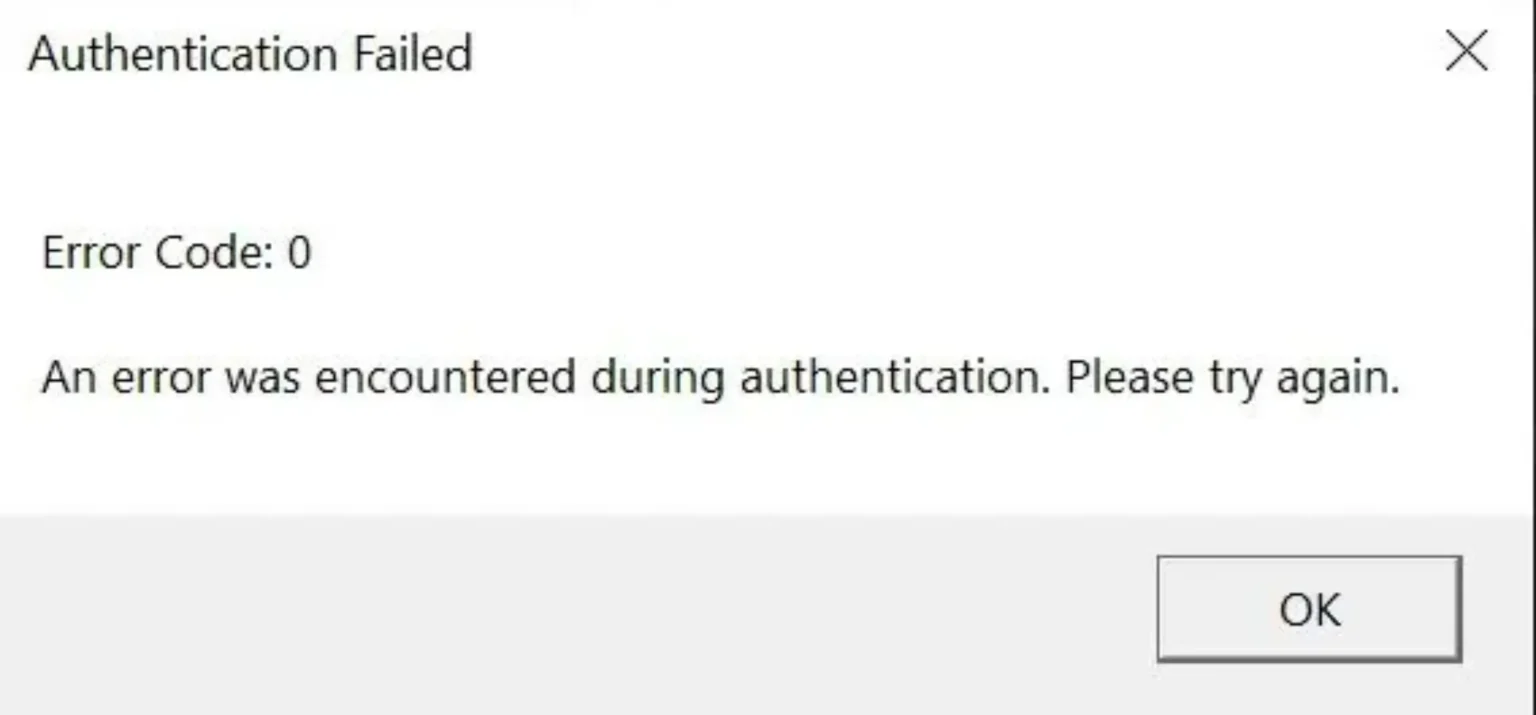
Error code 0 is a generic message used by different systems when something fails without a more specific explanation. However, its meaning changes depending on where it appears.
In some technical environments, code 0 can mean that a process ended successfully. At the same time, games and apps may show it when a request cannot be completed correctly.
Why does this error appear?
This error usually appears when a system does not know which exact failure happened. Therefore, it uses code 0 as a fallback message.
Common causes include:
- Failed authentication
- Server permission issues
- Outdated game files
- Corrupted cache
- Firewall restrictions
- Network instability
- Blocked requests
Is error code 0 dangerous?
No, error code 0 is usually not dangerous. It does not mean your device is damaged or your account is permanently blocked.
However, it can stop you from playing until the real cause is fixed. Because of that, the best approach is to check permissions, connection stability, and game files step by step.
Why roblox error code 0 happens
The roblox error code 0 message often appears when Roblox cannot complete a request to enter an experience. In other words, the platform may receive your request but fail to approve it.
This can happen even when your internet seems fine. For example, the server may reject the session because of account settings, expired login data, or connection instability.
Private server restrictions
One common cause is trying to enter a private or restricted server. If the creator limited access, Roblox may block your request before the game loads.
At first, this can look like a technical crash. However, it may simply mean your account does not have permission to join that experience.
Account and privacy settings
Roblox privacy settings can also trigger the issue. If your account has restrictions enabled, some experiences or server invites may not work correctly.
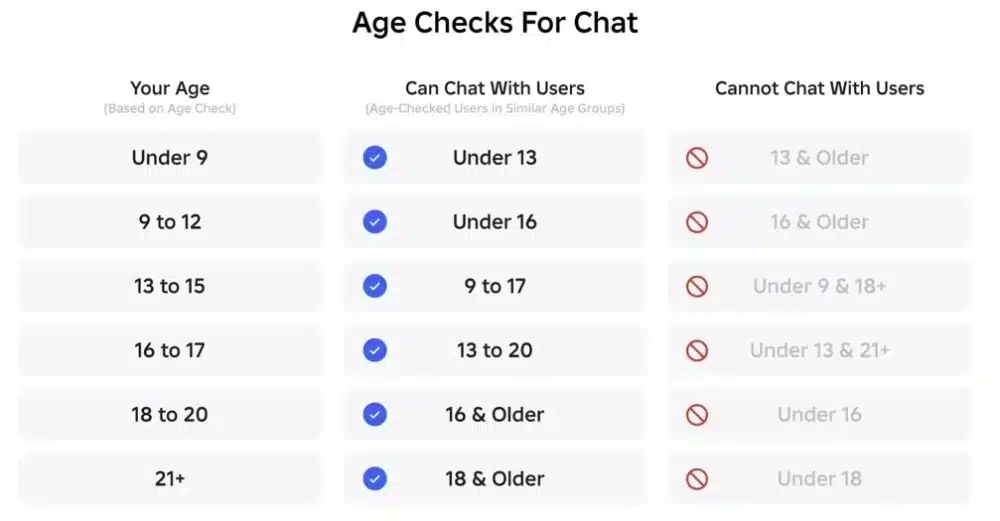
Check whether your account allows server joining, private invitations, and communication features. Similarly, make sure age-based restrictions are not blocking access to the experience.
Check this: How to Download and Use Roblox via Microsoft
Authentication failed roblox error code 0
The message authentication failed roblox error code 0 usually points to a failed account verification process. Roblox needs to confirm that your login session is valid before letting you connect.
When that confirmation fails, the platform may block the request and show error code 0 instead of a detailed explanation.
Why authentication fails
Authentication can fail when your login session expires or when Roblox cannot validate your device request. At the same time, unstable networks can interrupt the verification process.
Possible causes include:
- Expired login session
- Corrupted local data
- VPN or proxy interference
- Server-side instability
- Blocked network routes
How to reset authentication
To begin with, log out of Roblox completely. Then, close the app or browser, reopen it, and log in again.
If the issue continues, reinstalling Roblox can help reset damaged local files. As a result, the platform creates fresh authentication data the next time you sign in.
Read also: What is Peroxide in Roblox?
How to fix error code 0 roblox
Knowing how to fix error code 0 roblox starts with identifying whether the problem comes from permissions, files, or connection quality. Therefore, test the simplest fixes first.
Right away, check whether Roblox is updated and whether the experience you are joining is available to your account.
Step-by-step fix on PC
Follow these steps to fix the issue on PC:
- Close Roblox completely.
- Log out and sign in again.
- Update the Roblox client.
- Clear temporary Roblox files.
- Disable VPN or proxy tools.
- Whitelist Roblox in your firewall.
- Restart your computer.
- Reinstall Roblox if needed.
This process covers the most common causes. However, if the error appears only in one experience, the problem may be related to that specific server.
Step-by-step fix on mobile
On mobile, the process is similar but faster. First, update Roblox through the App Store or Google Play.
Then, restart the app and test the same experience again. If the error continues, reinstall Roblox to refresh account data, app permissions, and cache files.
Errors code 0 message unable to authenticate request. roblox
The phrase errors code 0 message unable to authenticate request. roblox usually means Roblox could not validate your connection request. In other words, the platform blocked the session before loading the experience.
This can happen because of account data, server access rules, or unstable routing. Above all, it means Roblox did not trust or complete the request successfully.
What this message really means
This message does not always mean your password is wrong. Instead, it often means your current session, device, or network route failed verification.
For example, switching networks or turning off a VPN can solve the issue quickly. Similarly, logging out and back in may refresh the session.
Best quick fixes
Try these fixes first:
- Restart Roblox
- Reconnect to your network
- Disable VPN services
- Check private server access
- Update the app
- Reinstall Roblox
- Test another experience
If Roblox works in other experiences, the issue may be tied to the original server’s permissions.
You may also like: How to Fix Roblox Lag on a Slow Phone
Why connection stability matters for error code 0
Even more, connection stability can affect authentication. Roblox and other online games depend on constant communication between your device and the server.
If packets drop during login or server joining, the request may fail. As a result, error code 0 can appear even when your internet speed looks normal.
How lag affects authentication
Lag is not only about delayed movement during gameplay. It can also affect requests that happen before the game starts.
For example, when Roblox checks your account, server access, and session token, any unstable route may interrupt the process. Therefore, smoother routing can help reduce connection-related errors.
How ExitLag can help
ExitLag helps improve online gameplay by optimizing connection routes, reducing packet loss, and stabilizing ping. Because of that, it can support smoother access to online games where server communication matters.
For Roblox players dealing with connection-based failures, ExitLag can make sessions more stable and responsive. In other words, it helps reduce the network problems that may contribute to error code 0.
Error code 0 in Minecraft
While Roblox users frequently encounter this issue, Minecraft players can also face error code 0 during startup. In most cases, the problem appears before entering a world and is commonly linked to Java conflicts, corrupted files, or incompatible modifications.
Unlike Roblox, where authentication plays a major role, Minecraft errors often originate from the game installation itself.
Common Minecraft causes
Several situations can trigger error code 0 in Minecraft:
- Outdated Java versions
- Corrupted launcher files
- Broken resource packs
- Mod conflicts
- Invalid launch arguments
Because Minecraft relies heavily on Java and custom content, even a small compatibility issue can prevent the game from launching correctly.
You may also like: Minecraft House Tutorial: Step-by-Step Guide for Beginners
Quick Minecraft fixes
If you encounter error code 0 in Minecraft, try these solutions:
- Update Java to the latest supported version.
- Remove recently installed mods.
- Verify game files through the launcher.
- Reset custom launch options.
- Reinstall Minecraft if necessary.
Most launch-related issues are resolved by updating software and removing incompatible modifications.
Error code 0 in Windows
Windows users may also encounter error code 0 when installing applications, running updates, or executing scripts. In many situations, the system does not provide enough details to identify the exact failure.
As a result, troubleshooting requires checking system files and update integrity.
Why Windows displays error code 0
Windows may show this message when:
- System files become corrupted
- Updates fail silently
- Applications lack permissions
- Scripts do not execute correctly
Although the code appears simple, the underlying cause can vary significantly.
How to repair Windows issues
The most common fixes include:
- Running System File Checker (SFC)
- Using DISM repair tools
- Installing pending Windows updates
- Restarting update services
- Reinstalling affected applications
These solutions help restore damaged files and resolve many system-level conflicts.
Error code 0 in Fortnite and other games
Error code 0 is not exclusive to Roblox or Minecraft. Several online games can display similar messages when communication with servers fails.
Fortnite players occasionally encounter the issue due to anti-cheat conflicts, launcher problems, or blocked background services.
Typical Fortnite causes
The most common triggers include:
- Corrupted game files
- Easy Anti-Cheat issues
- Firewall restrictions
- Driver conflicts
- Incomplete updates
Fortunately, most of these problems can be fixed without advanced troubleshooting.
Recommended Fortnite fixes
Start by:
- Verifying game files
- Updating graphics drivers
- Reinstalling Easy Anti-Cheat
- Running the game as administrator
- Closing unnecessary background applications
These steps resolve the majority of launch-related errors.
Check also: Fix Fortnite Lag: Ultimate Guide to Smoother Gameplay
Error code 0 comparison table
Different platforms use error code 0 differently. Therefore, identifying the context is essential before applying a solution.
| Platform | Most Common Cause | Recommended Fix |
| Roblox | Authentication failure | Re-login and update Roblox |
| Roblox Private Servers | Permission restrictions | Verify server access |
| Minecraft | Mod conflicts | Remove incompatible mods |
| Windows | Corrupted system files | Run SFC and DISM |
| Fortnite | Anti-cheat issues | Verify files and reinstall EAC |
| Android Apps | Corrupted cache | Clear cache and reinstall |
The same error code can have completely different meanings depending on where it appears.
Preventing error code 0 in the future
Although every platform behaves differently, there are several habits that reduce the chance of seeing error code 0 again.
Maintaining updated software and stable connectivity is often enough to prevent many authentication and launch failures.
Best practices
Follow these recommendations:
- Keep games updated
- Install operating system updates regularly
- Avoid unofficial modifications
- Use trusted software sources
- Clear cache periodically
- Monitor firewall permissions
These actions help reduce conflicts before they become larger issues.
Why stable routing matters
Many modern games depend on constant communication with authentication servers. Even brief interruptions can trigger validation failures.
Because of that, stable routing is becoming increasingly important for online gaming, especially in multiplayer environments where account verification occurs continuously.
How ExitLag helps reduce connection-related issues
Not every instance of error code 0 is network-related. However, connection instability frequently contributes to authentication failures, disconnects, and server communication problems.
ExitLag improves routing by using Multipath Connection technology to find more stable paths between your device and game servers. As a result, packet loss and routing interruptions are reduced.
Benefits include:
- More stable ping
- Reduced packet loss
- Better server communication
- Fewer connection interruptions
- Improved online responsiveness
For games like Roblox, where authentication and server access are essential, stable routing can make a noticeable difference.
Frequently asked questions (FAQ)
Error code 0 is a generic message that usually indicates a failed process without a detailed explanation. Its exact meaning depends on the platform where it appears.
In Roblox, it often relates to authentication or permissions. In Minecraft, it is frequently linked to mods or Java. In Windows, it can indicate system file or update problems.
The most effective solutions include updating Roblox, clearing cache files, logging out and back into your account, checking server permissions, and reinstalling the client when necessary.
If the issue is related to network instability, improving connection quality may also help reduce authentication failures.
Roblox error code 0 is usually triggered by authentication problems, private server restrictions, expired login sessions, outdated clients, or blocked network communication.
The exact cause depends on when the error appears and which experience you are attempting to join.
This message means Roblox could not successfully verify your account session or connection request.
It does not necessarily mean your password is incorrect. Instead, it indicates that the platform was unable to validate the request properly.
Yes. ExitLag helps optimize routing between your device and game servers, reducing packet loss and improving stability.
While it cannot fix account permissions or corrupted files, it can help minimize connection-related issues that contribute to authentication failures and server communication problems.
ExitLag can drastically improve your gameplay for an accessible price. To know more, check our pricing page.
In conclusion
Error code 0 can be frustrating because it provides very little information about what actually went wrong. However, understanding the platform involved makes troubleshooting much easier. Whether the issue is linked to Roblox authentication, Minecraft mods, Windows files, or game server communication, identifying the root cause is the fastest path to a solution.
By keeping your software updated, verifying permissions, maintaining clean installations, and improving connection stability, you can prevent many future issues. Above all, resolving error code 0 starts with understanding why it appears and applying the correct fix for your specific platform. Download ExitLag now!
Got questions or want to connect with other players? Join the conversation at the ExitLag Forum!